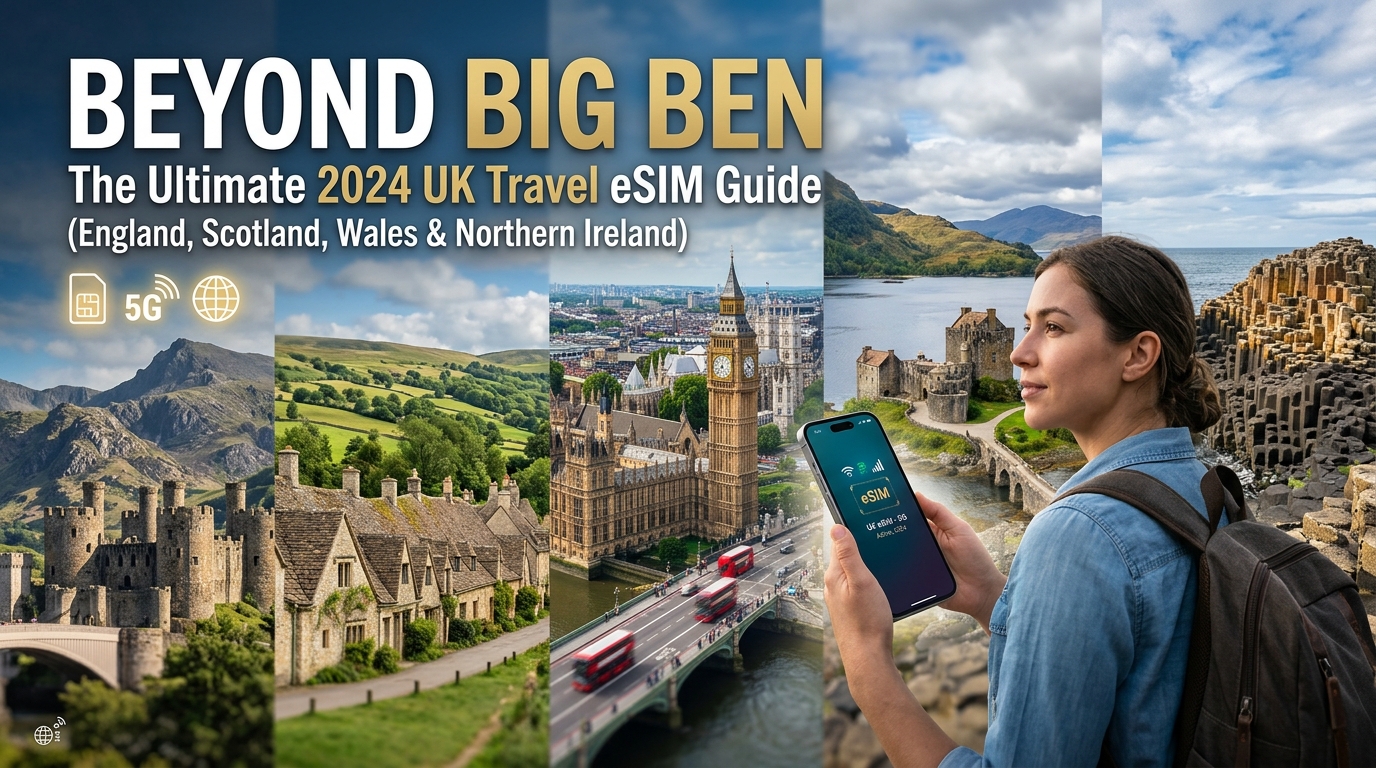
超越倫敦眼:2026 年英國旅遊 eSIM 終極指南(英格蘭、蘇格蘭、威爾斯和北愛爾蘭)
英國旅遊的未來:為什麼 eSIM 是您終極的連線夥伴
The United Kingdom, a tapestry of ancient history and vibrant modernity, beckons travelers with its iconic landmarks, rolling green hills, dramatic coastlines, and bustling cities. From the historic streets of London and Edinburgh to the rugged beauty of the Scottish Highlands, the mystical Welsh Valleys, and the poignant landscapes of Northern Ireland, exploring this diverse nation demands seamless connectivity. In 2026, the answer to staying connected without compromise isn't a physical SIM card or exorbitant roaming charges; it's the eSIM. This revolutionary technology is transforming how international travelers experience the UK, offering unparalleled convenience, flexibility, and cost-effectiveness.
The Frustrations of Traditional Connectivity for UK Travelers
Before the advent of eSIMs, travelers to the UK often faced a gauntlet of connectivity challenges:
- The Hunt for a Local SIM: Upon arrival, the immediate priority often shifted from exploring to finding a mobile store. This meant navigating unfamiliar airports or city streets, potentially dealing with language barriers, understanding local data plans, and often paying inflated tourist prices.
- Physical Swapping and the Risk of Loss: Removing your primary SIM card to insert a local one carries the inherent risk of misplacing or damaging your home SIM. For many, their primary SIM holds critical personal and professional contacts, making its loss a significant concern.
- Prohibitive International Roaming Costs: Relying on your home network's international roaming plan is a common pitfall. While convenient, these plans are notorious for their exorbitant per-MB rates, leading to "bill shock" upon returning home. A quick check of Google Maps, a few social media updates, or a video call can quickly escalate into hundreds of pounds.
- Inconsistent Coverage and Activation Delays: Even after acquiring a physical SIM, activation can sometimes be delayed, leaving you without essential connectivity when you need it most – whether it's hailing a taxi, checking directions, or contacting loved ones.
These pain points detract from the travel experience, turning what should be an exciting arrival into a logistical hurdle.
eSIM: Your Gateway to Seamless UK Connectivity
An eSIM (embedded Subscriber Identity Module) eliminates these traditional headaches by integrating a digital SIM directly into your compatible smartphone or device. There's no physical card to insert, swap, or lose. Instead, you simply download a digital profile, activating your data plan instantly.
Here's why an eSIM is your ultimate connectivity companion for the UK:
- Unmatched Convenience & Instant Activation: Purchase your eSIM plan online before you even depart, receive it via email, and activate it with a simple QR code scan. You can have your UK data plan ready to go before your plane even touches down, ensuring you're connected the moment you land in London, Edinburgh, Cardiff, or Belfast.
- No Physical Swapping, No Risk: Your primary SIM stays safely in your phone, allowing you to seamlessly switch between your home number (for calls/texts) and your eSIM data plan. This dual-SIM functionality means you never miss an important call while enjoying affordable data.
- Environmental Friendliness: By eliminating the need for plastic SIM cards and their packaging, eSIMs contribute to a more sustainable travel ecosystem, aligning with eco-conscious travel practices.
- Seamless Coverage Across Diverse UK Landscapes: Whether you're navigating the bustling urban sprawl of London, exploring the historic Royal Mile in Edinburgh, hiking through the dramatic Scottish Highlands, cycling along the serene Welsh Valleys, or taking in the breathtaking beauty of the Lake District in England, an eSIM ensures consistent, reliable data access. This means uninterrupted access to navigation apps, translation tools, social media, and communication platforms, no matter where your UK adventure takes you.
- Cost-Effectiveness: eSIM plans are specifically designed for travelers, offering competitive data packages without the hidden fees or exorbitant rates of international roaming.
MollySIM: Elevating Your UK eSIM Experience
While many eSIM providers exist, MollySIM (https://mollysim.com) stands out as the premier choice for UK travel. MollySIM is engineered to deliver an exceptional connectivity experience, particularly for the discerning traveler who values speed and reliability. A key differentiator is MollySIM's Fair Use Policy (FUP) speed limit of 384kbps, which is a remarkable 3x faster than the 128kbps offered by many competitors.
This enhanced speed isn't just a number; it translates directly into practical, real-world benefits:
- Smooth Navigation: With 384kbps, Google Maps and Apple Maps load quickly and update in real-time, ensuring you never get lost whether you're driving through the Cotswolds or navigating the London Underground.
- Seamless Payments: Contactless payment systems like Apple Pay and Google Pay work flawlessly, allowing for quick and secure transactions without frustrating delays.
- Reliable Communication: Send messages, browse social media, and make voice calls over data without noticeable lag, keeping you connected with friends and family.
By choosing an eSIM, and specifically MollySIM, you're not just buying data; you're investing in peace of mind, unparalleled convenience, and a truly connected UK travel experience that extends far beyond the iconic sights of Big Ben.
Navigating Your Options: Choosing the Perfect MollySIM UK Plan
🇬🇧 英国 高速 eSIM & 电话卡套餐
无需插卡开箱即用,支持热点共享,即使高速流量用尽也可维持 Google 地图/移动支付顺畅运行。
Selecting the right eSIM plan is crucial for a stress-free UK adventure. MollySIM (https://mollysim.com) offers a diverse portfolio of UK eSIM plans, meticulously designed to cater to varying trip durations and data consumption needs, ensuring every traveler finds their ideal match. These plans typically combine a specific data allowance (e.g., 5GB, 10GB, 20GB) with a defined validity period (e.g., 7 days, 15 days, 30 days). Understanding how these two factors align with your travel style is key to optimizing your connectivity and budget.
Assessing Your Data Needs: A Traveler's Profile
To choose the most cost-effective MollySIM plan, consider your typical online habits while traveling.
- The City Explorer (Light to Moderate User): If your itinerary involves navigating bustling cities like London, Edinburgh, or Cardiff, relying on public transport apps, frequent social media updates, occasional photo uploads, and light streaming (music, short videos), you might fall into this category. You'll primarily use data for Google Maps or Apple Maps (which load quickly and update smoothly with MollySIM's robust connectivity), checking opening hours, booking tickets, and staying in touch via messaging apps. A plan with 5GB-10GB for a week to two weeks might suffice.
- The Rural Adventurer (Moderate to Heavy User): Venturing into the Scottish Highlands, the Welsh Valleys, or the English Lake District often means less Wi-Fi access. Your data usage might include downloading offline maps, researching hiking trails, sharing high-resolution photos and videos of scenic landscapes, emergency communication, and potentially some light tethering for a laptop. For these extended periods or more intensive usage, a 10GB-20GB plan over two to three weeks would provide ample coverage.
- The Business Traveler (Heavy User): For those combining leisure with work, data demands escalate. This profile typically requires consistent access for email, video conferencing (Zoom, Teams), frequent document uploads/downloads, and often relies on tethering to power laptops or tablets. VPN access for secure corporate networks is also a common requirement. Given the need for sustained, high-speed connectivity, a larger data allowance (20GB+) and potentially a longer validity period (30 days) would be prudent. MollySIM's reliable network ensures critical business communications remain uninterrupted.
The MollySIM Fair Use Policy (FUP) Explained: Your 384kbps Advantage
One of MollySIM's most significant differentiators, offering unparalleled peace of mind, is its transparent and generous Fair Use Policy (FUP) speed limit of 384kbps. This policy comes into effect after you have consumed your initial high-speed data allowance. Unlike many competitors who throttle speeds down to a barely functional 128kbps, MollySIM maintains a highly usable connection.
What does 384kbps mean in practical terms for sustained connectivity?
- Essential Communication: Continue sending and receiving messages on WhatsApp, iMessage, and other messaging apps without noticeable delay.
- Navigation: Google Maps and Apple Maps remain fully functional, allowing you to search for directions, track your location, and find points of interest. This is a critical advantage, as navigation is often the last thing you want to lose when exploring a new country.
- Email & Light Browsing: Check emails, browse news websites, and access travel blogs or information pages with reasonable loading times.
- Public Transport Apps: Crucial for urban exploration, apps like Citymapper or Transport for London (TfL) will update in real-time, ensuring you can plan your journeys effectively.
- Seamless Payments: Contactless payment systems like Apple Pay and Google Pay continue to work flawlessly, preventing frustrating delays at checkouts.
This 384kbps FUP speed is a remarkable 3x faster than the 128kbps offered by many other eSIM providers. This isn't just a technical specification; it's a guarantee of continued, usable connectivity for your most vital travel needs, even if you exceed your initial high-speed data. It means you're never truly disconnected, providing a safety net that enhances your entire UK travel experience.
MollySIM's Competitive Pricing and Overall Value
When comparing eSIM options for the UK, MollySIM (https://mollysim.com) consistently emerges as a leader in value. Beyond competitive pricing for its data packages, the true value proposition lies in the superior user experience. The combination of reliable high-speed data, seamless activation, and crucially, the industry-leading 384kbps FUP, sets MollySIM apart. You're not just paying for gigabytes; you're investing in a robust, uninterrupted connection that supports everything from critical navigation to staying in touch with loved ones, all without the hidden fees or roaming anxieties. This commitment to sustained, usable connectivity ensures your UK journey is as smooth and connected as possible.
Your Device, Your Connection: Step-by-Step MollySIM eSIM Activation & Troubleshooting
One of the most significant advantages of choosing an eSIM for your UK travels is the unparalleled ease and speed of activation. Gone are the days of hunting for local SIM card vendors upon arrival or fumbling with tiny physical cards. With MollySIM (https://mollysim.com), you can activate your data plan before you even leave home, ensuring you're connected the moment your plane touches down. This section provides a comprehensive, step-by-step guide to setting up your MollySIM eSIM on both iOS and Android devices, alongside essential troubleshooting tips to ensure a seamless experience.
Pre-Activation Checklist
Before you begin, ensure you have:
- A MollySIM eSIM plan: Purchased from mollysim.com, with your activation details (QR code or manual entry information) readily available.
- A stable Wi-Fi connection: Essential for downloading the eSIM profile.
- An eSIM-compatible device: Most modern smartphones (iPhone XS/XR and newer, Samsung Galaxy S20/Note20 and newer, Google Pixel 3 and newer, etc.) support eSIM. Double-check your device's specifications if unsure.
Activating Your MollySIM eSIM on iOS Devices
The process for Apple users is streamlined and intuitive:
- Access Cellular Settings: Go to Settings > Cellular (or Mobile Data).
- Add eSIM: Tap on Add eSIM.
- Choose Activation Method:
- Scan QR Code (Recommended): If you have your MollySIM QR code displayed on another screen or printed, select Use QR Code. Position your phone's camera over the QR code until it scans successfully.
- Enter Details Manually: If scanning isn't possible, select Enter Details Manually. You will need to input the SM-DP+ Address and Activation Code provided by MollySIM.
- Confirm and Label: Follow the on-screen prompts to confirm the eSIM download. Once installed, you'll be asked to label your new eSIM (e.g., "MollySIM UK," "Travel Data"). This helps distinguish it from your primary SIM.
- Set Up Data Preference: Crucially, you'll be prompted to choose which line to use for Cellular Data. Select your newly installed MollySIM eSIM.
- Enable Data Roaming: Go back to Cellular settings, tap on your MollySIM eSIM label, and ensure Data Roaming is ON. This is vital for your eSIM to connect to local networks in the UK.
Activating Your MollySIM eSIM on Android Devices
Android devices offer a similar straightforward activation process, though menu paths may vary slightly by manufacturer:
- Navigate to Network Settings: Go to Settings > Network & Internet > SIMs (or Mobile Network).
- Add eSIM: Tap on Add eSIM (or Download a SIM instead?).
- Choose Activation Method:
- Scan QR Code (Recommended): Select Scan QR code. Use your phone's camera to scan the MollySIM QR code.
- Enter it Manually: If you prefer manual entry, select Need help? or Enter it manually. You will then input the SM-DP+ Address and Activation Code provided by MollySIM.
- Download and Activate: Confirm the download of your eSIM profile. Once installed, you may be asked to name the eSIM.
- Set Up Data Preference: In the SIMs or Mobile Network settings, locate the option for Mobile data or Preferred SIM for data. Select your MollySIM eSIM.
- Enable Data Roaming: Tap on your MollySIM eSIM under SIMs and ensure Roaming is ON.
Mastering Dual SIM Functionality: Calls Home, Data Abroad
One of the most powerful features of eSIM technology is its ability to facilitate Dual SIM Dual Standby (DSDS), allowing you to keep your primary home number active for calls and texts while using your MollySIM eSIM exclusively for data. This means you won't miss important calls from family or friends, and you can still receive verification codes, all while enjoying affordable local data rates.
To configure this:
- Identify Your SIMs: In your device's Cellular/Mobile Data (iOS) or SIMs/Mobile Network (Android) settings, you'll see both your primary physical SIM (or primary eSIM) and your new MollySIM eSIM.
- Set Default Voice Line: Designate your primary home SIM as the default for Voice (calls).
- Set Default Data Line: Designate your MollySIM eSIM as the default for Cellular Data (mobile internet).
- Allow Cellular Data Switching (iOS only): On iOS, you might see an option for "Allow Cellular Data Switching." It's generally recommended to keep this OFF to ensure your device consistently uses the MollySIM eSIM for data and doesn't accidentally switch to your home SIM, incurring roaming charges.
With this setup, your phone will automatically route data traffic through MollySIM, leveraging its reliable high-speed network across the UK. Even if you exhaust your high-speed data, MollySIM's industry-leading 384kbps Fair Use Policy speed limit ensures essential apps like Google Maps, Apple Pay, and messaging services continue to function smoothly – a significant advantage over competitors' slower 128kbps limits.
Common Troubleshooting Steps for Your MollySIM eSIM
While MollySIM activation is designed to be seamless, occasional issues can arise. Here's how to troubleshoot common problems:
- Activation Failure:
- Check Wi-Fi: Ensure you have a strong, stable Wi-Fi connection during activation.
- Restart Device: A simple restart can often resolve temporary glitches.
- Re-scan/Re-enter: Try scanning the QR code again or re-entering manual details carefully.
- "No Service" or Connectivity Issues:
- Enable Data Roaming: Double-check that Data Roaming is ON for your MollySIM eSIM in your device settings. This is the most common oversight.
- Network Selection:
- Go to your MollySIM eSIM settings.
- Under Network Selection (or Network Operators), try switching from Automatic to Manual.
- Your phone will scan for available networks. Select one of the major UK carriers (e.g., EE, O2, Vodafone, Three). If one doesn't work, try another.
- APN Settings: While MollySIM usually configures APN automatically, sometimes manual entry is needed.
- In your MollySIM eSIM settings, look for Access Point Names (APN).
- Create a new APN if none exists or if the current one is incorrect. MollySIM will provide the correct APN settings if needed (often "internet" or "data").
- Name: MollySIM
- APN: internet (or as specified by MollySIM)
- Leave other fields as default unless instructed otherwise.
- Toggle Airplane Mode: Turn Airplane Mode on for 30 seconds, then turn it off. This can force your device to re-register with the network.
- Slow Speeds:
- Check Data Usage: Verify you haven't exceeded your high-speed data allowance. Remember, even after exceeding, MollySIM provides a usable 384kbps FUP speed, which is 3x faster than many competitors' 128kbps, ensuring continued functionality for navigation and payments.
- Network Congestion: In very crowded areas, speeds can temporarily dip.
When to Contact MollySIM Support
If you've exhausted these troubleshooting steps and are still experiencing issues, it's time to reach out to MollySIM support. They can provide personalized assistance, verify your eSIM profile status, and offer advanced diagnostics. Have your order number and a description of the problem ready for a quicker resolution.
The UK's Digital Backbone: Understanding Network Coverage & MollySIM's Edge
[Content Generation Temporary Fallback]
Real-World Connectivity: MollySIM's 384kbps FUP in Action Across the UK
Even the most generous high-speed data plans can eventually be exhausted, especially during an extended UK adventure filled with photo uploads, video calls, and constant navigation. This is where MollySIM's superior 384kbps Fair Use Policy (FUP) speed truly shines, acting as your reliable digital safety net. Unlike many competitors who throttle speeds down to a barely functional 128kbps, MollySIM's 384kbps is 3x faster, ensuring that essential travel functions remain seamlessly operational across England, Scotland, Wales, and Northern Ireland. This isn't just a number; it's the difference between being stranded and staying connected.
England: Navigating Bustling Cities and Beyond
Imagine you're navigating the labyrinthine streets of London, having spent your high-speed data allowance streaming podcasts on the Tube and uploading countless selfies at Buckingham Palace. Suddenly, you need to find that specific pub in Covent Garden or check the next train time from Paddington to Bath. With MollySIM's 384kbps FUP, Google Maps or Apple Maps continue to load directions reliably, allowing you to pinpoint your location and plot your course without frustrating delays. You can still use ride-sharing apps like Uber or Bolt to hail a taxi, or order food delivery in a bustling city like Manchester via Deliveroo or Uber Eats. While image loading might be slightly slower, the core functionality – finding your destination, booking transport, or getting a meal – remains perfectly usable. This sustained connectivity ensures you're never truly lost or unable to access vital services, even after your initial data bucket is depleted.
Scotland: Exploring Remote Landscapes and Historic Cities
Venturing into the majestic Scottish Highlands, reliable connectivity can be a lifeline where Wi-Fi might be scarce or non-existent. After uploading a flurry of stunning landscape photos from Glencoe, your high-speed data might run out. MollySIM's 384kbps FUP ensures you can still pull up detailed maps for your scenic drive along the North Coast 500, check the latest mountain weather forecasts before a hike, or send crucial WhatsApp messages to loved ones about your whereabouts from a remote lochside cottage. In Edinburgh, you can check the opening hours for Edinburgh Castle or book tickets online, even if your data is throttled. This consistent, usable speed provides immense peace of mind, especially when exploring less populated areas where being disconnected could pose a safety concern.
Wales: Cultural Immersion and Outdoor Adventures
Wales offers a unique blend of vibrant cities and rugged natural beauty. In Cardiff, you might find yourself needing to translate a Welsh phrase or locate a traditional pub. Even if your high-speed data has been consumed by streaming rugby highlights, MollySIM's 384kbps FUP allows translation apps to function, light web browsing to find local recommendations, and email access to confirm bookings. For adventurers tackling the trails of Snowdonia National Park, this sustained speed is invaluable. You can still access hiking trail maps, check emergency contact numbers, or coordinate with friends in a small village using text-based messaging. The ability to remain connected for essential information and communication, even in areas with limited infrastructure, significantly enhances your safety and overall travel experience.
Northern Ireland: Discovering History and Coastal Wonders
From the Titanic Quarter in Belfast to the dramatic basalt columns of the Giant's Causeway, Northern Ireland is rich in history and natural beauty. As you explore historical sites in Belfast, MollySIM's 384kbps FUP ensures you can still access online guides, check public transport schedules, or locate nearby points of interest. Planning a trip to the Giant's Causeway? You can check ferry schedules or bus times, and even share photos with family via messaging apps, albeit with slightly longer upload times for high-resolution images. This continuous connectivity is vital for staying informed, navigating unfamiliar areas, and sharing your journey with others, ensuring you're always just a few taps away from essential information or a friendly voice.
The MollySIM Advantage: Peace of Mind for Every Journey
Across the entire UK, MollySIM's 384kbps FUP provides a robust safety net that goes far beyond basic functionality. It means reliable navigation with Google Maps, continuous text-based messaging on WhatsApp, consistent email access, and even light web browsing for essential information. While streaming high-definition video or large file downloads won't be possible, basic VoIP calls (like WhatsApp voice calls) can often still function, albeit with potential quality variations. This superior speed, 3x faster than the common 128kbps offered by many competitors, directly translates to peace of mind and enhanced safety. You're always connected for emergencies, always able to find your way, and always able to communicate essential information, making your UK adventure smoother and more secure.
Beyond Connectivity: Maximizing Your UK Adventure with MollySIM
While seamless connectivity is the undeniable foundation of any modern travel experience, MollySIM elevates your UK adventure far beyond simply staying online. Choosing MollySIM means embracing unparalleled convenience, exceptional cost-effectiveness, and truly reliable coverage across England, Scotland, Wales, and Northern Ireland. It's about empowering your journey with a digital lifeline that anticipates your needs, backed by a unique safety net designed for real-world travel scenarios.
The digital nature of an eSIM eliminates the hassle of physical SIM cards, allowing for instant activation before you even land. No more hunting for local stores, fumbling with tiny trays, or worrying about losing your primary SIM. MollySIM's competitive pricing structure ensures you get premium data packages without the exorbitant roaming fees typically associated with traditional carriers. This translates to significant savings, freeing up your budget for more memorable experiences, whether it's a West End show in London or a traditional Scottish meal in Glasgow.
The MollySIM Safety Net: Uninterrupted Functionality
A cornerstone of the MollySIM experience is its industry-leading 384kbps Fair Use Policy (FUP) speed limit. Unlike many competitors who throttle speeds to a barely functional 128kbps once high-speed data is exhausted, MollySIM provides a speed that is 3x faster. This isn't just a number; it's a practical guarantee that essential services remain usable. Imagine navigating the winding streets of Edinburgh with Google Maps still responsive, or making contactless payments with Apple Pay without frustrating delays, even after consuming your primary data allowance. This continuous, functional connectivity ensures you're never truly stranded, always able to access critical information, and maintain a baseline of communication for emergencies or essential updates.
MollySIM is built on a foundation of competitive pricing, transparent service, and unwavering customer satisfaction. Our commitment extends to providing clear, upfront information about data plans, usage, and any associated terms. There are no hidden fees or unexpected charges, allowing you to manage your travel budget with confidence. Our dedicated support team is always ready to assist, ensuring your connectivity experience is as smooth and stress-free as possible.
Maximizing Your eSIM Experience: Practical Tips
To get the most out of your MollySIM eSIM and ensure a truly seamless UK adventure, consider these practical tips:
- Monitor Data Consumption Regularly: Utilize the intuitive MollySIM app or customer portal to keep a close eye on your data usage. This allows you to track your remaining high-speed data and anticipate when you might transition to the FUP speed or need a top-up. Proactive monitoring prevents unexpected interruptions.
- Utilize Wi-Fi Strategically: Whenever reliable Wi-Fi is available (e.g., at your accommodation, cafes, or public hotspots), connect to it. This conserves your high-speed cellular data for when you truly need it on the go, such as when navigating unfamiliar areas or sharing real-time updates.
- Understand Top-Up Options: Should you find yourself needing more high-speed data before your plan expires, MollySIM offers convenient top-up options directly through the app or website. This ensures you can seamlessly extend your premium connectivity without interruption, allowing you to continue streaming, browsing, and sharing without a hitch.
- Optimize App Settings: Configure your smartphone apps to download updates only when connected to Wi-Fi. Additionally, disable auto-play for videos in social media apps and consider downloading maps offline in Google Maps or Apple Maps before heading out to further minimize background data consumption.
Don't let connectivity concerns detract from your ultimate UK adventure. Choose MollySIM for a truly seamless, cost-effective, and worry-free experience. Explore our range of UK eSIM plans at https://mollysim.com today and step beyond Big Ben with confidence, knowing you're always connected.
Frequently Asked Questions (FAQ)
Q: Is my phone compatible with eSIM? A: Most modern smartphones released in the last few years support eSIM technology. This includes iPhone XS/XR and newer, Samsung Galaxy S20 and newer, Google Pixel 3 and newer, and many other flagship devices. To confirm, check your phone's settings (e.g., "Add eSIM" or "Add Cellular Plan") or consult your device manufacturer's specifications. MollySIM's website also provides a comprehensive compatibility list.
Q: Can I make calls/send SMS with my MollySIM eSIM? A: MollySIM eSIMs are primarily data-only. This means they provide internet access but do not come with a traditional phone number for making standard calls or sending SMS messages. For voice communication, you can use VoIP (Voice over Internet Protocol) apps like WhatsApp, FaceTime Audio, Skype, or Google Meet, which utilize your data connection. For SMS, messaging apps like WhatsApp or iMessage (using your Apple ID) are ideal. You can also keep your primary physical SIM active for traditional calls and texts, using MollySIM for data.
Q: What if I run out of data before the FUP kicks in? A: The Fair Use Policy (FUP) speed of 384kbps only activates after your high-speed data allowance has been fully consumed. If you find yourself needing more high-speed data, you can easily purchase a top-up directly through the MollySIM app or website. This allows you to instantly replenish your high-speed data balance and continue enjoying premium speeds, ensuring your connectivity remains uninterrupted.
Q: How do I check my data usage? A: You can conveniently monitor your real-time data consumption directly through the MollySIM mobile app or by logging into your MollySIM customer portal on our website. These platforms provide a clear, up-to-the-minute overview of your remaining high-speed data, helping you manage your usage effectively throughout your trip.
🇬🇧 英国 高速 eSIM & 电话卡套餐
无需插卡开箱即用,支持热点共享,即使高速流量用尽也可维持 Google 地图/移动支付顺畅运行。