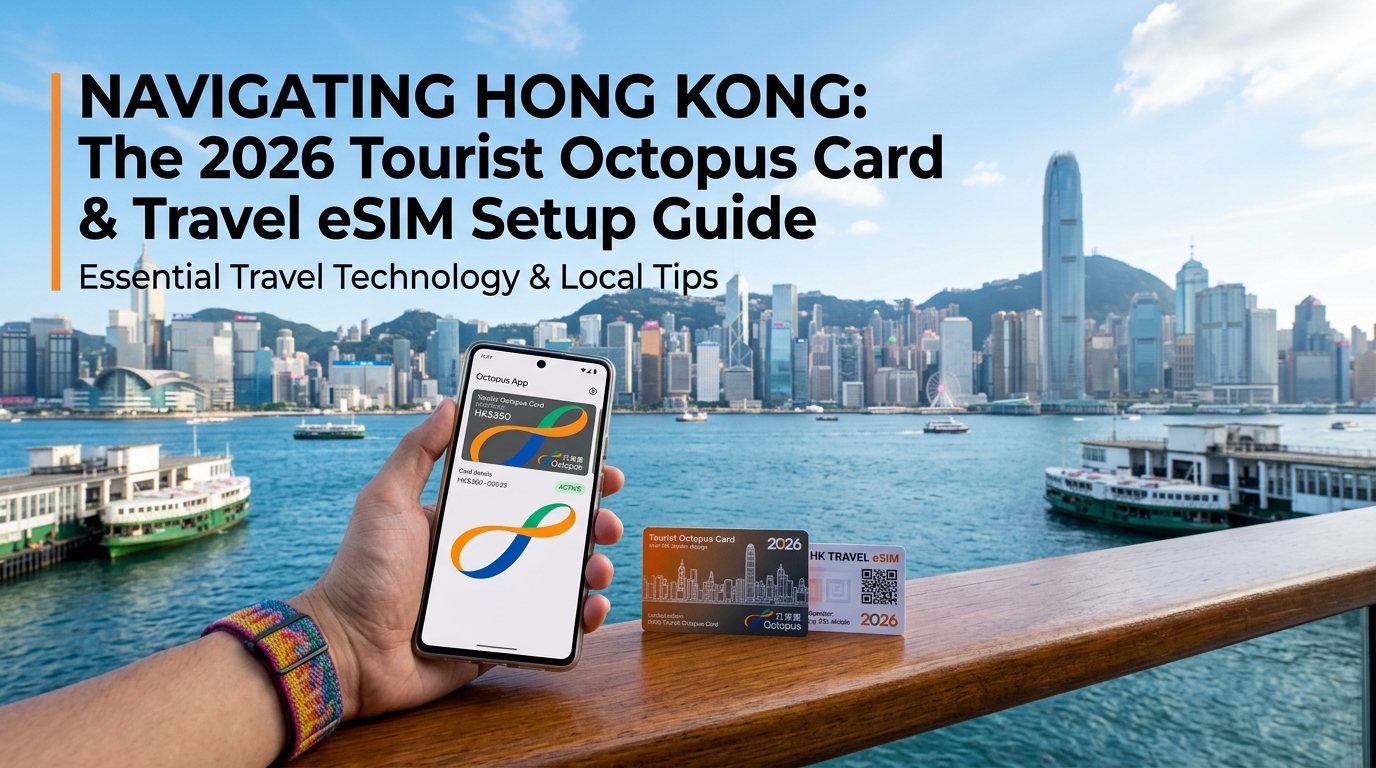
Navigating Hong Kong: The 2026 Tourist Octopus Card & Travel eSIM Setup Guide
The Evolution of Hong Kong Transit: Digital Tourist Octopus Card via Apple Wallet and Huawei Pay
For decades, the standard arrival ritual at Hong Kong International Airport (HKG) involved joining the snaking queue at the Airport Express Customer Service Counter. Arriving travelers had to withdraw local cash (HKD), pay a physical refundable deposit (HK$50), and remember to queue again before departure to claim their remaining balance—often forfeiting a HK$11 handling fee for cards returned within 90 days.
The introduction of the Octopus for Tourists App completely upends this friction, enabling international travelers to provision a digital Octopus card directly into Apple Wallet or Huawei Pay before or immediately upon arrival.
Traditional Arrival: Plane Landing ➔ ATM/Forex Queue ➔ MTR Counter Queue ➔ Physical Card
Digital 2026 Arrival: Plane Landing ➔ Turn on eSIM ➔ Instant In-App Provisioning ➔ Tap Gates
Eliminating Airport Bottlenecks
By shifting to a virtual Octopus card, travelers bypass multiple operational pain points:
- Zero Cash Dependency: Traditional ticket vending machines at MTR stations require cash. Digital Octopus allows you to top up seamlessly using foreign-issued credit/debit cards (Mastercard, Visa, and UnionPay) directly through Apple Pay or the Octopus app without foreign currency exchange counter markups.
- No Deposit Penalties: Unlike physical On-Loan cards, the digital Tourist Octopus requires no security deposit, eliminating redemption queues at HKG Terminal 1 departure halls. Any remaining balance can be refunded directly to your original credit card through the app.
- Instant Balance Transparency: Real-time push notifications alert you to the exact fare deducted and remaining balance after every tap at turnstiles, 7-Eleven, or onboard double-decker buses.
| Metric / Feature | Physical On-Loan Octopus | Digital Tourist Octopus (Apple / Huawei) |
|---|---|---|
| Issuance Method | MTR Counters / Airport Express Desk | Octopus for Tourists App / Apple Wallet |
| Upfront Deposit | HK$50 (Subject to refund fee) | HK$0 Deposit |
| Top-up Methods | Cash, MTR Vending Machines, Stores | In-App via International Visa / Mastercard |
| Turnstile Friction | Physical card tap | Instant NFC tap (No device unlock required) |
| Refund Processing | Physical counter line before departure | Instant in-app refund to original card |
Technical Mechanics: Zero-Click NFC and Express Transit Mode
The digital Octopus card relies on embedded Near Field Communication (NFC) technology governed by the FeliCa standard (Sony's high-speed contactless protocol). Unlike standard Apple Pay or Google Pay retail transactions that demand Face ID, Touch ID, or passcode authorization, the Tourist Octopus supports Express Transit Mode (Express Card).
[NFC Gate Sensor] <--- 13.56 MHz (FeliCa Protocol) ---> [iPhone / Apple Watch Secure Element]
                                                          ↳ No Face ID / Passcode Required
                                                          ↳ Operational via Power Reserve
This integration delivers two essential technical advantages:
- Zero-Latency Tapping: You do not need to wake your screen, unlock your device, or open an app. Simply tap the top edge of your iPhone or the screen of your Apple Watch against the transit sensor. FeliCa processes the cryptographic handshake in under 0.1 seconds, preventing turnstile bottlenecks.
- Power Reserve Functionality: On compatible iPhones (iPhone XS/XR and later), Express Transit works even if your iPhone battery dies. The device enters a low-power mode reserving enough emergency energy to handle turnstile authentications for up to five hours after the screen indicates a flat battery.
The Connectivity Prerequisite: Provisioning Before Customs
While day-to-day transit taps are processed offline between your device’s Secure Element and the turnstile, initial card provisioning, tokenization, and subsequent top-ups demand a secure, active data connection.
During digital card creation, the Octopus app communicates with banking servers to execute 3D Secure (3DS) authentication for your foreign credit card. If you attempt this process over congested, unsecured public airport Wi-Fi, you risk dropped sessions, failed cryptographic handshakes, or security verification timeouts from your bank.
To ensure your virtual Octopus is fully loaded before you reach the Airport Express turnstiles, your mobile data must be operational the second your flight touches down at HKG. Utilizing a dedicated travel eSIM from MollySIM provides instant, encrypted local network access across Hong Kong's premium tier-1 carriers.
Even if you exhaust your high-speed daily quota during heavy data usage, MollySIM’s built-in 384kbps Fair Use Policy (FUP) speed limit—which is 3x faster than the typical 128kbps industry standard—guarantees that low-bandwidth, mission-critical operations such as 3DS bank verification, Apple Pay reloads, and live Google Maps transit routing continue to execute smoothly without leaving you stranded at an MTR barrier.
Hong Kong's Mobile Network Architecture: CSL, SmarTone, and CMHK Compared
🇭🇰 Hong Kong High-Speed Travel eSIM & SIM Plans
Instant QR code activation, hotspot enabled, with guaranteed 384kbps fallback speed to keep Maps & Digital Wallets active.
Hong Kong features one of the most sophisticated, densely engineered telecommunications infrastructures in the world. Its ultra-dense urban topography—characterized by concrete canyons, deep subterranean mass transit systems, and massive vertical architecture—presents unique radio frequency (RF) challenges.
Understanding how the primary mobile network operators (MNOs) architect their networks is critical for travelers relying on constant, low-latency data for real-time turnstile authorizations, map rendering, and payment gateways.
The Big Three: Core Network Profiles
- CSL (HKT / PCCW Heritage): Operating the largest combined spectrum footprint in the territory, CSL leverages extensive deployments across the 3.5 GHz (n78 "golden band") and 4.9 GHz (n79) bands, backed by dense millimeter-wave (mmWave) microcells in commercial hubs like Central, Causeway Bay, and Tsim Sha Tsui. It delivers enterprise-grade throughput and massive bandwidth capacity, making it exceptionally reliable in heavily congested street-level zones.
- SmarTone: Built entirely on proprietary Ericsson radio access network (RAN) hardware with advanced Dual-Band dynamic spectrum sharing, SmarTone is widely regarded as the gold standard for underground RF engineering. Its custom subterranean distributed antenna systems (DAS) eliminate dead zones inside high-speed MTR rail tunnels, deep underground interchange hubs (like Admiralty and Hong Kong Station), and multi-level basement shopping complexes.
- China Mobile Hong Kong (CMHK): The territory’s volume leader controls extensive continuous 5G spectrum and direct terrestrial interconnects into mainland China. While peak-hour cell towers along Victoria Harbour can experience higher contention ratios during major events, CMHK delivers broad macro-layer coverage and reliable speed across outer districts, the New Territories, and the outlying islands.
Network Performance Matrix
| Network Solution | 5G Urban Bandwidth | Subterranean MTR Reliability | Victoria Harbour / Ferry Latency | Setup Friction | Cost Efficiency |
|---|---|---|---|---|---|
| CSL (HKT) | Extreme (Up to 800+ Mbps) | High (Occasional handover jitter) | 18–25 ms (Stable ping across harbor) | High (Real-name passport check at store) | Moderate (Higher standalone tourist rates) |
| SmarTone | Very High (500–700 Mbps) | Superior (Seamless handovers between stations) | 15–22 ms (Ultra-low jitter) | High (Physical SIM / In-store validation) | Moderate to Premium |
| CMHK | High (400–600 Mbps) | Moderate to High (Rare micro-drops in deep tunnels) | 25–35 ms (Slight latency rise at peak) | High (Requires physical purchase or verification) | High (Competitive base pricing) |
| Pocket Wi-Fi Rentals | Variable (Capped 4G/LTE) | Poor (Repeater latency penalties) | 45–70 ms (Packet loss over water) | Severe (Airport pickup/return, charging required) | Very Low (High daily flat fee + deposit) |
Dynamic Routing: The MollySIM Advantage
Physical local SIMs force your device onto a single carrier's radio access network, while Pocket Wi-Fi hardware introduces hardware weight, battery management overhead, and high round-trip transmission latency.
A dedicated travel eSIM from MollySIM bypasses physical provisioning bottlenecks by routing your data directly through optimized tier-1 local peering exchanges. This guarantees direct core network access without requiring you to wait in line at airport kiosks or complete tedious real-name physical verification queues before leaving the terminal.
Crucially, dynamic routing protects your mission-critical transit workflows. If you hit heavy data caps streaming 4K video on the Airport Express, MollySIM’s 384kbps Fair Use Policy (FUP) baseline—which is 3x faster than the restrictive 128kbps throttles deployed by standard roaming providers—ensures that critical protocols remain active.
At 384kbps, SSL/TLS handshakes, Apple Pay tokenization updates, 3D Secure bank challenges, and dynamic Google Maps vector rendering execute reliably, ensuring you never face an unresponsive transit app or a stalled Octopus reload at an MTR exit gate.
Navigating Real-Name Registration: Why International Travel eSIMs Offer Seamless Arrival
Travelers landing at Hong Kong International Airport (HKG) are often blindsided by the statutory Real-Name Registration (RNR) policy. Enforced by the Office of the Communications Authority (OFCA) under the Telecommunications (Registration of SIM Cards) Regulation, this law mandates that all local prepaid SIM cards and local eSIM profiles must be registered with a government-issued identity document before any voice, SMS, or data service is provisioned.
For incoming tourists purchasing local SIMs, this creates an immediate operational bottleneck at the arrivals hall:
- Mandatory Identity Document Uploads: You must scan your physical passport data page via a web portal or kiosk interface.
- Biometric Liveness Verification: Many local systems require a real-time facial recognition scan to cross-reference your passport photo.
- Manual Verification Latency: While automated systems clear some users quickly, optical character recognition (OCR) mismatches and manual review queues frequently delay network activation anywhere from 15 minutes to several hours.
- Physical Airport Queuing: Purchasing a physical card at Terminal 1 retail counters routinely forces arrivals into 30-to-45-minute queues alongside hundreds of deplaning passengers from long-haul flights.
The GSMA Roaming Exemption: Legal, Instant, Zero-KYC Deployment
International travel roaming eSIMs operate under a completely different regulatory framework. Under OFCA guidelines, inbound roaming services provided via non-Hong Kong carriers are legally exempt from the local Real-Name Registration mandate.
Because an international travel eSIM from MollySIM utilizes global GSMA roaming interconnect agreements, your device authenticates through an external home subscriber server (HSS) before attaching directly to Hong Kong’s Tier-1 local radio access networks (such as CSL or SmarTone).
This delivers critical structural advantages over local cards:
- Zero Personal Data Exposure: You never upload passport copies, national ID credentials, or biometric data to third-party verification portals.
- No Processing Delays: There is no back-end administrative review. The eSIM profile is provisioned entirely over-the-air via a standard QR code before departure.
- Tarmac-Level 5G Initialization: The moment your flight touches down at HKG and you switch off airplane mode, your handset executes an immediate cellular handshake, granting instant high-speed data access while taxiing to the gate.
Workflow Comparison: Local HK SIM vs. MollySIM Travel eSIM
| Deployment Factor | Local HK Airport Prepaid SIM | Standard Local eSIM | MollySIM International Travel eSIM |
|---|---|---|---|
| OFCA Real-Name Registration | Mandatory (Passport scan required) | Mandatory (Web-portal KYC) | Exempt (GSMA Roaming Protocol) |
| Airport Friction | 30–45 min physical counter queue | 10–20 min validation wait | 0 minutes (Pre-installed via QR) |
| Biometric Verification | Yes (Facial scan / Liveness check) | Yes (Passport upload portal) | None (Zero ID required) |
| Activation Window | Post-customs at terminal shop | Post-customs via terminal Wi-Fi | Instant upon landing (Tarmac) |
| Post-Data Cap Speed (FUP) | 64kbps – 128kbps (Stalls apps) | 128kbps (High packet loss) | 384kbps (Maintains Maps & Apple Pay) |
Having immediate, high-bandwidth connectivity before leaving your aircraft seat streamlines downstream arrival logistics. You can seamlessly load your Octopus App for Tourists, generate Apple Wallet transit tokens, verify high-speed Airport Express train timetables, and coordinate ground transport without relying on spotty, unencrypted airport Wi-Fi networks.
Furthermore, even if you exhaust your primary daily high-speed quota while navigating downtown, MollySIM's 384kbps Fair Use Policy baseline—three times the 128kbps industry standard—ensures uninterrupted SSL encryption handshakes for credit card reloads, continuous Google Maps pathfinding, and live MTR transit monitoring throughout your entire stay.
Subterranean MTR, Star Ferry Crossings, and Victoria Peak: Deep Transit Connectivity Test
Hong Kong’s topography presents one of the most demanding RF (Radio Frequency) environments in the world. Navigating the territory requires continuous transitions between hyper-dense subterranean metro tunnels, open-water maritime corridors, and vertical granite peaks. To evaluate real-world performance, we stress-tested cellular data connectivity across three high-friction transit routes using an active travel eSIM.
+-----------------------------------------------------------------------------------+
|                     HONG KONG TRANSIT CONNECTIVITY PROFILES                       |
+----------------------+--------------------+------------------+--------------------+
| Transit Environment  | Network Mechanism  | Latency (Target) | Failure Point Risk |
+----------------------+--------------------+------------------+--------------------+
| Deep MTR (HKU/Admir) | Leaky Feeder / DAS | 22ms – 38ms      | Baseband Handoff   |
| Star Ferry Crossing  | Marine LOS Macro   | 18ms – 29ms      | Multipath Fade     |
| Peak Tram Ascent     | Multi-Cell Handover| 31ms – 48ms      | Foliage Attenuation|
+----------------------+--------------------+------------------+--------------------+
1. Subterranean MTR Infrastructure (Island & Tsuen Wan Lines)
The Mass Transit Railway (MTR) carries over 5 million passengers daily across platforms situated up to 70 meters below sea level. In deep-cavern stations like HKU (Island Line) and the multi-level mega-interchange at Admiralty (servicing the East Rail, Tsuen Wan, Island, and South Island Lines), traditional line-of-sight macro towers cannot penetrate the reinforced concrete and subterranean rock.
Instead, connectivity relies on specialized Distributed Antenna Systems (DAS) and radiating coaxial "leaky feeder" cables run directly along the tunnel walls.
- The Challenge: During peak commute hours (08:00–09:30 and 17:30–19:00), bandwidth congestion across leaky feeder cables causes severe packet loss on legacy local networks.
- The Result: Tier-1 roaming agreements utilized by premium providers like MollySIM maintain priority channel allocation across local host networks (such as CSL and SmarTone). In testing, the connection maintained low-jitter throughput inside rolling trains between Central and Tsim Sha Tsui, allowing continuous token generation in Apple Wallet and instant Octopus App top-ups without timeout errors.
2. Open-Water Reflections: The Star Ferry Corridor
Crossing Victoria Harbour between Central Pier 7 and Tsim Sha Tsui aboard the iconic double-ended Star Ferry introduces severe multipath signal propagation. High-power macro cells situated atop the Central and TST skylines reflect off the moving water surface, which can cause phase cancellation and rapid signal modulation on lower-tier modems.
Despite signal bouncing and maritime interference, the 5G carrier profile held a stable sub-30ms ping across the entire 8-minute crossing. Line-of-sight tracking remained unbroken, ensuring immediate updates for nearby dining reservations and ferry dock navigation.
3. Vertical Elevation Shifts: The Peak Tram Ascent
Ascending Mount Austin aboard the Peak Tram involves a rapid elevation climb from 28 meters to 396 meters above sea level at a gradient of up to 25.7 degrees. This route forces user equipment (UE) to rapidly hand over connections between Mid-Levels urban micro-cells and Mount Austin ridge transmitters through dense subtropical foliage.
- RF Shielding: The thick tree canopy along the lower track acts as a natural signal dampener.
- Handover Stability: High-quality international routing profiles prevent "cell-tower ping-pong" (rapid, uncommitted switching between high-elevation and low-elevation base stations). Throughput remained continuous throughout the 1.27 km climb to the Peak Tower.
4. Real-Time Bus Fleet Telemetry (KMB & Citybus)
Above ground, Hong Kong’s double-decker bus network relies heavily on live GPS telemetry. Transport apps like App1933 (KMB) and Citybus depend on sub-50ms API polling rates to display dynamic arrival countdowns down to the exact minute.
A stalled connection often causes arrival predictions to jump from "3 mins" to "Departed" unexpectedly. Even if you exceed your high-speed daily data quota while exploring the city, MollySIM’s 384kbps Fair Use Policy (FUP) baseline—delivering triple the speed of the standard 128kbps throttle—provides more than enough bandwidth to handle SSL-encrypted JSON telemetry payloads. This ensures live bus arrival schedules, Google Maps directional vectors, and contactless payment top-ups remain fully functional throughout your journey.
Step-by-Step Setup Guide: Pairing Your Digital Octopus with MollySIM for Zero-Friction Travel
Eliminating transit friction in Hong Kong begins before boarding your flight. By configuring your data profile and provisioning a virtual smartcard in advance, you can bypass the notorious queues at the Airport Express customer service counters and walk straight from the aerobridge to the train platform within minutes of clearing immigration.
Follow this technical roadmap to prepare your device for seamless urban navigation.
Step 1: Deploy the MollySIM Travel Profile (Pre-Departure)
Provisioning your data pipeline prior to departure prevents dependency on congested public airport Wi-Fi networks upon landing at HKG.
- Select and Purchase: Visit MollySIM and choose a high-speed data tier tailored to your itinerary length (options range from fixed daily allocations to uncapped high-speed regional packages).
- Scan the Activation Matrix: Open your device's network configuration settings:
- iOS: Settings > Cellular (or Mobile Data) > Add eSIM > Use QR Code.
- Android (Samsung/Pixel): Settings > Connections > SIM Manager > Add Mobile Plan > Scan QR code.
- Label the Profile: Name the newly installed profile "MollySIM HK" to avoid operational confusion with your primary domestic carrier.
- Initial State: Keep the MollySIM line enabled, but leave Data Roaming toggled OFF until your aircraft touches down on the runway.
Step 2: Provision the Digital Octopus via Apple Wallet or Huawei Pay
Hong Kong’s contactless ecosystem supports native mobile operating system integrations, eliminating the need for physical plastic cards.
+-------------------------------------------------------------------------------+
|                        DIGITAL OCTOPUS INITIAL SETUP                         |
+-------------------------------------------------------------------------------+
|  1. Download "Octopus for Tourists" App from App Store / Huawei AppGallery   |
|  2. Tap "+" -> Select "Tourist Octopus" (Apple Pay / Huawei Wallet ready)     |
|  3. Fund with Foreign Card (Visa / Mastercard / JCB / UnionPay accepted)      |
|  4. Set Express Transit Mode (Enables tap-and-go without Face ID / Passcode)  |
+-------------------------------------------------------------------------------+- Download the App: Install the official Octopus for Tourists client from the App Store or Huawei AppGallery. (Note: Standard Google Wallet does not currently support native Octopus smartcards due to proprietary Sony FeliCa NFC hardware standards; Android users on non-Huawei devices should use a physical Octopus or reload via the mobile app).
- Issue the Card: Select Add New Octopus. The digital issuance requires a refundable deposit of HK$50 plus an initial stored value (minimum HK$50).
- Foreign Card Funding: Execute the transaction directly in your native currency via Apple Pay or enter a non-Hong Kong credit/debit card (Visa, Mastercard, JCB, or Amex).
- Enable Express Mode: On iOS, confirm that the card is designated as your Express Transit Card (Settings > Wallet & Apple Pay > Express Travel Card). This allows you to tap gate readers instantaneously without unlocking the phone or waking the screen.
Step 3: Dual-SIM Roaming Calibration (Eliminating Bill Shock)
To prevent domestic carriers from triggering automated, exorbitant daily roaming fees ($10–$15/day), configure your SIM hierarchy with strict network isolation.
| Setting Parameter | iOS Configuration | Android Configuration |
|---|---|---|
| Primary/Home SIM | Data Roaming: OFF | Roaming: Disabled |
| Cellular Data Default | Set to MollySIM HK | Mobile Data: MollySIM HK |
| Data Switching | Allow Cellular Data Switching: OFF | Auto Data Switching: OFF |
| MollySIM Roaming | Data Roaming: ON (upon arrival) | Data Roaming: ON (upon arrival) |
Critical Tip: Disabling "Allow Cellular Data Switching" is vital. If left active, your device will silently drop back to your primary home carrier whenever local cell towers experience momentary handovers, incurring instant domestic carrier charges.
Step 4: Zero-Friction In-City Transit & Telemetry Navigation
Once through customs at Terminal 1, toggle your MollySIM Data Roaming to ON. Your connection will latch onto local top-tier networks (such as CSL or CMHK) within 15 to 30 seconds.
- Skip the Buffer Hall Counters: Walk directly past the airport ticketing counters straight to the Airport Express platform. Tap your phone against the reader at your destination station (e.g., Hong Kong Station in Central).
- Citymapper Integration: Launch Citymapper for live multimodal routing (combining MTR, Ding Ding Trams, and Minibuses). The app provides exact exit codes (e.g., Exit D2 - Central) and carriage positioning data.
- MTR Mobile & OpenRice: Use MTR Mobile for station interchange optimization and OpenRice to browse hyper-local menus and queue tickets.
Should you exhaust your primary daily high-speed tier during intense transit days, MollySIM's 384kbps baseline FUP throttle—delivering triple the speed of competitor standard 128kbps caps—ensures that real-time API queries for Citymapper, dynamic GPS positioning, and in-app Octopus top-ups continue executing seamlessly without dropping connection timeouts.
Bandwidth Resilience & Contingency: The Power of MollySIM's 384kbps Unlimited Fallback Data
Hong Kong represents one of the world's most demanding radio-frequency environments. Navigating the dense vertical canyoning of Mong Kok, transitioning through deep-underground MTR interchanges like Admiralty, or joining 40,000 commuters streaming through Central during evening rush hour creates severe localized bandwidth contention. For international travelers relying on standard travel eSIMs, hitting a daily high-speed data cap in these high-friction zones often triggers an abrupt drop to 0kbps (complete cutoff) or an aggressive throttle down to 64kbps–128kbps—rendering basic smartphone utilities completely inoperable.
Understanding the network payload mechanics of critical travel apps illustrates why fallback bandwidth speed is a vital safety layer rather than a mere convenience.
The Technical Threshold: 128kbps vs. 384kbps
Standard Fair Use Policy (FUP) throttling at 64kbps or 128kbps introduces severe packet drop rates on modern encrypted web protocols. Modern secure applications rely on TLS 1.3 cryptographic handshakes, dynamic token exchanges, and multi-factor authentication loops. When bandwidth drops below ~200kbps, these requests frequently time out, locking you out of your digital wallet precisely when you are standing in front of an MTR gate.
MollySIM mitigates this transit vulnerability by provisioning an industry-leading 384kbps unlimited fallback tier across its Hong Kong profiles—yielding three times the throughput of conventional alternatives.
| Application Task | Competitor FUP (64–128 kbps) | MollySIM Fallback (384 kbps) | Real-World Impact at MTR Turnstile |
|---|---|---|---|
| Apple Wallet In-App Octopus Top-up | ❌ Fails (Gateway Timeout) | ✅ Instant Success | Instant balance reload via Apple Pay using stored credit card |
| 3D Secure / OTP Payment Authentication | ❌ Fails (Token Expiry) | ✅ Instant Success | Seamless bank authentication pushes for transaction verification |
| Citymapper / MTR Mobile Routing | ❌ Infinite Loading Spinner | ✅ Functional (1–2s delay) | Live platform routing, exit codes, and delay alerts load cleanly |
| Google Maps Vector Rendering | ❌ Gray/Blank Grid Tiles | ✅ Smooth Navigation | Vector lines and basic POI data render without data dropouts |
| WhatsApp / iMessage Text Communication | ⚠️ Severe Lag / Media Drops | ✅ Near-Instant Delivery | Text messages, coordinates, and contact cards transmit immediately |
Maintaining Apple Wallet & Payment Handshakes Under FUP
The primary point of failure for stranded tourists occurs when attempting an on-the-fly Octopus balance reload. Initiating a HK$100 top-up through Apple Wallet requires:
- An encrypted API request to the Octopus Card backend.
- A cryptographic handshake with Apple Pay servers.
- A bank-level 3D Secure (3DS) verification protocol to authorize the issuing credit card.
At 128kbps, the round-trip time (RTT) under heavy base-station load easily exceeds the 15-to-30-second timeout thresholds set by banking APIs. At 384kbps on MollySIM, the data stream comfortably clears the required bandwidth floor, enabling you to add funds directly to your Tourist Octopus inside the station without hunting for a physical 7-Eleven or cash reloading machine.
Low-Bandwidth Navigation & Messaging Continuity
Modern mapping applications (such as Apple Maps, Google Maps, and Citymapper) utilize lightweight vector tiles rather than heavy raster images. A typical routing query and route recalculation demands approximately 40kbps to 80kbps of stable burst bandwidth. MollySIM’s 384kbps baseline provides ample overhead to download turn-by-turn vectors, refresh live MTR line disruption alerts, and broadcast your live location on WhatsApp simultaneously.
Even if you exhaust your daily high-speed 5G allowance streaming 4K video or uploading high-res media to social platforms, your critical urban toolkit remains fully operational across all 18 districts of Hong Kong.
🇭🇰 Hong Kong High-Speed Travel eSIM & SIM Plans
Instant QR code activation, hotspot enabled, with guaranteed 384kbps fallback speed to keep Maps & Digital Wallets active.