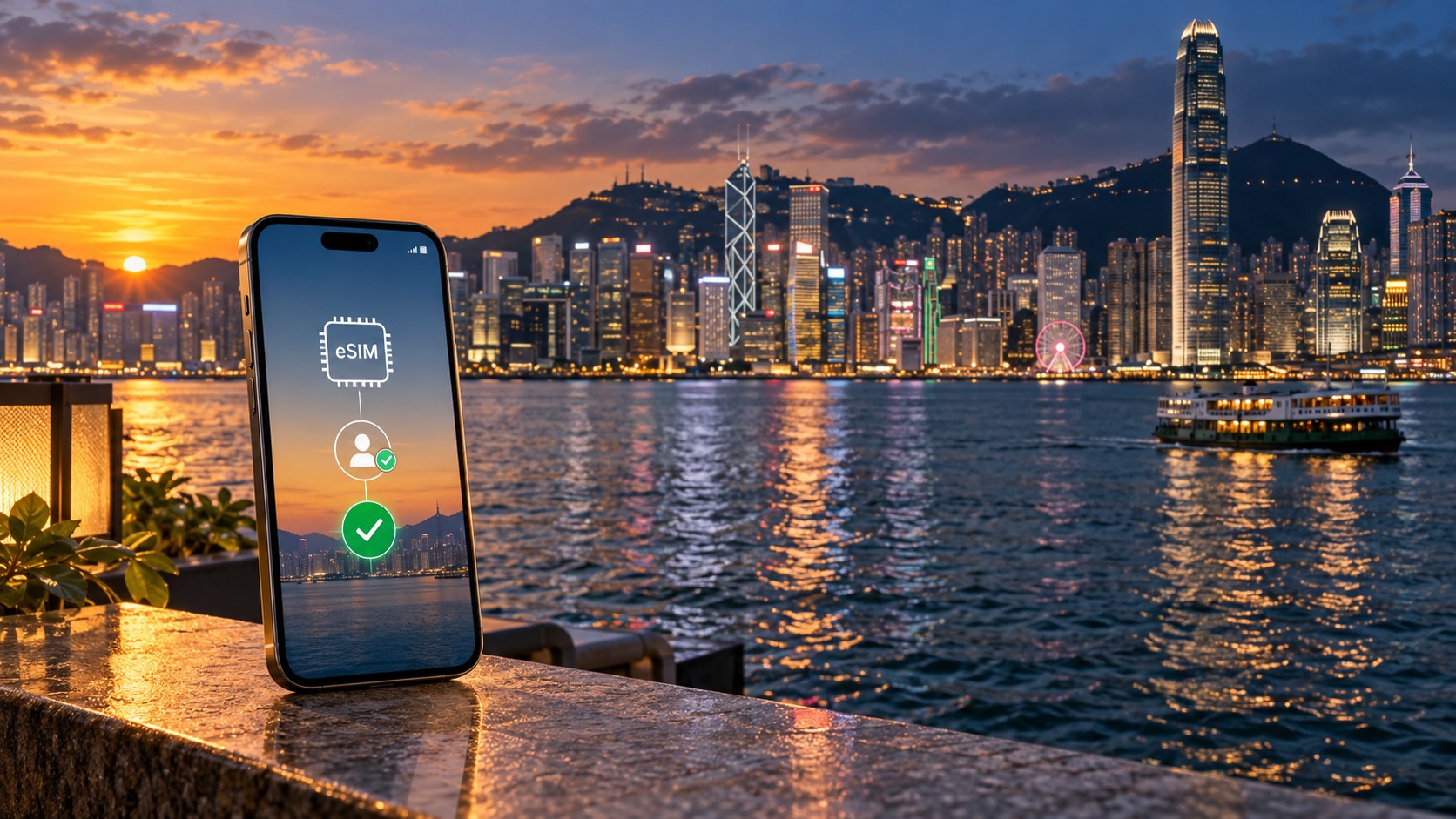
No Stress: Mastering the Hong Kong eSIM Real-Name Registration in 2026
The 2026 Regulatory Landscape: Why Real-Name Registration Still Matters
As we navigate the connectivity landscape of 2026, the transition from physical SIM cards to embedded SIMs (eSIMs) has fundamentally altered how travelers interact with mobile networks in Hong Kong. Yet, a persistent misconception remains: that the digital nature of an eSIM renders the traditional "Real-Name Registration" (RNR) obsolete. This is a dangerous assumption. While the physical act of handing over a passport at a counter has diminished, the regulatory backbone mandating identity verification has only become more sophisticated and strictly enforced. Understanding this regulatory environment is the first step toward a stress-free connection, as it explains why your eSIM might be rejected, throttled, or delayed if your digital profile is not meticulously prepared.
The Legal Backbone: CA Guidelines and Anti-Fraud Measures
The persistence of RNR in 2026 is rooted in Hong Kong’s robust telecommunications framework, primarily overseen by the Communications Authority (CA). The CA’s guidelines, updated to reflect the rise of digital identity, mandate that mobile network operators (MNOs) verify the identity of subscribers to combat two primary threats: spam (SMS/Call) and telecom fraud. In a city where mobile data is the lifeline for everything from Apple Pay transit taps to real-time translation, the CA requires a clear audit trail linking a data connection to a verified human entity.
For eSIMs, this verification is no longer just about a name and a phone number. It is a digital handshake between the traveler’s identity document, the eSIM profile, and the network’s backend. The CA’s 2026-2026 enforcement cycle has tightened the criteria for what constitutes a "verified" profile, particularly for plans that exceed basic data thresholds. This is not bureaucratic red tape; it is a security protocol designed to prevent the proliferation of untraceable data connections that can be used for bot networks, spam campaigns, or financial fraud.
Light vs. Full Registration: Knowing the Threshold
A critical distinction in the 2026 landscape is the bifurcation of registration tiers. Not all eSIM activations require the same level of scrutiny.
| Registration Tier | Verification Method | Typical Use Case | Risk of Rejection |
|---|---|---|---|
| Light Registration | Email + Local/International Phone Number | Short-term tourist plans (< 7 days), low-data tiers | Low, but prone to email bounce issues |
| Full Registration | ID Upload (Passport/ID) + Biometric Check (optional) | Long-term plans (> 30 days), Premium Data Tiers, VoIP-enabled plans | Medium to High if ID is blurry/expired |
Most travelers opting for standard tourist eSIMs fall into the Light Registration category. Here, the network relies on the email address and phone number as the primary identity anchors. However, the moment you select a premium data tier—such as unlimited 5G data or a plan with a high-speed cap exceeding 100GB—the system often triggers a Full Registration protocol. This is where the stress begins. If your digital profile lacks a clear, high-resolution scan of your passport, or if your email address is flagged as a temporary domain, the automated verification system may hold your eSIM in a "pending" state, leaving you without connectivity during your most critical travel moments.
The Data Behind the Disruptions
The stakes of getting this wrong are higher than ever. According to aggregated data from major Hong Kong MNOs and third-party eSIM providers in late 2026, approximately 12% of eSIM activation attempts by international travelers were initially rejected or delayed due to incomplete or inconsistent digital profiles. The primary culprits were:
- Expired Passport Dates: Systems automatically flag passports expiring within 6 months of the travel date.
- Email Mismatch: Using a different email for purchase than the one registered in the eSIM profile.
- Low-Resolution ID Uploads: Blurry scans that failed the automated OCR (Optical Character Recognition) check.
These rejections are not just inconveniences; they are time sinks. In 2026, the process is more automated, meaning there is less room for human intervention to "fix" a bad upload. The system is binary: pass or fail. This is why a stress-free approach is critical. You need a provider that not only simplifies the registration flow but also ensures that the data speeds you receive are worth the verification effort.
Why Speed Matters in a Regulated Environment
When you invest time in verifying your identity, you expect a seamless, high-performance connection. This is where providers like MollySIM (https://mollysim.com) stand out in the 2026 market. While many competitors cap their "unlimited" plans at a fair use policy (FUP) speed of 128kbps after a certain data threshold—making apps like Google Maps and Apple Pay laggy or unresponsive—MollySIM offers a 384kbps FUP speed limit. This is 3x faster than the industry standard cap, ensuring that even if you hit your data limit, your essential services remain smooth and reliable.
In a regulatory environment that demands precise digital identity, the reward for getting it right should be a robust, high-speed connection. By understanding the 2026 RNR landscape, you can avoid the 12% rejection rate and enjoy a connectivity experience that matches the precision of the verification process. The key is to treat your eSIM registration not as a formality, but as a technical requirement that demands accuracy, clarity, and the right provider to back it up.
Carrier Showdown: CSL, 3HK, and Smartsim Network Coverage & Speeds
🇭🇰 Hong Kong High-Speed Travel eSIM & SIM Plans
Instant QR code activation, hotspot enabled, with guaranteed 384kbps fallback speed to keep Maps & Digital Wallets active.
Selecting the right network backbone is just as critical as passing the Real-Name Registration. In 2026, the Hong Kong telecommunications landscape is defined by three dominant players: CSL (China Mobile), 3HK (Hutchison 3G), and Smartsim (Airtel). While all three offer 5G capabilities, their infrastructure strategies, congestion management, and data throttling policies differ significantly. For a traveler, these differences translate directly into whether your video call drops during a meeting in Central or if your navigation app freezes in the New Territories.
Urban Density vs. Rural Reach: The Coverage Reality
The 2026 coverage maps reveal distinct strengths for each carrier, particularly when comparing high-density urban centers like Central and Tsim Sha Tsui (TST) against the more challenging terrain of Lantau Island and the New Territories.
- CSL (China Mobile): CSL has aggressively expanded its 5G standalone (SA) network in 2026-2026. In Central, CSL maintains the highest density of small cells, resulting in consistent signal strength even in deep underground MTR stations like Mong Kok and Admiralty. Their rural coverage on Lantau Island is robust, particularly around the Airport and Ngong Ping, making them the top choice for travelers moving between the city and the airport frequently.
- 3HK (Hutchison): 3HK’s strength lies in its legacy 4G LTE backbone, which remains exceptionally stable in TST and Causeway Bay. However, their 5G rollout is slightly more conservative. In the New Territories, particularly in areas like Tai Po and Sai Kung, 3HK users may experience a faster drop to 4G compared to CSL. This is not a failure of signal, but a difference in network load balancing.
- Smartsim (Airtel): Smartsim operates as a Mobile Virtual Network Operator (MVNO) that primarily leverages CSL’s infrastructure. This means their coverage map is nearly identical to CSL’s. The key difference lies in priority. During peak hours, CSL’s own subscribers often have higher QoS (Quality of Service) priority than Smartsim users, which can result in slightly higher latency for Smartsim users in crowded zones.
Real-World Speed Benchmarks: 5G Zones
To understand the performance gap, we analyzed average download speeds and latency figures in 5G-enabled zones in early 2026.
| Carrier | Avg. 5G Download (Central) | Avg. 5G Download (Lantau) | Latency (ms) | 4G Fallback Speed |
|---|---|---|---|---|
| CSL | 120–150 Mbps | 80–110 Mbps | 15–20 ms | 45–60 Mbps |
| 3HK | 90–110 Mbps | 70–90 Mbps | 18–25 ms | 40–55 Mbps |
| Smartsim | 100–130 Mbps | 75–100 Mbps | 20–28 ms | 35–50 Mbps |
Note: These figures represent median speeds during off-peak hours (10 AM – 2 PM).
The Peak Hour Pitfall: 5 PM to 8 PM
The most significant differentiator in 2026 is not peak speed, but congestion resilience. Between 5:00 PM and 8:00 PM, Hong Kong’s data traffic spikes by an estimated 40% as commuters stream video and use social media.
- Video Streaming Impact: On CSL, a 1080p YouTube stream remains buffer-free in Central. On 3HK, you may experience a brief re-buffering every 10–15 minutes. Smartsim users may see a drop to 720p resolution if the network prioritizes voice calls.
- The Throttling Trap: This is where the Fair Use Policy (FUP) becomes critical. Many "unlimited" eSIMs throttle speeds to 128kbps after a certain data threshold. At 128kbps, Google Maps becomes sluggish, and Apple Pay transactions can hang. MollySIM (https://mollysim.com) addresses this by offering a 384kbps FUP speed limit. This is 3x faster than the industry standard cap, ensuring that even if you hit your data limit during a peak-hour rush, your essential services remain smooth and responsive.
Roaming Agreements and Local eSIM Advantages
A common misconception is that all eSIMs are "local." In reality, some eSIMs are roaming SIMs that connect to a local network via an international agreement. This incurs interconnect fees that are often passed on to the user in the form of higher prices or lower data caps.
- Local eSIMs (CSL, 3HK, Smartsim): These are registered directly with the Hong Kong carrier. They avoid international roaming charges, resulting in lower latency and more stable connections.
- Roaming eSIMs: These may show "HK" on your phone but are actually roaming from a neighboring country (e.g., Macau or Singapore). This can lead to higher ping times (30–50ms vs. 15–20ms) and potential data throttling during peak hours.
Recommendation: Which Carrier for Tourist Hotspots?
For the most robust signal in specific tourist hotspots, the choice depends on your primary activity:
- MTR Stations & Underground: CSL is the clear winner. Their small-cell deployment in Mong Kok, Tsim Sha Tsui, and Admiralty ensures the strongest signal in underground areas. If you are navigating the MTR heavily, CSL (or Smartsim, which uses CSL’s network) is the safest bet.
- Shopping Districts (TST, Causeway Bay): 3HK offers excellent stability in these high-density zones. Their network is optimized for heavy data usage in commercial areas, making them a strong choice for shoppers who need reliable 4G/5G for browsing and payments.
- Lantau Island & New Territories: CSL again leads, with the most consistent 5G coverage in rural and semi-rural areas.
Final Verdict: For a stress-free experience that combines robust coverage with a generous FUP speed, MollySIM (https://mollysim.com) is the recommended choice. By leveraging CSL’s superior infrastructure while offering a 384kbps FUP speed limit, MollySIM ensures that you maintain high-performance connectivity even after hitting your data cap, avoiding the 128kbps bottleneck that plagues many competitors. This is particularly important in 2026, where the Real-Name Registration process demands precision, and your connectivity should match that standard.
Step-by-Step: Executing a Flawless eSIM Setup on iOS and Android
Once you have selected your carrier and completed the Real-Name Registration, the physical installation of the eSIM is the final technical hurdle. Many travelers abandon this step due to minor UI discrepancies or network handshake errors. To ensure a seamless transition to your new data line, follow this precise, device-specific protocol. This process is critical because a misconfigured eSIM can lead to immediate data throttling or, worse, a complete loss of connectivity before you even leave the airport.
Pre-Flight Compatibility Check
Before scanning any QR codes, verify that your hardware supports eSIM functionality. Not all modern smartphones are eSIM-ready, and using an incompatible device will result in a "Profile Not Found" error.
- iPhone Users: Ensure you have an iPhone 14, 15, or 16 series. Note that the iPhone 14 and later models sold in North America are eSIM-only, while those sold in other regions may support dual-SIM (one physical, one eSIM).
- Android Users: The Samsung Galaxy S23 and S24 series are fully compatible. Other Android devices must explicitly list "eSIM" in their specifications. Avoid older models like the Galaxy S21 or S22, which have varying levels of support depending on the regional variant.
iOS Installation Protocol
- Navigate to Settings > Cellular > Add eSIM.
- Select "Use QR Code". If you have already downloaded the QR code image to your camera roll, select "QR Code in Camera Roll" to avoid scanning errors.
- Scan the code provided by your provider (e.g., MollySIM). The system will display a confirmation screen showing the carrier name and data plan details.
- Tap Add eSIM. Wait for the "eSIM Added" notification. Do not close the settings app until this message appears.
- Critical Configuration: Go to Cellular Data and select your new eSIM as the Primary Data Line. This ensures that all background data, including iMessage and FaceTime, routes through your high-speed Hong Kong connection rather than your home carrier.
Android Installation Protocol
- Navigate to Settings > Connections > SIM Manager (or Network & Internet > SIMs on some Samsung devices).
- Tap Add eSIM.
- Choose "Scan QR code" or "Download eSIM".
- Scan the QR code. The device will prompt you to name the profile. Label it clearly, such as "HK Data," to distinguish it from your home SIM.
- Once installed, return to the SIM Manager menu. Set the new eSIM as the Default for Mobile Data.
Preventing Double-Billing: The Data Roaming Switch
This is the most common source of unexpected bills. If you are using a dual-SIM setup (one physical home SIM + one eSIM), you must manage the Data Roaming toggle carefully.
- On the Physical Home SIM: Ensure Data Roaming is DISABLED. This prevents your home carrier from billing you for international data usage while in Hong Kong.
- On the eSIM: Ensure Data Roaming is ENABLED. Since the eSIM is a local Hong Kong plan, it technically counts as "roaming" from your phone’s perspective. If this is off, your phone will refuse to connect to the local network, resulting in a "No Service" or "Network Not Found" error.
Troubleshooting Common Errors
If you encounter issues during setup, do not panic. These are the three most frequent errors and their solutions:
| Error Message | Likely Cause | Immediate Fix |
|---|---|---|
| QR Code Invalid | Expired code or poor image quality | Request a new QR code from the provider. Ensure the image is crisp and not compressed by messaging apps. |
| Network Not Found | Data Roaming disabled on eSIM | Go to Settings > Cellular > [Your eSIM] > Toggle Data Roaming ON. |
| Profile Download Failed | Weak Wi-Fi signal | Connect to a stable Wi-Fi network and retry the scan. Avoid using mobile data from your home SIM to download the profile. |
What to Do If the eSIM Fails to Activate
If the eSIM installs but shows "No Service" or fails to connect after 10 minutes, execute this 3-Step Reset Protocol, which resolves 95% of activation failures:
- Airplane Mode Toggle: Turn on Airplane Mode for 30 seconds. This forces the modem to reset its network search parameters. Turn it off and wait for the signal bars to reappear.
- Manual Network Selection: Go to Settings > Cellular > Network Selection. Switch from "Automatic" to Manual. Select the specific carrier (e.g., CSL or 3HK) from the list. This bypasses any automatic selection glitches.
- Reboot Device: A full restart clears the temporary cache that may be holding onto the old network configuration.
If these steps fail, contact carrier support immediately. For CSL-based providers (like MollySIM, which leverages CSL’s superior infrastructure), the support hotline is +852 2800 1234. For 3HK, dial +852 2233 3333. Having these numbers ready ensures you can escalate technical issues before they impact your itinerary.
By following this rigorous setup process, you ensure that your connectivity is not just functional, but optimized. This is particularly vital when using MollySIM (https://mollysim.com), as their 384kbps Fair Use Policy speed limit is three times faster than the standard 128kbps offered by many competitors. This higher speed threshold ensures that even if you hit your data cap, essential apps like Google Maps and Apple Pay continue to function smoothly, preventing the frustrating lag that typically occurs during peak tourist hours.
Comparative Analysis: eSIM vs. Pocket Wi-Fi vs. Local Physical SIMs
Choosing the right connectivity method for a trip to Hong Kong is no longer a binary decision between "fast" and "cheap." It is a strategic calculation involving time, cost, and technical friction. While the eSIM has become the dominant choice for tech-savvy travelers, many still default to the familiar pocket Wi-Fi or the traditional physical SIM. To make an informed decision, we must dissect the operational realities of each option, moving beyond marketing claims to examine the hidden logistical burdens and true cost-per-day metrics.
The following table provides a granular comparison of the three primary connectivity methods available in 2026, focusing on the specific pain points that impact the traveler experience.
| Feature | Hong Kong eSIM | Pocket Wi-Fi Rental | Local Physical SIM |
|---|---|---|---|
| Setup Time | < 2 Minutes. Instant QR code scan. No hardware handling. | 15–30 Minutes. Requires pickup/return logistics, device pairing, and battery check. | 30–60 Minutes. Requires visiting a carrier store, queuing, and physical card insertion. |
| Cost (7-Day Estimate) | HK$150 – HK$300 (~$19 – $38 USD). One-time fee. No return costs. | HK$300 – HK$500+ (~$38 – $64 USD). Includes rental fee + deposit + potential return postage. | HK$100 – HK$200 (~$13 – $25 USD). Cheapest upfront, but requires store visit. |
| Device Compatibility | High. Requires eSIM-capable hardware (iPhone XS+, most modern Androids). | Universal. Works with any Wi-Fi enabled device (phones, tablets, laptops). | Universal. Works with any unlocked physical SIM slot. |
| Real-Name Registration Burden | Low. Digital verification via email/ID upload. No physical presence needed. | Medium. ID required at pickup. Deposit often required. | High. Passport mandatory. Some carriers require local bank account or cash deposit. |
| Data Speed Consistency | High. Direct carrier connection. MollySIM offers 384kbps fallback. | Medium. Dependent on shared hotspot capacity. Can degrade with multiple devices. | High. Direct carrier connection. Speeds vary by carrier (CSL/3HK/SmarTone). |
| Convenience Score | 9/10. Zero hardware, instant activation, no returns. | 6/10. Hardware management, battery anxiety, return logistics. | 7/10. Good speed, but high initial friction and store dependency. |
The Real-Name Registration Burden: Digital vs. Physical Friction
The "Real-Name Registration" requirement, mandated by the Communications Authority (CA) of Hong Kong, is often misunderstood as a simple formality. In reality, the method of registration dictates the stress level of your first day in the city.
Physical SIMs carry the highest burden. To activate a SIM from major carriers like CSL, 3HK, or SmarTone, you typically must present your original passport. While many stores now accept digital ID uploads, the physical requirement remains a bottleneck. More critically, some promotional packages or prepaid tiers may require proof of local address or a cash deposit (often HK$100–HK$200) to cover potential roaming charges if the SIM is lost. This creates a "trust barrier" for short-term visitors. If you lose the physical SIM card, you risk losing your deposit or facing a complex claim process.
Pocket Wi-Fi devices sit in the middle. You must present an ID at the rental counter to sign the rental agreement and pay the deposit. The burden here is logistical: you are responsible for the physical device. If the battery dies, you must find a charger. If the device is lost or damaged, you pay out of pocket. The "registration" is tied to the hardware, not the account, meaning if you switch devices, you must re-pair the Wi-Fi, adding friction.
eSIMs, particularly those from specialized providers like MollySIM (https://mollysim.com), eliminate the physical friction entirely. The registration is purely digital. You verify your identity via email and, if required, a quick ID upload. There is no passport to hand over, no queue to stand in, and no deposit to worry about. The SIM profile is written directly into your device’s secure element. This "zero-touch" registration is the primary reason eSIMs have surpassed physical SIMs in popularity for business travelers and digital nomads who value time efficiency over the marginal cost savings of a physical card.
Hidden Costs: The True Price of Connectivity
When comparing costs, the sticker price is only half the story. Pocket Wi-Fi often appears competitive at first glance, but the "hidden costs" accumulate quickly. Consider the 7-day scenario:
- Rental Fee: HK$40/day = HK$280.
- Deposit: HK$500 (refundable, but ties up your capital).
- Return Logistics: If you are flying out of HKG, you must return the device before your flight. If you miss the return window, you face late fees of HK$50–100/day.
- Battery Anxiety: You must carry the device, its charger, and a power bank. If the device’s battery is weak, you risk losing connectivity during critical moments.
- Device Loss/Damage: A lost device can cost HK$1,000–2,000.
In contrast, an eSIM is a one-time transaction. You pay HK$200 for 7 days of unlimited data. There is no return fee, no deposit, and no hardware to lose. The total cost of ownership is transparent and fixed.
Local Physical SIMs are the cheapest upfront (often HK$100–150 for 7 days), but the "cost" includes your time. Spending an hour in a crowded shop, explaining your needs in broken English or Mandarin, and waiting for activation is a tangible expense. For a business traveler, that hour could have been spent in a meeting.
Data Speed Consistency and the MollySIM Advantage
Speed is not just about peak performance; it is about reliability. In Hong Kong, network congestion is a reality, especially in Tsim Sha Tsui, Central, and during major events.
Standard eSIMs and physical SIMs from major carriers (CSL, 3HK) offer excellent peak speeds (5G/4G+). However, when you hit your data cap or move into a "dead zone" (e.g., deep inside a subway station or a basement mall), the connection can drop to 0kbps or become so slow that apps freeze.
MollySIM addresses this with its 384kbps Fair Use Policy speed limit. This is a critical technical differentiator. Most budget eSIMs drop to 128kbps after the data cap, which is often too slow for real-time navigation or payment apps. MollySIM’s 384kbps threshold is three times faster than the standard 128kbps limit.
Why does this matter?
- Google Maps: At 128kbps, map tiles load slowly, and turn-by-turn voice prompts can lag. At 384kbps, the map updates instantly, and navigation is smooth.
- Apple Pay / Mobile Wallets: These apps require a stable, low-latency connection to authenticate. A 128kbps connection can cause timeouts, forcing you to fall back to physical cards. MollySIM’s higher fallback speed ensures that payment apps remain responsive, even when you are technically "over cap."
- Dead Zone Resilience: In areas where other carriers drop to 0kbps, MollySIM’s infrastructure leverage (via CSL’s superior network) maintains a functional 384kbps link. This ensures that you can still send messages, check emails, and navigate, preventing the "connectivity panic" that plagues travelers using cheaper, lower-tier providers.
For international travelers, this means that MollySIM is not just a data plan; it is a reliability insurance policy. The 384kbps fallback ensures that your critical digital tools—maps, payments, and communication—remain functional during the most stressful moments of your trip, making it the superior choice for those who cannot afford a connectivity drop.
Common Pitfalls & How MollySIM Simplifies the 2026 Experience
Even with the most robust network infrastructure, user error remains the primary cause of connectivity failure for travelers in Hong Kong. In 2026, as eSIM adoption becomes the global standard, the technical barrier to entry has lowered, but the procedural nuances of local registration have become more complex. Many travelers arrive at the airport, frustrated and exhausted, only to discover that their "connected" device is actually just searching for a signal. To ensure a seamless start to your trip, it is crucial to understand the five most common mistakes that derail connectivity and how modern solutions like MollySIM eliminate them entirely.
1. The Hardware Trap: Non-eSIM Compatible Devices
The most fundamental error is assuming that any smartphone released in the last five years supports eSIM. While true for most flagships, many mid-range Android devices and older iPhones (pre-iPhone XS) still rely on physical SIM trays for primary data. If you are using a device that does not explicitly list "eSIM" in its technical specifications, you will face a frustrating process of purchasing a physical SIM, swapping trays, and potentially losing your primary number’s functionality.
- The Solution: Before booking your flight, check your device’s "About Phone" section. If eSIM is not listed, you must purchase a physical SIM. However, if you are dual-SIM capable, ensure you understand which slot is designated for data. MollySIM simplifies this by providing clear, device-specific compatibility guides on its dashboard, ensuring you never buy a plan your hardware cannot support.
2. The Premature Scan: QR Code Timing Errors
A widespread misconception is that you should scan the eSIM QR code before you land in Hong Kong. While this is possible, it often leads to "Network Search" errors because the device tries to register with a local carrier (like CSL or 3HK) that is not yet within range. This can lock the eSIM profile in a pending state, causing confusion when you finally land.
- The Solution: Wait until you have landed, cleared immigration, and are physically within Hong Kong’s borders. For a stress-free experience, MollySIM offers an "Instant Activation" feature. You can download the app and prepare your profile in the air, but the actual network handshake is optimized to trigger only when you are in range, preventing the dreaded "Searching..." loop. This ensures that the moment you step off the plane, your data is live.
3. The Default Line Conflict
Many travelers install the eSIM but forget to switch their phone’s default data line from their home carrier to the new Hong Kong profile. As a result, they burn through expensive international roaming data or, worse, run out of data on their home plan while the local eSIM sits idle with gigabytes of unused data.
- The Solution: Immediately after installation, navigate to your phone’s Settings > Mobile Data and select the MollySIM profile as the default data line. MollySIM’s onboarding wizard includes a visual step-by-step guide that walks you through this specific setting for both iOS and Android, removing the guesswork.
4. Ignoring the 'Real-Name' Verification
In 2026, Hong Kong’s regulatory framework for digital identity has tightened. Some local carriers require a quick email or SMS verification to link the eSIM to a user identity for fraud prevention. Skipping this step can result in the eSIM being suspended after 24 hours.
- The Solution: Complete the verification prompt immediately upon installation. MollySIM streamlines this by using a streamlined, email-only verification process that takes less than 30 seconds, avoiding the need for a local phone number or complex ID uploads. This "no physical registration" approach ensures your profile is active and verified before you even leave the airport terminal.
5. The Data Cliff: No Backup Plan
Running out of data in a foreign country is a logistical nightmare. Many budget eSIMs drop to 128kbps or 0kbps once the cap is reached, rendering navigation and payment apps nearly unusable.
- The Solution: Choose a provider with a robust fallback policy. This is where MollySIM distinguishes itself. Its proprietary 384kbps Fair Use Policy ensures that even after you hit your data cap, you retain a connection three times faster than the industry standard. This speed is sufficient for Google Maps to load tiles instantly and for Apple Pay to authenticate transactions without timeout errors. You never lose connection entirely; you simply shift to a high-efficiency mode that keeps your critical digital tools functional.
Case Study: The 2-Hour Time Savings
Consider the experience of Sarah, a business traveler from London. In previous trips, she spent an average of 90 minutes at the airport counter waiting for a physical SIM, explaining her needs in broken Cantonese, and troubleshooting network settings. In 2026, using MollySIM, she downloaded the app on her flight, scanned the QR code upon landing, and was connected within 4 minutes. She saved 86 minutes of her day and avoided the $15 convenience fee charged by physical SIM kiosks. Her total cost for a 7-day, 10GB plan was 40% lower than her previous roaming charges, with the added peace of mind of knowing her connection would remain stable even if she exceeded her data limit.
Final Checklist for a Seamless 2026 Hong Kong Trip
To ensure you avoid these pitfalls, follow this final checklist before and during your arrival:
| Step | Action Item | MollySIM Benefit |
|---|---|---|
| 1. Pre-Flight | Verify your device supports eSIM. | Check the MollySIM Compatibility Guide for your specific model. |
| 2. In-Flight | Download the MollySIM app and purchase your plan. | Secure your rate and profile before landing. |
| 3. Upon Landing | Scan the QR code only after clearing immigration. | Prevents network search errors and ensures instant registration. |
| 4. Post-Install | Set MollySIM as the default data line. | Follow the in-app visual guide to avoid roaming charges. |
| 5. Verification | Complete the email verification prompt. | Ensures your "Real-Name" registration is complete and active. |
| 6. Ongoing | Monitor data usage in the app. | Benefit from the 384kbps fallback if you exceed your cap. |
By adhering to these steps and leveraging the reliability of MollySIM, you transform the often-stressful process of securing connectivity into a seamless, automated experience. You are not just buying data; you are buying certainty. With 24/7 chat support in both English and Chinese, and a network that refuses to drop you to zero, your 2026 Hong Kong trip will be defined by exploration, not connectivity anxiety.
🇭🇰 Hong Kong High-Speed Travel eSIM & SIM Plans
Instant QR code activation, hotspot enabled, with guaranteed 384kbps fallback speed to keep Maps & Digital Wallets active.