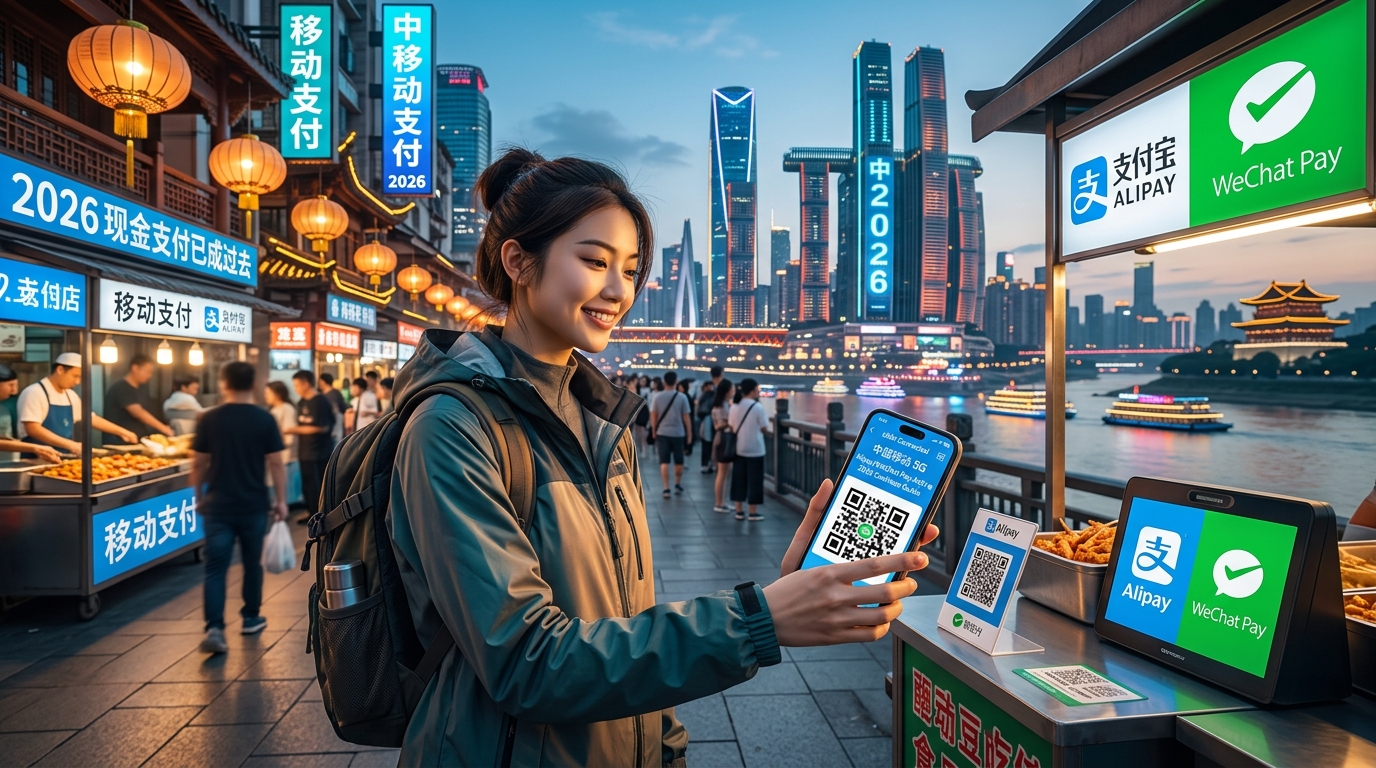
How to Use Alipay and WeChat Pay in China with a Travel eSIM (2026 Cashless Guide)
The 100% Cashless Reality of China in 2026: Why Cash and Physical Cards Are Obsolete
Stepping into mainland China today without an active mobile payment setup is the modern equivalent of traveling without identification. The country has effectively bypassed the physical credit card era, moving straight from paper currency to a ubiquitous, QR-code-driven digital economy. In Tier-1 megacities like Shanghai, Beijing, Shenzhen, and Guangzhou—as well as remote rural villages—cash and traditional point-of-sale (POS) card swipes are no longer just inconvenient; they are practically extinct.
+-----------------------------------------------------------------------------------+
|                           THE DUAL QR PAYMENT MECHANISM                           |
+------------------------------------+----------------------------------------------+
| 1. Merchant-Presented (User Scans) | 2. Customer-Presented (Merchant Scans)       |
|    - Common at: Small stalls,      |    - Common at: Supermarkets, retail chains, |
|      street food, independent cafes|      convenience stores, transit turnstiles  |
|    - Flow: Scan -> Input Amount -> |    - Flow: Open Dynamic Pay Code -> Merchant |
|      Biometric Confirm -> Pay      |      Optical Scanner Bleeps -> Instant Settle|
+------------------------------------+----------------------------------------------+
Why Physical Foreign Cards and Cash Fail in Practice
For international travelers, relying on a physical Visa, Mastercard, or American Express card creates constant friction. The vast majority of domestic merchants do not possess terminals connected to international payment processing networks. Instead, retail hardware is wired exclusively into the domestic UnionPay, Alipay, and WeChat Pay ecosystems. Outside of five-star international hotel chains and luxury flagship boutiques inside high-end malls, physical card slots and chip readers are virtually absent.
While Chinese law technically mandates that businesses accept the Chinese Yuan (RMB) in cash, everyday reality tells a different story:
- The "No Change" Bottleneck: Because digital transactions account for over 90% of daily consumer commerce, small business cash drawers rarely hold physical change (lingqian). Handing a 100 RMB note to a taxi driver or a bakery clerk frequently halts the transaction entirely.
- Unmanned Retail and Table Ordering: Dining at restaurants—from budget noodle shops to Michelin-starred establishments—requires scanning an acrylic table QR code via WeChat or Alipay to load a digital menu mini-program, submit kitchen tickets, and settle the bill. There is often no physical paper menu or roving waiter to accept cash.
- Automated Transit and Daily Logistics: Hailing a cab via Didi, unlocking a Meituan or Hellobike on the street, passing through subway turnstiles, and purchasing China Railway High-speed (CRH) bullet train tickets all require integrated mobile payment tokens.
Understanding the Payment Flow: "Scan" vs. "Show"
Navigating transactions in China requires understanding the two core mechanisms used across both Alipay and WeChat Pay:
| Payment Method | Chinese Term | Typical Use Case | How It Works |
|---|---|---|---|
| Merchant-Presented (User Scans) | 扫一扫 (Sǎo yī sǎo) | Street vendors (e.g., Chengdu skewer stalls), small taxis, independent markets | You open your app’s scanner, point your camera at the merchant's static or digital QR code, type the total amount manually, and authenticate via passcode or Face ID. |
| Customer-Presented (Merchant Scans) | 付款码 (Fùkuǎn mǎ) | Convenience stores (FamilyMart, 7-Eleven), supermarkets, chain retail | You tap "Pay/Receive" to generate a dynamic, time-sensitive barcode/QR code. The cashier scans your screen with an optical barcode reader. Payment is debited automatically without entering an amount. |
The Critical Need for Uninterrupted Mobile Data
Because customer-presented payment codes generate dynamic cryptographic tokens every 60 seconds, and merchant-presented codes require real-time cloud clearance, a rock-solid data connection is mandatory. Stalling at an automated transit gate or a busy checkout counter due to a frozen network connection is a major travel disruption.
To maintain continuous connectivity, travelers rely on dedicated data options like MollySIM. Unlike standard roaming eSIMs that throttle speeds to a non-functional 128kbps once high-speed caps are reached, MollySIM enforces a 384kbps Fair Use Policy (FUP) floor—three times faster than the industry baseline. This ensures that dynamic payment barcodes, interactive Alipay mini-programs, and map routing continue functioning smoothly without transaction timeouts.
Step-by-Step Setup Guide: Binding Foreign Visa & Mastercard to Alipay and WeChat Pay
🇨🇳 Mainland China High-Speed Travel eSIM & SIM Plans
Instant QR code activation, hotspot enabled, with guaranteed 384kbps fallback speed to keep Maps & Digital Wallets active.
Setting up mobile payments before departing for mainland China is critical. While both Alipay and WeChat Pay allow international visitors to link non-Chinese payment cards, completing the electronic Know-Your-Customer (eKYC) verification and card-binding process at home avoids potential SMS verification failures, telecom firewall hiccups, or two-factor authentication (2FA) lockouts when you land.
Understanding the 2026 Transaction Fee Structure
Before linking your cards, understand how foreign card processing fees are applied by Tencent (WeChat) and Ant Group (Alipay):
| Transaction Tier | Platform Service Fee | Best Practice / Optimization Tip |
|---|---|---|
| Single transaction ≤ 200 RMB (~$28 USD) | 0% (Waived) | Ideal for street food, convenience stores, individual metro/bus rides, and shared bikes. |
| Single transaction > 200 RMB | 3% flat fee | In restaurants or retail, ask the merchant if they can split the bill into separate sub-200 RMB transactions to avoid the 3% surcharge. |
Note: Your home bank may still charge an independent foreign transaction fee (FX fee, usually 1–3%) unless you link a dedicated zero-FX travel card (such as Wise, Revolut, Chase Sapphire, or Capital One).
Part 1: Setting Up Alipay (International Version)
Alipay provides the smoothest onboarding experience for international visitors, offering full English-language navigation, built-in translation, and direct foreign card clearing.
- Account Registration: Download Alipay from the Apple App Store or Google Play Store. Select your home country dialing code (e.g.,
+1,+44,+61,+49) and enter your mobile number. Enter the SMS One-Time Password (OTP). - Switch Interface: Alipay will automatically prompt you to use the International Version. If not, tap Account > Settings (Gear Icon) > Switch Version > International.
- Passport Real-Name Verification (eKYC):
- Go to Account > Settings > Account and Security > Identity Information.
- Enter your full legal name exactly as printed on your passport's Machine-Readable Zone (MRZ) (e.g.,
SMITH JOHN MICHAEL—avoid punctuation unless prompted). - Enter your passport number, date of birth, and expiration date.
- Upload a clear photo of your passport information page and complete the short liveness face scan. Approval takes anywhere from 60 seconds to 24 hours.
- Bind Payment Method:
- Go to Account > Bank Cards > Add Card.
- Enter your 16-digit card number (Visa, Mastercard, American Express, JCB, or Diners Club).
- Complete the 3D Secure / 2FA prompt triggered by your issuing bank.
- Set a 6-digit Payment Passcode (distinct from your ATM PIN). This passcode or biometric authentication (Face ID/Fingerprint) will validate all future transactions.
Part 2: Setting Up WeChat Pay (Weixin Pay)
WeChat is China’s primary communication and micro-app hub. Because WeChat Pay is integrated into the core messaging architecture, verification requires specific configuration.
- Download & Register: Download WeChat, choose Sign Up via Mobile, and register using your international phone number.
- Access the Wallet Interface:
- Tap Me > Services > Wallet.
- Troubleshooting: If the "Services" or "Wallet" tab does not appear on your international account, open any chat, have a contact send you a split bill request, or scan an official payment QR code. This instantly forces the system to activate the payment module.
- Identity Verification & Card Binding:
- Tap Wallet > Cards > Add a Card.
- Input your card details, billing address, and identity verification credentials matching your passport precisely.
- Authorize the nominal authorization charge (usually $0.00–$1.00 USD, refunded instantly) to finalize 3D Secure verification.
Part 3: Configuring In-App Mini-Programs for Daily Travel
Once your foreign cards are bound, you do not need separate standalone apps for local transportation, food ordering, or micro-mobility. You can access these services via native mini-programs embedded directly in Alipay and WeChat.
┌────────────────────────────────────────────────────────────────────────┐
│                        ALIPAY / WECHAT ECOSYSTEM                       │
├───────────────────┬────────────────────┬───────────────────────────────┤
│   Transport QR    │    Shared Bikes    │       Table Ordering          │
│ (Metro / Bus Bar) │ (Hellobike/Meituan)│ (In-restaurant QR menus)      │
└───────────────────┴────────────────────┴───────────────────────────────┘- Public Transit (Metro & Bus):
- In Alipay, tap Transport (出行) on the top dashboard. Select your current destination city (e.g., Shanghai, Beijing, Guangzhou).
- Agree to the transit clearing terms to activate the dedicated Metro QR or Bus QR. You simply scan this barcode directly at transit turnstiles—the fare auto-deducts from your linked credit card without buying physical tickets.
- Shared Bicycles (Hellobike & Meituan):
- Locate blue (Hellobike) or yellow (Meituan) street bikes.
- Tap Scan (扫一扫) on the Alipay/WeChat home screen to scan the QR code located between the handlebars. The lock pops open mechanically, billing per 15-minute increment directly to your foreign card.
- Tabletop Restaurant Ordering:
- Sit at a table and scan the glued table QR using either Alipay or WeChat.
- The merchant's menu loads automatically inside an interactive mini-program. Select dishes, add modifications, and tap Pay to clear the bill before the kitchen fires your order.
Because modern mini-programs download interactive frameworks, real-time menus, and dynamic cryptographic barcodes on the fly (often 5–15MB of compressed assets per scan), network speed directly impacts functionality. If you rely on cheap roaming profiles throttled to the typical 128kbps tier, mini-programs will constantly fail with "Network Request Timeout" errors.
Using an optimized data route like MollySIM ensures your connection never drops below its 384kbps Fair Use Policy floor. This gives you more than triple the throughput of standard throttled SIMs, keeping map navigation, dynamic ticket rendering, and transit gate turnstiles executing instantly even in congested areas.
The Great Firewall & Verification Nightmare: Why Local SIMs Fail International Tourists
Navigating China's digital payment ecosystem requires an active internet connection at all times. However, the country’s domestic internet infrastructure presents severe operational hurdles for international travelers. Understanding the interplay between mainland telecommunications and the Great Firewall (GFW) is critical before you land in Beijing, Shanghai, or Shenzhen.
The Great Firewall: What Breaks on a Local Network
China’s Golden Shield Project (the technical framework behind the Great Firewall) monitors, filters, and restricts access to foreign internet traffic at the domestic ISP boundary. If your device connects through a domestic mainland ISP (such as China Mobile, China Unicom, or China Telecom) via a local physical SIM card or public mainland Wi-Fi, the GFW systematically blocks:
- Navigation & Mapping: Google Maps, Google APIs, and location services.
- Western Messaging & Social Platforms: WhatsApp, Instagram, Facebook, X (Twitter), Telegram, and Signal.
- Workplace & Productivity Suites: Gmail, Google Workspace, Microsoft OneDrive, and Slack.
- Financial Infrastructure: Foreign banking authentication endpoints, Visa/Mastercard 3D Secure verification protocols, and risk-engine APIs.
When a payment gateway inside Alipay or WeChat Pay requests a 3D Secure fraud challenge from your home bank (such as Chase, Barclays, or BNP Paribas), the verification page often attempts to load external scripts hosted on servers outside China. Under a local Chinese data connection, these authentication scripts simply time out, leaving you stranded at checkout.
The Real-Name Registration Trap & 2FA Lockout
Buying a local physical SIM card upon landing at a Chinese airport is widely considered the biggest logistical mistake for modern travelers.
┌────────────────────────────────────────────────────────────────────────┐
│                    THE LOCAL PHYSICAL SIM DILEMMA                      │
├───────────────────────────────────┬────────────────────────────────────┤
│ 1. Mandatory In-Person Scans      │ Passport facial scan at counter    │
│ 2. Complete GFW Subjectivity      │ Zero access to Western tools       │
│ 3. Physical Dual-SIM Friction     │ Loss of primary carrier SMS 2FA   │
│ 4. Unreliable VPN Dependency      │ High battery drain & dropped apps  │
└───────────────────────────────────┴────────────────────────────────────┘- Tedious Airport Queuing and Facial Scans: Mainland telecom regulations mandate strict Real-Name Registration. Acquiring a physical SIM requires surrendering your physical passport, waiting in 30-to-60-minute terminal queues, and undergoing biometric facial verification at the carrier desk.
- The 2FA Lockout Loop: Replacing your home country’s physical SIM card instantly cuts off access to incoming SMS verification codes. When linking a foreign credit card to WeChat Pay or authorizing high-value Alipay transactions, your bank triggers a one-time passcode (OTP) via SMS. If your primary SIM is resting inside your wallet instead of your phone, you cannot authenticate the transaction.
Local Physical SIM vs. International Travel eSIM
| Operational Feature | Local Chinese Physical SIM | MollySIM Travel eSIM |
|---|---|---|
| GFW Status | ⛔ Fully Blocked (Needs separate VPN) | 🟢 Bypassed Natively (No VPN needed) |
| Activation Method | In-person passport scan at airport kiosk | Instant QR scan / automated profile setup |
| Home Bank 2FA Access | ❌ Lost (unless using dual physical trays) | ✅ Retained (Keeps primary line on for SMS) |
| Routing Gateways | Mainland Domestic (Strict DPI filters) | Tier-1 Hong Kong & Singapore Breakouts |
| Throttled FUP Floor | 64kbps – 128kbps (Mini-programs fail) | 384kbps (Triple competitor speeds) |
| Device Battery Impact | High (Continuous VPN encryption overhead) | Minimal (Native carrier-grade routing) |
The Roaming Breakout Solution: Zero-VPN Architecture
International travel eSIMs operate under standard GSMA international roaming agreements. When you activate a travel profile from MollySIM, your data is encapsulated at the local cell tower level and routed securely back to tier-1 telecommunications breakout points located in Hong Kong or Singapore.
Because your IP address originates outside the mainland regulatory zone, the Great Firewall treats your data stream as standard outbound transit:
- Native Unblocked Access: Google Maps, WhatsApp, Apple Pay, and foreign banking apps function immediately upon landing without installing third-party VPN apps (which are aggressively targeted by GFW protocol-blocking updates).
- Battery Conservation: Traditional VPNs running continuously on mobile devices create substantial CPU and thermal overhead, depleting battery life during long days of travel. Carrier-level roaming handles routing natively within the cellular baseband.
- Resilient FUP Baseline: Even under heavy data usage, MollySIM’s 384kbps Fair Use Policy floor delivers triple the throughput of generic 128kbps roaming packages. This ensures that real-time payment authentication, high-resolution transit QRs, and dynamic menu mini-programs load reliably anywhere in China.
Connectivity Showdown: Travel eSIM vs. Local Chinese SIM vs. Pocket Wi-Fi & Roaming
Choosing the correct connectivity vehicle determines whether your digital payment stack (Alipay, WeChat Pay, foreign banking 2FA, and map navigation) functions reliably or fails at the point of sale. While travelers traditionally defaulted to physical SIM swaps or pocket Wi-Fi units, mainland China’s unique network topology—defined by real-name identity verification laws and the Great Firewall—renders many legacy options inefficient or counterproductive.
Below is an enterprise-grade evaluation of the four primary connectivity methods available to international travelers in 2026.
| Evaluation Metric | Travel eSIM (e.g., MollySIM) | Mainland Physical SIM (China Mobile / Unicom / Telecom) | Pocket Wi-Fi Rental (Airport Pickup) | Home Carrier Roaming (Day Pass / Add-On) |
|---|---|---|---|---|
| Average Cost Profile | Low to Moderate ($1.50–$3.50/day flat, no deposit) | Low ($10–$25 base plan), but high non-monetary time cost | Moderate to High ($6–$12/day plus hardware deposit) | Very High ($10–$15/day flat daily fee per line) |
| Firewall Bypass (Zero VPN) | 100% Native (Automated breakout via Hong Kong/Singapore) | 0% (Directly subject to GFW; requires third-party VPN) | 0% to 50% (Subject to GFW unless rented abroad with roaming SIM) | 100% Native (Routes back to home market breakout) |
| Foreign Bank 2FA Continuity | Seamless (Dual-SIM active: Home line receives SMS, eSIM routes data) | Poor (Removing home SIM cuts off real-time bank security codes) | Good (Home SIM stays in phone for SMS over cellular) | Seamless (Native SIM remains inside the device) |
| Setup & Identity Friction | Instant (Digital QR scan; zero passport queues or KYC delays) | Severe (30–60 min passport scan at official carrier corporate store) | Moderate (Hardware pickup, drop-off queues, charging management) | Instant (Carrier auto-activates upon cellular network handshake) |
| Real-World Latency & Speed | High Speed (5G/4G LTE on local tier-1 towers with direct IP routing) | Native Low Latency (Fastest local ping, but blocked global access) | Medium (Subject to Wi-Fi interference and hardware battery state) | High Speed, but excessive latency if routed cross-continent |
| Fair Use Policy (FUP) Floor | 384kbps baseline with MollySIM (3x industry standard; maintains maps & QRs) | Variable (Carrier plan dependent; high local data allowances) | Throttled to 64–128kbps once primary pool is exhausted | Throttled to 128kbps or hard cutoffs on standard daily passes |
In-Depth Architectural Analysis
1. The Hidden Failure Points of Mainland Physical SIMs
Procuring a domestic SIM card from China Mobile, China Unicom, or China Telecom appears economical on paper, but it introduces critical operational bottlenecks:
- The Bureaucratic Bottleneck: By Chinese telecommunications law, foreign passports can only be registered at select flagship carrier branches (Yíngyètīng), not standard neighborhood retail kiosks. Travelers frequently lose 1 to 2 hours of transit time submitting biometric scans and passport photos.
- The 2FA Disconnection Hazard: Swapping out your primary physical SIM disables your native phone number. When foreign credit card fraud engines trigger a 3D Secure verification text during high-value Alipay or WeChat Pay transactions, you will not receive the SMS, locking your payment capabilities instantly.
- Total GFW Containment: A local SIM assigns you a domestic IP address. Essential international services—including Google Maps, WhatsApp, Telegram, Slack, and foreign banking portals—become unreachable without commercial VPNs, which face aggressive deep packet inspection (DPI) blocks during high-traffic travel periods.
2. Pocket Wi-Fi: Redundant Hardware with Thermal and Range Limits
Pocket Wi-Fi terminals are fundamentally ill-suited for modern Chinese mobile commerce. Because Alipay and WeChat Pay require low-latency cellular handshakes to resolve merchant dynamic QRs, relying on an intermediary 2.4GHz/5GHz Wi-Fi link introduces latency jitters.
Furthermore, pocket routers tie your group’s connectivity to a single physical hub: if travelers separate in a shopping complex or subway station, disconnected members instantly lose payment capability, ride-hailing access, and translation tools. Carrying, charging, and returning separate hardware adds unnecessary operational friction.
3. Home Carrier Daily Passes vs. Optimized Travel eSIMs
While domestic carrier roaming (e.g., standard $10/day travel passes) bypasses the Great Firewall similarly to a travel eSIM, it introduces two major issues:
- Exorbitant Compounding Cost: A two-week trip costs $140+ per line in carrier roaming charges alone.
- Excessive Routing Latency: Standard home carrier roaming often tunnels traffic thousands of miles back to North America or Europe before serving the response, causing perceptible delays when generating time-sensitive dynamic payment bar codes.
By contrast, a dedicated regional travel eSIM like MollySIM routes traffic via optimized low-latency breakout nodes in Hong Kong or Singapore. This proximity delivers native localized speeds alongside unrestricted access to the open web.
4. The FUP Advantage: Why the 384kbps Floor Matters for Cashless Payments
Most roaming eSIM providers apply an aggressive Fair Use Policy (FUP) throttle of 128kbps—or down to 64kbps—once the daily high-speed quota is reached. In mainland China's heavy digital ecosystem, a 128kbps connection fails to load asset-heavy WeChat Mini-Programs, stalls high-resolution merchant location pins, and causes timeout errors on dynamic payment token generation.
MollySIM’s architecture enforces a resilient 384kbps FUP floor—precisely triple the throughput of generic competitors. This baseline ensures that even if you exhaust your primary high-speed data tier streaming media or running navigation, your terminal will reliably execute dual-platform QR handshakes, transit gate validations, and banking security verifications without interruption.
Dual-SIM Management: How to Handle Bank 2FA SMS While Using MollySIM Data
Binding a foreign Visa or Mastercard to Alipay and WeChat Pay is straightforward, but the downstream friction occurs when your home banking institution triggers a mandatory 3D Secure (3DS) One-Time Password (OTP) via SMS. If your primary home carrier SIM is powered down to prevent roaming fees, you cannot receive these 2FA codes, instantly freezing your transaction at the checkout terminal.
The solution is a configured Dual-SIM standby setup: retaining your physical home SIM strictly for inbound carrier signaling while routing 100% of packet data through a dedicated regional eSIM like MollySIM.
Step-by-Step Dual-SIM Configuration
To ensure your device captures incoming security tokens without triggering accidental domestic roaming penalties, apply the following parameters before departure or immediately upon landing:
| Setting Parameter | iOS (Apple iPhone) Configuration | Android (Samsung / Google Pixel) Configuration |
|---|---|---|
| Mobile / Cellular Data | Select MollySIM as the active data line. | Select MollySIM under Preferred SIM for Mobile Data. |
| Default Voice Line | Set to Primary (Home SIM). | Set to Primary (Home SIM) or Ask Every Time. |
| Data Roaming (Home SIM) | OFF (Crucial to prevent carrier daily passes). | OFF (Under Home SIM profile settings). |
| Data Roaming (MollySIM) | ON (Enables regional breakout routing). | ON (Required for network registration). |
| Cellular Data Switching | Toggle OFF (Disables auto-fallback to home line). | Toggle OFF (Disable "Switch data SIM during calls"). |
Dual-SIM Architecture on Device:
┌────────────────────────────────────────────────────────┐
│  Primary Home SIM (Physical / eSIM)                    │
│  ├── Cellular Data Roaming: DISABLED                   │
│  └── Inbound Carrier Signal: ACTIVE (Receives Free 2FA)│
├────────────────────────────────────────────────────────┤
│  MollySIM Travel eSIM                                  │
│  ├── Cellular Data Roaming: ENABLED                    │
│  └── Traffic: Maps, Alipay, WeChat Pay, Web Browsing   │
└────────────────────────────────────────────────────────┘
Preventing Accidental Carrier Roaming Fees
Most global tier-1 carriers (including Verizon, AT&T, T-Mobile, EE, and Vodafone) allow free incoming SMS worldwide. However, automated daily roaming passes ($10 to $15/day) are frequently triggered by silent background data leaks or unmanaged voice calls.
- Disable Cellular Switching: On iOS, navigate to Settings > Cellular > Cellular Data and ensure Allow Cellular Data Switching is firmly toggled off. If left active, transient signal dips on the secondary eSIM will prompt iOS to silently route background data through your primary carrier line, instantaneously tripping a 24-hour roaming charge.
- Block Incoming Cellular Calls: Reject or ignore incoming cellular voice calls to your primary number while roaming. An answered call (or an automated connection to an operator-managed international voicemail) triggers your home provider's active billing cycle.
- Verify APN Configuration: In rare cases where automated provisioning fails, confirm your MollySIM profile APN is set according to your setup confirmation email to prevent the device from attempting to route via default operator gateways.
Handling DiDi Driver Audio and Merchant VoIP Over MollySIM
When using ride-hailing services like DiDi (either standalone or via the WeChat/Alipay Mini-Program), drivers frequently call to confirm pick-up coordinates at chaotic transit hubs like Shanghai Hongqiao or Beijing Capital Airport.
To maintain total isolation from your primary home SIM:
- Use In-App VoIP Audio Exclusively: Never dial or receive driver communications via standard cellular bridging. Always select the Free In-App Call (网络通话) option within DiDi. This routes real-time digital audio entirely through your secure data channel.
- Low-Bandwidth Resilience: VoIP streaming and map re-routing require continuous, jitter-free packet delivery. Even if you manage to exhaust your primary high-speed data tier after heavy daily streaming, MollySIM's 384kbps FUP floor preserves enough overhead to maintain uninterrupted VoIP audio calls and real-time live navigation pins—avoiding the catastrophic packet loss and call drops typical of standard 128kbps throttles.
Zero-Downtime Guarantee: Why MollySIM's 384kbps Unlimited Safeguard Prevents Payment Failures
In a cashless ecosystem like mainland China, running out of cellular data is not merely an inconvenience—it is an immediate operational lockout. If your data plan abruptly cuts off while you are standing at a Shanghai metro turnstile, boarding a high-speed train at Beijing South, or attempting to pay for dinner in Shenzhen, your ability to conduct basic daily functions collapses.
Traditional travel eSIM providers often advertise "unlimited" data plans that come with a crippling catch: once your daily high-speed tier is exhausted, the line is throttled to 64kbps or 128kbps. In real-world conditions, these sub-128kbps speeds cause critical transport and payment failures due to network timeouts.
To eliminate this vulnerability, MollySIM engineers a baseline 384kbps Fair Use Policy (FUP) unlimited safeguard—providing 3x the sustained throughput of competing international eSIMs.
The Technical Reality: Why 128kbps Fails in China's Payment Stack
The misconception that mobile payments require negligible bandwidth overlooks how Alipay, WeChat Pay, and DiDi handle network security and asset rendering:
- TLS/SSL Handshake Timeouts: Modern payment gateways enforce strict cryptographic handshakes (TLS 1.3 with AES-256-GCM encryption). Under a 64kbps or 128kbps throttle, packet loss spikes and TCP retransmissions multiply. The server-side API terminates the connection before the handshake completes, resulting in generic "Network Error. Please try again" prompts.
- Dynamic QR Token Expiration: Both Alipay and WeChat Pay generate time-sensitive, dynamic QR barcodes that refresh every 60 seconds to prevent replay attacks. Generating each token requires a round-trip payload verification with authentication servers. Slow connections cause the token to expire before the merchant’s optical scanner can validate it.
- Map Rendering & Dynamic Polling in DiDi: DiDi does not just transmit your GPS coordinate; it continuously pulls vector map tiles, driver telemetry, route recalculations, and dynamic dispatch metadata. At 128kbps, map rendering stalls entirely, preventing you from confirming pickup points or monitoring route compliance.
How MollySIM's 384kbps FUP Keeps Essential Apps Alive
A sustained 384kbps connection provides 48 Kilobytes per second of clean, prioritized downstream bandwidth. While insufficient for high-definition video streaming, this bandwidth profile sits well above the technical threshold required for transactional travel operations.
| Feature / Travel Operation | Standard eSIM Throttle (64–128kbps) | MollySIM Unlimited Floor (384kbps) |
|---|---|---|
| Alipay / WeChat Pay Dynamic QR | Intermittent handshake timeouts; tokens fail to refresh | Instant generation (<0.8s load times) |
| Merchant Static QR Scanning | Payment confirmation webviews fail to load | Smooth checkout page rendering |
| DiDi Ride-Hailing & Live Pinning | Map assets freeze; location polling fails | Continuous GPS tracking & driver updates |
| In-App DiDi VoIP Audio | Severe packet jitter; dropped calls | Clear, low-bitrate Opus audio streaming |
| Apple Maps / Turn-by-Turn Navigation | Tile loading freezes mid-transit | Seamless vector tile caching and routing |
| Messaging (iMessage, WhatsApp, WeChat) | Text only; media uploads completely stall | Instant text delivery and compressed photo send |
With MollySIM, exhausting your high-speed quota never leaves you stranded at a checkout register or transit gate. The 384kbps baseline ensures that your core travel utilities—payments, identity tokens, navigation, and driver communications—continue executing with zero downtime across every province in China.
🇨🇳 Mainland China High-Speed Travel eSIM & SIM Plans
Instant QR code activation, hotspot enabled, with guaranteed 384kbps fallback speed to keep Maps & Digital Wallets active.