“登機前就裝好了,落地上海後幾分鐘內地圖和支付寶就能用,光這一點就讓抵達過程輕鬆很多。”
官方電訊商合作夥伴 · 5G網絡
中國大陸 eSIM 旅遊網絡連接.
暢遊中國全境,漫遊數據即開即用,設置簡單,31 個省級地區覆蓋穩定可靠。
即時交付
一鍵安裝連結在30秒內發送到電郵。
5G 連接
中國移動與中國聯通一線網絡覆蓋。
支援旅遊應用程式
專為地圖、訊息、支付和日常旅遊需求而設。
快速選擇中國 eSIM
正在載入計劃...
產品規格
選擇計劃後,計劃亮點和詳細資訊會自動載入。
支援個人熱點
在支援裝置上一鍵安裝
結賬前後均提供24/7支援
請在上方選擇中國方案,這裏將載入實時權益列表與產品信息。
為什麼選擇我們
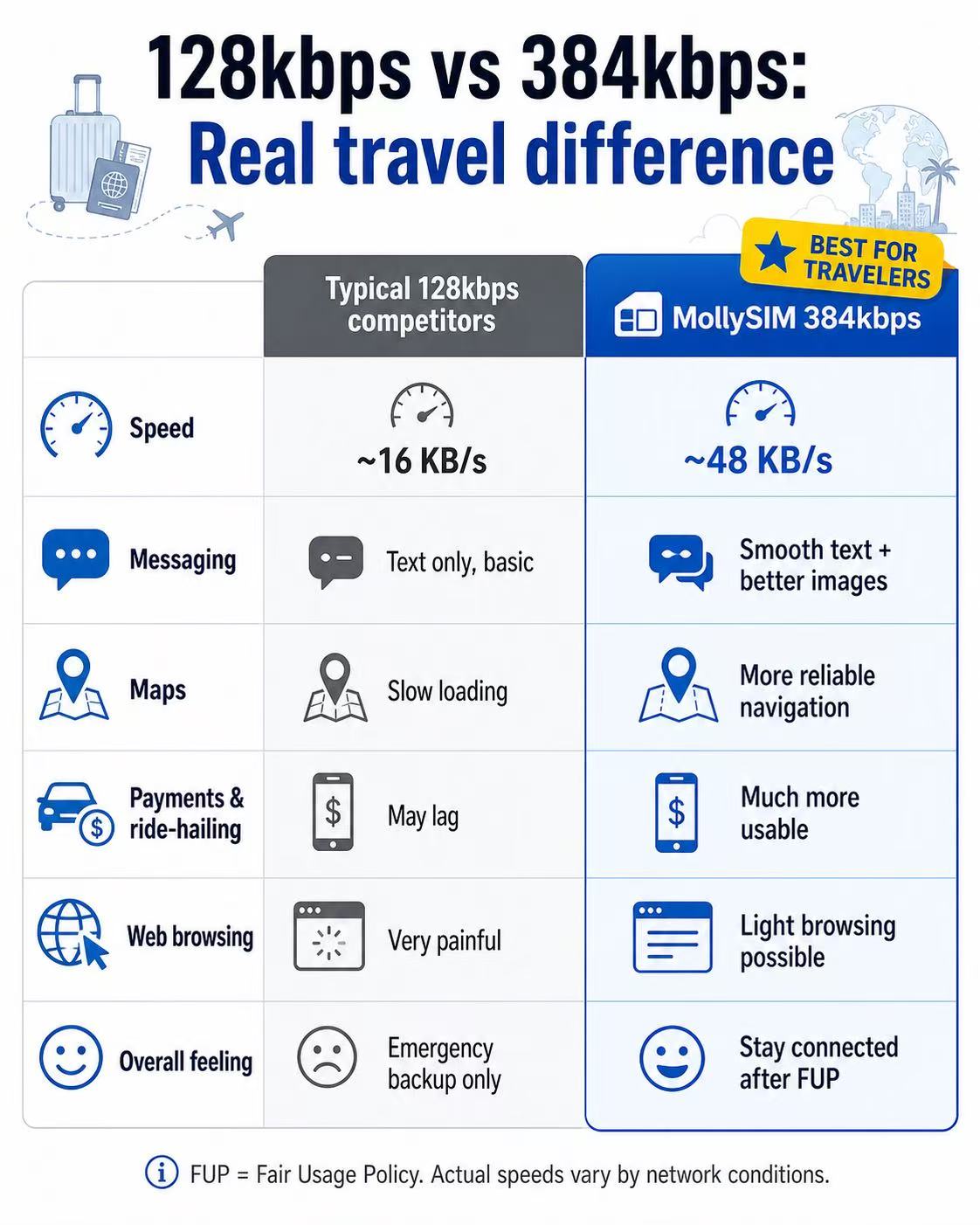
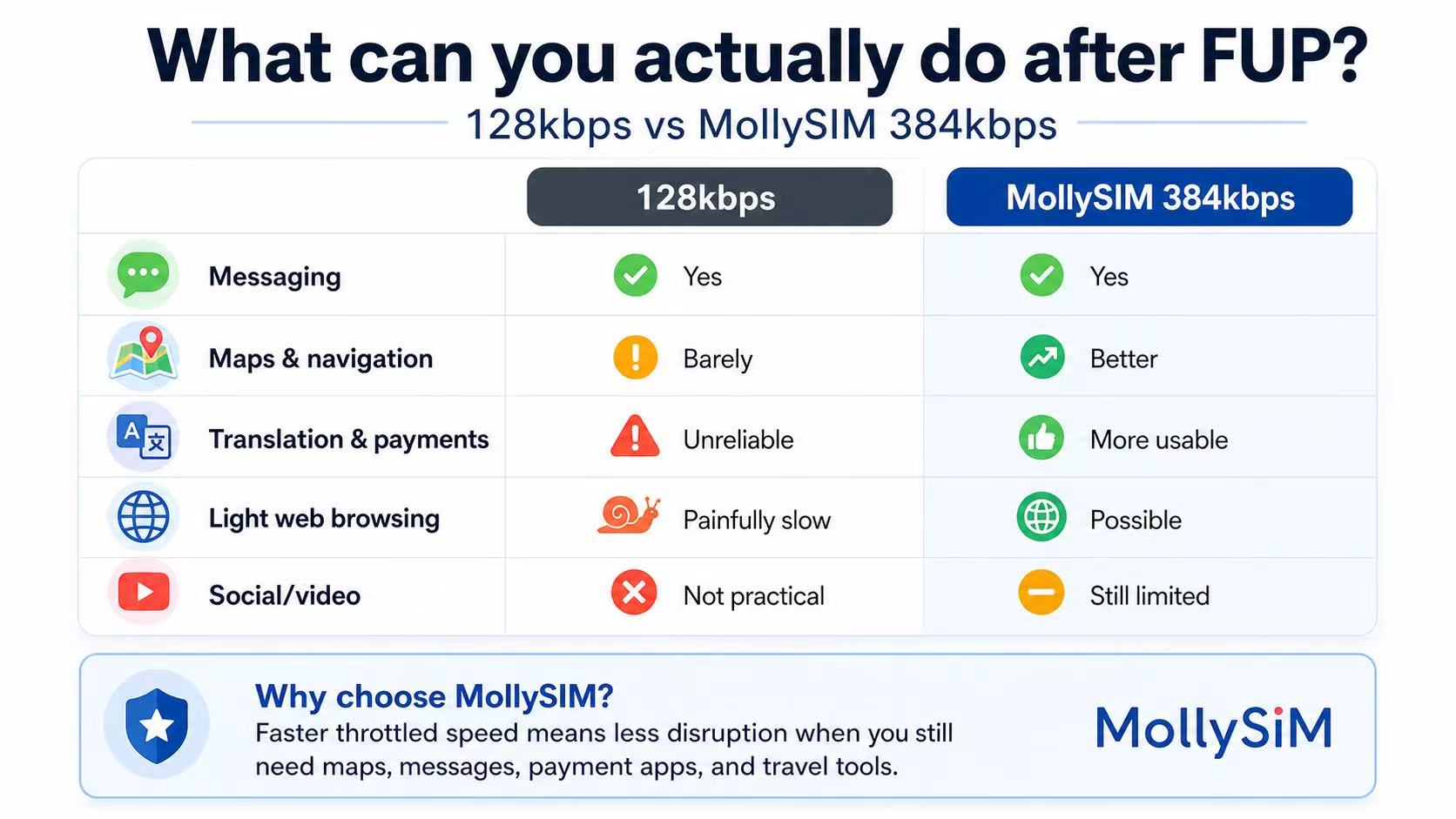
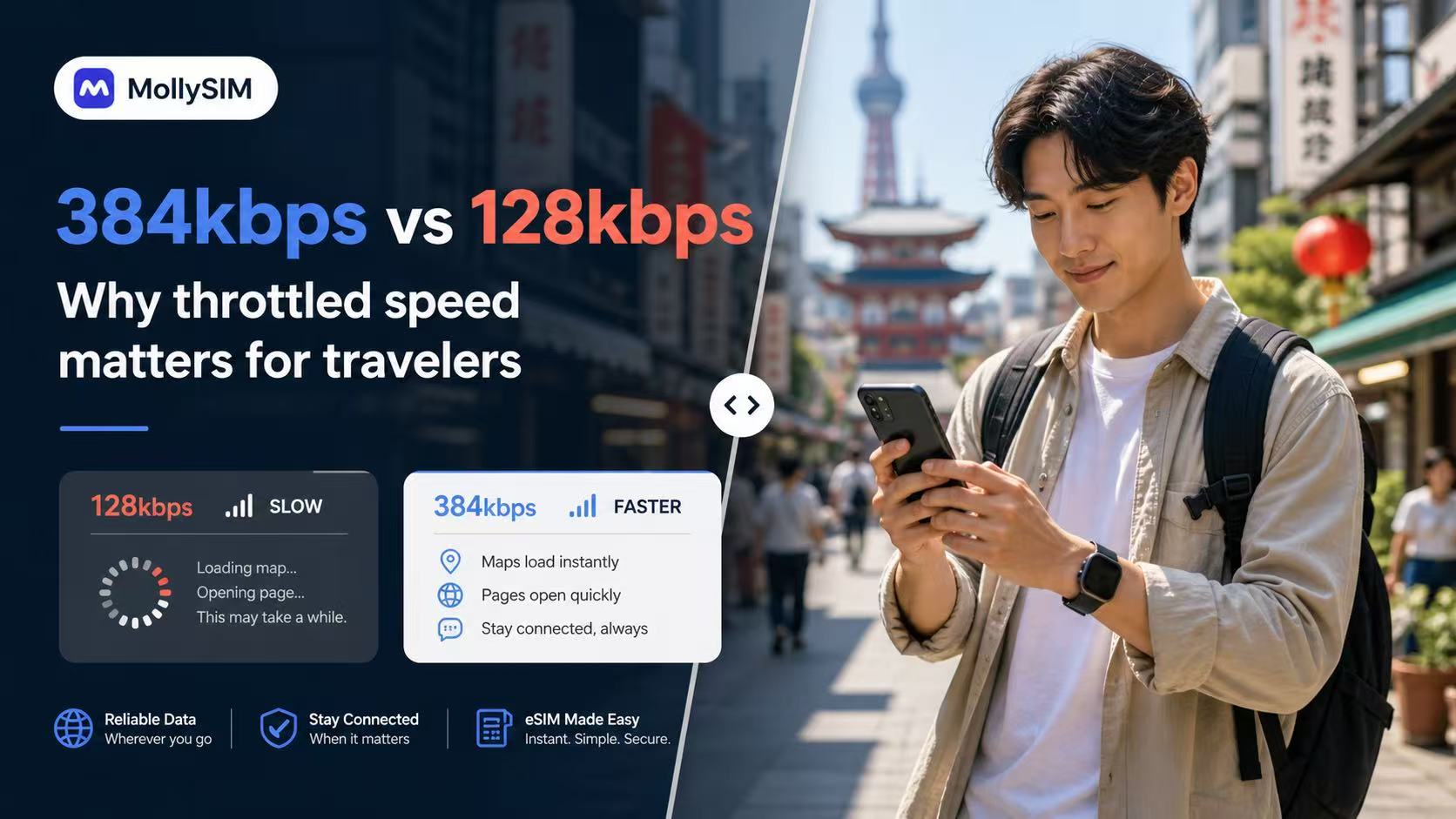
公平使用政策(FUP)後更實用的備用計劃。
Many travel eSIMs slow to 128kbps after Fair Usage Policy limits. MollySIM China plans throttle at 384kbps, 5Mbps, or 10Mbps instead, ensuring your key apps remain completely practical and responsive on the road.
384 Kbps
應急保底
基礎聊天/支付
適合在主流量用盡後,透過核心即時通訊和實用工具保持基本在線。
💬 WeChat & WhatsApp
📍 Google Maps
📲 Google Translate
💳 Apple Pay & Alipay
5 Mbps
流暢社交
社交達人/音樂
完美支援刷短影音/抖音、流暢收聽線上音樂以及日常旅行查詢。
📱 Instagram & TikTok
🎵 Spotify & Apple Music
📞 WhatsApp 語音與視頻
🚗 Grab 與 Uber 地圖
10 Mbps
至尊體驗
高清影片/遊戲
享受無中斷的高清影片直播、低延遲手機連線遊戲以及大檔案上傳下載。
🎬 YouTube & Netflix HD
🎮 實時手機遊戲
💼 高清 Zoom 與 Teams 會議
💻 熱點共享與多設備
FUP = 公平使用原則。實際限速後的網路性能受網路狀況、具體位置與裝置型號影響。
真實用戶評價
看看旅客在中國使用 MollySIM 後的真實反饋。
真實用戶的關注點基本一致:啟用速度是否迅速、地圖和支付軟體能否流暢開啟,以及在出發前需要核對資訊時客戶服務能否快速回應。
“激活郵件很快就到,安裝步驟清晰,在北京到西安的火車上用筆記本連熱點也沒問題。”
“我最在意翻譯、通訊和掃碼付錢,備用網速比我上次買的旅行 SIM 還好用。”
“付款前我先諮詢了我的三星機型是否支持,很快就得到明確答覆。收到郵件後安裝比預期簡單。”
3分鐘內完成設定。
流程刻意做得簡單:購買方案、點開訂單郵件裏的安裝鏈接,落地中國時已經聯網。支持的設備可直接從郵件開始安裝。
1
購買您的計劃
可挑選熱銷方案,或按有效期和流量自定義。結帳流程與中國站其他頁面完全一致。
2
輕觸以安裝
在您的 iPhone 或安卓手機上打開訂單啟用郵件,只需點擊一下即可無縫安裝。大多數用戶在登機前即可配好。
3
抵達即上線
登機前請在手機設置中開啓數據漫遊,抵達中國後打開 eSIM,即可立即使用地圖、通訊與旅行應用。
相容裝置
結賬前檢查您的 iPhone、Android 以及中國大陸國行版裝置是否支援 eSIM。
蘋果 iPhone
支援從 XR/XS 開始的所有支援 eSIM 的 iPhone 機型。中國大陸國行版 iPhone(配備雙物理卡槽)通常不支援 eSIM。
Android
適用於三星 Galaxy、Fold、Flip、Pixel 以及多款在系統設定中支援原生 eSIM 安裝的 Motorola 等主流安卓機型。
不支持
低階入門級安卓裝置、有電訊商合約鎖的手機,以及部分特定的中國市場版本(體型型號與國際版相同)可能不支援 eSIM。
小提示:撥打 *#06#。若手機屏幕上顯示了 EID 條碼和號碼,通常說明該手機支援一鍵添加 eSIM 計劃。
支持中心
常見問題解答
在中國用這張 eSIM,常用的旅行與通訊應用能正常使用嗎?
This eSIM is designed for roaming-ready data in China. App performance can vary by device, local network conditions, and service availability, so we recommend installing early and testing your setup on arrival.
使用此 eSIM 時,我可以保留原手機號碼嗎?
可以。您可以使用 eSIM 享受流量,同時保留您的實體卡用於通話或收發短訊(需您的裝置和電訊商支援雙卡雙待)。
有效期是從何時開始計算?
方案僅在中國連接到支持的網絡後才會激活並開始計時,提前幾天安裝不會浪費任何流量天數。
支援熱點共享 / 網路分享嗎?
支援。所有計劃均允許啟用個人熱點。您可以隨時與您的筆記型電腦或平板電腦共享網路,無需任何額外費用。
如果我的數據流量用完了會怎樣?
在每日限量計劃(Daily plans)中,一旦超出當日高速流量,您的速度將被限制在 384kbps,高速額度每 24 小時重置一次。在總量包計劃(Total plans)中,流量超出後將停止連網,需購買新計劃重新啟用。
我將連線到哪些合作電訊商網路?
MollySIM 會在中國移動與中國聯通之間自動切換,選取當前位置信號最強的 5G/LTE 網絡。
我的安裝連結無法運作,該怎麼辦?
請確保您是在需要使用該卡的那支手機上打開啟用郵件,並確保處於穩定的網路環境下。如果安裝仍然失敗,請勿刪除已添加的任何設定,並立即聯絡客戶服務為您提供指引。
我可以在安裝後將 eSIM 轉移到其他手機上嗎?
通常不可以。eSIM 描述文件一旦安裝並註冊到設備,一般會鎖定在該設備上,請安裝在您計劃在中國使用的手機上。
已完成付款但未收到 eSIM,該怎麼辦?
首先,請檢查您電子電郵中的垃圾郵件或廣告郵件資料夾。接著您可以登入您的帳戶並前往「我的訂單」——即使郵件未送達,您的二維碼和 eSIM 安裝詳情依然會即時顯示在此。若訂單顯示掛起(Pending)超過 30 分鐘,請攜帶您的訂單編號與支付確認屏幕截圖聯絡客戶服務。
如果我的 eSIM 方案未使用,可以申請退款嗎?
退款資格將根據我們的「退款政策」進行個案評估。未啟用且完全未使用的計劃如果及時申請可能符合退款條件。一旦計劃啟用或有效期開始計算,通常將無法進行退款。您可以透過退款政策頁面提交包含您訂單編號的申請。

100% 退款保障。
旅行計劃有變?自購買之日起 6 個月內,任何未啟用的 eSIM 均可享受 100% 全額退款。