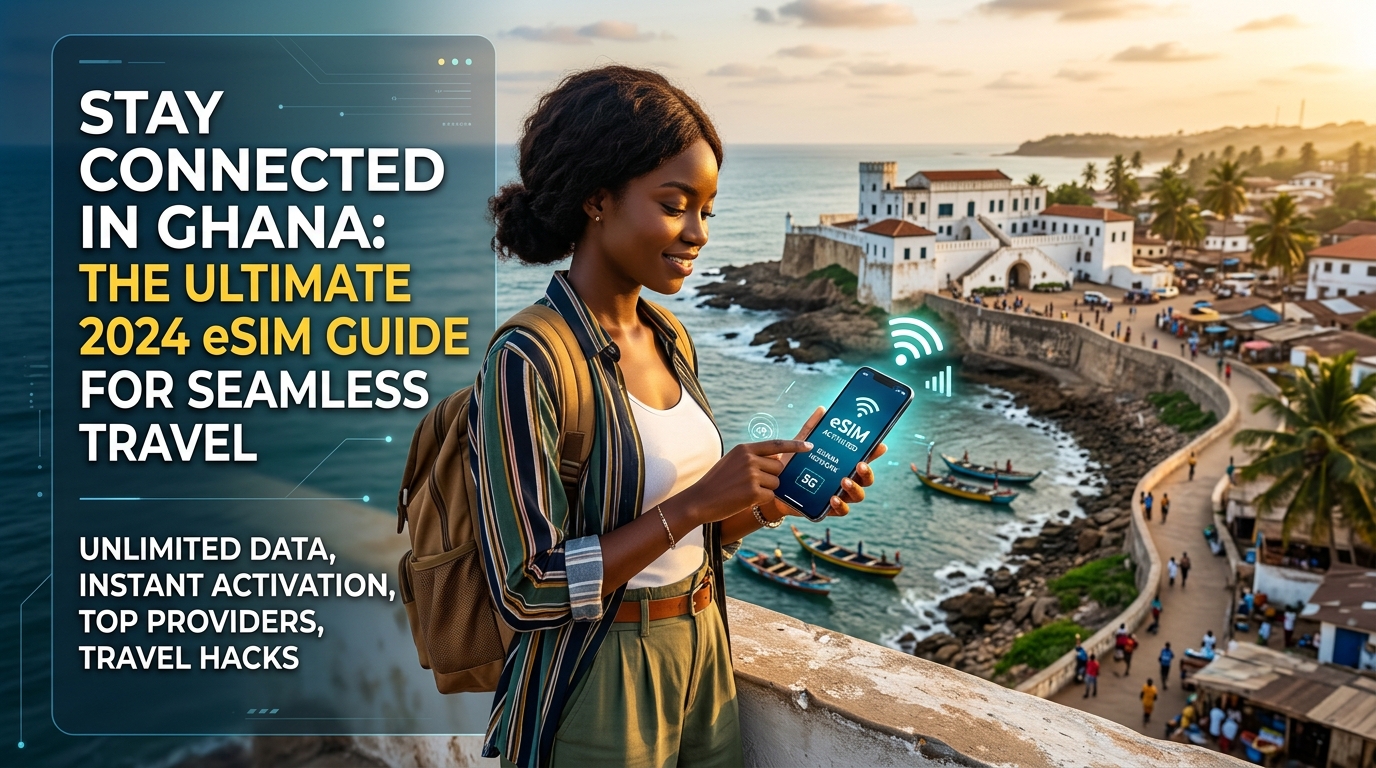
在加納保持連線:2026 年終極 eSIM 指南,讓您的旅程更加順暢
順暢連線:為什麼 eSIM 是您在加納旅行的終極夥伴
Stepping off the plane at Kotoka International Airport (ACC) in Accra, the vibrant energy of Ghana immediately envelops you. The humid air, the distant sounds of traffic, and the anticipation of exploration are palpable. But before you hail a taxi, check into your accommodation, or share your first Ghanaian experience, a crucial thought often surfaces: "How do I get online?" The immediate need for reliable internet is universal for modern travelers, whether it's for navigation, communication with loved ones, or accessing essential travel apps.
Traditionally, securing connectivity involved a series of steps that could easily become a travel chore. This often meant hunting for a local mobile network operator's store, navigating potential language differences, and enduring a sometimes lengthy registration process requiring passport details and biometric verification – a common frustration for tourists. This is precisely where the eSIM emerges as the quintessential modern solution, transforming what was once a logistical hurdle into a seamless, almost invisible process.
The Unrivaled Advantages of eSIMs in the Ghanaian Context
An eSIM, or embedded SIM, is a digital SIM card that allows you to activate a cellular plan from a carrier without needing a physical SIM card. For travelers to Ghana, its benefits are profound and directly address common pain points:
- Instant Activation & Digital Setup: Unlike physical SIM cards that demand a trip to a vendor and manual insertion, an eSIM can be activated instantly. The entire setup is digital, often involving scanning a QR code or entering a few details, which can be done before you even depart or the moment you land at ACC. This means you're connected the instant your plane touches down, ready to order a ride, inform loved ones of your safe arrival, or look up directions without a moment's delay.
- Bypass Local Vendor Hunts and Language Barriers: Imagine bypassing the search for a local mobile shop, avoiding queues, and sidestepping any potential language barriers that might arise when trying to explain your data needs. With an eSIM, these concerns simply vanish. Your data plan is ready to go, eliminating the initial stress of finding a reliable local provider in an unfamiliar environment.
- Avoid Tedious Local SIM Registration Processes: Perhaps one of the most significant advantages for travelers to Ghana is the ability to circumvent the often-tedious local SIM registration processes. Ghanaian regulations, while important for security, can be time-consuming for tourists, often requiring passport scans and sometimes even fingerprint verification at a local telco office. An eSIM plan, especially from international providers like MollySIM, often simplifies or pre-registers you, allowing you to activate and connect without this bureaucratic hurdle, saving precious travel time and energy better spent exploring.
- Keep Your Home SIM Active (Dual SIM Functionality): Furthermore, an eSIM allows you to keep your primary physical SIM active in your phone. This 'dual SIM' functionality is invaluable, meaning you can receive important calls or SMS messages from your home number without constantly swapping cards, while simultaneously enjoying affordable local data through your eSIM. This ensures you stay connected to both your international and local networks seamlessly.
- Enhanced Performance for Essential Apps: The quality of your data connection directly impacts your travel experience. Providers like MollySIM stand out in this regard, offering not just convenience but also superior performance. Their Fair Use Policy speed limit of 384kbps is a significant upgrade, being three times faster than many competitors' 128kbps limits. This enhanced speed is critical for everyday travel needs – ensuring Google Maps loads smoothly as you navigate Accra's bustling streets, allowing Apple Pay transactions to process without delay, and generally providing a much more responsive online experience for everything from social media updates to checking flight details.
- Environmental Benefits and Flexibility: Beyond the immediate convenience, eSIMs offer subtle yet important advantages. They are environmentally friendly, eliminating the plastic waste associated with physical SIM cards. For globetrotters, the ability to manage multiple eSIM profiles on a single device offers unparalleled flexibility, allowing you to seamlessly switch between data plans for different countries without ever touching a physical card, making multi-country trips effortlessly connected.
In essence, an eSIM transforms your arrival in Ghana from a potential connectivity scramble into an immediate immersion, ensuring you're connected, confident, and ready to embrace all that this incredible country has to offer from the moment you land.
Ghana's Mobile Landscape & MollySIM's Intelligent Network Strategy
🌐 全球旅行 高速 eSIM & 电话卡方案
无需插卡开箱即用,支持热点共享,即使高速流量用尽也可维持 Google 地图/移动支付顺畅运行。
Ghana's mobile telecommunications sector is vibrant and competitive, characterized by a strong push for 4G/LTE expansion and increasing internet penetration. Understanding this landscape is crucial for any traveler seeking reliable connectivity. The market is primarily dominated by three major players, each with distinct strengths and coverage profiles.
Ghana's Key Mobile Network Operators
- MTN Ghana: Undisputedly the market leader, MTN Ghana boasts the largest subscriber base and the most extensive network coverage across the country. Its 4G/LTE network is particularly robust, providing high-speed internet access in major cities like Accra, Kumasi, and Takoradi, as well as extending into many rural areas. For travelers, MTN often represents the benchmark for connectivity due to its widespread availability and generally reliable speeds, making it a preferred choice for many local users and businesses.
- Vodafone Ghana: As the second-largest operator, Vodafone Ghana offers a strong alternative, particularly in urban and peri-urban centers. Vodafone has invested significantly in its 4G network, providing competitive speeds and good service quality in its coverage areas. While its geographical reach might not be as exhaustive as MTN's in the most remote regions, it delivers excellent performance where it's available, often preferred for its customer service and competitive data packages.
- AirtelTigo: Formed from the merger of Airtel Ghana and Tigo Ghana, AirtelTigo is the third major player, aiming to leverage the combined infrastructure of its predecessors to expand its footprint and improve service quality. While still working to fully integrate and optimize its network, AirtelTigo offers coverage in many parts of the country, providing another option for connectivity, especially in areas where the other two might be less dominant. Its ongoing efforts to enhance its 4G presence are making it an increasingly viable option.
MollySIM's Strategic Network Aggregation
Recognizing the varying strengths and weaknesses of these local networks, MollySIM employs an intelligent network strategy designed to provide optimal coverage and reliability for its users. Instead of relying on a single operator, MollySIM strategically partners with these major Ghanaian mobile network operators. This approach allows MollySIM to function as a virtual network operator (VNO), dynamically connecting its users to the strongest available signal at any given location.
This means that whether you're navigating the bustling markets of Accra, exploring the historical sites of Cape Coast, or venturing into more remote regions, your MollySIM eSIM will automatically prioritize and connect to the network offering the best performance. This intelligent aggregation ensures that you consistently have access to the most robust and reliable data connection, minimizing dead zones and maximizing your ability to stay connected throughout your journey in Ghana.
Furthermore, MollySIM's plans are data-only, a deliberate design choice that perfectly aligns with the communication habits of modern travelers. In today's digital age, traditional voice calls and SMS are largely supplanted by Voice over IP (VoIP) applications. Travelers overwhelmingly rely on apps like WhatsApp, Facebook Messenger, Telegram, and FaceTime for communication with family, friends, and even local contacts. Similarly, navigation primarily happens through Google Maps or Apple Maps, and information retrieval through web browsing. MollySIM's data-only approach caters directly to these needs, providing ample data bandwidth for all essential online activities without the unnecessary overhead of traditional call/text services that often go unused by international visitors.
Understanding MollySIM's 384kbps Fair Usage Policy (FUP) Fallback Speed
A critical differentiator for MollySIM, and a testament to its commitment to superior user experience, is its 384kbps Fair Usage Policy (FUP) fallback speed. While you will typically experience much faster 4G/LTE speeds when available, this 384kbps is the guaranteed minimum speed after your high-speed data allowance is consumed, or in areas of network congestion. This speed is a significant upgrade, being three times faster than many competitors' 128kbps limits, and its practical implications for travelers are profound:
- Effective Activities: A 384kbps connection is highly functional for most essential travel activities. It ensures Google Maps loads smoothly for turn-by-turn navigation through Accra's intricate streets or while finding your way to a remote lodge. WhatsApp messages, voice notes, and even short voice calls will transmit reliably. You can comfortably check emails, browse light web pages for restaurant reviews or tourist information, and update social media with text and low-resolution images without significant delays. Crucially, it allows Apple Pay transactions to process without delay, ensuring seamless payments. This speed is designed to keep you connected for critical needs and general communication.
- Activities Not Designed For: While highly capable for essential tasks, 384kbps is not intended for bandwidth-intensive activities. It is not suitable for high-definition video streaming (e.g., Netflix, YouTube in HD), large file downloads or uploads, or online gaming. Attempting these activities on a 384kbps connection would result in buffering, slow downloads, and a frustrating experience. MollySIM prioritizes consistent performance for the core needs of a traveler, ensuring that even under FUP, your essential connectivity remains robust and reliable, far surpassing the limitations of slower fallback speeds offered by other providers.
Choosing Your MollySIM Plan: Data Solutions for Every Ghanaian Adventure
Selecting the right data plan is pivotal for a stress-free travel experience, and MollySIM (https://mollysim.com) simplifies this decision for your Ghanaian adventure. MollySIM offers a range of transparent, data-only eSIM plans designed to cater to diverse traveler needs, ensuring you're always connected without the hassle of hidden fees or complex local registrations. Our commitment is to provide instant, reliable connectivity from the moment you land, allowing you to focus on exploring Ghana's vibrant culture and stunning landscapes.
MollySIM Data Plans: Flexibility for Every Journey
MollySIM's data plans for Ghana are structured to offer maximum flexibility, balancing data allowance with validity periods. You'll find options tailored for short visits, extended stays, and varying data consumption habits:
- Data Allowances: Plans typically range from 1GB for light users on short trips, to 3GB and 5GB for moderate explorers who rely on navigation and social media, and up to 10GB or even 20GB for heavy data users or those on longer itineraries. These generous allowances ensure you have ample data for all your essential travel needs.
- Validity Periods: Match your plan to your trip duration with options like 7 days for quick getaways, 15 days for standard vacations, and 30 days for more extensive explorations of Ghana. This ensures you only pay for the connectivity you need, avoiding wasted data or premature expirations.
Estimating Your Data Usage in Ghana
To choose the perfect MollySIM plan, it's helpful to estimate your typical data consumption based on your planned activities:
- Navigation (Google Maps, Apple Maps): Essential for navigating Accra's bustling streets or finding your way to remote attractions. This is generally low-to-moderate data usage, consuming around 5-10MB per hour of active navigation. A 1GB plan would cover many hours of navigation.
- Messaging (WhatsApp, iMessage): Sending text messages, photos, and voice notes is very data-efficient. Even frequent use will consume minimal data, likely less than 50MB per day.
- Voice & Video Calls (WhatsApp, FaceTime): Voice calls are relatively low (around 0.5MB per minute), while video calls can be data-intensive (around 5-15MB per minute depending on quality). If you plan frequent video calls, consider a higher data plan.
- Email & Light Web Browsing: Checking emails, looking up restaurant reviews, or browsing tourist information sites consumes moderate data, typically 10-30MB per hour.
- Social Media (Instagram, Facebook, X): Browsing feeds, posting photos, and watching short videos can quickly add up. A moderate user might consume 50-150MB per hour, especially with video content.
- Music Streaming (Spotify, Apple Music): Streaming music at standard quality uses approximately 40-70MB per hour.
Practical Advice:
- Light User (Maps, Messaging, Occasional Email): A 1GB or 3GB plan for 7-15 days is often sufficient.
- Moderate User (Maps, Messaging, Social Media, Some Browsing): A 5GB or 10GB plan for 15-30 days provides a comfortable buffer.
- Heavy User (Frequent Video Calls, Constant Social Media, Some Streaming): Opt for 10GB or 20GB plans, especially for longer trips.
Remember, MollySIM's transparent pricing means you know exactly what you're paying for. There are no hidden fees or unexpected charges, offering peace of mind. Furthermore, even if you exhaust your high-speed data, MollySIM's Fair Use Policy (FUP) ensures a fallback speed of 384kbps. This speed is remarkably functional, allowing Google Maps to load smoothly for navigation and Apple Pay transactions to process without delay, a significant advantage over competitors' slower 128kbps limits. This ensures your essential connectivity remains robust throughout your journey.
MollySIM vs. Traditional Connectivity Options in Ghana
To highlight the unparalleled convenience and value of MollySIM, let's compare it with other common connectivity solutions available to travelers in Ghana: local physical SIM cards and pocket Wi-Fi devices.
| Feature | MollySIM eSIM (Data Only) | Local Physical SIM (e.g., MTN Ghana) | Pocket Wi-Fi Device (Rental) |
|---|---|---|---|
| Activation | Instant via QR code, pre-arrival/upon landing | Purchase at vendor, lengthy registration process | Pickup/return at airport, setup device |
| Registration | None (digital profile) | Mandatory biometric registration (fingerprints, ID) | None (device registered by provider) |
| Device Needed | eSIM-compatible smartphone/tablet | Unlocked smartphone | Separate device to carry, charge |
| Coverage | Leverages best available network (MTN, Vodafone) | Single carrier's network | Single carrier's network |
| Data Plans | Flexible data packages (e.g., 1GB-20GB), various validity | Often bundled with calls/SMS, complex local bundles | Limited data packages, often higher cost per GB |
| Cost (Typical) | Transparent, data-focused, competitive | Varies, can be cheap but complex bundles | Higher upfront/rental cost, daily fees |
| Convenience | High (digital, no swapping, keep home SIM) | Low (physical swap, registration queues, language) | Medium (extra device, battery life, pickup/return) |
| FUP/Throttling | 384kbps fallback after high-speed data exhausted | Varies by carrier, often no specific fallback | Varies by provider |
| Ideal For | Travelers needing reliable data, avoiding hassle | Long-term stays, local calls, budget-conscious | Groups, multiple devices, heavy data users |
As the table illustrates, MollySIM stands out for its unmatched convenience, instant activation, and freedom from local registration complexities. By leveraging the best available networks in Ghana, MollySIM ensures robust coverage, providing a seamless and reliable connection that traditional alternatives often struggle to match for the transient traveler. Choose MollySIM for a truly connected and hassle-free Ghanaian adventure.
Your Step-by-Step Guide to Activating MollySIM in Ghana
Ensuring you're connected from the moment you land at Kotoka International Airport (ACC) is paramount for a stress-free Ghanaian adventure. MollySIM makes this process incredibly straightforward. Follow this detailed guide to activate your MollySIM eSIM, guaranteeing seamless connectivity throughout your trip.
1. Pre-Departure Preparation: Setting the Stage for Seamless Connectivity
Before you even pack your bags, a couple of essential steps will ensure a smooth activation process:
- Verify eSIM Compatibility: First and foremost, confirm your smartphone is eSIM-compatible. Most newer models (iPhone XS and later, many Samsung Galaxy S20/Note20 series and newer, Google Pixel 3 and later, etc.) support eSIM. A quick check of your device's specifications or manufacturer's website will confirm this.
- Purchase Your MollySIM Plan: Visit https://mollysim.com and select the Ghana eSIM plan that best suits your data needs and trip duration. MollySIM offers transparent pricing and flexible packages designed for travelers. Complete your purchase securely online.
2. Receiving Your MollySIM eSIM Details
Immediately after purchasing your plan, MollySIM will send you an email containing your eSIM activation details. This typically includes:
- A QR Code: This is the easiest and most recommended method for activation.
- Manual Activation Details: In case you cannot scan the QR code, you'll also receive an SM-DP+ Address, Activation Code, and Confirmation Code.
Keep this email accessible, ideally on a different device or printed out, as you'll need to scan the QR code with the phone you intend to use the eSIM on.
3. Adding Your MollySIM eSIM Profile to Your Device
This is where you integrate the MollySIM profile into your phone's settings. Ensure you have a stable Wi-Fi connection during this step.
- For iOS (iPhone):
- Go to Settings > Mobile Data (or Cellular).
- Tap Add eSIM (or Add Data Plan).
- Choose Use QR Code.
- Scan the QR code provided in your MollySIM email.
- Follow the on-screen prompts to confirm adding the data plan.
- For Android (Steps may vary slightly by manufacturer):
- Go to Settings > Network & internet (or Connections).
- Tap SIMs (or Mobile network > SIM management).
- Tap Add eSIM (or Download a SIM).
- Choose Download your SIM instead? (or Use a QR code).
- Scan the QR code from your MollySIM email.
- Follow the on-screen prompts to activate the eSIM.
- Manual Entry (If QR Code Fails): If scanning isn't possible, select "Enter Details Manually" and input the SM-DP+ Address, Activation Code, and Confirmation Code provided by MollySIM.
4. Configuring Your eSIM for Optimal Use in Ghana
Once the eSIM profile is added, you'll need to configure your device to use it correctly in Ghana.
- Name Your eSIM: To avoid confusion, immediately label your new eSIM. Go to Settings > Mobile Data/Cellular > select your new eSIM. Rename it something clear like "Ghana Travel" or "MollySIM Ghana". This helps differentiate it from your home SIM.
- Set MollySIM as Primary for Mobile Data:
- Go to Settings > Mobile Data (or Cellular).
- Under "Mobile Data" (or "Cellular Data"), select your newly named MollySIM eSIM ("Ghana Travel") as the primary line for data.
- Enable Data Roaming for MollySIM: This is CRUCIAL. For your MollySIM eSIM to connect to local networks in Ghana, data roaming must be ON for that specific eSIM.
- Select your MollySIM eSIM ("Ghana Travel") in your Mobile Data settings.
- Toggle Data Roaming to ON.
- Disable Data Roaming for Your Home SIM: To prevent exorbitant unexpected charges from your home carrier, ensure data roaming is OFF for your physical home SIM card. You can still receive calls/SMS on your home number if you wish, but data will be routed through MollySIM.
5. Arriving in Ghana: Automatic Connection & Verification
Upon landing at ACC, your MollySIM eSIM should automatically connect to one of Ghana's robust local networks (e.g., MTN, Vodafone), leveraging MollySIM's agreements for the best available coverage.
- Verification: Look for signal bars at the top of your screen. You should see "MollySIM Ghana" (or your chosen name) with network indicators. Try opening a browser or a messaging app like WhatsApp. If you can browse the internet or send a message, your MollySIM is successfully activated and working.
6. Troubleshooting Common MollySIM eSIM Issues in Ghana
While MollySIM is designed for seamless operation, occasional issues can arise. Here's how to address them:
- eSIM Not Connecting to a Network:
- Confirm Data Roaming (MollySIM): Double-check that Data Roaming is ON for your MollySIM eSIM in your device settings. This is the most common oversight.
- APN Settings: MollySIM typically configures APN settings automatically. However, if you're still not connecting, you might need to manually verify. For most MollySIM plans, the APN is
internet. - iOS: Settings > Mobile Data > MollySIM eSIM > Mobile Data Network.
- Android: Settings > Network & internet > SIMs > MollySIM eSIM > Access Point Names. Add a new APN if necessary, with
internetas the APN name. - Network Selection: Ensure your network selection is set to "Automatic." If not, try manually selecting a network like MTN or Vodafone Ghana.
- iOS: Settings > Mobile Data > MollySIM eSIM > Network Selection.
- Android: Settings > Settings > Network & internet > SIMs > MollySIM eSIM > Network operators.
- Restart Your Device: A simple restart can often resolve minor connectivity glitches.
- Slow Data Speeds:
- Fair Use Policy (FUP): MollySIM implements a Fair Use Policy. If you've consumed your high-speed data allowance, your speed will be reduced to 384kbps. This is a deliberate design to ensure continuous, albeit slower, connectivity. Crucially, MollySIM's 384kbps fallback speed is 3x faster than many competitors' 128kbps, which often renders services unusable. At 384kbps, you can still comfortably use essential apps like Google Maps for navigation, send messages on WhatsApp, check emails, and even make payments via Apple Pay or other mobile payment services without significant frustration.
- Network Congestion: In densely populated areas or during peak hours, local network congestion can temporarily affect speeds. This is usually transient.
- Top Up: If you require full-speed data, consider topping up your MollySIM plan via the MollySIM website.
- Device Compatibility: If all else fails and you're certain your settings are correct, re-verify your device's eSIM compatibility. Older or region-locked devices might not support eSIM functionality.
By following these steps, your MollySIM eSIM will provide reliable and hassle-free connectivity, allowing you to focus on enjoying the vibrant culture and beauty of Ghana.
Navigating Ghana: Expected Network Coverage with MollySIM
Ghana's diverse landscape, from bustling metropolises to serene coastal villages and expansive northern savannas, presents a varied picture for mobile network coverage. Fortunately, MollySIM's strategic advantage of partnering with multiple local networks significantly enhances your connectivity experience, dynamically switching to the strongest available signal to minimize dead zones. Understanding what to expect in different regions will help you plan your digital journey across the country.
Major Cities: Accra, Kumasi, Takoradi
In Ghana's primary urban centers – Accra, the vibrant capital; Kumasi, the heart of the Ashanti Kingdom; and Takoradi, the bustling port city – you can anticipate generally excellent 4G/LTE coverage. These areas are well-served by Ghana's leading mobile network operators, ensuring high speeds and reliable connectivity for virtually all your travel needs. Whether you're navigating the busy streets with Google Maps, sharing real-time updates on social media, making high-definition video calls to loved ones, or even conducting business remotely, MollySIM will provide a seamless experience. Data speeds are typically robust enough to support streaming services, online gaming, and large file downloads without significant frustration. This consistent performance in urban hubs means you can rely on your MollySIM eSIM for everything from booking ride-shares to accessing digital payment platforms like Apple Pay.
Coastal Regions: Cape Coast, Busua, Elmina
Venturing to Ghana's picturesque coastal belt, encompassing historical sites like Cape Coast and Elmina, and popular beach destinations such as Busua, you'll find generally good network coverage in tourist-frequented areas. The infrastructure is typically robust around major attractions, hotels, and established communities. However, as you move into very secluded beach resorts, remote fishing villages, or less developed stretches of coastline, you might encounter potential for weaker signals or occasional drops to 3G. While essential communication, basic browsing, and messaging apps like WhatsApp will generally remain functional, streaming high-definition video or engaging in bandwidth-intensive activities might become challenging in these more isolated spots. MollySIM's multi-network capability proves invaluable here, as it automatically connects you to the strongest available local network, helping to mitigate these potential coverage gaps and ensure you stay connected even when off the beaten path.
Northern Ghana: Tamale, Mole National Park
Northern Ghana, with its distinct culture and vast landscapes, offers a different connectivity profile. In major northern cities like Tamale, the regional capital, coverage is generally strong, providing reliable 4G/LTE services comparable to other urban centers. However, as you journey into more remote areas, particularly within and around Mole National Park, coverage can become more sporadic. While you might find decent 4G/LTE or 3G near lodges and main park entry points, venturing deeper into the bush or very rural communities will likely see signals weaken considerably, potentially dropping to 3G or even 2G. For adventurers exploring Mole, it is highly recommended to download offline maps (e.g., Google Maps, Maps.me) before entering the park, as real-time navigation might be unreliable. Manage your expectations for seamless streaming or constant high-speed data access in these truly wild areas. MollySIM's ability to switch between networks is crucial for maximizing your chances of finding any signal, and even if speeds are reduced due to location or Fair Use Policy, its 384kbps fallback speed (3x faster than many competitors' 128kbps) can still be sufficient for critical needs like sending emergency messages, checking basic emails, or using pre-downloaded maps for navigation.
Volta Region: Ho, Lake Volta Areas
The scenic Volta Region, characterized by its mountainous terrain, lush greenery, and the expansive Lake Volta, presents a variable network coverage landscape. Connectivity is generally stronger and more consistent in urban centers like Ho and along major arterial roads. However, as you explore the more challenging topography of mountainous areas or delve into very rural lakeside communities, coverage can become quite challenging. Signal strength might fluctuate significantly, and you could experience slower speeds or intermittent connectivity. Similar to Northern Ghana, preparing for potential signal drops by downloading offline maps and essential information is a wise strategy when planning excursions around Lake Volta or into remote villages. MollySIM's multi-network advantage is particularly beneficial in such diverse terrain, as it continuously seeks out the best available signal from any partner network, striving to keep you connected even in areas where a single network might struggle. This resilience ensures that even if full-speed data is not consistently available, the ability to maintain a connection for essential communication remains a priority.
Maximizing Your Connectivity & Final Tips for a Connected Ghanaian Journey
Having chosen the convenience and reliability of a MollySIM eSIM for your Ghanaian adventure, the next step is to master the art of maximizing your connectivity and ensuring a smooth, uninterrupted experience. From smart data management to leveraging local digital services, these final tips will empower you to stay connected efficiently and securely throughout your travels.
Smart Data Management: Monitor & Conserve
Even with generous data plans, understanding and managing your usage is key to avoiding unexpected depletion, especially when exploring areas with less consistent connectivity.
Monitoring Your Data Usage
- Device Settings: Your smartphone provides built-in tools to track data consumption.
- iOS: Navigate to
Settings > Cellular(orMobile Data) and scroll down to see your current period's usage and individual app consumption. You can also reset statistics for a fresh start. - Android: Go to
Settings > Network & internet > SIMs, select your MollySIM profile, and then tapApp data usageto view detailed statistics. - MollySIM Portal: For the most accurate and real-time overview of your MollySIM data allowance, log into your account on the MollySIM website (https://mollysim.com) or via their dedicated app (if available). This portal allows you to track remaining data, view plan details, and even top up if needed, giving you complete control over your connectivity budget.
Effective Data Conservation Strategies
To make your MollySIM data last longer and ensure you have connectivity when it matters most, adopt these habits:
- Prioritize Wi-Fi: Whenever available and secure (e.g., at your hotel, trusted cafes, or restaurants), connect to Wi-Fi networks. This offloads significant data usage from your eSIM, saving your allowance for when you're on the move or in areas without public Wi-Fi.
- Utilize Data Saver Modes:
- Smartphone Settings: Enable your device's built-in data saver features (e.g., Android's "Data Saver" or iOS's "Low Data Mode"). These modes restrict background data usage and can automatically reduce data consumption by apps.
- App-Specific Settings: Many popular apps (social media, streaming services, browsers) offer their own data saver or "lite" modes. Activate these to minimize data consumption while still enjoying essential functionalities.
- Download Content Offline: Before venturing out, especially to more remote regions like parts of the Volta or Northern regions, download essential content:
- Maps: Download offline maps for Ghana using Google Maps. This is invaluable for navigation without relying on a constant data connection.
- Entertainment: Download movies, TV shows, music, podcasts, or e-books via Wi-Fi to enjoy offline during travel time.
- Travel Guides: Save digital copies of guidebooks, itineraries, and important documents to your device.
- Disable Background App Refresh: Prevent apps from refreshing content in the background when not in active use. This can be a significant silent data consumer. Adjust these settings in your phone's app management options.
- Adjust Streaming Quality: If streaming video or music on the go, opt for lower quality settings to reduce data usage.
Enhanced Security with Your eSIM
While public Wi-Fi can be convenient, it often comes with security risks. Unsecured networks are vulnerable to eavesdropping, data interception, and even malware injection. Using your MollySIM eSIM provides a private, encrypted, and secure data connection, significantly reducing these risks. This is particularly crucial when conducting sensitive activities like online banking, accessing personal emails, or making online purchases. Your MollySIM connection offers a more secure digital environment compared to unknown public Wi-Fi hotspots.
Essential Local Apps & Services Enabled by Data
Having reliable data from your MollySIM eSIM unlocks access to a host of local services that will enhance your Ghanaian travel experience:
- Ride-Sharing Apps: In major cities like Accra and Kumasi, Bolt and Uber are widely used for convenient and affordable transportation. Reliable data is essential for requesting rides, tracking your driver's location, and navigating to your destination.
- Mobile Money Services: MTN Mobile Money (MoMo) is ubiquitous in Ghana, used for everything from paying for goods and services to sending money and even withdrawing cash. While MollySIM provides data connectivity and not the mobile money balance itself, having data allows you to access the MoMo app or use USSD codes, making local transactions incredibly seamless.
- Communication: WhatsApp is the primary communication platform in Ghana. Your MollySIM data ensures you can stay in touch with newfound friends, tour operators, and family back home.
- Navigation: As mentioned, Google Maps (and Apple Maps) are indispensable for navigating Ghana's cities and countryside. Even if your primary data speed is reduced due to location or Fair Use Policy, MollySIM's 384kbps fallback speed is 3x faster than many competitors' 128kbps, ensuring that critical functions like real-time navigation remain smooth and functional, allowing you to confidently find your way.
Your Seamless Ghanaian Journey with MollySIM
Ghana is a country of vibrant culture, breathtaking landscapes, and warm hospitality. With MollySIM, you're not just getting an eSIM; you're securing a reliable, stress-free pathway to experiencing all that Ghana has to offer without the worry of connectivity gaps. The multi-network advantage ensures your device constantly seeks out the strongest available signal, while the robust 384kbps fallback speed guarantees essential services like navigation and messaging remain accessible even in challenging conditions.
Embrace the convenience of digital activation, the freedom from physical SIM cards, and the peace of mind that comes with consistent, secure data. MollySIM empowers you to share your adventures, navigate with confidence, and connect with locals effortlessly. Make MollySIM your trusted companion for a truly connected and unforgettable journey through Ghana. Visit https://mollysim.com to secure your eSIM today.
🌐 全球旅行 高速 eSIM & 电话卡方案
无需插卡开箱即用,支持热点共享,即使高速流量用尽也可维持 Google 地图/移动支付顺畅运行。