“Installed it before boarding, landed in Shanghai, and maps plus Alipay were usable within minutes. That alone made the arrival much less stressful.”
ĐỐI TÁC NHÀ MẠNG CHÍNH THỨC · MẠNG 5G
China Mainland eSIM Kết nối du lịch.
Stay connected across China with roaming-ready data, simple setup, and dependable coverage across all 31 provincial-level regions.
Giao hàng tức thì
Liên kết cài đặt một chạm được gửi đến email trong vòng 30 giây.
5G Connectivity
Tier-1 coverage via China Mobile & Unicom.
Sẵn sàng cho ứng dụng du lịch
Được xây dựng cho bản đồ, nhắn tin, thanh toán và nhu cầu du lịch hàng ngày.
Choose a China eSIM quickly
Đang tải gói cước...
Thông số kỹ thuật sản phẩm
Các điểm nổi bật và chi tiết gói cước sẽ tự động tải sau khi bạn chọn một gói.
Hỗ trợ điểm phát sóng cá nhân
Cài đặt một chạm trên các thiết bị được hỗ trợ
Hỗ trợ 24/7 trước và sau khi thanh toán
Select a China plan above to load the live benefits list and product information here.
Tại sao chọn chúng tôi
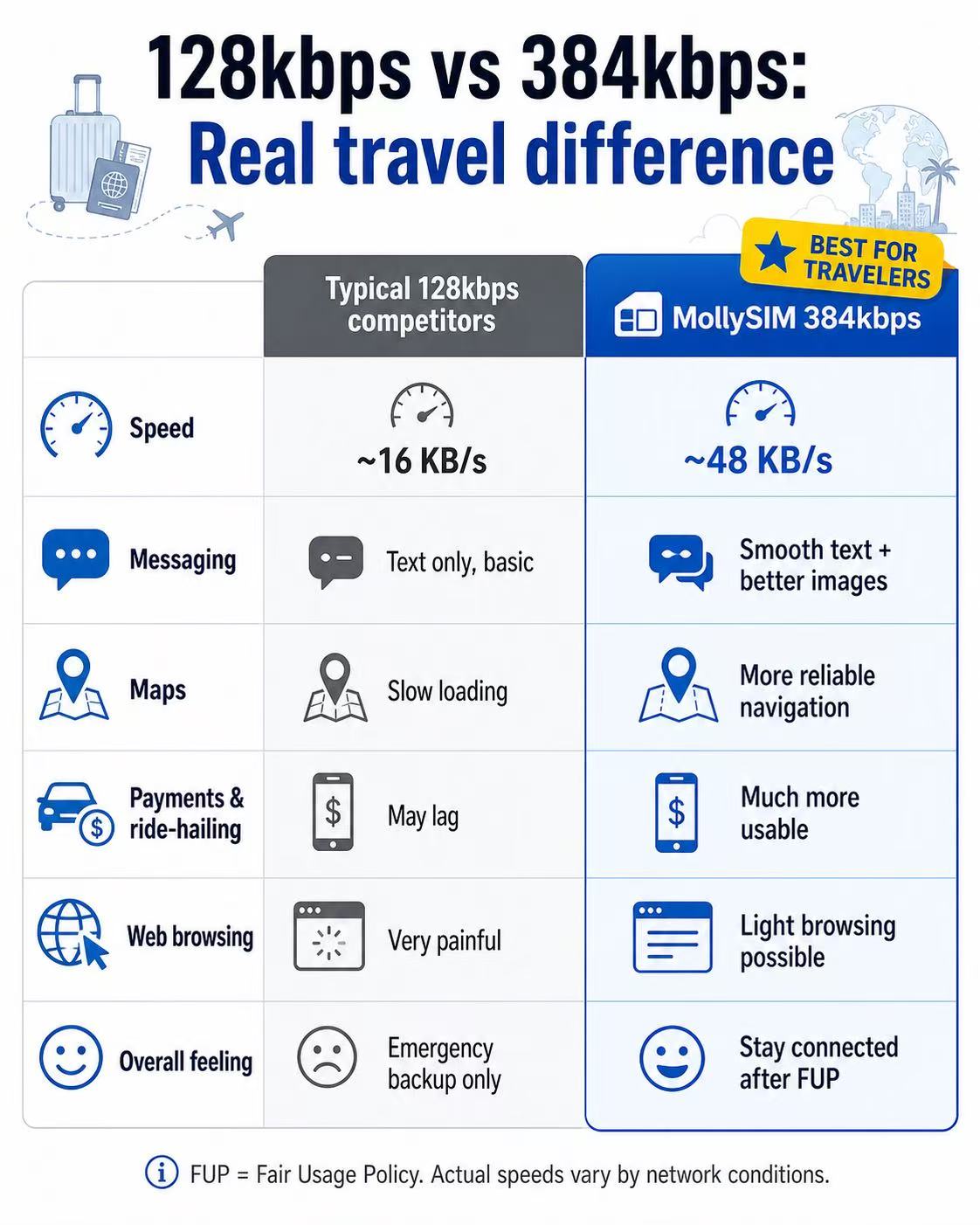
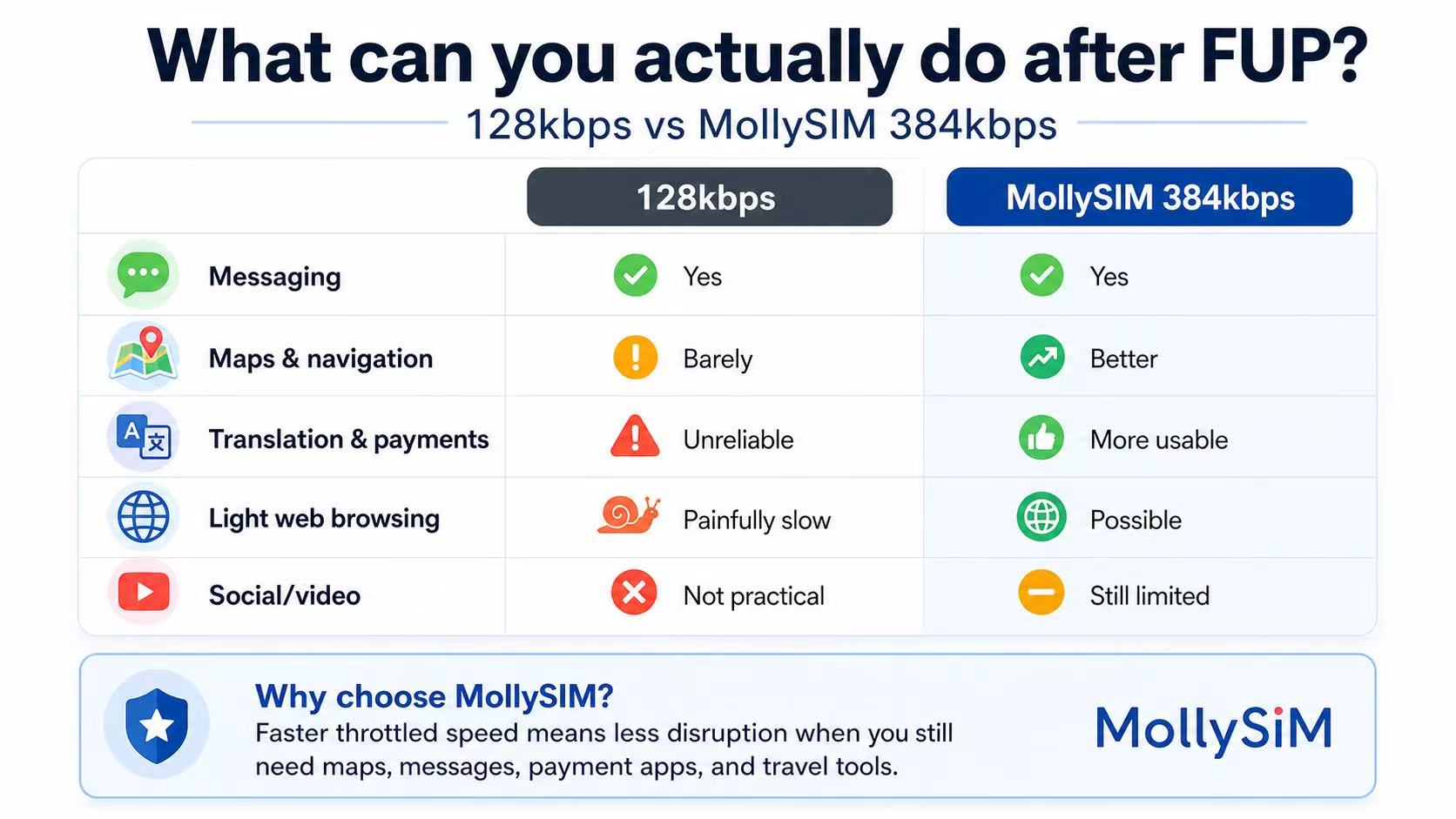
Một lựa chọn dự phòng hữu ích hơn sau khi hết FUP.
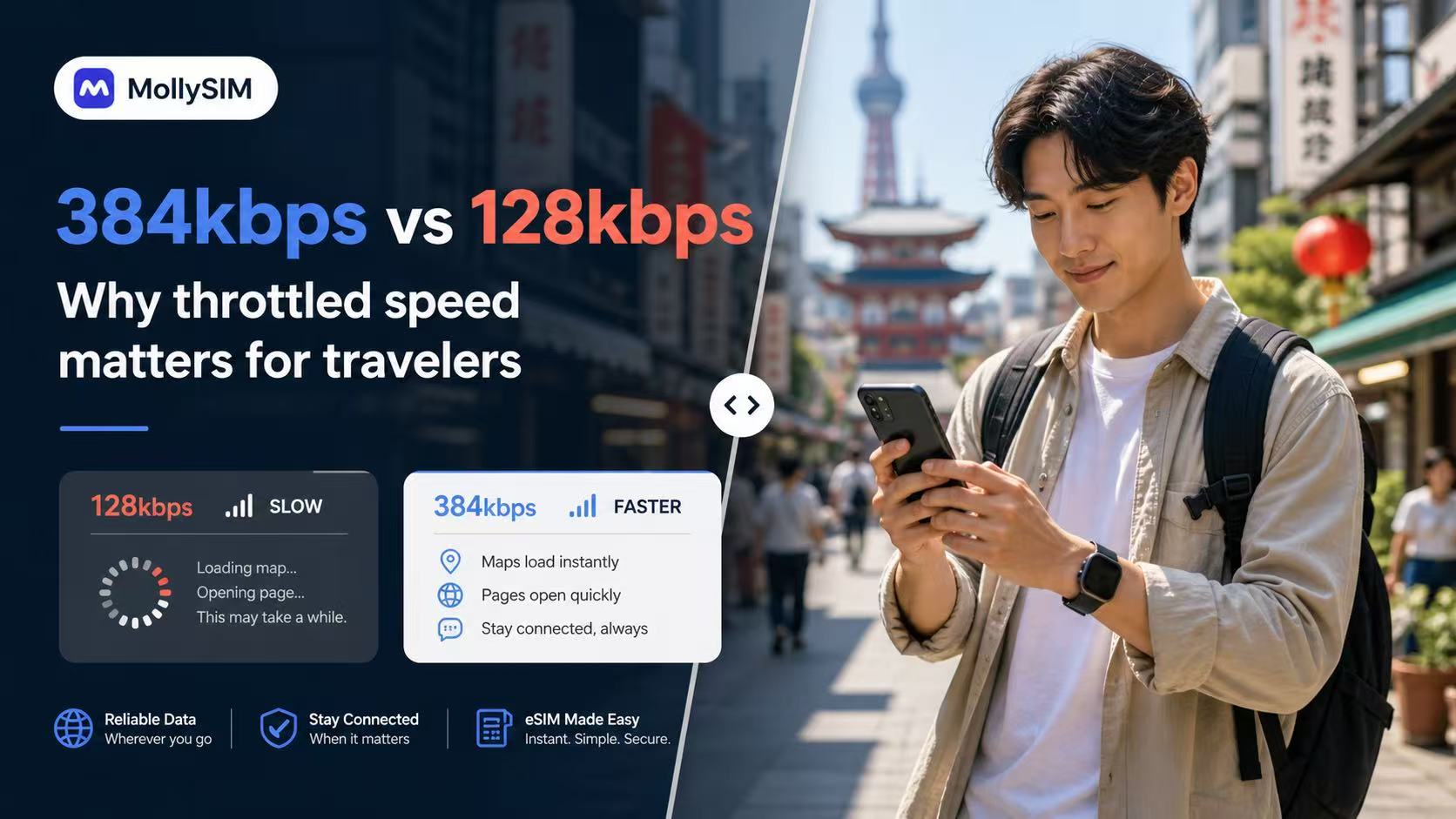
Many travel eSIMs slow to 128kbps after Fair Usage Policy limits. MollySIM China plans throttle at 384kbps, 5Mbps, or 10Mbps instead, ensuring your key apps remain completely practical and responsive on the road.
384 Kbps
Sao lưu khẩn cấp
Basic Chat & Pay
Lý tưởng để duy trì kết nối qua các ứng dụng nhắn tin và tiện ích thiết yếu sau khi hết giới hạn dữ liệu chính.
💬 WeChat & WhatsApp
📍 Google Maps
📲 Google Translate
💳 Apple Pay & Alipay
5 Mbps
Mạng xã hội mượt mà
Mạng xã hội & Âm nhạc
Hoàn hảo để lướt video ngắn, phát nhạc HD và thực hiện các truy vấn du lịch kỹ thuật số.
📱 Instagram & TikTok
🎵 Spotify & Apple Music
📞 WhatsApp Audio & Video
🚗 Grab & Uber Maps
10 Mbps
Sức Mạnh Tối Thượng
Truyền phát cao cấp
Tận hưởng phát trực tuyến video HD không gián đoạn, chơi game trực tuyến độ trễ thấp và tải lên các tệp du lịch lớn.
🎬 YouTube & Netflix HD
🎮 Real-time Mobile Gaming
💼 HD Zoom & Teams Calls
💻 Hotspot & Multi-devices
FUP = Chính sách sử dụng hợp lý. Hiệu suất bị điều tiết thực tế thay đổi tùy theo điều kiện mạng, vị trí và thiết bị.
Lời chứng thực
What travelers say after using MollySIM in China.
Những lo ngại thực tế khi đi du lịch thường giống nhau: tốc độ kích hoạt, liệu ứng dụng bản đồ và thanh toán có hoạt động không, và liệu bộ phận hỗ trợ có phản hồi nhanh chóng khi cần kiểm tra điều gì đó trước khi khởi hành.
“The activation email arrived fast, the install steps were clear, and hotspot worked on my laptop during trains between Beijing and Xi’an.”
“I mainly cared about translation, messaging, and paying for food. The fallback speed still felt more usable than the last travel SIM I bought.”
“I asked support about my Samsung model before paying and got a clear answer quickly. Setup was easier than expected once the email arrived.”
Cài đặt trong 3 phút.
The flow is intentionally simple: buy the plan, tap the install link from your order email, and land in China already connected. Installation starts directly from the email on supported devices.
1
Mua gói của bạn
Choose a best seller or customize by validity and data. Checkout is the same live MollySIM purchase flow used across the main China storefront.
2
Chạm để cài đặt
Open the order email on your iPhone or Android device and install in one tap. Most users finish setup before boarding, without hunting through settings.
3
Arrive online
Enable data roaming in your phone settings before you board. Turn on the eSIM when you land in China and start using maps, messaging, and travel apps immediately.
Thiết bị tương thích
Check eSIM support for iPhone, Android, and China-market models before checkout.
Apple iPhone
Hỗ trợ trên các mẫu iPhone có khả năng eSIM từ XR đến dòng Pro mới nhất. iPhone nội địa Trung Quốc đại lục với khay SIM vật lý kép thường không tương thích eSIM.
Android
Hoạt động với nhiều mẫu Samsung Galaxy, Fold, Flip, Pixel và một số mẫu Motorola gần đây có hỗ trợ cài đặt eSIM gốc trong cài đặt hệ thống.
Not supported
Các thiết bị Android giá rẻ, điện thoại bị khóa mạng và một số biến thể thị trường Trung Quốc có thể không hỗ trợ eSIM ngay cả khi tên model trông tương tự phiên bản quốc tế.
Mẹo chuyên nghiệp: quay số *#06#. Nếu điện thoại của bạn hiển thị số EID, nó thường đã sẵn sàng để cài đặt eSIM chỉ với một chạm.
Support Center
Câu hỏi thường gặp
Will common travel and messaging apps work in China with this eSIM?
This eSIM is designed for roaming-ready data in China. App performance can vary by device, local network conditions, and service availability, so we recommend installing early and testing your setup on arrival.
Can I keep my home number while using this eSIM?
Có. Sử dụng eSIM cho dữ liệu và giữ SIM chính của bạn hoạt động cho cuộc gọi hoặc SMS nếu thiết bị và nhà mạng của bạn hỗ trợ sử dụng hai SIM.
Thời gian hiệu lực bắt đầu khi nào?
The plan activates and the timer starts only when you connect to a supported network in China. Installing it a few days before your trip will not waste any data days.
Does it support Hotspot / Tethering?
Có. Điểm phát sóng cá nhân được phép trên tất cả các gói cước. Bạn có thể chia sẻ kết nối của mình với máy tính xách tay hoặc máy tính bảng mà không phải trả thêm phí nào.
Điều gì xảy ra nếu tôi dùng hết dung lượng dữ liệu?
On Daily plans, your speed will be throttled to 384kbps once you hit the high-speed limit for the day. High speed resets every 24 hours. On Total plans, data will stop until a new plan is purchased.
Tôi sẽ kết nối với nhà mạng nào?
MollySIM auto-switches between China Mobile and China Unicom, selecting the strongest 5G/LTE signal available in your current location.
My install link is not working. What should I do?
Make sure you are opening the install email on the phone you want to use, with a stable internet connection. If installation still fails, do not remove anything already added. Contact support for guided troubleshooting.
Can I move the eSIM to another phone after install?
Usually no. Once an eSIM profile is installed and registered to a device, it is generally locked to that device. Install it on the phone you plan to use in China.
Tôi đã thanh toán nhưng chưa nhận được eSIM — tôi nên làm gì?
First, check your spam or junk folder for the confirmation email. Then log in to your account and go to My Orders — your QR code and eSIM details are available there even if the email was not delivered. If your order shows pending for more than 30 minutes, contact support with your order ID and payment confirmation.
Tôi có thể được hoàn tiền nếu chưa sử dụng gói cước không?
Việc đủ điều kiện hoàn tiền được đánh giá từng trường hợp theo Chính sách hoàn tiền của chúng tôi. Các gói chưa sử dụng và chưa được kích hoạt có thể đủ điều kiện nếu yêu cầu kịp thời. Khi một gói đã được kích hoạt hoặc thời gian hiệu lực của nó đã bắt đầu, việc hoàn tiền thường không khả dụng. Gửi yêu cầu của bạn qua trang Chính sách hoàn tiền với mã đơn hàng của bạn.

Đảm bảo hoàn tiền 100%.
Kế hoạch du lịch thay đổi? Bạn có thể được hoàn tiền đầy đủ cho bất kỳ eSIM chưa kích hoạt nào trong vòng 6 tháng kể từ khi mua.
Vẫn còn câu hỏi?
Our global support team is available 24/7 to assist with your eSIM installation or plan choice.
Liên hệ Hỗ trợ