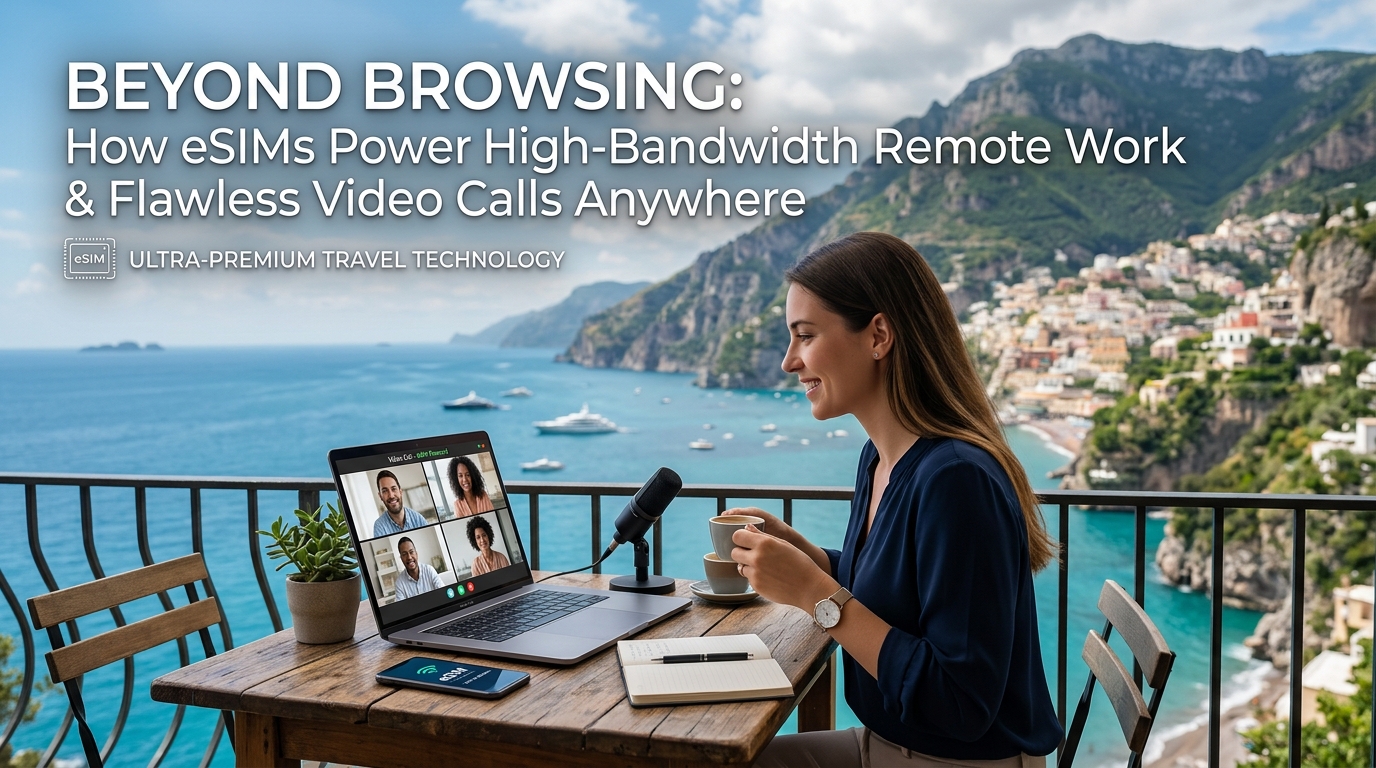
Além da Navegação: Como os eSIMs Impulsionam o Trabalho Remoto de Alta Velocidade e Chamadas de Vídeo Perfeitas em Qualquer Lugar
A Nova Fronteira do Trabalho Remoto: Por Que a Conectividade Padrão Não É Suficiente
The landscape of remote work has undergone a seismic shift, evolving far beyond the rudimentary needs of checking emails and basic web browsing. What began as a flexible alternative has matured into a sophisticated operational model, demanding robust and unwavering connectivity to sustain productivity and professionalism. Today's remote professional isn't just "working from home"; they are operating a full-fledged digital office from diverse locations, from co-working spaces in Lisbon to mountain cabins in Colorado, or even a bustling airport lounge between flights. This evolution has introduced a new set of critical requirements that traditional, often unreliable, internet connections simply cannot meet.
The Unyielding Demand for High-Bandwidth Activities
Modern remote work is intrinsically linked to high-bandwidth activities that are non-negotiable for effective collaboration and output. The days of text-based communication dominating professional interactions are largely over.
- Flawless Video Conferencing: Tools like Zoom, Microsoft Teams, and Google Meet are the virtual boardrooms of the 21st century. A stable, high-speed connection is paramount for crystal-clear audio, smooth video, and seamless screen sharing. Lagging video, pixelated faces, or dropped calls aren't just annoying; they undermine professionalism, frustrate clients, and disrupt critical decision-making processes.
- Real-time Collaboration Tools: Platforms such as Slack, Asana, Miro, and Google Workspace rely on instantaneous data synchronization. Any delay can lead to miscommunication, version control issues, and a significant drag on team efficiency.
- Data-Intensive File Management: Professionals across industries routinely handle massive files. Think CAD files for engineers, high-resolution video edits for content creators, extensive code repositories for developers, or intricate design assets for graphic designers. Uploading and downloading these files efficiently requires substantial bandwidth, often measured in gigabytes, not megabytes. Cloud storage solutions like Dropbox, Google Drive, and OneDrive are constantly syncing, demanding consistent, high-speed upstream and downstream capabilities.
- Secure VPN Usage: For many corporate environments, accessing internal networks and sensitive data necessitates a Virtual Private Network (VPN). While essential for security, VPNs add an overhead that can further strain an already weak connection, making even simple tasks sluggish and frustrating.
The Perils of Traditional Wi-Fi: Unreliable, Insecure, Insufficient
While readily available, traditional Wi-Fi sources – be it in a hotel, a local cafe, or a public hotspot – are increasingly proving inadequate for the rigorous demands of professional remote work.
- Unreliability and Congestion: Public Wi-Fi networks are often shared among dozens, if not hundreds, of users. This leads to severe congestion, fluctuating speeds, and unpredictable performance. A hotel's "free Wi-Fi" might be perfectly fine for browsing social media, but it can buckle under the strain of a simultaneous 4K video conference and a large file upload. The result? Dropped calls, frozen screens, and missed deadlines.
- Insecurity Risks: Public Wi-Fi is inherently less secure. These networks are often unencrypted or poorly secured, making users vulnerable to data breaches, eavesdropping, and cyberattacks. For professionals handling sensitive client information or corporate data, connecting to an unsecured network is a significant risk that can compromise both personal and organizational security.
- Insufficient Bandwidth (Especially Uploads): Many traditional Wi-Fi setups prioritize download speeds over upload speeds. While fast downloads are great for streaming, professional remote work often requires robust upload capabilities for video conferencing, large file transfers, and cloud syncing. A connection with a decent download speed but a paltry upload speed will still lead to frustrating experiences. Even when a connection slows down due to fair use policies, the difference in baseline speed can be critical. For instance, a 384kbps Fair Use Policy speed limit, like that offered by MollySIM (https://mollysim.com), is 3x faster than competitors' typical 128kbps. This seemingly small difference is crucial for maintaining functionality of essential services like Google Maps and Apple Pay, ensuring you're never truly stranded or unable to make a payment, even during periods of heavy data usage.
The Pain Points for Digital Nomads and Business Travelers
For digital nomads and business travelers, these connectivity challenges are amplified. Their "office" changes daily, sometimes hourly. The constant hunt for a reliable, secure, and high-performance internet connection is a major source of stress and lost productivity. Imagine preparing for a crucial client presentation, only to find the hotel Wi-Fi is barely functional, or needing to upload a time-sensitive report from a remote location with no stable connection in sight. These scenarios are not hypothetical; they are daily realities that compromise professionalism and impact business outcomes.
This stark reality underscores the urgent need for a connectivity solution that offers not just internet access, but guaranteed performance, robust security, and unparalleled flexibility – a solution that allows professionals to truly work from anywhere, without compromise. This is where the transformative power of eSIMs enters the picture, promising to redefine the very foundation of remote productivity.
Deconstructing High-Performance Connectivity: Bandwidth, Latency, and Reliability Explained
🇺🇸 United States High-Speed Travel eSIM & SIM Plans
Instant QR code activation, hotspot enabled, with guaranteed 384kbps fallback speed to keep Maps & Digital Wallets active.
To truly understand how eSIMs revolutionize remote work, it's essential to grasp the fundamental technical metrics that dictate internet performance. These aren't just abstract terms; they directly translate into the quality of your video calls, the speed of your file transfers, and the overall smoothness of your digital workday.
Bandwidth: The Data Superhighway
Bandwidth refers to the maximum amount of data that can be transferred over a network connection in a given amount of time, typically measured in Megabits per second (Mbps) or Gigabits per second (Gbps). Think of bandwidth as the width of a highway: a wider highway (higher bandwidth) allows more cars (data packets) to travel simultaneously and at higher speeds.
Its impact on remote work is profound:
- Video Call Quality: Higher bandwidth directly translates to superior video resolution (HD, Full HD, 4K) and smoother frame rates, eliminating pixelation and freezing. For example, a standard HD video call (720p) typically requires 2-4 Mbps for both upload and download, while a crisp 4K Ultra HD call can demand 8-15 Mbps.
- Large File Transfers: For professionals dealing with substantial files – graphic designers uploading high-resolution images, video editors sharing project files, or software developers pushing code repositories – ample bandwidth is critical. Efficient uploads often require 50 Mbps or more to prevent frustratingly long waits.
- Simultaneous Cloud Operations: Modern remote work often involves juggling multiple cloud-based applications: CRM systems, project management tools, shared document platforms, and virtual desktops. Sufficient bandwidth ensures these applications run concurrently without lag, maintaining productivity.
While a robust baseline is crucial for essential services, like MollySIM's 384kbps Fair Use Policy speed limit which ensures Google Maps and Apple Pay remain functional even during heavy usage, high-bandwidth remote work demands significantly more. eSIMs provide access to the primary, high-speed cellular data that meets these demanding requirements.
Latency: The Responsiveness Factor
Latency is the time delay between when a data packet is sent from its source and when it arrives at its destination, measured in milliseconds (ms). It's the "ping" of your connection – how quickly your request gets a response. Low latency means near-instantaneous communication, while high latency introduces noticeable delays.
The consequences of high latency are immediately apparent:
- Video Call Lag and Desynchronization: High latency causes frustrating delays between audio and video, leading to awkward interruptions, people talking over each other, and a general sense of disconnect. A latency above 100ms can make real-time conversations incredibly difficult.
- Real-time Collaboration Tools: Editing shared documents (e.g., Google Docs, Microsoft 365), using interactive whiteboards, or screen sharing becomes clunky and unresponsive. Your actions appear delayed to others, hindering collaborative flow.
- VPN Connections: Virtual Private Networks (VPNs), essential for secure remote access to corporate networks, inherently add some latency. High underlying network latency exacerbates this, making secure connections feel sluggish and frustrating to navigate.
For any interactive task, from coding collaboratively to participating in a live webinar, low latency (ideally below 50ms) is paramount for a seamless and productive experience.
Reliability: The Foundation of Professional Continuity
Reliability refers to the consistency and stability of your internet connection. It encompasses consistent uptime, minimal packet loss (data packets failing to reach their destination), and stable speeds without sudden drops or fluctuations. A reliable connection is one you can depend on, day in and day out.
Several factors can affect reliability:
- Network Congestion: Too many users simultaneously accessing the same network resources can overwhelm infrastructure, leading to slowdowns and instability.
- Signal Strength: Distance from a cellular tower, physical obstructions (buildings, terrain), and even weather conditions can degrade signal quality.
- Infrastructure Quality: The age and maintenance of the underlying network equipment play a significant role in overall stability.
The contrast between public Wi-Fi and dedicated cellular connections is stark here. Public Wi-Fi, often shared, unsecured, and prone to unpredictable congestion, frequently suffers from poor reliability. A single router issue can disrupt an entire coffee shop or hotel lobby. In contrast, eSIMs leverage robust cellular networks designed for widespread coverage and mobility, offering a more dedicated and inherently stable connection path.
For professionals, a strong, consistent connection is non-negotiable. Interruptions during critical client presentations, dropped calls during sensitive negotiations, or the inability to upload time-sensitive reports due to an unstable connection can have severe professional and financial repercussions. eSIMs provide the consistent, high-performance mobile data solution that ensures professional continuity, allowing you to work without compromise, anywhere your business takes you.
eSIM vs. The Alternatives: A Comparative Deep Dive for the Discerning Remote Worker
For the modern remote professional, connectivity isn't just a convenience; it's the bedrock of productivity. When high-bandwidth tasks like video conferencing, large file transfers, and real-time collaboration are daily necessities, the choice of internet access becomes paramount. While various options exist, not all are created equal, especially when measured against the stringent demands of professional remote work. Let's conduct a deep dive into how eSIMs stack up against traditional alternatives, scrutinizing their strengths and weaknesses for the discerning digital nomad.
Local Physical SIM Cards: The Traditional Traveler's Choice
Historically, acquiring a local physical SIM card upon arrival in a new country has been the go-to strategy for cost-effective connectivity. These cards often offer the cheapest local rates and provide direct access to the local network's full speeds, making them excellent for sustained, high-bandwidth use within a single region. However, this approach comes with considerable friction. It necessitates the hassle of physically swapping SIMs, often requiring an ejector tool and careful storage of your home SIM. Furthermore, older phones might be locked to specific carriers, preventing the use of local SIMs altogether. For professionals frequently crossing borders, managing multiple physical SIMs becomes a logistical nightmare, increasing the risk of losing a tiny, critical component and offering limited global coverage for multi-country itineraries.
Pocket Wi-Fi Devices: A Personal Hotspot in Your Hand
Pocket Wi-Fi devices, also known as MiFi or portable hotspots, offer the convenience of a dedicated, shareable internet connection for multiple devices. They can be a good solution for teams traveling together or for individuals wanting to connect a laptop, tablet, and phone simultaneously. However, they introduce an additional device to carry, manage, and constantly charge, adding to your digital baggage. Data plans are often limited and can be expensive, especially for rentals, and the device itself represents a single point of failure – if its battery dies or it malfunctions, your entire mobile office goes offline. While they offer a private network, their security can vary, and they don't always match the raw speed or low latency of a direct cellular connection.
Hotel/Cafe Wi-Fi: The Ubiquitous, Yet Unreliable Option
The allure of 'free' Wi-Fi in hotels, cafes, and airports is undeniable. It's often included with your stay or purchase, making it seem like a cost-effective solution. However, for high-bandwidth remote work, this option is fraught with peril. Speeds are often unpredictable and highly variable, subject to the number of concurrent users and the venue's overall internet infrastructure. High latency is common, making real-time applications like video calls frustrating. More critically, public Wi-Fi networks present significant security vulnerabilities, making your data susceptible to interception by malicious actors. Many networks are also throttled or have shared bandwidth, leading to severe congestion during peak hours, rendering them unsuitable for critical professional tasks.
International Roaming: Convenience at an Exorbitant Price
The most convenient option, international roaming, allows your home SIM to seamlessly connect to partner networks abroad. It's automatic and requires no setup, offering a sense of continuity. Yet, this convenience comes at an exorbitantly high price. Roaming charges are notoriously expensive, with per-MB rates that can quickly accumulate into shocking bills. Furthermore, many roaming packages throttle speeds drastically after minimal usage (often just a few gigabytes), rendering them useless for high-bandwidth applications like video conferencing or large file uploads. Hidden fees and a general lack of transparency make this a financially risky choice for any sustained remote work.
eSIM: The Modern Professional's Unrivaled Advantage
This brings us to the eSIM, a technology purpose-built for the demands of modern global connectivity. Its core strength lies in instant digital activation, eliminating the need for physical SIM swaps and the associated hassles. eSIMs support multi-profile storage, allowing you to download and switch between multiple local data plans for different countries directly from your device, offering unparalleled global coverage and flexibility. This means no more fumbling with tiny cards or worrying about phone locks.
Beyond convenience, eSIMs offer enhanced security over public Wi-Fi by providing a private, dedicated cellular connection. They typically offer better pricing and more flexible data packages than traditional roaming, giving you direct access to local high-speed 4G/5G networks. For instance, providers like MollySIM (https://mollysim.com) stand out by offering robust global coverage and a unique Fair Use Policy speed limit of 384kbps once high-speed data is exhausted. This is three times faster than many competitors' 128kbps limits, making a crucial difference for essential background tasks like Google Maps navigation or Apple Pay transactions to function smoothly, even when you're conserving primary data. For high-bandwidth remote work, eSIMs deliver the critical blend of reliability, performance, and cost-effectiveness that no other solution can match.
Here's a comparative overview:
| Feature / Connectivity Type | eSIM | Local Physical SIM | Pocket Wi-Fi | Hotel/Cafe Wi-Fi | International Roaming |
|---|---|---|---|---|---|
| Setup/Convenience | Instant digital, no swap | Physical swap, local purchase | Rental/purchase, device setup | Auto-connect, password | Automatic |
| Cost-Effectiveness | High (flexible plans, competitive rates) | High (local rates, but initial effort) | Medium (rental fees, data limits) | Low (often free, but hidden costs in productivity) | Very Low (exorbitantly expensive) |
| Speed/Bandwidth Potential | High (local 4G/5G, direct) | High (local 4G/5G, direct) | Medium (device limits, potential bottleneck) | Low/Unpredictable (shared, congested) | Medium (often throttled after minimal use) |
| Latency | Low | Low | Medium (extra hop, device processing) | High/Variable (network load, infrastructure) | Medium/High (routing through home network) |
| Reliability | High (direct network access) | High (direct network access) | Medium (device/battery dependent) | Low/Unpredictable (congestion, infrastructure issues) | Medium (network priority, but throttling) |
| Security | High (private cellular connection) | High (private cellular connection) | Medium (private network, but device security varies) | Very Low (public, unencrypted, vulnerable) | High (private cellular connection) |
| Global Coverage | Excellent (multi-profile, vast network) | Limited (single country per SIM) | Variable (device/provider specific) | Very Limited (location-bound) | Excellent (home carrier agreements) |
| Suitability for High-Bandwidth Work | Excellent (performance, flexibility, security) | Excellent (if staying in one place) | Good (but adds complexity/cost) | Poor (unreliable, insecure, slow) | Poor (cost-prohibitive, throttling) |
As the table clearly illustrates, for the professional remote worker whose livelihood depends on a robust, secure, and high-performance internet connection, eSIMs consistently outperform traditional alternatives. They offer the critical blend of convenience, reliability, and performance necessary to thrive in a globally connected work environment.
MollySIM's Unrivaled Connectivity: Sustained Performance & Strategic Partnerships
For the discerning remote professional, a reliable and high-performance internet connection isn't a luxury – it's a fundamental requirement. MollySIM (https://mollysim.com) is engineered from the ground up to meet these exacting demands, offering a connectivity solution that goes "beyond browsing" to power high-bandwidth remote work and flawless video calls, anywhere in the world. Our unique approach addresses critical technical concerns, ensuring sustained productivity and peace of mind.
Strategic Local Operator Partnerships: Direct Access, Superior Performance
A key differentiator for MollySIM lies in our strategic local operator partnerships. Unlike many eSIM providers that rely on third-party aggregators to resell network capacity, MollySIM establishes direct agreements with top-tier local Mobile Network Operators (MNOs) in each country we serve. This means that when you connect with MollySIM, you are accessing the primary network infrastructure directly, just like a local subscriber.
This direct access translates into several critical advantages for remote workers:
- Prioritized Traffic: Your data traffic is treated with the same priority as a local customer, avoiding the deprioritization often experienced with aggregated services. This is crucial for maintaining stable connections during peak network usage.
- True 4G/5G Speeds: You gain access to the fastest available 4G and 5G speeds where infrastructure permits, without artificial throttling or limitations imposed by intermediaries. This ensures optimal performance for demanding tasks such as large file transfers, cloud-based application usage, and high-definition streaming of professional content.
- Enhanced Reliability & Lower Latency: Direct network access reduces the number of "hops" your data needs to travel, resulting in lower latency and a more stable, reliable connection. This is paramount for real-time collaboration tools, video conferencing, and sensitive financial transactions where every millisecond counts.
By bypassing aggregators, MollySIM guarantees a premium network experience, ensuring that your livelihood, which depends on robust connectivity, is never compromised by inferior service.
The Power of 384kbps FUP for Sustained Productivity: Your Uninterrupted Safety Net
One of MollySIM's most innovative features is its Fair Usage Policy (FUP) speed of 384kbps after high-speed data is consumed. While some might initially perceive 384kbps as "low," it is crucial to understand its strategic significance for sustained productivity and why it is 3x faster than competitors' typical 128kbps FUP.
Consider the data requirements for common remote work tasks:
- Standard Definition (SD) Video Calls: Typically require between 300-500kbps.
- High Definition (HD) Video Calls: Generally demand 1-2 Mbps.
While 384kbps might not support crystal-clear HD video conferencing, it is perfectly adequate for sustained, stable standard-definition video calls without frustrating drops or significant lag. For critical meetings, users can optimize performance by temporarily turning off their video feed or adjusting resolution settings within their conferencing application.
The 384kbps FUP is not just a fallback; it's a crucial safety net for professionals who cannot afford to lose connectivity. It ensures:
- Continuity for Essential Communications: Even after exhausting your high-speed data, you remain connected for vital tasks such as sending and receiving emails, engaging in messaging apps like Slack or Microsoft Teams, making voice calls over IP, and performing critical file edits in cloud-based documents.
- Uninterrupted Navigation & Payments: At 384kbps, essential services like Google Maps and Apple Pay continue to work smoothly, a significant advantage over the often-unusable 128kbps speeds offered by competitors. This is invaluable for navigating unfamiliar cities and making secure payments while traveling.
- Prevention of Complete Disconnection: Instead of being cut off entirely, MollySIM ensures you always have a usable connection, allowing you to finish urgent tasks, communicate with your team, or purchase additional high-speed data without interruption. This continuity is invaluable for maintaining professionalism and meeting deadlines.
Higher Speed Plans for Demanding Needs
While our robust FUP ensures continuous connectivity, MollySIM also recognizes that some professionals have consistently higher data demands. For users who frequently engage in tasks like large file transfers (e.g., CAD files, video assets, large datasets), 4K streaming for professional content review, multiple simultaneous video calls, or heavy cloud rendering, MollySIM offers a comprehensive range of higher-speed data plans. These include options such as 5GB, 10GB, 20GB, and even unlimited high-speed data options in select regions. We empower users to choose a plan that precisely matches their specific workload and typical data consumption, ensuring they always have the bandwidth they need for peak performance.
Enhanced Security: A Private Connection for Sensitive Work
In an era of increasing cyber threats, the security of your remote work connection is paramount. Using a direct cellular connection via an eSIM is inherently more secure than relying on public Wi-Fi networks. Public Wi-Fi is often unencrypted, making it highly vulnerable to eavesdropping, data interception, and man-in-the-middle attacks, putting sensitive corporate data at significant risk.
MollySIM's direct cellular connection provides a private, dedicated link to the internet, significantly reducing these vulnerabilities. For an added layer of protection, especially when accessing corporate networks or handling highly sensitive information, combining your MollySIM eSIM with a Virtual Private Network (VPN) is highly recommended. A VPN encrypts all your internet traffic, creating a secure tunnel to your corporate network, effectively shielding your data from potential threats and ensuring secure access to internal company resources from anywhere in the world. This layered security approach provides the ultimate peace of mind for remote professionals.
Mastering Your eSIM: Practical Strategies for Optimized High-Bandwidth Usage
Maximizing the potential of your eSIM for remote work means not just having a powerful connection, but also using it intelligently. By implementing strategic data management and optimization techniques, you can ensure uninterrupted productivity, extend your data plan, and maintain flawless connectivity for critical tasks like video calls, even when relying on high-bandwidth applications.
Data Usage Optimization Techniques
High-bandwidth activities, particularly video conferencing, can quickly consume your data allowance. Proactive management is key:
- Adjust Video Call Settings: For applications like Zoom, Microsoft Teams, or Google Meet, consider lowering your outgoing video resolution from 1080p to 720p or even standard definition (SD) when high fidelity isn't critical. Turning off your own video feed when you're not speaking or presenting can significantly reduce data usage. For non-visual meetings, opt for audio-only mode entirely.
- Disable Automatic Updates & Background Refresh: Prevent non-essential apps from consuming data in the background. Navigate to your device's settings to disable automatic app updates (for both your operating system and individual apps) and turn off background app refresh for applications not critical to your immediate work.
- Pre-download Over Wi-Fi: Whenever a stable Wi-Fi connection is available, leverage it to pre-download large files, documents, maps (e.g., Google Maps offline areas), or entertainment content. This offloads data-intensive tasks from your eSIM connection, preserving your mobile data for when Wi-Fi is unavailable.
- Optimize Cloud Sync Settings: Cloud storage services like Dropbox, Google Drive, and OneDrive can be major data consumers. Configure these applications to only sync files when connected to Wi-Fi, or utilize selective sync features to download only the most critical folders to your device, preventing unnecessary data transfers.
- Utilize Data Compression: Some web browsers (like Opera Mini or Chrome's Data Saver mode) and specific apps offer built-in data compression features. Enabling these can reduce the amount of data transferred, speeding up loading times and conserving your plan.
- Monitor Personal Streaming Quality: While your eSIM is primarily for work, be mindful of personal streaming habits. Manually adjust the streaming quality for services like Netflix or YouTube to a lower resolution (e.g., 480p or 720p) to avoid inadvertently depleting your work data allowance with high-definition entertainment.
Choosing the Right MollySIM Plan
Selecting the ideal MollySIM plan is crucial for cost-effectiveness and consistent performance. MollySIM offers a comprehensive range of data plans, from 5GB and 10GB options to 20GB and even unlimited high-speed data in select regions. To make an informed choice, estimate your typical daily data consumption:
| Activity Category | Estimated Data Consumption (per hour) | Recommended MollySIM Plan Consideration |
|---|---|---|
| Light Usage | ||
| Email & Messaging (text) | 5-10 MB | 5GB - 10GB |
| Light Web Browsing | 20-50 MB | |
| Moderate Usage | ||
| Standard Definition (SD) Video Calls | 300-500 MB | 10GB - 20GB |
| Moderate File Transfers | 100-300 MB | |
| Heavy Usage | ||
| High Definition (HD) Video Calls | 700 MB - 1.5 GB | 20GB - Unlimited |
| Large File Transfers/Downloads | 1 GB+ | |
| Extensive Cloud Sync | 500 MB - 2 GB+ |
For professionals heavily reliant on video conferencing or large file transfers, MollySIM's higher-tier plans or unlimited options provide the peace of mind needed for uninterrupted work.
Monitoring Data Usage
Proactive data monitoring prevents unexpected slowdowns or additional costs.
- Device Settings: Both iOS and Android devices offer built-in data usage trackers. Navigate to your device's cellular or mobile data settings to view real-time consumption, identify data-hungry apps, and set data warnings or limits.
- MollySIM App: Utilize the MollySIM app (if available) for a centralized view of your remaining data, plan expiry, and options for topping up. This provides the most accurate reflection of your MollySIM allowance.
- Anticipate Top-ups: By regularly checking your usage, you can anticipate when a top-up might be needed, ensuring you never run out of data mid-task. Even if you reach a data cap, MollySIM's Fair Use Policy provides a 384kbps speed limit – which is 3x faster than many competitors' 128kbps limits. This ensures essential services like Google Maps, Apple Pay, and basic messaging continue to function smoothly, keeping you connected even in reduced-speed scenarios.
VPN Integration for Secure Corporate Access
While an eSIM's direct cellular connection offers inherent security advantages over public Wi-Fi, integrating a Virtual Private Network (VPN) provides an essential layer of encryption, especially for accessing corporate networks and handling sensitive data.
- Seamless Integration: Your eSIM connection works flawlessly with any standard VPN client. Simply activate your VPN application on your device as you normally would.
- Minimize Latency: To optimize performance and minimize latency, select a VPN server that is geographically closest to your physical location or, if accessing corporate resources, closest to your company's network infrastructure. This reduces the physical distance data needs to travel, improving responsiveness.
- Protocol Choice: Some VPN protocols are more efficient than others. For example, WireGuard often offers a good balance of speed and security compared to OpenVPN UDP for certain use cases. Consult your IT department or VPN provider for recommended settings.
Troubleshooting Common Issues
Even with the most reliable connection, occasional hiccups can occur. Here are basic troubleshooting steps:
- Restart Your Device: A simple restart often resolves temporary network glitches.
- Check eSIM Activation: Ensure your MollySIM eSIM profile is active in your device's cellular settings. Sometimes, a profile might be accidentally deactivated.
- Verify APN Settings: While MollySIM typically configures APN settings automatically, occasionally they may need manual verification. You can find the correct APN settings on the MollySIM website or by contacting support.
- Enable Data Roaming (if applicable): If you're traveling internationally, ensure data roaming is enabled in your device settings for your MollySIM profile.
- Check Signal Strength: Move to an area with better cellular reception if you're experiencing weak signals.
- Contact MollySIM Support: If these steps don't resolve the issue, MollySIM's dedicated support team is available to assist with more complex connectivity problems.
Hotspotting with eSIM
Your MollySIM eSIM connection isn't just for your primary device; it can securely power your entire mobile office.
- Secure Device Sharing: Utilize your phone's personal hotspot feature to share your MollySIM connection with other devices like laptops, tablets, or even other smartphones. This provides a private, encrypted connection for all your work devices, far more secure than relying on unknown public Wi-Fi.
- Efficient Data Management: When hotspotting, be extra vigilant about data consumption on connected devices. Ensure background updates are disabled on your laptop, and close any non-essential applications that might be consuming bandwidth. Password-protect your hotspot to prevent unauthorized access and further safeguard your data.
- MollySIM's Speed Advantage: Even when sharing your connection, MollySIM's robust network and higher bandwidth plans ensure that all connected devices maintain sufficient speed for productivity, making it an ideal solution for remote teams or individuals working across multiple devices.
The Future is Connected: eSIMs as the Cornerstone of Global Remote Work Productivity
The paradigm of work has irrevocably shifted. The days of being tethered to a physical office are increasingly behind us, replaced by a dynamic, borderless professional landscape. In this new era, reliable, high-bandwidth connectivity is no longer a luxury for remote professionals and digital nomads; it is the absolute bedrock upon which productivity, professionalism, and peace of mind are built. eSIMs, particularly robust offerings like those from MollySIM, have emerged as the indispensable tool enabling this global transformation, moving beyond mere convenience to become an essential component of any modern remote work toolkit.
Unlocking Unparalleled Peace of Mind and Professionalism
Imagine landing in a new country, knowing that your work setup is instantly operational. No frantic searches for local SIM card vendors, no wrestling with unfamiliar activation processes, and crucially, no reliance on potentially insecure public Wi-Fi networks. This is the unparalleled peace of mind that eSIMs deliver. For the remote professional, this translates directly into enhanced professionalism. Seamless connectivity means uninterrupted video calls with clients, immediate access to cloud-based documents, and consistent communication with your team, regardless of your geographical location. MollySIM’s strategic local partnerships across numerous destinations ensure that you're tapping into the strongest available networks, providing the low latency and high speeds critical for demanding tasks like live streaming presentations or large file transfers. This foundational reliability allows you to focus entirely on your work, projecting an image of competence and dependability that is paramount in today's globalized workforce.
Furthermore, MollySIM stands out with its reliable Fair Use Policy (FUP), which is a game-changer for sustained productivity. While many competitors throttle speeds to a barely functional 128kbps after a certain data threshold, MollySIM maintains a generous 384kbps. This seemingly small difference is monumental in practice. At 384kbps, essential applications like Google Maps continue to navigate smoothly, Apple Pay transactions remain swift and reliable, and you can still comfortably send emails, use messaging apps, and even conduct light web browsing. This ensures that even on days of heavy data usage, your core professional and personal functionalities remain uncompromised, preventing frustrating disruptions that can derail your workflow and impact your ability to navigate your new environment.
The Productivity Imperative: Maximizing Every Remote Hour
The direct correlation between reliable connectivity and productivity cannot be overstated. Every minute spent troubleshooting network issues, searching for Wi-Fi, or waiting for slow connections is a minute lost from valuable work. eSIMs eliminate these friction points, empowering remote workers to maximize every hour. With MollySIM, the instant activation and consistent performance mean you can transition from travel to work mode almost instantaneously. This efficiency is a significant competitive advantage, allowing individuals and teams to maintain momentum, meet deadlines, and collaborate effectively across time zones. The ability to securely hotspot your MollySIM connection to multiple devices further amplifies this productivity, transforming any location into a fully functional, secure mobile office.
The Horizon of Hyper-Connected Remote Work
Looking ahead, the trajectory of eSIM technology points towards an even more integrated and seamless future for global remote work. We can anticipate deeper integration into a wider array of devices, from laptops and tablets to smartwatches and IoT devices, making the concept of "always connected" a ubiquitous reality. Enhanced security protocols, more dynamic plan management features, and even greater global coverage will continue to evolve, making the experience of working from anywhere even more frictionless and secure. eSIMs are not just a temporary solution; they are the architectural cornerstone of a hyper-connected world, destined to make global remote work more efficient, accessible, and secure than ever before.
As the world continues to embrace flexibility and remote collaboration, the choice of your connectivity partner becomes a strategic decision. Don't let unreliable internet be the bottleneck in your global ambitions. We invite you to explore MollySIM's diverse range of eSIM plans at https://mollysim.com. Discover the perfect solution tailored to your specific travel and work needs, whether you're a seasoned digital nomad, a frequent business traveler, or embarking on your first remote work adventure. Choose MollySIM and ensure you stay connected, productive, and professional, no matter where your work takes you around the globe.
🇺🇸 United States High-Speed Travel eSIM & SIM Plans
Instant QR code activation, hotspot enabled, with guaranteed 384kbps fallback speed to keep Maps & Digital Wallets active.