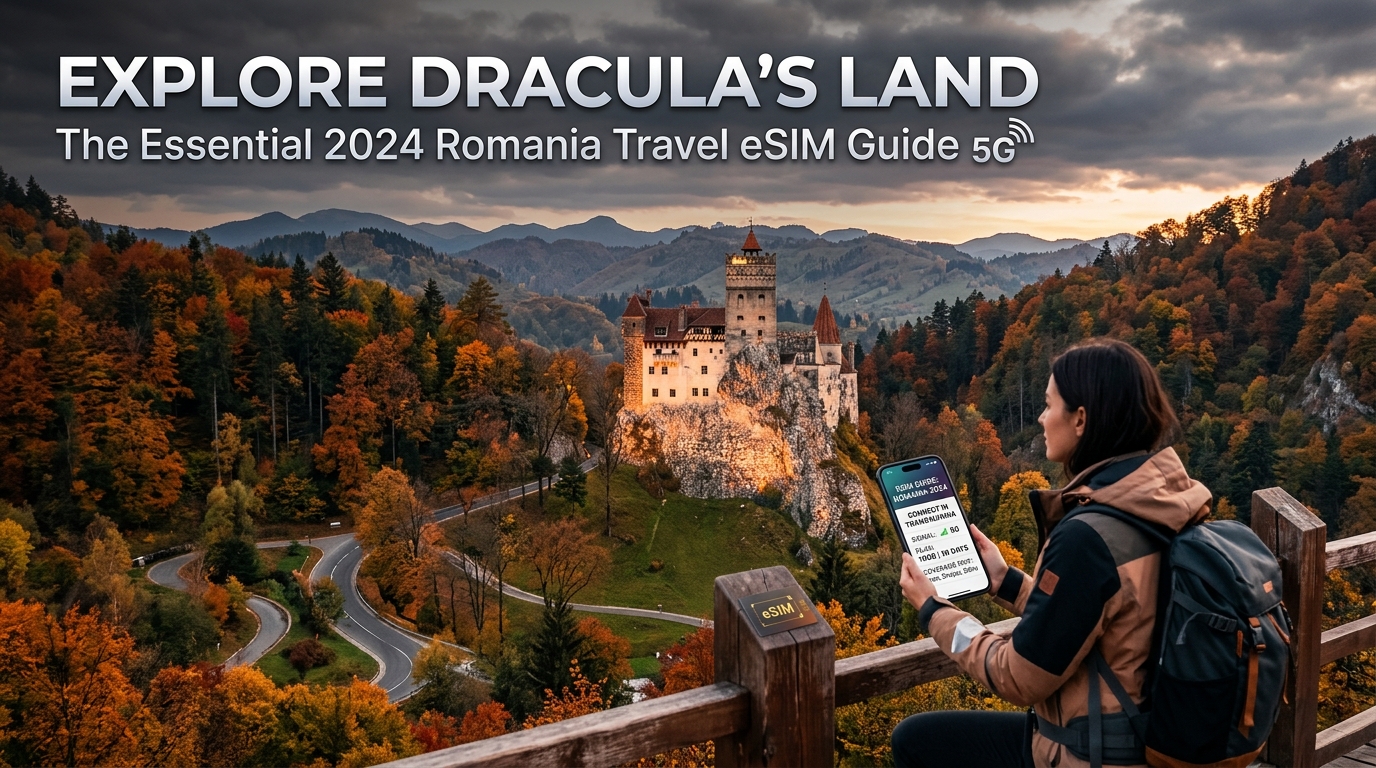
Explorez la Transylvanie : le guide essentiel de l'eSIM pour votre voyage en Roumanie en 2026
Introduction au guide essentiel de l'eSIM pour votre voyage en Roumanie en 2026
Romania, a land where ancient legends whisper through medieval castles, where the Carpathian Mountains pierce the sky, and vibrant cities pulse with modern energy, offers an unparalleled journey for the intrepid traveler. From the dramatic allure of Transylvania, forever linked to Bram Stoker's Dracula, to the serene beauty of the Danube Delta and the bustling boulevards of Bucharest, this Eastern European gem promises a tapestry of unforgettable experiences. However, even amidst the timeless charm of cobblestone streets and centuries-old monasteries, the modern explorer faces a contemporary challenge: staying seamlessly connected.
In today's hyper-connected world, reliable internet access isn't merely a convenience; it's an absolute necessity for safe, efficient, and enjoyable travel. Imagine navigating the labyrinthine alleys of Brașov, translating a menu in a cozy Sibiu restaurant, sharing breathtaking photos of Peleș Castle, or simply staying in touch with loved ones back home. These essential activities, once cumbersome and expensive abroad, now hinge on robust mobile data. The traditional methods of international connectivity – exorbitant roaming charges from home providers, the hassle of hunting down local SIM card vendors upon arrival, or the constant search for unreliable public Wi-Fi hotspots – often introduce stress and unexpected costs, detracting from the magic of discovery.
The Connectivity Conundrum for Romanian Adventures
Travelers to Romania often encounter a familiar set of frustrations when it comes to staying online:
- Exorbitant Roaming Fees: Many domestic mobile plans offer international roaming packages that, while convenient, come with a hefty price tag, quickly depleting budgets meant for experiences.
- Local SIM Card Hassles: Acquiring a local physical SIM card involves finding a store, navigating potential language barriers, providing identification, and physically swapping out your primary SIM – a process that can be time-consuming and inconvenient, especially after a long flight.
- Unreliable Public Wi-Fi: While available in many urban areas, public Wi-Fi can be slow, insecure, and often nonexistent in the more remote, picturesque regions of Romania, precisely where you might need connectivity most for navigation or emergencies.
- Data Speed Limitations: Even when a connection is established, many international data solutions throttle speeds after a certain usage, rendering essential apps like Google Maps or payment services frustratingly slow or unusable.
These challenges can transform what should be a smooth, immersive journey into a series of connectivity headaches, forcing travelers to choose between staying connected and staying within budget, or worse, getting lost in an unfamiliar city without reliable navigation.
Introducing the eSIM Revolution: Your Gateway to Seamless Romanian Connectivity
Fortunately, a revolutionary solution has emerged that perfectly addresses these modern travel dilemmas: the eSIM. An eSIM, or embedded Subscriber Identity Module, is a digital SIM card that allows you to activate a cellular plan from a carrier without needing a physical SIM card. It's built directly into your compatible smartphone or device, offering unparalleled flexibility and convenience for international travel. With an eSIM, you can purchase a data plan for Romania before you even leave home, activate it instantly upon arrival, and switch between plans with ease, all without ever touching a physical card.
For your Romanian adventure, MollySIM (https://mollysim.com) stands out as the premier eSIM provider, meticulously designed to eliminate connectivity worries and enhance your travel experience. MollySIM understands the unique demands of exploring a country as diverse as Romania, from the bustling streets of Bucharest to the serene, sometimes remote, landscapes of Transylvania. Their eSIM solutions offer not just data, but peace of mind, ensuring you remain connected wherever your journey takes you.
What truly sets MollySIM apart, especially for a destination like Romania where reliable navigation and quick transactions are paramount, is its superior Fair Use Policy speed limit of 384kbps. This is a critical differentiator, as many competitor eSIMs throttle speeds to a mere 128kbps after a certain data threshold. The practical implications of MollySIM's 3x faster speed are immense:
- Smooth Navigation: Imagine effortlessly using Google Maps to navigate the winding roads to Bran Castle or find the perfect café in Cluj-Napoca, without frustrating delays or frozen screens.
- Seamless Transactions: Whether you're paying for souvenirs at a local market or a meal in a modern restaurant, Apple Pay and other mobile payment services will work smoothly and reliably.
- Reliable Communication: Stay connected with messaging apps, make VoIP calls, and browse essential travel information without lag.
This guide, "Explore Dracula's Land: The Essential 2026 Romania Travel eSIM Guide," will delve deep into everything you need to know about leveraging the power of an eSIM for your trip. We'll explore why an eSIM is the ultimate travel companion for Romania, how to choose the perfect MollySIM plan for your itinerary, activation steps, troubleshooting tips, and much more, ensuring your focus remains entirely on the enchanting experiences that await you in Dracula's land.
Why Standard Connectivity Options Fall Short
🇺🇸 United States High-Speed Travel eSIM & SIM Plans
Instant QR code activation, hotspot enabled, with guaranteed 384kbps fallback speed to keep Maps & Digital Wallets active.
While the allure of Romania's ancient castles and vibrant cities is undeniable, navigating its digital landscape with traditional connectivity methods can quickly turn into a frustrating quest. Before diving deeper into the seamless experience offered by an eSIM, it's crucial to understand why conventional options often fall short, hindering rather than enhancing your travel adventure.
Local Physical SIM Cards: The Traditional Hurdles
Upon arrival, many travelers instinctively seek out a local physical SIM card. Romania boasts a competitive telecommunications market, with major players like Orange Romania, Vodafone Romania, Digi Mobil (RCS&RDS), and Telekom Romania Mobile offering various prepaid plans. While these carriers generally provide good coverage, especially in urban centers and along main routes, relying on a physical SIM presents several practical challenges for tourists:
- Inconvenience & Time-Consuming: Purchasing a local SIM often means finding a carrier store, navigating potential language barriers, and waiting in line – precious time that could be spent exploring. You'll need to present your passport for registration, a mandatory step in Romania.
- Physical Swapping & Risk: You risk losing your home SIM card when swapping it out. Furthermore, if your phone has a single SIM tray, you lose access to your primary number for calls and texts, potentially missing important communications.
- Limited Flexibility: Plans are often tied to specific carriers, making it difficult to switch if coverage is poor in a particular region. Data bundles might not align perfectly with your travel duration or usage needs, leading to either wasted data or unexpected top-up costs.
- Pricing Opacity: While local SIMs can seem cheap initially, tourist-specific bundles might be less competitive than local resident plans, and understanding all the terms and conditions in a foreign language can be tricky.
Pocket WiFi Devices: An Extra Burden
Another option some travelers consider is renting a Pocket WiFi device (MiFi). These portable hotspots allow multiple devices to connect, which seems convenient on the surface. However, the drawbacks often outweigh the benefits:
- Additional Device to Carry & Charge: A Pocket WiFi is yet another gadget you need to remember to pack, keep charged, and safeguard. Running out of battery means losing connectivity for all connected devices.
- Rental Costs & Hidden Fees: Daily rental fees can quickly accumulate, often exceeding the cost of a dedicated data plan. Deposits, insurance, and potential overage charges for exceeding data limits can add significant, unexpected expenses to your budget.
- Single Point of Failure: If the Pocket WiFi device is lost, stolen, or malfunctions, your entire group loses internet access.
- Variable Speeds & Reliability: The quality of connection depends heavily on the device itself and the underlying local network it uses, which can be inconsistent.
The eSIM Advantage: Beyond the Basics (and Why MollySIM Excels)
This brings us to the modern solution: the eSIM. An eSIM eliminates the physical hassle of traditional SIM cards and the logistical burden of Pocket WiFi devices. It offers unparalleled convenience, allowing you to activate a data plan digitally before you even land in Romania, ensuring you're connected the moment your plane touches down.
However, not all eSIMs are created equal, especially when it comes to performance. Many generic eSIM providers, while offering the convenience of digital activation, often come with a significant catch: severely throttled speeds after a certain data threshold. It's common for competitors to reduce speeds to a mere 128kbps once you've used your initial high-speed allowance.
This seemingly minor detail has major practical implications for your travel experience:
- 128kbps is Insufficient: At 128kbps, even basic tasks become a struggle. Google Maps will load excruciatingly slowly, if at all, making real-time navigation impossible. Apple Pay and other mobile payment systems will likely time out, leaving you fumbling for cash or cards. Messaging apps might work, but with noticeable delays, and browsing essential travel information becomes a test of patience.
- MollySIM's Superior Speed: This is where MollySIM truly differentiates itself. MollySIM offers a superior Fair Use Policy speed limit of 384kbps, which is a remarkable 3x faster than the industry standard for throttled speeds. This critical difference ensures that even after consuming your high-speed data, your connectivity remains genuinely usable.
- Smooth Navigation: With 384kbps, you can effortlessly use Google Maps to navigate the winding roads to Bran Castle, find the perfect café in Cluj-Napoca, or explore the hidden gems of Bucharest without frustrating delays or frozen screens.
- Seamless Transactions: Whether you're paying for souvenirs at a local market or a meal in a modern restaurant, Apple Pay and other mobile payment services will work smoothly and reliably, enhancing your convenience and security.
- Reliable Communication & Browsing: Stay connected with messaging apps, make VoIP calls, and browse essential travel information without lag, ensuring you're always in touch and informed.
In essence, while physical SIMs and Pocket WiFi devices present various inconveniences and limitations, even generic eSIMs can fall short on performance. MollySIM addresses these shortcomings head-on, providing the ultimate blend of convenience, reliability, and crucially, usable speed, ensuring your focus remains entirely on exploring the enchanting experiences that await you in Dracula's land.
Connectivity Options Comparison: At a Glance
| Feature | Local Physical SIM Card | Pocket WiFi Device | MollySIM eSIM |
|---|---|---|---|
| Purchase/Activation | Physical store visit, passport registration, manual swap | Rental pickup/delivery, setup, charging | Digital purchase, instant activation, no physical swap |
| Convenience | Low (time-consuming, risk of losing home SIM) | Medium (extra device to carry/charge) | High (instant, seamless, multi-profile) |
| Cost | Can be cheap for long stays, but tourist plans vary | High (daily rental fees, deposits, potential overages) | Excellent value, transparent pricing, no hidden fees |
| Speed (Throttled) | Varies by carrier/plan, generally good on primary networks | Varies by device/provider, often limited | 384kbps (3x faster than 128kbps competitors) |
| Practical Use (Throttled) | N/A (usually full speed until data runs out) | N/A (usually full speed until data runs out) | Google Maps, Apple Pay, VoIP calls, browsing all work smoothly |
| Flexibility | Low (tied to one carrier) | Low (tied to one device/rental provider) | High (multiple eSIM profiles, easy plan changes) |
| Security | Good | Moderate (risk of loss/theft of device) | High (digital, no physical component to lose) |
| Battery Life | Uses phone battery | Dedicated battery (needs charging) | Uses phone battery (minimal impact) |
MollySIM: Your Perfect Connectivity Partner
When embarking on an adventure through Romania, from the bustling streets of Bucharest to the mystical castles of Transylvania, reliable connectivity is not just a convenience – it's an essential tool for navigation, communication, and capturing memories. This is where MollySIM (https://mollysim.com) distinguishes itself as the premier eSIM provider, engineered to deliver a superior mobile experience tailored for the modern traveler. MollySIM isn't just about providing data; it's about ensuring seamless, high-performance connectivity that keeps you effortlessly connected to what matters most.
Unrivaled Performance Through Direct Routing
At the core of MollySIM's premium offering is its commitment to direct routing. Unlike many other eSIM providers that might route your data through multiple intermediary networks, MollySIM establishes direct connections with local network operators in Romania. This sophisticated approach minimizes latency, reduces potential points of failure, and significantly enhances overall network stability and speed. For you, the traveler, this translates into a more responsive internet experience, quicker page loads, smoother app interactions, and more reliable communication, whether you're checking train schedules, video calling loved ones, or uploading stunning photos of Bran Castle. This direct access ensures you're always on the fastest available path, maximizing your data's efficiency and your device's performance.
The MollySIM 384kbps FUP Advantage: 3x Faster, Truly Functional
One of MollySIM's most significant differentiators, especially relevant for budget-conscious travelers or those with extended stays, is its Fair Use Policy (FUP) speed limit of 384kbps once your high-speed data allowance is consumed. This isn't just a number; it's a game-changer. Many competing eSIM providers throttle speeds down to a mere 128kbps under their FUP. MollySIM's 384kbps is three times faster than this industry standard, making a profound difference in practical usability.
What does this enhanced throttled speed mean for your Romanian journey?
- Google Maps & Apple Maps: At 384kbps, navigation remains fluid and responsive. You can search for destinations, get real-time directions, and even re-route without frustrating delays. This is critical for exploring new cities or driving through the Carpathian mountains.
- Apple Pay & Google Pay: Mobile payment systems require a consistent, reliable connection for transaction authorization. MollySIM's 384kbps ensures your contactless payments go through smoothly and quickly, preventing awkward delays at checkout.
- VoIP Calls (WhatsApp, FaceTime Audio, Skype): Staying in touch with friends and family via voice calls over apps is perfectly feasible. The higher bandwidth minimizes lag and ensures clearer, more natural conversations.
- Essential Web Browsing: Checking emails, browsing news sites, updating social media feeds, and accessing travel information (like museum opening hours or restaurant reviews) all remain perfectly functional. While streaming HD video might be challenging, everyday browsing tasks are handled with ease.
- Messaging Apps: All text-based messaging apps (WhatsApp, Messenger, Telegram) will work without any noticeable delay, allowing for constant communication.
This superior throttled speed ensures that even after you've used up your initial high-speed data, you're never truly disconnected. You retain a highly functional connection for all your essential travel needs, providing peace of mind and continuous utility throughout your trip.
Seamless Integration and Unmatched Convenience
MollySIM eSIMs are designed for ultimate convenience. Activation is instant and entirely digital – no physical SIM cards to swap, no hunting for local stores, and no registration hassles. Simply scan a QR code, and you're connected. This eliminates the risk of losing your home SIM card and ensures you're online the moment you land in Romania. With MollySIM, you're not just buying data; you're investing in a reliable, high-performance connectivity partner that understands the demands of modern travel and delivers an experience that genuinely enhances your exploration of Dracula's land.
Step-by-Step Installation and Activation Guide
Activating your MollySIM eSIM for Romania is a straightforward, digital process designed for maximum convenience, eliminating the need for physical SIM card swaps or searching for local stores upon arrival. This guide provides a bulletproof, step-by-step checklist for both iOS and Android devices, ensuring you're connected the moment you land in Dracula's land.
For iOS Devices (iPhone, iPad)
Follow these precise steps to get your MollySIM eSIM up and running on your Apple device:
- Purchase Your MollySIM eSIM: Visit MollySIM.com and select the Romania eSIM plan that best suits your travel needs. Complete your purchase.
- Receive Your QR Code: Immediately after purchase, you will receive an email containing your unique eSIM QR code and manual activation details. Ensure you have access to this email on a separate device or print it out.
- Access Cellular Settings: On your iPhone or iPad, navigate to Settings > Cellular (or Mobile Data).
- Add eSIM: Tap on Add eSIM or Add Data Plan. Your device will prompt you to scan a QR code.
- Scan the QR Code: Position your device's camera over the QR code received from MollySIM. The eSIM profile will be detected automatically. If scanning isn't possible, select Enter Details Manually and input the SM-DP+ Address and Activation Code provided in your MollySIM email.
- Label Your eSIM: Once detected, you'll be asked to label your new cellular plan. We recommend something clear like "Romania Travel" or "MollySIM Romania" to easily distinguish it from your primary line.
- Set Default Lines:
- Primary Line: Keep your existing home SIM as your "Primary" line for calls and messages if you wish to receive them.
- Cellular Data: Crucially, select your newly installed MollySIM eSIM (e.g., "Romania Travel") as your Cellular Data default.
- Enable Data Roaming for MollySIM: For your MollySIM eSIM, ensure Data Roaming is ON. This is essential for your eSIM to connect to local networks in Romania.
- Disable Data Roaming for Your Primary SIM (Crucial!): To avoid exorbitant international roaming charges from your home provider, go back to your primary SIM's settings and ensure Data Roaming is OFF. This step is vital for cost control.
- Verify Cellular Data Selection: Double-check that under Cellular Data, your MollySIM eSIM is selected.
- Test Your Connection: Open a web browser, a messaging app, or Google Maps. You should now be connected to the internet in Romania.
For Android Devices
Here’s how to install and activate your MollySIM eSIM on most Android smartphones (steps may vary slightly by manufacturer and Android version):
- Purchase Your MollySIM eSIM: Head over to MollySIM.com and choose your preferred Romania eSIM plan. Complete the transaction.
- Receive Your QR Code: An email containing your unique eSIM QR code and manual activation details will be sent to you immediately after purchase. Have this accessible on another device or printed.
- Access Network Settings: On your Android device, go to Settings > Network & internet (or Connections).
- Add Mobile Network/SIM: Tap on SIMs or Mobile network, then select Add mobile network or Download a SIM. Your device will likely ask if you want to "Use 2 SIMs?" or "Download a SIM instead?". Choose the latter.
- Scan the QR Code: You'll be prompted to scan a QR code. Use your phone's camera to scan the MollySIM QR code. If scanning is not an option, select Enter it manually and input the activation code provided in your MollySIM email.
- Activate eSIM: Follow the on-screen prompts to confirm and activate the eSIM. It may take a minute or two to download and register the profile.
- Set Preferred SIM for Mobile Data: Once activated, you'll be asked to choose which SIM to use for mobile data. Select your newly installed MollySIM eSIM (e.g., "MollySIM Romania").
- Enable Data Roaming for MollySIM: Go into the settings for your MollySIM eSIM and ensure Data Roaming is ON. This allows your eSIM to connect to local networks in Romania.
- Disable Data Roaming for Your Primary SIM (Essential!): To prevent unexpected charges, navigate to your primary SIM's settings and confirm that Data Roaming is OFF.
- Test Your Connection: Open a browser, a social media app, or check your email. You should now have active internet connectivity.
Post-Activation Checklist & Tips
- Monitor Data Usage: Keep an eye on your data consumption through your device's cellular settings. MollySIM provides generous data allowances, but monitoring helps you stay within your plan.
- MollySIM's Fair Use Policy: Remember that even after your high-speed data allowance is fully utilized, MollySIM's industry-leading 384kbps Fair Use Policy speed limit ensures you remain connected for essential tasks. This speed is 3x faster than many competitors' 128kbps limits, meaning crucial applications like Google Maps, Apple Pay, WhatsApp messaging, and light web browsing will continue to function smoothly, providing continuous utility throughout your exploration of Romania.
- Restart Your Device: If you encounter any connectivity issues after activation, a quick restart of your phone can often resolve them.
- APN Settings: While MollySIM eSIMs typically configure APN settings automatically, if you face persistent issues, you can verify them against the details provided in your MollySIM activation email (usually under Settings > Network & internet > Mobile network > Access Point Names).
Practical Travel Tips for Staying Connected
Beyond simply activating your eSIM, a strategic approach to data management can significantly enhance your travel experience in Romania, ensuring you remain connected and avoid unexpected data depletion. These practical tips will help you maximize your MollySIM's value and maintain seamless connectivity throughout your journey.
Optimize Background Data Usage
One of the quickest ways to conserve your cellular data is to manage what happens in the background. Many apps consume data even when you're not actively using them, fetching updates, refreshing content, or sending diagnostics.
- Disable Background App Refresh: For non-essential applications, turn off background app refresh. On iOS, navigate to Settings > General > Background App Refresh. On Android, this is typically found under Settings > Network & internet > Data saver or individual app settings.
- Turn Off Automatic Updates: Prevent apps and your operating system from automatically updating over cellular data. Configure your device to only download updates when connected to Wi-Fi. This can save hundreds of megabytes, especially with larger app updates.
- Utilize Data Saver Modes: Most modern smartphones offer a built-in "Data Saver" or "Low Data Mode" feature. Activating this can restrict background data usage, compress media, and reduce overall data consumption across various apps.
- Download Offline Content: Before you even leave your accommodation with Wi-Fi, download offline maps (Google Maps, HERE WeGo), music playlists, podcasts, and any movies or shows you might want to watch. This drastically reduces the need for streaming on cellular data.
- Prioritize Wi-Fi for Heavy Tasks: Always connect to secure Wi-Fi networks in hotels, cafes, or public hotspots for data-intensive activities like video calls, large file downloads, or cloud backups.
Prepare Your Digital Wallet
Romania is increasingly cashless, especially in urban areas. Having your digital wallet set up and ready before you arrive can save you time and hassle.
- Pre-configure Apple Pay/Google Pay: Ensure your credit or debit cards are added and verified in your device's digital wallet application (Apple Pay, Google Pay) before you depart. This allows for quick, contactless payments at stores, restaurants, and public transport.
- Offline Functionality: Digital wallets often work with minimal or no data connection for tap-to-pay transactions, as the payment information is securely stored on your device. Even if your high-speed data allowance with MollySIM is fully utilized, the industry-leading 384kbps Fair Use Policy speed limit ensures that essential applications like Apple Pay and Google Pay will continue to function smoothly. This speed is 3x faster than many competitors' 128kbps limits, providing continuous utility for crucial transactions.
Set Up Essential Local Apps
To navigate, communicate, and explore Romania like a local, certain apps are indispensable. Download and configure these while you have a stable internet connection.
- Navigation Apps: Google Maps and Waze are highly recommended. Download offline maps for the cities and regions you plan to visit. This is a crucial step that will save you significant data and ensure you can navigate even in areas with spotty cellular coverage.
- Ride-Sharing Apps: Bolt is widely used in major Romanian cities (Bucharest, Cluj-Napoca, Timișoara, Brașov). Uber is also available but less prevalent than Bolt in some areas. Download and set up your account with payment details beforehand.
- Communication: WhatsApp is the de facto standard for messaging in Romania. Ensure it's installed and configured, as many local contacts (tour guides, accommodation hosts) will use it.
- Translation Apps: Google Translate with downloaded offline language packs (Romanian) can be a lifesaver for basic communication.
- Local Transport Apps: For public transport in Bucharest, consider downloading apps like 24Pay or STB Pay for purchasing tickets digitally.
- Banking Apps: Keep your primary banking app handy to monitor transactions and manage your finances securely.
Proactive Cellular Data Management
Staying on top of your data consumption is key to avoiding unexpected slowdowns or the need for top-ups.
- Regularly Monitor Usage: Your device's cellular settings provide a detailed breakdown of data usage by app. Check this daily to identify any data-hungry applications and adjust their settings accordingly.
- Understand MollySIM's Fair Use Policy: With MollySIM, you receive a generous high-speed data allowance. Should you exceed this, you're not cut off. MollySIM's industry-leading 384kbps Fair Use Policy speed limit ensures you remain connected for essential tasks. This speed is 3x faster than many competitors' 128kbps limits, meaning crucial applications like Google Maps, Apple Pay, WhatsApp messaging, and light web browsing will continue to function smoothly, providing continuous utility throughout your exploration of Romania. This means even if you've used up your primary data, you can still rely on your eSIM for critical functions.
- Avoid Data-Intensive Activities: Refrain from large file downloads, cloud backups, or high-definition video streaming when relying solely on cellular data. Save these activities for when you have access to Wi-Fi.
- Consider Top-Ups: If your travel plans change or you find yourself needing more high-speed data than anticipated, MollySIM typically offers convenient top-up options directly through their website or app, allowing you to seamlessly extend your connectivity.
Conclusion and Final Checklist
As our journey through the essential aspects of securing seamless connectivity in Romania concludes, it's clear that an eSIM is not merely a convenience but a fundamental travel essential for 2026. From the moment you step into the mystical landscapes of Transylvania or the vibrant streets of Bucharest, an eSIM like those offered by MollySIM ensures you remain effortlessly connected, transforming your travel experience from potentially stressful to undeniably smooth. We've explored the myriad benefits: instant activation, avoiding exorbitant roaming charges, enhanced security compared to public Wi-Fi, and the sheer convenience of managing your data digitally. The ability to navigate ancient castles with Google Maps, translate local menus on the fly, or share real-time updates with loved ones without hunting for Wi-Fi hotspots is invaluable.
Specifically, MollySIM stands out with its commitment to continuous connectivity, even beyond your initial high-speed data allowance. Their industry-leading 384kbps Fair Use Policy speed limit is a game-changer, providing a speed 3x faster than many competitors' 128kbps limits. This isn't just a technical specification; it translates directly into practical utility for the modern traveler. Imagine you've explored so much that your primary data is depleted – with MollySIM, you can still confidently rely on your eSIM for critical functions. Google Maps will continue to guide you through winding Carpathian roads, Apple Pay will function smoothly for transactions, and WhatsApp messaging will keep you in touch, ensuring you're never truly disconnected from essential services during your Romanian adventure. This continuous utility provides unparalleled peace of mind, allowing you to focus on the breathtaking scenery and rich culture rather than worrying about your data plan.
Your Final Pre-Departure Connectivity Checklist for Romania
As your departure date for Dracula's land approaches, a meticulous final check ensures your digital lifeline is perfectly prepared. Use this comprehensive checklist to guarantee a smooth, connected journey from start to finish.
1. eSIM & Device Preparation
- MollySIM eSIM Purchase & Confirmation: Have you selected and purchased your MollySIM eSIM plan for Romania? Ensure you've received the confirmation email with your QR code or manual activation details.
- Device Compatibility Check: Double-check that your smartphone is eSIM-compatible. Most newer models (iPhone XS/XR and later, Samsung Galaxy S20 and later, Google Pixel 3 and later) support eSIM technology.
- Phone Unlocked: Confirm your device is unlocked by your home carrier. An unlocked phone is crucial for any eSIM or local SIM card to function.
- Install MollySIM eSIM: While you can activate upon arrival, consider installing the eSIM profile before you leave, especially if you have stable Wi-Fi. Just remember not to activate the data plan until you land in Romania to maximize your validity period.
- Disable Physical SIM Roaming: To avoid accidental roaming charges from your home provider, ensure data roaming for your physical SIM is turned OFF in your phone settings.
- Set eSIM as Primary for Data: Once activated in Romania, remember to set your MollySIM eSIM as your primary line for cellular data.
2. Essential Apps & Digital Tools
- Offline Maps: Download offline maps for Romania (e.g., Google Maps, Apple Maps) of key cities and regions you plan to visit. This is a crucial backup if you temporarily lose signal or need to conserve data.
- Translation Apps: Install and download offline language packs for Romanian (e.g., Google Translate).
- Ride-Sharing/Navigation Apps: Download local ride-sharing apps (e.g., Bolt, Uber if available) and other navigation tools relevant to Romania.
- Banking & Payment Apps: Ensure your banking apps are updated and accessible. Confirm your credit/debit cards are set up for international use and notify your bank of your travel dates. Remember, with MollySIM's Fair Use Policy, even if high-speed data is exhausted, Apple Pay and similar payment services will still function smoothly.
- Communication Apps: Ensure WhatsApp, Messenger, or other preferred communication apps are updated and ready for use.
3. General Travel Preparations
- Passport & Visa: Verify your passport validity (at least 6 months beyond your intended departure date) and secure any necessary visas for Romania.
- Travel Insurance: Purchase comprehensive travel insurance covering medical emergencies, trip cancellations, and lost luggage.
- Local Currency & Payment Methods: Have some Romanian Lei (RON) on hand for small purchases, and ensure your credit/debit cards are ready for international transactions.
- Power Adapters & Portable Charger: Romania uses Type F power sockets (two round pins). Pack appropriate adapters and a portable power bank for on-the-go charging, especially for data-intensive activities.
- Emergency Contacts: Save local emergency numbers (112 for all emergencies in Romania) and key contacts (hotel, embassy) in your phone and on a physical note.
4. On-Arrival Strategy
- Activate Data Plan: Upon landing in Romania, switch on your MollySIM eSIM data plan. You should connect to a local network almost instantly.
- Test Connectivity: Send a quick message, check a map, or do a light web search to confirm your eSIM is working correctly.
- Monitor Data Usage: Regularly check your data consumption via your phone's settings or the MollySIM app/website to stay within your high-speed allowance. Remember MollySIM’s generous 384kbps Fair Use Policy speed limit provides a robust fallback, ensuring essential services like Google Maps and WhatsApp messaging remain functional even after your primary data is used.
- Know Your Support: Familiarize yourself with how to contact MollySIM support (https://mollysim.com) in case you encounter any issues.
By diligently following this comprehensive checklist, you're not just packing bags; you're meticulously preparing for an immersive and connected adventure through Romania's captivating landscapes and rich history. With MollySIM as your digital companion, you're set to explore Dracula's land with confidence and uninterrupted connectivity.
🇺🇸 United States High-Speed Travel eSIM & SIM Plans
Instant QR code activation, hotspot enabled, with guaranteed 384kbps fallback speed to keep Maps & Digital Wallets active.