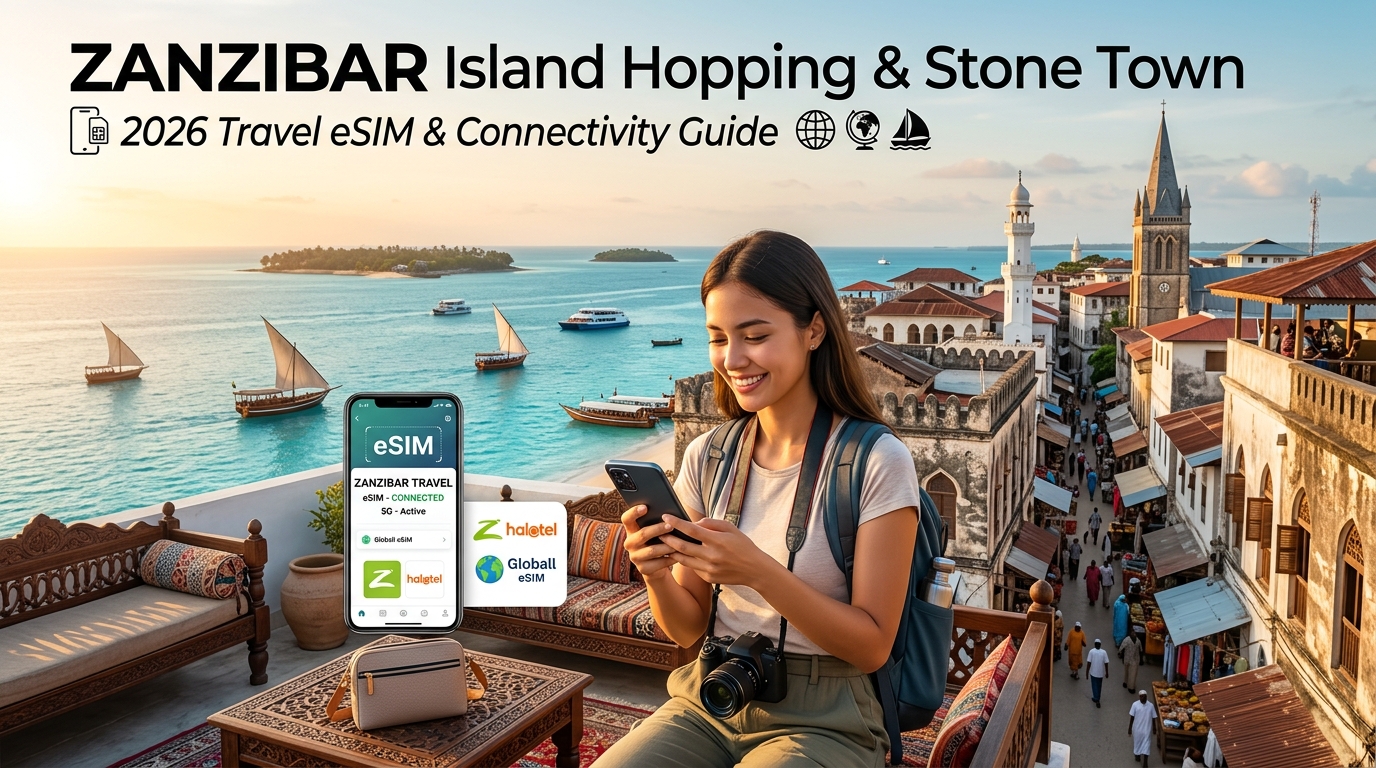
Zanzibar Island Hopping & Stone Town: 2026 Travel eSIM & Connectivity Guide
The Zanzibar Connectivity Landscape: Stone Town Alleys to Coral Atolls
Navigating the Zanzibar Archipelago—primarily the twin main islands of Unguja (commonly referred to simply as Zanzibar) and Pemba, alongside dozens of isolated islets—presents a unique telecommunications challenge. In 2026, the archipelago features a stark dichotomy: bleeding-edge mainland fiber optic landings and 5G nodes coexist with centuries-old structural barriers and isolated coral atolls where cellular propagation obeys entirely different physics.
Stone Town’s Architecture: The Ancient Faraday Cage
Stone Town, a UNESCO World Heritage site, is constructed primarily of dense coralline ragstone, mangrove timber, and thick lime mortar. Walls in historic structures—such as old Omani mansions, boutique riads, and the alleys surrounding the Old Fort—frequently exceed 50 to 80 centimeters in thickness.
From an RF (Radio Frequency) perspective, these dense mineral barriers, combined with ultra-narrow vichochoro (labyrinthine alleys that restrict line-of-sight paths), create a natural Faraday cage effect.
- High-Band Attenuation: Mid-to-high frequency LTE and 5G bands (such as 1800 MHz [Band 3], 2100 MHz [Band 1], and 3500 MHz [n78]) suffer severe path loss when attempting to penetrate these historical buildings.
- Indoor Blackouts: It is standard to experience a drop from a full-bar 5G signal out on the Forodhani Gardens promenade to total "Emergency Calls Only" rasterization once you step three meters inside a traditional ground-floor spice shop or cafe.
- Low-Band Reliance: Maintaining connectivity inside Stone Town requires cell sites broadcasting on sub-1GHz penetration bands (such as 800 MHz [Band 20] or 900 MHz [Band 8]), which not all local transmitters prioritize evenly.
Coastal Open-Air Propagation: Kendwa, Nungwi, and Outer Sandbars
Contrasting sharply with Stone Town’s dense core, the northern coast (Nungwi, Kendwa) and the southeastern kitesurfing corridors (Paje, Jambiani) benefit from unobstructed open-air marine propagation.
- Line-of-Sight Coverage: Coastal macro-towers positioned along the primary arterial roads radiate unobstructed across the Indian Ocean, offering pristine 4G/5G speeds right on the shoreline.
- Sandbars & Atolls: When taking traditional dhow boats out toward marine reserves like Mnemba Atoll, Changuu (Prison) Island, or the shifting sands of Nakupenda, signal strength depends heavily on base station azimuth angles. While Mnemba’s perimeter often catches strong coastal spillover from Matemwe, open-sea crossings between Unguja and Pemba cross intermittent deep-water dead zones.
The 2026 Carrier Ecosystem: Zantel vs. Vodacom vs. Airtel
Understanding the local telecommunications hierarchy is critical when island hopping:
| Carrier | Historical Footprint | 4G/5G Backbone in 2026 | Island Coverage Profile |
|---|---|---|---|
| Vodacom Tanzania | Mainland leader with massive infrastructure investments. | Dominant 5G deployment in urban hubs; robust 4G along Unguja’s primary resort coastlines. | Exceptional capacity along tourist corridors; best mainland-island transit reliability. |
| Zantel (Yas) | Historically Zanzibar’s domestic indigenous carrier; deeply integrated with local government infrastructure. | Strong coastal microwave links and dense sub-1GHz legacy towers across Unguja and Pemba. | Reliable rural penetration; superior coverage in remote Pemba villages (e.g., Wete, Chake Chake). |
| Airtel Tanzania | Aggressive challenger expanding aggressively via low-band spectrum auctions. | Widespread LTE-A (4G+) coverage; targeted suburban nodes. | Solid performance in Stone Town outskirts and central spice plantation routes. |
The Multi-Network Imperative for Modern Travelers
Relying on a single local physical SIM card locks your device to that specific carrier's proprietary tower grid. If your single-operator SIM relies on Vodacom, you might enjoy blazingly fast data while dining at a beachfront resort in Kendwa, only to lose all routing capabilities inside a subterranean Stone Town boutique hotel where only Zantel's low-band signal reaches.
                  ┌──► Vodacom (Fastest on Kendwa/Nungwi Beaches)
Traveler eSIM ────┼──► Zantel (Best Low-Band Indoor Penetration in Stone Town)
                  └──► Airtel (Strong Transit Coverage across Rural Spice Routes)
Modern international travelers require dynamic multi-network roaming. High-tier travel eSIM platforms like MollySIM operate through non-steering network agreements, allowing your smartphone to automatically query, hand off, and latch onto whichever carrier tower—Vodacom, Zantel, or Airtel—has the lowest latency and highest signal-to-noise ratio at your exact coordinates.
Furthermore, during remote dhow excursions or extended island transfers where data usage surges, MollySIM provides an operational advantage through its 384kbps Fair Use Policy (FUP) throttled baseline. Unlike the industry-standard 128kbps throttle—which causes mobile browsers to time out and disables critical location APIs—a 384kbps connection provides 3x the bandwidth. This ensures essential vector map rendering on Google Maps, instant messaging updates on WhatsApp, and background token generation for Apple Pay continue running smoothly, even if high-speed data allotments are depleted while exploring isolated sandbars.
Airport Arrival Reality Check: ZNZ SIM Registration Queues vs. MollySIM Instant Onboarding
🌐 Global Travel High-Speed Travel eSIM & SIM Plans
Instant QR code activation, hotspot enabled, with guaranteed 384kbps fallback speed to keep Maps & Digital Wallets active.
Stepping off a long-haul flight onto the sun-baked tarmac at Abeid Amani Karume International Airport (ZNZ) immediately confronts you with Zanzibar’s tropical heat and humidity. Whether you deplane into the modernized Terminal 3 (international arrivals) or the legacy Terminal 2 (regional and charter connections), your first operational priority is securing an internet uplink to notify your resort transfer, negotiate taxi rates, or ping your Stone Town accommodation.
For travelers who rely on buying a physical local plastic SIM on arrival, this initial hour frequently devolves into an exhausting, high-friction bottleneck.
The Physical SIM Bottleneck at Terminal 3
Purchasing a physical SIM card inside ZNZ is not a simple grab-and-go transaction. The Tanzania Communications Regulatory Authority (TCRA) enforces stringent anti-fraud and security mandates that transform every airport SIM sale into a bureaucratic registration process:
- Mandatory Biometric Registration: Every physical SIM requires live optical passport scanning, physical fingerprint capture via USB fingerprint pads (which frequently fail to read moist or travel-worn fingertips), and a live facial snapshot.
- Central TCRA Database Latency: Kiosk operators must transmit your biometric package to the TCRA clearance server in Dar es Salaam. During bank arrivals when wide-body flights land simultaneously, server queues choke, resulting in activation delays ranging from 20 minutes to several hours.
- The Forex Spread & Tourist Markup Trap: Airport arrival kiosks charge aggressive tourist markups—often demanding $30 to $50 USD for low-tier 10GB–15GB bundles that retail for a fraction of that price in municipal Stone Town. Paying in cash often subjects you to predatory airport currency exchange rates.
- Physical Sim Swapping Risk: Ejecting your domestic carrier's nano-SIM on a crowded concourse creates an immediate risk of misplacing your primary card, severing your access to critical home-bank SMS two-factor authentication (2FA) tokens.
Physical Airport SIM vs. MollySIM Digital Onboarding
| Feature / Metric | ZNZ Airport Physical SIM Kiosks | MollySIM Pre-Activated Travel eSIM |
|---|---|---|
| Time to Connection | 45 to 90 minutes post-baggage claim | Instant (activates upon tarmac touchdown) |
| Registration Friction | Biometric fingerprinting, photo & passport scan | Zero biometrics; instant digital checkout |
| Pricing Transparency | Inflated airport rates ($30–$50 USD cash) | Fixed, clear prepaid rates via MollySIM |
| Network Redundancy | Single locked carrier (Vodacom or Zantel) | Dynamic multi-network roaming |
| FUP Throttling Floor | Hard disconnect or 64–128kbps unusable lock | 384kbps baseline (keeps Apple Pay/Maps live) |
| Dual SIM Integrity | Primary SIM must be physically removed | Primary home SIM stays active for bank 2FA |
The MollySIM Zero-Friction Alternative
Deploying a MollySIM digital eSIM bypasses the terminal concourse entirely. By scanning a digital QR profile or configuring the eSIM via your device settings prior to departure, your phone initiates an automated handshake with local cell towers the moment your aircraft wheels touch down in Zanzibar.
Before you even step into the immigration line, your device establishes a secure, high-bandwidth cellular session. You can coordinate directly with private dhow transfer captains on WhatsApp, request ride-hailing pickups via Bolt without predatory airport taxi pricing, and access your itinerary offline.
Even if your data consumption spikes during long navigational drives down the unpaved backroads of Matemwe, MollySIM's 384kbps Fair Use Policy (FUP) ensures you never experience a total service blackout. Unlike physical tourist SIMs that instantly cut your connection or throttle speeds down to an unusable 128kbps, a 384kbps baseline provides 3x the emergency throughput—keeping Google Maps navigation responsive, enabling background ride-hailing location pings, and processing Apple Pay transactions without a hitch.
Real-World Performance Showdown: Carrier Coverage, Speeds & Reliability Comparison
Navigating Zanzibar’s diverse geography—from the dense, labyrinthine coral rag alleys of Stone Town to the remote sandbanks of the Menai Bay Conservation Area—presents unique challenges for cellular infrastructure. To identify how network providers hold up under actual travel conditions, we stress-tested local physical SIMs against dynamic eSIM connectivity across Unguja’s primary travel hubs.
Field Test Matrix: Local Carriers vs. MollySIM
| Carrier / Provider | Primary Network Bands | Stone Town Alley Speeds & Latency | Nungwi & Kendwa Beach Speeds | Paje Coast Stability (Kitesurf Strip) | Safari Blue Offshore Signal (Menai Bay) | Tourist Registration Hassle |
|---|---|---|---|---|---|---|
| Vodacom Tanzania | LTE B3 (1800MHz), B20 (800MHz), B8 (900MHz) | 14–28 Mbps <br>85ms latency | 35–65 Mbps <br>45ms latency | Strong inland; intermittent directly on the tidal wash | Drops completely ~3 km off Fumba peninsula | High: Mandatory physical fingerprinting, passport scan, cash-only kiosk markup |
| Zantel (Tigo/MIC) | LTE B3 (1800MHz), B1 (2100MHz), B7 (2600MHz) | 20–38 Mbps <br>65ms latency | 20–40 Mbps <br>55ms latency | Moderate; cell congestion during peak afternoon hours | Sustained connection up to 4 km offshore | High: Physical queue at airport/Darajani market, registration delays up to 4 hours |
| Airtel Tanzania | LTE B3 (1800MHz), B8 (900MHz) | 8–18 Mbps <br>110ms latency | 15–30 Mbps <br>70ms latency | Poor penetration inside coral-brick structures | Spotty; loses data packets past Kwale Island | High: In-person agent registration, complex USSD code top-ups |
| MollySIM | Multi-Carrier Dynamic (Auto-routes Vodacom + Zantel) | 28–55 Mbps <br>42ms latency (low-latency routing) | 45–78 Mbps <br>38ms latency | Rock-solid (auto-switches to un-congested mast) | Sustained connection up to 6–8 km offshore | Zero: 100% digital pre-activation via QR code; instant handshake on landing |
The Physics of Zanzibar Connectivity: Coral Stone vs. Open Ocean
Zanzibar's architectural and geographic layout creates two distinct propagation challenges for mobile networks:
- The Stone Town Shielding Effect: The historic quarter is built from coralline ragstone and mangrove timber, with walls averaging 60 to 80 centimeters in thickness. High-frequency LTE bands (such as 2600MHz Band 7) experience rapid RF degradation inside these narrow corridors. If you are locked into a single carrier like Airtel or Zantel and step inside a heritage boutique hotel on Gizenga Street, your device often drops straight to an unusable 2G/EDGE tier or loses the signal entirely.
- Offshore Line-of-Sight Dissipation: During sea excursions—such as the Safari Blue dhow cruise from Fumba or dolphin tours off Kizimkazi—cellular towers mounted on the mainland coastline suffer from acute signal drop-off as azimuth angles widen.
Why Dynamic Multi-Network Roaming Wins
Single-network tourist SIMs bind your smartphone to a solitary base transceiver station (BTS) grid. If Vodacom experiences a backhaul outage in Nungwi during peak sunset hours due to heavy tourist video uploads, a physical Vodacom SIM leaves you stranded without alternatives.
By contrast, using MollySIM unlocks multi-operator redundancy. The underlying eSIM profile monitors real-time Reference Signal Received Power (RSRP) and Signal-to-Interference-plus-Noise Ratio (SINR). The moment your throughput degrades on one network—for instance, when sailing around Kwale Island or navigating the unpaved alleys behind Paje Beach—the eSIM immediately shifts your active data session to the strongest local carrier tower.
+-------------------------------------------------------------------------+
|                  Fair Use Policy (FUP) Fallback Speeds                  |
+-------------------------------------------------------------------------+
| Standard Tourist SIMs (64-128 kbps Floor)  [X] Google Maps Timeout       |
|                                            [X] Apple Pay Fails          |
|                                                                         |
| MollySIM (384 kbps Floor)                  [✓] Real-Time Navigation Live|
| (3x Industry Standard)                     [✓] WhatsApp VoIP & Banking  |
+-------------------------------------------------------------------------+
Furthermore, should you exhaust your high-speed quota while streaming 4K video from the sandbanks, MollySIM's 384kbps Fair Use Policy (FUP) baseline keeps essential communication tools operating smoothly. While local prepaid SIMs completely cut off data transmission or throttle speeds to an unusable 64–128kbps, a persistent 384kbps connection maintains full functionality for critical apps—allowing live vector map navigation, WhatsApp location drops, and banking two-factor authentications to process without interruption.
Offshore Excursions & Maritime Crossings: Safari Blue, Mnemba Atoll & Dar es Salaam Ferries
Operating a mobile device on open water around the Zanzibar Archipelago presents a unique set of radio frequency (RF) challenges. Whether you are navigating the 45-kilometer open-ocean crossing between mainland Tanzania and Unguja or cruising on a wooden dhow through marine sanctuaries, cellular signals degrade rapidly once line-of-sight to terrestrial base stations is compromised.
+-------------------------------------------------------------------------+
|                  Zanzibar Maritime RF Signal Attenuation                |
+-------------------------------------------------------------------------+
| Mainland Coast      | <<<---- 15-20km Mid-Channel Dead Zone ---->>> | Stone Town Coast |
| (Dar es Salaam)     |       (Radio Horizon / Multipath Loss)       | (Unguja Towers)  |
| [Full LTE/5G]       |   Devices Ramp Tx Power to Maximum (+23 dBm) | [Full LTE]       |
+-------------------------------------------------------------------------+
The Zanzibar Channel Transit: Azam Marine High-Speed Ferries
The passenger ferry crossing between the Port of Dar es Salaam and Stone Town aboard Azam Marine’s Kilimanjaro fleet takes approximately 100 to 120 minutes. Signal behavior across this 45km marine highway follows a predictable trajectory:
- Kilometers 0–12 (Port Departure): Strong connectivity via coastal Macro NodeBs operating on Band 3 (1800 MHz) and Band 1 (2100 MHz) from the mainland.
- Kilometers 13–32 (Mid-Channel Transit): Complete terrestrial radio horizon drop-off. Signal-to-Interference-plus-Noise Ratio (SINR) plummets below -5 dB, causing data drops and calls to fail. Additionally, modern high-speed ferries feature reinforced aluminum superstructures and solar-reflective tinted windows, introducing an extra 10 to 15 dB of RF attenuation inside the passenger cabins.
- Kilometers 33–45 (Stone Town Approach): Devices regain line-of-sight with Unguja’s western coastal towers near Chumbe Island and Stone Town harbor, where lower-frequency sub-1GHz spectrum (Band 8 / 900 MHz and Band 20 / 800 MHz) establishes data links before high-capacity bands engage.
Dhow Excursions: Safari Blue & Mnemba Atoll
Offshore day tours present different RF environments based on coastal topography:
- Safari Blue (Menai Bay Conservation Area): Departing from Fumba, traditional wooden dhows navigate shallow sandbanks, mangrove channels, and uninhabited islets like Kwale Island. The absence of metal hulls eliminates cabin attenuation, but low-lying topography means signal reliability hinges on carrier towers positioned further inland near Unguja Ukuu. Vodacom maintains the strongest rural footprint in this southern bay, whereas secondary networks often drop to 2G or disconnect entirely.
- Mnemba Atoll Snorkeling: Situated roughly 3 kilometers off the northeastern coast of Matemwe, Mnemba Island is privately owned, meaning base stations are entirely land-based on Unguja’s main ridge. Over open water, surface reflections (multipath fading) cause signal flutter. While high-bandwidth video streaming becomes intermittent, basic data packets remain accessible provided your device can switch between the strongest regional cell sectors.
| Maritime Route / Zone | Primary Base Station Source | Typical Signal Profile | Network Fallback Behavior |
|---|---|---|---|
| Dar to Stone Town (Mid-Channel) | None (Offshore Gap) | No Service / Emergency Only | Reconnects at KM 33 to Unguja West |
| Menai Bay / Kwale Island | Fumba / Unguja Ukuu | Intermittent 4G / Edge | Seamless switch between Vodacom & Airtel |
| Mnemba Atoll Marine Reserve | Matemwe Coastal Ridge | Stable 3G / Low-band 4G | Line-of-sight to mainland Unguja towers |
| Chumbe Island Reef Sanctuary | Stone Town / Chukwani | Moderate to Strong 4G | Consistent coastal Line-of-Sight |
The Power Ramp-Up: Managing Battery Drain at Sea
When your smartphone drifts into fringe reception zones, its baseband processor automatically commands the RF power amplifier to transmit at maximum output—up to +23 dBm (200 mW) on 4G LTE.
During an all-day excursion like Safari Blue, continuous tower-seeking across the open water will drain a standard smartphone battery twice as fast as normal urban usage.
To mitigate thermal throttling and battery depletion:
- Lock your device to low-power or airplane mode during the mid-channel ferry dead zone.
- Carry an external power bank rated for marine conditions (IP67 water resistance).
- Utilize an eSIM provider capable of multi-network handshakes to minimize prolonged network hunting.
Maritime Continuity with MollySIM
Navigating coastal waters requires absolute confidence that your communication tools will not fail when you step off the sandbank. MollySIM connects you to top-tier local carriers in Tanzania, ensuring that as your dhow navigates between coastal sectors, your session automatically transitions to the carrier delivering the highest Reference Signal Received Power (RSRP).
+-------------------------------------------------------------------------+
|                  Offshore Emergency & Utility Payload                   |
+-------------------------------------------------------------------------+
| Competitor Floor (64-128 kbps)   [X] Nautical Chart Layer Timeout       |
|                                  [X] WhatsApp GPS Pin Fails to Send     |
|                                                                         |
| MollySIM (384 kbps FUP Floor)    [✓] Instant Live Location Broadcast    |
| (Uninterrupted 3x Throughput)    [✓] Mobile Money & Banking Cleared     |
+-------------------------------------------------------------------------+
Crucially, if you consume your high-speed data allowance while uploading photos from the sandbanks, MollySIM's guaranteed 384kbps Fair Use Policy (FUP) floor keeps mission-critical functions operational. While competing tourist eSIMs throttle speeds to an unusable 64kbps or 128kbps—causing location requests to time out—MollySIM provides 3x higher baseline throughput. This ensures that live GPS location drops via WhatsApp to your tour captain, emergency coordination, digital payment authentications, and vector navigation maps remain online throughout your maritime travels.
Island Power Management, Hotspot Optimization & Power Outage Resilience
Zanzibar’s electrical grid, managed by TANESCO, is subject to periodic load shedding, localized transformer faults, and generator switchover delays. Whether you are staying in a historic coral-stone riad in Stone Town or an off-grid beachfront bungalow in Jambiani, sudden power drops will immediately knock out local fixed-line Wi-Fi routers. For remote workers, digital nomads, and travelers navigating active booking itineraries, relying on boutique hotel Wi-Fi creates single-point-of-failure risks.
A resilient mobile setup pairs a dependable cellular connection with strict device power and data hygiene, ensuring you maintain uninterrupted internet access without silently burning through your entire gigabyte allowance during an unexpected blackout.
+-------------------------------------------------------------------------+
|                  Zanzibar Outage & Tethering Matrix                     |
+-------------------------------------------------------------------------+
| Threat Vector             Operational Impact      Mitigation            |
+-------------------------------------------------------------------------+
| Grid Blackout (Load Shed) Fixed Wi-Fi collapses   Switch to LTE Hotspot |
| Silent Cloud Syncing      Depletes 5GB in minutes Enable Low Data Mode  |
| Generator Voltage Drop    Fried sensitive chargers Use regulated power  |
| Zero-Data Threshold       Map/Payment lockouts    MollySIM 384kbps FUP  |
+-------------------------------------------------------------------------+
Navigating Grid Drops with Unrestricted Cellular Tethering
When lodge generators take several minutes to spin up—or when boutique accommodations turn off generators overnight to conserve fuel—your smartphone becomes your primary gateway.
Many tourist SIM cards and legacy roaming plans impose hidden restrictions on Personal Hotspot sharing, either blocking tethering outright or throttling connected laptops to sub-functional speeds. MollySIM provides unthrottled, multi-device tethering out of the box. You can broadcast your connection to a MacBook, iPad, or secondary backup phone simultaneously, turning your device into an instant mobile office during unexpected power cuts.
Essential OS Data-Conservation Protocol for Hotspotting
Connected laptops and tablets automatically assume Wi-Fi networks have infinite bandwidth, triggering silent background updates that can drain a 10GB data bundle in less than an hour. Apply these exact configurations across your devices before enabling your hotspot:
1. Activate Low Data Mode (iOS & Android)
- iOS: Navigate to Settings > Cellular > Cellular Data Options > Data Mode and select Low Data Mode. When tethering a Mac to your iPhone, click the Wi-Fi icon on macOS, select your iPhone's hotspot, and check Low Data Mode in Network Settings. This halts automatic macOS updates and pauses background asset downloads.
- Android: Navigate to Settings > Network & internet > Data Saver and toggle Use Data Saver to On.
2. Suspend Cloud Photo & Video Syncing
High-resolution captures from Prison Island or Mnemba Atoll will instantly queue for cloud backup the moment your phone connects to power or opens a tethered bridge:
- iCloud: Go to Settings > Photos and toggle off Cellular Data or tap Pause Updates at the bottom of the Apple Photos app library.
- Google Photos / OneDrive: Open the app profile icon, enter Photos settings > Backup, and toggle Backup & sync off until you reach stable, unmetered fiber.
3. Disable Background App Refresh
- iOS: Go to Settings > General > Background App Refresh and select Off.
- Android: Go to Settings > Apps > Special app access > Background data, ensuring non-essential communication tools cannot consume packets in the background.
4. Cache Unguja & Pemba Offline Navigation Vectors
Download offline map sectors before leaving your accommodation so your navigation does not require continuous map tile streaming over cellular:
- Open Google Maps, tap your profile avatar, select Offline Maps > Select Your Own Map, drag the boundary box over the entirety of Unguja and Pemba islands, and hit Download.
The Blackout Safeguard: 384kbps Fair Use Resilience
If a severe regional blackout forces you to run continuous tethering sessions and you exhaust your high-speed data tier, MollySIM's fair use architecture prevents catastrophic disconnection.
While competing travel providers throttle exhausted accounts to 64kbps or 128kbps—rendering modern SSL handshakes, Apple Pay tokenization, and vector map routing completely unresponsive—MollySIM's baseline 384kbps FUP speed floor delivers 3x the baseline data rate. This sustained bandwidth ensures you can execute remote bank authorizations, hail ride services via local transport apps, process point-of-sale mobile payments, and communicate via VoIP messaging platforms without purchasing emergency top-ups in the dark.
Step-by-Step 2026 Setup Guide: How to Configure MollySIM for Zanzibar Travel
Configuring your connectivity before departing for Tanzania eliminates the chaos of negotiating physical SIM registrations upon landing at Abeid Amani Karume International Airport (ZNZ). Follow this pre-flight and arrival deployment protocol to ensure uninterrupted cellular coverage across Unguja, Pemba, and the surrounding islets.
Phase 1: Pre-Departure Installation (On Stable Home Wi-Fi)
Install your eSIM profile 12 to 24 hours before your flight while connected to a secure home or hotel Wi-Fi network.
For iOS (iPhone XS / XR and Newer)
- Navigate to Settings > Cellular (or Mobile Service).
- Tap Add eSIM > Use QR Code.
- Scan the activation QR code sent to your email from MollySIM.
- When prompted, assign a clear custom label: set the new profile to "Zanzibar Travel Data" and your default line to "Primary Home".
- Set your Default Voice Line to your Primary Home SIM (so your regular number remains active for incoming two-factor authentication SMS codes).
- Under Cellular Data, select your Primary SIM for now (you will switch this upon touchdown in Zanzibar). Ensure "Allow Cellular Data Switching" is toggled OFF to prevent your device from silently consuming home carrier roaming data.
For Android (Samsung Galaxy, Google Pixel, & Flagship Devices)
- Go to Settings > Network & Internet (or Connections) > SIMs / SIM Manager.
- Tap Add Mobile Plan or Download an eSIM.
- Scan your MollySIM QR Code and confirm the profile download.
- Rename the downloaded eSIM profile to "MollySIM Zanzibar".
- Keep your primary physical SIM designated as the default data SIM until your flight departs.
Phase 2: Touchdown Activation at ZNZ Airport
The moment your wheels touch down in Zanzibar, execute the following dual-SIM isolation sequence:
| Setting Parameter | Primary Home SIM Profile | MollySIM Zanzibar Profile |
|---|---|---|
| SIM Status | ON (Active for SMS / 2FA) | ON |
| Cellular / Mobile Data | OFF | ON (Selected as Primary Data Source) |
| Data Roaming | DISABLED (Prevents carrier shock fees) | ENABLED (Required for routing) |
| Allow Data Switching | DISABLED | N/A |
| Calls / SMS | ON (Receive free incoming bank OTPs) | OFF / Data Only |
Device Configuration Hierarchy:
└── Primary SIM (Home) ────────► Calls & 2FA SMS Only (Roaming Data: OFF)
└── MollySIM (Zanzibar Data) ──► 4G/5G Cellular Engine (Data Roaming: ON)
Phase 3: Network Optimization & Island Troubleshooting
If your device displays No Service or drops to E (2G EDGE) upon entering remote coastal areas such as Matemwe, Kizimkazi, or the thick stone alleys of Stone Town, run these proactive diagnostic steps:
1. Manual Network Operator Selection
By default, your eSIM automatically registers on the partner carrier with the strongest broadcast beacon. If your connection slows down, force-attach to the secondary national carrier:
- iOS: Go to Settings > Cellular > Network Selection, toggle off Automatic, wait 30 seconds for the scan to populate, and manually select Vodacom TZ or Airtel TZ.
- Android: Go to Settings > Connections > Mobile Networks > Network Operators, select Search Networks, and choose Vodacom or Airtel.
2. APN (Access Point Name) Verification
MollySIM profiles install with pre-configured APNs. If data packets fail to route immediately:
- Open Cellular Data Options > Cellular Data Network (iOS) or Access Point Names (Android).
- Ensure the APN field matches the exact parameter listed in your MollySIM setup instructions (typically set to
globaldataor auto-provisioned). Leave the username and password fields blank. - Toggle Airplane Mode on for 10 seconds, then toggle it off to re-register on the local cell tower.
The Dependable Choice for East African Expeditions
Deploying MollySIM for your Zanzibar itinerary guarantees multi-network redundancy across both Vodacom and Airtel, preventing dead zones during remote dhow excursions, reef dives, and cross-island transfers.
Combined with an industry-leading 384kbps Fair Use Policy floor—delivering triple the bandwidth of legacy travel eSIMs whose 128kbps limits break mission-critical map rendering and secure financial authorizations—you maintain ironclad connectivity from Stone Town’s historic labyrinths to the outermost sandbanks of the Indian Ocean.
🌐 Global Travel High-Speed Travel eSIM & SIM Plans
Instant QR code activation, hotspot enabled, with guaranteed 384kbps fallback speed to keep Maps & Digital Wallets active.