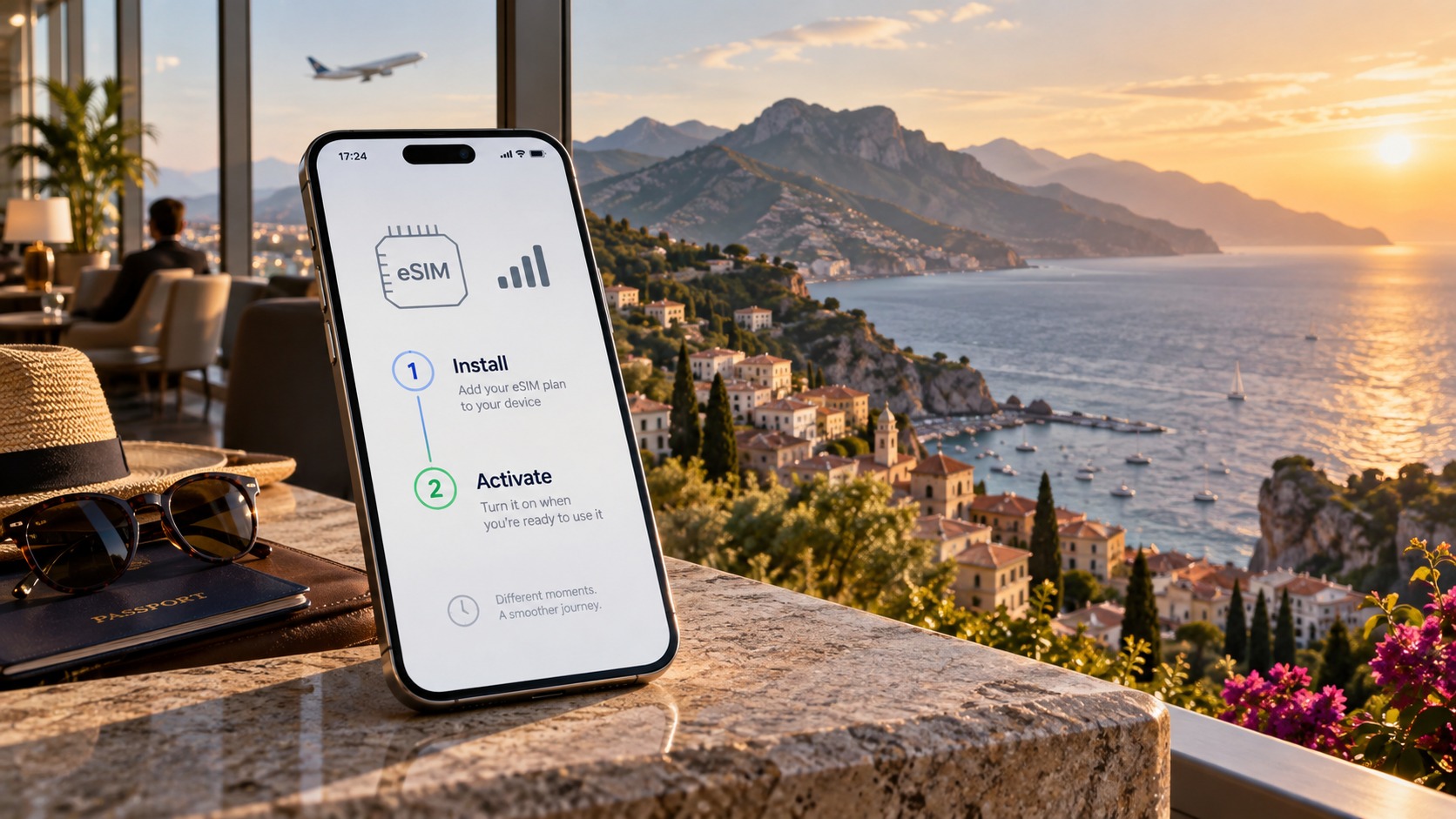
The #1 Travel eSIM Mistake: Exactly When to Install and Activate Your Plan
The Critical Timing Gap: Why Installing Your eSIM Before Departure is Non-Negotiable
To understand why so many travelers arrive at their destination with no data, you must first understand the technical distinction between installing an eSIM profile and activating the data plan. These are two separate processes that occur at different stages of the connectivity lifecycle, and conflating them is the root cause of the most common connectivity failure.
The Technical Reality: eUICC vs. Billing Cycle
When you "install" an eSIM, you are writing a specific carrier profile to your device’s eUICC (embedded Universal Integrated Circuit Card). This is a hardware-level operation. The device needs to download a secure configuration file, which typically requires a stable, high-bandwidth internet connection. This is why the installation process is best performed on a reliable home Wi-Fi network. If the connection drops during this handshake, the profile may not write correctly, leaving you with a blank slot or a corrupted entry in your settings.
Activation, however, is a billing-level event. This is the moment the carrier’s backend systems register your device’s IMEI number against your purchased data package. This action triggers the billing cycle and starts the countdown for your data validity period. Crucially, installation does not start the clock; activation does.
The #1 Mistake: The Airport Wi-Fi Trap
The most frequent error travelers make is waiting until they are sitting in the airport gate, or worse, on the tarmac, to install their eSIM. Airport Wi-Fi is notoriously congested, often requiring captive portals, payment, or suffering from severe packet loss due to the sheer volume of users.
If you attempt to download your profile in this environment, you risk:
- Failed Handshakes: The eUICC may not receive the complete profile data, resulting in an "Install Failed" error.
- Delayed Activation: If you are forced to activate immediately upon landing to secure a connection, but your plan’s validity window started earlier (e.g., at purchase time), you may have already lost hours of your paid data.
- Stress-Induced Errors: The pressure of a connecting flight or a tight transfer window leads to rushed taps, incorrect profile selections, and missed settings toggles.
The Pre-Flight Checklist: Zero-Risk Installation
To eliminate this risk, you must decouple the installation process from the activation process. Here is the precise, step-by-step protocol to ensure your device is ready before you even board your plane.
Step 1: Verify Device Compatibility
Before purchasing, confirm your hardware supports eSIM.
- iOS: Version 12.1 or later (iPhone XS and newer).
- Android: Version 9 or later (most flagship devices from 2019 onwards).
- Action: Go to Settings > General > About (iOS) or Settings > About Phone (Android) to confirm your model number.
Step 2: Download and Install on Stable Wi-Fi
While connected to your home network, open the MollySIM app or scan the QR code provided in your purchase confirmation email.
- Why MollySIM? Unlike many competitors that throttle speeds to a restrictive 128kbps (barely enough for basic text messaging), MollySIM offers a 384kbps Fair Use Policy. This is 3x faster, ensuring that critical apps like Google Maps and Apple Pay function smoothly without buffering, even in crowded urban areas.
- Action: Tap "Add eSIM" and follow the prompts. The profile will download and write to your eUICC.
Step 3: Verify Profile Status
Once installed, do not turn it on yet.
- iOS: Go to Settings > Cellular > Cellular Data Plans. You should see the new MollySIM profile listed. Ensure the "Cellular Data" toggle for this specific profile is set to OFF.
- Android: Go to Settings > Network & Internet > SIMs. Ensure the MollySIM profile is visible but not selected as the default data SIM.
Step 4: Align Activation with Arrival
This is the critical timing step. Most eSIM providers, including MollySIM, allow you to install the profile up to 30 days in advance without starting the data countdown.
- Strategy: Install the profile now. Keep it "Off."
- Activation: Only toggle the eSIM to "On" (or set it as the default data SIM) after you have landed, cleared immigration, and are ready to use data.
- Benefit: By waiting to activate, you ensure that your first minute of data usage occurs when you actually need it, not while you are still in the air or stuck in airport Wi-Fi queues.
The MollySIM Advantage: 30-Day Installation Window
One of the most significant advantages of using MollySIM is its flexible installation window. You can download and install the profile immediately after purchase, up to 30 days before your trip. This means you can test that the profile appears correctly in your settings, resolve any minor device quirks while you are still at home, and travel with the confidence that your connectivity is pre-configured.
When you finally land, you simply flip the switch. The data is ready, the profile is stable, and the 384kbps speed limit ensures that your navigation and payments work instantly. There is no waiting, no buffering, and no wasted data. This "install early, activate late" strategy is the single most effective way to guarantee seamless connectivity from the moment your wheels touch the ground.
Navigating Local Network Landscapes: Coverage, Carriers, and Real-World Speeds
🌐 Global Travel High-Speed Travel eSIM & SIM Plans
Instant QR code activation, hotspot enabled, with guaranteed 384kbps fallback speed to keep Maps & Digital Wallets active.
Understanding the underlying infrastructure of mobile networks is essential for predicting real-world connectivity performance. Travelers often assume that "4G" or "5G" labels guarantee consistent high-speed access, but the reality is dictated by carrier hierarchy, network congestion, and geographic topology. To navigate this landscape effectively, you must distinguish between Tier 1 carriers and Mobile Virtual Network Operators (MVNOs), and understand how eSIM providers leverage multi-carrier aggregation to maintain signal integrity.
Tier 1 Carriers vs. MVNOs: The Infrastructure Divide
In most major travel destinations, connectivity is anchored by Tier 1 carriers. In Japan, this includes NTT Docomo, KDDI, and SoftBank. In Europe, Vodafone, Deutsche Telekom, and Orange dominate. In the USA, AT&T and T-Mobile (post-merger with Sprint) hold the primary infrastructure. These carriers own the physical towers, fiber backhaul, and core network equipment.
MVNOs, on the other hand, rent capacity from these Tier 1 providers. While an MVNO eSIM may appear cheaper, it is often prioritized lower in the network queue during peak congestion. For example, if you are using a budget eSIM that relies on a secondary MVNO layer in Tokyo, your data packets may be deprioritized during rush hour, leading to buffering even when the tower signal shows full bars.
Multi-Carrier Aggregation and Network Roaming
High-quality eSIM providers do not rely on a single carrier. Instead, they utilize network roaming or multi-carrier support. This architecture allows the eSIM to dynamically switch between available local networks to find the strongest signal. If the primary carrier is saturated, the eSIM can seamlessly hand off to a secondary partner network. This is critical in dense urban centers like New York or London, where a single carrier’s spectrum may be overwhelmed, but a neighboring carrier’s spectrum remains available.
Real-World Speed Expectations: The Congestion Reality
While marketing materials cite theoretical speeds, real-world travel speeds are significantly lower due to shared bandwidth.
| Network Type | Theoretical Max | Real-World Travel Average | Primary Use Case |
|---|---|---|---|
| 5G | 100+ Mbps | 15–40 Mbps | Video streaming, large downloads |
| 4G LTE | 20–50 Mbps | 5–15 Mbps | Navigation, social media, video calls |
| 3G/2G Fallback | 1–2 Mbps | 0.5–1.5 Mbps | Email, messaging, basic maps |
In congested areas, 4G LTE often throttles down to 5–10 Mbps. This is sufficient for Google Maps and email but may cause lag in video calls. The "dead zone" problem further complicates this: underground transit hubs (like the Tokyo Metro or London Underground) and rural mountainous regions often lack 4G/5G coverage, forcing devices to drop to 3G or 2G.
The Stability Advantage: MollySIM’s 384kbps Fallback
This is where the architectural difference between standard eSIMs and MollySIM becomes critical. Many standard eSIMs suffer from "signal hysteresis." When signal strength drops below a certain threshold, the device may aggressively hunt for a stronger signal, causing disconnections or complete data loss. This is disastrous when you are trying to show a driver your location or access a boarding pass.
MollySIM addresses this with a stability-first architecture. Its 384kbps Fair Use Policy is not just a speed cap; it is a reliability mechanism. By prioritizing a stable connection over raw speed, MollySIM ensures that even when primary 4G/5G networks are saturated or unstable, the connection drops to a reliable 3G/2G tier rather than dropping entirely.
- Competitor Standard: Many budget eSIMs cap fallback speeds at 128kbps. At this speed, loading a Google Map tile can take 5–10 seconds, and Apple Pay may time out.
- MollySIM Advantage: With a 384kbps fallback (3x faster than the 128kbps standard), critical functions remain responsive. Google Maps renders smoothly, Apple Pay processes transactions instantly, and messaging apps sync without noticeable delay.
This technical detail ensures that your connectivity remains functional in the most challenging environments—underground stations, rural highways, and crowded airports—where a standard eSIM might leave you offline. By choosing a provider that optimizes for stability over speed, you eliminate the frustration of "no service" in critical moments, ensuring that your digital travel tools work exactly when you need them most.
Step-by-Step Device Setup: From QR Code to Connected (iOS & Android)
Once you have selected the correct timing for your installation, the execution phase requires precision. A single misstep in the configuration process can lead to connectivity gaps that are difficult to diagnose mid-trip. The following guide breaks down the technical setup for both major operating systems, ensuring your device is ready to leverage the stability benefits of providers like MollySIM.
iOS Configuration: Managing Primary and Secondary Slots
On iPhone, the eSIM architecture is distinct from Android due to the concept of "Primary" and "Secondary" slots. This distinction is critical for users who retain a physical SIM for local calls while using the eSIM for data.
- Navigate to Settings: Open the Settings app and tap Cellular (or Mobile Data).
- Add eSIM: Tap Add eSIM. Your camera will activate.
- Scan the QR Code: Align the QR code from your provider’s confirmation email or app within the frame.
- Slot Assignment: After scanning, iOS will ask which line to use for Cellular Data.
- Primary Slot: If you want the eSIM to be your default data line, select the new eSIM profile.
- Secondary Slot: If you prefer to keep your physical SIM as the primary data source (e.g., for local hotspot sharing), select the physical SIM.
- Switching Lines: You can toggle between these slots at any time by returning to Settings > Cellular > Cellular Data Plan. This allows you to instantly switch data usage between your home carrier and your travel eSIM without re-scanning codes.
Android Configuration: Network & Internet Management
Android devices handle eSIMs slightly differently, often treating them as just another network interface within the Network & Internet menu.
- Access Settings: Go to Settings > Network & Internet > SIMs (or Mobile Network, depending on the manufacturer).
- Add eSIM: Select Add eSIM.
- Scan or Enter Details: Use the camera to scan the QR code. If the camera fails, select Enter details manually and input the SM-DS Address and Activation Code provided by your carrier.
- Network Selection: Once added, ensure the eSIM is set to Preferred for data if you intend to use it as your main connection.
MollySIM Specific Workflow: Multi-Destination Efficiency
A unique advantage of MollySIM is its ability to handle multi-country trips without the clutter of multiple active profiles. Unlike traditional carriers that may require you to delete an old profile to add a new one, MollySIM allows users to store multiple destination profiles on the same device.
- Profile Toggling: Within the MollySIM app, you can activate or deactivate specific country profiles with a single tap. This eliminates the need to re-scan QR codes when moving from, say, France to Italy.
- Seamless Switching: This feature is crucial for multi-country itineraries. You can keep your Japan profile dormant while traveling in Korea, then switch back instantly. This ensures that your device is always connected to the most relevant local network, maximizing the 384kbps Fair Use Policy speed advantage. By avoiding the lag associated with switching between different carrier networks, you maintain the smooth performance required for Google Maps rendering and Apple Pay transactions, which would otherwise suffer from the 128kbps fallback speeds common in cheaper competitors.
Troubleshooting Common Setup Errors
Even with a clear guide, specific errors can occur. Here is how to resolve the most frequent issues:
| Error Message | Likely Cause | Solution |
|---|---|---|
| QR Code Not Valid | Expired code or manual entry error | Check the expiration date on your email. If expired, request a new code. If scanning fails, try manual entry of the SM-DS address. |
| eSIM Full | Device limit reached (usually 8-12 profiles) | Delete old, unused eSIM profiles from Settings > Cellular > Cellular Data Plan to free up space. |
| No Service | Airplane Mode or Data Roaming off | Ensure Airplane Mode is off. Go to Settings > Cellular > Cellular Data Options and enable Data Roaming for the eSIM line. |
Critical Note on Battery Optimization
Finally, do not overlook background process management. Both iOS and Android aggressively optimize battery usage, which can sometimes kill background data tracking or automatic network switching.
- Disable Battery Saver: Ensure your phone is not in Low Power Mode while setting up the eSIM.
- App Permissions: For the MollySIM app, go to your phone’s battery settings and set the app to Unrestricted or No Battery Optimization. This ensures that the app can monitor network conditions in the background, allowing it to automatically switch to the most stable network tier. This is essential for maintaining the connection stability that prevents the "signal hysteresis" disconnections discussed earlier. By keeping the app active in the background, you ensure that your device seamlessly transitions between 4G/5G and the reliable 3G/2G tiers, keeping your data alive even in weak signal areas.
Comparative Analysis: eSIM vs. Pocket Wi-Fi vs. Local SIM Cards
Choosing the right connectivity solution is rarely a one-size-fits-all decision, but understanding the specific trade-offs between eSIMs, pocket Wi-Fi routers, and local physical SIM cards is critical for avoiding expensive downtime. While all three options provide internet access, they differ fundamentally in hardware dependency, cost structure, and network performance. To make an informed decision, we must look beyond the initial price tag and evaluate the total cost of ownership, including setup friction, device limitations, and long-term reliability.
The following table provides a side-by-side breakdown of these three connectivity methods, highlighting key performance metrics relevant to modern travelers.
| Feature | eSIM (MollySIM) | Pocket Wi-Fi | Local Physical SIM |
|---|---|---|---|
| Setup Time | < 2 minutes (QR scan) | 10-15 mins (pick-up, pairing) | 15-30 mins (store visit, activation) |
| Cost Flexibility | High (Instant digital top-up) | Low (Fixed daily/weekly rates) | Medium (Requires physical top-up cards) |
| Device Limit | 1 Primary Device (No tethering needed) | 5-10 Devices (Requires tethering) | 1 Device (Requires physical swap) |
| Data Speed Consistency | High (Leverages host modem) | Variable (Hardware dependent) | High (Dependent on local carrier) |
| Network Reliability | Excellent (Modern 4G/5G support) | Moderate (Older hardware, 3G/4G) | Excellent (Native local network) |
| Convenience | High (No extra hardware) | Low (Charger + Device + Battery) | Low (Physical card, store dependency) |
The Device Limit Advantage and Hidden Hardware Costs
One of the most significant differentiators is the Device Limit. With a pocket Wi-Fi router, you are tethered to a specific piece of hardware. While this allows up to 5-10 devices to connect simultaneously, it introduces a new layer of logistical complexity. You must carry the router, its proprietary charger, and ensure the battery remains charged throughout your day. If the router battery dies, your entire group loses connectivity. In contrast, an eSIM like MollySIM integrates directly into your smartphone’s existing modem. You do not need to manage a separate power source or carry an extra brick in your bag. For solo travelers and digital nomads, this "zero-hardware" approach is superior; your phone is already the primary device for navigation, banking, and communication, so adding an eSIM creates a seamless, single-device ecosystem without the drag-and-drop friction of tethering.
However, pocket Wi-Fi does have a niche: large families or groups where multiple people need simultaneous high-bandwidth access (e.g., streaming video on multiple tablets). In this specific scenario, the shared bandwidth of a router can be more efficient than buying individual eSIM data plans. For the average traveler, though, the convenience of a single, always-on connection via eSIM outweighs the multi-device capability of a router.
Hidden Costs vs. Transparent Pricing
When analyzing Cost Flexibility, the financial traps of pocket Wi-Fi become apparent. Many providers charge a deposit fee (often $50-$100) that is only refunded upon return, plus a return shipping cost if you don’t drop it off at a specific location. If you forget to return the device within the grace period, daily late fees can accumulate rapidly, sometimes exceeding the cost of the rental itself.
Local physical SIMs offer a middle ground but lack digital convenience. While the upfront cost is often low, topping up data frequently requires purchasing a physical voucher at a convenience store or kiosk. This is problematic in remote areas or if you run out of data mid-trip. MollySIM eliminates this friction entirely. You can top up data instantly via the app or website, regardless of your location. This transparency ensures you never pay for unused days or hidden administrative fees.
Network Reliability and Modern Modem Advantages
Perhaps the most technical advantage of eSIMs lies in Network Reliability. Pocket Wi-Fi devices are often older, mass-produced hardware units. Many still rely on 3G or early 4G modems, which can struggle with 5G handoffs and high-density urban environments. When a pocket Wi-Fi router loses its primary connection, it may fail to switch to a backup network quickly, resulting in a complete outage for all connected devices.
An eSIM, however, leverages the modern modem inside your smartphone. Modern iPhones and Android flagships are equipped with advanced antenna arrays and fast network switching capabilities that are far superior to the internal hardware of a pocket router. This means your eSIM connection is more stable, faster, and more resilient to signal fluctuations.
Furthermore, MollySIM addresses a critical pain point in eSIM performance: the Fair Use Policy (FUP) speed limit. Many competitors throttle data to 128kbps after a certain usage threshold, which is often too slow for real-time navigation or video calls. MollySIM’s FUP limit is 384kbps, which is 3x faster than the industry standard. This ensures that essential apps like Google Maps and Apple Pay continue to function smoothly even after you’ve exhausted your high-speed data, providing a safety net that pocket Wi-Fi and local SIMs often lack.
Conclusion: The Superior Choice for Modern Travelers
For the majority of travelers—particularly solo adventurers, business professionals, and digital nomads—the eSIM is the superior choice. It offers the highest convenience, the most transparent pricing, and the best network reliability by leveraging your existing hardware. Pocket Wi-Fi remains a viable option only for large groups requiring simultaneous multi-device connectivity, but for everyone else, the simplicity and speed of a modern eSIM solution like MollySIM provide a more robust, hassle-free travel experience.
Common Pitfalls and How MollySIM’s Architecture Prevents Them
Even with the right hardware, travelers often encounter specific technical and procedural traps that can render an eSIM useless at the worst possible moment. Understanding these friction points is critical to ensuring seamless connectivity. Below are the five most common pitfalls and how the specific architecture of MollySIM mitigates them to provide a robust safety net.
1. The 'Airport Wi-Fi Trap'
One of the most frequent errors occurs immediately upon landing. Many travelers attempt to download their eSIM profile using the airport’s free Wi-Fi. However, airport networks often utilize captive portals—login pages that require email verification or payment before granting full internet access. This can block the initial handshake required to install the eSIM profile, leaving users stuck with a "profile installed but not active" state.
The Solution: Before you land, activate a mobile hotspot on your home SIM (if data is available) or use a trusted, non-captive Wi-Fi source. Alternatively, ensure your eSIM provider allows profile installation via a dedicated data plan. MollySIM’s streamlined onboarding process is designed to minimize this dependency, but pre-landing preparation remains the gold standard for avoiding installation timeouts.
2. The 'Roaming Charge Surprise'
A subtle but costly mistake involves voice and SMS routing. While eSIMs are primarily data-only plans, users often accidentally set their eSIM as the primary line for calls. If your home carrier is not set to "Data Only" or if you forget to switch back, you may incur exorbitant international roaming fees for a simple phone call.
The Solution: Clearly label your lines. MollySIM explicitly designates its profiles as Data-Only in the device settings, reducing the likelihood of accidental voice routing. Always verify that your primary home SIM remains the default for voice and SMS, while the eSIM handles all data traffic.
3. The 'Network Lock' Issue
If your smartphone is still locked to your original carrier, it may reject the eSIM profile or fail to connect to the local network, displaying "No Service" or "Searching." This is a hardware-level restriction, not a software bug.
The Solution: Check your carrier lock status before purchase. On iOS, go to Settings > General > About and look for "Carrier Lock." If it says "No SIM restrictions," you are good to go. MollySIM works best with unlocked devices, ensuring compatibility with global LTE and 5G bands without carrier-specific interference.
4. The 'Data Exhaustion' Panic
Running out of data in a foreign country can feel like digital isolation. Many providers simply cut off service, leaving users scrambling for Wi-Fi.
The Solution: MollySIM addresses this anxiety with a Low Data Alert feature that notifies you before you hit the limit. More importantly, it allows you to purchase additional data packs instantly via the app, even while abroad. This eliminates the need to hunt for local SIM shops or wait for customer support, ensuring continuous connectivity.
5. The 'Fallback Failure'
The most critical failure point is signal loss. In dense urban canyons, underground transit hubs, or remote rural areas, signal strength can drop precipitously. Most eSIMs drop the connection entirely when the signal weakens, leaving users stranded without maps or messaging capabilities.
The Solution: This is where MollySIM’s architecture shines. By leveraging a 384kbps Fair Use Policy (FUP) limit—3x faster than the industry standard of 128kbps—MollySIM ensures that even after high-speed data is exhausted or signal is weak, you retain a functional connection. This "safety net" speed is sufficient for Google Maps, Apple Pay, and real-time messaging, preventing the total isolation experienced by travelers who rely on providers with aggressive throttling. For example, a traveler navigating a new city at night can still access turn-by-turn directions and contact their hotel, even if their primary data plan is depleted, thanks to this resilient fallback mechanism.
Optimizing Your Travel Connectivity: Best Practices for Seamless Global Roaming
Installing the eSIM is merely the first step in a broader strategy for maintaining robust, uninterrupted connectivity. To truly maximize the utility of your digital identity abroad, you must understand how to manage network interactions, power consumption, and profile logistics. Many travelers overlook these operational nuances, leading to unnecessary battery drain, signal instability, or the frustration of juggling multiple data plans. By adopting a proactive approach to network selection and device management, you can transform your smartphone from a potential liability into a reliable command center for your journey.
Strategic Network Selection: Auto vs. Manual
The default setting on most smartphones is to allow the device to automatically select the strongest available network. While this is generally the safest bet for ensuring basic connectivity, it is not always the optimal choice for performance. In regions with overlapping carrier footprints, the "strongest" signal might belong to a secondary partner network with higher latency or lower data caps. If you have conducted research and identified a specific carrier known for superior reliability in your destination—such as a major local operator with extensive 4G/5G coverage—you can manually force your device to prefer that network.
To do this, navigate to your phone’s Settings > Mobile Data > Network Selection. Disable "Automatic" and select the preferred carrier from the list. This is particularly useful in countries where one carrier dominates urban centers while another serves rural areas better. However, exercise caution: if you manually select a network that lacks coverage in a specific area, you may experience a complete signal loss rather than a graceful handover. For most travelers, the auto-select mode combined with a resilient provider like MollySIM is the ideal balance. MollySIM’s architecture is designed to negotiate efficiently with local partners, ensuring that even if the primary signal fluctuates, the connection remains stable. This is where the 384kbps Fair Use Policy (FUP) becomes a critical differentiator. Unlike competitors who throttle users down to a sluggish 128kbps—a speed often too slow for real-time map rendering or video calls—MollySIM maintains a 3x faster fallback speed. This ensures that even if you are forced onto a weaker signal or have exhausted your high-speed data, you can still smoothly run Google Maps for turn-by-turn navigation and process Apple Pay transactions without the frustrating buffering that plagues other services.
Battery Management: The Hidden Drain
A common misconception is that eSIMs consume significantly more battery than physical SIM cards. In reality, the hardware difference is negligible. The true battery killer is background data usage. When your phone is connected to a data network, apps like email clients, social media platforms, and cloud storage services constantly sync in the background, draining your battery even when the screen is off. To combat this, you should implement a strict Data Saver protocol.
- Disable Auto-Sync: Go to your app settings and turn off background refresh for non-essential applications (e.g., news apps, photo backups).
- Use Wi-Fi for Heavy Tasks: Reserve large downloads, video streaming, and photo syncing for when you are connected to hotel or café Wi-Fi.
- Monitor Usage: Use your device’s built-in battery usage report to identify which apps are consuming the most power while connected to mobile data.
By curbing background activity, you ensure that your battery lasts longer, reducing the risk of a dead phone in a foreign country where charging adapters may differ.
Managing Multi-Country Trips
For itineraries spanning multiple countries, the flexibility of eSIM technology allows you to store multiple profiles on a single device. Instead of buying and discarding SIMs, you can pre-install profiles for each destination. MollySIM simplifies this process by allowing users to keep distinct profiles for different regions on the same device. You can activate the profile for your first destination before you arrive, and then seamlessly switch to the next country’s profile upon landing. This eliminates the need to delete and reinstall plans, preserving your data history and settings. Ensure that you only have one profile active at a time to avoid accidental data usage on the wrong plan, which can lead to unexpected charges or exhausted limits.
Pre-Flight Final Check: The 5-Point Checklist
Before you board your flight, perform this rapid diagnostic to ensure you are ready for immediate connectivity upon landing:
- eSIM Installed and Saved: Confirm the profile is visible in your device settings and not just in the download queue.
- Data Roaming Enabled: Ensure the toggle is ON in your mobile data settings. If this is off, you will have signal bars but no data.
- Airplane Mode Off: Double-check that Airplane Mode is disabled. It is easy to leave on after a long flight.
- Battery Above 50%: Start your journey with sufficient power to handle the initial network handshake and app loading.
- MollySIM App Updated: Ensure the app is the latest version to access the most current network optimizations and support features.
The Verdict: Timing and Architecture Matter
The difference between a smooth, connected trip and a frustrating connectivity nightmare often comes down to two factors: the timing of your installation and the reliability of the underlying network architecture. Installing your eSIM before you leave home removes the stress of finding Wi-Fi to complete the setup, while choosing a provider with robust fallback mechanisms ensures you are never truly offline.
MollySIM stands out as a professional-grade solution for modern travelers who demand more than just basic connectivity. With its 384kbps FUP speed limit—three times faster than the industry standard—MollySIM ensures that your essential apps remain responsive, whether you are navigating a new city or managing urgent business communications. Don’t leave your connectivity to chance. Get MollySIM today and experience the peace of mind that comes with a resilient, high-performance travel data solution.
🌐 Global Travel High-Speed Travel eSIM & SIM Plans
Instant QR code activation, hotspot enabled, with guaranteed 384kbps fallback speed to keep Maps & Digital Wallets active.