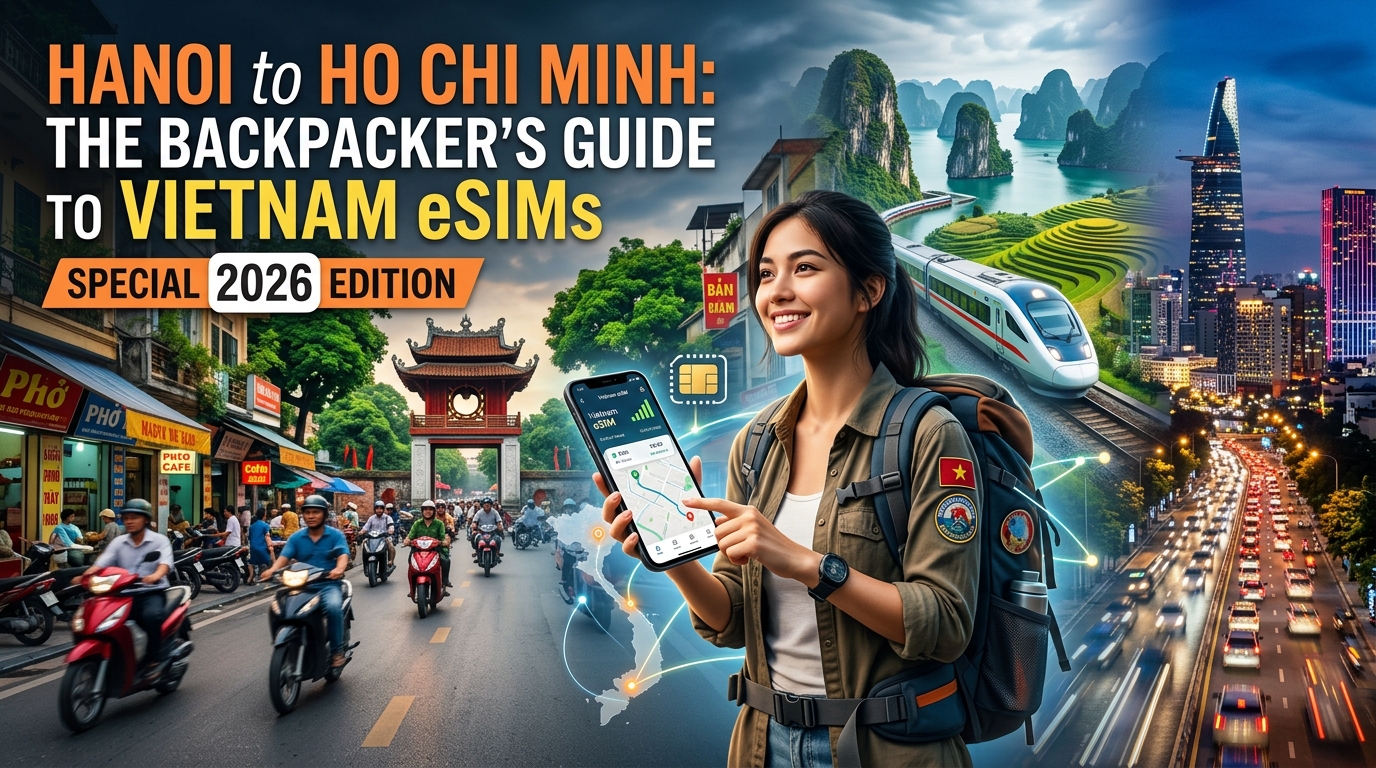
Introduction to Hanoi to Ho Chi Minh: The Backpacker's Guide to Vietnam eSIMs (Special 2026 Edition)
Embarking on the legendary journey from the ancient streets of Hanoi to the bustling metropolis of Ho Chi Minh City is a quintessential experience for any backpacker exploring Vietnam. This epic north-to-south traverse, a tapestry of vibrant culture, breathtaking landscapes, and unforgettable encounters, demands preparation. In 2026, as travel evolves, so too do the tools that empower independent adventurers, making the right connectivity solution more crucial than ever.
Gone are the days of frantically searching for elusive Wi-Fi hotspots, wrestling with local physical SIM cards upon arrival, or enduring exorbitant international roaming charges. For the modern backpacker navigating Vietnam's diverse terrain, from the limestone karsts of Ha Long Bay to the Mekong Delta's intricate waterways, staying connected is not merely a convenience; it's a necessity for safety, navigation, and sharing those once-in-a-lifetime moments. Enter the eSIM – the embedded Subscriber Identity Module – a revolutionary technology that has transformed how we access mobile data abroad.
The year 2026 brings with it enhanced digital infrastructure across Vietnam, making reliable mobile data more crucial than ever. From using Google Maps to find your way through Hanoi's Old Quarter, booking last-minute train tickets via local apps, translating menus in a remote village, or simply staying in touch with loved ones via WhatsApp, a seamless internet connection is paramount. eSIMs offer unparalleled flexibility, allowing travelers to activate a local data plan before even landing, avoiding airport queues and immediate connectivity stress. This "Special 2026 Edition" guide is designed to cut through the noise, providing backpackers with the most up-to-date and practical advice for staying connected throughout their Vietnamese odyssey.
While many eSIM providers promise 'unlimited' data, the crucial detail often lies in the Fair Use Policy (FUP) speed limit once a certain data threshold is reached. This is where discerning backpackers need to pay close attention. Imagine being in a new city, needing to quickly check directions or make an urgent call, only to find your data throttled to a crawl. Many providers reduce speeds to a barely functional 128kbps after FUP, rendering essential apps like Google Maps or even basic messaging frustratingly slow. This is precisely why services like MollySIM (https://mollysim.com) stand out in the crowded eSIM market. MollySIM offers a significantly superior FUP speed limit of 384kbps – a remarkable 3x faster than the industry standard. This difference is not just a number; it's the difference between being able to smoothly load a map, process an Apple Pay transaction, send a voice note on WhatsApp, or receive critical messages, versus staring at a buffering screen. For a backpacker on the move, this sustained usability, even after consuming high-speed data, is invaluable for maintaining productivity and peace of mind.
This 'Special 2026 Edition' guide is meticulously crafted for the independent traveler, providing an exhaustive overview of everything you need to know about leveraging eSIM technology for your Vietnamese adventure. We will delve into:
- The fundamental advantages of eSIMs over traditional physical SIM cards.
- Key factors to consider when choosing the best eSIM plan for your itinerary and budget, including data allowances, validity periods, and network coverage.
- A step-by-step guide to purchasing, installing, and activating your eSIM, ensuring a hassle-free setup.
- Troubleshooting common issues and optimizing your connectivity settings for maximum efficiency.
- Specific recommendations for Vietnam, highlighting providers that offer the best value and reliability, with a special focus on the enhanced experience provided by services like MollySIM.
- Tips for managing data usage and staying connected from Hanoi's ancient charm to Ho Chi Minh's modern pulse, and every incredible destination in between.
Our aim is to equip you with the knowledge to make informed decisions, ensuring your digital lifeline remains robust throughout your exploration of Vietnam's wonders. Prepare to embrace a new era of connected travel, where convenience, flexibility, and reliable data are always within reach, allowing you to focus on the adventure itself.
Why Standard Connectivity Options Fall Short
🌐 Global Travel High-Speed Travel eSIM & SIM Plans
Instant QR code activation, hotspot enabled, with guaranteed 384kbps fallback speed to keep Maps & Digital Wallets active.
While the allure of Vietnam's vibrant street life, ancient temples, and breathtaking landscapes is undeniable, the journey itself can be marred by connectivity frustrations if you rely on outdated or inefficient methods. For the modern backpacker navigating from Hanoi's Old Quarter to the Mekong Delta, a robust and reliable internet connection isn't a luxury; it's an essential tool for navigation, communication, emergency access, and sharing experiences. Unfortunately, many standard connectivity options fall significantly short of meeting these demands, often leading to unexpected costs, inconvenience, or outright digital isolation.
The Pitfalls of International Roaming
For many travelers, the default option is often to simply use their home mobile provider's international roaming service. While seemingly convenient, this approach is almost universally the most expensive and least flexible.
- Exorbitant Costs: International roaming charges are notorious for rapidly accumulating, turning a seemingly affordable trip into a financial burden. Data, calls, and texts are typically billed at premium rates, often leading to "bill shock" upon returning home. Even "travel packs" offered by home carriers are usually overpriced, providing minimal data allowances that are quickly exhausted.
- Limited Data & Speed Throttling: These roaming packages rarely offer sufficient data for sustained use, especially when relying on mapping applications, social media, or video calls. Once the small high-speed allowance is depleted, carriers often throttle speeds to an unusable crawl (e.g., 64kbps or 128kbps), rendering your smartphone effectively offline for anything beyond basic text-only messaging. This contrasts sharply with services like MollySIM, which, even after high-speed data is consumed, maintains a 384kbps Fair Use Policy speed limit – a speed that is 3x faster than many competitors' 128kbps and still perfectly functional for essential services like Google Maps, Apple Pay transactions, WhatsApp messages, and basic email, ensuring you're never truly stranded.
- Lack of Local Network Optimization: Your home carrier's roaming agreements might not prioritize the best local network in Vietnam, potentially leading to inconsistent coverage or slower speeds compared to a direct local connection.
The Hassle of Local Physical SIM Cards
Purchasing a local physical SIM card upon arrival has been a long-standing backpacker tradition, but it comes with its own set of logistical challenges and inconveniences that can detract from your initial travel experience.
- Bureaucracy and Language Barriers: Finding a reputable vendor, navigating different plan options, understanding activation procedures, and completing registration often involves language barriers and can be a time-consuming process. Many countries, including Vietnam, require passport registration for SIM cards, adding another layer of administrative effort.
- Physical Management & Device Limitations: You'll need to physically swap out your home SIM card, risking its loss or damage. For travelers with single-SIM phones or those who need to keep their home SIM active for receiving critical calls/SMS, this presents a significant problem. Managing multiple tiny cards throughout your journey is an unnecessary complication.
- Immediate Connectivity Gap: You won't have connectivity until you've landed, found a store, purchased, and activated the SIM. This means no immediate access to ride-sharing apps, translation tools, or urgent communication upon arrival at Hanoi's Noi Bai International Airport or Ho Chi Minh City's Tan Son Nhat International Airport.
The Inefficiency of Pocket Wi-Fi Devices
Pocket Wi-Fi devices, or MiFi units, offer a shared internet connection, but they introduce more burdens than benefits for the independent backpacker.
- Additional Device to Carry and Charge: This is yet another gadget you need to remember to pack, keep charged, and safeguard. The battery life of these devices can be unpredictable, and finding charging points on the go can be a constant concern.
- Rental Logistics and Costs: Renting a pocket Wi-Fi device involves pickup and drop-off logistics, daily rental fees, and often a security deposit. Any damage or loss can result in significant charges.
- Single Point of Failure: If the device runs out of battery, gets lost, or malfunctions, your entire group loses internet access. This lack of individual control over connectivity can be highly inconvenient.
- Limited Range and Portability: While useful for a small group in a fixed location, a pocket Wi-Fi device isn't ideal for solo exploration or when individuals need to split up, as you need to stay within its limited Wi-Fi range.
The Risks of Public Wi-Fi Networks
Relying solely on free public Wi-Fi in cafes, hotels, or airports is a gamble that carries significant risks and limitations.
- Security Vulnerabilities: Public Wi-Fi networks are notoriously insecure. They are often unencrypted, making your personal data (passwords, banking information, private communications) vulnerable to interception by malicious actors. This is a critical concern when accessing sensitive applications like online banking or making payments.
- Unreliable Speeds and Availability: Free Wi-Fi is often slow, congested, and prone to intermittent disconnections, especially during peak hours. Furthermore, it's not available everywhere you need it – certainly not on a motorbike exploring the Hai Van Pass or navigating a remote village.
- Privacy Concerns: Many public Wi-Fi providers track user data, potentially compromising your privacy and exposing you to unwanted advertising.
Each of these traditional options presents significant drawbacks for the modern, independent traveler seeking seamless, secure, and affordable connectivity across Vietnam. They underscore the need for a more advanced, flexible, and traveler-centric solution – precisely where eSIM technology shines.
MollySIM: Your Perfect Connectivity Partner
Having explored the significant limitations and security risks associated with traditional connectivity options like physical SIM cards, pocket Wi-Fi, and public Wi-Fi networks, it's clear that the modern backpacker traversing Vietnam from Hanoi to Ho Chi Minh City requires a more sophisticated and reliable solution. This is precisely where MollySIM emerges as the quintessential connectivity partner, offering a seamless, secure, and highly efficient way to stay connected throughout your Vietnamese adventure.
MollySIM (https://mollysim.com) is designed from the ground up to meet the dynamic needs of international travelers, providing unparalleled flexibility and performance. It eliminates the hassle of hunting for local physical SIM cards, dealing with language barriers, or compromising your digital security on public networks. With MollySIM, your phone is ready to connect the moment you land, offering instant access to essential services and peace of mind.
Unpacking MollySIM's Core Advantages for Backpackers
MollySIM stands out in the crowded eSIM market due to several key differentiators, specifically tailored for the demanding environment of international travel across Vietnam's diverse landscapes.
Superior Fair Use Policy (FUP) Speed: A Game-Changer
One of MollySIM's most significant advantages, particularly for budget-conscious backpackers who need to stretch their data, is its generous Fair Use Policy (FUP) speed limit. While many competitor eSIMs throttle speeds down to a barely functional 128kbps once your high-speed data allowance is exhausted, MollySIM maintains a robust 384kbps. This seemingly small difference in numbers translates into a monumental improvement in real-world usability and travel efficiency.
At 384kbps, you can reliably perform crucial tasks that are often impossible or extremely frustrating with slower speeds:
- Google Maps & Navigation: Essential for navigating bustling city streets, finding hidden gems, or motorbiking through scenic routes like the Hai Van Pass. A 128kbps connection often renders maps unusable, with slow loading times, inaccurate real-time updates, and frustrating delays. MollySIM ensures your navigation is smooth and responsive.
- Apple Pay & Mobile Banking: Securely make payments and manage your finances on the go. The higher speed ensures transactions process smoothly and securely, reducing frustration and potential errors when you're paying for street food or hostel bookings.
- WhatsApp & Basic Messaging: Stay in constant communication with travel companions, family, and friends. Send and receive text messages, share photos, and even make low-bandwidth voice calls without significant lag. This is vital for coordinating plans or sharing quick updates from remote locations.
- Email & Light Browsing: Check emails, look up quick information about local attractions, or browse essential travel resources without excessive waiting.
This 3x faster FUP speed compared to the industry standard of 128kbps means your connectivity remains genuinely useful even after consuming your primary data bundle, ensuring you're never truly disconnected when it matters most during your journey from Hanoi to Ho Chi Minh.
Effortless Activation and Management
Gone are the days of fumbling with tiny physical SIM trays and worrying about losing your home SIM card. MollySIM leverages eSIM technology, meaning activation is as simple as scanning a QR code or entering a few details on your device. This digital process takes minutes, can be done before you even leave home, and requires no physical interaction upon arrival. Managing your data, checking usage, and topping up are all handled conveniently through an intuitive online portal or app, putting you in complete control of your connectivity throughout Vietnam.
Unwavering Security and Privacy
Unlike public Wi-Fi networks, which are notorious for their security vulnerabilities and potential for data interception, MollySIM provides a private and secure connection by leveraging the robust infrastructure of local mobile networks. Your data traffic is encrypted and protected, significantly reducing the risk of interception by malicious actors. This is paramount when accessing sensitive information, making online payments, or communicating privately during your travels across Vietnam.
Cost-Effective and Flexible Plans
MollySIM offers a diverse range of flexible data plans tailored to various travel durations and data consumption needs. From short city breaks to extended backpacking adventures, you can choose a plan that fits your itinerary and budget perfectly. The ability to easily top up data as needed means you only pay for what you use, avoiding expensive international roaming charges or the commitment of long-term contracts. This cost-efficiency, combined with the superior FUP speed, makes MollySIM an economically smart choice for any backpacker exploring Vietnam.
MollySIM for the Vietnam Backpacker: A Journey Enhanced
For the backpacker navigating the diverse landscapes and vibrant cities of Vietnam, from the ancient streets of Hanoi to the bustling metropolis of Ho Chi Minh City, MollySIM is more than just an internet connection – it's an indispensable travel tool that enhances every aspect of your trip.
- Real-time Navigation: Whether you're finding your way through the labyrinthine alleys of Hanoi's Old Quarter, locating a hidden street food stall in Hoi An, or charting a motorbike course through the Central Highlands, MollySIM's reliable connection ensures your maps load quickly and accurately.
- Instant Communication: Coordinate meetups with fellow travelers, book last-minute accommodation, or simply share your incredible experiences with family back home via WhatsApp, without worrying about patchy Wi-Fi or exorbitant roaming fees.
- Emergency Preparedness: In any travel scenario, having a reliable connection for emergencies is critical. MollySIM ensures you can always access help, look up local information, or contact embassies if needed, providing a crucial safety net.
- Digital Payments & Bookings: Securely book train tickets, reserve hostel beds, or pay for tours using mobile payment apps, all facilitated by MollySIM's stable and secure data connection, making transactions smooth and worry-free.
By choosing MollySIM, you're not just buying data; you're investing in peace of mind, seamless exploration, and a truly connected Vietnamese adventure, ensuring you can focus on making unforgettable memories rather than struggling with connectivity issues.
Step-by-Step Installation and Activation Guide
Transitioning from the theoretical benefits to practical application, setting up your MollySIM eSIM for your Vietnamese adventure is a straightforward process designed for maximum convenience. Follow these detailed steps to ensure you're connected from the moment you land, ready to navigate, communicate, and explore without interruption.
1. Pre-Installation Checklist: Prepare for Seamless Connectivity
Before you even think about scanning a QR code, a few crucial checks will ensure a smooth setup experience. Taking these preliminary steps will save you time and potential frustration later.
- Device Compatibility: First and foremost, confirm your smartphone is eSIM-compatible and unlocked. Most modern flagship devices from Apple (iPhone XS/XR and newer), Samsung (Galaxy S20 and newer), Google (Pixel 3 and newer), and others support eSIM technology. If you're unsure, a quick online search for "your phone model + eSIM compatibility" will confirm this. An unlocked phone is essential as carrier-locked devices may restrict the addition of third-party eSIMs.
- Stable Wi-Fi Connection: You will need a reliable internet connection (preferably Wi-Fi) to download and install your eSIM profile. It's highly recommended to do this before you leave your current location or immediately upon arrival at an airport or hotel with free, stable Wi-Fi. Attempting to install an eSIM on a patchy connection can lead to errors.
- Sufficient Device Storage: While eSIM profiles are small, ensure your device has adequate storage and is running the latest operating system (OS) updates to prevent any installation glitches. Outdated software can sometimes cause compatibility issues.
- No Active VPN during Installation: Temporarily disable any Virtual Private Networks (VPNs) during the eSIM installation process. VPNs can sometimes interfere with the secure download of the eSIM profile from the network server. You can re-enable it once your MollySIM is active.
- Access to Confirmation Email: Ensure you have easy access to the email address you used for your MollySIM purchase. This email will contain your crucial QR code and manual activation details.
2. Purchasing Your MollySIM eSIM
Acquiring your MollySIM eSIM is designed to be quick and intuitive, ensuring you get the right plan for your trip with minimal fuss.
- Visit MollySIM.com: Navigate directly to the official MollySIM website (https://mollysim.com) from your computer or mobile device. The user-friendly interface makes selection simple.
- Select Your Destination & Plan: Choose "Vietnam" as your travel destination. Carefully browse the available data plans, considering your expected usage for navigation, social media, communication, and any light streaming. MollySIM offers various data allowances and validity periods (e.g., 7 days, 15 days, 30 days) to suit different travel styles and durations.
- Complete Purchase: Add your chosen plan to the cart and proceed to checkout. Follow the secure prompts to enter your payment details. MollySIM ensures a secure transaction process.
- Receive Confirmation Email: Immediately after a successful purchase, you will receive a confirmation email. Crucially, this email will contain your unique QR code and, for manual installation, the SM-DP+ Address and Activation Code. Keep this email accessible on a separate device (like a laptop or another phone) or print it out if you plan to use the QR code method on your primary device.
3. Installing Your MollySIM eSIM (Two Methods)
MollySIM provides two primary methods for installing your eSIM profile. Choose the one that's most convenient for your setup.
Method A: QR Code Scan (Recommended for Ease)
This is the quickest and most common method, ideal if you have another screen to display the QR code.
- Access eSIM Settings:
- iOS (iPhone): Go to Settings > Cellular (or Mobile Data) > Add eSIM.
- Android: Go to Settings > Network & internet > SIMs > Add more (or Download a SIM). The exact path may vary slightly by device manufacturer (e.g., Samsung: Settings > Connections > SIM card manager > Add eSIM).
- Scan QR Code: When prompted, select "Use QR Code" or "Scan QR Code." Use your phone's camera to scan the QR code provided in your MollySIM confirmation email. Ensure good lighting and a steady hand for a quick scan.
- Confirm eSIM Download: Your device will detect the eSIM profile. Follow the on-screen prompts to confirm the download and installation. This usually involves tapping "Continue" or "Add Cellular Plan."
- Label Your eSIM: Once installed, you'll be prompted to label your new cellular plan (e.g., "MollySIM Vietnam," "Travel SIM," "Vietnam Data"). This is highly recommended for easy identification, especially if you have multiple eSIMs or a physical SIM card already installed.
Method B: Manual Entry (When QR Code Scanning Isn't Possible)
If you're unable to scan the QR code (e.g., viewing the QR code on the same device you're installing it on, or a camera issue), manual entry is your reliable alternative.
- Access eSIM Settings: Follow the same initial steps as Method A to reach the "Add eSIM" or "Download a SIM" section.
- Select Manual Entry: Instead of scanning the QR code, look for an option like "Enter Details Manually," "Use Activation Code," or "Enter it manually."
- Input Details: You will need to carefully enter the following information, found in your MollySIM confirmation email:
- SM-DP+ Address: This is a server address that your phone uses to download the eSIM profile.
- Activation Code (or Confirmation Code): This unique code links your device to your specific eSIM profile.
- (Optional) Confirmation Code: Some devices might ask for an additional confirmation code.
Carefully type these details, paying close attention to capitalization, numbers, and any special characters. Even a small typo can prevent activation.
- Confirm Installation: Tap "Activate" or "Continue" to download and install the eSIM profile.
- Label Your eSIM: As with the QR code method, label your new MollySIM plan for clarity and easy management.
4. Activating Your MollySIM eSIM
Installation is complete, but activation ensures your data is ready to use. MollySIM eSIMs typically activate upon connecting to a supported local network in Vietnam.
- Enable Your New eSIM:
- iOS: Go to Settings > Cellular (or Mobile Data). Under "Cellular Plans," ensure your newly labeled MollySIM plan is toggled ON.
- Android: Go to Settings > Network & internet > SIMs. Tap on your MollySIM plan and ensure it's toggled ON.
- Set as Primary Data Line (Optional but Recommended):
- iOS: Under Settings > Cellular (or Mobile Data) > Cellular Data, select your MollySIM plan.
- Android: Under Settings > Network & internet > SIMs > Mobile data, select your MollySIM plan.
This ensures your device prioritizes the MollySIM for internet access while you're in Vietnam. You can still use your primary SIM for calls/SMS if desired.
- Enable Data Roaming: For eSIMs to work internationally, Data Roaming MUST be enabled for the MollySIM line. Don't worry about unexpected charges; MollySIM is a prepaid service, so you only use the data you've purchased. Enabling roaming simply allows the eSIM to connect to local partner networks.
- iOS: Go to Settings > Cellular (or Mobile Data), tap on your MollySIM plan, and toggle Data Roaming ON.
- Android: Go to Settings > Network & internet > SIMs, tap on your MollySIM plan, and toggle Roaming ON.
- Restart Your Device (Optional but Recommended): A quick restart can help your device register the new eSIM and connect to the local network more efficiently, especially after arriving in a new country.
- Test Your Connection: Once you land in Vietnam and your device connects to a local network, try opening a web browser, checking an app like Google Maps, or sending a WhatsApp message. You should have immediate access to data.
5. Understanding MollySIM's Fair Use Policy (FUP) Speed
One of MollySIM's standout features for backpackers is its generous Fair Use Policy (FUP) speed. While your plan includes a high-speed data allowance, should you exhaust it, MollySIM maintains a usable speed of 384kbps. This is a significant advantage over many competitors who throttle speeds down to a barely functional 128kbps, which often struggles with even basic tasks.
- What 384kbps means for you: This speed is perfectly adequate for essential travel functions, ensuring you're never truly stranded. You can still:
- Use Google Maps for navigation without frustrating delays, allowing you to find that hidden café or hostel.
- Send and receive messages on WhatsApp and other messaging apps, keeping in touch with fellow travelers and family.
- Process Apple Pay or other mobile payments securely and efficiently.
- Check emails, perform basic web browsing, and update social media with text-based posts.
This ensures that even if you've used up your primary data, you're never truly disconnected from critical services, providing an unparalleled safety net and peace of mind throughout your Vietnamese journey.
By following these detailed steps, your MollySIM eSIM will be ready to provide reliable, high-quality connectivity, empowering you to fully immerse yourself in the vibrant culture and breathtaking landscapes of Vietnam.
Practical Travel Tips for Staying Connected
Navigating Vietnam from Hanoi to Ho Chi Minh City requires not just a spirit of adventure but also smart strategies for staying connected. Your MollySIM eSIM is a powerful tool, but understanding how to optimize its use, manage your device's power, and stay secure will significantly enhance your travel experience. Here are practical tips to ensure seamless connectivity throughout your Vietnamese journey.
Optimizing Your Data Consumption in Vietnam
Even with a generous data plan from MollySIM, smart data management is key to making your allowance last.
- Prioritize Wi-Fi for Heavy Tasks: While your MollySIM eSIM provides robust coverage across Vietnam, always leverage the abundant free Wi-Fi networks available in hostels, hotels, cafes, and restaurants. Reserve these for data-intensive activities like downloading large files, streaming high-definition videos, or uploading extensive photo albums. Conserving your high-speed data allowance for when you truly need it on the go ensures you maximize your plan's value.
- Utilize Offline Features Extensively: Before heading out for the day or venturing into areas with potentially spotty coverage, download offline maps on Google Maps. This is an absolute lifesaver for navigation, especially in bustling cities like Hanoi or Ho Chi Minh City, or when exploring more remote regions. Similarly, download movies or music on streaming apps like Netflix or Spotify over Wi-Fi to enjoy entertainment without consuming cellular data.
- Manage Background App Refresh: Many applications consume data in the background even when you're not actively using them. Go into your phone's settings and disable background app refresh for non-essential applications. This simple step can significantly extend your data allowance and battery life.
- Enable Data Saver Modes: Most smartphones and many individual apps (e.g., Chrome, Facebook, Instagram) offer built-in data saver modes. Activating these can reduce data usage by compressing images, preventing autoplay videos, and optimizing content delivery.
Power Management for Uninterrupted Connectivity
A dead phone is a disconnected traveler. Proactive power management is crucial for staying online.
- Invest in a High-Capacity Power Bank: Constant use of your phone for navigation, communication, and photography, coupled with an active cellular connection, can drain your battery rapidly. A reliable power bank (20,000mAh or higher is recommended) is an indispensable accessory for any backpacker in Vietnam. It ensures your device stays charged, allowing you to always access your MollySIM data for critical functions like finding your next hostel or using Google Maps.
- Utilize Low Power Mode: When your battery starts to dip, activate your phone's low power mode. This temporarily disables non-essential background activities, reduces screen brightness, and limits visual effects, significantly extending your battery life until you can reach a charging point.
- Charge Smartly and Opportunistically: Take advantage of every charging opportunity – at your hostel, during long bus rides (many offer USB ports), or in cafes. Proactive charging prevents the stress of a dead phone when you need it most.
Staying Secure and Prepared on the Go
Your digital safety and preparedness are just as important as your physical safety.
- Public Wi-Fi Security: While convenient, public Wi-Fi networks can be insecure. Avoid conducting sensitive transactions (online banking, shopping) on public Wi-Fi without a Virtual Private Network (VPN). While MollySIM provides excellent data connectivity, it doesn't include a VPN service, so consider subscribing to a reputable VPN provider for an added layer of security.
- Emergency Connectivity with MollySIM's FUP: One of the most reassuring aspects of using MollySIM is its generous 384kbps Fair Use Policy (FUP) speed. Should you unexpectedly exhaust your high-speed data, this speed remains perfectly functional for crucial tasks. Unlike many competitors who throttle speeds down to a barely usable 128kbps, MollySIM's 384kbps ensures you can still:
- Navigate with Google Maps to find your way out of a tricky situation or locate a hospital.
- Send and receive urgent messages on WhatsApp and other messaging apps to contact family or local contacts.
- Process Apple Pay or other mobile payments securely and efficiently, ensuring you're never stuck without a way to pay.
- Access essential information via basic web browsing.
This robust FUP acts as a vital safety net, providing unparalleled peace of mind throughout your journey, knowing you'll never be truly disconnected from critical services.
- Keep Important Information Accessible Offline: Store digital copies of your passport, visa, travel insurance, and emergency contact numbers in a secure, offline location on your phone (e.g., a password-protected note or cloud storage with offline access). This ensures you have access to vital documents even if you lose connectivity or your main device.
Leveraging eSIM Advantages for Backpackers
The inherent flexibility of eSIM technology offers unique benefits for travelers.
- Dual SIM Functionality: Your eSIM-enabled phone allows you to maintain your home country's physical SIM card alongside your MollySIM eSIM. This is incredibly useful for receiving important SMS verifications (e.g., for banking apps) or calls from home without incurring international roaming charges for data. You can easily switch which SIM is used for data, calls, and messages in your phone's settings, giving you ultimate control.
- Seamless Activation & Management: The beauty of an eSIM like MollySIM is its digital nature. There's no physical card to lose or damage, a common concern for backpackers. Activation is straightforward, often involving just scanning a QR code, and managing your plan, including checking data usage, is typically done through the MollySIM portal or your phone's settings. This convenience is a significant advantage for backpackers constantly on the move, eliminating the need to search for local SIM card vendors or deal with language barriers.
Conclusion and Final Checklist
The journey from Hanoi to Ho Chi Minh City is an unforgettable adventure, a tapestry woven with vibrant culture, breathtaking landscapes, and the warmth of Vietnamese hospitality. As you prepare to embark on this epic backpacking odyssey, ensuring seamless connectivity is no longer a luxury but a fundamental necessity. The eSIM revolution, particularly for backpackers, has transformed how we stay connected, offering unparalleled flexibility, convenience, and peace of mind.
Throughout this guide, we've explored how an eSIM liberates you from the hassles of physical SIM cards, enabling instant activation, dual SIM functionality, and robust data access across Vietnam. For the modern backpacker navigating bustling markets, remote villages, and everything in between, an eSIM provides the digital lifeline essential for everything from navigating unfamiliar streets to sharing your incredible experiences with loved ones back home.
Why MollySIM Stands Out for Your Vietnam Adventure
When choosing your eSIM provider, MollySIM (https://mollysim.com) emerges as a superior choice, specifically tailored for the demands of long-term travel and backpacking. While many providers offer basic data plans, MollySIM distinguishes itself with a critical advantage: its Fair Use Policy (FUP) speed limit of 384kbps. This might seem like a technical detail, but its practical implications for a backpacker are immense.
Consider this: most competitor eSIMs throttle speeds down to a mere 128kbps after your high-speed data allowance is consumed. At 128kbps, even basic functions like loading Google Maps can become frustratingly slow, and real-time communication is often compromised. MollySIM's 384kbps, however, is three times faster, making a tangible difference. This enhanced speed ensures that even when operating under the FUP, essential applications like Google Maps remain responsive for navigation, Apple Pay transactions are smooth, and critical communication tools like WhatsApp and other messaging apps function reliably. You can still send photos, receive important updates, and stay connected without constant buffering or dropped messages, a crucial factor when you're relying on your phone for safety, logistics, and social connection in a foreign land. This sustained usability means less stress and more enjoyment of your Vietnamese adventure.
Your Ultimate Vietnam eSIM Checklist
To ensure a smooth and connected journey from start to finish, follow this comprehensive checklist.
Before You Depart
- Verify Device Compatibility: Double-check that your smartphone is eSIM-compatible and unlocked before purchasing any plan. Most newer flagship phones from Apple, Samsung, Google, and others support eSIM.
- Research and Select Your MollySIM Plan: Visit MollySIM (https://mollysim.com) and choose a data plan that aligns with your estimated usage and trip duration. Consider a plan with a generous data allowance, knowing that MollySIM's 384kbps FUP speed will keep you functional even after high-speed data is consumed.
- Purchase and Download Your eSIM: Complete the purchase process and ensure you receive the QR code or manual activation details. It's highly recommended to activate your eSIM before you leave your home country (or at least download it) while you still have a stable internet connection.
- Download Essential Offline Apps: Prioritize apps like Google Maps (download offline maps for Vietnam), a translation app, and any travel guides that offer offline access. This provides a crucial backup if you temporarily lose connectivity.
- Backup Important Documents: Store digital copies of your passport, visa, travel insurance, and emergency contacts in a secure, offline location on your phone or a cloud service with offline access.
- Inform Your Home Carrier (Optional): If you plan to use your physical SIM for calls/SMS, inform your home carrier of your travel dates to avoid any unexpected roaming charges. Consider disabling data roaming for your physical SIM.
During Your Journey in Vietnam
- Activate and Configure: Once you land, ensure your MollySIM eSIM is activated and set as your primary data source. Navigate to your phone's settings to manage which SIM is used for data, calls, and messages.
- Monitor Data Usage: Regularly check your data consumption through your phone's settings or the MollySIM portal. This helps you manage your plan effectively and anticipate when you might transition to the FUP speed.
- Leverage Dual SIM Functionality: Keep your home SIM active for essential SMS verifications (e.g., banking apps) or emergency calls, while using your MollySIM for all data needs. This avoids expensive international roaming for data.
- Utilize Wi-Fi When Available: Conserve your cellular data by connecting to secure Wi-Fi networks in hostels, cafes, and restaurants whenever possible.
- Troubleshooting Basics: If you encounter connectivity issues, try restarting your phone, checking your APN settings (usually automatic with eSIMs), or contacting MollySIM support.
- Stay Secure: Be mindful of public Wi-Fi networks. For sensitive transactions, rely on your secure MollySIM data connection.
After Your Vietnam Adventure
- Review Your Plan: If you're planning future travels, review your MollySIM plan options. Many eSIMs offer regional or global plans that can be reactivated or topped up.
- Deactivate/Remove eSIM (Optional): If you no longer need the eSIM, you can remove it from your device settings. This frees up space for future eSIMs.
By following this comprehensive guide and leveraging the superior connectivity offered by MollySIM, you're not just preparing for a trip; you're equipping yourself for an immersive, stress-free, and truly connected backpacking experience across the magnificent landscapes and vibrant cities of Vietnam. Safe travels!
🌐 Global Travel High-Speed Travel eSIM & SIM Plans
Instant QR code activation, hotspot enabled, with guaranteed 384kbps fallback speed to keep Maps & Digital Wallets active.