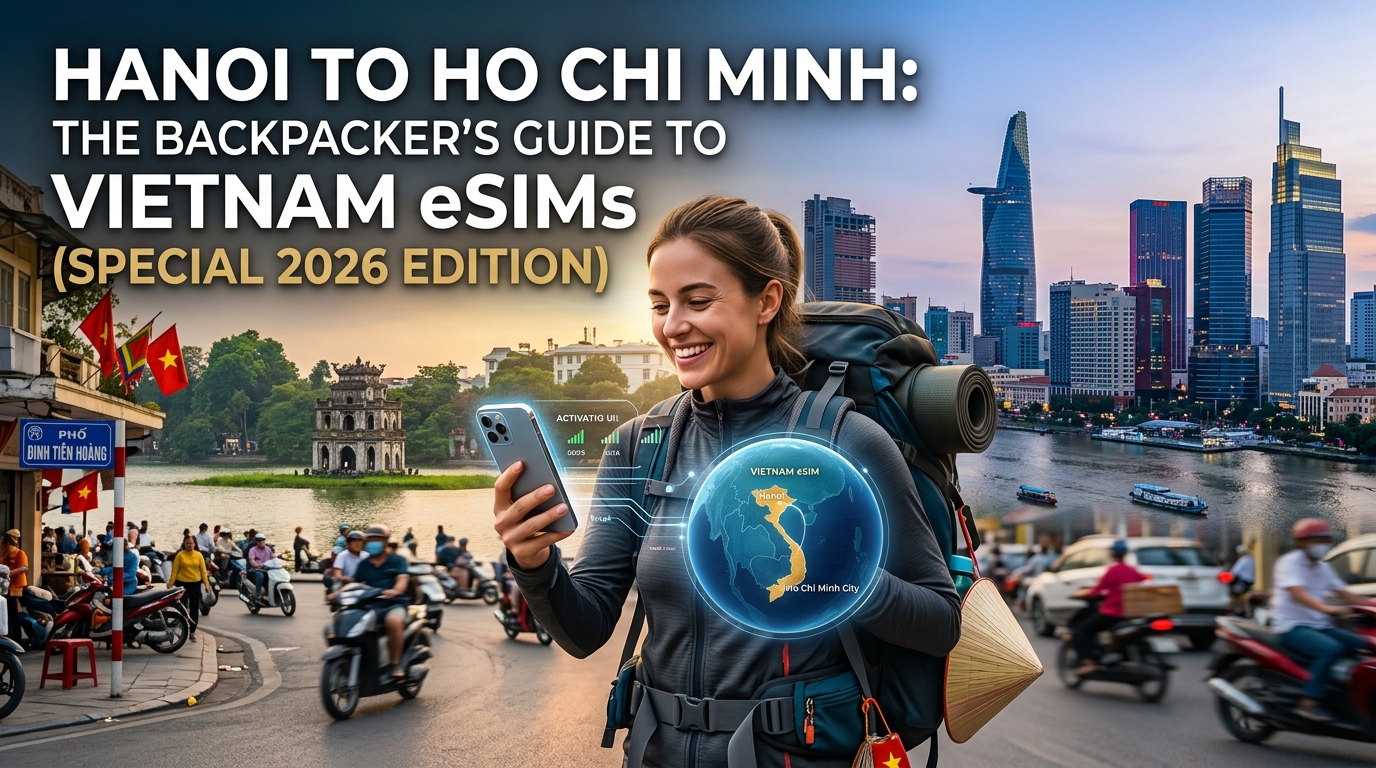
Introduction to Hanoi to Ho Chi Minh: The Backpacker's Guide to Vietnam eSIMs (Special 2026 Edition)
Vietnam, a land of captivating contrasts, beckons backpackers with its ancient wonders, bustling metropolises, and serene landscapes. The epic journey from the historic streets of Hanoi in the north to the vibrant energy of Ho Chi Minh City in the south is a rite of passage for countless adventurers. Navigating this incredible country, from haggling in local markets to finding hidden temples, requires more than just a good map; it demands constant, reliable connectivity. For the modern backpacker, staying connected isn't a luxury; it's a necessity for safety, navigation, communication, and sharing those unforgettable moments.
Enter the eSIM – the revolutionary technology that has transformed how travelers access mobile data abroad. Gone are the days of fumbling with tiny physical SIM cards, searching for local vendors, or worrying about losing your home SIM. By 2026, eSIMs have become the undisputed champion for international travel, offering unparalleled convenience and flexibility, especially for those traversing the length of a country like Vietnam. This "Special 2026 Edition" guide is meticulously crafted to equip you with the most up-to-date information, ensuring your digital lifeline remains robust as you explore Vietnam's diverse regions. The technological landscape evolves rapidly, and our insights reflect the best practices and innovations available to backpackers today.
Imagine yourself navigating the labyrinthine alleys of Hanoi's Old Quarter, tracking your Grab bike, or sharing a real-time photo of Ha Long Bay's majestic karsts. Picture needing directions to a hidden pho stall in Hue, coordinating with fellow travelers in Hoi An, or using Apple Pay for a quick purchase in Da Nang. As you journey south, perhaps taking a sleeper train through verdant rice paddies or cruising the tranquil Mekong Delta, your eSIM becomes your indispensable companion, bridging distances and ensuring you're always just a tap away from vital information or assistance.
While many eSIM providers exist, discerning backpackers understand that not all data plans are created equal, especially when it comes to the nuances of "unlimited" data. This is where MollySIM (https://mollysim.com) distinguishes itself as a premier choice for Vietnam. MollySIM understands the real-world needs of travelers, offering a data experience designed for practical utility rather than just headline numbers. The critical difference lies in MollySIM's Fair Use Policy speed limit of 384kbps. This might sound technical, but its impact on your travel experience is profound. Unlike many competitors who cap "unlimited" data at a frustratingly slow 128kbps – barely enough for basic text messages – MollySIM's 384kbps is a remarkable 3x faster. This crucial speed differential means that essential applications like Google Maps load directions smoothly, WhatsApp messages and calls connect reliably, and even using Apple Pay or other digital payment methods remains seamless. You can confidently check emails, browse basic websites, and stay connected with loved ones without constant buffering or dropped connections, a common frustration with slower plans. This enhanced speed ensures that your digital tools remain genuinely functional throughout your Vietnamese adventure, from the bustling streets to more serene rural areas.
This comprehensive guide will delve into everything you need to know about selecting, activating, and optimizing your Vietnam eSIM for your journey from Hanoi to Ho Chi Minh City. We'll explore the various data plans, compare providers, offer step-by-step activation instructions, and share expert tips to maximize your connectivity and minimize costs. Prepare to embark on your Vietnamese adventure with the ultimate digital companion, ensuring a smooth, connected, and unforgettable experience.
Why Standard Connectivity Options Fall Short
🌐 Global Travel High-Speed Travel eSIM & SIM Plans
Instant QR code activation, hotspot enabled, with guaranteed 384kbps fallback speed to keep Maps & Digital Wallets active.
While the allure of traditional connectivity methods might seem familiar, a backpacker traversing Vietnam from Hanoi to Ho Chi Minh City quickly discovers their significant limitations. For a journey demanding flexibility, constant navigation, and reliable communication, standard options often introduce more hurdles than solutions, jeopardizing the smooth, connected experience an eSIM like MollySIM promises.
The Pitfalls of Local Physical SIM Cards
Opting for a local physical SIM card upon arrival might appear cost-effective initially, but the practicalities for a dynamic backpacker often outweigh the perceived savings.
- Initial Hassle and Time Consumption: Your first priority after a long flight isn't navigating a foreign language to find a reputable SIM card vendor, understanding complex local data plans, or enduring a potentially lengthy registration process that often requires passport copies and even photos. This valuable travel time is better spent exploring or resting.
- Physical Limitations: Swapping out your home SIM card means storing it safely (and not losing it!), and your phone is tied to a single physical SIM slot. If you need to use your original number for two-factor authentication or receive calls, you're constantly switching or carrying a second device.
- Coverage Variability and Top-ups: While major cities offer good coverage, venturing into Vietnam's stunning rural landscapes or taking long-distance buses can expose gaps. Understanding local top-up procedures and expiry dates can be confusing, leading to unexpected disconnections.
- Security Concerns: Purchasing SIMs from unofficial vendors can sometimes pose security risks, making your personal data vulnerable.
The Exorbitant Costs and Limitations of International Roaming
Relying on your home provider's international roaming package is arguably the most convenient but also the most financially reckless option for an extended trip through Vietnam.
- Astronomical Costs: International roaming charges for data, calls, and texts are notoriously expensive. Even "travel packs" offered by home providers often come with restrictive data caps and hefty overage fees, leading to dreaded "bill shock" upon your return.
- Throttled Speeds: Despite the high cost, roaming data speeds are frequently throttled, making essential tasks like loading Google Maps or making WhatsApp calls frustratingly slow or unreliable.
- Lack of Control: It's easy to accidentally exceed data limits or incur charges for background app usage, leaving you with little control over your spending. For a budget-conscious backpacker, this unpredictability is a major deterrent.
The Unreliability and Security Risks of Public Wi-Fi
Public Wi-Fi, found in cafes, hostels, and airports, seems like a free solution, but its inherent flaws make it unsuitable as a primary connectivity method for a cross-country journey.
- Inconsistent Availability and Quality: Public Wi-Fi is rarely available precisely when and where you need it most – on a bus between cities, navigating a bustling market, or exploring a remote temple. Even when available, speeds can be agonizingly slow, connections frequently drop, and bandwidth is often shared among many users, rendering it impractical for anything beyond basic messaging.
- Significant Security Vulnerabilities: Open public Wi-Fi networks are notorious security risks. They are often unencrypted, making your personal data (passwords, banking information, private messages) vulnerable to interception by malicious actors. Using Apple Pay or accessing sensitive accounts on such networks is highly discouraged.
- Dependency and Inconvenience: Constantly searching for a Wi-Fi hotspot, asking for passwords, and being tethered to a specific location undermines the freedom and spontaneity that defines a backpacking adventure. You can't rely on it for critical, real-time needs like emergency communication or urgent travel updates.
In contrast to these traditional methods, an eSIM like MollySIM sidesteps these issues entirely. It offers instant activation, consistent and reliable speeds (like its 384kbps Fair Use Policy speed limit, which is 3x faster than competitors' 128kbps, ensuring Google Maps, Apple Pay, and WhatsApp function smoothly), and the peace of mind of secure, personal connectivity, empowering your journey from Hanoi to Ho Chi Minh City without compromise.
MollySIM: Your Perfect Connectivity Partner
As you embark on your epic journey from the ancient streets of Hanoi to the bustling metropolis of Ho Chi Minh City, reliable connectivity isn't just a convenience – it's an essential tool that enhances safety, efficiency, and the sheer joy of discovery. This is where MollySIM (https://mollysim.com) steps in as your ultimate travel companion, offering a robust and intelligent solution that outpaces traditional SIM cards and the inherent limitations of public Wi-Fi. MollySIM is engineered specifically for the modern backpacker, providing the freedom to explore without ever feeling disconnected.
Unmatched Speed for Real-World Backpacking Needs
One of MollySIM's most significant differentiators, and a critical factor for any backpacker, is its superior Fair Use Policy (FUP) speed limit of 384kbps. This isn't just a number; it's a game-changer. To put it into perspective, this speed is 3x faster than the 128kbps limit often imposed by many competitor eSIM providers. Why does this matter so profoundly for your Vietnam adventure?
- Google Maps Navigation: A 384kbps connection ensures that Google Maps loads quickly, refreshes your location in real-time, and allows you to search for directions, restaurants, or attractions without frustrating delays, even when navigating complex alleyways in Hoi An or bustling markets in Saigon.
- Seamless Communication: Staying in touch with family, friends, or fellow travelers via WhatsApp is effortless. Messages send instantly, voice calls remain clear, and even quick photo sharing is manageable, keeping you connected to your support network.
- Secure Transactions with Apple Pay: For secure, contactless payments, Apple Pay requires a stable and reasonably quick connection. MollySIM's 384kbps speed provides the necessary bandwidth for these sensitive transactions to process smoothly and securely, giving you peace of mind when paying for street food or souvenirs.
- Essential Browsing & Messaging: Beyond these core applications, the enhanced speed ensures that basic web browsing for hostel bookings, checking bus schedules, or looking up local phrases remains responsive. You won't be left staring at loading screens when you need information most.
Instant Activation and Unrivaled Security
MollySIM revolutionizes the setup process. Forget the hassle of finding a local SIM card vendor, dealing with language barriers, or fumbling with tiny physical cards. With MollySIM, activation is instantaneous and entirely digital. You simply scan a QR code, and you're connected, often before your plane even touches down in Hanoi. This means you hit the ground running, with immediate access to essential services.
Furthermore, MollySIM offers a private and secure connection, a stark contrast to the inherent vulnerabilities of public Wi-Fi. Your data remains encrypted and protected, making it safe to access sensitive information, conduct online banking, or use services like Apple Pay without fear of interception. This layer of security is invaluable for any traveler, especially when managing finances on the go.
Empowering Your Backpacking Freedom
Imagine the freedom: you're on a sleeper bus traversing the Vietnamese countryside, and suddenly you need to confirm your hostel booking in Da Nang. With MollySIM, you can do it instantly. You're exploring a remote temple outside Hue, and want to share a stunning photo with your friends – no need to wait for a café with Wi-Fi. This constant, reliable connectivity empowers spontaneity and reduces travel stress. MollySIM ensures you're always in control of your journey, whether you're researching the next street food stall, translating a menu, or simply sharing your incredible experiences in real-time. It's not just an eSIM; it's the key to an uncompromised, connected backpacking adventure across Vietnam.
Step-by-Step Installation and Activation Guide
Getting your MollySIM eSIM up and running for your Vietnam adventure is a straightforward process designed for simplicity, ensuring you spend less time configuring and more time exploring. Follow this detailed guide to ensure a smooth, instant connection from the moment you land.
1. Pre-Installation Checklist: Device Compatibility
Before purchasing, it's crucial to confirm your smartphone is eSIM compatible and unlocked. Most modern smartphones released since 2018 support eSIM technology.
- Check Compatibility:
- iOS: iPhone XR, XS, XS Max, 11, 11 Pro, 11 Pro Max, SE (2nd Gen), 12 series, 13 series, 14 series, 15 series, and newer models. (Note: iPhones from mainland China, Hong Kong, and Macao may have dual physical SIM slots instead of eSIM).
- Android: Samsung Galaxy S20, S21, S22, S23, S24 series, Note 20 series, Fold series, Flip series; Google Pixel 3, 4, 5, 6, 7, 8 series; Huawei P40, P40 Pro, Mate 40 Pro, and newer models. (Compatibility can vary by region and carrier; always check your specific model's specifications).
- Unlocked Device: Your phone must be unlocked from its original carrier to use an eSIM from another provider like MollySIM. If you're unsure, contact your current mobile network provider.
2. Purchasing Your MollySIM eSIM
The purchase process is entirely online and takes just a few minutes.
- Visit MollySIM.com: Navigate to the MollySIM website and select your desired Vietnam eSIM plan. Consider the duration of your trip and your expected data usage.
- Select Your Plan: MollySIM offers various data packages tailored for different travel needs. Choose the one that best suits your backpacking itinerary.
- Complete Purchase: Follow the secure checkout process. You'll typically receive your eSIM details, including a QR code and manual installation information, via email almost instantly after payment confirmation.
3. Installing Your eSIM Profile
You can install your eSIM profile anytime after purchase, even before you leave for Vietnam. However, do not activate it until you are ready to start using the data, ideally upon arrival in Vietnam or just before.
For iOS (iPhone) Users:
- Open Settings: Go to your iPhone's Settings app.
- Cellular/Mobile Data: Tap on Cellular or Mobile Data.
- Add eSIM/Cellular Plan: Tap Add eSIM or Add Cellular Plan.
- Scan QR Code: Choose Use QR Code. Position your phone to scan the QR code provided in your MollySIM confirmation email. If scanning isn't possible, select Enter Details Manually and input the SM-DP+ Address and Activation Code provided.
- Label Your eSIM: Once detected, you'll be prompted to label your new cellular plan (e.g., "MollySIM Vietnam," "Travel eSIM"). This helps distinguish it from your primary SIM.
- Primary Line Selection: You'll be asked to choose your Default Voice Line and Default Data Line. For now, keep your primary SIM as the default for voice and SMS, and you can switch the data line later when you arrive in Vietnam.
For Android Users (Steps may vary slightly by device manufacturer):
- Open Settings: Go to your Android phone's Settings app.
- Network & Internet/Connections: Tap on Network & Internet or Connections.
- SIMs/Mobile Network: Select SIMs or Mobile Network.
- Add eSIM/Download a SIM: Look for an option like Add eSIM, Download a SIM, or + icon next to SIMs.
- Scan QR Code: Choose Scan QR code and use your phone's camera to scan the QR code from your MollySIM email. If manual entry is needed, select Enter it manually and input the provided details.
- Confirm and Label: Follow the on-screen prompts to confirm the eSIM addition. You'll typically be able to label the new eSIM (e.g., "MollySIM Vietnam").
- Data Preference: You might be asked to set a preferred SIM for mobile data. You can keep your primary SIM active for now and switch to MollySIM upon arrival.
4. Activating Your MollySIM eSIM Upon Arrival
This is the critical step to start using your data plan.
- Enable Data Roaming (for MollySIM):
- iOS: Go to Settings > Cellular/Mobile Data, tap on your MollySIM plan, and ensure Data Roaming is ON.
- Android: Go to Settings > Network & Internet/Connections > SIMs/Mobile Network, tap on your MollySIM plan, and ensure Data Roaming is ON.
- Switch to MollySIM for Mobile Data:
- iOS: Go to Settings > Cellular/Mobile Data > Mobile Data, and select your MollySIM plan.
- Android: Go to Settings > Network & Internet/Connections > Mobile Network, and choose your MollySIM plan as the preferred SIM for mobile data.
- Restart (Optional but Recommended): Sometimes, a quick restart of your device can help it connect to the local network more quickly.
Your MollySIM eSIM should now connect to a local Vietnamese network, and you'll have immediate internet access.
5. Optimizing Your Connection with MollySIM's Fair Use Policy (FUP)
MollySIM's plans often come with a Fair Use Policy (FUP) that ensures consistent performance for essential travel needs. Even after consuming your high-speed data allowance, MollySIM offers a generous 384kbps speed limit. This is 3x faster than the 128kbps offered by many competitors, making a significant difference for backpackers.
At 384kbps, you can comfortably:
- Navigate with Google Maps: Essential for finding your way through Hanoi's Old Quarter or locating that hidden street food gem.
- Use Apple Pay/Google Pay: Conduct secure transactions without relying on public Wi-Fi.
- Communicate via WhatsApp and other messaging apps: Stay in touch with family and friends, send text messages, and even make basic voice calls.
- Check emails and browse light webpages: Keep up with bookings and essential information.
This sustained, usable speed ensures you're never truly disconnected, providing peace of mind throughout your journey from Hanoi to Ho Chi Minh City.
Practical Travel Tips for Staying Connected
Navigating Vietnam, from the bustling streets of Hanoi to the vibrant markets of Ho Chi Minh City, requires more than just a good map; it demands consistent and reliable connectivity. While your MollySIM eSIM provides the core of your digital lifeline, a few practical strategies can significantly enhance your experience and ensure you're always connected when it matters most.
Maximizing Battery Life on the Go
Your smartphone is your travel companion, navigator, translator, and communication hub. Constant usage can quickly drain its battery, leaving you stranded without connectivity. Here's how to keep your device powered throughout your Vietnamese adventure:
- Enable Low Power Mode (or equivalent): This is your first line of defense. Both iOS and Android devices offer power-saving modes that reduce background activity, visual effects, and fetch frequency for emails, significantly extending battery life.
- Optimize Screen Brightness: The screen is often the biggest battery consumer. Manually reduce brightness to the lowest comfortable level, especially indoors or in shaded areas. Avoid automatic brightness, which can sometimes overcompensate.
- Manage Background App Refresh: Go into your phone's settings and disable background refresh for apps you don't need constantly updating (e.g., social media, news apps). This prevents apps from consuming power and data when not actively in use.
- Limit Location Services: Many apps request access to your location. While essential for navigation apps like Google Maps, disable location services for apps that don't critically need it, or set them to "While Using" instead of "Always."
- Carry a High-Capacity Power Bank: This is non-negotiable for any backpacker. A power bank with at least 10,000mAh capacity can provide 2-3 full charges for most smartphones, ensuring you're never caught without power. Look for models with fast-charging capabilities.
- Stable Connection Saves Battery: A phone constantly searching for a network signal consumes more power. MollySIM's robust and stable connection helps prevent this unnecessary battery drain, as your device can maintain a consistent link to local Vietnamese networks.
Strategic Use of Wi-Fi vs. Cellular Data
Knowing when to use public Wi-Fi and when to rely on your MollySIM data can optimize both your data consumption and your security.
- Public Wi-Fi for Heavy Loads: Utilize hotel, hostel, or café Wi-Fi for downloading large files such as movies, podcasts, or system updates. This conserves your MollySIM high-speed data allowance for when you truly need it on the move.
- MollySIM Data for Security and Reliability: Always default to your MollySIM cellular data for sensitive transactions like online banking, checking personal emails, or using Apple Pay/Google Pay. Public Wi-Fi networks are often unsecured and vulnerable to eavesdropping. Your MollySIM connection provides a private and more secure channel for your data.
- Leverage MollySIM's Fair Use Policy (FUP): Even after consuming your high-speed data, MollySIM's generous 384kbps speed limit (which is 3x faster than the 128kbps offered by many competitors) means you can still comfortably perform essential tasks. This includes navigating with Google Maps, sending messages via WhatsApp, checking emails, and even making basic voice calls, ensuring you're never truly disconnected, even if Wi-Fi isn't available.
Leveraging Offline Resources
While your MollySIM eSIM keeps you connected, preparing for moments of limited or no signal is a smart backpacking strategy.
- Download Offline Maps: Before heading out, especially to remote areas like Sapa or the Mekong Delta, download entire regions of Google Maps for offline use. This allows you to navigate without any data connection, showing your current location and directions.
- Offline Translation Apps: Download language packs for apps like Google Translate or Microsoft Translator. This is invaluable for communicating with locals when you don't have an internet connection.
- Save Important Documents: Keep digital copies or screenshots of your flight tickets, hotel bookings, visa information, and emergency contacts accessible offline. Store them in a cloud service that allows offline access or simply in your phone's photo gallery.
- Pre-download Entertainment: Long bus or train rides are common in Vietnam. Download movies, TV shows, podcasts, or e-books onto your device while you have Wi-Fi.
- MollySIM as a Backup: Even with offline resources, there are times you need real-time information. MollySIM's 384kbps FUP speed provides a crucial safety net, allowing you to quickly look up a bus schedule, check a restaurant review, or send an urgent message if your offline information falls short or you need a live update.
Monitoring Data Usage and Topping Up
Staying on top of your data consumption prevents unexpected disconnections and ensures a smooth journey.
- Regularly Check Device Data Usage: Both iOS and Android provide detailed breakdowns of data usage by app. Access this via your phone's settings (e.g., iOS: Settings > Cellular/Mobile Data; Android: Settings > Network & Internet > Mobile Network > Data usage). This helps identify data-hungry apps.
- Utilize the MollySIM Portal/App: MollySIM offers an intuitive online portal or a dedicated app where you can track your remaining data in real-time. This is the most accurate way to monitor your allowance.
- Set Data Warnings: Configure your phone to alert you when you approach a certain data limit. This proactive measure gives you time to plan a top-up before your high-speed data runs out.
- Easy Top-Up Options: Should you find yourself running low on high-speed data, MollySIM provides straightforward top-up options directly through their platform. The process is quick and seamless, allowing you to add more data and continue your journey without interruption. Remember, even if you don't top up immediately, MollySIM's 384kbps FUP ensures you remain connected for essential communication and navigation.
Staying Secure While Connected
Your digital security is paramount, especially when traveling. Be mindful of how and where you connect.
- Use a VPN on Public Wi-Fi: A Virtual Private Network (VPN) encrypts your internet traffic, protecting your data from potential snoopers on unsecured public Wi-Fi networks. This is a must-have tool for any digital nomad or backpacker.
- Avoid Sensitive Transactions on Public Wi-Fi: As mentioned, never conduct online banking, make purchases requiring credit card details, or access highly personal accounts when connected to public Wi-Fi.
- Prioritize MollySIM for Sensitive Tasks: Your cellular data connection through MollySIM is inherently more secure than most public Wi-Fi networks. For critical tasks like using Apple Pay/Google Pay, accessing private accounts, or sending confidential messages, always default to your MollySIM data. This provides a private, encrypted tunnel for your data, significantly reducing the risk of eavesdropping or data theft and giving you peace of mind as you explore Vietnam.
Conclusion and Final Checklist
As your epic journey from the bustling streets of Hanoi to the vibrant energy of Ho Chi Minh City unfolds, staying connected is no longer a luxury but a fundamental tool for safety, navigation, and enriching your travel experience. The era of fumbling with physical SIM cards, searching for local vendors, or enduring exorbitant roaming charges is firmly behind us. eSIM technology, particularly a robust solution like MollySIM, empowers you with seamless, instant connectivity from the moment you land.
Your Seamless Vietnam Adventure Awaits
Throughout this guide, we've explored the myriad advantages of embracing an eSIM for your Vietnam adventure. From the sheer convenience of digital activation to the flexibility of managing multiple profiles, eSIMs simplify your connectivity needs, allowing you to focus on the breathtaking landscapes, rich culture, and delicious cuisine that Vietnam has to offer. You'll maintain access to your home number for critical two-factor authentication, effortlessly switch between data plans, and avoid the security risks often associated with public Wi-Fi networks for sensitive transactions.
Why MollySIM is Your Ultimate Connectivity Partner
When choosing your eSIM provider for Vietnam, MollySIM stands out as an exceptional choice for backpackers and digital nomads alike. Its commitment to reliable service, straightforward management, and, critically, its superior Fair Use Policy (FUP) speed limit sets it apart. While many competitors throttle speeds down to a barely functional 128kbps once your high-speed data is consumed, MollySIM maintains a 384kbps FUP. This seemingly small difference is monumental in practice. At 384kbps, you can still reliably use essential applications like Google Maps for navigation, send and receive messages on WhatsApp, make secure payments with Apple Pay/Google Pay, and handle basic email communications. This ensures you're never truly stranded or disconnected, providing an unparalleled layer of peace of mind as you traverse Vietnam's diverse regions. The ease of top-up options directly through the MollySIM platform (https://mollysim.com) further guarantees uninterrupted service, making it an indispensable travel companion.
The Ultimate Vietnam eSIM Pre-Departure & On-Arrival Checklist
To ensure a truly smooth and connected journey, here’s your definitive checklist:
Pre-Departure Essentials:
- Device Compatibility Check: Confirm your smartphone is eSIM compatible and unlocked. Most modern flagship phones from the past few years support eSIM.
- Purchase Your MollySIM eSIM: Visit https://mollysim.com and select the Vietnam data plan that best suits your travel duration and data needs. Purchase and receive your eSIM QR code or activation details.
- Download eSIM Profile (Crucial): Install your MollySIM eSIM profile before you leave your home country or while you have access to reliable Wi-Fi. This avoids any last-minute stress upon arrival.
- Understand Activation Steps: Familiarize yourself with the exact steps to activate your eSIM once you land in Vietnam.
- Disable Auto-Roaming (Physical SIM): If you plan to keep your physical SIM active for calls/texts, ensure its data roaming is turned OFF to prevent unexpected charges.
- Offline Maps & Essential Apps: Download offline maps for Vietnam cities and ensure essential apps like WhatsApp, Grab (ride-hailing), and translation tools are installed.
- Install a VPN: For enhanced security, especially when occasionally using public Wi-Fi, have a reputable VPN installed and ready.
- Inform Your Bank: Notify your bank and credit card companies of your travel dates to Vietnam to prevent transaction holds.
Upon Arrival in Vietnam:
- Activate MollySIM: Follow your pre-learned steps to activate your MollySIM eSIM. This usually involves enabling the eSIM in your phone settings.
- Verify Data Connection: Confirm you have a stable data connection. Test by opening a browser or a messaging app.
- Test Essential Apps: Quickly check Google Maps, WhatsApp, and any other critical apps to ensure they function correctly.
- Double-Check Roaming Settings: Reconfirm that data roaming for any other physical SIMs is disabled.
During Your Journey:
- Monitor Data Usage: Keep an eye on your data consumption through your phone settings or the MollySIM platform.
- Know Your Top-Up Options: Should you need more high-speed data, remember MollySIM offers easy top-up options directly through their platform. Even if you don't top up, the 384kbps FUP ensures you remain connected for essentials.
- Prioritize MollySIM for Security: For sensitive transactions like online banking, Apple Pay/Google Pay, or confidential communications, always default to your MollySIM cellular data connection, which is inherently more secure than public Wi-Fi.
- Keep Your Device Charged: A dead phone means no connectivity. Carry a power bank.
- Backup Plan: While MollySIM is highly reliable, it’s always wise to know where you can find local Wi-Fi hotspots (cafes, hotels) as a secondary option.
Embrace the Journey, Stay Connected
With your MollySIM eSIM firmly in place and this comprehensive checklist at your fingertips, you're not just traveling; you're exploring with confidence, security, and the freedom to share every incredible moment. From the ancient wonders of Hue to the pristine beaches of Da Nang, your Vietnam adventure awaits, seamlessly connected every step of the way.
🌐 Global Travel High-Speed Travel eSIM & SIM Plans
Instant QR code activation, hotspot enabled, with guaranteed 384kbps fallback speed to keep Maps & Digital Wallets active.