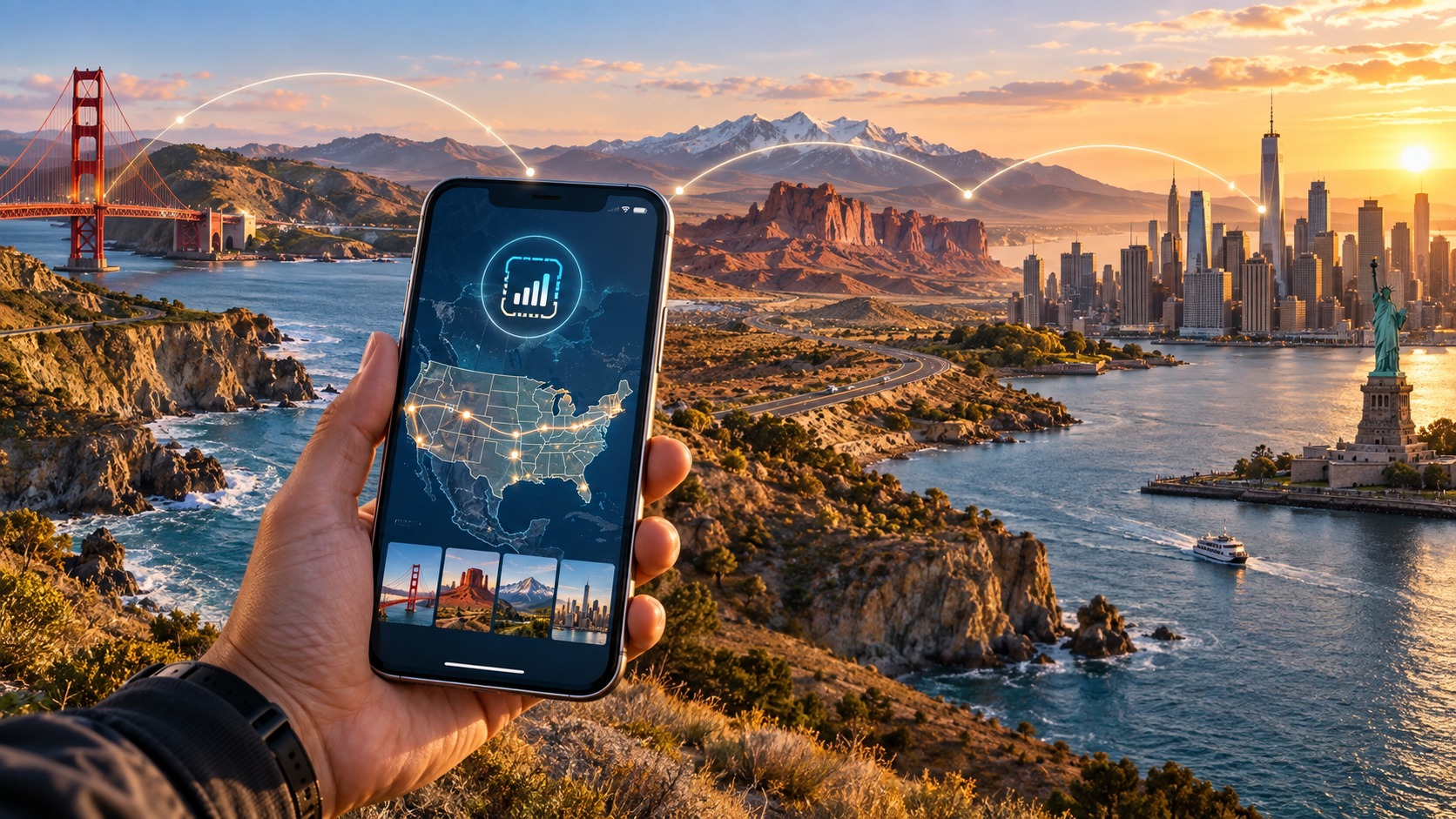
Coast to Coast: The International Visitor's Guide to USA Travel eSIMs
Decoding the US Mobile Landscape: Why 'One Network' Doesn't Exist
Many international travelers arrive in the United States with a mental model of mobile connectivity borrowed from Europe or Asia: a single, unified national grid where roaming is seamless, coverage is uniform, and the choice of provider matters less than the price. This assumption is not just incorrect; it is a primary source of frustration for visitors who find their "unlimited" data plans stalling in the middle of a highway or failing to load maps in a major city. The US mobile market is not a single entity. It is a fragmented, highly competitive oligopoly dominated by three distinct infrastructure giants: T-Mobile, AT&T, and Verizon. Understanding the mechanics of this tripartite dominance is the first critical step in selecting a data plan that actually works for your specific itinerary.
The Big Three: Spectrum, Coverage, and Infrastructure
Unlike the European model, where operators often share infrastructure or have similar spectrum holdings, the US carriers have built their empires on different strategic foundations, resulting in distinct strengths and weaknesses.
- T-Mobile: Historically the "value" carrier, T-Mobile has aggressively acquired spectrum (including the merger with Sprint) to build a high-capacity network. Its strength lies in urban density. In the Northeast corridor—New York, Boston, Philadelphia—T-Mobile often outperforms competitors in raw speed and reliability because it has invested heavily in mid-band spectrum (700 MHz and 1900 MHz) that penetrates buildings well. However, its rural footprint, while improving, is still thinner than its competitors in the deep Southwest or Mountain West.
- Verizon: Verizon is the legacy leader in rural and suburban coverage. It holds the most extensive low-band spectrum (600 MHz and 700 MHz), which travels long distances and penetrates terrain effectively. If you are driving through the vast, empty landscapes of Texas, New Mexico, or the Dakotas, Verizon is statistically the most likely to maintain a signal. In urban centers, it is reliable but often faces higher congestion due to its massive subscriber base.
- AT&T: AT&T occupies the middle ground. It has a strong presence in the Midwest and Southeast. Its network is generally consistent, but it lacks the extreme urban density of T-Mobile and the extreme rural reach of Verizon. It is a "safe" choice for general travel but rarely the absolute best in any specific niche.
The MVNO Layer: Who Actually Owns the Tower?
This is the most critical concept for eSIM buyers. Most budget-friendly data providers you see advertised online are MVNOs (Mobile Virtual Network Operators). They do not own the cell towers, the spectrum, or the backhaul infrastructure. They lease capacity from one of the Big Three.
When you buy a "T-Mobile" eSIM, you are buying data from an MVNO that has a wholesale agreement with T-Mobile. When you buy a "Verizon" eSIM, you are buying from an MVNO leasing from Verizon. The underlying network determines your experience, not the brand name on the eSIM QR code.
This fragmentation creates a hidden risk: Throttling and Fair Use Policies (FUP).
The Myth of "Unlimited" Data
In the US, "unlimited" is a marketing term, not a technical guarantee. Because MVNOs buy data in bulk from the Big Three, they impose strict Fair Use Policies to manage network load. This is where the choice of eSIM provider becomes a matter of survival, not just preference.
Most standard eSIM providers impose a speed cap after you use a certain amount of data (e.g., 10GB or 20GB). The standard industry cap is often 128 kbps. At 128 kbps:
- Loading a web page takes 10–15 seconds.
- Google Maps struggles to render real-time traffic.
- Apple Pay and mobile banking apps may time out.
- Video calls are nearly impossible.
This is where specialized providers like MollySIM disrupt the market. MollySIM differentiates itself by offering a 384 kbps Fair Use Policy speed limit. This is 3x faster than the standard 128 kbps cap. While 384 kbps is not 5G speed, it is the threshold where mobile usability remains intact. At 384 kbps, Google Maps updates smoothly, Apple Pay transactions process instantly, and you can maintain a stable connection for messaging and light browsing even after you’ve exhausted your high-speed data bucket. For a traveler who relies on real-time navigation and mobile payments, this 3x difference is the difference between a smooth trip and a stressful one.
5G: mmWave vs. Sub-6
Another layer of complexity is the type of 5G you are accessing.
- 5G mmWave (Millimeter Wave): Used by T-Mobile and Verizon in dense urban areas (e.g., Times Square, SoFi Stadium). It offers blistering speeds (1–10 Gbps) but has extremely short range and poor building penetration. It is useless for rural travel and often drops out when you step outside a stadium or into a basement.
- 5G Sub-6 (Sub-6 GHz): The workhorse of 5G. It offers speeds of 100–500 Mbps with much better range and penetration. This is the 5G you will actually use for most of your trip.
If your eSIM provider does not clearly state which bands they support, you may be locked into LTE (4G) speeds even in 5G zones. MollySIM ensures compatibility with both LTE and 5G Sub-6 bands across its partner networks, ensuring you get the best available speed in both urban and suburban environments.
Why Network Choice Matters: A Geographic Reality Check
The US is not a monolith. Your choice of underlying network should be dictated by your geography:
| Travel Region | Recommended Underlying Network | Why? |
|---|---|---|
| Northeast (NY, NJ, MA) | T-Mobile | Highest urban density, best in-building penetration, strong 5G Sub-6 coverage. |
| Southwest (TX, NM, AZ) | Verizon | Superior low-band spectrum for rural highways and desert terrain. |
| Midwest (IL, OH, MI) | AT&T | Consistent coverage with fewer dead zones than the other two in this region. |
| Mountain West (CO, UT, WY) | Verizon or AT&T | T-Mobile has improved, but Verizon’s low-band reach is more reliable in high-altitude, remote areas. |
The Bottom Line
You are not just buying "data." You are buying access to a specific piece of physical infrastructure. In a fragmented market like the US, a generic eSIM that doesn’t specify its host network or has a weak Fair Use Policy is a gamble. By understanding the tripartite dominance of T-Mobile, AT&T, and Verizon, and recognizing the critical importance of the MVNO layer, you can make an informed decision. Providers like MollySIM bridge this gap by offering transparent network options and a superior 384 kbps FUP, ensuring that your connectivity remains robust whether you are navigating the subway in New York or driving the I-10 through Texas.
The Reality of Speed: Real-World Benchmarks vs. Marketing Promises
🇺🇸 United States High-Speed Travel eSIM & SIM Plans
Instant QR code activation, hotspot enabled, with guaranteed 384kbps fallback speed to keep Maps & Digital Wallets active.
It is easy to get seduced by the technical specifications listed on an eSIM provider’s website. Phrases like "unlimited data" and "up to 300 Mbps" are ubiquitous, yet they often bear little resemblance to the experience of a traveler standing in the middle of Times Square during rush hour or navigating the crowded concourse of Disney World. For the international visitor, speed is not just a metric; it is a measure of reliability. The discrepancy between advertised peak speeds and real-world throughput is primarily driven by network congestion and Quality of Service (QoS) prioritization.
The Congestion Bottleneck: Why "Unlimited" Isn't Always Fast
In major US tourist hubs, cell towers are under immense strain. When thousands of devices connect to the same sector of a cell site, the available bandwidth is divided among all active users. This is where the architecture of your eSIM becomes critical. Most standard eSIMs operate as data-only services. While this is advantageous for travelers who do not need to make local voice calls, it means your data traffic competes directly with the heavy data loads of local users. If the network is saturated, your connection speed can plummet from gigabit speeds to single-digit megabits per second, or worse.
This is where the Fair Use Policy (FUP) speed limit becomes the deciding factor. Many budget eSIM providers throttle speeds to 128 kbps after a certain data cap is reached. At 128 kbps, loading a single webpage can take 10–15 seconds, and video calls become a slideshow. In contrast, MollySIM utilizes a significantly more robust architecture with a 384 kbps fallback mechanism. This is 3x faster than the industry-standard 128 kbps limit. Why does this matter? Because 384 kbps is the threshold required for Google Maps to render routes smoothly and for Apple Pay or mobile banking apps to authenticate transactions without timing out. It prevents the dreaded "white screen of death" where your phone is connected but unresponsive, a common frustration for travelers relying on digital tools for navigation and payment.
Defining "Good" Speed for Travel Use Cases
To manage expectations, it is essential to understand what actual bandwidth numbers translate to in practical travel scenarios. Here is a breakdown of the minimum speeds required for seamless functionality:
| Use Case | Minimum Required Speed | Experience at 128 kbps (Standard FUP) | Experience at 384 kbps (MollySIM FUP) |
|---|---|---|---|
| 4K Video Streaming | 15–25 Mbps | Unusable; constant buffering | Usable; slight buffering on complex scenes |
| Video Conferencing (Zoom/Teams) | 5–10 Mbps | Choppy audio, frozen video | Stable audio, acceptable video quality |
| Social Media & Browsing | 2–5 Mbps | Slow image loading, text-only mode | Smooth scrolling, fast image loading |
| Map Navigation & Messaging | 0.5–1 Mbps | Frequent re-routing, laggy pins | Smooth re-routing, real-time updates |
The Business Traveler’s Dilemma: Consistency vs. Peaks
For the leisure traveler, a brief drop in speed might be an annoyance. For the business traveler, it is a risk. Consider a hypothetical scenario: You are in Chicago for a three-day conference. You purchase a standard "unlimited" eSIM that promises high speeds but throttles to 1 Mbps after 10GB of usage. On Day 2, you use 12GB. Your speed drops to 1 Mbps. You are now in a high-stakes video call with a client in London. At 1 Mbps, the connection is fragile; any slight fluctuation in signal strength causes packet loss, leading to dropped calls and audio dropouts.
Now, consider the MollySIM approach. By maintaining a consistent mid-tier speed floor of 384 kbps even after heavy usage, the provider ensures that your critical business functions remain intact. While you may not be streaming 4K video, your email syncs, your calendar updates, and your video call remains stable enough for professional communication. This reliability factor is often more valuable to the modern traveler than raw peak speed. In a fragmented US market, where coverage varies by block, having a provider that guarantees a functional baseline—rather than just a theoretical peak—ensures that you remain connected when it matters most.
Ultimately, the "speed" you buy is not just about how fast you can download a file, but how resilient your connection is when the network is under pressure. By choosing a provider with a transparent, higher-tier FUP like MollySIM, you are investing in connectivity continuity, ensuring that your digital tools work as intended, whether you are in a crowded stadium or a quiet hotel lobby.
Step-by-Step: Flawless eSIM Setup for iPhone and Android
Before you scan a single QR code, you must verify your hardware compatibility. An eSIM is a digital SIM card embedded in your device’s motherboard, meaning you cannot add one to a phone that lacks the physical chip. For iPhone users, eSIM support begins with the iPhone XR and XS models (2018) and continues through the iPhone 15 series. If you are using an iPhone 14 or newer in the US, you can even use a dual-eSIM setup, allowing you to keep your home country’s SIM active for calls while using the US eSIM for data. For Android users, ensure you have a flagship or mid-range device from 2019 onwards. Compatible models include the Samsung Galaxy S20 series and later, Google Pixel 3 and newer, OnePlus 8 and later, and Motorola Edge series. Older devices like the iPhone 8 or Galaxy S9 do not support eSIMs and will require a physical SIM or a portable Wi-Fi hotspot.
Once you have confirmed your device is unlocked (not tied to a specific carrier), you are ready to install your US connectivity. The process is identical whether you are using a data-only profile or a profile with a local US number. Using MollySIM (https://mollysim.com) simplifies this significantly, as their platform delivers the QR code instantly via email and app, eliminating the wait times associated with traditional carriers.
Pre-Installation Checks
- Verify Unlock Status: On iOS, go to Settings > General > About. Look for "Carrier Lock." It should say "No SIM restrictions." On Android, check Settings > About Phone or contact your carrier.
- Ensure Sufficient Storage: While rare, a full phone can sometimes glitch during eSIM installation. Ensure you have at least 500MB of free space.
- Connect to Wi-Fi: While not strictly necessary, having a stable Wi-Fi connection ensures the download of the eSIM profile completes without interruption.
Installing the eSIM on iPhone
- Launch the MollySIM app or open the email containing your QR code.
- On your iPhone, navigate to Settings > Cellular (or Mobile Data).
- Tap Add eSIM.
- Select Scan QR Code.
- Point your camera at the QR code displayed on your computer or tablet screen.
- Once the code is recognized, tap Continue.
- Name your eSIM (e.g., "US Data" or "MollySIM") to distinguish it from your home SIM.
- Tap Done. Your phone will confirm the installation.
Installing the eSIM on Android
- Open the MollySIM app or email on your Android device.
- Navigate to Settings > Network & Internet > SIMs (on Samsung, this may be Connections > SIM Manager).
- Tap Add eSIM.
- Select Scan QR code.
- Scan the QR code from your screen.
- Follow the on-screen prompts to name the profile and set it as the Data SIM.
- Confirm the installation.
Troubleshooting Common Pitfalls
The "eSIM Already in Use" Error This error occurs if the eSIM profile is still active on another device or if the QR code has been scanned previously but the installation failed.
- Solution: If you are switching from an old phone, ensure you removed the eSIM from the previous device. If the QR code is expired (usually 24-48 hours), log back into your MollySIM dashboard to generate a new one. Do not reuse an old QR code; always generate a fresh one if the first attempt fails.
"Active" Status but No Signal If your eSIM shows as active but you have no data bars, the network may not have registered correctly.
- Toggle Airplane Mode: Turn Airplane Mode on for 10 seconds, then off. This forces the phone to re-search for the strongest US carrier signal.
- Reset Network Settings: On iOS, go to Settings > General > Transfer or Reset iPhone > Reset > Reset Network Settings. On Android, go to Settings > System > Reset Options > Reset Wi-Fi, mobile & Bluetooth.
- Check APN Settings: While most US eSIMs configure the Access Point Name (APN) automatically, if you still have no data, manually set the APN to
internetor check the MollySIM support page for specific APN instructions.
Managing Dual SIMs and Cross-Border Travel
One of the most significant advantages of using an eSIM for US travel is the ability to maintain your home number for calls and texts while using the US eSIM for data. This is particularly useful if you need to receive WhatsApp messages or calls from home. In Settings > Cellular (iOS) or SIMs (Android), you can designate which SIM handles Cellular Data. Keep your home SIM for Voice and the MollySIM eSIM for Data.
If your itinerary extends to Canada or Mexico, the flexibility of an eSIM becomes even more critical. Many US eSIMs include roaming allowances or support multi-country plans. With MollySIM, you can often switch data plans or activate a regional profile without changing your device settings. This ensures that your 384 kbps speed floor—three times faster than the 128 kbps limit of many competitors—remains consistent, allowing Google Maps and Apple Pay to function smoothly even when crossing borders. This seamless transition prevents the "dead zone" experience common with physical SIMs that require swapping cards or reconfiguring APNs. By leveraging the eSIM’s digital nature, you maintain a single, reliable connection across North America, ensuring that your travel remains frictionless from the moment you land in New York to your departure from Los Angeles.
Pitfalls to Avoid: The Hidden Traps of US Travel Connectivity
Selecting the right connectivity solution is not merely about finding the cheapest price; it is about understanding the technical and structural nuances of the US telecommunications landscape. Many international travelers arrive with high expectations only to encounter frustrating disconnects, hidden fees, or unusable speeds. Below are the five most common mistakes that compromise travel experiences, along with how strategic providers like MollySIM mitigate these specific risks.
1. Misinterpreting "Unlimited" Data Caps
The most pervasive trap in US travel connectivity is the marketing term "Unlimited." In the US, this rarely means true unlimited data. Instead, it usually refers to a "High-Speed" allotment (e.g., 10GB or 20GB) after which speeds are throttled to 1Gbps or even lower.
- The Cost of Error: A traveler in Chicago using a standard tourist SIM might burn through their 10GB high-speed cap in two days of video calling and streaming. On day three, their speed drops to 1Gbps. While this sounds fast, in practice, it often feels sluggish for large file transfers or 4K streaming, and if the provider drops you to 256kbps (a common aggressive throttle), your Google Maps navigation becomes laggy, causing missed turns in unfamiliar cities.
- The MollySIM Advantage: MollySIM operates on a transparent Fair Use Policy with a 384 kbps speed floor. This is not a penalty; it is a survival mode. Unlike competitors who throttle to 128 kbps (where video calls freeze and maps take minutes to load), the 384 kbps floor is three times faster, ensuring that essential services like Apple Pay, real-time translation apps, and GPS navigation remain responsive even after your primary high-speed data is exhausted.
2. Ignoring In-Building Coverage Challenges
US urban architecture presents a unique signal challenge. Unlike many European cities with stone or brick facades, US skyscrapers in New York, Chicago, and Seattle are heavily reinforced with concrete and steel. These materials act as Faraday cages, significantly attenuating cellular signals, particularly on lower frequency bands.
- The Cost of Error: A traveler staying in a high-rise hotel in Manhattan may find that their single-carrier eSIM (e.g., locked to Verizon) has zero bars in their room, forcing them to rely on hotel Wi-Fi or expensive hotspot rentals. This is especially problematic for business travelers who need to send secure emails or join Zoom calls from their desk.
- The MollySIM Advantage: MollySIM utilizes multi-network aggregation. Rather than being locked into one carrier’s weak spots, the eSIM intelligently hops between T-Mobile, AT&T, and Verizon towers to find the strongest available signal. If Verizon is blocked by the building’s steel frame, the eSIM seamlessly shifts to AT&T or T-Mobile, which may have different tower placements or frequency penetrations, ensuring you maintain a connection without manual intervention.
3. Forgetting to Disable Data Roaming on the Home SIM
A critical administrative error is leaving Data Roaming enabled on your home SIM while using a US eSIM. If your phone defaults to the home SIM for data, you will be charged international roaming rates instead of using the local US data plan.
- The Cost of Error: A traveler from the UK using a pay-as-you-go UK SIM might incur charges of $10–$15 per GB. If their phone defaults to the UK SIM for background updates, a single day of travel could result in a $50–$100 bill, negating the savings of the US eSIM entirely.
- The MollySIM Advantage: While this is a user setting, MollySIM’s interface and support guides explicitly highlight the need to set the MollySIM profile as the primary Cellular Data source in Settings > Cellular. This ensures that all data traffic is routed through the US network, while your home SIM remains available for voice calls and SMS, preventing double-billing.
4. Overlooking US-Specific Frequency Bands
US carriers operate on specific frequency bands that differ from Europe and Asia. Key bands include Band 2 (1900 MHz), Band 4 (1700 MHz), Band 12 (700 MHz), Band 17 (700 MHz), and Band 25 (1900 MHz). If your eSIM provider does not support these bands, your device may struggle to connect to 4G/LTE networks, falling back to slower 3G or 2G networks.
- The Cost of Error: A traveler with a device that only supports European bands (e.g., Band 3, 7, 20) may find their eSIM connecting only to 3G in rural areas or dense urban centers. This results in slower download speeds and higher battery consumption, as 3G is less efficient than 4G/LTE.
- The MollySIM Advantage: MollySIM ensures compatibility with major US frequency bands, allowing your device to connect to the fastest available network. This is crucial for maintaining high-speed data in areas where 4G/LTE is the standard, ensuring that your Google Maps and other data-intensive apps run smoothly.
5. Underestimating Rural Coverage Needs
The US is vast, and coverage is not uniform. In rural areas like the Great Plains (Texas, Kansas, Nebraska) or the Pacific Northwest (Oregon, Washington), single-carrier coverage can be patchy.
- The Cost of Error: A traveler driving through rural Texas may find their single-carrier eSIM losing signal entirely, leaving them without navigation or communication for hours. This is particularly dangerous if they are unfamiliar with the area.
- The MollySIM Advantage: Again, MollySIM’s multi-network aggregation shines. By hopping between T-Mobile, AT&T, and Verizon, the eSIM can find a signal even in areas where one carrier has no presence. This ensures that you maintain a connection, even if it drops to the 384 kbps fallback, keeping GPS and email functional when the primary high-speed link fails. This is a feature rarely offered by standard tourist SIMs, which are often locked to a single carrier.
By avoiding these five pitfalls and leveraging a provider like MollySIM that offers multi-network aggregation and a robust 384 kbps fallback, you can ensure a seamless, reliable, and cost-effective connectivity experience across the United States.
Comparative Analysis: MollySIM vs. Pocket Wi-Fi vs. Local Carriers
Choosing the right connectivity solution is rarely a one-size-fits-all decision. For international visitors navigating the complex landscape of US telecommunications, the choice between a digital eSIM, a physical Pocket Wi-Fi device, and a local prepaid SIM often hinges on trade-offs between cost, convenience, and reliability. To make an informed decision, it is essential to look beyond the marketing slogans and examine the specific operational metrics of each option. The following table provides a granular comparison of MollySIM, traditional Pocket Wi-Fi (MiFi) devices, and Local US Prepaid SIMs (such as T-Mobile Prepaid), highlighting the critical differences in cost structure, technical performance, and user experience.
| Feature | MollySIM eSIM | Pocket Wi-Fi (MiFi) | Local US Prepaid SIM |
|---|---|---|---|
| Initial Cost | Low (Digital purchase, no shipping) | High (Device rental/purchase + deposit) | Low (Physical SIM card purchase) |
| Daily Data Cost | Competitive flat-rate or fair-use | High (Often $10–$15/day for "unlimited") | Low (But often capped or throttled) |
| Coverage Reliability | High (Multi-network aggregation) | Medium (Dependent on single carrier) | Medium (Locked to one carrier) |
| Setup Complexity | Minimal (Scan QR code, instant) | Moderate (Pairing, app setup, charging) | Moderate (SIM swap, APN settings) |
| Device Compatibility | Universal (Any eSIM-compatible phone) | Universal (Wi-Fi enabled devices) | Limited (Requires physical SIM slot) |
| Battery Impact | Low (Uses phone battery) | High (Device battery + phone battery) | Low (Uses phone battery) |
| Fallback Mechanism | 384 kbps Fair Use (3x faster than standard) | None (Connection drops if network fails) | None (Connection drops if network fails) |
Decoding the Data: Why MollySIM Offers the Optimal Balance
The data above reveals a distinct hierarchy of value. Pocket Wi-Fi devices, while offering the convenience of sharing a connection across multiple devices, introduce a significant logistical burden. You are essentially carrying a second device that requires its own battery management, Wi-Fi pairing protocols, and often a separate app for monitoring data usage. For heavy users, the "unlimited" data plans advertised by MiFi providers often come with a steep price tag, frequently exceeding $10–$15 per day. Furthermore, these devices are typically locked to a single carrier’s network. If that carrier’s signal weakens in a specific urban canyon or rural stretch, your entire group loses connectivity until you move to a location with better signal strength. There is no safety net; the connection is binary—either you have full speed, or you have nothing.
Local US Prepaid SIMs present a different set of challenges. While they are often the cheapest option upfront, they lack flexibility. Once you insert a T-Mobile or Verizon SIM, you are tethered to that specific infrastructure. If you are traveling through an area where T-Mobile has poor coverage but Verizon is strong, you are stuck without a signal unless you physically swap SIMs, a process that is cumbersome and often requires restarting your device. Additionally, many "unlimited" prepaid plans in the US market are deceptive; they throttle speeds significantly after you hit a data cap (often around 20GB), reducing your speed to 1Gbps or lower, which can be frustrating for video streaming or large file downloads.
MollySIM positions itself as the superior middle ground by eliminating hardware and introducing a robust technical safety net. The primary advantage is the zero-hardware model. There is no device to rent, return, or charge. Activation is instant via a QR code, allowing you to be online within minutes of landing. However, the true differentiator is the 384 kbps Fair Use Policy. Unlike competitors who may throttle your speed down to 128 kbps (which is often too slow for modern web browsing or map navigation), MollySIM’s fallback speed is 3x faster. This is not just a marketing number; it is a functional advantage. At 384 kbps, your Google Maps can still load routes, Apple Pay can process transactions, and email can sync without the frustrating lag associated with 128 kbps connections. This ensures that even when the primary high-speed network is saturated or unavailable, your device remains functional for critical tasks.
Cost-Benefit Analysis: A 7-Day Trip to New York and Los Angeles
To illustrate the financial and practical benefits, consider a 7-day itinerary covering two major metropolitan hubs: New York City and Los Angeles.
Scenario A: Pocket Wi-Fi
- Cost: $12/day x 7 days = $84.
- Experience: You must carry the device, ensure it is charged, and connect all phones to its Wi-Fi. If the network drops in a subway tunnel in NYC, you are offline until you emerge. No fallback speed.
Scenario B: Local Prepaid SIM (T-Mobile)
- Cost: $40 for 7 days of "unlimited" data.
- Experience: You swap your SIM. In NYC, coverage is excellent. In rural parts of LA or if you travel to the mountains, T-Mobile coverage may be spotty. If you exceed 20GB, your speed drops to 1Gbps. If the network fails, you are offline. No fallback.
Scenario C: MollySIM
- Cost: Approximately $35–$45 for a 7-day plan with generous data.
- Experience: Instant activation. In NYC, you enjoy full 4G/5G speeds. If you move to an area with weaker signal, MollySIM’s multi-network aggregation switches to the best available carrier. If all high-speed networks are saturated, the 384 kbps fallback kicks in. You can still navigate, pay, and communicate. You save roughly $40–$50 compared to Pocket Wi-Fi, while gaining superior reliability and a functional safety net that neither competitor offers.
For the modern traveler, the combination of instant activation, multi-network reliability, and the 384 kbps fallback makes MollySIM the most efficient and cost-effective choice for coast-to-coast US travel.
Coast to Coast: Tailoring Your Plan for Your Itinerary
Selecting the correct data tier is not merely a matter of budget; it is a strategic decision dictated by the geography of your route and the intensity of your digital consumption. A one-size-fits-all approach often leads to either paying for unused capacity or suffering from throttled speeds at critical moments. By analyzing specific US travel corridors, we can map the optimal MollySIM plan to your itinerary, ensuring that your connectivity matches the demands of the terrain.
The East Coast Corridor: NYC to Washington, D.C.
This route is defined by high-density urban environments, heavy business usage, and constant movement between major metropolitan hubs. Travelers on this corridor are typically professionals or frequent flyers who rely on real-time communication, video conferencing, and rapid data transfers. The network demand here is immense, often leading to congestion during peak hours.
Recommended Plan: 20GB – 50GB Tier
- Why this tier: Urban travel is data-hungry. Streaming navigation, downloading large files, and maintaining high-quality video calls drain data quickly. The 20GB tier is the minimum for a 7-day trip, but the 50GB tier offers a safety buffer for heavy users.
- Strategic Advantage: In dense cities like NYC and D.C., signal strength is generally strong, but speed consistency is key. MollySIM’s multi-network aggregation ensures you are always connected to the least congested carrier. If you are in a high-rise in Manhattan or a government building in D.C., the ability to switch carriers seamlessly prevents the "buffering" frustration common with single-carrier prepaid SIMs.
- Business Criticality: For business travelers, the 384 kbps fallback is a lifeline. If you are in a meeting and the primary 4G/5G signal drops due to building shielding, you can still send emails, use Apple Pay, and access cloud documents without interruption. This is 3x faster than the 128 kbps limit offered by many competitors, ensuring your workflow remains smooth even in low-signal pockets.
The Transcontinental Drive: Los Angeles to New York
This is the ultimate test of US connectivity. Spanning over 2,800 miles, this route traverses diverse terrains: from the coastal highways of California, through the arid deserts of the Southwest, across the flat expanses of the Midwest, and into the dense East. The challenge here is not just data volume, but coverage reliability in remote stretches where cell towers are sparse.
Recommended Plan: 50GB – 100GB Tier
- Why this tier: Long-distance driving requires continuous navigation, music streaming, and potentially video entertainment for passengers. The 50GB tier is the baseline for comfort, while the 100GB tier is ideal for groups sharing a single eSIM or for travelers who use their phones as primary dashcams or media hubs.
- Strategic Advantage: The Midwest and parts of the Mountain West are notorious for "dead zones." Here, MollySIM’s architecture shines. When you enter a rural stretch with weak signal, the system automatically aggregates the best available networks. If all high-speed options are unavailable, the 384 kbps fallback kicks in. This is not just a technicality; it is the difference between being stranded with a blank map screen and being able to locate the next gas station, restaurant, or hotel.
- Reliability Insurance: Unlike a local prepaid SIM that may drop to 2G speeds or disconnect entirely in rural areas, MollySIM maintains a functional connection. This allows you to keep your GPS active, upload trip photos, and stay in touch with family without the anxiety of losing signal for hours.
The West Coast Loop: San Francisco to Las Vegas
This route combines urban sophistication with rugged mountainous terrain. Travelers often mix business in San Francisco with leisure in Las Vegas, passing through the Central Valley and the Sierra Nevada foothills. The terrain is varied, with frequent elevation changes that can affect signal propagation.
Recommended Plan: 20GB – 50GB Tier
- Why this tier: This is a moderate data usage route. You will likely use significant data in SF for work and in Vegas for entertainment, but the transit time is shorter than the transcontinental drive. The 20GB tier is sufficient for most, while the 50GB tier provides peace of mind for heavy media consumers.
- Strategic Advantage: The mountainous sections between Fresno and Las Vegas can be challenging for single-carrier SIMs. MollySIM’s ability to switch between carriers ensures that you maintain 4G speeds on the highway. When you reach the urban centers of SF and Vegas, the high-speed data supports the heavy app usage typical of these cities.
- The Connectivity Insurance Policy: In this scenario, MollySIM acts as a connectivity insurance policy. You are not just buying data; you are buying the assurance that you will never be offline. Whether you are navigating a winding mountain pass or checking in at a luxury hotel in Las Vegas, the 384 kbps fallback ensures that your digital life continues uninterrupted. This reliability is the core value proposition that separates MollySIM from standard data providers.
Final Call to Action
Do not leave your connectivity to chance. The most common mistake international travelers make is waiting until they land in the US to purchase a SIM or eSIM. This wastes valuable time searching for Wi-Fi, comparing prices, and dealing with activation delays.
Here is your strategic move:
- Download the MollySIM app on your phone before your flight departs.
- Purchase your chosen plan (20GB, 50GB, or 100GB) while you are still at home.
- Activate the eSIM profile in your phone’s settings. The profile will be ready, waiting for a US network.
- Land in the US, and within seconds, your phone will automatically connect to the best available network.
By preparing before you fly, you bypass the airport hassle entirely. You land, step off the plane, and you are online. You are connected. You are ready. This is the efficiency and reliability that modern travel demands.
🇺🇸 United States High-Speed Travel eSIM & SIM Plans
Instant QR code activation, hotspot enabled, with guaranteed 384kbps fallback speed to keep Maps & Digital Wallets active.