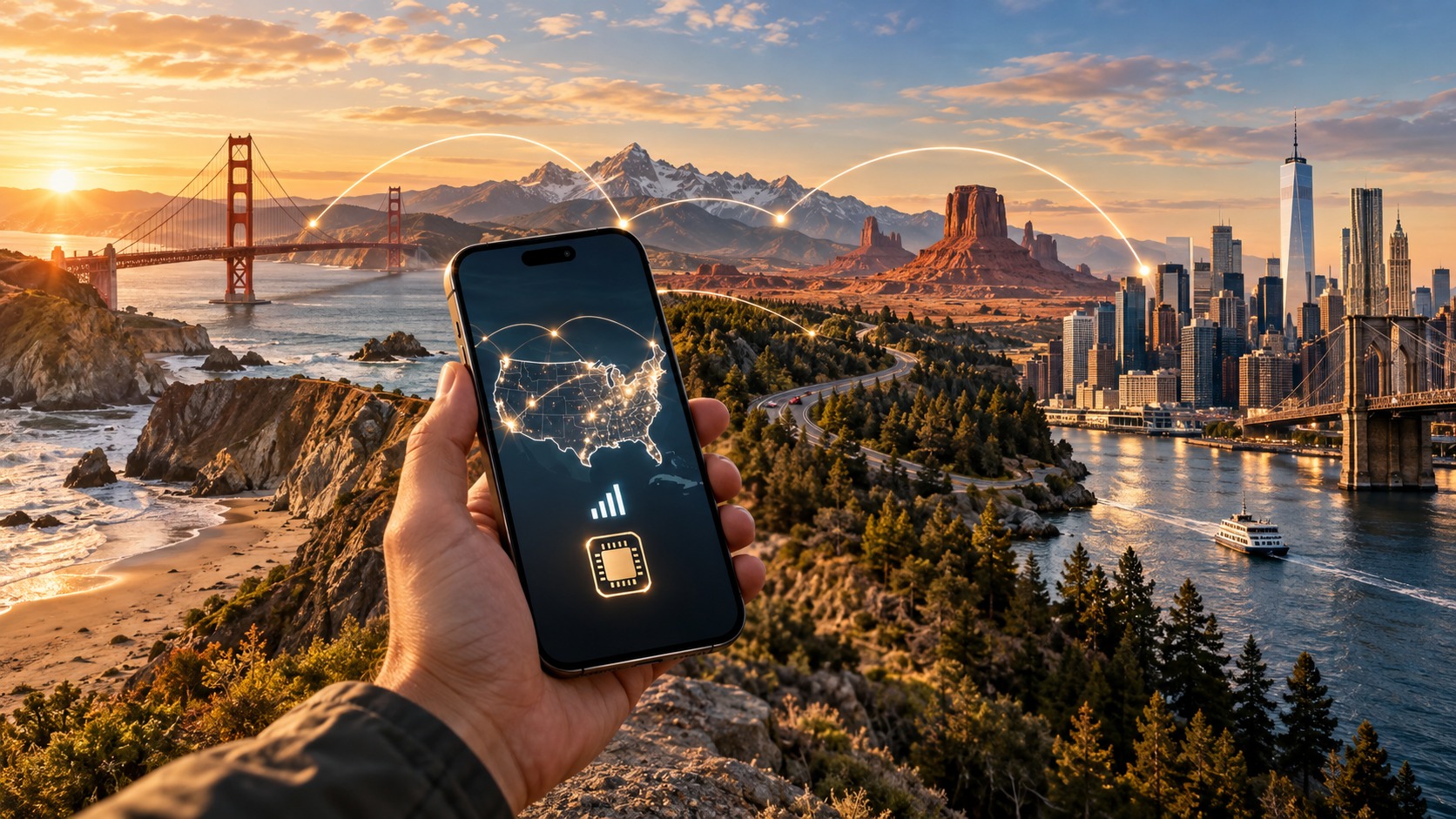
Coast to Coast: The International Visitor's Guide to USA Travel eSIMs
Navigating the American Mobile Landscape: Carriers, Coverage, and the Myths of 'Unlimited'
Understanding the intricacies of the United States mobile infrastructure is the first critical step for any international visitor planning a trip. Unlike many European or Asian markets where a single dominant provider often covers the majority of the population, the US landscape is a complex patchwork of spectrum ownership, regional dominance, and aggressive marketing jargon. To navigate this effectively, one must look beyond the brand logos and understand the underlying technical architecture that dictates signal strength, data speeds, and battery longevity.
The Big Three and the Spectrum Divide
The US market is dominated by three primary carriers: Verizon, AT&T, and T-Mobile. Each utilizes different frequency bands, which directly impacts their performance in various geographic contexts.
- Low-Band Spectrum (600 MHz - 700 MHz): This spectrum has excellent propagation characteristics, meaning it travels long distances and penetrates buildings and terrain effectively. It is ideal for rural areas, highways, and indoor coverage. However, it offers lower peak data speeds.
- Mid-Band Spectrum (2.5 GHz - 3.5 GHz): This is the "sweet spot" for 5G. It offers a balance between speed and coverage. It is essential for urban centers and suburban areas where high throughput is required.
- High-Band (mmWave): Used primarily by T-Mobile and Verizon in dense urban cores (like Manhattan or downtown Chicago). It provides blistering speeds but has very short range and poor penetration through walls.
Verizon has historically invested heavily in low-band spectrum, giving it a robust foundation for rural coverage. AT&T focuses on a mix of low and mid-band, providing solid urban performance. T-Mobile, following its merger with Sprint, has aggressively acquired mid-band spectrum, making it the leader in urban 5G speeds, though it can lag in deep rural areas compared to Verizon.
The Myth of "Unlimited" and Deprioritization
Marketing materials often tout "Unlimited Data," but for international visitors, this term is often misleading. Most US carriers employ a policy known as deprioritization. During peak hours (typically 5 PM to 11 PM local time), carriers throttle data speeds for non-premium users or those who have exceeded a certain fair-use threshold (often 50GB-100GB).
This means that while you may not be cut off from the network entirely, your speeds can drop from 100 Mbps to a sluggish 5-10 Mbps, making video calls and cloud backups painful. This is particularly problematic in crowded urban areas like New York City or Los Angeles, where network congestion is highest.
Coverage Gaps: The Mountain West and Deep South
While major cities are well-served, significant coverage gaps exist in the Mountain West (parts of Colorado, Wyoming, Montana) and the Deep South (rural Georgia, Alabama, Mississippi). In these regions, 4G LTE coverage can be sparse, and networks may drop to 3G or even 2G EDGE in valleys or dense forests.
For travelers, this means that relying on a single carrier’s network can lead to "dead zones" where your phone works but data is nearly unusable. This is where the concept of network aggregation becomes vital.
Network Aggregation and the eSIM Advantage
Modern eSIM providers do not rely on a single carrier. Instead, they use network aggregation technology to connect to multiple underlying networks simultaneously. If one carrier’s signal is weak in a specific location, the eSIM provider’s software automatically switches to the strongest available network among its partners.
This is a game-changer for international visitors. For example, MollySIM (https://mollysim.com) leverages this aggregation to ensure consistent connectivity across the US. A key differentiator is their Fair Use Policy. While many competitors throttle data to 128 kbps after a certain usage limit (which is often too slow for modern apps), MollySIM maintains a speed limit of 384 kbps.
Why does 384 kbps matter?
- 128 kbps: Barely sufficient for text-based email and basic web browsing. Maps may load slowly, and Apple Pay or Google Pay might time out.
- 384 kbps: Three times faster. This speed is sufficient for smooth Google Maps navigation, real-time Apple Pay transactions, and even light video streaming. This ensures that essential travel functions remain responsive even if you are on a "limited" plan.
5G SA vs. NSA and Battery Life
International visitors often wonder if they should prioritize 5G. The answer is nuanced. There are two types of 5G:
- 5G NSA (Non-Standalone): Uses the existing 4G core network. It is more energy-efficient.
- 5G SA (Standalone): Uses a new core network. It offers lower latency but can be more demanding on battery life, especially if the phone is constantly searching for a stable SA connection in areas with patchy coverage.
For most tourists, 5G NSA is the preferred mode. It provides faster speeds than 4G without the significant battery drain associated with aggressive 5G SA searching. However, if you are in a rural area with weak 5G signals, your phone may struggle to maintain a connection, draining your battery rapidly. In such cases, forcing your phone to use 4G LTE can extend battery life significantly.
Why eSIMs Beat Local SIM Cards
Finally, the logistical hurdles of purchasing a local US SIM card are substantial for non-residents. You typically need:
- A physical store visit (often with limited hours).
- A valid ID (passport, but sometimes a US address or credit card is required).
- Activation fees and potential roaming charges.
In contrast, an eSIM is activated digitally. You can purchase and install it before you even arrive in the US. There are no physical stores, no ID verification hurdles, and no need to swap out your home SIM (keeping your home number active for two-factor authentication).
Conclusion: By understanding the spectrum differences, recognizing the limits of "unlimited" plans, and leveraging network aggregation through providers like MollySIM, international visitors can achieve a seamless, high-performance mobile experience across the vast and varied landscape of the United States.
Real-World Speed Benchmarks: What You Can Actually Expect on the Road
🇺🇸 United States High-Speed Travel eSIM & SIM Plans
Instant QR code activation, hotspot enabled, with guaranteed 384kbps fallback speed to keep Maps & Digital Wallets active.
Theoretical maximum speeds listed on carrier websites often bear little resemblance to the reality of traversing the United States. To plan your data usage effectively, you must understand the tangible performance differences between dense metropolitan hubs and the vast, sparsely covered rural landscapes that define much of the country.
Urban Hubs vs. Remote Wilderness
In major metropolitan areas like New York City, Los Angeles, and Chicago, network infrastructure is dense and heavily optimized. Here, you can realistically expect average download speeds ranging from 50 to 100 Mbps on 5G networks, with 4G LTE consistently delivering between 20 and 40 Mbps. These speeds are more than sufficient for high-definition video streaming, large file downloads, and seamless video conferencing.
However, as you move into the heart of the country, the numbers drop precipitously. In regions like rural Nevada, the Appalachian Trail, or the backcountry of Yellowstone National Park, coverage often relies on macro-cell towers that are miles apart. In these zones, expect speeds to plummet to 5–15 Mbps on 4G, and occasionally dip into the single digits if you are in a valley or forested area. In the most remote stretches, such as the depths of the Grand Canyon, you might find yourself tethered to 3G or even EDGE, where speeds hover between 1 and 3 Mbps. This disparity means that a strategy that works perfectly in Manhattan may leave you buffering in Montana.
Defining "Good Enough" Speeds
It is crucial to distinguish between raw bandwidth and functional utility. For most travel applications, you do not need gigabit speeds.
- Navigation and Mapping: 1–2 Mbps is the threshold for "Good Enough." At this speed, Google Maps or Apple Maps load tiles quickly, route calculations are instantaneous, and location pinning is accurate.
- Social Media and Messaging: 2–5 Mbps allows for smooth scrolling of Instagram, TikTok, and WhatsApp, with minimal image loading delays.
- Video Streaming: 10+ Mbps is required for stable HD (1080p) streaming on Netflix or YouTube. Below this, you will experience buffering or automatic downscaling to 480p.
- Video Calls: 5–10 Mbps ensures clear audio and stable video for Zoom or FaceTime calls.
The Critical Role of Latency
While download speed determines how fast data arrives, latency (ping) determines how quickly your device responds to commands. This is often overlooked but is critical for real-time applications.
- Low Latency (<50ms): Ideal for online gaming and real-time trading.
- Moderate Latency (50–100ms): Acceptable for web browsing and email.
- High Latency (>100ms): Noticeable lag in typing, loading web pages, and critical for apps like Uber and Google Maps.
When you request an Uber, the app must communicate with the server, locate nearby drivers, and update your position in real-time. High latency causes the map to "jump" or the driver’s location to freeze, leading to missed pickups. Similarly, video calls suffer from audio-video desynchronization when latency spikes. In dense urban areas, latency is typically low. In rural areas, however, signal strength degradation often causes latency to spike, making real-time interactions frustrating.
The MollySIM Fallback Advantage
This is where the architecture of your eSIM provider becomes vital. Single-carrier eSIMs often suffer from "connectivity blackouts" when the primary network is congested or drops out. If your phone loses signal in a subway tunnel or a mountain pass, you lose all connectivity until the signal returns.
MollySIM addresses this with its 384kbps Fallback feature. This is not just a safety net; it is a functional bridge. While 384kbps (0.384 Mbps) is not fast enough for HD video, it is significantly faster than the industry-standard 128kbps cap found in many competitors' fair use policies.
- 0.384 Mbps vs. 0.128 Mbps: MollySIM’s fallback speed is 3x faster than the typical competitor limit.
- Practical Impact: At 384kbps, Google Maps continues to update your location smoothly, Apple Pay transactions process without timeout errors, and email/messaging remains fully functional.
- Preventing Blackouts: If your primary 4G/5G connection drops due to congestion in a stadium or a dead zone in the Rockies, MollySIM automatically switches to this fallback tier. You remain online, allowing you to check directions, pay for a taxi, or send an SOS message, whereas a single-carrier eSIM might leave you stranded with a "No Service" icon.
eSIM vs. Pocket Wi-Fi
Many travelers still rely on pocket Wi-Fi devices. While these offer shared data, they introduce new problems. Pocket Wi-Fi units are notorious for battery drain when maintaining multiple connections and often suffer from connection drops in dense urban areas where the device struggles to hand off between cells. Furthermore, if the pocket Wi-Fi battery dies, your entire group loses connectivity. An eSIM, powered by your phone’s battery and leveraging MollySIM’s robust fallback architecture, offers a more resilient, single-device solution that keeps you connected without the logistical burden of charging a separate router.
Step-by-Step Device Setup: From iPhone to Android Without the Headache
Installing an eSIM is often where the digital travel experience breaks down. Between confusing carrier menus, outdated OS versions, and the fear of losing your primary line, the process can feel like defusing a bomb. However, with the right protocol, activating your MollySIM is a seamless, five-minute task that ensures you are connected before you even land. This guide walks you through the exact technical requirements and setup procedures for iOS 16+ and Android 10+ devices, eliminating the guesswork.
Prerequisites: Verifying Hardware Compatibility
Before downloading the MollySIM app, you must confirm your device supports eSIM. This is not just about having a "new" phone; it is about the specific radio hardware.
For iPhone (iOS 16+):
- Navigate to Settings > General > About.
- Look for the eSIM field. If it says "Not Available" or is missing, your device is likely an older model (pre-iPhone 12) or a carrier-locked variant that restricts eSIM.
- Ensure your iOS version is 16.0 or higher. Older versions may lack the necessary UI for dual-SIM management.
For Android (Android 10+):
- Go to Settings > Connections (or Network & Internet on Pixel devices).
- Select SIM card manager or Mobile networks.
- Tap Add eSIM. If this option is grayed out, your device or carrier may not support it.
The MollySIM Activation Workflow
Once compatibility is confirmed, the process is standardized across all platforms via the MollySIM ecosystem.
- Download: Install the MollySIM app from the App Store or Google Play.
- Select Plan: Choose your destination (USA) and data package.
- Scan: The app will generate a unique QR code.
- Activate: Scan this code using your phone’s native eSIM installer (not the MollySIM app’s camera, though some versions support it).
iPhone Setup: Precision and Pitfalls
On iOS, the interface is rigid but reliable.
- Go to Settings > Cellular > Add eSIM.
- Scan the QR code from the MollySIM app.
- Critical Step: When prompted, label the line. Use "MollySIM Data" for the new line and "Personal" for your physical SIM.
- Data Roaming: Navigate to Settings > Cellular > MollySIM Data > Cellular Data Options.
- Data Roaming: Set this to ON for the MollySIM line. This is crucial. Unlike physical SIMs where roaming fees can be exorbitant, eSIMs from providers like MollySIM are designed for roaming. Turning this off will disconnect you the moment you leave your home country’s network.
- Default Voice Line: Set this to your Personal SIM.
- Default Data Line: Set this to MollySIM Data.
Troubleshooting the "eSIM Already in Use" Error: If you are switching from a physical SIM and see this error, it usually means the old eSIM profile wasn’t fully deleted. Go to Settings > Cellular, tap the old eSIM, and select Delete eSIM. Wait 30 seconds before re-scanning. If the QR scan fails repeatedly, tap Enter Details Manually and input the SM-DP+ Address and Match Code provided in the MollySIM app.
Android Setup: Navigating Brand Variations
Android interfaces vary significantly by manufacturer.
- Samsung (One UI): Go to Settings > Connections > SIM manager > Add eSIM. Samsung’s interface is the most intuitive, offering a clear "Add" button.
- Pixel: Go to Settings > Network & internet > SIMs > Add eSIM.
- OnePlus: Go to Settings > SIM & Network > Add eSIM.
The Dual eSIM Advantage: Many travelers overlook the Dual eSIM capability. If your phone supports it (iPhone 13 and later, most modern Android flagships), you can keep your home country’s eSIM active for bank alerts and SMS verification while using MollySIM for data. This is superior to using a physical SIM for calls, as it frees up the physical slot for a backup or allows you to use a single device for both lines without swapping cards.
Data Roaming on Android: For Android, ensure Data Roaming is enabled for the MollySIM line. On some carriers, this setting is buried under Network Preferences > Roaming. If you leave it off, your phone will default to the home SIM for data, potentially incurring high roaming charges or using up your home plan’s data allowance.
Final Verification
After setup, restart your device. This forces the modem to re-register with the US network. Check your signal strength. If you are in a congested area, MollySIM’s 384kbps Fair Use Policy ensures that even if speeds are throttled, you maintain 3x the speed of competitors’ 128kbps caps. This means Google Maps will still update your location in real-time, and Apple Pay will process transactions without timeout errors, keeping you connected and confident throughout your journey.
Comparative Analysis: eSIM vs. Pocket Wi-Fi vs. Local SIM Cards
Selecting the right connectivity solution is not merely a matter of convenience; it is a strategic decision that impacts your budget, battery life, and overall travel efficiency. For the international visitor traversing the vast distances of the United States, the choice between a traditional pocket Wi-Fi device, a local prepaid SIM, and a modern eSIM like MollySIM carries significant weight. The following table breaks down the critical operational metrics for each method, providing a clear framework for decision-making.
| Feature | MollySIM eSIM | Generic Single-Carrier eSIM | Pocket Wi-Fi Device | Local US SIM (e.g., T-Mobile Prepaid) |
|---|---|---|---|---|
| Initial Cost | Low (Data only) | Low (Data only) | High (Deposit + Rental) | Low (SIM + Data) |
| Daily Data Cost | Competitive | Variable | High (Rental fee) | Moderate |
| Setup Complexity | Low (QR Scan) | Low (QR Scan) | High (Pairing, App) | High (Store Visit, ID) |
| Battery Impact | Negligible | Negligible | High (Dual Battery Drain) | Negligible |
| Coverage Reliability | High (Multi-Network Aggregation) | Medium (Single Carrier) | High (Dependent on Carrier) | Medium (Carrier Specific) |
| Speed Consistency | High (384kbps FUP) | Variable | High | Variable |
The Friction of Physical Hardware
The most immediate differentiator is the physical burden. A Pocket Wi-Fi device introduces a separate hardware unit that requires its own charging routine. For solo travelers, this is a significant friction point. You are now managing two batteries: one for your smartphone and one for the router. If the router dies, your phone loses connectivity entirely, forcing you to hunt for a power outlet in a mall or airport. Furthermore, the end-of-trip logistics are often overlooked. Returning a pocket Wi-Fi device usually involves finding a specific drop-off point, often at an airport, before your flight departs. Miss the window, and you incur late fees or return shipping costs. With an eSIM, the hardware is integrated into your phone; when you leave the US, the service simply ends. There is no device to return, no deposit to worry about, and no physical clutter in your luggage.
The Local SIM Hurdle
A Local US SIM offers a traditional solution but comes with logistical hurdles that modern travelers often find tedious. While carriers like T-Mobile or Verizon offer competitive rates, activating a prepaid SIM frequently requires a physical store visit. This process can involve presenting a passport, verifying identity, and sometimes even providing a US credit card or address for billing, depending on the carrier’s specific policies. This adds hours to your arrival day, time that could be spent exploring. Additionally, local SIMs are tied to a single carrier’s network. If you travel from New York to rural Nevada, you are at the mercy of that specific carrier’s tower density. If their signal drops, your data does.
The Multi-Network Advantage
This is where the MollySIM eSIM distinguishes itself as the superior value proposition for the "Coast to Coast" traveler. Unlike a generic single-carrier eSIM, which locks you into one network’s infrastructure, MollySIM utilizes multi-network aggregation. This means the service intelligently routes your data through the strongest available network at any given moment. If you are moving from a city with dense 5G coverage to a highway with spotty LTE, the system adapts seamlessly. This fallback mechanism ensures that you rarely experience a total loss of connectivity, a critical advantage for travelers who cannot afford downtime for navigation or communication.
Furthermore, the 384kbps Fair Use Policy is a technical detail that translates to real-world reliability. Many budget eSIMs throttle speeds to 128kbps during peak times or after data caps are hit. At 128kbps, loading a complex webpage or updating a map can be frustratingly slow. MollySIM’s 384kbps limit is 3x faster, ensuring that essential applications like Google Maps update your location in real-time without lag, and Apple Pay or mobile banking apps process transactions without timeout errors. For a traveler crossing time zones and states, this consistency means your digital tools remain responsive, providing a seamless, "all-in-one" experience that physical devices and single-carrier SIMs simply cannot match.
Common Pitfalls and How to Avoid Connectivity Blackouts
Even with the best technology, user error can turn a seamless cross-country journey into a digital nightmare. International visitors frequently encounter connectivity blackouts not because the infrastructure is broken, but because they misconfigure their devices or choose the wrong data strategy. Understanding these specific failure points is the difference between staying connected and being stranded in a dead zone.
1. The Single-Carrier Trap
The most common mistake is purchasing a single-carrier eSIM that does not align with your specific geographic route. For example, buying a Verizon-only plan when traveling through rural areas heavily served by AT&T or T-Mobile can result in weak signals or complete dropouts. Network coverage is not uniform; it is a patchwork of infrastructure. If your eSIM is locked to a carrier with poor local presence, you are at the mercy of their specific towers. This is why multi-network solutions are superior. By leveraging MollySIM’s multi-network aggregation, you bypass the risk of being locked into a single infrastructure provider, ensuring that your device always seeks the strongest available signal regardless of the carrier’s local dominance.
2. The Data Roaming Bill Shock
Many travelers forget to disable Data Roaming on their home SIM before activating their US eSIM. If both SIMs are active and data roaming is enabled on the primary line, your phone may default to the home network for data, triggering exorbitant international charges. Always ensure your home SIM is set to "Voice & SMS Only" or that Data Roaming is explicitly turned off for that line. This simple setting prevents the "bill shock" that often accompanies international travel.
3. Ignoring Preferred Network Settings
A subtle but critical error is failing to check the Preferred Network setting in your phone’s cellular settings. If your device is set to prefer 3G or 2G for battery savings, it will latch onto a weak, slow signal even when robust 4G or 5G is available. This causes lag in real-time applications. Ensure your phone is set to 4G/5G Auto to prioritize speed and reliability.
4. Underestimating the Fallback Benefit
Many users ignore the value of a robust fallback speed. Without a guaranteed minimum speed, a network drop means zero internet. With a 384kbps Fair Use Policy—like the one offered by MollySIM—you retain 3x the speed of competitors’ 128kbps limits. This ensures that even if your high-speed data is throttled or the primary network weakens, you still have enough bandwidth for Google Maps to update your location and Apple Pay to process transactions. Without this, a minor signal dip can render your navigation useless.
5. Running Out of Data Prematurely
Finally, travelers often underestimate data consumption. Traveler A bought a 10GB single-carrier plan, ran out in Denver, and was stuck with no map access in the Rockies, unable to find the next gas station. In contrast, Traveler B used MollySIM, which automatically switched to a secondary network and maintained the 384kbps fallback, allowing them to navigate to the next town without interruption. Always monitor your usage and choose plans with flexible top-ups or multi-network reliability to avoid running dry in remote areas.
Troubleshooting Checklist: "Active" But No Data
If your eSIM shows as Active but no data is flowing, follow these steps immediately:
- Toggle Airplane Mode: Turn it on for 10 seconds, then off. This forces the phone to re-register with the network.
- Check APN Settings: Ensure the Access Point Name (APN) matches the provider’s requirements. For MollySIM, this is usually pre-configured, but verify it hasn’t been changed.
- Verify Data Roaming: Confirm Data Roaming is ON for the eSIM line (not the home line).
- Restart the Device: A full reboot clears temporary network glitches.
- Check Network Mode: Ensure the phone is not restricted to 2G/3G.
By addressing these pitfalls, you transform your connectivity from a potential liability into a reliable asset, ensuring that your coast-to-coast journey remains smooth, informed, and uninterrupted.
Why MollySIM is the Optimal Choice for the Coast-to-Coast Journey
Having dissected the technical pitfalls of single-carrier eSIMs and the logistical nightmares of physical SIM swaps, the logical conclusion for any serious international traveler is clear: reliability is not a luxury, it is the foundation of a successful cross-country expedition. While many providers offer a "good enough" solution for urban hubs like New York or Los Angeles, the true test of an eSIM’s worth is its performance in the vast, often under-served corridors between them. This is where MollySIM (https://mollysim.com) distinguishes itself not merely as a data provider, but as a strategic infrastructure partner for your journey. By synthesizing the critical factors of network aggregation, fallback reliability, and user-centric design, MollySIM emerges as the definitive solution for those traversing the United States from coast to coast.
The Power of Multi-Carrier Aggregation
The primary advantage of MollySIM lies in its multi-carrier aggregation technology. Unlike traditional eSIMs that tether you to a single network—often leading to signal loss in rural areas or when crossing state lines where one carrier’s dominance wanes—MollySIM dynamically accesses the Verizon, AT&T, and T-Mobile networks simultaneously. This tri-network approach ensures that your device is never dependent on a single tower’s capacity. As you drive from the dense urban grids of the East Coast to the expansive plains of the Midwest, or from the mountainous terrain of the Rockies to the coastal highways of California, your connection seamlessly shifts to the strongest available signal. This eliminates the anxiety of "coverage dead zones," allowing you to maintain high-speed data for navigation, streaming, and communication without the manual intervention of switching providers or hunting for Wi-Fi hotspots.
The 384kbps Fallback: A Game Changer for Reliability
Perhaps the most critical differentiator for travelers is the 384kbps Fair Use Policy fallback. In the event that your primary data allowance is exhausted or the network experiences congestion, most competitors throttle your speed down to a sluggish 128kbps. At this speed, loading a map or processing a payment can feel like an eternity, rendering essential apps nearly unusable. MollySIM’s fallback, however, operates at 384kbps—three times faster than the industry standard. This specific technical advantage is not trivial; it is the difference between frustration and functionality. At 384kbps, Google Maps continues to load turn-by-turn directions smoothly, Apple Pay and other mobile payment apps process transactions without timeout errors, and email clients remain responsive. This ensures that even in the worst-case scenario, your digital lifeline remains robust enough to handle the critical tasks of travel: finding your way, paying for services, and staying in touch.
Flexibility in Plan Structures
Understanding that travel itineraries vary wildly, MollySIM offers flexible plan structures that cater to both short-term excursions and extended road trips. Whether you are embarking on a daily plan for a quick weekend visit to a specific region or opting for a monthly plan that covers a comprehensive cross-country tour, the pricing model is transparent and scalable. This flexibility allows you to align your data consumption with your actual travel pace, avoiding the common trap of overpaying for unused data or underestimating your needs. For the coast-to-coast traveler, this means you can start with a daily rate to test the waters and scale up to a monthly commitment as your journey extends, ensuring cost-efficiency without sacrificing connectivity.
Ease of Setup and Immediate Activation
The barrier to entry for eSIMs has historically been technical complexity, but MollySIM simplifies the process to a few intuitive steps. The setup is designed for immediate activation, allowing you to scan a QR code and be online within minutes of arrival. There is no waiting for physical mail, no need to visit a local store, and no risk of losing a tiny plastic card. This ease of use is particularly valuable for international visitors who may be unfamiliar with US carrier procedures, providing a seamless bridge between their home connectivity and their new environment.
Key Takeaways for the Traveler
To maximize your experience, adhere to these three core principles:
- Verify Device Compatibility: Ensure your smartphone supports eSIM technology and has the necessary hardware to handle dual-SIM functionality.
- Choose Multi-Network Reliability: Prioritize providers that aggregate multiple major US carriers to mitigate single-point-of-failure risks.
- Leverage the Fallback Feature: Select a plan with a robust fallback speed (like MollySIM’s 384kbps) to ensure critical apps remain functional even after data limits are reached.
Stop Guessing. Start Connecting.
Ultimately, reliable connectivity enhances the entire travel narrative. It transforms the journey from a series of logistical challenges into a fluid, immersive experience. Imagine booking a table at a highly-rated restaurant in Denver without leaving your car, sharing real-time photos of the Grand Canyon with friends back home, or navigating a complex highway interchange in Texas with confidence. These moments are not just conveniences; they are the essence of modern travel. By choosing MollySIM, you are not just purchasing data; you are investing in peace of mind. Stop guessing your coverage. Start connecting with confidence. Let MollySIM be the invisible, reliable thread that ties your coast-to-coast adventure together, ensuring that every mile is as connected as the first.
🇺🇸 United States High-Speed Travel eSIM & SIM Plans
Instant QR code activation, hotspot enabled, with guaranteed 384kbps fallback speed to keep Maps & Digital Wallets active.