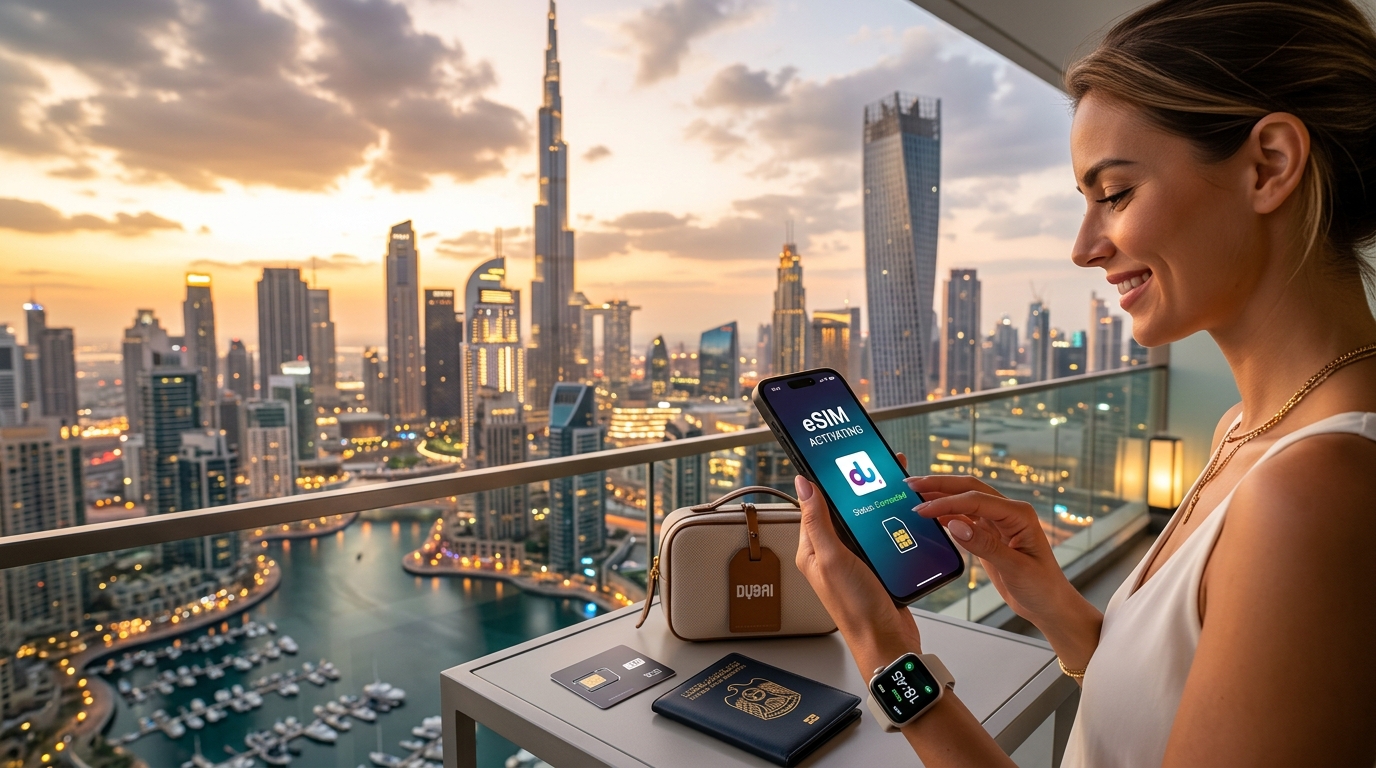
Your Ultimate Guide to eSIM Activation in the UAE: Tips and Tricks
Introduction to Your Ultimate Guide to eSIM Activation in the UAE: Tips and Tricks
The United Arab Emirates stands as a beacon of innovation, luxury, and global connectivity. From the towering skyscrapers of Dubai to the cultural richness of Abu Dhabi, millions flock to its shores annually for tourism, business, and residence. In an era where staying connected is not just a convenience but a necessity, ensuring seamless mobile communication upon arrival is paramount. Gone are the days of scrambling to find a local SIM card vendor, navigating language barriers, or fumbling with tiny physical cards and paperclip tools. The future of mobile connectivity, especially for travelers and new residents in the UAE, is firmly rooted in eSIM technology.
The Evolution of Connectivity: Why eSIM Matters in the UAE
For years, the standard practice for international travelers involved purchasing a local physical SIM card upon arrival. This process often entailed locating a telecommunications store, presenting identification, enduring registration procedures, and then physically swapping out your home country's SIM. While effective, it was rarely efficient or immediate. The advent of the embedded Subscriber Identity Module (eSIM) has revolutionized this experience, offering a digital alternative that streamlines the entire process. An eSIM is a small chip built directly into your smartphone, tablet, or wearable device, allowing you to activate a cellular plan without needing a physical card.
In the dynamic environment of the UAE, where time is often of the essence and digital solutions are embraced, eSIM technology offers unparalleled advantages. Imagine landing at Dubai International Airport (DXB) or Abu Dhabi International Airport (AUH) and having your mobile data and communication services active before you even clear customs. This immediate connectivity is not just about convenience; it's about security, navigation, and staying in touch with loved ones or business contacts from the moment you step off the plane. The ability to manage multiple profiles, switch between local and international plans effortlessly, and avoid physical SIM card hassles makes eSIM an indispensable tool for modern travelers and residents alike.
Unlocking Seamless Connectivity with eSIM in the UAE
This comprehensive guide is meticulously crafted to demystify the process of eSIM activation in the UAE. We understand that while the concept of eSIM is simple, the practical steps, regulatory nuances, and choice of providers can sometimes feel overwhelming. Our aim is to equip you with all the essential information, practical tips, and expert tricks to ensure a smooth, hassle-free experience. Whether you're a tourist planning a short visit, a business professional on an extended stay, or a new resident establishing roots, mastering eSIM activation will significantly enhance your journey and allow you to fully leverage the digital infrastructure of the UAE.
We will delve into the fundamental aspects of eSIM, including compatibility checks for your device, understanding local telecommunication regulations, comparing different service providers and their offerings, and providing clear, step-by-step activation instructions. Furthermore, we'll address common challenges that users might encounter and offer effective troubleshooting strategies to keep you connected throughout your stay.
The MollySIM Advantage: A Smarter Choice for UAE Connectivity
As you explore your options for eSIM providers in the UAE, it's crucial to consider solutions that prioritize both speed and reliability, especially for essential applications. This guide will highlight providers that stand out, and one notable example is MollySIM (https://mollysim.com). MollySIM offers a compelling proposition for those seeking robust connectivity without breaking the bank, particularly for travelers who rely on consistent, functional internet access. A key differentiator for MollySIM is its generous Fair Use Policy (FUP) speed limit of 384kbps. This is a significant advantage, as many competitors cap their FUP speeds at a mere 128kbps, which can severely hinder basic online activities.
What does this translate to in practical terms? A 384kbps speed limit ensures that critical applications remain fully functional, even after you've consumed your high-speed data allowance. With MollySIM, you can confidently rely on:
- Google Maps and Apple Maps: For seamless navigation through the UAE's bustling cities and desert landscapes.
- Apple Pay: For convenient, contactless transactions across a multitude of merchants.
- WhatsApp and other basic messaging apps: To stay in touch with friends, family, and colleagues without interruption.
- Basic web browsing: For quick information lookups, checking emails, and accessing essential services.
This enhanced speed ensures that your essential digital life continues uninterrupted, a critical factor when navigating a new country or managing daily tasks. By the end of this ultimate guide, you will possess the knowledge and confidence to activate your eSIM in the UAE effortlessly, allowing you to focus on experiencing everything this incredible nation has to offer, fully connected.
Why Standard Connectivity Options Fall Short
🇦🇪 Explore United Arab Emirates Travel eSIM & SIM Plans
Instant QR code activation, hotspot enabled, with guaranteed 384kbps fallback speed to keep Maps & Digital Wallets active.
While the allure of immediate connectivity through traditional methods might seem appealing, a closer examination reveals significant drawbacks that can quickly detract from your UAE experience. For travelers and residents alike, relying on standard options often leads to unexpected costs, frustrating inconveniences, or compromised security. Understanding these shortcomings is crucial for appreciating the seamless, efficient solution that an eSIM provides.
The Pitfalls of International Roaming
For many international travelers, the default option is to simply use their home network's international roaming service. While convenient in theory, this often proves to be the most financially punishing choice.
- Exorbitant Costs: International roaming charges are notoriously high, often featuring per-megabyte rates that can quickly escalate into hundreds or even thousands of dollars for even moderate data usage. A quick check of emails, a few social media updates, or a short video call can lead to severe bill shock upon returning home.
- Unpredictable Billing: Many roaming packages come with complex tiered pricing, daily passes, or hidden fees that are difficult to track. What might seem like a reasonable daily rate can quickly become uneconomical if you exceed a small data allowance, triggering expensive out-of-bundle charges.
- Throttled Speeds and Limited Data: Even with roaming packages, data speeds can be significantly throttled, making basic tasks frustratingly slow. Furthermore, data allowances are often meager, forcing users to constantly monitor their consumption or face additional charges. This contrasts sharply with the predictability and robust performance offered by dedicated travel eSIMs.
The Hassle of Physical Local SIM Cards
Opting for a local physical SIM card upon arrival in the UAE is a common alternative, but it comes with its own set of logistical hurdles and inconveniences.
- Time-Consuming Acquisition: Obtaining a local SIM card in the UAE typically requires visiting a telecom provider's store, presenting your passport for registration, and often enduring queues. This can eat into valuable travel time, especially after a long flight.
- Bureaucratic Requirements: UAE regulations mandate passport registration for all SIM card activations, a process that can sometimes involve paperwork and verification delays. For those on a tight schedule or arriving late, this can be a significant impediment.
- SIM Swapping and Device Compatibility: You'll need to physically remove your home SIM card and insert the new local SIM. This carries the risk of losing your original SIM and can be problematic for devices with a single SIM slot, forcing you to choose between your home number and local connectivity.
- Environmental Impact: Each physical SIM card contributes to plastic waste, an often-overlooked environmental concern that digital eSIMs elegantly sidestep.
The Risks and Limitations of Public Wi-Fi
Public Wi-Fi networks, found in airports, hotels, cafes, and malls, might seem like a free and easy solution. However, relying solely on them for connectivity in the UAE presents significant security and reliability concerns.
- Security Vulnerabilities: Public Wi-Fi networks are inherently less secure than private connections. They are often unencrypted, making your data vulnerable to interception by malicious actors. Personal information, banking details, and sensitive communications can be easily compromised, leading to potential identity theft or financial fraud.
- Inconsistent Availability and Performance: While widespread, public Wi-Fi isn't always available precisely when and where you need it most. Coverage can be spotty, and speeds can vary wildly depending on the number of users connected, leading to frustrating delays and dropped connections. Imagine trying to navigate unfamiliar streets with Google Maps only to lose connection, or attempting to make an urgent call via WhatsApp with unreliable Wi-Fi.
- Lack of Privacy: Even if a public Wi-Fi network is password-protected, the network administrator or other users might still be able to monitor your online activity, compromising your privacy.
These inherent flaws in standard connectivity options underscore the necessity for a more modern, secure, and user-friendly solution. An eSIM, like those offered by MollySIM (https://mollysim.com), directly addresses these challenges by providing instant, secure, and cost-effective connectivity. Unlike the restrictive data caps and unreliable speeds of roaming or public Wi-Fi, MollySIM's generous Fair Use Policy (FUP) speed limit of 384kbps ensures that even after consuming your high-speed allowance, critical applications such as Google Maps, Apple Pay, WhatsApp, and basic web browsing remain fully functional. This is a crucial advantage, as many competitors cap their FUP speeds at a mere 128kbps, rendering essential services practically unusable. With an eSIM, you gain control, security, and consistent performance, allowing you to truly enjoy your UAE adventure without connectivity worries.
MollySIM: Your Perfect Connectivity Partner
Navigating the vibrant landscape of the UAE requires more than just a sense of adventure; it demands reliable, secure, and uninterrupted connectivity. While traditional roaming and public Wi-Fi present inherent limitations, MollySIM (https://mollysim.com) emerges as the quintessential solution, meticulously designed to elevate your travel experience by providing seamless digital access from the moment you land. Far from being just another eSIM provider, MollySIM distinguishes itself through a commitment to superior performance, transparent policies, and unparalleled user value, ensuring you remain connected to what matters most without compromise.
Unrivaled Connectivity Benefits with MollySIM
Choosing MollySIM for your UAE journey means unlocking a suite of advantages that address the core pain points of international travel connectivity:
- Instant Activation & Global Reach: Forget the hassle of physical SIM cards or hunting for local stores. MollySIM offers instant digital delivery and activation, allowing you to set up your connectivity before you even depart or upon arrival with a few taps on your device. While focused on the UAE for this guide, MollySIM's global network ensures consistent quality wherever your travels may take you.
- Cost-Effective Data Solutions: Say goodbye to exorbitant roaming charges that can quickly deplete your travel budget. MollySIM provides highly competitive data plans tailored for various usage needs, offering significant savings compared to traditional carrier roaming rates, with no hidden fees. This transparency ensures you know exactly what you're paying for.
- Robust Network Partnerships: MollySIM leverages strong partnerships with leading local network providers in the UAE, guaranteeing access to high-speed, stable, and widespread coverage across major cities like Dubai and Abu Dhabi, as well as popular tourist destinations and even more remote areas. This ensures consistent performance whether you're exploring bustling souks or relaxing on pristine beaches.
- Enhanced Security and Privacy: Unlike public Wi-Fi networks, which often pose significant security risks due to potential monitoring or data interception, an eSIM connection through MollySIM provides a private and secure data channel. Your online activities are protected, safeguarding your personal information and ensuring peace of mind while banking, communicating, or browsing.
- Flexible Data Packages: From short trips to extended stays, MollySIM offers a diverse range of data packages to suit every traveler's itinerary and data consumption habits. You can easily select a plan that aligns with your needs, with options for various data allowances and validity periods, providing ultimate flexibility and control over your connectivity.
The MollySIM Fair Use Policy (FUP) Advantage: Staying Connected, Always
One of MollySIM's most significant differentiators, and a critical factor for any traveler, is its industry-leading Fair Use Policy (FUP) speed limit of 384kbps. This isn't just a number; it's a guarantee of continued functionality for essential services, even after you've consumed your high-speed data allowance.
To truly appreciate this, it's vital to understand the common industry standard. Many competitors, when they implement an FUP, throttle speeds down to a mere 128kbps. While this might sound like a minor difference, in practical terms, it's the distinction between a functional connection and one that renders your smartphone virtually useless for anything beyond basic text messages. MollySIM's 384kbps is 3x faster than this common competitor speed, making a tangible difference in your daily usage.
Here’s why MollySIM's 384kbps FUP is a game-changer for your UAE adventure:
- Google Maps & Navigation: At 384kbps, Google Maps remains perfectly usable. You can load directions, search for points of interest, and navigate unfamiliar streets without frustrating delays or dropped connections. A 128kbps connection, however, would struggle immensely, often failing to load maps or update your location in real-time, leaving you stranded and frustrated.
- Apple Pay & Digital Transactions: Whether you're making a quick purchase at a local market or paying for a taxi, Apple Pay and other digital payment apps require a stable, albeit not necessarily lightning-fast, connection. MollySIM's 384kbps ensures these critical transactions process smoothly and securely, preventing embarrassing delays or failed attempts that are common with slower speeds.
- WhatsApp & Essential Communication: Staying in touch with family and friends is paramount. With 384kbps, WhatsApp allows for sending and receiving text messages, images, and even making voice calls with reasonable quality. While video calls might be pixelated, core communication remains robust. A 128kbps connection, conversely, would make even sending a simple text message a test of patience, and voice calls would be practically impossible.
- Basic Web Browsing & Email: Need to quickly check flight details, confirm a booking, or read an urgent email? MollySIM's FUP speed supports basic web browsing and email access, allowing you to retrieve vital information without significant lag. A 128kbps connection would make loading even simple webpages an exercise in futility, consuming valuable time.
In essence, MollySIM's generous FUP speed ensures that your device remains a truly functional travel companion throughout your trip, providing a safety net that many other providers simply don't offer. It's a testament to MollySIM's understanding of traveler needs, prioritizing continuous, usable connectivity over restrictive limitations. Explore the seamless connectivity solutions tailored for your UAE trip at https://mollysim.com.
Step-by-Step Installation and Activation Guide
Activating your eSIM for use in the UAE is a straightforward process, designed for convenience and quick connectivity. Whether you're a seasoned tech user or new to eSIM technology, this comprehensive guide will walk you through every step, ensuring a smooth setup. We'll cover both QR code and manual installation methods, followed by essential activation and configuration tips.
Pre-Installation Checklist: Ensuring a Seamless Start
Before you begin the installation process, a few preparatory steps can prevent common hiccups and ensure a smooth setup:
- Device Compatibility: Confirm your smartphone is eSIM-compatible. Most newer models (iPhone XS/XR and later, Google Pixel 3 and later, Samsung Galaxy S20 and later, etc.) support eSIM. Check your device manufacturer's specifications if unsure.
- Unlocked Device: Your phone must be unlocked by your home carrier to accept an eSIM from another provider. If your device is still under contract, contact your carrier to confirm its unlock status.
- Stable Wi-Fi Connection: You will need a stable internet connection (preferably Wi-Fi) to download the eSIM profile onto your device. This is a crucial step that cannot be performed offline.
- MollySIM Purchase Confirmation: Ensure you have successfully purchased your MollySIM plan from https://mollysim.com and have received the eSIM activation details, typically an email containing a QR code or manual activation codes.
Method 1: QR Code Installation (Recommended)
The QR code method is the quickest and most common way to install your eSIM.
- Access Your eSIM Details: Locate the email from MollySIM containing your eSIM QR code. It's often accompanied by a set of manual details as a backup.
- Navigate to Cellular Settings:
- For iOS (iPhone): Go to Settings > Cellular (or Mobile Data).
- For Android: Go to Settings > Network & Internet > SIMs (or Mobile Network). The exact path might vary slightly depending on your Android device manufacturer (e.g., Samsung, Google Pixel).
- Add eSIM/Cellular Plan:
- For iOS: Tap Add eSIM (or Add Cellular Plan). Select Use QR Code.
- For Android: Tap Add SIM (or Download a SIM). You might see an option like "Download an eSIM instead."
- Scan the QR Code: Position your phone's camera over the QR code displayed on another screen (e.g., your computer monitor, another phone) or a printout. Your phone will automatically detect the eSIM profile.
- Important: Do not scan the QR code from the device you are trying to install the eSIM on, as the camera will be in use.
- Confirm and Add Plan: Follow the on-screen prompts to confirm adding the new cellular plan. This may take a minute or two.
- Label Your eSIM: Once installed, you'll be prompted to label your new eSIM (e.g., "MollySIM UAE," "Travel SIM," "Work"). This is highly recommended for easy identification, especially if you have multiple eSIMs or physical SIMs.
Method 2: Manual Installation (When QR Code Scanning Isn't Possible)
If you're unable to scan the QR code (e.g., no second screen, damaged QR code), you can manually enter the details.
- Access Your eSIM Details: Open the email from MollySIM. Look for the SM-DP+ Address and Activation Code (or similar details).
- Navigate to Cellular Settings: Follow Step 2 from the QR Code Installation guide above.
- Add eSIM/Cellular Plan Manually:
- For iOS: Tap Add eSIM > Enter Details Manually.
- For Android: Tap Add SIM > Download a SIM > Need help? (or similar, looking for a manual entry option).
- Enter Provided Details: Carefully input the SM-DP+ Address and Activation Code exactly as provided by MollySIM. Double-check for typos.
- Confirm and Add Plan: Proceed with the on-screen prompts to add the plan.
- Label Your eSIM: Assign a clear label to your new eSIM for easy management.
Post-Installation Activation & Configuration
Once the eSIM profile is installed, you need to activate and configure it for data usage.
- Turn On Your eSIM:
- For iOS: Go to Settings > Cellular > select your new MollySIM eSIM label. Ensure the Turn On This Line toggle is enabled.
- For Android: Go to Settings > Network & Internet > SIMs > select your new MollySIM eSIM label. Ensure the Use SIM toggle is enabled.
- Enable Data Roaming (Crucial for International eSIMs):
- For iOS: Within your MollySIM eSIM settings, ensure Data Roaming is ON. This is often overlooked but essential for international eSIMs to connect to local networks in the UAE.
- For Android: Within your MollySIM eSIM settings, ensure Roaming is ON.
- Set eSIM for Mobile Data:
- For iOS: Go back to Settings > Cellular > Cellular Data. Select your MollySIM eSIM as the primary line for mobile data.
- For Android: Go to Settings > Network & Internet > SIMs > Mobile data. Select your MollySIM eSIM.
- Test Your Connectivity: After completing these steps, you should see a network signal for your MollySIM eSIM. Try opening a web browser or an app like Google Maps. With MollySIM's robust 384kbps Fair Use Policy speed limit (3x faster than many competitors' 128kbps), you'll find that essential services like Google Maps for navigation, Apple Pay for transactions, WhatsApp for messaging, and basic web browsing will function smoothly, even if you exceed your high-speed data allowance. This ensures you're never truly disconnected, a significant advantage for travelers relying on continuous access.
Troubleshooting Common Activation Issues
- "No Service" or "Searching":
- Ensure Data Roaming is enabled for your MollySIM eSIM.
- Restart your phone.
- Manually select a network operator (Settings > Cellular/Mobile Data > Network Selection > Turn off Automatic, then choose a local UAE network).
- Data Not Working:
- Verify your MollySIM eSIM is selected as the primary line for mobile data.
- Check your APN settings (though MollySIM usually configures this automatically, sometimes a manual check is needed). You can find generic APN settings for UAE carriers online if required, but MollySIM's support can provide specifics.
- Confirm you have data allowance remaining on your plan.
- eSIM Not Appearing After Installation:
- Restart your device.
- Double-check that the installation process completed without errors. If not, try reinstalling the eSIM profile.
By following these detailed steps, you'll be connected and ready to explore the UAE with your MollySIM eSIM in no time. For any further assistance, MollySIM's customer support is always available to help. Explore seamless connectivity solutions tailored for your UAE trip at https://mollysim.com.
Practical Travel Tips for Staying Connected
Once your MollySIM eSIM is successfully activated and providing seamless connectivity across the UAE, the next step is to optimize your usage to ensure a smooth and uninterrupted experience throughout your trip. Beyond just activation, smart data management and understanding your eSIM's capabilities can significantly enhance your travel, allowing you to focus on exploration rather than connectivity concerns.
Maximizing Your Data Efficiency
Even with generous data plans, it's wise to manage your data consumption, especially if you're on a longer trip or plan extensive streaming. Proactive management ensures your high-speed data lasts longer and that you're always connected when it matters most.
- Disable Background App Refresh: Many applications consume data even when not actively in use, fetching updates or syncing content in the background. Navigate to your phone's settings (
Settings > General > Background App Refreshon iOS, or similar on Android) and selectively turn this off for non-essential apps. This simple step can significantly reduce hidden data consumption. - Download Offline Maps and Content: Before heading out for the day, or even before your trip begins, download offline maps for the areas you plan to visit using applications like Google Maps or Apple Maps. Similarly, download movies, music, or podcasts over Wi-Fi to enjoy entertainment without using cellular data while on the go.
- Utilize Wi-Fi When Available: While your MollySIM eSIM provides reliable mobile data, make it a habit to take advantage of free and secure Wi-Fi networks in your hotel, cafes, or public spaces for heavy data tasks. This includes large file downloads, software updates, or extensive video streaming. This strategy conserves your high-speed data allowance for when you truly need it on the move, such as for navigation or urgent communication.
- Monitor Data Usage Regularly: Stay informed about your data consumption by regularly checking your usage through your phone's settings (
Settings > Cellular/Mobile Data) or via the MollySIM app/portal (if available). This awareness helps you adjust your habits before you unexpectedly run out of high-speed data. - Leverage MollySIM's Fair Use Policy (FUP) Speed: A standout feature of MollySIM is its generous 384kbps Fair Use Policy speed limit once your high-speed data allowance is consumed. This is a critical differentiator, being three times faster than the typical 128kbps offered by many competitors. This superior speed ensures that essential services like Google Maps for navigation, Apple Pay for secure transactions, WhatsApp for messaging, and basic web browsing remain fully functional. You won't be left stranded; you can still confidently navigate, communicate, and handle payments, providing a crucial safety net for travelers.
Powering Through Your Day: Battery Management
Constant data usage, especially when actively navigating, streaming, or using location services, can drain your phone's battery quickly. Effective battery management is key to uninterrupted connectivity.
- Carry a Portable Power Bank: This is an indispensable travel accessory. A fully charged, high-capacity power bank ensures your device stays powered throughout long sightseeing days, allowing continuous access to your MollySIM eSIM's connectivity for maps, translation, and communication.
- Enable Low Power Mode: Most smartphones offer a low power or battery saver mode that intelligently reduces background activity, visual effects, and sometimes even CPU performance, significantly extending battery life. Activate this when your battery is below 20-30% or if you anticipate a long period away from a charging point.
- Optimize Screen Brightness: The screen is often the biggest battery consumer. Reduce your screen brightness to the lowest comfortable level, especially when indoors or in shaded areas.
Staying Secure While Connected
While convenience is paramount, security should never be an afterthought, especially when traveling and accessing various networks.
- Avoid Public Wi-Fi for Sensitive Transactions: Public Wi-Fi networks, even those that require a password, can be vulnerable to security breaches. For banking, online shopping, accessing sensitive personal information, or logging into critical accounts, always rely on your secure MollySIM eSIM data connection. Your personal data is much safer over a dedicated cellular connection.
- Consider a VPN for Enhanced Privacy: For an added layer of privacy and security, especially if you need to access services that might be geo-restricted or prefer to encrypt all your internet traffic, consider using a Virtual Private Network (VPN). Ensure your chosen VPN complies with UAE regulations; personal use of VPNs is generally permitted as long as they are not used for illegal activities. Your MollySIM connection provides a stable and reliable base for your VPN.
Leveraging MollySIM's Unique Advantages
MollySIM isn't just about getting connected; it's about staying connected effectively, affordably, and with superior performance. Understanding these advantages can significantly enhance your travel experience.
- The 384kbps FUP Difference is Real: Reiterate the practical power of MollySIM's 384kbps Fair Use Policy speed. This isn't just a technical specification; it's a practical guarantee that even after exhausting your high-speed allowance, you can still confidently use Google Maps to find your way through bustling souks or navigate Dubai's extensive highways. You can make quick, secure payments with Apple Pay at retail outlets, send and receive messages on WhatsApp to friends and family, and perform basic web searches without frustrating delays. This level of sustained functionality is a significant competitive advantage over providers offering slower, often unusable, throttled speeds (like 128kbps), which often render essential apps ineffective.
- Dual SIM Functionality for Flexibility: If your smartphone supports Dual SIM (eSIM + physical SIM), you can strategically use your MollySIM eSIM for all your data needs while keeping your primary physical SIM active for receiving calls or SMS from your home country (be mindful of international roaming charges from your home provider). This configuration provides the best of both worlds: cost-effective local data rates with global accessibility for calls.
- Seamless Top-ups for Extended Trips: Should you require more high-speed data than initially purchased, MollySIM offers easy and instant top-up options directly through their platform (https://mollysim.com). This ensures you can extend your high-speed connectivity without interruption, adapting to your travel needs on the fly.
Emergency Connectivity & Support
Even with the best preparation, unforeseen circumstances can arise. Knowing your options for emergency connectivity and support is crucial.
- MollySIM Customer Support: Remember that MollySIM's dedicated customer support is available to assist with any connectivity issues, plan inquiries, or technical questions you might have. Having their contact information readily accessible (e.g., saved in your phone or a physical note) can be a lifesaver if you encounter unexpected problems.
- Local Emergency Numbers: Familiarize yourself with UAE emergency numbers: Police (999), Ambulance (998), Fire (997). While not directly related to eSIM functionality, having reliable data connectivity for quick searches, translation apps, or communication in an emergency is paramount.
By integrating these practical tips with the robust and reliable connectivity provided by your MollySIM eSIM, you'll be well-prepared for a seamless, secure, and stress-free digital experience throughout your adventures in the United Arab Emirates.
Conclusion and Final Checklist
The journey through the intricacies of eSIM activation in the UAE culminates here, equipping you with the knowledge and confidence to navigate your digital connectivity with ease. We've explored everything from understanding eSIM technology and its undeniable advantages for international travelers to the precise steps of installation and activation, ensuring you stay connected from the moment you land. Embracing an eSIM for your UAE adventure isn't just about convenience; it's about smart, secure, and cost-effective connectivity that truly enhances your travel experience, allowing you to focus on making unforgettable memories.
Throughout this guide, we've highlighted how a reliable eSIM provider like MollySIM (https://mollysim.com) stands out as an exceptional choice for your UAE data needs. Beyond offering competitive rates and a wide range of data plans, MollySIM distinguishes itself with practical features designed for real-world travel scenarios. A prime example is its generous Fair Use Policy (FUP) speed limit of 384kbps. This is a critical differentiator, as it's three times faster than the 128kbps typically offered by many competitors. This enhanced speed isn't just a number; it translates directly into superior usability even after your high-speed data allowance is consumed. With 384kbps, you can comfortably use essential applications like Google Maps for navigation, process transactions with Apple Pay, stay in touch with loved ones via WhatsApp messages, and handle basic email or web browsing without frustrating delays. This ensures that even on a reduced speed, your critical connectivity remains functional and reliable, providing peace of mind throughout your trip.
To ensure you've covered all bases for a seamless digital experience in the UAE, here's your comprehensive final checklist, designed to guide you through every critical step from initial planning to successful activation and ongoing management in the United Arab Emirates.
Your Ultimate Pre-Trip & On-Arrival eSIM Checklist
- Device Compatibility Confirmed:
- Action: Double-check that your smartphone or tablet is eSIM-compatible and unlocked. Refer to your device manufacturer's specifications or consult the device compatibility section of this guide.
- Why it matters: An incompatible or locked device will prevent your eSIM from functioning, leading to connectivity issues upon arrival.
- MollySIM Plan Selected & Purchased:
- Action: Visit MollySIM (https://mollysim.com) and choose a data plan that perfectly aligns with your trip duration and estimated data usage. Remember to consider the added value of their 384kbps FUP speed for sustained basic connectivity.
- Why it matters: Pre-purchasing your plan ensures you have a data solution ready before departure, eliminating last-minute stress and potential overspending on expensive roaming.
- eSIM Profile Downloaded & Installed (Pre-Departure Recommended):
- Action: Follow the provided instructions to download and install the eSIM profile onto your device before you leave for the UAE, ideally while still connected to a stable Wi-Fi network at home. Do NOT activate the data plan yet, just install the profile.
- Why it matters: eSIM installation requires an active internet connection; performing this step beforehand prevents potential difficulties or delays upon arrival in the UAE, where immediate Wi-Fi might not be available.
- Data Roaming OFF for Primary SIM (if applicable):
- Action: If you have a physical SIM card from your home country, ensure its data roaming feature is switched OFF in your phone settings to prevent any unexpected and costly charges.
- Why it matters: This crucial step helps avoid "bill shock" from accidental roaming on your home network while you intend to use your eSIM for data.
- eSIM Labeled Clearly:
- Action: Rename your newly installed eSIM (e.g., "UAE MollySIM" or "MollySIM Data") for easy identification in your phone's cellular settings.
- Why it matters: Clear labeling prevents confusion, especially if you manage multiple eSIMs or physical SIM cards on your device.
- Activation Timing Understood:
- Action: Be aware of when your MollySIM plan activates (e.g., upon installation, upon first connection to a supported network in the destination, or on a specific date). Most MollySIM plans activate upon connecting to a supported network in the destination country.
- Why it matters: Understanding the activation trigger ensures you don't accidentally start your data plan too early or too late, maximizing your plan's validity.
- APN Settings Checked (if required):
- Action: While MollySIM usually auto-configures APN settings, have the specific APN details (if any were provided in your purchase confirmation) readily available just in case manual input is needed.
- Why it matters: Incorrect or missing APN settings are a common cause of connectivity issues, preventing your device from accessing the mobile data network.
- Emergency Contacts & Numbers Saved:
- Action: Save local UAE emergency numbers (Police 999, Ambulance 998, Fire 997) and MollySIM customer support contact details directly into your phone.
- Why it matters: Critical for your safety and for accessing technical support in unforeseen circumstances or emergencies during your trip.
- Data Usage Monitoring Plan:
- Action: Know how to check your data usage through the MollySIM app or website. Set reminders if necessary.
- Why it matters: Proactive monitoring helps you manage your data consumption effectively and anticipate when a top-up might be needed, especially if you plan to rely on the 384kbps FUP speed for extended periods.
- Top-up Options Understood:
- Action: Familiarize yourself with MollySIM's easy and instant top-up process directly through their platform (https://mollysim.com).
- Why it matters: Ensures continuous high-speed connectivity if your initial data allowance runs out, preventing any interruption to your digital experience.
By diligently following this comprehensive guide and checklist, you're not just activating an eSIM; you're unlocking a world of seamless, worry-free connectivity for your entire stay in the United Arab Emirates. Enjoy your travels, stay connected, and make the most of every moment with the reliable support of your MollySIM eSIM.
🇦🇪 Explore United Arab Emirates Travel eSIM & SIM Plans
Instant QR code activation, hotspot enabled, with guaranteed 384kbps fallback speed to keep Maps & Digital Wallets active.