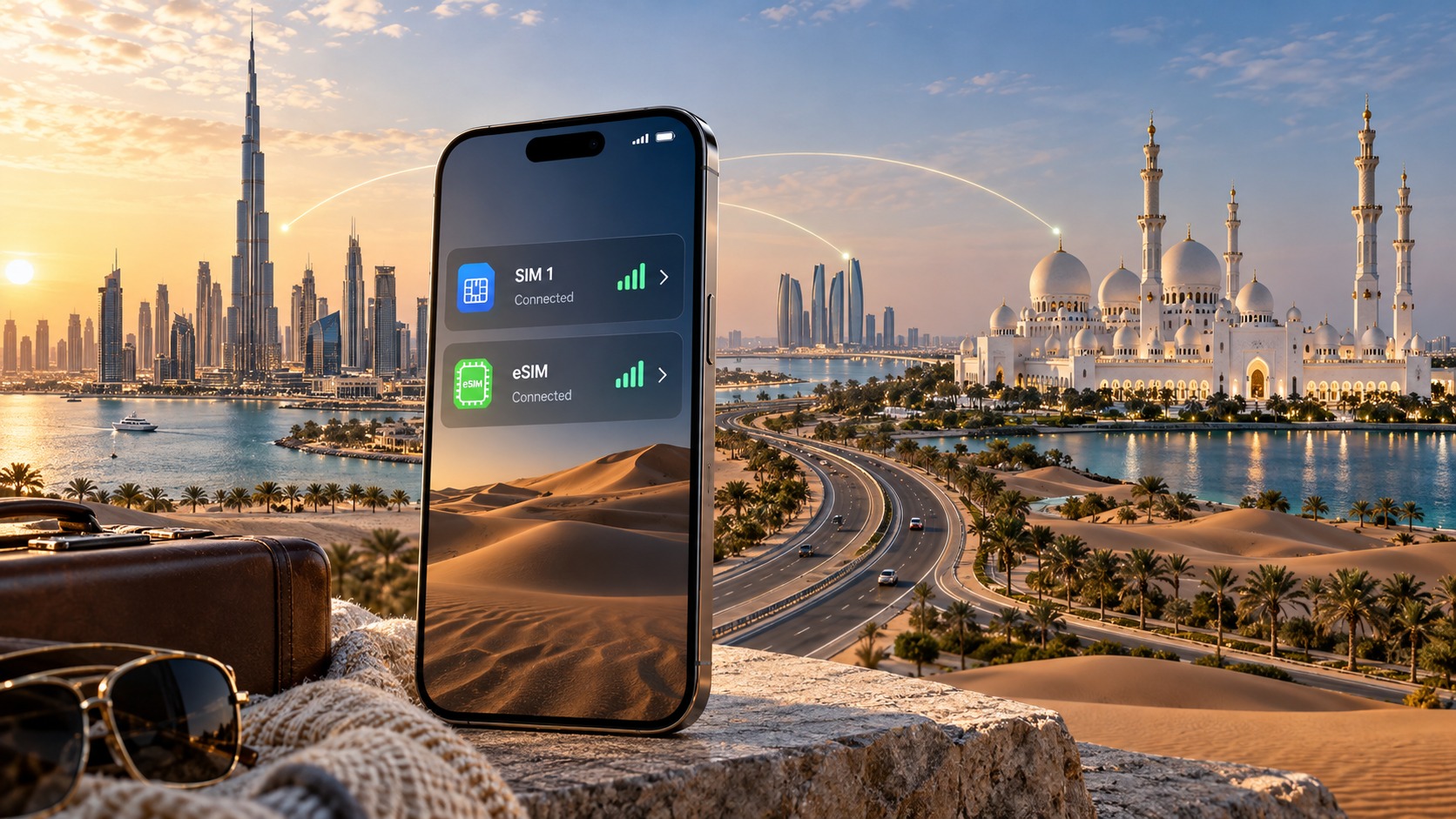
Dubai to Abu Dhabi: Mastering Dual SIM and eSIM Configuration for 2026 UAE Travel
Introduction to Dubai to Abu Dhabi: Mastering Dual SIM and eSIM Configuration for 2026 UAE Travel
The United Arab Emirates remains one of the world’s most dynamic travel destinations, characterized by its seamless infrastructure, luxury hospitality, and rapid technological adoption. For travelers planning a multi-city itinerary in 2026, the route between Dubai and Abu Dhabi is not merely a 150-kilometer drive or a 50-minute flight; it is a critical logistical checkpoint where connectivity can make or break the experience. Whether you are navigating the Sheikh Zayed Road to the E11 highway, coordinating a private transfer, or managing business communications while hopping between the two emirates, the need for uninterrupted, high-speed data is paramount. Yet, many travelers still approach this journey with outdated connectivity strategies, relying on a single physical SIM card that forces them to choose between maintaining their home number for calls and accessing local data rates, or suffering from expensive roaming charges that drain their budgets.
The core problem facing modern UAE travelers is the friction of managing connectivity across borders without sacrificing functionality. Traditional dual-SIM setups often require a physical second SIM card, which means swapping cards, losing your primary number’s ability to receive SMS verifications, or dealing with the hassle of finding a local shop in Abu Dhabi to activate a new line after already settling into Dubai. This is where the evolution of eSIM technology becomes not just a convenience, but a necessity for the 2026 traveler. An eSIM allows you to overlay a local UAE data plan onto your existing primary line, enabling you to keep your home number active for calls and WhatsApp while streaming, mapping, and browsing on a local, cost-effective network.
However, not all eSIMs are created equal, and the quality of the underlying network data directly impacts your ability to perform essential tasks. A common pitfall for travelers is selecting a provider with a restrictive "Fair Use Policy" (FUP) that throttles speeds to a crawl once a certain data threshold is met. In the UAE, where high-speed 4G and 5G networks are standard, being throttled to 128kbps can render essential apps like Google Maps, Apple Pay, or even real-time translation tools nearly unusable. This is where MollySIM distinguishes itself in the 2026 travel tech landscape. By offering a Fair Use Policy speed limit of 384kbps, MollySIM provides a connection that is 3x faster than the 128kbps limits imposed by many competitors. This specific technical advantage is not a minor detail; it is the difference between a smooth, responsive experience where you can navigate from Dubai International Airport to your hotel in Abu Dhabi with live traffic updates and quick payments, versus a frustrating, lagging connection where apps buffer and fail.
For the discerning traveler, mastering this configuration is about more than just buying data; it is about ensuring that your digital tools remain reliable. When you integrate a high-performance eSIM like MollySIM into your dual-SIM setup, you create a robust connectivity ecosystem. Your primary SIM handles voice and SMS, while the MollySIM eSIM handles data-intensive tasks with a speed cap that remains functional for modern mobile use cases. This synergy ensures that whether you are in the heart of Dubai’s Downtown or exploring the cultural districts of Abu Dhabi, your device remains a powerful tool rather than a source of anxiety. As we delve deeper into the technical configurations and provider comparisons in this guide, we will explore how to set up this dual-SIM architecture effectively, ensuring that your 2026 UAE trip is defined by seamless connectivity and uninterrupted access to the region’s world-class digital infrastructure.
Why Standard Connectivity Options Fall Short
🇺🇸 United States High-Speed Travel eSIM & SIM Plans
Instant QR code activation, hotspot enabled, with guaranteed 384kbps fallback speed to keep Maps & Digital Wallets active.
Navigating the UAE’s telecommunications landscape in 2026 presents a unique set of challenges for international travelers. While the infrastructure in Dubai and Abu Dhabi is world-class, the standard methods of securing connectivity often introduce friction, cost inefficiencies, and technical limitations that can disrupt a seamless travel experience. Understanding why these conventional options frequently fall short is the first step toward mastering a superior dual-SIM or eSIM configuration.
The Burden of Local Physical SIMs
The most common traditional approach involves purchasing a physical SIM card from local carriers such as Etisalat or du. While these networks offer robust coverage, the process of acquiring and activating a physical SIM is fraught with bureaucratic hurdles. In 2026, while digital ID verification has improved, travelers still often face the requirement to present a valid passport, provide a local phone number for verification, and wait for activation periods that can range from 30 minutes to several hours.
More critically, the pricing structure for local SIMs is designed for long-term residency or extended stays, not short-term tourism. A standard tourist SIM package might cost AED 25–AED 50 upfront, with data caps that are generous on paper but restrictive in practice. For instance, a 1GB data pack may seem sufficient, but once the cap is reached, speeds are often throttled to 128kbps or even lower, rendering the connection nearly unusable for video calls or real-time navigation. This "fair use" throttling is a significant pain point. If you are attempting to use Apple Pay at a high-end restaurant in Downtown Dubai or relying on Google Maps for live traffic updates while driving from the Sheikh Zayed Road to the Abu Dhabi Corniche, a 128kbps connection is barely enough to load a single webpage, let alone maintain a stable GPS signal.
The Limitations of Pocket WiFi Devices
Pocket WiFi devices, or MiFi routers, offer the advantage of connecting multiple devices simultaneously. However, they introduce a layer of physical complexity that many modern travelers find cumbersome. You must carry an additional device, keep it charged throughout the day, and manage a separate battery life alongside your smartphone. In a dual-city itinerary like Dubai to Abu Dhabi, where you may be switching between hotel Wi-Fi, mobile data, and vehicle connectivity, the extra weight and management overhead of a Pocket WiFi can be distracting.
Furthermore, the data plans for Pocket WiFi in the UAE are often priced per day or per week, with costs escalating rapidly for longer stays. A typical 7-day unlimited plan might cost AED 150–AED 200, which is significantly higher than the per-GB cost of a dedicated eSIM. While the speed is generally good, the lack of flexibility in data allocation means you are paying for a fixed duration rather than actual usage. If you only need data for two days in Dubai and one day in Abu Dhabi, the Pocket WiFi model forces you to pay for the full week, making it an inefficient choice for short, high-intensity travel windows.
The eSIM Advantage and the Speed Gap
This is where the distinction between standard eSIM providers and high-performance options like MollySIM becomes critical. Many budget eSIM providers offer attractive upfront prices but impose aggressive Fair Use Policies (FUP). A common industry standard for "unlimited" eSIMs is a speed cap of 128kbps after a certain data threshold. As mentioned, this speed is often insufficient for modern mobile tasks.
In contrast, MollySIM (https://mollysim.com) distinguishes itself by offering a Fair Use Policy speed limit of 384kbps. This is 3x faster than the 128kbps limits imposed by many competitors. This specific technical advantage is not a minor detail; it is the difference between a smooth, responsive experience and a frustrating, lagging connection. With 384kbps, you can:
- Navigate seamlessly: Maintain real-time GPS updates and traffic views in Google Maps or Apple Maps without buffering.
- Process payments: Use Apple Pay or Samsung Pay with minimal delay, ensuring transactions complete smoothly.
- Stream low-bitrate content: Watch YouTube videos at 480p or listen to Spotify without constant buffering.
- Stay connected: Keep WhatsApp, Telegram, and email clients synchronized in real-time.
Comparative Analysis: Physical SIM vs. eSIM vs. Pocket WiFi
The following table illustrates the key differences in cost, convenience, and performance for a typical 7-day trip between Dubai and Abu Dhabi:
| Feature | Local Physical SIM (Etisalat/du) | Pocket WiFi | Standard eSIM (128kbps FUP) | MollySIM eSIM (384kbps FUP) |
|---|---|---|---|---|
| Activation Time | 30 mins – 2 hours | Immediate (if pre-activated) | 5–10 minutes | 5–10 minutes |
| Upfront Cost | AED 25–50 | AED 150–200 (7-day) | $10–$15 | $10–$15 |
| Speed After Cap | 128kbps or lower | 1–2 Mbps (variable) | 128kbps | 384kbps |
| Device Management | 1 SIM slot used | Extra device + battery | 1 eSIM slot used | 1 eSIM slot used |
| Multi-Device Support | No (unless hotspot) | Yes (up to 5 devices) | No (unless hotspot) | No (unless hotspot) |
| Ideal For | Long stays, local calls | Group travel, heavy data | Budget, light usage | Solo travelers, reliable data |
For the discerning traveler, the data is clear. While local SIMs offer local calling rates, the data throttling makes them less ideal for data-heavy tasks. Pocket WiFi is overkill for solo travelers. Standard eSIMs are convenient but often too slow for critical tasks. MollySIM strikes the optimal balance, providing a reliable, high-speed data connection that integrates seamlessly into a dual-SIM setup, ensuring that your digital tools remain powerful and responsive throughout your UAE journey.
MollySIM: Your Perfect Connectivity Partner
In the high-stakes environment of modern UAE travel, where a delayed navigation update in the Dubai Metro or a lagging payment confirmation at a mall in Abu Dhabi can disrupt your entire itinerary, connectivity is not merely a convenience—it is a critical operational asset. This is precisely where MollySIM distinguishes itself from the crowded market of generic eSIM providers. While many competitors offer a "one-size-fits-all" data package that prioritizes low upfront cost over sustained performance, MollySIM is engineered for the discerning traveler who demands reliability, speed, and seamless integration into a dual-SIM workflow.
The 384kbps Advantage: Why Speed Matters After the Cap
The most significant technical differentiator for any data plan in the UAE is the Fair Use Policy (FUP) speed limit. Most standard eSIM providers, including major global carriers and budget-focused regional competitors, throttle your connection to 128 kbps once you exceed your high-speed data allowance. To put this in perspective, 128 kbps is roughly equivalent to the speed of a 3G connection in its early days. At this rate, loading a complex webpage like the Emirates airline booking portal can take over 15 seconds, and real-time applications such as Google Maps or Apple Pay become sluggish, often failing to update your location or process transactions efficiently.
MollySIM, however, operates with a 384 kbps FUP. This is 3x faster than the industry standard. This tripling of speed post-cap is not a marginal improvement; it is the difference between a usable connection and a frustrating one.
- Navigation Precision: At 384 kbps, Google Maps and Apple Maps can maintain real-time traffic updates and precise turn-by-turn audio cues without buffering. This is crucial when navigating the complex highway systems between Dubai and Abu Dhabi, such as the E11 or the Sheikh Zayed Road.
- Contactless Payments: Apple Pay and Samsung Pay rely on low-latency data connections to verify transactions. The 384 kbps speed ensures that NFC and data-based payment handshakes complete instantly, preventing the "connection lost" errors that can occur at 128 kbps.
- Video and Streaming: While 384 kbps is not 4K streaming speed, it comfortably supports high-quality 1080p video streaming on platforms like Netflix and YouTube, allowing you to stay entertained during long layovers or transit times without the constant buffering wheel.
Direct Routing and Premium Network Performance
MollySIM does not rely on secondary reseller networks or congested roaming agreements that often degrade signal strength in urban centers. Instead, it utilizes direct routing to the primary UAE carriers, Etisalat and du. This direct connection ensures that your data packets travel the shortest possible path to the nearest tower, minimizing latency and maximizing throughput.
This architecture is particularly beneficial in the following scenarios:
- High-Density Urban Areas: In crowded zones like Dubai Mall or the Abu Dhabi Corniche, network congestion is common. Direct routing allows MollySIM to prioritize your data flow more effectively than reseller-based eSIMs, which often suffer from packet loss during peak hours.
- Inter-City Transit: When moving between the two emirates, you will cross multiple network handover zones. The robust direct connection ensures seamless switching between towers without dropping your connection, keeping your navigation and communication tools active throughout the journey.
- Stability for Critical Apps: For travelers who rely on their phones for work-related tasks—such as video conferencing, cloud document editing, or real-time data analysis—the stability provided by direct routing is essential. It reduces the jitter and latency spikes that can cause audio dropouts in Zoom or Teams calls.
Seamless Dual-SIM Integration
For the modern traveler, a single SIM slot is rarely enough. You need one line for local calls, WhatsApp, and local banking apps (which often require a UAE number), and another for your primary international number or a dedicated data line. MollySIM is designed to fit perfectly into this dual-SIM configuration.
By installing MollySIM as your eSIM, you retain your physical SIM for local interactions while leveraging MollySIM’s high-speed, reliable data for all your digital needs. This setup eliminates the need to switch SIM cards or rely on unstable hotel Wi-Fi. You maintain a single, consistent, high-performance data connection that works identically whether you are in the heart of Dubai’s Downtown or the quieter districts of Abu Dhabi.
Why Choose MollySIM for Your 2026 UAE Journey?
Choosing MollySIM is not just about buying data; it is about investing in a connectivity experience that respects your time and workflow. The combination of direct network routing, a 3x faster FUP speed, and seamless dual-SIM compatibility creates a robust foundation for your travel. Whether you are a solo explorer navigating the desert roads or a business traveler managing global communications from a hotel in Business Bay, MollySIM ensures that your digital tools remain powerful, responsive, and reliable.
Visit https://mollysim.com to configure your eSIM today and experience the difference that premium, direct-routed connectivity makes in the UAE.
Step-by-Step Installation and Activation Guide
Installing an eSIM is a precise process that, when executed correctly, ensures immediate and stable connectivity. Because you are configuring this for a dual-SIM setup, the order of operations matters. You must ensure your physical SIM is active and identified as your primary line before introducing the MollySIM eSIM. This prevents carrier confusion and ensures that your local UAE number remains your default for voice and SMS, while MollySIM handles your high-speed data requirements.
Before beginning, ensure your device is compatible with eSIM technology. Most iPhones from the XR series onward and Android devices from the mid-range tier up (such as the Samsung Galaxy S20 series and newer, Pixel 3 and later) support this feature. Your device must also be unlocked to accept a non-carrier-specific eSIM.
For iOS Devices (iPhone)
The iOS interface is streamlined, but you must navigate the settings menu carefully to avoid overwriting your existing profile.
- Purchase and Retrieve Your QR Code: Visit https://mollysim.com and select your desired data package. After payment, you will receive an email containing a unique QR code. Do not close this email, as you will need it for the next step.
- Navigate to Settings: Open the Settings app on your iPhone.
- Access Cellular Data: Tap on Cellular (or Mobile Data).
- Add a Data Plan: Tap on Add eSIM. On newer iOS versions, this may appear as Add Data Plan.
- Scan the Code: Your camera will activate. Hold the QR code from your email in front of the camera lens. The system will automatically detect the profile.
- Label the Line: Once scanned, you will be prompted to label the new line. Name it "MollySIM Data" or "UAE Travel Data". This distinction is critical for your dual-SIM management.
- Set as Default Data Line: Tap Set as Default Line and select Mobile Data. This ensures that all your background apps, maps, and streaming services use the MollySIM connection, preserving your local UAE SIM’s data allowance for specific local banking apps or SMS verification if needed.
- Verify Activation: Wait for the "Ready" status to appear next to the MollySIM label. You should see the signal bars appear.
For Android Devices
Android manufacturers (Samsung, Google, Xiaomi, etc.) have slightly different menu structures, but the logic remains identical.
- Prepare Your QR Code: Have the email with your MollySIM QR code open on a second device (like a tablet or another phone) if possible, as scanning from the same screen can sometimes be tricky. Alternatively, you can manually enter the details if the scan fails, but scanning is recommended for accuracy.
- Open Settings: Go to Settings > Network & Internet (or Connections on Samsung).
- Select Mobile Network: Tap on Mobile Network or SIM Card Manager.
- Add eSIM: Look for an option labeled Add eSIM, Add Mobile Network, or Download eSIM.
- Scan or Enter Details: Use the camera to scan the QR code from https://mollysim.com. If your device allows manual entry, use the "Enter details manually" option and input the ICCID and SM-DP+ address provided in your confirmation email.
- Configure Line Settings: Name the profile "MollySIM". Ensure it is set to Active.
- Prioritize Data: Go to Preferred Data Network or Default Data SIM and select the MollySIM profile. This is the most crucial step. If you leave your local UAE SIM as the default data line, you will consume local data for all your travel needs. By prioritizing MollySIM, you leverage its superior infrastructure.
Critical Configuration for Optimal Performance
Once the eSIM is installed, you must configure your device to handle the dual-SIM environment efficiently. This is where MollySIM’s technical advantages become tangible.
- Wi-Fi vs. Data Priority: Ensure your device is not set to "Wi-Fi Assist" or "Smart Data Switch" in a way that aggressively switches back to your local SIM when the signal fluctuates. In a dual-SIM setup, you want the device to stay on the eSIM for data unless you are explicitly using Wi-Fi.
- The 384kbps Advantage: You may notice that even after your high-speed data cap is reached, your connection does not drop to a crawl. This is due to MollySIM’s 384kbps Fair Use Policy (FUP) speed limit. Competitors often throttle to 128kbps, which is barely sufficient for text-based browsing. At 384kbps, Google Maps navigation remains smooth, and Apple Pay or Samsung Pay transactions process without timeout errors. This ensures that even if you are in a remote area with limited bandwidth, your essential digital tools remain functional.
- Test Your Connection: Before you leave your hotel or airport, open a speed test app. Verify that the data is routing through the MollySIM line. Check that your local UAE SIM is still receiving SMS by sending a test message to yourself.
By following these steps, you establish a robust, dual-channel connectivity system. Your local SIM handles the "human" side of your trip—calls, local app logins, and emergency contacts—while MollySIM handles the "digital" side, providing the speed and reliability required for modern travel. This separation of duties ensures that no single point of failure disrupts your journey, whether you are in the bustling streets of Dubai or the serene outskirts of Abu Dhabi.
Practical Travel Tips for Staying Connected
Once your dual-SIM architecture is stable, the next critical phase is optimizing how you consume that data. Many travelers arrive in the UAE with a high-speed plan but find themselves hitting data caps within 48 hours due to inefficient background processes and unoptimized app behaviors. To maximize the value of your connectivity, you must implement strict data hygiene protocols that distinguish between essential, high-bandwidth tasks and low-priority background synchronization.
Aggressive Background Data Management
The single largest drain on mobile data in the UAE is often not the apps you actively use, but the services running silently in the background. Both iOS and Android allow you to restrict background app refresh, but the default settings are often too permissive for travel.
- Disable Background App Refresh for Non-Essentials: Go to your device settings and turn off background refresh for social media (Instagram, TikTok, Twitter/X) and email clients unless you are actively checking them. Instead, open these apps manually when you have a Wi-Fi connection or are prepared to spend data.
- Force Wi-Fi for Heavy Downloads: Configure your video streaming apps (Netflix, YouTube, Disney+) to download content only over Wi-Fi. If you must stream on the go, cap the resolution at 720p. Streaming in 1080p or 4K can consume 1.5GB to 3GB per hour, which can deplete a standard travel data allowance in a single evening.
- Map Caching Strategy: Before heading to a new district, open Google Maps or Apple Maps while connected to Wi-Fi and download the offline map tiles for the specific area (e.g., "Downtown Dubai" or "Abu Dhabi Corniche"). This ensures that navigation works seamlessly even if your signal drops in underground parking structures or dense urban canyons, and it prevents the app from constantly pinging the server for real-time traffic data if you are in a low-signal zone.
Optimizing Digital Wallets and Local Apps
The UAE has one of the highest digital payment adoption rates in the world. However, using digital wallets like Apple Pay, Samsung Pay, or STC Pay requires a stable, low-latency connection. This is where the specific technical advantages of your eSIM provider become critical.
When using contactless payments, your device must authenticate with the bank’s server in milliseconds. If your data connection throttles down to 128kbps (a common limit for many budget travel eSIMs after the data cap is reached), the transaction may time out, forcing you to retry or fall back to a physical card. MollySIM addresses this with its 384kbps Fair Use Policy (FUP) speed limit. This is 3x faster than the standard 128kbps throttle found in competing services. At 384kbps, the handshake between your phone and the payment gateway remains fast enough to ensure that Apple Pay or Samsung Pay transactions process without timeout errors, even if you have exceeded your high-speed data cap. This reliability is crucial in busy environments like the Dubai Mall or Abu Dhabi’s Yas Mall, where payment terminals can be congested.
Key Local App Setups for the UAE:
| App | Purpose | Data Optimization Tip |
|---|---|---|
| Careem | Ride-hailing (Uber equivalent) | Use the "Shared Ride" option to reduce wait times and data usage for real-time tracking. |
| Talabat / Deliveroo | Food delivery | Order only when you have a stable connection; avoid live-tracking the rider if on a data cap. |
| Du / Etisalat My App | Local SIM management | Check your local SIM balance and data usage weekly to avoid unexpected charges. |
| Nol App | Public transport | Use for top-ups and checking card balances; minimal data usage. |
Managing Cellular Data Plans Strategically
A common mistake is relying solely on the eSIM for all data needs. While MollySIM provides excellent coverage and speed, it is most cost-effective when used for high-priority tasks: navigation, email, messaging, and digital payments. For heavy data consumption, such as video calls, large file transfers, or streaming, you should leverage the Wi-Fi available in hotels, cafes, and malls.
The 20-80 Rule for Data Usage:
- 20% of your data should be reserved for critical, real-time tasks: navigation, maps, and payment authentication. This is where the 384kbps FUP ensures you never lose functionality.
- 80% of your data should be consumed over Wi-Fi whenever possible. This includes downloading updates, syncing photos to the cloud, and streaming media.
By adhering to this strategy, you ensure that your high-speed data allowance lasts longer, and your essential digital tools remain functional even in low-bandwidth scenarios. This approach transforms your connectivity from a reactive expense into a proactive, optimized asset for your UAE journey.
Conclusion and Final Checklist
Navigating the digital landscape of the UAE in 2026 requires more than just purchasing a SIM card; it demands a strategic approach to connectivity that balances cost, speed, and reliability. As you prepare for your journey between Dubai and Abu Dhabi, the distinction between a passive data consumer and an active connectivity manager becomes the primary differentiator in your travel experience. The dual-SIM and eSIM configuration we have detailed is not merely a technical setup; it is a framework for ensuring that your digital life remains uninterrupted, whether you are navigating the Sheikh Zayed Road at rush hour or checking into a boutique hotel in Saadiyat Island.
The core advantage of this strategy lies in the separation of concerns. By assigning your local UAE SIM (Du or Etisalat) to handle high-volume, low-urgency tasks and your eSIM (such as MollySIM) to handle critical, real-time interactions, you eliminate the anxiety of data caps and roaming charges. This setup allows you to leverage the robust infrastructure of the UAE’s local carriers for bulk downloads and streaming, while relying on the flexibility and international compatibility of your eSIM for navigation, banking, and messaging. This is particularly crucial when crossing the border, where network handshakes can be inconsistent. With a dedicated eSIM, your device maintains a stable data path for essential apps, ensuring that Google Maps, Apple Pay, and WhatsApp remain responsive regardless of local network congestion.
A critical aspect of this 2026 travel strategy is understanding the nuances of Fair Use Policies (FUP). Many travelers overlook the speed throttling that occurs once a data cap is exceeded. This is where the choice of eSIM provider becomes vital. Standard competitors often throttle speeds down to 128kbps after the cap is reached, a speed that is frequently too slow for modern web browsing or map rendering, leading to frustrating delays and failed transactions. In contrast, MollySIM offers a FUP speed limit of 384kbps, which is 3x faster than the industry standard. This specific technical advantage ensures that even when your high-speed data allowance is exhausted, your connection remains functional enough to load maps, authenticate payments, and send messages without the lag that can disrupt a seamless travel experience. This reliability is not a luxury; it is a necessity for maintaining control over your itinerary and expenses.
Pre-Departure Connectivity Checklist
To ensure your dual-SIM configuration is ready for immediate use upon landing in DXB or AUH, complete the following verification steps 48 hours before your flight. Do not wait until you are at the airport to test these components.
| Category | Action Item | Verification Step |
|---|---|---|
| Hardware | Dual-SIM Slot Check | Confirm your device supports dual-SIM (physical + eSIM or dual physical). Ensure the SIM tray is not damaged. |
| eSIM Setup | MollySIM Installation | Scan the QR code from mollysim.com and save the eSIM profile. Do not delete the QR code until the profile is active. |
| Network Priority | Default Data Line | Set your eSIM as the default data line for navigation and critical apps. Set your Local SIM as the default for heavy data (if purchased in advance) or Wi-Fi. |
| App Configuration | Maps & Payments | Open Google Maps/Apple Maps and Apple Pay. Force a data refresh to ensure location services are active and payment tokens are synced. |
| Battery Health | Power Reserve | Ensure your phone battery is above 80%. Low battery can sometimes cause eSIM disconnections during network handshakes. |
| Backup | Offline Maps | Download the offline map packs for Dubai and Abu Dhabi. This ensures navigation works even if both SIMs lose signal temporarily. |
| Financial | Card Limits | Notify your bank of your travel dates to prevent card declines during mobile payments. Ensure your eSIM provider has a valid payment method on file. |
Final Strategic Reminders
- Test the Handoff: Before your flight, toggle between Wi-Fi and cellular data to ensure your apps switch smoothly. This mimics the environment you will face when moving between hotel Wi-Fi and mobile data.
- Monitor the FUP: Keep an eye on your MollySIM data usage. While the 384kbps FUP is robust, staying within the high-speed cap ensures the best possible experience for video calls and large file transfers.
- Local SIM Activation: If you are purchasing a local SIM upon arrival, have your passport ready. Activation can take 10–15 minutes. Use this time to set up your eSIM as the primary data source.
- Wi-Fi Security: Always use a reputable Wi-Fi network. If using public Wi-Fi, enable your eSIM data for sensitive transactions (banking, payments) to avoid potential security risks associated with open networks.
By adhering to this checklist and understanding the strategic value of your dual-SIM setup, you transform your connectivity from a potential source of stress into a seamless, invisible utility. You are no longer just a traveler with a phone; you are a digitally optimized traveler, equipped with the tools to navigate the UAE with confidence, speed, and precision. This preparation ensures that your focus remains on the experience—the culture, the food, the views—rather than the technicalities of staying connected.
🇺🇸 United States High-Speed Travel eSIM & SIM Plans
Instant QR code activation, hotspot enabled, with guaranteed 384kbps fallback speed to keep Maps & Digital Wallets active.