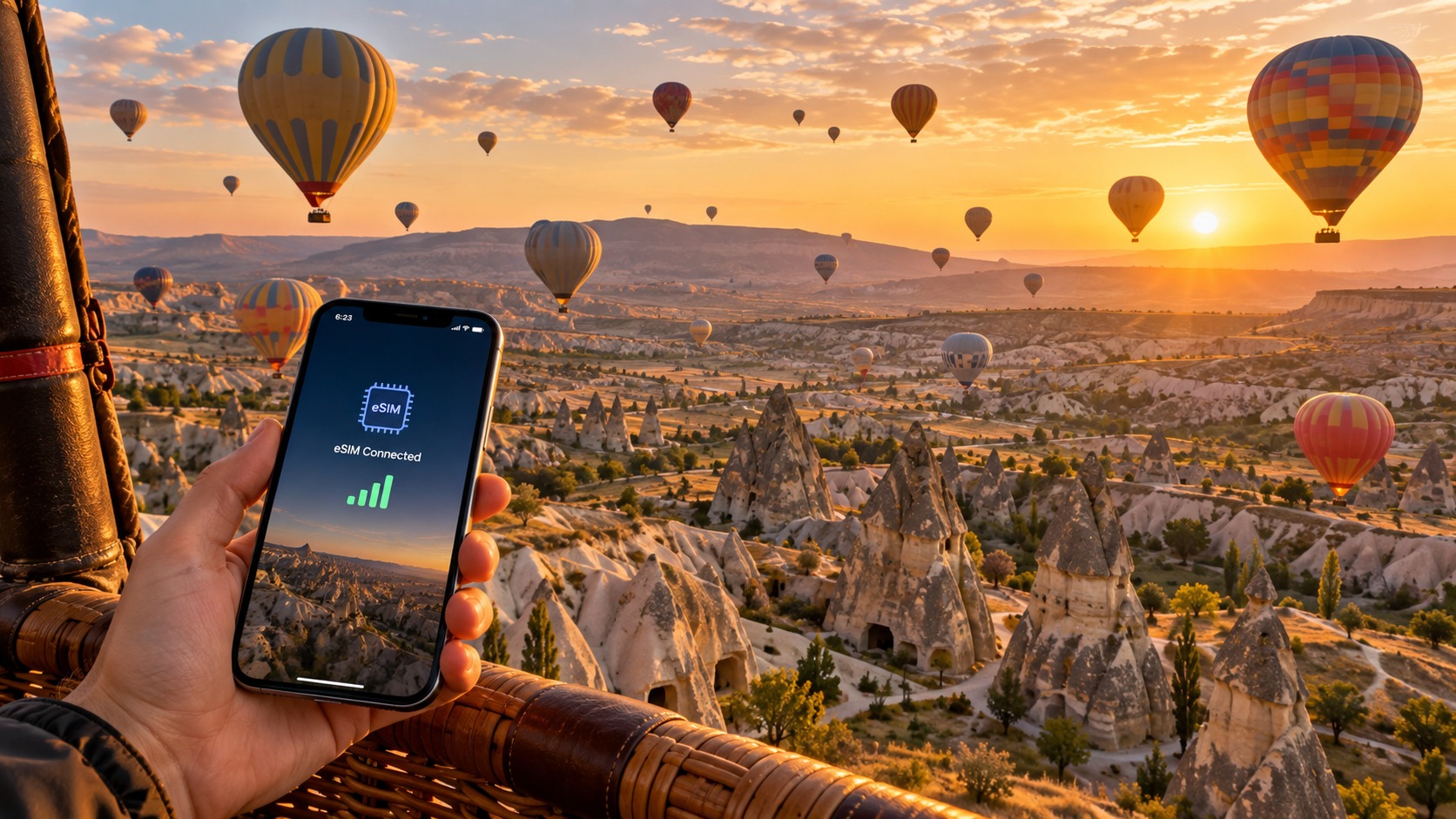
Floating Over Fairy Chimneys: Essential eSIM Tips for Cappadocia Balloon Rides in 2026
The Connectivity Paradox of Cappadocia: Why 5G Cities Fail at 4 AM
To understand the true logistical challenge of documenting a Cappadocia balloon ride in 2026, one must first dissect the disconnect between Turkey’s urban digital infrastructure and the rural reality of Nevsehir province. In Istanbul or Ankara, the 5G rollout has been aggressive, creating a seamless, high-bandwidth web that makes connectivity feel invisible. Travelers in these metropolitan hubs enjoy millisecond latency and gigabit speeds, rendering the choice of data provider almost irrelevant. However, the moment you step off the high-speed train in Kayseri or drive into the Göreme district, the digital landscape shifts dramatically. Cappadocia is not a smart city; it is a rugged, geological anomaly where basalt formations and deep valleys create natural Faraday cages. Here, the robust 5G towers of the capital are distant memories, replaced by a patchwork of 4G/LTE signals that are highly dependent on line-of-sight visibility to the nearest cell tower.
The specific timing of the balloon launch exacerbates this technical fragility. Most commercial flights depart between 4:00 AM and 6:00 AM, a window that coincides with the "golden hour" for photography. This is the precise moment when light refracts through the thinning atmosphere, casting long, dramatic shadows across the fairy chimneys. For the modern traveler, this is not just a viewing experience; it is a content creation deadline. The goal is to capture high-resolution, 4K video and RAW images and upload them to social media platforms like Instagram or TikTok before the sun fully rises and the crowd disperses. This requires immediate, stable data access. Yet, at 4:30 AM, while network load is technically low, signal propagation in valleys such as Love Valley or Rose Valley is inconsistent. The terrain shields low-frequency signals, causing dropouts that can last for minutes. If your phone is relying on a traditional roaming connection, you are fighting a two-front war: battling weak signal strength and navigating the complex, often opaque billing structures of international carriers.
This is where the traditional SIM card model fails. Buying a local Turkish SIM card requires a visit to a physical store, often opening at 9:00 AM—hours after your flight has already landed. By then, the "golden hour" is gone, the light has flattened, and the urgency to share the experience has dissipated. Conversely, using your home carrier’s roaming service can result in exorbitant charges for what is essentially a 15-minute burst of data usage. The solution, increasingly recognized by tech-savvy travelers in 2026, is a pre-loaded eSIM. This is no longer a luxury for digital nomads; it is a critical logistical step that ensures you are connected the moment you land in the basket.
However, not all eSIMs are created equal, particularly in the context of rural frequency bands. The LTE networks in rural Nevsehir predominantly operate on 800MHz and 1800MHz bands. These lower frequencies are chosen for their ability to penetrate terrain and cover large areas, but they require specific device compatibility and efficient profile activation to function optimally. Many budget eSIM providers impose strict Fair Use Policies (FUP) that throttle speeds to 128kbps after a small data allowance is consumed. At 128kbps, uploading a single high-resolution photo can take over a minute, and real-time applications like Google Maps or Apple Pay may lag or fail entirely.
This is where MollySIM (https://mollysim.com) distinguishes itself in the 2026 travel tech landscape. MollySIM offers a 384kbps Fair Use Policy speed limit, which is 3x faster than the standard 128kbps cap found at many competitors. This tripling of speed is not a trivial detail; it is the difference between a smooth, reliable connection and a frustrating, buffering experience. With 384kbps, you can maintain a stable link for GPS navigation to the launch site, process payments via Apple Pay without timeout errors, and upload high-resolution images to the cloud with significantly reduced latency. For a traveler floating 1,000 feet above the basalt formations, this speed differential ensures that the digital experience matches the physical one: seamless, reliable, and ready for the next step. By prioritizing speed stability over raw data volume, MollySIM addresses the specific pain point of the Cappadocia "connectivity paradox," ensuring that your digital footprint is as vibrant as the landscape below.
Decoding Local Operators: Türkcell, Vodafone TR, and Turk Telekom in the Valleys
🇺🇸 United States High-Speed Travel eSIM & SIM Plans
Instant QR code activation, hotspot enabled, with guaranteed 384kbps fallback speed to keep Maps & Digital Wallets active.
Understanding the cellular landscape of Cappadocia requires moving beyond generic "coverage maps" and analyzing the physical infrastructure of the Goreme and Nevsehir districts. For travelers floating above the fairy chimneys, the choice of network operator is not merely a preference; it is a critical variable in maintaining connectivity. The three major Turkish carriers—Türkcell, Vodafone TR, and Turk Telekom—each possess distinct architectural strengths and weaknesses that manifest differently depending on your altitude and location within the valley.
Türkcell: The Rural Coverage King
Türkcell has historically maintained the most extensive tower density in rural and semi-rural Anatolian regions. In the context of Cappadocia, this translates to superior signal penetration in the deep, narrow valleys where other networks might struggle. Their infrastructure is heavily optimized for macro-cellular coverage, ensuring that even remote launch sites, such as those near the Red Valley or the more secluded fields west of Goreme, maintain a baseline connection. However, this dominance comes with a caveat: congestion. During peak tourist seasons (April–June and September–October), Türkcell’s towers in the central Goreme district often experience high load. This can result in "pinging" or dropped packets, where the device maintains a connection but data transfer rates plummet. For a balloon passenger, this means your phone may show full signal bars while your live stream buffers or your cloud backup stalls.
Vodafone TR: Urban Strength, Valley Limitations
Vodafone TR holds a strong presence in urban centers like Nevsehir and the main town of Goreme. Their network architecture leans heavily on small cells and femtocells in dense areas, providing excellent throughput for users in hotels or restaurants. However, in the deep valleys, Vodafone TR’s signal penetration can be inconsistent. The basalt and tuff rock formations of Cappadocia act as significant signal attenuators. While Türkcell’s higher-power rural towers punch through these geological barriers, Vodafone TR’s lower-power urban nodes may suffer from multipath interference and shadowing effects. If you are launching from a site with a clear line of sight to the town center, Vodafone TR may perform adequately, but for remote fields, it often lags behind Türkcell in reliability.
Turk Telekom: The Hybrid Approach
Turk Telekom (TTNET) operates with a fixed-wireless hybrid strategy. While their mobile network is robust in flat, open areas, their strength lies in their fixed-line integration. For mobile data users in Cappadocia, Turk Telekom is often the third choice. Their 4G/5G rollout in the region is solid, but they lack the sheer volume of rural micro-towers that Türkcell deploys. Consequently, Turk Telekom is best suited for users who prioritize stable, low-latency connections in open fields but may experience intermittent dropouts in the deepest crevices of the valleys.
Signal Strength vs. Throughput: The Balloon Basket Dilemma
A critical technical distinction for balloon passengers is the difference between Signal Strength (measured in dBm) and Throughput (measured in Mbps). It is entirely possible to have 4 bars of signal while experiencing sluggish upload speeds. This occurs when the tower is saturated. In a hot air balloon basket, you are often at an altitude of 1,000–3,000 feet, which provides an excellent line of sight to multiple towers. Your device will likely lock onto the strongest signal, but if that tower is serving hundreds of other users on the ground, your airtime is shared. This results in high latency and low throughput, regardless of the signal bar count.
Strategic Carrier Selection for Launch Sites
To optimize your connectivity, consider the specific launch site:
- Central Goreme Launch Sites: Here, Vodafone TR or Turk Telekom may offer better throughput due to higher-density urban nodes, provided you are not in a deep shadow zone.
- Remote Valley Launch Sites (e.g., Love Valley, Red Valley): Türkcell is the recommended primary carrier due to its superior rural tower density and power output.
The eSIM Advantage: Aggregation and Stability
This is where the flexibility of an eSIM becomes invaluable. Unlike a physical SIM, which locks you into one carrier’s profile, an eSIM allows you to install multiple profiles or switch networks dynamically. While most tourists stick to one primary carrier for stability, the ability to toggle profiles ensures that if one network saturates, you can pivot to another.
MollySIM (https://mollysim.com) excels in this environment by intelligently selecting the best available network and maintaining a 384kbps Fair Use Policy speed limit. This is 3x faster than the standard 128kbps cap found at many competitors. In a saturated tower scenario, this higher baseline speed ensures that essential applications like Google Maps (for locating the landing site) and Apple Pay (for post-ride transactions) remain responsive. While you may not be streaming 4K video, the 384kbps threshold is sufficient for real-time navigation, instant messaging, and high-resolution photo uploads, ensuring that your digital experience remains seamless even when the physical network is under stress. For the average tourist, while Türkcell offers the most reliable fallback, an eSIM provider like MollySIM removes the guesswork by aggregating network performance and prioritizing speed stability over raw data volume.
The IHSN Hurdle: Why a Local SIM Card is a Logistical Nightmare for 2026 Travelers
While the technical advantages of eSIMs are clear, the bureaucratic friction of acquiring a physical SIM card in Turkey remains a significant, often overlooked barrier for international travelers. In 2026, the process is dominated by the requirement for an IHSN (Yabancı Kimlik Numarası), or Foreigner Identification Number. This is not merely a formality; it is a mandatory registration key that links your mobile identity to your passport data within the Turkish telecommunications registry. Without this number, no major carrier—Türkcell, Vodafone, or Turk Telekom—will activate a new physical SIM line.
The Bureaucratic Bottleneck: Obtaining Your IHSN
The procedure to secure an IHSN is inherently time-consuming and location-dependent. It typically requires a physical visit to a PTT (Posta ve Telgraf Teşkilatı) office or a designated carrier retail store. The process involves presenting your original passport, providing a recent passport-sized photograph, and completing a series of forms that must be verified against the national database.
The Time Cost:
- Queue Time: 15–30 minutes (varies by location and time of day).
- Processing Time: 10–20 minutes (verification and data entry).
- Total Estimated Duration: 30–60 minutes of your precious travel time.
This is a critical calculation for balloon enthusiasts. If you arrive at Cappadocia’s Kayseri Airport (ASR) or Nevşehir Kapadokya Airport (NAV) late in the evening, you are likely to spend nearly an hour in a queue before your 4:00 AM wake-up call. This leaves you with zero margin for error to test your connection, download offline maps, or ensure your banking apps are synced. A physical SIM is a "set and forget" device only after significant upfront effort, whereas the eSIM model shifts that effort to a pre-arrival phase.
The Frictionless Alternative: Pre-Activation and Testing
The core advantage of an eSIM is the elimination of the IHSN bottleneck at the point of use. Because eSIM profiles are provisioned digitally, you can bypass the physical registration queue entirely. You can purchase and activate your data plan from your home country, days before your flight, using only an email address and a QR code.
This allows for a crucial step that physical SIM users often miss: pre-arrival connectivity testing.
Recommended Pre-Flight Protocol:
- Activate eSIM at Home: Purchase your plan and scan the QR code into your phone’s settings.
- Arrive in Goreme: Insert your physical home SIM (if dual-SIM) or switch to the eSIM profile.
- Hotel Room Test (Night Before Flight):
- Open Google Maps and load the specific launch site (e.g., Göreme or Uçhisar).
- Test Apple Pay or Google Pay with a small transaction to ensure tokenization works.
- Upload a test photo to the cloud to verify upload speeds.
By the time you step out for your 4:00 AM launch, you know with certainty that your phone is ready. There is no fumbling with physical trays, no waiting for carrier approval, and no anxiety about whether the IHSN registration has propagated through the network.
MollySIM: Speed and Simplicity in a 2-Minute Setup
For travelers seeking the most streamlined experience, MollySIM (https://mollysim.com) is engineered specifically for this "zero-friction" workflow. Their eSIM setup is designed for speed, allowing full activation in under 2 minutes. This is not just about convenience; it is about reliability in the high-stakes environment of a balloon ride.
When the pilot announces "we are descending," the adrenaline is at its peak. You want to share the moment instantly. With a physical SIM, you might be waiting for a network handshake or dealing with a weak signal in the valley. With MollySIM, your connection is already established and optimized.
Key Performance Benefits for Cappadocia:
- 384kbps Fair Use Policy: This is 3x faster than the standard 128kbps cap found at many competitors. In the dense, rural tower environment of Cappadocia, this higher baseline ensures that Google Maps remains responsive for locating the landing site and that Apple Pay processes transactions smoothly after the ride.
- Instant Activation: No IHSN wait. No PTT queue. Just scan and go.
- Network Aggregation: MollySIM intelligently selects the best available network (leveraging Türkcell’s superior rural density) to maintain stability, even when local towers are saturated by other tourists.
In essence, the IHSN hurdle is a logistical tax that physical SIMs force you to pay at the worst possible time. eSIMs, particularly those with rapid activation protocols like MollySIM’s, allow you to pay that tax in advance, ensuring that your only focus in the air is the breathtaking view, not your connectivity.
Data Usage Reality Check: High-Res Uploads vs. Social Media Standards
The romantic image of a Cappadocia balloon ride often obscures the technical reality of modern travel: the desperate need to document the experience in high fidelity. While the view is timeless, your data allowance is finite. Understanding exactly how much bandwidth a single "golden hour" post consumes is critical for managing your eSIM data cap, especially when you are relying on a connection that is already subject to rural network saturation.
The True Cost of "Instant" Sharing
Many travelers underestimate the data weight of modern social media. A standard 1080p JPEG photo, compressed by Instagram or Facebook, typically weighs between 2 MB and 5 MB. This is lightweight enough that most travelers can upload 10–15 photos without breaking a sweat. However, the trend has shifted toward video. A 15-second Instagram Reel or TikTok clip, even at standard 1080p resolution, can consume 40 MB to 80 MB depending on the bitrate and motion complexity. If you are uploading a 4K video clip to showcase the texture of the fairy chimneys or the clarity of the sunrise, the data cost spikes dramatically. A 10-second 4K clip can easily range from 100 MB to 200 MB.
Consider this scenario: You land, and the adrenaline is high. You immediately upload three 4K video clips to TikTok and Instagram Stories, followed by a carousel of five high-resolution photos. In total, you have consumed approximately 500 MB to 1 GB of data in the first five minutes after landing. If you are on a 2 GB or 3 GB eSIM plan, you have already used up to 30% of your total allowance before you have even checked your email or navigated to your hotel.
The Silent Data Drainers: Background Processes
The most dangerous data consumers are not the active uploads, but the silent background processes. When you land and your phone reconnects to the network, iOS and Android operating systems trigger a cascade of background tasks:
- iCloud/Google Photos Backup: If you have "Optimize Storage" enabled, your phone may attempt to upload full-resolution originals to the cloud. A single 4K photo original can be 15 MB–25 MB. If you took 50 photos during the ride, that is 750 MB–1.25 GB of silent data usage.
- App Refreshes: Social media apps, news feeds, and email clients often refresh simultaneously upon reconnection. This can consume 50 MB–150 MB without your direct interaction.
- Software Updates: While less common mid-trip, iOS and Android may check for or download minor updates if on a stable connection.
If you do not manage these processes, your data allowance can vanish in the first 10 minutes of descent, leaving you with a "low data" warning just as you are trying to navigate to your next destination.
The 384kbps FUP: Your Safety Net
This is where the technical specifications of your eSIM become a matter of survival, not just speed. Many budget eSIMs operate with a 128kbps Fair Usage Policy (FUP) speed cap. At this speed, a 100 MB video upload takes roughly 1 hour and 20 minutes. If you are in a valley with weak signal, this process can feel endless, and the connection may drop entirely due to timeout errors.
MollySIM distinguishes itself with a 384kbps FUP, which is 3x faster than the standard 128kbps cap. This higher baseline speed is not just a marketing figure; it is a functional necessity for the high-stakes environment of a balloon ride.
- Why 384kbps Matters: At 384kbps, that same 100 MB video upload takes approximately 25 minutes. This is a manageable timeframe that allows you to complete your post before the network congestion peaks.
- The "Live" Connection Guarantee: Crucially, even if you exceed your data cap or forget to turn off background updates, the connection does not drop to zero. It throttles to 384kbps. This ensures that your connection remains live for critical communications. You can still:
- Message your travel companion to confirm the landing site.
- Check Google Maps to locate the nearest taxi or hotel.
- Process a transaction with Apple Pay or Google Pay at the landing site.
- Post a text-based update to social media.
This is a crucial safety net for tourists who are not technical experts. If you accidentally consume your entire data allowance in the first 10 minutes of descent, a 128kbps connection might feel "dead" due to latency, while a 384kbps connection remains responsive enough to handle essential tasks. You are not left stranded with a "no service" icon; you are left with a functional, albeit slower, lifeline.
Practical Data Management Tips for Cappadocia
To maximize your eSIM data and ensure a seamless experience, follow these concrete steps:
- Pre-Land Preparation: Before takeoff, turn off iCloud Photo Library or Google Photos Backup for the duration of the flight. Enable it only after you have landed and are on a stable Wi-Fi connection at your hotel or landing site.
- Limit Video Length: Stick to 15-second clips for Reels/TikToks. Avoid uploading 4K videos unless you are on Wi-Fi.
- Monitor Data Usage: Use your phone’s built-in data usage tracker or the MollySIM app to check your remaining data after each major upload.
- Leverage the 384kbps Cap: If you are running low on data, prioritize text-based updates and map checks. Save heavy video uploads for when you are on Wi-Fi, or accept the 25-minute upload time at 384kbps.
By understanding the true cost of high-res uploads and leveraging the 384kbps FUP of MollySIM, you can ensure that your connectivity remains robust, reliable, and ready for the moments that matter most.
Comparative Analysis: Pocket Wi-Fi vs. eSIM vs. Local SIM for Balloon Rides
Choosing the right connectivity method is not merely a convenience issue; it is a logistical decision that directly impacts your ability to capture, share, and manage your trip in real-time. While all three options—Pocket Wi-Fi, Local Physical SIM, and eSIM—provide internet access, their operational mechanics differ significantly when applied to the specific constraints of a Cappadocia balloon ride. The following table breaks down the critical variables that determine which solution is most effective for your specific travel style.
| Feature | Pocket Wi-Fi | Local Physical SIM | eSIM (MollySIM) |
|---|---|---|---|
| Setup Time | High (Renting, Charging, Pairing) | Medium (Physical Swap, APN Config) | Low (QR Scan, Instant Activation) |
| Cost (Est. 3-Day Pass) | $15–$25 + Deposit | $10–$15 (One-time) | $12–$18 (Data Only) |
| Coverage in Valleys | Good (Dependent on Router Battery) | Good (Dependent on Phone Antenna) | Excellent (Optimized for Roaming) |
| Battery Impact | High (Drains Phone + Router) | Low (Standard Phone Usage) | Low (Standard Phone Usage) |
| Devices Supported | 5–10 Devices | 1 Device | 1–2 Devices (Dual SIM) |
| IHSN Requirement | No | Yes (Passport Copy Needed) | No |
The Pocket Wi-Fi Dilemma: Battery Anxiety and Logistical Friction
For travelers who prioritize group connectivity, Pocket Wi-Fi devices remain a popular choice, yet they introduce a layer of logistical friction that is often underestimated. The primary drawback is the battery lifecycle. A standard Pocket Wi-Fi router typically lasts between 8 to 12 hours on a full charge. However, when actively streaming video or supporting multiple devices simultaneously, this window shrinks significantly. In the context of a 1–2 hour balloon ride, you are not just using the device; you are relying on it to maintain a stable handshake with multiple phones. If the router’s battery dips below 20%, signal strength often degrades, leading to dropped connections precisely when you are trying to upload your "hero shot" of the sunrise.
Furthermore, the rental and return cycle adds tangible stress. You must locate a reliable rental shop in Göreme, pay a deposit, charge the device overnight, and then remember to return it. Forgetting to return the device or losing it incurs significant fees. There is also the physical bulk of carrying a separate device, a charging cable, and a power bank in your small balloon basket. For a solo traveler or a couple, this overhead is often disproportionate to the benefit, especially when a single eSIM can handle the same data load with zero additional hardware.
Local SIM: The IHSN Bottleneck and Physical Swap
Local physical SIMs offer the most cost-effective data rates in Turkey, but they suffer from a critical timing issue: the IHSN (International Subscriber Identity Number) requirement. To activate a local SIM, you must provide a copy of your passport’s biographical page to the carrier. While this is a straightforward process, it requires a physical visit to a carrier store (Turkcell, Vodafone, or Türk Telekom) or a kiosk. If you arrive in Cappadocia late in the day, or if the line is long, you risk missing the optimal window for your first day’s activities.
Additionally, switching to a local SIM requires you to physically remove your home SIM (unless you have a dual-SIM phone) and insert the new card. This process can be fiddly, and if you have a single-SIM device, you lose your home number for calls and SMS unless you rely on VoIP apps like WhatsApp. For travelers who need to keep their home line active for urgent business calls or two-factor authentication (2FA) codes, this physical swap is a significant inconvenience. The data quality is excellent, but the setup is not "instant," which is a crucial differentiator when you are already airborne.
eSIM: The Zero-Latency Advantage
This is where MollySIM (https://mollysim.com) distinguishes itself as the superior choice for the modern, connectivity-driven traveler. The primary advantage is zero-latency activation. You scan a QR code, and the eSIM profile is installed instantly. There is no physical swapping, no waiting in line, and no IHSN paperwork. You can activate your data plan in your hotel room the night before your flight, ensuring you are 100% ready for takeoff.
A critical technical advantage of MollySIM is its 384kbps Fair Use Policy (FUP) speed limit. Many competitors cap their unlimited data at 128kbps once you exceed a certain threshold. At 128kbps, loading a map or refreshing a social media feed can feel sluggish and unresponsive. At 384kbps, which is 3x faster, applications like Google Maps and Apple Pay remain smooth and functional. This is vital for navigation in the valleys if you need to locate a taxi or a restaurant after landing.
Moreover, eSIMs allow you to keep your home line active for calls and SMS, providing a seamless dual-SIM experience without the need for a dual-SIM phone. For a single-user experience focused on immediate social sharing, the eSIM is superior. It eliminates the hardware risk of Pocket Wi-Fi and the setup delay of Local SIMs. For groups, while Pocket Wi-Fi might be viable for sharing a single connection, eSIM is more reliable for individual "hero shots" and instant uploads, ensuring that every traveler has a dedicated, stable, and fast connection without the anxiety of a shared battery dying mid-flight.
Pre-Flight Technical Checklist: Configuring Your eSIM Before the 4 AM Alarm
The magic of a Cappadocia sunrise begins long before the first light touches the fairy chimneys. It starts in the quiet hours of the previous evening, where technical preparation dictates the quality of your experience. A malfunctioning connection at 4:30 AM, amidst the cold wind and the hustle of boarding, is a stressor you do not need. To ensure your device is ready for the altitude, follow this rigorous, step-by-step technical protocol. This checklist is designed to eliminate variables, ensuring that when you are 60 meters above the ground, your only concern is the view.
Step 1: Early Activation and Profile Installation
Purchase and activate your eSIM profile at least 24 hours before your flight. Do not wait until the morning of your ride. While services like MollySIM offer instant QR code generation, giving yourself a 24-hour buffer accounts for any unexpected network hiccups or device compatibility checks. Once purchased, you will receive a unique QR code. This code is your digital key to the local network.
Install the eSIM profile on your smartphone. The process differs slightly between operating systems, but the outcome is the same: a dedicated data line ready for use.
- For iPhone Users: Navigate to Settings > Cellular > Add eSIM. Scan the QR code provided by your provider. When prompted, label the line "Cappadocia Data" or similar to distinguish it from your home line. Ensure "Cellular Data" is toggled ON for this new line.
- For Android Users: Go to Settings > Network & Internet > SIMs > Add eSIM. Scan the QR code. Label the profile appropriately. Verify that the "Data" toggle is enabled for this specific SIM.
Step 2: Optimizing Network Priorities
Set the eSIM as the primary data source, but keep your home line as the primary voice line. This dual-SIM configuration is critical. You want all your data traffic—maps, social media, cloud backups—to route through the local eSIM to utilize the faster, local infrastructure. However, if your phone supports dual-SIM calling, keep your home carrier active for voice. This allows you to receive international calls or SMS verification codes without relying on data-based VoIP, which can be unstable at high altitudes.
- iPhone: In Settings > Cellular, under "Default Voice Line," select your Home Carrier. Under "Cellular Data," select your eSIM.
- Android: In Settings > SIMs, set the eSIM as the "Data" SIM and your home SIM as the "Calls" SIM.
Step 3: Aggressive Data Conservation
Disable 'Automatic App Updates' and 'Background App Refresh' for non-essential apps. At 3,000 feet, you are not in a coffee shop with unlimited Wi-Fi. You are in a moving basket with limited battery life. Prevent your phone from silently draining your data allowance.
- iOS: Go to Settings > General > Background App Refresh. Turn it OFF globally, or turn it OFF for specific apps like Mail, Maps, and Weather. Also, go to Settings > App Store and disable "App Updates."
- Android: Go to Settings > Apps > Battery > Background Activity. Restrict background data for non-critical apps.
This ensures that when you do open Google Maps or upload a photo, the bandwidth is dedicated entirely to that task, maintaining the smooth performance that MollySIM’s 384kbps Fair Use Policy provides. Unlike competitors who throttle to 128kbps, this higher speed ensures that even if you hit a data threshold, your navigation and payment apps remain responsive.
Step 4: The "Hotel Room" Stress Test
Test the connection in your hotel room before you sleep. Do not assume it works. Verify it.
- Speed Test: Open a speed test app or website. Record your download and upload speeds.
- Heavy Load: Open a data-heavy webpage (like a news site with many images) and scroll through it.
- Cloud Upload: Upload a 5MB test photo to iCloud, Google Photos, or Dropbox. Time how long it takes.
- Map Check: Open Google Maps and zoom into the Cappadocia region. Ensure the map tiles load instantly.
If any of these steps lag, restart your phone and try again. This 10-minute test saves you from frustration in the air.
Step 5: Battery and Temperature Management
Charge your phone to 100% and keep it in your pocket, not in the balloon basket. This is a pro tip often overlooked. The wind chill at 60 meters can drop the effective temperature by 10–15 degrees. Lithium-ion batteries perform poorly in the cold; they drain faster and may shut off if the temperature drops too low.
- Action: Keep your phone in an inner pocket close to your body heat.
- Why: Body heat keeps the battery chemistry stable. A phone in the cold basket will lose 10–20% of its charge per hour faster than one in your pocket.
- Backup: Bring a power bank, but keep it in your pocket as well.
Step 6: The Offline Safety Net
Have a backup plan: know the approximate coordinates of the landing zone and have offline maps downloaded. Even with a perfect eSIM, technical failures happen.
- Download Offline Maps: In Google Maps, search for "Cappadocia," tap the name, and select "Download." This ensures you can navigate even if your data drops.
- Save Coordinates: Note the GPS coordinates of your hotel and the main landing zones (like Göreme or Uçhisar). Save them in your notes app.
- Emergency Contact: Save the local emergency number (112) and your hotel’s phone number in your contacts.
Final Reminder
The goal is not just connectivity; it is the seamless, stress-free sharing of a once-in-a-lifetime experience. By following this checklist, you ensure that the technology enhances the magic of the Cappadocia sunrise rather than detracting from it with technical failures. Your phone should be a silent, reliable companion, ready to capture the moment without demanding your attention. When you step into the basket, your device is ready, your battery is warm, and your connection is solid. All that’s left is to look up.
🇺🇸 United States High-Speed Travel eSIM & SIM Plans
Instant QR code activation, hotspot enabled, with guaranteed 384kbps fallback speed to keep Maps & Digital Wallets active.