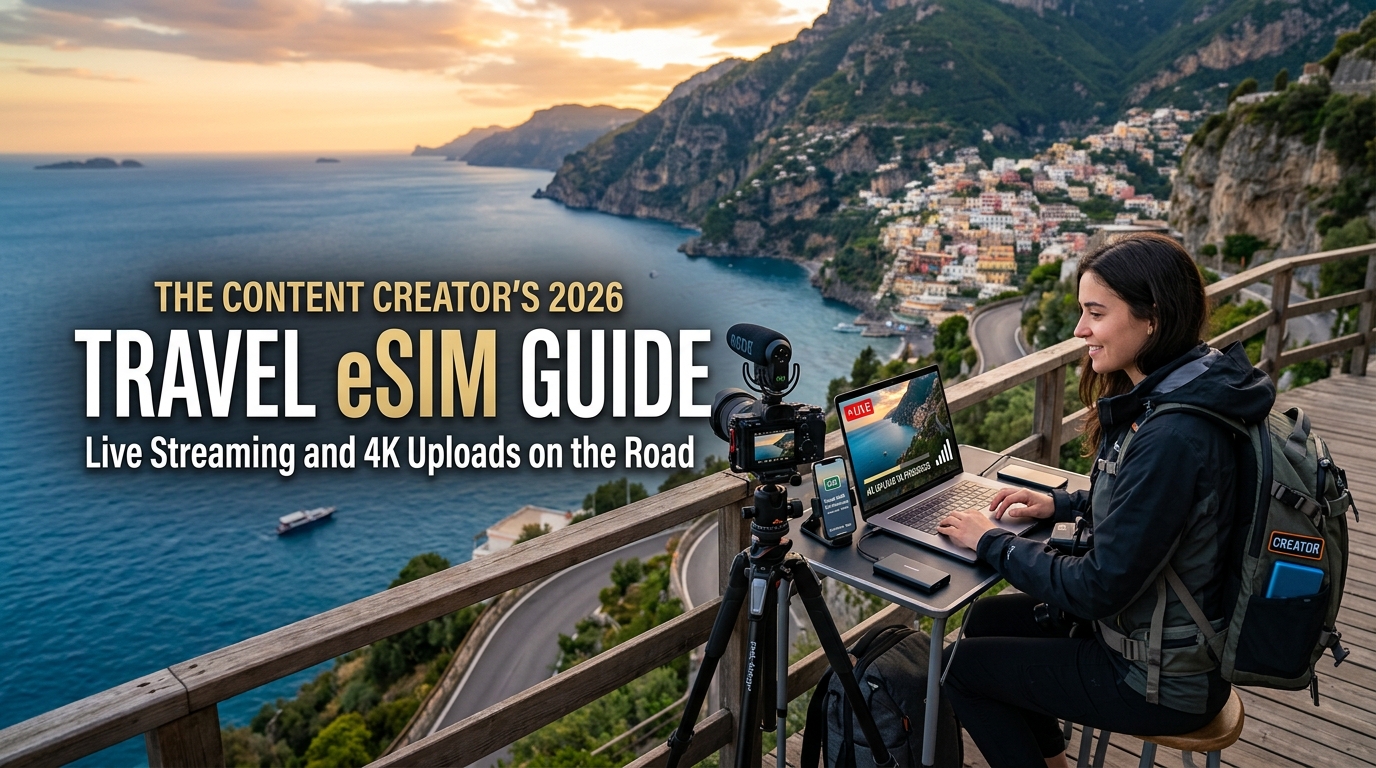
Live Streaming and 4K Uploads on the Road: The Content Creator's 2026 Travel eSIM Guide
The Uplink Reality Check: Why Standard Travel SIMs Crash Live Streams and Slow Down 4K Uploads
Most international travel eSIMs are engineered for tourists, not digital broadcasters. When a consumer buys a roaming data pack, the underlying telecommunications infrastructure assumes a predictable consumption model: 90% downlink (scrolling Instagram, streaming Netflix, downloading map data) and 10% uplink (sending lightweight API requests, messaging, occasional photo uploads).
For content creators, this architecture is fundamentally broken. Live streaming and raw video workflows completely invert normal network demand, pushing standard roaming profiles past their breaking points.
Standard Tourist Profile:   [====================] Downlink (90%)  [==] Uplink (10%)
Creator Production Profile: [====] Downlink (20%)  [========================] Uplink (80%)
The Engineering Gap: TDD Frame Configurations and Roaming QoS
Cellular networks divide spectrum using either Frequency Division Duplexing (FDD) or Time Division Duplexing (TDD). In modern 5G mid-band networks (such as Band n78 and n77, which deliver the bulk of high-speed travel roaming), carriers deploy TDD.
Because spectrum is shared dynamically across time slots, network operators program strict frame configurations biased toward download speeds:
- Asymmetric Slot Allocations: Most commercial 5G TDD networks implement a 4:1 or 8:2 Downlink-to-Uplink subframe ratio. Even if a local tower advertises 500 Mbps down, the physical layer limits maximum uplink to a fraction of that capacity.
- Low QCI Priority for Roamers: Roaming traffic routes through international IPX (IP eXchange) hubs under consumer-grade QoS Class Identifiers (typically QCI 8 or QCI 9 on LTE/5G). Local subscriber uplink requests take precedence at the radio scheduler level, causing your upstream packets to be buffered or discarded first during cell congestion.
Production Workloads vs. Network Requirements
Professional mobile broadcasting and field ingest require continuous, unjittered bandwidth. Unlike static web browsing, outbound video streams cannot tolerate packet drops or sudden latency spikes.
| Workflow Type | Target Protocol / Platform | Sustained Uplink Needed | Packet Loss Tolerance |
|---|---|---|---|
| 1080p60 IRL Streaming | RTMP / SRT (Twitch, YouTube) | 6,000 – 8,000 Kbps | < 1.0% |
| Simulcasting (Vertical + Horizontal) | Multi-RTMP / Prism / Restream | 10,000 – 14,000 Kbps | < 0.5% |
| 4K H.265 / ProRes Proxy Ingest | Multi-part HTTPS (Frame.io, Drive) | 35,000 – 60,000 Kbps | Retransmits stall queue |
| Direct-to-TikTok Mobile Live | Dynamic RTMP over TCP/UDP | 4,000 – 6,000 Kbps | Drops framerate instantly |
When an RTMP stream experiences an uplink drop below the encoder bitrate (e.g., dipping from 7,000 Kbps to 1,500 Kbps due to carrier deprioritization), the ingest server's buffer empties. The result is dropped frames, audio-video desync, and forced stream terminations.
Deep Packet Inspection (DPI) and the "Unlimited" Throttle Trap
The biggest hazard for mobile creators is the hidden Fair Usage Policy (FUP) embedded in standard retail eSIMs. Roaming aggregators use Deep Packet Inspection (DPI) to monitor sustained outbound connections.
When you push a 15 GB 4K video reel to Google Drive or maintain a three-hour 1080p broadcast, traffic-shaping algorithms classify the sustained pipe as "network abuse."
- Aggressive Dynamic Throttling: Once continuous outbound transfer thresholds are tripped (often after just 1–2 GB of continuous transfer), the profile is deprioritized to low-tier bandwidth.
- The 128 kbps Brick Wall: Standard travel eSIM providers drop your connection to a non-functional 64 kbps or 128 kbps once a daily quota is reached—speeds so slow they cause cloud uploads to time out entirely and kill essential background services.
- The Importance of FUP Floor Speeds: When pushing high-throughput workflows on the road, utilizing a creator-conscious provider like MollySIM provides a critical safety net. Even when working through high-data packages, MollySIM maintains a 384 kbps FUP speed limit—three times faster than the 128 kbps industry standard. While 384 kbps won't support raw 4K ingest, it preserves baseline operational connectivity, ensuring your location metadata, Slack syncs, Apple Pay, and Google Maps remain fully functional while managing production workloads abroad.
5G Standalone (SA) vs. Non-Standalone (NSA): Minimizing Packet Loss, Jitter, and Ingestion Latency
🌐 Global Travel High-Speed Travel eSIM & SIM Plans
Instant QR code activation, hotspot enabled, with guaranteed 384kbps fallback speed to keep Maps & Digital Wallets active.
When broadcasting live from a bustling market in Tokyo or uploading a 40 GB ProRes file from a cafe in Berlin, the raw download speed shown on a speed test is virtually irrelevant. The true determinants of broadcast stability are uplink jitter, packet loss, and Round Trip Time (RTT). In the international roaming environment of 2026, understanding the underlying cellular core architecture—specifically the difference between 5G Non-Standalone (NSA) and 5G Standalone (SA)—is essential for preventing frame drops and bit-rate degradation.
The Architectural Divide: 5G NSA vs. 5G SA
Most consumer roaming profiles operate across 5G NSA (Non-Standalone) networks via E-UTRA-NR Dual Connectivity (EN-DC). While this allows telecom operators to display a "5G" badge on your device, the control plane and session management remain anchored to a legacy 4G Evolved Packet Core (EPC).
- 5G NSA Bottlenecks: Because signaling and initial channel access rely on 4G infrastructure, upload requests must navigate legacy scheduling algorithms. This architecture is prone to bufferbloat—a state where excess network buffers hold packets during momentary cell congestion, turning minor traffic spikes into devastating 300ms+ latency spikes.
- 5G SA Precision: Pure 5G Standalone (SA) routes both the user plane and control plane directly through a cloud-native 5G Core (5GC). This unlocks deterministic scheduling, network slicing capabilities, and Ultra-Reliable Low-Latency Communication (URLLC), cutting baseline air-interface latency down to sub-10ms levels and drastically suppressing transmission jitter.
| Metric / Feature | 5G Non-Standalone (NSA) | 5G Standalone (SA) | Creator Workflow Impact |
|---|---|---|---|
| Control Plane Core | 4G EPC (Legacy) | Cloud-Native 5GC | SA eliminates legacy 4G signaling handshake delays. |
| Uplink Latency (Air-Interface) | 25ms – 65ms | 5ms – 15ms | Crucial for real-time live chat and interactive overlays. |
| Jitter Vulnerability | Moderate to High | Ultra-Low | Low jitter prevents buffer underrun in video decoders. |
| Network Slicing | Not Supported | Supported | SA enables prioritized Quality of Service (QoS) pipes. |
| Bufferbloat Resilience | Low (TCP congestion prone) | High (Optimized queue management) | SA maintains steady ingestion rates during active uploads. |
Protocol Performance: SRT vs. RTMP Under Mobile Jitter
Live video transport protocols respond radically differently to the latency profiles of roaming networks:
- RTMP (Real-Time Messaging Protocol): Operating strictly over TCP, RTMP requires every single packet to be acknowledged in sequential order. When an NSA connection suffers sudden packet loss due to cell handover or bufferbloat, TCP's congestion avoidance algorithm slashes your broadcast bit rate by up to 50% instantly. The result is visual artifacting, audio desynchronization, and dropped frames.
- SRT (Secure Reliable Transport): Built over UDP with intelligent Automatic Repeat reQuest (ARQ) error correction, SRT recovers lost packets without tearing down the connection. However, SRT requires a configured latency buffer (typically 2.5× to 4× the RTT). If your mobile connection suffers from high latency or fluctuating jitter, you must artificially expand your SRT buffer to 1,500ms–2,500ms, making spontaneous, real-time viewer interaction nearly impossible.
The Roaming Routing Penalty: Home-Routed vs. Local Breakout (LBO)
The physical cellular connection between your encoder and the local cell tower is only half the battle. The path your packets take through the core network to reach the streaming ingest server (Twitch, YouTube, Kick, or AWS IVS) dictates transmission viability.
Many generic travel eSIMs route data via Home-Routed (HR) architecture. If you purchase an eSIM from a provider anchored in the United Kingdom and use it in Seoul, your entire data stream is routed from the South Korean cell tower across global undersea cables back to the UK core before reaching the internet. This adds 200ms to 350ms of unavoidable latency, triggering massive SRT buffer requirements and unstable RTMP connections.
To maintain professional broadcast standards, high-throughput workflows require Local Breakout (LBO) or strategically distributed Regional Points of Presence (PoPs). Advanced solutions like MollySIM mitigate this penalty by utilizing localized routing topologies and multi-carrier regional peering agreements. By exiting traffic at localized gateways rather than backhauling it halfway across the planet, transit latency drops below 40ms, providing the deterministic throughput required for stable 1080p60 and 4K ingestion.
Furthermore, running high-bandwidth remote productions carries an inherent risk of hitting data caps during extended sessions. While standard eSIMs drop speeds to an unusable 128 kbps that abruptly kills all cloud syncs and stream recovery tools, MollySIM’s 384 kbps Fair Use Policy (FUP) speed limit—three times faster than industry averages—ensures that mission-critical operational tools like live monitoring dashboards, Google Maps, Apple Pay, and communication channels remain responsive while you adjust production configurations on the fly.
Mobile Rig Architecture: Tethering Cameras, Audio Gear, and Laptops to an eSIM-Powered Hotspot
Building a portable broadcast setup requires bridging professional imaging hardware with mobile cellular uplinks. Whether you are running a single-operator IRL setup with a DJI Osmo Pocket 3 or a multi-camera field production with a Sony FX3, ATEM Mini, and MacBook Pro running OBS Studio or Prism Live Studio, the stability of your stream depends on how your hardware interfaces with the eSIM host device.
+-------------------------------------------------------------------+
|                     FIELD PRODUCTION RIG                          |
|                                                                   |
|  [Sony FX3 / Pocket 3] --- HDMI/USB ---> [ATEM Mini / OBS Laptop]  |
|                                                  |                |
|                                             USB-C Tether          |
|                                                  v                |
|                                       [5G eSIM Host Device]       |
|                                                  |                |
+--------------------------------------------------|----------------+
                                            Local Breakout (LBO)
                                                   v
                                        [Low-Latency Cellular Core]
Connection Topologies: USB-C Tethering vs. 5GHz Wi-Fi vs. Dedicated Bridges
Choosing the wrong interconnect between your camera encoder and your eSIM-enabled smartphone or mobile router introduces jitter, packet collision, and thermal strain.
| Connection Protocol | Latency Variance | Max Throughput Stability | Best Hardware Pairings | Operational Trade-Offs |
|---|---|---|---|---|
| Direct USB-C Tethering (RNDIS / CDC-NCM) | < 1ms (Deterministic) | Extremely High (Zero RF interference) | MacBook Pro (OBS), LiveU Solo, Sony Alpha/FX Series | Requires physical cable routing; host device must support simultaneous charging and data. |
| 5GHz Wi-Fi Hotspot (802.11ac/ax) | 5ms – 25ms (RF Dependent) | Moderate to High (Vulnerable to crowded RF environments) | DJI Osmo Pocket 3, iPad Pro (Prism Live Studio) | Rapid battery drain on host; susceptible to 5GHz channel congestion in dense urban centers. |
| Ethernet via USB Hub | < 1ms (Deterministic) | Maximum (Hardwired link) | ATEM Mini Pro/Extreme, Dedicated Field Encoders | Adds rig bulk; requires an external powered USB-C dock with Power Delivery (PD). |
For mission-critical 4K uploads and 1080p60 high-bitrate streaming, direct USB-C tethering is the gold standard. It bypasses local wireless congestion entirely, eliminates the Wi-Fi modem processing overhead on your smartphone, and provides a continuous wired bridge that prevents packet drops caused by radio interference.
Thermal Management and Power Distribution
Sustained 5G uplink sessions push smartphone cellular modems to their thermal thresholds. When internal device temperatures exceed 41°C (106°F), the operating system throttles cellular radio power, dropping speeds from hundreds of megabits per second to single digits—instantly killing high-bitrate video streams.
To mitigate thermal throttling:
- Decouple Power Paths: Never charge an eSIM host smartphone from an uncooled internal battery while pushing high-bitrate uploads. Use a dedicated USB-C Power Delivery (PD) hub with dual outputs to power your camera rig and phone separately.
- Active Cooling: Attach a magnetic semiconductor cooler (Peltier cooler) to the back of the smartphone during multi-hour streams under direct sunlight.
- Display Offloading: Keep the smartphone screen turned off or set to minimum brightness, routing all stream health monitoring to your laptop, tablet, or external monitor.
Eliminating Carrier Hotspot Caps with Unrestricted eSIM Routing
A major hurdle for mobile creators is carrier-level tether throttling. Many traditional travel SIMs and legacy mobile carriers use TTL (Time to Live) packet inspection to distinguish between native on-device data and tethered hotspot traffic. Once tethered data is detected, carriers often cap speeds to 3G rates (600 kbps to 1.5 Mbps) or enforce small secondary hotspot allowances (e.g., 5GB per billing cycle), regardless of the total data purchased.
Standard Carrier:
[Laptop/Camera] -> [Tethered Packet (TTL -1)] -> [Host Phone] -> [Carrier Core (TTL Sniffing)] -> THROTTLED TO 3G SPEEDS

MollySIM:
[Laptop/Camera] -> [Tethered Packet (TTL -1)] -> [Host Phone] -> [MollySIM LBO Core] -> UNRESTRICTED FULL 5G BANDWIDTH
MollySIM resolves this limitation by providing unrestricted hotspot functionality with full bandwidth pass-through. Packets routed through tethered cameras, ATEM switchers, or editing laptops are treated with the same high-priority routing as native smartphone traffic, without hidden device caps or artificial tether throttling.
Even in high-load scenarios where extensive 4K B-roll syncing exhausts primary plan limits, MollySIM’s 384 kbps Fair Use Policy (FUP) speed limit—three times faster than the conventional 128 kbps industry standard—ensures background operational tools like OBS chat integrations, stream monitoring dashboards, Apple Pay, and Google Maps remain fully functional without breaking field communication.
Creator Field Benchmark: Travel eSIM vs. Pocket Wi-Fi vs. Local Physical SIMs
Field-producing 4K video essays and broadcasting multi-hour IRL streams requires an infrastructure that survives sustained uplink loads, rapid regional transitions, and strict equipment weight constraints. While budget travel guides often treat mobile internet solutions as interchangeable, field production exposes distinct mechanical, thermal, and architectural differences between digital travel eSIMs, physical airport SIM cards, and pocket Wi-Fi routers.
2026 Hardware & Network Performance Comparison
The following benchmark compares field data across network reliability, operational overhead, and upload performance metrics under live broadcast conditions:
| Metric | Travel eSIM (MollySIM) | Global Pocket Wi-Fi Rental | Local Physical Airport SIM |
|---|---|---|---|
| Sustained 5G Upload Speed | 65 – 180+ Mbps (Full-tier network priority via Local Breakout) | 15 – 45 Mbps (Throttled by internal router processing bottlenecks) | 40 – 120 Mbps (Network-dependent; variable local routing) |
| Upload Latency / Jitter | < 35 ms / Under 4 ms jitter (Optimized edge routing) | 70 – 160 ms / High jitter (Double wireless hop: Device $\to$ Wi-Fi $\to$ Cellular) | 30 – 60 ms / Moderate jitter |
| Data Caps & FUP Enforcement | Transparent high-capacity allocations; no hidden daily resets | Strict daily caps (often 1GB–3GB/day before hard throttling to 2G) | Large single-country pools, but carrier-locked tether restrictions |
| Multi-Device Hotspot Freedom | Unrestricted (Zero TTL penalty; supports direct USB-C/Wi-Fi tethering) | Built-in hotspot, but prone to radio-frequency congestion | Often blocked or restricted by carrier-level APN tethering locks |
| Battery & Gear Weight Burden | 0g / 0 extra devices (Operates entirely via phone’s internal modem) | +200g–350g unit + dedicated power bank, cables, and charging brick | 0g (Requires SIM ejector tool and physical storage for native SIM) |
| Border Crossing Agility | Instant auto-switch across 150+ countries without swapping profiles | Requires multi-region firmware configurations or fails at borders | Dead on arrival across borders; requires buying new local cards |
| High-Speed Fallback Speed | 384 kbps FUP (3x faster than market standard; maintains telemetry/maps) | 64 – 128 kbps (Completely disables live chat, navigation, and cloud sync) | 64 – 128 kbps or total hard cut-off |
Thermal Throttling: The Hidden Risk of Pocket Wi-Fi
Pocket Wi-Fi (MiFi) devices introduce an inherent physical bottleneck for high-bitrate live streaming: thermal-induced RF downshifting.
A pocket router houses both a cellular transceiver and a local Wi-Fi broadcasting chip inside a compact, unventilated plastic casing wrapped around a lithium-ion battery. During sustained upstream saturation—such as rendering and uploading 15GB of 4K ProRes B-roll or pushing a continuous 12 Mbps RTMP stream to YouTube:
- Thermal Saturation: The simultaneous load of continuous LTE/5G transmission and multi-client Wi-Fi broadcasting causes the device's internal core temperature to exceed 48°C (118°F) within 20 to 30 minutes.
- Modem Downclocking: To prevent battery degradation and thermal runaway, the internal power management IC aggressively disables 5G Carrier Aggregation (CA), downshifts the modulation scheme from 256-QAM to 64-QAM or 16-QAM, and limits upload throughput by up to 70%.
- Stream Instability: This hardware degradation introduces severe packet buffer bloat and packet drops, manifesting as dropped frames, bitrate degradation, or a complete stream termination in OBS/Prism.
The eSIM Architectural Advantage
Digital eSIM solutions like MollySIM bypass dedicated intermediary hardware entirely. By leveraging the advanced thermal dissipation systems (such as multi-layer graphite sheets and vapor chambers) integrated into modern flagship smartphones, eSIM profiles maintain sustained 5G modem uplinks without thermal throttling.
Furthermore, routing data directly through the primary device eliminates the latency penalty of an intermediary Wi-Fi hop, ensuring real-time bidirectional communication for live creator-to-audience interactions. When combined with MollySIM's 384 kbps Fair Use Policy baseline, creators avoid total operational lockouts even after pushing extreme data payloads, keeping mission-critical background applications like Stripe terminals, GPS tracking, and Apple Pay active in any production environment.
Optimizing Bitrates and Encoding Settings for Unstable Cellular Environments
Streaming high-definition video across cellular uplinks requires an encoding strategy tailored to fluctuating signal-to-noise ratios (SINR) and dynamic tower handoffs. A desktop-optimized constant bitrate (CBR) profile will quickly lead to congested transmission buffers, dropped frames, and stream termination in mobile environments.
Encoder Configuration Matrix for Mobile Broadcasters
Hardware-accelerated encoding is non-negotiable in the field to minimize thermal buildup and battery drain. Use the following baseline configurations across major broadcasting tools:
| Parameter | OBS Studio (Laptop Rig) | Larix Broadcaster (iOS/Android) | Prism Live Studio (Mobile) |
|---|---|---|---|
| Encoder | NVIDIA NVENC / Apple VT H.264 | Apple VideoToolbox / MediaCodec | Hardware H.264 / HEVC |
| Rate Control | CBR + Dynamic Bitrate Enabled | Adaptive Bitrate (ABR - Ladder) | Adaptive Bitrate Mode |
| Target Bitrate | 4,500 – 6,000 kbps (1080p60) | 3,500 – 5,000 kbps (1080p60) | 3,000 – 4,500 kbps (1080p30/60) |
| Keyframe Interval | Strict 2.0 seconds (GOP = 2x FPS) | 2.0 seconds | 2.0 seconds |
| Protocol | SRT (Caller) or RTMP | SRT (Caller / SRTLA) | RTMP / RTMPS |
| Preset / Profile | P4/P5 Medium (NVENC) / High Profile | Default Hardware / High Profile | Balanced / High Quality |
Implementing Dynamic Bitrate and SRT
To maintain broadcast continuity through intermittent tower transitions, shift from legacy RTMP over TCP to SRT (Secure Reliable Transport) over UDP:
- Deploy SRT with ARQ: Configure SRT in
Callermode with a dynamic latency buffer between800msand1500ms. SRT’s Automatic Repeat reQuest (ARQ) retransmits lost packets without stalling the stream pipeline. - Enable Dynamic Bitrate (DBR): In OBS Studio, navigate to Settings > Advanced > Network and enable "Dynamically change bitrate to manage congestion". When cellular signal quality degrades, the encoder downshifts bitrate in real time to preserve audio and frame pacing, ramping back up when modulation improves.
- Leverage SRTLA for Multi-eSIM Bonding: If using dual-modem hardware (such as a LiveU Solo or a Raspberry Pi Belabox rig), employ SRTLA (SRT with Link Aggregation) to packet-strip the feed across multiple cellular uplinks simultaneously.
4K Video Ingest: Off-Peak Batching Protocols
Direct 4K (ProRes or high-bitrate HEVC) uploads to cloud repositories like Frame.io, YouTube Studio, or Dropbox will rapidly congest shared cell sites during business and peak evening hours (18:00–22:00 local time).
- Schedule Off-Peak Uploads: Automate large master file uploads between 01:00 and 06:00 local time. Base stations during these hours operate with lower sector loads, granting single user equipments (UEs) maximum resource block allocations and sustained throughput.
- Segmented Chunking: Use chunked file upload utilities (like rclone or AWS S3 multipart uploads with 8MB chunk sizes) to prevent broken socket connections from invalidating multi-gigabyte transfers.
The 384 kbps Telemetry Lifeline: Surviving Mid-Stream Data Caps
When pushing continuous 6 Mbps video pipelines, unmonitored production runs can unexpectedly consume high-speed data caps. Standard competitor travel SIMs throttle users to an unworkable 128 kbps (or sever connectivity entirely), cutting off dashboard controls and chat monitors.
MollySIM implements a guaranteed 384 kbps Fair Use Policy (FUP) baseline fallback—three times the industry standard. While 384 kbps will not sustain an uncompressed 1080p video ingest, it delivers adequate bandwidth to:
- Keep low-overhead IRC chat overlays, Twitch/YouTube creator dashboards, and StreamElements alerts fully responsive.
- Maintain OBS WebSocket telemetry and remote camera control links.
- Run real-time logistics apps including Google Maps navigation, Uber, Stripe terminals, and Apple Pay without requiring a secondary network switch.
The Creator's Pre-Flight Checklist: Managing High-Bandwidth Roaming with MollySIM
Executing a flawless field broadcast requires eliminating single points of failure long before reaching the airport terminal. To guarantee continuous multi-gigabit throughput across dynamic production environments, run through this pre-departure network deployment protocol.
Step 1: Audit Regional 5G Bands Against Hardware Encoders
Field hardware (smartphones, bonded backpacks like LiveU Solo II, or Teradek Prism units) must align with the RF spectrum allocations of your destination country. Cross-check your device specifications against primary local carrier frequencies:
| Spectrum Band | Frequency Range | Regional Deployment | Primary Creator Utility |
|---|---|---|---|
| n78 / n77 | 3.3 GHz – 4.2 GHz (C-Band) | Europe, Asia-Pacific, North America | Maximum upload throughput for uncompressed 4K streams and high-bitrate chunked uploads. |
| n41 | 2.5 GHz | North America, China, India | High-capacity TDD band ideal for dense urban streaming setups (e.g., conventions, street vlogs). |
| n28 | 700 MHz | Europe, Latin America, APAC | Long-range sub-1GHz penetration; crucial for maintaining streaming uplinks indoors or rural transit. |
Verify that your device model supports these critical bands natively to prevent fallback to congested legacy 4G LTE sectors.
Step 2: Provision the eSIM Profile and Configure Cellular Routing
Install your digital SIM profile at least 24 hours before your flight to avoid airport Wi-Fi captive portals and dead zones upon landing.
- Scan and Install: Navigate to your device's cellular manager and scan your MollySIM QR code. Label the profile according to your destination (e.g., "MollySIM - Japan/APAC").
- Designate Cellular Data: Assign MollySIM as your sole Cellular Data line.
- Disable "Allow Cellular Data Switching": On iOS, toggle this setting off to prevent the operating system from bouncing back to your domestic carrier when 5G signal dips, safeguarding you from unexpected carrier roaming fees.
- Enable Data Roaming on the MollySIM Line: Ensure roaming is active only on the MollySIM profile so it can hand off seamlessly across local tier-1 partner networks.
Step 3: Configure In-OS Metering and Real-Time Telemetry
Prevent unmonitored background transfers from eating into production allowances during live feeds:
- Restrict Cloud Syncing: Switch Google Photos, iCloud Drive, and Adobe Creative Cloud sync to Wi-Fi Only.
- Establish Low Data Mode Overrides: On iOS and Android, keep default Low Data Mode toggled off during broadcasts so RTMP/SRT streams operate without OS-level packet drops, but set automated data threshold alerts at 75% and 90% in your device settings.
- Verify FUP Failsafes: Even if a massive master archive unexpectedly exhausts your high-speed pool, MollySIM’s built-in 384 kbps Fair Use Policy baseline keeps operational logistics alive. Unlike standard 128 kbps competitor cutoffs, this safety net sustains continuous Google Maps route tracking, Apple Pay payment handshakes, and OBS chat overlays without cutting you off from the production grid.
The Definitive 2026 Production Connectivity Stack
High-resolution field production demands predictable latency, unthrottled uplink pipes, and resilient network switching. By delivering multi-network tier-1 peering, unconstrained upload pipelines, and high-capacity regional bundles across North America, Europe, Asia-Pacific, and Latin America, MollySIM eliminates the bottlenecks of legacy international roaming—ensuring your stream stays live, stable, and sharp from any coordinate on the map.
🌐 Global Travel High-Speed Travel eSIM & SIM Plans
Instant QR code activation, hotspot enabled, with guaranteed 384kbps fallback speed to keep Maps & Digital Wallets active.