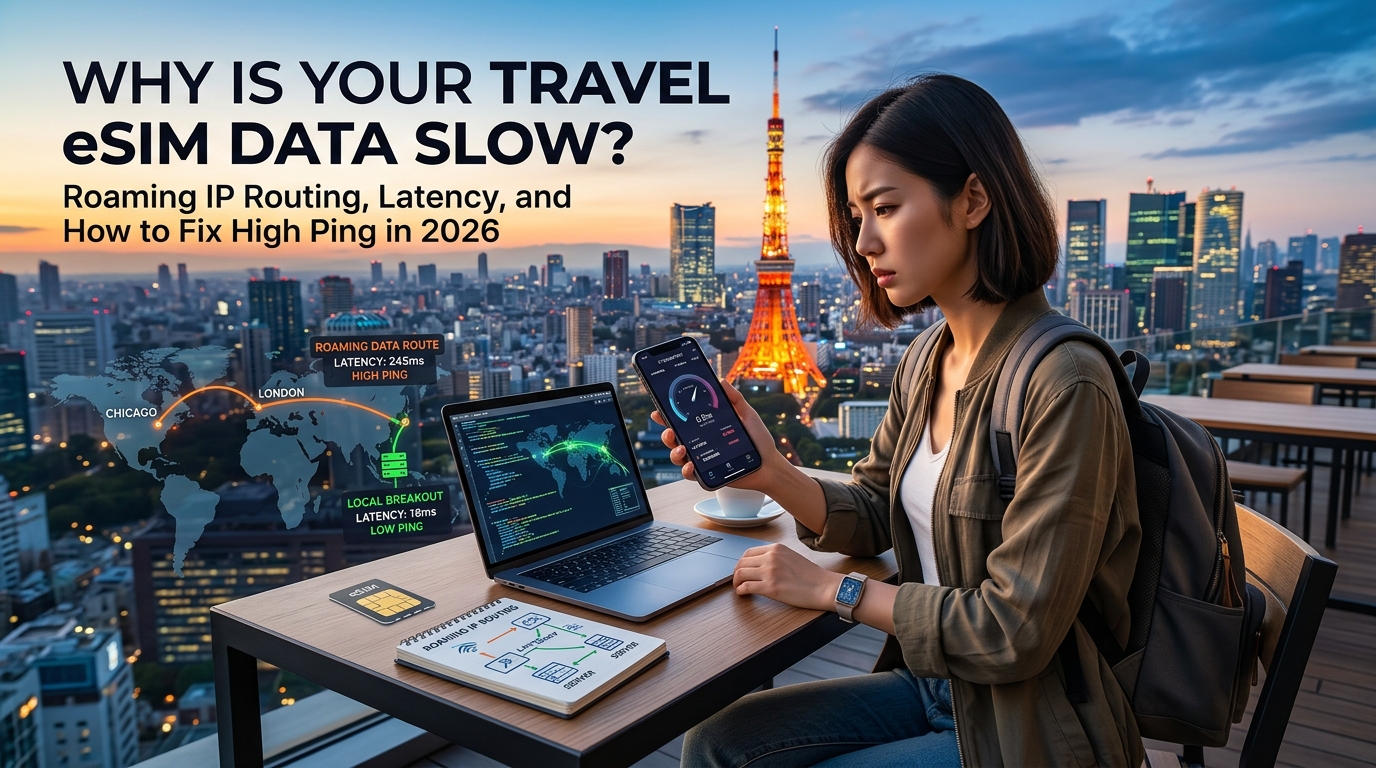
Why Is Your Travel eSIM Data Slow? Roaming IP Routing, Latency, and How to Fix High Ping in 2026
The 5G Illusion: Bandwidth vs. Latency and Why Full Signal Still Lags
Every international traveler has experienced this modern tech paradox: you step off a long-haul flight in Tokyo, London, or Bangkok, activate your travel eSIM, and glance at your status bar. It shows four solid bars of 5G connectivity. You run a quick Speedtest, and the needle jumps to an impressive 120 Mbps download speed.
Yet, the moment you attempt to book a ride on Grab or Uber, confirm a train ticket, or approve a Two-Factor Authentication (2FA) prompt from your banking app, the interface hangs on an infinite loading spinner.
The issue stems from a fundamental misunderstanding of mobile network performance: the conflation of signal strength and bandwidth with network latency.
+-----------------------------------------------------------------------------------+
| THE 5G ILLUSION: High Bandwidth ≠ High Responsiveness                             |
|                                                                                   |
|  [Phone] === Local 5G Link (Fast: 5ms) ===> [Local Tower]                        |
|                                                    |                              |
|                                                    v (The Latency Bottleneck)     |
|  [Target Server] <=== 6,000+ Mile Roaming Loop === [Home Gateway Core Network]   |
+-----------------------------------------------------------------------------------+
Signal Bars vs. Throughput vs. Round-Trip Time (RTT)
To diagnose why your connection feels sluggish, it helps to decouple the three primary layers of mobile data delivery:
- Signal Strength (RSRP/RSSI): The bars on your phone measure only the physical Radio Frequency (RF) link between your handset and the nearest local cellular tower (the gNodeB in 5G or eNodeB in 4G LTE). It indicates how clearly your phone hears the tower, not how fast the internet backbone behind that tower is processing data.
- Throughput (Bandwidth / Mbps): Measured in Megabits per second, this represents the volume capacity of your data pipe. A 100 Mbps connection allows large continuous files—like a 4K Netflix stream—to buffer quickly once the stream begins.
- Latency (Ping / Round-Trip Time): Measured in milliseconds (ms), latency is the physical time it takes for a single data packet to travel from your smartphone to a remote host server and return an acknowledgment (ACK).
| Metric | What It Measures | Impact on Real-World Travel Use Cases |
|---|---|---|
| High Bandwidth, High Latency (e.g., 100 Mbps / 650 ms ping) | Large data pipe with slow reaction times | Video streaming buffers fine, but interactive apps (Uber, Maps, Apple Pay) fail or lag severely. |
| Low Bandwidth, Low Latency (e.g., 5 Mbps / 35 ms ping) | Narrow data pipe with instantaneous reaction times | Web pages load instantly, 2FA tokens validate immediately, and navigation tracking remains smooth. |
Why Interactive Apps Break on High-Latency Connections
Modern mobile applications do not send a single continuous stream of data; they rely on dozens of rapid, sequential API calls and security negotiations.
When you open a ride-sharing or navigation app, your phone initiates an encrypted TLS 1.3 handshake, validates security certificates, issues geolocation coordinates, fetches live map tiles, and queries dynamic pricing endpoints. If your network has a 600ms RTT, a process requiring six sequential back-and-forth network requests will take nearly 4 full seconds just to negotiate connectivity—regardless of whether your download speed is 10 Mbps or 500 Mbps.
Interactive TLS/API Request Chain (6 Round Trips x Latency):
- Local Low-Latency Route (40ms RTT):   [======] 240ms (Instant Load)
- Poor Roaming Route (600ms RTT):        [====================================] 3,600ms (App Timeout)
This structural delay is also why aggressive data-throttling policies hit travelers so hard. Many budget travel eSIM providers drop your connection to a crippling 128 kbps once daily caps are reached—a speed floor where high latency causes HTTPS connections to time out completely. In contrast, modern tier-1 data providers like MollySIM maintain an optimized 384 kbps Fair Use Policy (FUP) baseline. At 384 kbps—triple the market standard—essential network handshakes for Google Maps routing, messaging, and Apple Pay authentication complete reliably even when primary high-speed allowances are exhausted.
The True Culprit: International Roaming Packet Routing
If the local 5G cell tower is less than a mile away, why does your phone suffer from dial-up-era latency?
The bottleneck is rarely the local wireless spectrum. Instead, it lies in how your data packets are routed across international borders. When using standard travel eSIMs, your traffic is frequently subjected to legacy telecom roaming architectures that bounce your requests halfway around the globe before sending them back to your phone.
Under the Hood: How Home-Routed (HR) Roaming Creates High Ping
🇯🇵 Japan High-Speed Travel eSIM & SIM Plans
Instant QR code activation, hotspot enabled, with guaranteed 384kbps fallback speed to keep Maps & Digital Wallets active.
To understand why your travel eSIM feels sluggish despite full signal bars, you have to look at the underlying 3GPP cellular roaming architecture. When you consume mobile data abroad, your phone operates on two separate telecom entities:
- VPLMN (Visited Public Land Mobile Network): The local carrier providing the physical radio link (e.g., NTT Docomo in Japan, Vodafone in the UK, or AT&T in the US).
- HPLMN (Home Public Land Mobile Network): The underlying carrier that issued the International Mobile Subscriber Identity (IMSI) profile embedded in your eSIM.
Home-Routed (HR) vs. Local Breakout (LBO)
The telecom industry relies on two primary methods to handle international subscriber traffic:
| Roaming Architecture | How Data Flows | Typical Latency | Where You Exit to the Web |
|---|---|---|---|
| Home-Routed (HR) | Device $\rightarrow$ VPLMN $\rightarrow$ Encrypted GTP Tunnel $\rightarrow$ Undersea Cables $\rightarrow$ HPLMN Core $\rightarrow$ Internet | 350ms – 900ms | Country of IMSI origin (e.g., Poland, Austria, HK) |
| Local Breakout (LBO) | Device $\rightarrow$ VPLMN $\rightarrow$ Local Regional Edge Gateway (UPF/PGW) $\rightarrow$ Internet | 15ms – 60ms | Country you are physically standing in |
Under standard Home-Routed (HR) roaming—the default architecture used by roughly 90% of budget travel eSIM resellers—the visited network (VPLMN) is not permitted to let your packets exit directly to the internet.
Instead, every DNS lookup, TCP sync, and TLS handshake is encapsulated inside a GPRS Tunneling Protocol (GTP) session. This session is routed across international wholesale IP Exchange (IPX) networks and transoceanic fiber cables back to the home carrier’s Packet Data Network Gateway (PGW) in 4G LTE or the User Plane Function (UPF) in 5G. Only after reaching that home gateway does your request finally emerge onto the public internet.
The Real-World Impact: Tokyo to Warsaw and Back
Consider a common scenario: you land at Narita Airport in Tokyo and connect to a local SoftBank or Docomo 5G tower using a generic travel eSIM purchased online.
Behind the scenes, that budget eSIM provider might be reselling wholesale IMSIs originating from a carrier in Poland or Israel to keep unit costs low. When you search for a train route in Shibuya:
- Your phone sends a request to the Tokyo cell tower (~15ms).
- The Tokyo tower encapsulates the packet and routes it across trans-Eurasian subsea fiber to a PGW in Warsaw (~230ms).
- The Warsaw PGW queries Google’s servers, receives the data, and tunnels it back across the continents to Tokyo (~230ms).
- Total round-trip time: 475ms+, just for a single uncompressed packet.
Because modern mobile applications execute tens of sequential API calls to render a single interface, this physical detour turns what should be an instantaneous interaction into a 4-to-6 second loading wheel.
Secondary Symptoms: Geolocation Mismatch and Broken Security Handshakes
High latency is not the only side-effect of Home-Routed data paths. Because your traffic terminates at the HPLMN gateway, external servers see your public IP address as originating from the home carrier's country, not where you are physically standing.
- Search Engine Hijacking: Opening Google or Bing in Tokyo suddenly presents search results in Polish, Hebrew, or Cantonese.
- Aggressive CAPTCHA Loops: Cloudflare and Akamai edge security nodes flag the discrepancy (a device making Japanese geo-queries from an Eastern European residential or cellular IP block), triggering repetitive bot verification challenges.
- Banking and Fraud Triggers: Financial apps like Chase, Revolut, or Apple Wallet detect a login from an unexpected country IP minutes after a physical point-of-sale transaction, temporarily locking access.
When high-latency routing is combined with aggressive carrier throttling, the connection fails entirely. If a provider drops your bandwidth to 128 kbps over a 500ms GTP tunnel, packet loss spikes and HTTPS handshakes abort before finishing.
This is why optimized providers like MollySIM engineer low-latency regional breakouts while backing connections with a resilient 384 kbps Fair Use Policy (FUP) baseline. Even if you push your primary data allotment to its limit, keeping latency tight and bandwidth at 384 kbps (3x the legacy industry standard) guarantees that critical local services, push notifications, and navigation apps remain fully operational without timing out.
Real-World Fallout: How High Latency Cripples VoIP, Navigation, and Workflows
High latency is rarely an isolated metric on a speed test screen; in practice, it acts as a compound multiplier of failure across every layer of the modern network stack. When your physical Round-Trip Time (RTT) increases from an optimal 30ms to 600ms due to transatlantic GTP routing, the user experience does not merely slow down linearly—it collapses exponentially under the weight of standard transport protocol overhead.
Standard Local Breakout (Low RTT):
Client [Tokyo] <--- 35ms ---> Local PGW / Server [Tokyo]
Result: Fast TCP/TLS negotiation, immediate data streaming

Legacy Home-Routed Roaming (High RTT Trombone):
Client [Tokyo] <==== 350ms ====> Home PGW [Europe] <==== 250ms ====> App Server [Tokyo]
Result: 600ms base RTT; TCP + TLS handshakes require 1.8s+ before first byte transfer
The Protocol-Level Handshake Multiplier
Every new secure connection requires a sequence of back-and-forth negotiations before application data can travel:
- TCP 3-Way Handshake: Requires 1 full RTT (SYN, SYN-ACK, ACK).
- TLS 1.3 Cryptographic Negotiation: Requires an additional 1 RTT (ClientHello, ServerHello, Key Exchange). Older TLS 1.2 implementations demand 2 RTTs.
- HTTP/2 or HTTP/3 Multiplexing Requests: Requires further round trips if head-of-line blocking or MTU fragmentation occurs.
On a local connection with a 30ms ping, establishing a secure socket takes roughly 60ms to 90ms. On a poorly routed travel eSIM operating at a 550ms baseline ping, establishing that exact same secure socket takes over 1.6 to 2.2 seconds before a single byte of payload content renders. If packet loss occurs over a congested cellular tower, TCP retransmission timers (RTO) trigger exponential backoff, locking the connection into multi-second freezes.
1. VoIP and Video Calling Degradation (WhatsApp, Zoom, FaceTime)
Real-time audio and video communications rely on UDP-based protocols like RTP (Real-time Transport Protocol) and WebRTC. Unlike file downloads, real-time voice cannot buffer seconds of data in advance; it requires continuous, deterministic packet arrival within a strict 150ms window (ITU-T G.114 standard).
| Network Metric | Optimal Performance | Impact of Roaming Trombone Routing (>450ms RTT) |
|---|---|---|
| Jitter Buffer | 20–50ms dynamic window | Buffer exhausts; late packets are discarded, causing audio clipping |
| Audio Codec | Opus / AAC-ELD at high bitrate | Codec drops to lowest bitrate (e.g., 6 kbps), producing "robotic" voices |
| Echo Cancellation | Fast convergence | Acoustic echo cancellers fail due to out-of-sync audio return paths |
| Call State | Stable session | SIP/WebSockets heartbeat signals drop, triggering "Reconnecting..." loops |
When ping spikes past 400ms, conversational cadence breaks. Callers unintentionally talk over one another, jitter buffers drop delayed packets, and video codecs drop keyframes, resulting in severe visual artifacting and frozen screens.
2. Live Map Rendering and Ride-Hailing Dispatch (Google Maps, Uber, Grab)
Modern navigation apps do not download full maps in single files; they stream hundreds of tiny vector tiles, road network nodes, and POI metadata asynchronously over concurrent HTTPS connections.
- Map Tile Starvation: When scrolling through Google Maps or Apple Maps, your phone sends dozens of parallel tile requests. High latency limits concurrent socket throughput. Instead of a smooth vector pan, users are left staring at blank grey grid squares while driving or walking down a foreign street.
- WebSocket Matchmaking Timeouts: Ride-hailing platforms like Uber, Grab, and Bolt use continuous bi-directional WebSocket channels to transmit driver GPS telemetry, calculate dynamic ETAs, and process fare matching. When RTT exceeds the application's internal timeout threshold (frequently set to 1,000ms on client keepalives), the app assumes the network is dead. Driver icons disappear from the screen, fare requests fail at dispatch, and ride acceptances drop mid-handshake.
3. Remote Productivity and Authentication Failures
For business travelers and remote engineers, high RTT destroys core enterprise workflows:
- SSH Terminal Latency: Interactive Secure Shell (SSH) sessions send individual keystroke packets and wait for the remote server's echo ACK. When latency climbs above 300ms, typing experiences an agonizing delay. Above 600ms, terminal multiplexers like
tmuxdrop character buffers, and intermittent keepalive failures sever the session entirely. - Corporate VPN & Zero Trust Network Timeouts: Enterprise gateways (Cisco AnyConnect, GlobalProtect, Cloudflare WARP, WireGuard) establish continuous cryptographic tunnels. Roaming IP mismatches and high ping cause UDP tunnel renegotiations, MTU black holes, and authentication drops.
- OAuth2 / SSO Redirect Loops: Identity providers (Okta, Microsoft Entra ID, Google Workspace) use short-lived authentication tokens during single sign-on flows. If multi-hop TLS handshakes delay the token exchange process past the redirect timeout, logins abort, trapping users in infinite sign-in loops.
The Antidote: Low Latency Paired with Usable Bandwidth
When latency is kept low via direct regional routing, data throughput behaves reliably—even under low-speed conditions. Legacy eSIM providers commonly throttle heavy users to 128 kbps over high-latency backhauls, causing packet drops that completely disable critical services.
By contrast, modern performance-engineered services like MollySIM implement local Edge data breakout paired with an active 384 kbps Fair Use Policy (FUP) baseline. Because 384 kbps offers 3x the throughput of legacy 128 kbps throttles, essential services like Google Maps vector tile rendering, Apple Pay tokenization, and WhatsApp VoIP calls retain sufficient bandwidth and rapid packet turnarounds to function seamlessly without timing out.
Technical Troubleshooting: 5 Actionable Steps to Reduce eSIM Latency
If you are currently on the ground experiencing sluggish page loads, unresponsive apps, or severe ping spikes, you do not have to settle for degraded performance. While physical distance to the breakout gateway defines the structural floor of your latency, misconfigured local device settings, poor roaming partner selection, and recursive DNS delays often add hundreds of milliseconds of unnecessary overhead.
Follow this five-step diagnostic framework to optimize your mobile radio stack and eliminate artificial latency bottlenecks.
Step 1: Force Manual PLMN Selection to Target Tier-1 Roaming Partners
Most travel eSIM profiles use Automatic Network Selection, which relies on programmatic Least-Cost Routing (LCR) algorithms. Instead of connecting you to the fastest local cell tower, your device may lock onto a lower-tier network partner that offered the roaming broker the cheapest wholesale data rates.
By manually selecting a local Tier-1 national carrier (e.g., SoftBank or NTT Docomo in Japan; EE in the UK; Telstra in Australia), you immediately gain access to higher radio priority, better backhaul capacity, and superior peering.
Step 2: Audit APN Parameters and Enforce IPv4/IPv6 Dual-Stack
An incorrect or generic Access Point Name (APN) forces cellular traffic through secondary encapsulation proxies, inflating your ping. Furthermore, running an outdated IPv4-only stack introduces Carrier-Grade NAT (CGNAT) overhead, while poorly implemented IPv6-only stacks trigger repetitive 464XLAT protocol translations.
- Navigate to your cellular profile's Access Point Names (APN) settings.
- Confirm the APN field precisely matches your provider's current specifications (e.g., custom hostnames rather than default fallback strings).
- If using Android, set both APN protocol and APN roaming protocol explicitly to IPv4/IPv6. This enables native dual-stack addressing, bypassing carrier translation gateways.
Step 3: Override Slow Carrier DNS with Encrypted Anycast Resolvers
When roaming, many cellular operators direct your domain lookups to high-latency recursive DNS servers located in their home routing market. This means every single HTTP/3 and TLS handshake must wait for a 300ms+ round-trip DNS resolution before the actual data transfer even begins.
By overriding your system DNS with an Anycast encrypted DNS resolver—such as Cloudflare (1.1.1.1) or Google (8.8.8.8) via DNS-over-HTTPS (DoH) or DNS-over-TLS (DoT)—your domain queries resolve at the nearest local Edge server in under 15ms.
| Operating System | Recommended Configuration Path | Target Hostname / IP |
|---|---|---|
| Android (10+) | Settings ➔ Network & Internet ➔ Private DNS | 1dot1dot1dot1.cloudflare-dns.com or dns.google |
| iOS (14+) | Install verified DoH/DoT mobile configuration profile or use the 1.1.1.1 App | Native Cloudflare / Quad9 Encrypted Engine |
Step 4: Toggle Airplane Mode to Force a New PDP Context Activation
Mobile modems maintain active Packet Data Protocol (PDP) contexts and Evolved Packet Core (EPC) bearer sessions for hours. If you change locations, transition between cell towers, or experience a temporary handover glitch, your connection may stay trapped in a suboptimal routing state or degraded radio resource control (RRC) profile.
- Toggle Airplane Mode ON for a full 30 to 45 seconds.
- Why 45 seconds? A brief 3-second toggle often fails to release the low-level baseband radio link. Allowing the timer to elapse completely tears down the stale GTP-U (GPRS Tunnelling Protocol) tunnel at the Serving Gateway (S-GW) level, forcing the local network to negotiate a brand-new, clean IP bearer upon reconnection.
Step 5: Disable Power-Saving and Baseband Radio Throttling
Modern mobile operating systems aggressively throttle modem throughput and disable dynamic 5G carrier aggregation to conserve battery life. When latency is already constrained by international roaming, OS-level power saving causes dropped packets and delayed background push notifications.
- iOS: Open Settings ➔ Cellular ➔ [Your eSIM] and disable Low Data Mode. Next, navigate to Settings ➔ Battery and verify that Low Power Mode is toggled Off.
- Android: Open Settings ➔ Battery ➔ Battery Saver and set it to Off. In SIM settings, ensure Data Saver is disabled to prevent the modem from entering micro-sleep states between packet bursts.
Diagnostic Summary: Architecture Over Workarounds
While local optimizations eliminate unnecessary device-side latency, they cannot overcome structurally flawed routing. If an eSIM provider routes your physical traffic across continents via distant IP transit hubs, high ping will remain a barrier.
This is why modern data platforms like MollySIM focus heavily on localized edge breakout alongside their active 384 kbps Fair Use Policy (FUP) baseline. Because 384 kbps delivers 3x the usable bandwidth of the 128 kbps throttles used by legacy carriers, your connection avoids critical packet drops—ensuring that real-time navigation on Google Maps, instant Apple Pay transactions, and VoIP calls stay fast and responsive regardless of where you travel.
Roaming Architecture Compared: Standard eSIMs vs. Pocket Wi-Fi vs. Optimized Routing
Understanding network performance abroad requires looking past raw download speeds to examine how mobile core network architectures handle packet routing. Not all roaming connections are engineered equally: where your physical traffic terminates dictates your real-world latency, battery consumption, and app reliability.
| Feature / Metric | Standard Cheap Travel eSIM | Pocket Wi-Fi (MiFi Dongle) | Local Physical SIM | Optimized Regional eSIM (MollySIM) |
|---|---|---|---|---|
| Average RTT Latency (ms) | 250ms – 650ms+ | 120ms – 300ms | 15ms – 40ms | 35ms – 85ms |
| Data Routing Point (PGW/UPF) | Single distant hub (e.g., Hong Kong, Poland) | Varies (often home-routed via rental origin) | Local carrier core (Direct LBO) | Distributed Multi-Region Edge POPs |
| Hardware Setup Friction | Instant QR / API profile install | High (pickup, returns, daily charging) | High (airport queues, passport KYC scans) | Instant digital delivery via eSIM |
| Dual-SIM Agility | Native OS integration | Poor (requires separate device & tethering) | Blocks primary physical SIM slot | Native OS Dual-SIM active standby |
| Local Geolocation Accuracy | Poor (Forces foreign Google/Uber regional stores) | Mixed (captive portal & proxy issues) | Native local IP matching | Accurate regional IP assignment |
| Post-Cap Throttling Baseline | Aggressive (64 kbps – 128 kbps) | Hard cap or 128 kbps lockout | Variable by domestic plan | 384 kbps Active Fair Use Policy (FUP) |
The Economics of Latency: Why Budget eSIMs Route You Across Continents
Budget travel data brokers keep retail prices low by purchasing wholesale data from Mobile Virtual Network Enablers (MVNEs) that operate centralized Packet Data Network Gateways (PGW) or 5G User Plane Functions (UPF). If a provider uses a single upstream transit partner based in Western Europe, every HTTP request initiated by a traveler in Tokyo must traverse undersea fiber cables to Frankfurt and back before rendering on the handset screen.
This structural "hairpinning" reduces wholesale IP transit and interconnection fees for the vendor, but imposes a devastating latency tax on the user. TCP handshakes require multiple round trips, turning a standard 50-millisecond API call into a multi-second delay that stalls dynamic map tiles, live ride-hailing tracking, and interactive checkouts.
The Technical Obsolescence of Pocket Wi-Fi
Hardware rental dongles (Pocket Wi-Fi) introduce a compounding layer of latency known as Double-Hop Serialization.
- Hop 1 (Local Airtime): Your phone transmits data over an unmanaged local 2.4 GHz/5 GHz Wi-Fi link to the pocket router, introducing local contention, interference, and 5–15 ms of base latency.
- Hop 2 (Cellular Uplink): The pocket router then repackages those frames and broadcasts them to the physical macrocell over its own cellular baseband modem.
Beyond the physical inconvenience of carrying, charging, and returning external hardware, pocket Wi-Fi bypasses your smartphone’s native modem optimizations—such as dynamic carrier switching, native power-saving modes, and baseband-level carrier aggregation.
Next-Gen Regional Edge Breakout & Usable Bandwidth Buffers
Engineered roaming platforms bypass these architectural flaws by deploying distributed Point-of-Presence (POP) edge nodes and utilizing dynamic Local Breakout (LBO) routing.
When you connect via MollySIM, DNS queries and packet payloads are processed by regionally adjacent edge gateways. A traveler in Singapore terminates traffic within Southeast Asian tier-1 data hubs rather than being backhauled across the globe, keeping Round-Trip Time (RTT) consistently within the responsive 35ms–85ms window.
Furthermore, optimized architectures address the hidden operational risk of mobile roaming: unusable throttling floors. When standard travel SIMs exhaust their daily high-speed quota, they default to 64 kbps or 128 kbps throttles—bandwidths incapable of sustaining modern SSL handshakes, leading to dropped map tiles and failed payment gateways. By enforcing a 384 kbps Fair Use Policy baseline (3x the industry standard), MollySIM preserves sufficient packet throughput for critical applications like Apple Pay, Google Maps, and WhatsApp voice calls to function reliably even after high-speed tier depletion.
The MollySIM Advantage: Edge Routing Infrastructure and the 384kbps Speed Floor
Resolving the structural latency and throttling penalties inherent in international roaming requires a purpose-built telecommunications architecture. While wholesale aggregators cut costs by leasing single-origin transit hubs, MollySIM engineers its core network around two essential principles: distributed regional edge breakout routing and a strictly maintained, production-grade bandwidth floor.
┌─────────────────────────────────────────────────────────────────────────────────┐
│                      MollySIM Regional Routing Topology                         │
├─────────────────┬───────────────────────────────┬───────────────────────────────┤
│ Region Detected │ Edge Breakout Hub (PoP)       │ Target Latency Envelope (RTT) │
├─────────────────┼───────────────────────────────┼───────────────────────────────┤
│ APAC            │ Tokyo / Singapore / Hong Kong │ 25ms – 65ms                   │
│ Europe          │ Frankfurt / London / Warsaw   │ 15ms – 45ms                   │
│ North America   │ Ashburn / San Jose            │ 20ms – 50ms                   │
│ Latin America   │ São Paulo / Miami             │ 40ms – 80ms                   │
└─────────────────┴───────────────────────────────┴───────────────────────────────┘
Distributed Core Breakouts vs. Centralized Discount Gateways
Budget travel eSIM providers typically license cheap data transit from a single mobile virtual network enabler (MVNE) based in one geographic market—frequently Hong Kong, Israel, or the UK. If you use one of these generic eSIMs in Los Angeles to hail an Uber, your request routes from California across the Atlantic or Pacific Ocean to clear the MVNE's home gateway before returning to the US host server. This introduces an unavoidable physical latency floor of 280ms to 400ms.
MollySIM eliminates this artificial delay by partnering with localized Tier-1 carriers and deploying distributed core network gateways across North America, Europe, and Asia-Pacific. When your device attaches to a local radio access network (RAN), the data session is handed off to the nearest regional Point-of-Presence (PoP):
- Geographic Proximity: Packets remain within the continent of origin, avoiding multi-hop transoceanic transit.
- Low DNS Resolution Delays: DNS lookups resolve through local caching resolvers rather than traversing intercontinental backbones.
- Direct Content Delivery Network (CDN) Peering: Major CDNs (Cloudflare, Fastly, AWS CloudFront) detect your true regional location, serving localized edge assets rather than international server instances.
The 384kbps Usable Throttle Floor vs. The 64/128kbps "Soft Brick"
A pervasive issue with standard travel eSIMs is the unadvertised "soft brick" caused by aggressive Fair Use Policies (FUP). Once an allocated daily or total high-speed data tier is depleted, legacy carriers throttle throughput down to 64 kbps or 128 kbps.
In modern web environments, a 64–128 kbps ceiling is effectively a total service outage:
Because modern apps use heavy encryption (TLS 1.3), JSON payloads, and dynamic vector rendering, a 64 kbps pipe cannot finish the cryptographic handshake before the server reaches its timeout threshold.
To prevent travelers from being stranded without connectivity, MollySIM maintains a 384 kbps Fair Use Policy baseline—three times the industry standard.
Real-World Performance at Throttled Speeds
| Mobile Application / Travel Task | Standard eSIM (64 kbps Throttled) | Competitor eSIM (128 kbps Throttled) | MollySIM Baseline (384 kbps FUP Floor) |
|---|---|---|---|
| Google Maps / Apple Maps Navigation | ❌ Timed out; blank grey map tiles | ⚠️ Vector lines slow; search fails | ✅ Smooth vector rendering & routing |
| Apple Pay / Google Wallet Validation | ❌ SSL handshake failure | ⚠️ High failure rate on tokens | ✅ Instant tokenized authorization |
| Ride-Hailing (Uber, Grab, Bolt) | ❌ App hangs on driver lookup | ⚠️ Map fails to load; dispatch lags | ✅ Full dispatch & driver tracking |
| WhatsApp / iMessage Text & Voice | ⚠️ Text only (photos/calls fail) | ⚠️ Audio choppy, drops frequently | ✅ Clear VoIP audio & rapid photo sync |
| Mobile Banking / 2FA Verification | ❌ Session timeout; security lockout | ⚠️ Intermittent login failures | ✅ Reliable biometric & 2FA handshakes |
By coupling local edge breakout routing with an engineered 384 kbps emergency baseline, MollySIM ensures that high-speed quota exhaustion never compromises mission-critical navigation, communication, or payment tools during transit.
🇯🇵 Japan High-Speed Travel eSIM & SIM Plans
Instant QR code activation, hotspot enabled, with guaranteed 384kbps fallback speed to keep Maps & Digital Wallets active.