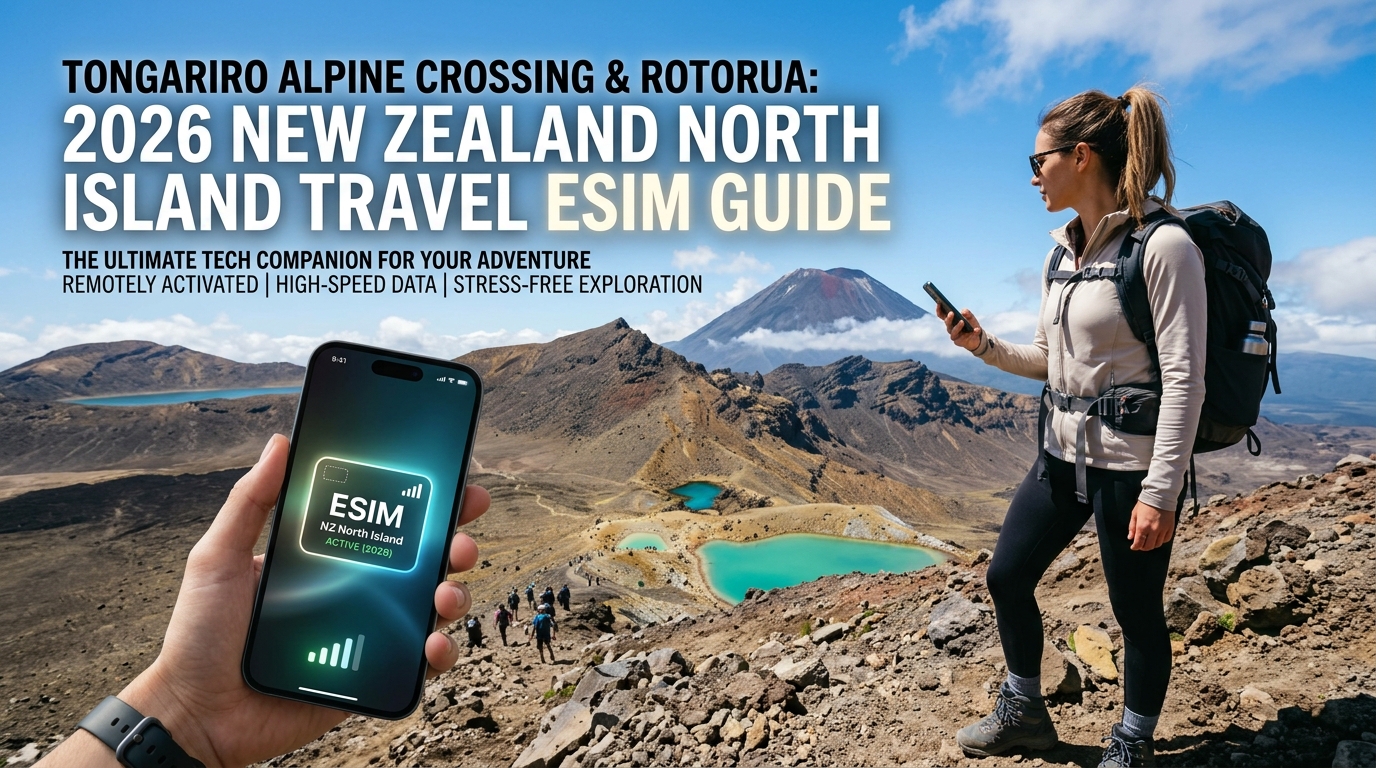
Tongariro Alpine Crossing & Rotorua: 2026 New Zealand North Island Travel eSIM Guide
The Volcanic North Island Cellular Landscape: Spark vs. One NZ vs. 2degrees
Navigating the transition from Rotorua’s sulfurous geothermal basins to the desolate, sub-alpine terrain of the Central Plateau requires a clear understanding of New Zealand’s physical radio access network (RAN) architecture. The country’s mobile ecosystem is powered by three primary Mobile Network Operators (MNOs)—Spark New Zealand, One New Zealand (formerly Vodafone NZ), and 2degrees—each exhibiting distinct propagation characteristics across the Taupō Volcanic Zone.
The Three MNOs: Network Profiles & Spectrum Deployment
- Spark New Zealand (Dominant Rural Macro Footprint): Spark leverages the legacy infrastructure of the state-owned Telecom NZ. Its primary competitive edge in rural and wilderness corridors is its massive deployment of Band 28 (700 MHz APT) spectrum. The lower frequency of the 700 MHz band offers superior propagation characteristics, bending over geographic undulations and penetrating dense podocarp forests better than mid-band alternatives. Spark operates the highest density of macro-cell towers flanking State Highway 1 (the Desert Road) and surrounding the base perimeter of Mount Ruapehu.
- One New Zealand (Dense Regional LTE-Advanced Capacity): Formerly Vodafone NZ, One NZ provides exceptional mid-band (Band 3 / 1800 MHz and Band 1 / 2100 MHz) carrier aggregation across high-density tourist epicenters like Rotorua, Lake Taupō, and Turangi. Their regional network is engineered for high throughput, though coverage drops off more steeply once you move behind the topographical shadow of Mount Tongariro.
- 2degrees (Urban-Centric Challenger): 2degrees has built an ultra-modern 5G network across Auckland, Wellington, and downtown Rotorua. However, in the high backcountry and deep volcanic gorges, 2degrees historically relied on domestic roaming arrangements. While their native rural footprint has expanded significantly via Band 28 rollouts, cellular continuity can be erratic in isolated sub-alpine valleys.
MNO Comparison: Central Plateau & Volcanic Zone
| Carrier | Primary Spectrum Bands | Tongariro Alpine Crossing Coverage | Rotorua Geothermal Basin Coverage | Best Suited For |
|---|---|---|---|---|
| Spark | B28 (700MHz), B3 (1800MHz), B7 (2600MHz), n78 (3500MHz) | High: Reliable B28 signal on northern & southern flanks; intermittent in deep craters | Exceptional: Full 4G/5G urban blanket coverage | Remote highway transit, backcountry hiking perimeters |
| One NZ | B28 (700MHz), B3 (1800MHz), B8 (900MHz), n78 (3500MHz) | Moderate: Solid reception near Mangatepopo & Ketetahi; shadowed at Red Crater | Exceptional: High-capacity 5G across thermal parks & lakefront | Fast data speeds in urban & regional adventure hubs |
| 2degrees | B28 (700MHz), B3 (1800MHz), n78 (3500MHz) | Variable: Dependent on line-of-sight to regional towers; drops in alpine depressions | Strong: Robust LTE-A/5G throughout inner Rotorua | Urban tourism, short scenic detours |
RF Propagation Challenges: Silica, Ash, and Shadow Zones
The geography of the Taupō Volcanic Zone presents unique radio frequency (RF) engineering obstacles. High-silica volcanic tephra, andesitic lava flows, and porous pumice soils absorb and scatter RF signals differently than standard granite or limestone ranges.
- Topographical Shadowing: The towering massifs of Mount Ngauruhoe (2,291m) and Mount Ruapehu (2,797m) cast literal RF shadows. A trekker traversing from Mangatepopo Valley up the Devil’s Staircase will experience line-of-sight connectivity from regional towers along State Highway 48, which abruptly drops to zero signal upon descending into the South Crater or traversing behind the Red Crater rim.
- Geothermal Atmospheric Interference: In Rotorua (particularly around Te Puia and Hell's Gate), dense plumes of mineralized, sulfur-heavy steam can cause localized micro-attenuation and physical corrosion of outdoor micro-cell transceiver hardware, periodically degrading mid-band carrier stability.
The Travel eSIM Advantage: Multi-Carrier Switching & MollySIM
Relying on a single physical SIM card locks your hardware to a single operator's tower footprint. If your carrier loses line-of-sight behind an ancient volcanic dome, you lose emergency communication, topographic mapping, and live weather updates.
This environment makes a multi-network travel eSIM essential. A Tier-1 travel eSIM dynamically authenticates against whichever local RAN—Spark or One NZ—delivers the strongest signal at your exact GPS coordinates.
When your data demands run high—such as uploading high-bitrate video from the Emerald Lakes or caching offline topo maps—running out of high-speed allocation is a real hazard. This is where MollySIM provides a critical safety margin. Unlike typical travel eSIMs that throttle speeds to a non-functional 128 kbps under Fair Use Policies (FUP), MollySIM maintains a throttled baseline speed of 384 kbps.
This 3x bandwidth advantage is the technical threshold required to keep vector navigation in Google Maps, live emergency messaging via WhatsApp, and NFC transactions via Apple Pay running without timing out, even when you are deep in the Central Plateau.
Mile-by-Mile Cellular Coverage Audit: The 19.4km Tongariro Alpine Crossing
🌐 Global Travel High-Speed Travel eSIM & SIM Plans
Instant QR code activation, hotspot enabled, with guaranteed 384kbps fallback speed to keep Maps & Digital Wallets active.
Traversing the 19.4-kilometer Tongariro Alpine Crossing takes you across active volcanic terrain ranging from 1,120 meters at the Mangatepopo trailhead to 1,886 meters at Red Crater. The massive volcanic massifs of Mount Tongariro and Mount Ngauruhoe create severe Radio Frequency (RF) diffraction and topographical shadowing.
To plan your battery usage, live tracking, and offline data redundancy, use this mile-by-mile technical coverage audit of cellular performance across the six primary trail zones.
1. Mangatepopo Car Park & Trailhead (0.0 km – 1,120m)
- Signal Strength: Moderate 4G LTE (-95 dBm to -105 dBm)
- Primary Bands: B28 (700 MHz), B3 (1800 MHz)
- Carrier Performance: Spark and One NZ maintain stable mid-band and low-band signals beamed from base stations near National Park Village and SH48.
- Actionable Advice: This is your final staging area with reliable multi-megabit data throughput. Perform your final sync, load high-resolution vector terrain in your mapping software, and confirm shuttle logistics.
2. Soda Springs to Devil's Staircase (4.5 km – 6.5 km | 1,400m to 1,600m)
- Signal Strength: Intermittent to Non-Existent (-112 dBm to -125 dBm / Edge drops)
- Primary Bands: B28 (700 MHz)
- Terrain Impact: As the trail winds into the Mangatepopo Valley between the steep basalt ridges of Mount Ngauruhoe and Tongariro, terrain obstruction causes massive signal attenuation.
- Carrier Performance: Mid-band frequencies drop entirely. Spark's 700 MHz (Band 28) penetrates slightly deeper into the valley floor than One NZ, but signal handoffs frequently stall.
3. South Crater to Red Crater Summit (7.5 km – 8.5 km | 1,886m)
- Signal Strength: High Spike / Volatile 4G LTE (-85 dBm to -98 dBm)
- Primary Bands: B28 (700 MHz), B3 (1800 MHz), B7 (2600 MHz)
- The High-Altitude Paradox: At the summit of Red Crater, line-of-sight is restored across the Central Plateau to distant high-site towers near Waiouru and Lake Taupo. Uplink and downlink speeds can surge above 40 Mbps on a clear day.
- Environmental Interference: Freezing cloud covers, dense fog, and moisture laden alpine squalls rapidly scatter high-frequency RF signals, causing the connection to bounce between full bars and complete disconnection within minutes.
| Waypoint / Sector | Elevation | Avg. Signal Strength (dBm) | Network Reliability | Key Carrier Frequency |
|---|---|---|---|---|
| Mangatepopo Trailhead | 1,120 m | -98 dBm (Moderate) | High | B28 (700 MHz) / B3 (1800 MHz) |
| Devil's Staircase | 1,400–1,600 m | -118 dBm to Dead Zone | Low / Intermittent | B28 (700 MHz) |
| Red Crater Summit | 1,886 m | -88 dBm (Line-of-Sight) | Volatile (Weather-dependent) | B28, B3, B7 |
| Emerald & Blue Lakes | 1,730 m | <-125 dBm (No Service) | Critical Dead Zone | None (Terrain blocked) |
| Ketetahi Hut Site | 1,450 m | -94 dBm (Stable LTE) | High | B28 (700 MHz) / B8 (900 MHz) |
| Ketetahi Bush Track | 760 m | -82 dBm (Solid 4G/5G) | Very High | B3 (1800 MHz) / B7 / B28 |
4. Emerald Lakes & Central Crater Basin (9.0 km – 11.0 km | 1,730m)
- Signal Strength: Critical Dead Zone (No Service / Search Mode)
- Primary Bands: N/A
- Terrain Impact: Dropping down the scree slope from Red Crater into the explosion craters places your device into a natural volcanic bowl. The sheer caldera walls act as a structural RF shield, resulting in zero cellular penetration from regional macro-cells.
- Battery Protection: Switch your device to Low Power Mode or Airplane Mode here. If your phone continuously hunts for a signal (uplinking at maximum TX power), battery drain can exceed 25% per hour in freezing conditions.
5. Ketetahi Shelter & Northern Slopes (12.0 km – 14.5 km | 1,450m)
- Signal Strength: Stable 4G LTE (-90 dBm to -98 dBm)
- Primary Bands: B28 (700 MHz), B8 (900 MHz)
- Carrier Performance: Clearing the high saddle past Blue Lake and descending the northern switchbacks opens direct, unobstructed line-of-sight across Lake Rotoaira and Lake Taupo. Both Spark and One NZ deliver sustained connectivity.
- Safety Margin: This is the primary sector to send check-in timestamps, update family on trail progress, and check real-time shuttle departures at the terminal car park.
6. Ketetahi Bush Track to Car Park (15.0 km – 19.4 km | 760m)
- Signal Strength: Strong 4G / Localized 5G (-78 dBm to -88 dBm)
- Primary Bands: B3 (1800 MHz), B7 (2600 MHz), B28 (700 MHz)
- Carrier Performance: The descent takes you through dense native tōtara and podocarp rainforest canopy. While foliage introduces mild multipath scattering, proximity to State Highway 46 transceivers guarantees low-latency speeds.
Navigating Dead Zones with eSIM Redundancy
Because continuous coverage along the 19.4km route is physically impossible due to volcanic topography, carrying cached offline topographic maps (such as NZTopo50 or AllTrails Pro) is mandatory.
If your daily high-speed data allowance is exhausted during the trek, standard travel eSIMs throttle your speed down to 128 kbps—rendering mapping assets impossible to re-fetch and causing payment or tracking apps to time out.
Using an unthrottled or high-FUP platform like MollySIM mitigates this risk. With a baseline Fair Use Policy throttled speed of 384 kbps (3x faster than the 128 kbps industry standard), your device retains enough bandwidth to dynamically stream vector map layers, process Apple Pay transactions at shuttle kiosks, and broadcast critical GPS locations even when your primary high-speed allocation is spent.
Alpine Safety Protocols: Live DOC Alerts, Geothermal Hazards & GPS Battery Drain
Traversing dynamic volcanic landscapes across the Central Plateau and Rotorua’s active geothermal zones demands strict real-time situational awareness. The Tongariro Alpine Crossing is classified as a challenging day hike in an alpine environment where conditions can deteriorate from clear skies to blizzard-force gale winds within 30 minutes. Mobile data is not just a travel convenience here—it functions as an active safety tether.
Mission-Critical Telemetry: DOC, GeoNet, and MetService
Before stepping past the Mangatepopo road-end or navigating unpaved thermal areas in Wai-O-Tapu and Kuirau Park, your device must maintain real-time access to four key New Zealand safety networks:
- Department of Conservation (DOC) Track Status: Tracks closures, sudden bridge washouts, and active search-and-rescue operations. DOC operates a dynamic hazard warning system that flags summit ridge closures due to high wind gusts (>50 km/h).
- GeoNet Volcanic Alert Bulletins (VAB): Mount Tongariro, Mount Ngauruhoe, and Mount Ruapehu are active volcanoes. GeoNet broadcasts real-time updates on Volcanic Alert Levels (VAL 0–5) and Aviation Colour Codes. A shift from VAL 1 to VAL 2 requires immediate route adjustments.
- MetService Tongariro National Park Mountain Forecast: Standard consumer weather apps rely on regional low-altitude models that fail to capture the severe orographic lifting, freezing levels, and wind chill factors common at Red Crater (1,868m).
- New Zealand Avalanche Advisory (NZAA): Critical between May and November, providing danger ratings for the South Crater and Red Crater approach zones.
+---------------------------+------------------------------------+----------------------------------+
| Safety Service / Platform | Required Payload Type              | Minimum Functional Bandwidth     |
+---------------------------+------------------------------------+----------------------------------+
| GeoNet Volcanic Alerts    | Text / JSON API Alert Feeds        | 64 kbps                          |
| MetService Radar / Wind   | High-Resolution Rain Radar Tiles   | 256 kbps                         |
| NZ Topo50 Vector Sync     | Cached Vector Map Packets          | ~300 kbps                        |
| Emergency Web Check-in    | HTTPS / Secure TLS Form Submission | 128–256 kbps (High Latency Risk) |
+---------------------------+------------------------------------+----------------------------------+
Lithium-Ion Degradation & GPS Power Management
The intersection of sub-zero wind chills at high elevations and continuous GNSS (Global Navigation Satellite System) querying accelerates smartphone battery discharge exponentially.
At temperatures below 0°C (32°F), the internal resistance of lithium-ion cells spikes, dropping terminal voltage. When running dual-band GPS logging via apps like AllTrails, Topo50, or Strava, this voltage drop frequently triggers catastrophic device shutdowns—even when battery indicators display 20% to 30% remaining charge.
To safeguard device operation along the trail:
- Isolate the Device: Store your smartphone in an internal layer pocket close to core body heat rather than in external backpack sleeves.
- Tether to a Low-Temperature Power Bank: Carry a power bank rated for sub-zero discharge (using LiFePO4 or cold-resistant lithium cells) and route a short cable under your outerwear.
- Manage Radio Polling: Disable background Bluetooth and Wi-Fi searching to prevent power-draining transceiver loops while traversing low-reception zones like South Crater.
FUP Safety Margins: The Critical Difference Between 128 kbps and 384 kbps
Many standard international travel eSIMs advertise "unlimited data" but drop transfer rates to a restrictive 128 kbps once your high-speed daily threshold is breached. In an alpine or remote scenario, 128 kbps often leads to TLS handshake timeouts when loading modern HTTPS web pages, effectively bricking your browser and rendering dynamic warning boards inaccessible.
This is where network fallback policies matter. Operating on a 384 kbps Fair Use Policy (FUP) baseline, MollySIM delivers 3x the industry-standard throttled bandwidth.
At 384 kbps, the data pipeline remains sufficiently wide to:
- Stream updated text warnings and raw JSON data from DOC and GeoNet without socket timeouts.
- Transmit low-bandwidth emergency coordinates via web portals or messaging platforms (e.g., WhatsApp, Apple iMessage).
- Dynamically render cached vector map layers and execute emergency digital payments at remote shuttle collection points.
When navigating high-consequence volcanic zones, having a continuous, reliable data floor ensures you are never locked out of vital safety updates when you need them most.
Connectivity Face-Off: MollySIM Oceania eSIM vs. Local NZ SIMs vs. Pocket Wi-Fi
Choosing the right connectivity stack for the North Island requires balancing network coverage, provisioning friction, hardware battery drain, and data fallback policies. While physical retail stores for Spark, One NZ, and 2degrees operate at Auckland (AKL) and Wellington (WLG) international arrivals, physical setups come with operational trade-offs—especially when venturing into volatile microclimates like the Central Plateau.
The table below contrasts the five primary connectivity avenues across vital technical and logistical metrics:
| Metric | MollySIM Oceania eSIM | Spark NZ Travel SIM | One NZ Tourist SIM | 2degrees Travel Pack | Portable Pocket Wi-Fi |
|---|---|---|---|---|---|
| Primary Network Carrier | Multi-Network Roaming (Spark / One NZ) | Spark NZ Native | One NZ Native | 2degrees Native | Single Network (Varies by vendor) |
| Delivery / Activation | Instant Digital QR Code (Pre-departure) | Airport Kiosk Queue / Retail ID Check | Airport Kiosk Queue / Retail ID Check | In-store Physical Purchase | Airport Counter Pickup & Return |
| Throttled FUP Speed | 384 kbps (Unlimited floor) | Hard Cutoff (0 kbps) or 128 kbps | Hard Cutoff (Add-on required) | Hard Cutoff (0 kbps) | 128 kbps |
| Hotspot / Tethering | Fully Supported | Supported | Supported | Supported | Native (Dedicated device) |
| Cold-Weather Battery Impact | Low (Integrated internal modem) | Low (Integrated internal modem) | Low (Integrated internal modem) | Low (Integrated internal modem) | High (External lithium unit drops charge in sub-zero alpine conditions) |
| Average Cost per GB | ~$1.20 – $2.50 USD | ~$3.50 – $5.00 USD | ~$3.50 – $5.00 USD | ~$3.00 – $4.50 USD | ~$8.00 – $12.00 USD/day (Rental overhead) |
| Physical SIM Tray Swapping | No (Digital Dual-SIM) | Yes (Risk of losing primary SIM) | Yes (Risk of losing primary SIM) | Yes (Risk of losing primary SIM) | No (Connects over local Wi-Fi) |
Total Cost of Ownership and Logistics: Why Physical Hardware Falls Short
1. The Airport Friction Trap
Physical airport kiosks at Auckland International often suffer from 30- to 45-minute queues during morning trans-Pacific and Asian arrival banks. Purchasing a local physical SIM requires mandatory passport verification under New Zealand telecommunications identity guidelines. In contrast, an eSIM from MollySIM is installed digitally over your home Wi-Fi before departure, allowing your device to establish an automatic IMS handshake the second your aircraft touches down at AKL.
2. Pocket Wi-Fi Thermal Vulnerability in Alpine Zones
While rental Wi-Fi hotspots support multi-device sharing, they introduce a single point of failure along the Tongariro Alpine Crossing. The external lithium-ion battery packs in portable routers degrade rapidly when exposed to sub-zero summit temperatures near Red Crater. If the pocket Wi-Fi unit shuts down due to thermal throttling or low voltage, all connected devices instantly lose telemetry. Using an embedded eSIM relies directly on your smartphone’s internal, insulated power management architecture.
+-------------------------------------------------------------------------+
|                      FALLBACK SPEED COMPARISON (FUP)                    |
+-------------------------------------------------------------------------+
| MollySIM (384 kbps)  [=======================] Maps, Vector Layers, Pay |
| Competitors (128 kbps)[=======] TLS Handshake Timeouts, Text SMS only   |
| Local SIMs (0 kbps)  [] Hard Cutoff / Zero Connection                   |
+-------------------------------------------------------------------------+
3. Dynamic Roaming Resiliency
Local MNO tourist SIMs tie you to a single domestic infrastructure. If Spark loses line-of-sight propagation in a geothermal valley outside Wai-O-Tapu, a native Spark SIM drops to "No Service." Because international roaming agreements allow cross-carrier switching, travel eSIMs provisioned with regional multi-IMSI profiles can dynamically scan and attach to the strongest local cell tower—whether Spark or One NZ—maximizing signal continuity through rugged topography.
4. The 384 kbps Usability Threshold
The decisive technical differentiator remains the post-depletion Fair Use Policy. Standard local packs cut your data pipeline entirely once the high-speed bucket expires, forcing you to navigate complex web portals to purchase expensive top-ups. Other travel eSIMs throttle downstream throughput to 128 kbps—a rate insufficient to keep cryptographic SSL/TLS tunnels open for Apple Pay or vector mapping services. At 384 kbps, MollySIM ensures your mapping client continues rendering topographical routes and verifying return shuttle QR codes without interruption.
Geothermal Hotspots & Lake Taupo: Seamless Data from Wai-O-Tapu to Huka Falls
Connecting the cultural epicenter of Rotorua to the adventure hub of Lake Taupo requires traversing the central volcanic plateau via State Highway 5 (the Thermal Explorer Highway) and State Highway 1. While this corridor represents one of New Zealand’s most heavily trafficked tourist arteries, maintaining uninterrupted mobile broadband across its microclimates and volcanic topography presents unique radio frequency (RF) challenges.
RF Attenuation in Geothermal Valleys and Thermal Basins
Geothermal reserves such as Wai-O-Tapu Thermal Wonderland, Waimangu Volcanic Valley, and Te Puia generate dense, ionized steam plumes laden with hydrogen sulfide, sulfur dioxide, and heavy mineral moisture. In narrow volcanic grabens and thermal basins, this concentrated airborne particulate matter, combined with steep rhyolitic caldera walls, causes noticeable signal scattering and path loss on high-frequency 4G/5G bands (2100 MHz and 2600 MHz).
+-------------------------------------------------------------------------+
| RF PROPAGATION IN GEOTHERMAL VALLEYS                                    |
|                                                                         |
| High-Band 4G/5G (2100/2600 MHz) ---> [ Steam / Ionized Particulate ]   |
|                                      |--> Heavy Attenuation & Dropouts  |
|                                                                         |
| Low-Band LTE (Band 28 / 700 MHz)  ---> [ Steam / Ionized Particulate ]   |
|                                      |--> Deep Physical Penetration     |
+-------------------------------------------------------------------------+
To maintain stable packet flow near active vents like the Champagne Pool or Pohutu Geyser, cellular devices must switch down to lower carrier frequencies—predominantly LTE Band 28 (700 MHz). Because MollySIM operates through multi-network roaming agreements across tier-1 infrastructure (including Spark and One NZ), your smartphone automatically prioritizes towers providing the strongest sub-gigahertz penetration rather than dropping to edge rates inside sunken geothermal rift zones.
Transit Dynamics: Navigation, Mountain Biking, and Shuttle Logistics
A typical itinerary through the central North Island demands sustained uplink and downlink throughput across diverse activities:
- Thermal Explorer Highway (SH5 & SH1): Streaming real-time telemetry on Waze or Google Maps requires constant cellular handshakes to warn of dynamic speed reductions, sudden weather fronts, and surface spray around Lake Taupo.
- Whakarewarewa Forest (The Redwoods): Mountain biking over 160 kilometers of trails requires GPS-linked mapping platforms like Trailforks or Strava. Dense Californian Redwood canopies create substantial GPS multipath and RF attenuation, requiring robust carrier handoffs when loading offline vector tiles.
- Huka Falls & Jet Boat Operations: Booking fast-turnaround tickets and processing mobile contactless payments directly along the Waikato River gorge requires rapid, low-latency secure socket layer (SSL) processing.
- Dynamic Tongariro Shuttle Re-Routing: Alpine weather systems frequently force shuttle operators in Taupo and Turangi to alter pickup windows at Mangatepopo and Ketetahi. Operators communicate via WhatsApp or SMS; a dead connection means missing critical transport updates.
High-Throughput Uplinks and Bandwidth Resiliency
The vibrant mineral palettes of Wai-O-Tapu’s Artist's Palette, the rapid churning of Huka Falls, and panoramic sunsets over Lake Taupo drive heavy media consumption. Uploading uncompressed 4K HDR ProRes video clips to social media or syncing photos to iCloud/Google Cloud quickly drains standard daily data buckets.
| Network Scenario | Typical Action | Bandwidth Required | MollySIM Performance (High-Speed vs 384 kbps FUP) |
|---|---|---|---|
| Active Geothermal Walk | 4K Cloud Backup & Live Stream | 15–50 Mbps | Seamless full-speed 4G/5G multi-carrier connection |
| Redwoods Singletrack | Trailforks Vector Rendering | 250–500 kbps | Instantaneous on high-speed; zero stall at 384 kbps FUP |
| Huka Falls Gate | Dynamic QR & Apple Pay Processing | 100–300 kbps | Full encryption handshake clearance (no TLS timeout) |
| Alpine Weather Pivot | Instant Shuttle Operator WhatsApp Call | 64–128 kbps | Voice codec streams continuously without dropouts |
If your data bucket runs out while navigating backroads toward Tongariro National Park, MollySIM’s Fair Use Policy sets the baseline throttle to 384 kbps—three times the industry-standard 128 kbps cap. This guarantees that turn-by-turn map caches continue updating, Apple Pay transactions execute at the fuel pump, and shuttle confirmation vouchers load without forcing you to pull over and purchase expensive high-speed top-ups.
Step-by-Step Setup: Installing & Optimizing Your MollySIM eSIM Before Landing in NZ
Configuring your mobile configuration while connected to a stable Wi-Fi connection prior to boarding your flight to Auckland (AKL) or Wellington (WLG) prevents connectivity bottlenecks at immigration. Modern iOS and Android operating systems handle dual-SIM orchestration efficiently, allowing you to maintain your home carrier’s line solely for SMS-based two-factor authentication (2FA) while directing all data traffic through local New Zealand towers via MollySIM.
1. QR Code Installation and Profile Labeling
Install the digital profile 12 to 24 hours before departure so your handset is pre-provisioned to handshake with Spark, One NZ, or 2degrees upon touchdown.
On iOS (iPhone 11 through iPhone 16 / Pro models):
- Navigate to Settings > Cellular (or Mobile Data) > Add eSIM.
- Select Use QR Code and scan the activation QR voucher issued by MollySIM.
- When prompted to label the plan, select custom and rename it "MollySIM NZ" to avoid confusing it with your home carrier.
On Android (Google Pixel, Samsung Galaxy S20–S25, Fold/Flip series):
- Navigate to Settings > Network & Internet (or Connections) > SIMs (or SIM Manager) > Add SIM / Download eSIM.
- Scan the MollySIM digital QR voucher.
- Assign the label "MollySIM NZ" and tap Confirm.
2. Dual SIM Routing: Securing 2FA Without Roaming Fees
To avoid accidental roaming fees on your primary domestic plan while retaining banking verification texts:
- Voice & SMS Default: Set your primary domestic carrier as the default line for calls and SMS.
- Cellular Data Priority: Designate MollySIM NZ as the dedicated Mobile Data provider.
- Turn OFF "Allow Cellular Data Switching" (iOS): This is critical. If left enabled, your phone will automatically pull data from your expensive home carrier SIM if you enter a temporary shadow zone.
3. Data Roaming and APN Configuration
MollySIM operates across multi-carrier roaming agreements inside New Zealand. You must explicitly toggle data roaming ON under the eSIM profile specifically.
| Setting Parameter | Configuration Value | Target Outcome |
|---|---|---|
| MollySIM Roaming | Enabled (ON) | Authorizes handshake with NZ host radio networks |
| Home SIM Roaming | Disabled (OFF) | Prevents unexpected international daily pass charges |
| APN Field | globaldata (or Automatic) | Auto-fills during bootstrap; requires zero manual entry |
| Network Selection | Automatic | Dynamic switching between Spark, One NZ, and 2degrees |
4. Base-Town Offline Preparation & Safety App Suite
Mobile coverage along the 19.4-kilometer Tongariro Alpine Crossing fluctuates sharply between the South Crater and the Ketetahi descent. Before departing staging gateways like National Park Village, Ohakune, or Turangi, complete the following local downloads:
- Google Maps Vector Tiles: Save offline sectors covering the Central Plateau (Tongariro, Mt. Ruapehu) and the broader Rotorua geothermal valley (including Wai-O-Tapu and Te Puia).
- GeoNet App: New Zealand’s official geological hazard monitoring service. It pushes automated volcanic activity alerts and seismic shake warnings for active zones like Mt. Tongariro, Mt. Ngauruhoe, and Rotorua’s caldera.
- Plan My Walk (NZ Mountain Safety Council): Provides real-time track alerts, severe weather forecasts from MetService, and emergency track-specific gear checklists.
- Department of Conservation (DOC) Track PDF: Download the Tongariro Alpine Crossing elevation guide locally to your files app for offline route timing.
5. Alpine Trailhead Digital Safety Checklist
Run through this final hardware and connectivity checklist at the Mangatepopo trailhead car park before stepping onto the track:
- [ ] Data Plan Active: MollySIM profile verified with full bars at the trailhead.
- [ ] MollySIM 384 kbps FUP Buffer Active: Confirms that should your high-speed quota finish during the hike, your baseline throttle stays at 384 kbps (ensuring offline mapping pins refresh and secure payment clearances like Apple Pay still clear).
- [ ] Low Power Mode Staged: Cold mountain winds rapidly accelerate battery discharge; disable background application refresh for non-essential travel apps.
- [ ] Shuttle Operator Contact Stored: Save your shuttle dispatch number directly to local contacts for direct calling at the Ketetahi pick-up zone.
🌐 Global Travel High-Speed Travel eSIM & SIM Plans
Instant QR code activation, hotspot enabled, with guaranteed 384kbps fallback speed to keep Maps & Digital Wallets active.