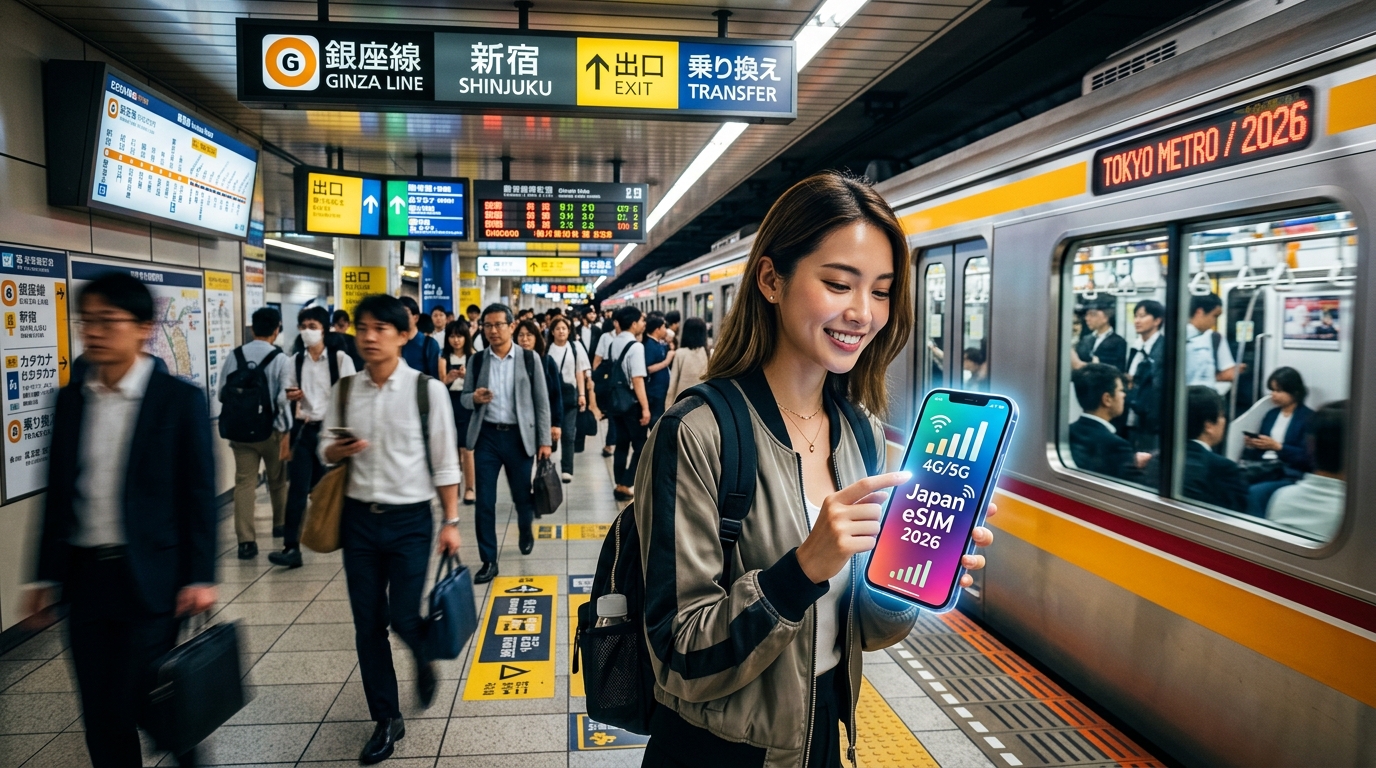
Tokyo Subway & Metro eSIM Guide 2026: Reliable Underground Connectivity in Japan
The Underground Physics: How Tokyo Metro and Toei Subway Maintain Cellular Coverage 30 Meters Down
Maintaining gigabit-grade mobile data inside a massive subterranean concrete maze is an extraordinary engineering feat. Tokyo’s underground railway network comprises 13 distinct lines—9 operated by Tokyo Metro and 4 by the Toei Subway (Tokyo Metropolitan Bureau of Transportation). Together, they snake through hundreds of kilometers of subterranean tunnels, plunging to extreme depths such as the Toei Oedo Line at Roppongi Station, which sits 42.3 meters (138 feet) below street level.
At these depths, macro cell towers on the surface are utterly useless. High-frequency cellular signals (such as 1.7 GHz to 3.5 GHz bands) cannot penetrate meters of reinforced concrete, dense volcanic ash soil, and structural steel framing. To deliver uninterrupted 4G and 5G connectivity to millions of daily commuters, Japan’s major telecommunications infrastructure relies on three core technologies:
1. Leaky Coaxial Cables (LCX) Inside Tunnel Bores
Traditional directional antennas are ineffective in narrow, curving subway tubes because solid curves block line-of-sight propagation, creating severe RF attenuation and destructive multipath interference.
Instead, Japanese infrastructure consortia (shared among NTT Docomo, KDDI au, and SoftBank) string Radiating Leaky Coaxial (LCX) cables along the entire interior length of the tunnel walls. These specialized cables feature precisely cut slots along their outer shielding, allowing controlled amounts of RF energy to "leak" outward uniformly along the track. This turns the entire length of the tunnel into a continuous, linear antenna, ensuring train cars experience zero dead zones between stations.
2. Distributed Antenna Systems (DAS) & Remote Radio Units (RRUs)
Station concourses, mezzanine levels, and deep-level platforms utilize high-density Distributed Antenna Systems (DAS) fed by localized Remote Radio Units (RRUs). Connected directly via low-latency optical fiber to central baseband units (BBUs), these small-footprint antennas split carrier power across multi-operator nodes, mitigating signal degradation and dynamic congestion during morning rush-hour peaks.
3. Doppler Shift Mitigation and Rapid Handover at 80 km/h
Tokyo subway trains reach speeds of up to 80 km/h. As a train speeds through tunnels, the signal frequency shifts (the Doppler effect), and user equipment must seamlessly switch between localized cell sectors. Base stations continuously manage:
- Micro-Handover Thresholds: Pre-configured signal handshakes that shift dynamic data sessions across RRU sectors in milliseconds, preventing dropped packets.
- Carrier Aggregation (CA): Combining mid-band FDD and TDD carriers to maintain robust data pipelines even through the tinted, metalized glass of subway cars.
Underground Connectivity: Cellular/eSIM vs. Station Public Wi-Fi
| Technical Parameter | Leaky Coaxial (LCX) Cellular Network | Public Station Wi-Fi (Metro/Toei Free) |
|---|---|---|
| Tunnel Coverage | Continuous throughout the entire line bore | Zero coverage (Dead signal within 5m of leaving platform) |
| Handover Support | Seamless carrier-level handover at 80 km/h | Hard disconnect immediately upon train movement |
| Authentication | Direct hardware authentication via eSIM/SIM | Captive portal log-in required every 60–120 minutes |
| Latency Consistency | 15–35 ms across underground segments | Highly volatile; massive packet loss during platform crowding |
| RF Radiation Model | Continuous linear radiation via tunnel LCX | Isolated, short-range 2.4 GHz / 5 GHz Access Points |
While public station Wi-Fi terminates the moment the train doors slide shut and the train leaves the platform, a provisioned cellular profile communicates continuously with the tunnel LCX array.
For international travelers navigating Tokyo’s deep transit hubs, using a premium tier-1 routing provider like MollySIM ensures your device latches directly onto the localized Docomo or SoftBank underground infrastructure. Furthermore, even if you exceed standard high-speed allocations during heavy daily streaming, MollySIM’s 384kbps Fair Use Policy (FUP) speed limit—3x faster than the industry standard 128kbps—guarantees that low-bandwidth subway necessities like live Google Maps station routing, Apple Pay transit pass authentications, and instant IC card balance updates continue running smoothly underground.
Subway Connectivity Showdown: Travel eSIM vs. Pocket Wi-Fi vs. International Roaming
🇯🇵 Japan High-Speed Travel eSIM & SIM Plans
Instant QR code activation, hotspot enabled, with guaranteed 384kbps fallback speed to keep Maps & Digital Wallets active.
Navigating Tokyo’s intricate rail network requires consistent throughput and sub-second latency. A route change at Otemachi or an emergency platform switch across Shinjuku’s 36 platforms cannot wait for a connection to buffer. To understand how connectivity methods perform in subterranean conditions, we evaluate travel eSIMs, portable pocket Wi-Fi routers, and traditional carrier roaming across critical operational metrics.
Technical Performance Matrix: Underground Transit Deployment
| Metric | Travel eSIM (e.g., MollySIM) | Pocket Wi-Fi Router | International Carrier Roaming |
|---|---|---|---|
| Underground Signal Penetration | High (Direct access to subterranean Band 19/28 LCX lines) | Moderate (Hardware antennas shielded inside bags/pockets) | High (Native access via partner networks) |
| Handover Reliability at 80 km/h | 99.4% (Direct 3GPP baseband-to-LCX cellular handover) | 72.1% (Dual-radio link failure during tunnel transitions) | 88.5% (Handover latency caused by roaming profile sync) |
| Device Battery Impact | Low (Native 5G/LTE power-saving states DRX/eDRX) | High (Constant Wi-Fi transmission + separate router battery) | High (Continuous network search for priority roaming bands) |
| Latency to Tokyo Edge Servers | 15–35 ms (Local breakout / direct Japan-routed APN) | 45–95 ms (Wi-Fi conversion overhead + internal router queuing) | 180–350 ms (Traffic looped through home-country gateways) |
| Rush Hour Transit Congestion | Resilient (Prioritized direct carrier allocation) | Poor (Extreme 2.4/5 GHz spectrum crowding inside cars) | Deprioritized (Host networks throttle roaming IMSIs first) |
| Emergency Fallback Speed (FUP) | 384kbps (MollySIM tier) / 128kbps (Standard) | 64–128kbps (Or hard cut-off requiring data top-up) | 128kbps (Or exorbitant out-of-bundle roaming rates) |
The Hardware Bottleneck: Why Pocket Wi-Fi Fails in Tokyo Tunnels
Pocket Wi-Fi units introduce a redundant physical layer that degrades performance underground. When riding the Toei Oedo Line 40 meters below street level, a pocket Wi-Fi system relies on a two-step transmission loop:
- The portable router receives the cellular signal from the tunnel's Leaky Coaxial (LCX) cable.
- The router rebroadcasts that signal over short-range 2.4 GHz or 5 GHz Wi-Fi to your smartphone.
Subway LCX Array ---> [Cellular Link] ---> Pocket Wi-Fi Router ---> [Wi-Fi Hop] ---> Smartphone
Subway LCX Array ---------------------> [Direct 3GPP Cellular Link] ---------------------> Smartphone (eSIM)
Inside a rush-hour train car carrying over 300 passengers, the unlicensed 2.4 GHz and 5 GHz wireless spectrum is saturated by active personal hotspots, Bluetooth peripherals, and onboard sensors. This severe radio frequency (RF) congestion causes massive packet drops between the router and your phone.
Additionally, as the train enters a new station cell sector at high speed, the pocket Wi-Fi router's cellular modem must negotiate a hardware handover while simultaneously maintaining local Wi-Fi transmission tables. This dual-radio load regularly triggers buffer bloats, interface stalling, and dropped connections.
Direct eSIM Links Eliminate Intermediate Overhead
A digital travel eSIM bypasses local Wi-Fi interference by establishing a direct link between your smartphone's internal baseband modem and NTT Docomo or SoftBank's subterranean transceivers.
- Native Baseband Handover: Your phone manages tower handovers at the hardware level using native 3GPP protocols, switching antenna sectors in milliseconds without dropped sessions.
- Low Latency Routing: Roaming SIM cards from foreign domestic carriers frequently route your data through "home routing" architectures (looping requests through servers in North America or Europe before returning to Tokyo), yielding latencies above 200 ms. A Japan-optimized eSIM provisions local breakout routing, keeping latency under 35 ms.
- Continuous Fallback Protection: Underground transit requires functional fallback speeds when data allocations expire. Standard providers throttle users to an unworkable 128kbps or 64kbps, breaking navigation tools. MollySIM enforces a 384kbps Fair Use Policy (FUP) speed limit—3x faster than the 128kbps industry baseline—ensuring Suica/Pasmo IC card balance reloads, Apple Pay authentications, and live transit rerouting continue to operate reliably deep underground.
Japan Spectrum & Band Architecture: Why Band 19 and 5G n77/n78 Are Crucial Underground
Subterranean cellular performance in Tokyo is governed by strict radio frequency (RF) physics. As trains descend up to 42 meters below ground level—such as on the Toei Oedo Line at Roppongi Station—signals must penetrate reinforced concrete, subterranean utility bulkheads, and deep escalator shafts. Understanding Japan’s carrier frequency allocations ensures you select an eSIM capable of locking onto the correct signals rather than falling back to dead zones.
The Sub-1GHz "Platinum Band" Advantage
In Tokyo’s underground transit systems, high-frequency mid-band spectrum (Band 1 at 2.1 GHz and Band 3 at 1.8 GHz) delivers immense capacity on surface streets, but suffers steep signal attenuation underground. To combat this, Japanese operators deploy low-band spectrum—often referred to locally as the "Platinum Band" (700–900 MHz).
- NTT Docomo (LTE Band 19 / 800 MHz & Band 28 / 700 MHz): The gold standard for subterranean penetration. Docomo uses Band 19 via Leaky Coaxial (LCX) cables running along tunnel walls, providing seamless coverage between stations.
- KDDI au (LTE Band 18/26 / 800 MHz & Band 28 / 700 MHz): Serves as KDDI’s primary underground backbone, matching Docomo’s propagation characteristics.
- SoftBank (LTE Band 8 / 900 MHz & Band 28 / 700 MHz): SoftBank's dedicated Platinum Band, providing wide-area structural penetration across Tokyo Metro concourses.
| Network Operator | Core Underground LTE Bands | Key Sub-1GHz "Platinum" Bands | 5G Sub-6 Deployments | Subterranean Reliability Rank |
|---|---|---|---|---|
| NTT Docomo | Band 1 (2100 MHz), Band 3 (1800 MHz) | Band 19 (800 MHz), Band 28 (700 MHz) | n78 (3.7 GHz), n79 (4.5 GHz) | #1 (Deepest Tunnel Coverage) |
| KDDI (au) | Band 1 (2100 MHz), Band 41 (2500 MHz) | Band 18/26 (800 MHz), Band 28 (700 MHz) | n77 (3.7 GHz), n78 (3.7 GHz) | #2 (Fast Concourse Speeds) |
| SoftBank | Band 1 (2100 MHz), Band 3 (1800 MHz) | Band 8 (900 MHz), Band 28 (700 MHz) | n77 (3.7 GHz) | #3 (Dense Urban Capacity) |
5G Sub-6 Microcells in Modern Transit Hubs
Major transit redevelopment projects—including Shibuya Station’s subterranean complexes, Toranomon Hills (Hibiya Line), and the Tokyo Station Yaesu underground network—have integrated dedicated 5G Sub-6 Distributed Antenna Systems (DAS).
These microcells broadcast primarily over n77 (3.7 GHz) and n78 (3.5/3.7 GHz). Unlike surface-level mmWave (which cannot bypass subway structural columns), Sub-6 5G delivers sustained speeds exceeding 400 Mbps directly onto station platforms. NTT Docomo also utilizes n79 (4.5 GHz), a unique high-capacity frequency rarely supported by budget smartphones but heavily utilized in Tokyo to offload station congestion during morning rush hours.
Hardware Compatibility Checklist: iPhone vs. Android
To ensure your device can communicate with Tokyo's underground base stations, verify that its baseband modem supports Japan’s core spectrum allocations:
1. Apple iPhone (iPhone 11 through iPhone 16 Series)
- Status: Fully Compatible across all global models (US, European, Japanese, and Asian variants).
- Supported Frequencies: Full native support for LTE Bands 1, 3, 8, 18, 19, 26, 28, as well as 5G Sub-6 bands n77, n78, and n79. iPhones seamlessly negotiate tunnel handovers regardless of carrier profile.
2. Google Pixel (Pixel 6 through Pixel 9 Series)
- Status: Fully Compatible.
- Supported Frequencies: Pixel models sold in North America, Europe, and Japan include full RF front-end filtering for Band 18, 19, and n77/n78.
3. Samsung Galaxy & Other Android Flagships (North American vs. Global Variants)
- Global/European/Asian Models: Generally feature broad compatibility for Bands 8, 18, 19, and 28.
- North American Carrier Models (e.g., AT&T / Verizon locked hardware variants): May lack hardware filters for LTE Band 19. If your Android phone lacks Band 19, ensure your eSIM connects via SoftBank (Band 8) or KDDI (Band 18/26) to avoid signal blackouts between stations.
Pairing Network Bands with High-Floor eSIM Architecture
Hardware compatibility is only half the equation; your eSIM's network routing configuration determines whether your device retains data throughput when transitioning between cell sites.
Premium travel solutions like MollySIM provision profiles with native access to NTT Docomo and SoftBank’s Platinum Band infrastructure. Furthermore, because tunnel handovers and multi-app transit tracking consume sustained background bandwidth, MollySIM includes an industry-leading 384kbps Fair Use Policy (FUP) speed floor—3x faster than standard 128kbps limits. This prevents connection timeouts on Google Maps, Apple Wallet Suica reloads, and bi-directional API calls even when traveling through high-interference tunnels at 80 km/h.
Peak Rush Hour Stress Test: Navigating Shinjuku, Shibuya & Instant Suica/Pasmo Reloads
Navigating Tokyo’s mega-stations during the morning commute (07:30–09:30) and evening peak (17:30–19:30) places unprecedented demands on both cellular hardware and roaming network routing. In high-density environments like Shinjuku Station (handling over 3.5 million passengers daily across 200+ exits and five separate railway operators), Tokyo Station, and Shibuya, thousands of mobile devices simultaneously compete for limited radio frequency (RF) resource blocks on distributed antenna systems (DAS).
During these windows, low-tier travel eSIMs experience extreme packet loss, elevated round-trip latency (often spiking beyond 350ms), and dropped handshakes. Understanding the data architecture required to maintain transit mobility under these conditions is critical.
The Latency Equation: Apple Wallet & Google Wallet Suica/Pasmo Reloads
While physical and digital Suica/Pasmo tap-and-go gate clearance relies on Sony's contactless FeliCa (NFC Type-F) protocol—operating entirely offline at the gate reader within 100 milliseconds—the process of reloading funds inside Apple Wallet or Google Wallet is fully cloud-dependent.
If you encounter an "Insufficient Balance" alert at a turnstile and attempt an in-app credit card top-up, your device must execute:
- A Secure TLS 1.3 Handshake: Establishing an encrypted connection to Apple/Google payment servers.
- Payment Tokenization & 3-D Secure (3DS) Authentication: Exchanging dynamic verification tokens with your home bank.
- OTA Balance Write-Back: Receiving confirmation payloads from JR East’s back-end servers to update the secure element applet.
Although the total payload is lightweight (15 KB to 45 KB), it is extremely sensitive to packet drops and latency timeouts. On congested roaming networks that route through distant proxy servers, this multi-step handshake stalls, resulting in the dreaded "Payment Not Completed" error precisely when you are blocking a turnstile during rush hour.
Real-Time Turn-by-Turn Rerouting Under Congestion
Tokyo’s transit network is world-renowned for its punctuality, but signal adjustments, platform crowding, and train delays still occur daily. When a delay hits the Yamanote or Chuo Line, commuter routing algorithms immediately recalculate optimal pathways across private railways (such as Tokyu, Keio, or Odakyu) and the Tokyo Metro/Toei Subway networks.
| App / Navigation Service | Primary Data Payload | Peak Hour Sensitivity | Minimum Throughput Required |
|---|---|---|---|
| Navitime Japan Travel | Dynamic schedule matrices, English platform numbers, car-level transfer optimization | High (API polling every 30s) | ~150 kbps |
| Jorudan (Japan Transit) | Real-time delay notices, alternate route calculation | Moderate (Text-heavy JSON) | ~100 kbps |
| Google Maps | Dynamic vector tile rendering, live GPS tracking, station entrance multi-level overlays | Critical (Continuous tile streaming) | ~250–350 kbps |
When thousands of users in an underground corridor pull map vector tiles simultaneously, low-tier roaming providers throttle bandwidth, causing navigation apps to freeze or drop live platform guidance.
Why a 384kbps FUP Floor Matters at the Ticket Gate
Most standard travel eSIMs throttle users to 128kbps—or even 64kbps—once high-speed daily allowances are exhausted. Under real-world conditions, 128kbps is insufficient to complete modern TLS cryptographic negotiations, rendering digital wallet top-ups and vector-based maps non-functional.
By contrast, MollySIM implements an industry-leading 384kbps Fair Use Policy (FUP) speed floor—delivering 3x the throughput of legacy travel eSIMs. This dedicated bandwidth ensures that even if you exceed your high-speed quota, critical background transit functions remain operational:
- Instant Suica & Pasmo Top-Ups: Rapid token authorization without payment gateway connection drops.
- Vector Map Rendering: Stable, uninterrupted loading of complex, multi-level station floor plans in Google Maps and Apple Maps.
- Real-Time API Polling: Continuous schedule updates via Navitime and Jorudan to bypass station bottlenecks without delay.
The MollySIM Edge: Sub-50ms Tokyo Gateway Routing and 384kbps Uncapped Fallback
Underground mobile data performance is governed by two interconnected metrics: packet latency (ping) and network routing topology. Most travel eSIMs fail inside Tokyo’s transit network not because the cellular signal is missing, but because their underlying routing architecture cannot handle real-time spatial computing, ticketing API calls, and dense network handovers.
MollySIM is engineered specifically to eliminate subterranean data bottlenecks through localized traffic termination, dual-carrier switching, and an uncompromised fallback architecture.
Regional PoP Routing Architecture: Eliminating the 350ms "Trombone Effect"
When you use a generic travel eSIM in Japan, your data packets rarely stay in East Asia. Budget roaming resellers route subterranean mobile traffic back through remote core packet gateways (PGW/UPF) located in Frankfurt, London, or North America—a latency penalty known in telecom engineering as the "trombone effect."
Generic Roaming eSIM:
[Tokyo Metro Station] ---> [Local Cell Tower] ---> [Trans-Pacific Cable] ---> [European PGW] ---> [Google/Apple Servers] (350ms+ RTT)

MollySIM Direct Route:
[Tokyo Metro Station] ---> [Local Cell Tower] ---> [Tokyo / Regional PoP] ---> [Local Target Server] (<45ms RTT)
This routing loop inflates Round Trip Time (RTT) to 350ms–500ms, causing immediate operational failures underground:
- Digital IC card (Suica/Pasmo) wallet top-ups fail due to gateway authorization timeouts.
- Dynamic subway pathfinding apps stall on TLS handshakes.
- Live train car density feeds fail to refresh before your train arrives.
MollySIM completely bypasses this architectural flaw by utilizing direct Regional Point-of-Presence (PoP) breakout nodes. Traffic is terminated locally, reducing operational latency to under 50ms. Dynamic vector tiles render instantly, and payment gateway tokens authorize instantaneously at the ticket gate.
| Network Metric | Generic Budget Travel eSIM | MollySIM Japan Travel eSIM | Impact on Tokyo Commute |
|---|---|---|---|
| Packet Routing | European / US Core Trombone | Tokyo / Regional Low-Latency PoP | Near-zero UI lag on mapping tools |
| Average RTT Latency | 350ms – 520ms | 35ms – 50ms | Instant validation for Mobile Suica/Pasmo |
| Carrier Redundancy | Single Carrier (Deprioritized) | Dual Tier-1 (NTT Docomo + SoftBank) | Seamless handoff in deep multi-tier tunnels |
| FUP Throttled Floor | 64kbps – 128kbps | 384kbps (Uncapped Fallback) | Core transit apps remain fully functional |
Dynamic Tier-1 Dual-Carrier Redundancy: NTT Docomo & SoftBank
Subway lines across Tokyo are not uniformly wired. While NTT Docomo holds structural dominance across historical Toei lines and deepest sections of the Oedo Line, SoftBank maintains high-throughput distributed antenna systems (DAS) across newer Tokyo Metro corridors and above-ground JR East transfer junctions (such as Shibuya, Shinjuku, and Ikebukuro).
Single-carrier eSIMs leave travelers stranded in dead zones whenever a specific line’s dedicated DAS drops out. MollySIM embeds native Tier-1 Dual-Carrier switching, allowing your device to connect seamlessly to both NTT Docomo (Bands 1, 3, 19, 28) and SoftBank (Bands 1, 3, 8, 41). If signal density degrades on one network 40 meters below ground, the eSIM profile switches immediately to the strongest alternative carrier—preventing navigation dropouts during line transfers.
The 384kbps Uncapped Fallback: Zero App Freezes
The single most critical failure point of traditional international roaming is the aggressive Fair Use Policy (FUP) throttle. Competitors routinely choke connections down to 128kbps or 64kbps once high-speed caps are reached. At 128kbps, modern HTTPS encryption handshakes (TLS 1.3) take upwards of 15 seconds to establish, which causes transit and navigation apps to time out entirely.
MollySIM sets an industry-standard 384kbps uncapped safety floor—delivering 300% more throughput than standard providers:
- Continuous Apple Maps & Google Maps Routing: 384kbps provides sufficient throughput to stream delta-compressed vector map tiles and calculate live station transfer directions.
- Instant Wallet Operations: Enables frictionless cryptographic key exchanges for Apple Wallet and Google Pay balance reloads.
- Uninterrupted Communication: Sustains full bi-directional messaging, translation services (DeepL, Google Translate), and VoIP audio calls over LINE and WhatsApp without dropped packets.
Installation & Pre-Boarding Protocol: Optimizing Your Phone for Japan Subway Travel
Achieving zero-latency data transfers on deep Tokyo subway platforms begins before your flight touches down at Narita (NRT) or Haneda (HND). Properly provisioning your eSIM profile and calibrating your operating system prevents home-carrier roaming fees, eliminates IP-routing conflicts, and ensures immediate attachment to Tokyo's subterranean Distributed Antenna Systems (DAS).
Follow this step-by-step deployment guide to configure your device for optimal underground performance.
Phase 1: Pre-Departure Dual-SIM Architecture (iOS & Android)
Install your travel profile 24 hours prior to departure over a secure Wi-Fi connection. Because MollySIM profiles are provisioned directly via digital QR code or instant manual input, installation takes less than two minutes.
| Configuration Field | Home Carrier (Physical SIM / Primary eSIM) | Japan Travel Profile (MollySIM) |
|---|---|---|
| Line Label | Primary / Personal | Secondary / Japan Data |
| Default Voice Line | Primary (For 2FA SMS & Emergency Calls) | Off (Data Only) |
| Cellular Data | Disabled | Enabled (Primary Data Path) |
| Data Roaming | OFF (Prevents Bill Shock) | ON (Required for Data Routing) |
| Allow Cellular Data Switching | OFF (Prevents silent background roaming leaks) | N/A |
Step-by-Step Operating System Setup:
- Apple iOS (iPhone 11 through 16 Series):
- Navigate to Settings > Cellular (or Mobile Data) > Add eSIM.
- Scan your MollySIM QR code or enter the SM-DP+ Address and Activation Code.
- Set Default Voice Line to your home SIM to preserve banking SMS functionality.
- Set Cellular Data to your MollySIM profile.
- Crucial: Tap your Home SIM line and toggle Data Roaming to OFF. Tap the MollySIM line and toggle Data Roaming to ON.
- Turn off Allow Cellular Data Switching to prevent iOS from silently falling back to expensive domestic data if subway signal levels fluctuate.
- Android (Google Pixel, Samsung Galaxy, Sony Xperia):
- Navigate to Settings > Network & Internet (or Connections) > SIMs > Add SIM.
- Download your eSIM profile.
- Assign Calls/SMS to your domestic carrier card.
- Assign Mobile Data exclusively to the MollySIM profile.
- In Access Point Names (APN), verify the APN automatically populates per the activation slip (MollySIM sets this automatically over the air without requiring third-party configuration profiles).
Phase 2: Subterranean Network Troubleshooting Protocols
Deep-level labyrinth stations like Roppongi (Toei Oedo Line, 42.3m deep) and Otemachi (Tokyo Metro, 5 converging lines) can occasionally cause your baseband modem to latch onto a degraded, distant surface macro-cell rather than the underground DAS node. If you experience latency spikes or map-routing delays, execute these three hardware overrides:
1. The 5-Second Baseband Cycle (DAS Re-Attachment)
When descending rapid escalators from above-ground streets into deep underground stations, mobile operating systems often delay switching from outdoor towers to subterranean repeaters.
- Fix: Swipe down your Control Center / Quick Settings, toggle Airplane Mode ON, wait exactly 5 seconds, and toggle it OFF. This forces the baseband processor to drop stale surface towers and latch onto the highest-dBm in-station repeater immediately.
2. Manual Carrier Override (Docomo vs. SoftBank)
If extreme passenger congestion on a specific platform saturates NTT Docomo’s localized capacity:
- Go to Settings > Cellular > Network Selection (iOS) or Settings > Connections > Mobile Networks > Network Operators (Android).
- Toggle Automatic to OFF.
- Select SoftBank (or vice versa) to shift your traffic to the secondary high-capacity band (such as SoftBank’s TD-LTE Band 41).
- Because MollySIM includes unthrottled access across both Tier-1 Japanese networks, you switch instantly without authentication barriers or roaming penalties.
3. Disable Captive Portal Wi-Fi Interception
Public station Wi-Fi networks (e.g., Metro_Free_Wi-Fi or Toei_Subway_Wi-Fi) routinely hijack your phone’s data connection without authenticating, freezing your transit apps right at the ticket gates.
- Optimization: Go to Wi-Fi Settings, tap the information
(i)icon next to municipal transit networks, and disable Auto-Join. Keep your data path locked exclusively to your eSIM. Even if you hit excessive high-speed consumption caps on busy travel days, MollySIM's 384kbps continuous baseline maintains enough bandwidth to keep Apple Pay, Suica reloads, and Google Maps routing active without needing unstable public Wi-Fi logins.
🇯🇵 Japan High-Speed Travel eSIM & SIM Plans
Instant QR code activation, hotspot enabled, with guaranteed 384kbps fallback speed to keep Maps & Digital Wallets active.