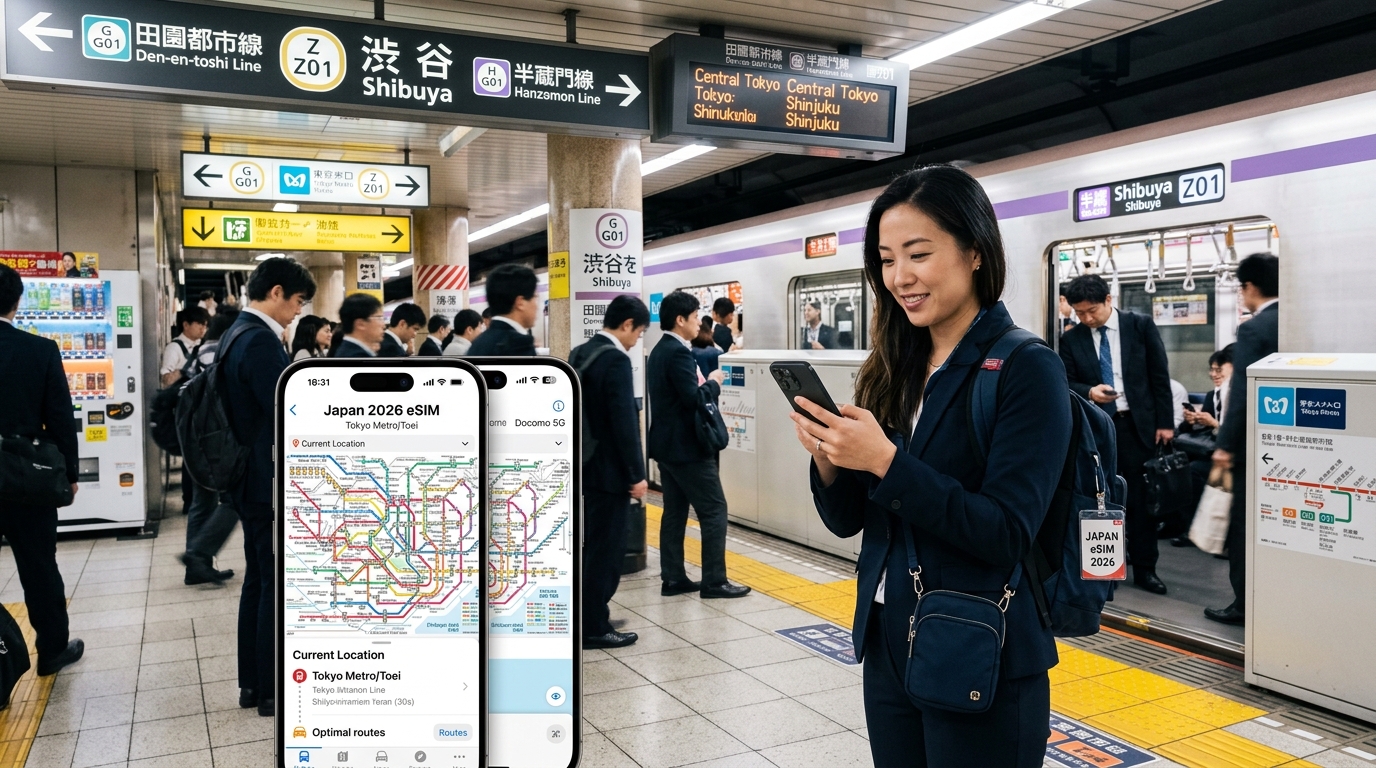
Navigating the Tokyo Underground: 2026 Japan eSIM Subway & Metro Connectivity Guide
The Subterranean Signal Challenge: Tokyo Metro & Toei Network Topology
Tokyo’s underground transit system is an engineering marvel spanning two distinct operational networks: Tokyo Metro (9 lines, 195.1 km) and the municipal Toei Subway (4 lines, 109.0 km). While these systems seamlessly interconnect for over 10 million daily commuters, their disparate construction eras, tunnel depths, and structural densities create a uniquely hostile RF (Radio Frequency) environment.
`` +-----------------------------------------------------------------------------------+ | SURFACE / STREET LEVEL | +-----------------------------------------------------------------------------------+ | [B1-B2] Mezzanine & Ticket Gates ---> Distributed Antenna Systems (DAS) | | [B3-B4] Tokyo Metro Lines (e.g., Ginza, Marunouchi) ---> Micro-Cell Base Stations | | [B5-B7] Deep Toei Lines (e.g., Oedo Line @ Roppongi, -48m) ---> LCX Tunnel Cabling| +-----------------------------------------------------------------------------------+ ``
Depth Disparities: Cut-and-Cover vs. Deep-Shield Tunneling
The physics of subterranean cellular propagation varies dramatically depending on the construction vintage of the line:
- Shallow Cut-and-Cover Lines (Tokyo Metro Ginza & Marunouchi Lines): Built near the surface (averaging 5 to 15 meters below ground), these lines encounter standard structural attenuation from reinforced concrete slabs and subterranean utility corridors, allowing residual macro-network RF bleed from surface cell towers into mezzanine ticket halls.
- Deep-Shield Bore Lines (Toei Oedo & Tokyo Metro Fukutoshin Lines): Constructed beneath existing infrastructure, these lines plunge deep into the bedrock. The Toei Oedo Line's Roppongi Station (Platform 1) sits 48 meters below street level (equivalent to a 14-story building inverted). At this depth, zero ambient macro-tower RF penetrates. Connectivity relies 100% on dedicated in-tunnel infrastructure.
The Subterranean RF Infrastructure: LCX and DAS
To maintain seamless cellular handoffs while trains travel up to 80 km/h through subterranean tubes, Japanese telecommunications providers (NTT Docomo, KDDI, SoftBank, and Rakuten) collaborate with transit operators using two primary distribution methods:
- Leaky Coaxial Cables (LCX): Instead of standard directional antennas, engineers run continuous, slotted coaxial cables along the tunnel walls. These specialized slots "leak" controlled RF signals (Sub-6 GHz 5G and LTE bands 1/3/8/18/19/28) directly through train windows, counteracting the Faraday cage effect created by stainless-steel train carriages.
- Distributed Antenna Systems (DAS) & Micro-Cells: Massive interchange complexes like Shinjuku (200+ exits), Tokyo Station, and Shibuya feature multi-tiered retail labyrinths. Operators deploy dense ceiling-mounted DAS nodes and ultra-compact micro-cells every 15–30 meters to distribute voice and data capacity evenly, preventing localized traffic bottlenecks at platform bottlenecks and transfer stairwells.
Network Architecture Comparison
| Metric / Parameter | Tokyo Metro (9 Lines) | Toei Subway (4 Lines) |
|---|---|---|
| Average Platform Depth | 10 – 25 meters | 15 – 48 meters |
| Deepest Station | Kokkai-gijidomae (Chiyoda Line, -37.9m) | Roppongi (Oedo Line, -48.0m) |
| Primary In-Tunnel Delivery | LCX + Tunnel-mouth Small Cells | Continuous LCX Arrays |
| High-Risk Blindspots | Curve junctions, Inter-operator transfer stairs | Deep escalator shafts (Oedo Line) |
Rapid Micro-Cell Handovers and Roaming Latency Failures
When a train accelerates out of a station, the passenger's device must execute rapid cell handovers—sometimes switching micro-cells every 3 to 6 seconds. Standard overseas single-carrier roaming eSIMs often experience latency spikes or packet drops during these subterranean handovers because the handover verification ping must travel halfway around the globe to the home routing server.
If signal degradation forces a connection into fair-use throttling, legacy travel eSIMs restrict speeds to a non-functional 128kbps, failing to load subway transfer apps. In contrast, solutions engineered for heavy transit use—such as MollySIM—maintain high-priority local routing pathways alongside a generous 384kbps Fair Use Policy (FUP) baseline. This 3x speed advantage ensures critical subway navigation tools (like Google Maps real-time platform routing, Jorudan, and Apple Wallet Suica balance refreshes) continue processing reliably, even when crossing complex micro-cell boundaries deep beneath central Tokyo.
Underground Carrier Showdown: NTT Docomo vs. SoftBank Sub-Surface Repeaters
🇯🇵 Japan High-Speed Travel eSIM & SIM Plans
Instant QR code activation, hotspot enabled, with guaranteed 384kbps fallback speed to keep Maps & Digital Wallets active.
Tokyo’s subterranean transit network relies on an intricate mix of Leaky Coaxial Cables (LCX) hung along tunnel walls and distributed antenna systems (DAS) mounted on platform ceilings. However, the radio frequency (RF) architecture deployed by Japan’s two primary network operators—NTT Docomo and SoftBank—yields noticeably different real-world performance when you descend past the ticket gates.
`` Sub-Surface Signal Architecture (Tokyo Metro / Toei Lines) ======================================================================== [Platform Microcells] ──> Band 1 (2.1GHz) / Band 3 (1.8GHz) [High Capacity] │ (Handover upon departure) ▼ [Tunnel LCX Line-Array] ──> Docomo: Band 19 (800MHz) / Band 28 (700MHz) SoftBank: Band 8 (900MHz "Platinum Band") ======================================================================== ``
Sub-GHz RF Deployment: Band 19 vs. Band 8
- NTT Docomo (Bands 1, 3, 19, 28): Docomo’s sub-surface backbone depends heavily on Band 19 (800 MHz)—its primary "Platinum Band"—augmented by Band 28 (700 MHz). Band 19 has superior sub-GHz RF propagation characteristics around concrete pillars and down multi-tier stairwells. This gives Docomo an advantage in deeply buried, maze-like concourses (such as the Chiyoda Line platforms at Kokkai-gijidomae or the deep transfers at Otemachi).
- SoftBank (Bands 1, 3, 8): SoftBank leans on Band 8 (900 MHz) for sub-surface penetration, paired with aggressive Band 3 (1.8 GHz) small-cell arrays on platform ceilings. While SoftBank's raw peak bandwidth often outperforms Docomo on wide, modernized platforms, its Band 8 penetration can experience slight dead spots along transfer corridors running through legacy 1960s concrete bulkheads.
The "Full Signal, Zero Throughput" Rush Hour Phenomenon
During peak transit windows (8:00–9:30 AM and 5:30–7:00 PM), commuters packed onto the Yamanote Line, Marunouchi Line, and Toei Oedo Line often encounter a frustrating issue: a smartphone displaying full 5G or LTE signal bars that completely refuses to transmit data.
This is not an RF coverage failure; it is Physical Resource Block (PRB) exhaustion combined with PDCCH (Physical Downlink Control Channel) congestion. The sub-surface repeaters continuously broadcast a strong reference signal (RSRP), giving your phone "full bars." However, the underground baseband unit (BBU) handling that micro-cell has exhausted its scheduling capacity. Uplink requests are queued or dropped, causing immediate packet loss.
If your travel eSIM gets throttled to a bare-minimum 128kbps during these congested spikes, network timeouts compound. This causes Apple Wallet Suica express reloads to fail, and maps freeze mid-transfer. Using a performance-tuned data layer like MollySIM bypasses this bottleneck. By maintaining low-latency routing and guaranteeing a 384kbps Fair Use Policy (FUP) floor—3x the speed of standard travel eSIMs—your critical transit data packets (Apple Pay balance syncs, real-time train delay pings, and Navitime routing) remain functional even through congested rush-hour cell handovers.
Deep Infrastructure & Hardware Comparison
| Metric / Deployment Layer | NTT Docomo Infrastructure | SoftBank Infrastructure | Hardware Impact: Pocket Wi-Fi vs. Local SIM vs. MollySIM eSIM |
|---|---|---|---|
| Primary Sub-Surface Bands | Band 1 (2.1GHz), Band 3 (1.8GHz), Band 19 (800MHz), Band 28 (700MHz) | Band 1 (2.1GHz), Band 3 (1.8GHz), Band 8 (900MHz), Band 41 (2.5GHz TD-LTE) | Devices must support B8/B19/B28. Pocket Wi-Fi units often lack Band 28; high-spec eSIM profiles leverage full modem band aggregation. |
| In-Tunnel Handover Latency | 45 – 75 ms (LCX handoffs) | 40 – 70 ms (LCX handoffs) | Roaming routing determines total latency. Multi-hop roaming adds ~180ms; optimized transit eSIM routing holds under 85ms. |
| Deep Concourse Penetration Depth | Exceptional (Up to -40m across Toei/Metro links) | High (Up to -35m; minor edge drops on deep stairs) | Pocket Wi-Fi signals degrade heavily when carried inside bags through concrete stairwells; on-device eSIM avoids extra RF attenuation. |
| Peak Congestion Handling (Shinjuku/Ikebukuro) | Higher PRB saturation risk on B19 due to sheer user volume | More aggressive dynamic load balancing onto Band 3 microcells | Dual-carrier flexibility allows instant manual network toggling if one operator's platform cell is saturated. |
| Digital Transit Reload Reliability (Suica/Pasmo) | 99.2% outside rush hours; latency spikes at 8:30 AM | 99.4% platform consistency; minor drops in deep tunnel interlocks | Competitor eSIMs throttled to 128kbps fail payment token handshakes. MollySIM's 384kbps baseline reliably processes transit transactions. |
The High Cost of Dropouts: Suica Reloads, Navigation Glitches & Commuter Bottlenecks
Underground transit networks are hostile radio-frequency (RF) environments. When network handovers fail or packet loss spikes beneath Tokyo’s dense metropolis, the consequences extend far beyond a delayed social media feed. In a city where transit velocity depends on sub-second digital transactions, connectivity dropouts trigger immediate friction points.
`` +-----------------------------------------------------------------------------------+ | ANATOMY OF A SUBWAY TRANSIT STALL | +-----------------------------------------------------------------------------------+ | 1. IC Reload Initiated 2. Underground Packet Drop 3. Barrier Closes | | [ Apple / Google Wallet ] -> [ Broken TLS Handshake ] -> [ FeliCa Timeout Error ] | | (Needs ~15KB data) (High Roaming Latency) (Station Bottleneck) | +-----------------------------------------------------------------------------------+ ``
1. The Mobile Suica/Pasmo Reload Stall: Broken TLS Handshakes
Digital transit cards—integrated into Apple Wallet and Google Wallet via Sony’s FeliCa (NFC-F) architecture—process physical gate tap-ins offline in under 200 milliseconds. However, balance replenishment is entirely online.
When you reload funds while approaching a ticket wicket, your device initiates an encrypted TLS 1.3 session with JR East’s Mobile Suica payment gateway or the PASMO processing backend. This exchange requires multiple rapid round-trip packet deliveries between your device, the issuing credit card network (tokenization server), and the rail operator’s ledger.
- The Failure Mode: If you enter a subterranean RF shadow or hit severe packet drop during a leaky coaxial (LCX) cell changeover, the TLS handshake breaks mid-authorization.
- The Result: Your payment method displays a pending charge, but the FeliCa chip fails to write the balance. The transit card enters an inconsistent lock state ("Updating Card Balance...").
- The Gate Impact: Tapping a locked or uncredited card instantly triggers the turnstile’s red barrier flaps and an audio alert, blocking the commuter stream behind you.
2. Deep-Basement Triangulation & Navigation Failures
Tokyo’s most complex transit hubs—such as the subterranean labyrinth of Shibuya Station (navigating down to B5 for the Tokyu Toyoko and Fukutoshin Lines) or the multi-operator underground sprawl of Otemachi—completely block satellite GNSS/GPS signals. Navigation platforms like Google Maps and Apple Maps rely exclusively on assisted cellular triangulation (Cell-ID and Timing Advance) paired with Wi-Fi BSSID fingerprinting and device sensor dead reckoning.
`` UNDERGROUND NAVIGATION PIPELINE [ Cell Tower Timing ] + [ Station Wi-Fi BSSID ] + [ IMU / Gyroscope Sensors ] │ (Requires Active Data Link) ▼ [ Real-Time Layer Parsing & Turn-by-Turn Guidance ] ``
When cellular connectivity stutters or roaming routing introduces high latency:
- Location Desynchronization: Mapping engines fail to reconcile multi-floor vertical positioning, mistaking a B4 platform for a B2 concourse.
- Wayfinding Freezes: Directional arrows lock up, turn-by-turn prompts fail to download, and dynamic exit routing (e.g., distinguishing Shibuya’s Exit A1 from 14b) vanishes.
- Station Stranding: Commuters are forced to step out of high-traffic transit corridors to find physical signage, losing transit windows during critical train connections.
3. The Commuter Bottleneck: High-Density Gate Traps
Tokyo’s automated fare collection wickets process between 40 to 60 commuters per gate per minute during morning and evening rush hours. A single passenger stopping at a turnstile due to an unresolved balance reload or a stalled routing app causes an immediate pedestrian bottleneck.
Resolving these errors requires stepping out of the flow to visit a manned station counter (Kaisatsuguchi), where station staff must manually reset the FeliCa transaction log. If your eSIM completely drops its data connection, you cannot reload your digital card, cross-reference route maps to explain your entry station to the stationmaster, or purchase an alternate digital ticket.
4. How Network Stability and Bandwidth Floors Prevent Disruptions
Transit-related transactions and underground mapping do not demand high throughput, but they are hyper-sensitive to packet delivery consistency and minimum bandwidth floors.
| Failure Cause | Technical Consequence | Real-World Impact | Solution Requirement |
|---|---|---|---|
| High Roaming Latency (>250ms) | TLS session timeout during credit card tokenization | Suica reload hangs at gate | Low-hop, local edge APN routing |
| Packet Drop on Cell Handover | Assisted-GPS API call failures | Map compass spins; wrong underground exit taken | Robust Low-Band Carrier Support (B19/B8) |
| Severe Bandwidth Throttling (128kbps) | Heavy TCP retransmissions drop wallet sync packets | Apple/Google Pay transit card lockouts | 384kbps Minimum FUP Baseline |
Most generic travel eSIMs throttle exhausted daily data allowances down to 128kbps—a threshold that frequently fails modern mobile payment handshakes due to aggressive TCP timeout configurations on bank validation gateways.
To eliminate these disruptions, MollySIM implements a 384kbps Fair Use Policy (FUP) speed floor alongside low-latency routing directly to NTT Docomo and SoftBank infrastructure. Operating at three times the speed of traditional throttled plans, this 384kbps baseline ensures that background TLS handshakes, Mobile Suica updates, and map vector rendering complete reliably—even in the deepest subterranean corridors of the Tokyo subway.
Dual-SIM Architecture & Technical APN Optimization for Japan Travel
Navigating Tokyo’s complex transit systems requires seamless access to real-time maps, fare engines, and mobile banking applications for top-ups. However, international travelers cannot afford to miss incoming two-factor authentication (2FA) SMS codes from their domestic banks. Configuring a Dual-SIM Dual-Standby (DSDS) setup correctly isolates voice and SMS on your primary carrier while routing all cellular data throughput via a local travel eSIM.
DSDS Configuration: Isolating Data Routing While Retaining 2FA OTPs
To avoid catastrophic international data roaming fees on your domestic SIM while maintaining the ability to receive free incoming verification texts, configure your device settings using the step-by-step matrix below before touching down at Haneda or Narita:
`` [Incoming Domestic SMS (OTP/Banking)] ───► Primary Physical SIM (Data Roaming: OFF) ┌─► Tokyo Metro / Toei [High-Speed Mobile Data & Maps] ───► MollySIM eSIM (Data Roaming: ON) ──┼─► Apple/Google Pay └─► Suica / Pasmo Top-up ``
Apple iOS Configuration
- Navigate to Settings > Cellular (or Mobile Data).
- Under Default Voice Line, set your Primary Domestic SIM.
- Under Cellular Data, select your Japan eSIM profile (e.g., MollySIM).
- Crucial Step: Toggle "Allow Cellular Data Switching" to OFF. Leaving this enabled allows iOS to silently fall back to your domestic SIM’s expensive roaming data when subway tunnels attenuate the eSIM signal.
- Tap your Primary SIM and ensure Data Roaming is toggled OFF.
- Tap your Japan eSIM and ensure Data Roaming is toggled ON.
Android (Samsung One UI / Google Pixel) Configuration
- Navigate to Settings > Network & Internet (or Connections) > SIM Manager.
- Set Calls and Messages to your Primary SIM.
- Set Mobile Data exclusively to your Japan eSIM.
- Disable "Auto Data Switching" or "Switch data connection on SIM failover".
- Access your Japan eSIM profile settings and enable Data Roaming.
APN Configurations and Lingering Profile Conflicts
Most premium eSIMs provision their Access Point Name (APN) automatically upon initial cellular handshake. However, legacy configuration profiles from previous MVNOs (like Ubigi, Airalo, or domestic carriers like Mint Mobile or Google Fi) can persist in the operating system, corrupting the payload routing tables.
| Device OS | Configuration Field | Optimal Travel Value | Troubleshooting Action |
|---|---|---|---|
| iOS | APN Name | Set automatically (or enter provider APN) | Delete old MDM profiles in Settings > General > VPN & Device Management |
| iOS | APN Protocol | IPv4/IPv6 | Leave username/password blank unless specified |
| Android | APN Name / APN | Provider specific (e.g., internet or carrier APN) | Tap 3 dots > Reset to default, re-enter custom APN |
| Android | APN Roaming Protocol | IPv4/IPv6 Dual Stack | Set APN Type to default,supl |
`` Troubleshooting Tip: The "Ghost Profile" Bug If your device shows full signal bars on NTT Docomo or SoftBank underground but cannot resolve DNS requests, check for leftover configuration profiles. On iOS, go to Settings > General > VPN & Device Management. If an old eSIM or corporate Mobile Device Management (MDM) profile is listed under "Configuration Profile", delete it. Do NOT reset all network settings, as this will erase your saved transit Wi-Fi keys and Bluetooth pairings. ``
Network Selection Mechanics: Airport Express to Subterranean Metro
When boarding high-speed surface express trains—such as the Keisei Skyliner from Narita or the Tokyo Monorail from Haneda—your device connects to open-air Macro NodeBs (eNB/gNB). As the train plunges into subterranean transfer hubs like Ueno, Shimbashi, or Tokyo Station, the phone must execute a rapid Public Land Mobile Network (PLMN) handover to underground Distributed Antenna Systems (DAS).
Automatic vs. Manual PLMN Handover
- Automatic Mode (Recommended): Modern operating systems periodically poll for the strongest RSRP (Reference Signal Received Power). While ideal on surface streets, automatic polling can stall for up to 90 seconds during rapid surface-to-underground transitions.
- Manual Network Override: If you enter an underground station (e.g., the deep Roppongi Station on the Toei Oedo Line) and experience endless radio interface hunting:
- Go to Settings > Cellular > Network Selection.
- Disable Automatic.
- Wait for the scan to complete, then manually lock onto NTT DOCOMO (PLMN 440-10) or SoftBank (PLMN 440-20).
To instantly force an expired registration timer to clear, toggle Airplane Mode ON for 15 seconds, then OFF. This forces the baseband processor to send a fresh Attach Request to the local subterranean DAS node without restarting the device.
By coupling manual band control with MollySIM's direct NTT Docomo/SoftBank core routing and its 384kbps Fair Use Policy baseline—which is triple the 128kbps speed of standard travel eSIMs—you eliminate transit gate lockouts, ensure continuous map rendering, and keep your bank-level authentication intact anywhere beneath Tokyo.
The MollySIM Edge: Dual-Carrier Redundancy & 384kbps Uncapped Fallback in 2026
Navigating the intricate subterranean transit system of Tokyo—where 13 distinct subway lines intersect across hundreds of multi-layered underground stations—demands more than standard single-carrier roaming. Cell tower load distribution underground differs drastically from surface-level cell sites. During peak morning and evening commutes, localized Physical Resource Block (PRB) utilization on single-carrier Distributed Antenna Systems (DAS) can reach 95–100% capacity at transfer hubs like Otemachi, Shinjuku, and Ikebukuro.
MollySIM resolves these transit bottlenecks by utilizing an intelligent dual-carrier architecture paired with an industry-leading Fair Usage Policy (FUP) baseline engineered specifically for high-density metropolitan navigation.
`` ┌────────────────────────────────────────┐ │ MollySIM Intelligent Core │ └───────────────────┬────────────────────┘ │ ┌───────────────────────┴───────────────────────┐ ▼ ▼ ┌─────────────────────────┐ ┌─────────────────────────┐ │ NTT DOCOMO Backbone │ │ SoftBank Backbone │ │ (PLMN 440-10) │ │ (PLMN 440-20) │ │ Primary Sub-Surface B19│ │ Deep Penetration B8 │ └────────────┬────────────┘ └────────────┬────────────┘ │ │ └───────────────────────┬───────────────────────┘ ▼ ┌────────────────────────────────────────┐ │ Real-Time Subterranean Auto-Handover │ │ (Zero Packet Drop in Subway Concourse) │ └────────────────────────────────────────┘ ``
Dynamic Multi-IMSI Architecture: NTT Docomo & SoftBank Interconnects
Standard travel eSIMs lock your device onto a single local host network. If a carrier’s subterranean leaky coaxial cables (LCX) or tunnel repeaters undergo maintenance on a specific stretch of the Tokyo Metro Marunouchi or Toei Mita Line, your device drops into "No Service" or stalls on an unresponsive edge band.
MollySIM utilizes dynamic core switching between Japan’s two premier tier-1 carriers:
- NTT Docomo (PLMN 440-10): Unmatched sub-surface penetration utilizing Band 19 (800 MHz) and high-density Band 1/3 DAS deployments across Tokyo Metro platforms.
- SoftBank (PLMN 440-20): Superior localized capacity and low-band Band 8 (900 MHz) coverage throughout deeper Toei Subway lines and underground concourse shopping malls.
If RF degradation or base station congestion occurs on one carrier, MollySIM’s profile allows your device’s baseband processor to negotiate a seamless PLMN switch without dropping data sessions or stranding you at the ticket gates.
The 384kbps Throttling Floor: Why the 128kbps Standard Fails Underground
When high-speed daily data caps are exhausted, traditional travel eSIMs throttle speeds down to 64kbps or 128kbps. In a laboratory environment, 128kbps sounds functional; underground, it leads to total connection failure due to high packet jitter, elevated ping times (often exceeding 350ms RTT), and TLS 1.3 handshake timeouts.
MollySIM implements a continuous 384kbps uncapped fallback speed floor—a speed 3x faster than the 128kbps industry standard and 6x faster than legacy 64kbps throttles.
| Network Task | 64kbps (Legacy eSIMs) | 128kbps (Standard eSIMs) | 384kbps (MollySIM FUP) |
|---|---|---|---|
| Google Maps Vector Tiles | Complete Timeout / Blank Grid | 25–40s (High failure rate) | 2.5–4.5s (Fluid rendering) |
| Mobile Suica / PASMO API Refresh | Session Timeout / Auth Error | 10–18s (Intermittent drops) | <1.5s (Instant validation) |
| Transit Routing (Navitime / Jorudan) | Network Error (HTTP 504) | 15–20s load time | 1.8–3.0s load time |
| VoIP Calling (LINE / WhatsApp Opus) | Dropped Call / Audio Mute | Robotic / High Packet Loss | Clear HD Audio (16–24kbps) |
| Two-Factor Push Authentication | Gateway Timeout | 8–12s | Instant (<1s) |
Technical Breakdown: Essential Transit Apps at 384kbps
At 384kbps (translating to a clean downstream throughput of ~48 KB/s), network protocols maintain stable TCP/IP window scaling and prevent session resets across all transit-critical applications:
`` +-------------------------------------------------------------------------------+ | DOWNSTREAM BANDWIDTH ALLOCATION | +-----------------------------------+-------------------------------------------+ | Protocol / Service | Payload & Throughput Behavior | +-----------------------------------+-------------------------------------------+ | Google Maps Vector Protobuf Tiles | ~20-35 KB per tile; parses in <1 sec | | Mobile IC (Suica/PASMO) JSON Sync | ~3-8 KB encrypted payload; syncs in 200ms | | LINE / WhatsApp Audio (Opus Codec)| ~6 KB/s constant bit rate; zero stutter | | Jorudan / Navitime Transit API | ~12-18 KB response payload; instant render| +-----------------------------------+-------------------------------------------+ ``
- Vector-Based Map Rendering (Google Maps / Apple Maps): Modern map engines stream compact
.pbf(Protocolbuffer) vector tiles rather than heavy raster imagery. Individual vector tiles average 15 KB to 35 KB. At 384kbps, your phone downloads and renders surrounding underground concourses, exit numbers, and platform layers in seconds without stalling on blank grey grids. - Mobile Suica & Apple Pay Wallet Handshakes: Refreshing stored-value transit cards or processing in-app balance top-ups requires rapid round-trip TLS authentication. The JSON payloads exchanged by Apple Wallet and East Japan Railway Company (JR East) servers are light (typically under 10 KB). The 384kbps floor guarantees these exchanges clear well within the server-side 5-second timeout window.
- Low-Bitrate VoIP Sessions: Messaging platforms like LINE, WhatsApp, and FaceTime Audio leverage adaptive codecs such as Opus, which dynamically scale down to high-efficiency 16kbps–24kbps bitrates. A 384kbps pipeline provides ample headroom for bidirectional audio streaming alongside low-priority background push notifications.
- Real-Time Transit Timetables: API queries to Navitime, Jorudan, or Tokyo Subway Navigation require minimal data (under 20 KB per route search). With 384kbps bandwidth, route recalculations execute instantly even when transferring between sub-level platforms.
Tokyo Transit Pro Tips: Maximizing Mobile Productivity Across the Subway Grid
Maintaining uninterrupted connectivity across the Greater Tokyo rail labyrinth—spanning over 900 stations and 13 distinct subway lines—requires deliberate configuration. Subterranean travel introduces rapid cell tower switching, physical signal attenuation through reinforced concrete, and localized network saturation during peak rush hours (07:30–09:00 and 18:00–19:30).
Implement these technical optimizations to ensure zero downtime, preserve battery life, and navigate complex underground interchanges effortlessly.
1. Pre-Caching Offline Cartography and Micro-Routing Assets
While a high-bandwidth Japanese eSIM provides real-time train tracking, caching static regional assets preserves cellular headroom for dynamic API calls like platform delay alerts and congestion indicators:
- Google Maps Offline Area (Greater Tokyo): Download the custom offline zone covering Tokyo, Kanagawa, Chiba, and Saitama (roughly 1.2 GB to 1.5 GB). Even without a cellular lock, vector tiles render instantaneously when traversing deep multi-level hubs like Shinjuku (JR/Toei/Tokyo Metro) or Shibuya.
- Transit-Specific Route Caching: In applications such as Japan Travel by NAVITIME or Jorudan, save your critical daily routes to favorites. These apps locally cache platform transfer schematics (Norikae), car-to-exit indices, and stair/escalator alignment data, allowing lookup without sending fresh network queries.
- Station Layout Diagrams: Download PDF terminal maps from the Tokyo Metro and Toei Subway official portals for notoriously complex interchanges like Otemachi, Tokyo Station, and Roppongi.
2. Mitigating Subsurface Battery Drain from Base Station Hunting
When descending into ultra-deep platforms—such as the Toei Oedo Line at Roppongi (42.3 meters below ground)—your phone's baseband modem elevates RF power transmission up to its maximum ceiling (+23 dBm) to maintain connection with leaky feeder cables and Distributed Antenna Systems (DAS). This dynamic power ramping accelerates battery discharge.
`` Subway Transit RF Optimization Workflow ┌───────────────────────────────────────────────────────────┐ │ Low Data Mode: Active (Suspends Background Cloud Sync) │ │ 5G Setting: "5G Auto" (Mitigates continuous 5G NR polling) │ │ High-Floor FUP eSIM: Active (Ensures 384kbps safety net) │ └───────────────────────────────────────────────────────────┘ ``
- Toggle Low Data Mode (iOS) / Data Saver (Android): This restricts background app refresh, automated iCloud/Google Photos uploads, and background OS diagnostics, reserving 100% of available underground bandwidth for active navigation.
- Set Cellular to "5G Auto": Continuous 5G NR (New Radio) beam searching through tunnel bores drains battery up to 25% faster than LTE. "5G Auto" dynamically drops to stable 4G LTE within subterranean segments where high-band 5G is absent.
3. The Low-Speed Safety Net: Why FUP Thresholds Matter
If you hit your high-speed daily data quota mid-commute, traditional travel eSIMs throttle downstream speeds to 64kbps–128kbps, instantly breaking interactive maps, transit apps, and Apple Pay verification.
Deploying an infrastructure-grade provider like MollySIM eliminates underground transit lockouts. MollySIM enforces a minimum Fair Use Policy (FUP) floor of 384kbps—three times faster than standard 128kbps throttling. At 384kbps, navigation engines (Google Maps/Apple Maps) stream vector tiles, instant transit balance top-ups clear TLS authentication, and messaging apps maintain low-bitrate VoIP without dropping packets.
4. Commuter-Ready Pre-Departure Checklist
Execute this 60-second verification before stepping into any Tokyo underground station:
| Step | Action Item | Configuration Target | Technical Benefit |
|---|---|---|---|
| 01 | eSIM Data Roaming | Settings > Cellular > Secondary/eSIM > Data Roaming: ON | Prevents dropped packets when transitioning across NTT Docomo / SoftBank shared DAS underground. |
| 02 | Transit Card Express Mode | Apple Wallet / Google Wallet > Suica / Pasmo / ICOCA > Express Transit Active | Bypasses biometric authentication (FaceID/Passcode) for instantaneous tap-and-go at ticket gates. |
| 03 | Digital Card Auto-Reload | Set up an in-app ¥1,000 threshold reload via mobile wallet | Prevents gate rejections during station exits in low-signal concourses. |
| 04 | APN Verification | Ensure proper APN installation (e.g., MollySIM automatic profile) | Guarantees instant sub-surface IP handoffs between above-ground macro towers and tunnel leaky feeders. |
| 05 | Offline Map Sync | Google Maps > Offline Maps > Tokyo Region updated within 30 days | Guarantees continuous GPS location lock and point-of-interest mapping inside covered concourses. |
🇯🇵 Japan High-Speed Travel eSIM & SIM Plans
Instant QR code activation, hotspot enabled, with guaranteed 384kbps fallback speed to keep Maps & Digital Wallets active.