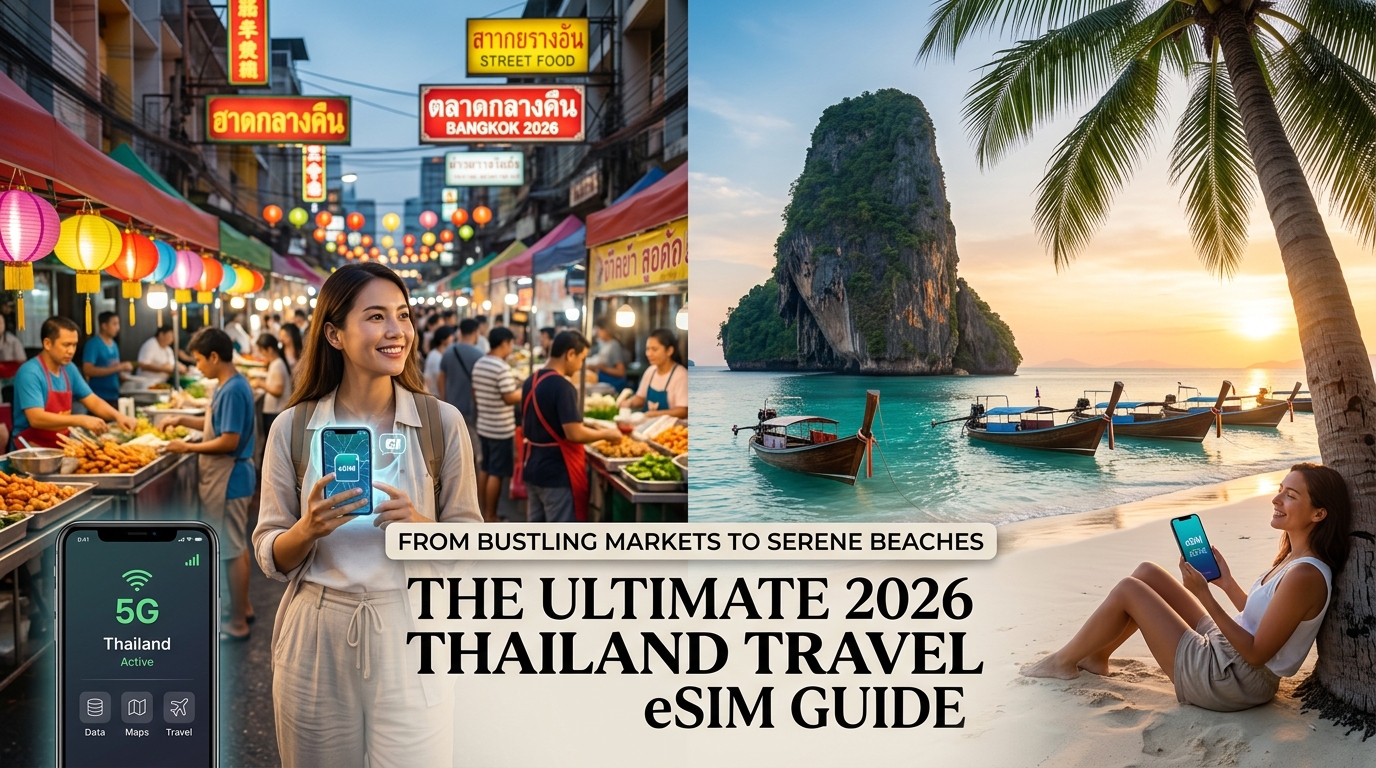
From Bustling Markets to Serene Beaches: The Ultimate 2026 Thailand Travel eSIM Guide
From Bustling Markets to Serene Beaches: Why Reliable Connectivity is Your 2026 Thailand Travel Essential
Thailand, a land of captivating contrasts, beckons travelers with an irresistible blend of ancient traditions and modern marvels. From the pulsating rhythm of Bangkok's vibrant street markets and the majestic grandeur of its temples, to the spiritual serenity and cultural richness of Chiang Mai's northern landscapes, and onward to the idyllic, sun-drenched shores of Phuket, the dramatic limestone karsts of Krabi, and the pristine turquoise waters surrounding Koh Phi Phi, every corner of this Southeast Asian gem offers a unique adventure. In 2026, experiencing this diverse tapestry to its fullest requires more than just a well-planned itinerary; it demands uninterrupted, reliable digital connectivity.
The Indispensable Role of Connectivity in Modern Thai Travel
Gone are the days when travel meant disconnecting entirely. Today, a seamless journey through Thailand hinges on constant access to mobile data. This isn't merely a luxury; it's a fundamental necessity for safety, convenience, and maximizing your travel experience.
- Effortless Navigation: Imagine trying to find that hidden street food stall in Bangkok's labyrinthine alleys or navigating the sprawling grounds of a temple complex in Chiang Mai without Google Maps or Waze. Reliable data ensures you're always on the right path, saving precious time and avoiding frustrating detours.
- Seamless Transportation: Whether you're hailing a tuk-tuk, booking a taxi, or arranging an airport transfer, ride-hailing apps like Grab and Bolt are indispensable. A stable internet connection is crucial for requesting rides, tracking your driver, and ensuring secure payments, especially in unfamiliar urban environments.
- Instant Communication: Staying connected is paramount. WhatsApp becomes your primary tool for confirming tour bookings, communicating with hotel staff, coordinating with travel companions, and, most importantly, keeping in touch with family and friends back home. Missed messages due to poor connectivity can lead to missed experiences or unnecessary anxiety.
- Bridging Language Barriers: While many Thais in tourist areas speak English, instant translation apps are invaluable for deeper cultural immersion, ordering food at local eateries, or handling unexpected situations. These apps rely entirely on a robust data connection to function effectively.
- Sharing Unforgettable Moments: From the breathtaking sunsets over Krabi's Railay Beach to the bustling energy of a floating market, you'll want to share your incredible experiences instantly. High-speed data allows for immediate uploads to social media, live video calls, and sharing photos with loved ones, making your journey even more memorable.
The Perils of Disconnection: Why You Can't Afford to Be Offline
The alternative to reliable connectivity is a travel nightmare. Getting lost in a foreign city with no map, being unable to contact your hotel about a late check-in, missing a crucial booking confirmation, or struggling to communicate in an emergency can quickly turn an dream vacation into a stressful ordeal. These frustrations not only detract from your experience but can also compromise your safety and lead to unexpected expenses. The feeling of isolation and vulnerability when disconnected in an unfamiliar country is something no traveler wants to experience.
Embracing the Future: eSIM Technology as Your Ultimate Solution
This is where eSIM technology emerges as the quintessential travel companion for 2026. Gone are the days of fumbling with tiny physical SIM cards, searching for local vendors, or worrying about losing your home SIM. An eSIM, or embedded SIM, is a digital SIM that allows you to activate a cellular plan from a carrier without needing a physical card. For international travelers, this represents a monumental leap in convenience and flexibility. You can purchase and activate a data plan for Thailand before you even leave home, ensuring you land with immediate connectivity.
While many eSIM providers offer basic connectivity, MollySIM (https://mollysim.com) elevates the experience, understanding that true reliability means more than just being online. Their commitment to a generous 384kbps Fair Use Policy speed limit – a remarkable 3x faster than many competitors' standard 128kbps – is a game-changer for practical travel needs. This enhanced speed ensures that critical applications like Google Maps load smoothly, providing real-time directions without frustrating delays, and Apple Pay transactions are swift and secure, even when data usage is high. MollySIM ensures that your digital tools remain fully functional, allowing you to navigate, communicate, and transact with confidence throughout your Thai adventure.
In a country as diverse and dynamic as Thailand, a reliable eSIM isn't just a convenience; it's an indispensable tool that unlocks the full potential of your journey, transforming potential challenges into seamless experiences.
Decoding Thailand's Mobile Network Landscape: Local Carriers vs. Global eSIMs
🇹🇭 Thailand High-Speed Travel eSIM & SIM Plans
Instant QR code activation, hotspot enabled, with guaranteed 384kbps fallback speed to keep Maps & Digital Wallets active.
Navigating the digital landscape of a foreign country can be as intricate as its physical one. In Thailand, travelers have traditionally relied on local mobile carriers or physical SIM cards. However, understanding the strengths and limitations of these options, especially when compared to the modern convenience of a global eSIM like MollySIM, is crucial for an uninterrupted travel experience.
Thailand's Major Local Mobile Carriers: AIS, Dtac, and TrueMove H
Thailand's mobile market is dominated by three major players: AIS, Dtac, and TrueMove H. Each offers extensive coverage, but their performance can vary significantly depending on your location within the Kingdom.
- AIS (Advanced Info Service): Often considered the market leader, AIS boasts the most extensive network coverage, particularly in rural areas and on many islands. Their 4G and 5G networks are robust and fast in major cities like Bangkok, Chiang Mai, and Phuket, providing reliable connectivity for streaming, video calls, and heavy data usage. For travelers venturing off the beaten path, AIS frequently offers the most consistent signal.
- Dtac (Total Access Communication): Dtac holds a strong presence in urban centers and popular tourist destinations. Its network is known for good speeds and reliability in places like Pattaya, Krabi, and the main areas of Koh Samui. While generally excellent in these high-traffic zones, Dtac's coverage can sometimes be less consistent than AIS in very remote or sparsely populated regions.
- TrueMove H: A fierce competitor, TrueMove H offers comparable 4G and 5G services in cities and major tourist hubs. They are often aggressive with promotions and data packages, making them an attractive option for budget-conscious travelers. Similar to Dtac, while strong in key areas, its reach might be slightly less comprehensive than AIS in certain remote island or mountainous regions.
Coverage Realities: Where Local Networks Shine and Falter
While all three carriers offer excellent service in Bangkok, Chiang Mai, Phuket, and other major cities, providing fast 4G and increasingly widespread 5G connectivity, the story changes as you venture further afield.
- Popular Tourist Hubs: In well-developed tourist areas like the main beaches of Koh Samui, Krabi, and the Phi Phi Islands, coverage is generally good and reliable across all three networks. You can expect to stream, navigate, and stay connected with relative ease.
- Remote Islands and Less-Traveled Routes: This is where the inconsistencies become apparent. On very remote islands, secluded beaches, national parks, or less-traveled routes through mountainous terrain, signal strength can become challenging, inconsistent, or even non-existent. You might find yourself dropping to 3G, experiencing frequent disconnections, or having no service at all. This can be particularly frustrating when trying to use navigation apps, book last-minute accommodation, or contact emergency services.
The Hurdles of Local SIM Cards for Travelers
Opting for a local physical SIM card, while seemingly straightforward, often presents several practical challenges for international visitors:
- Complex Registration: Thai law requires all SIM card activations to be registered to a passport. This means visiting a carrier store, presenting your passport, having it scanned, and sometimes providing a photo or even fingerprints. This process can be time-consuming, especially with queues, and can eat into valuable travel time.
- Language Barriers: While staff in major tourist areas might speak some English, discussing specific data plans, troubleshooting issues, or understanding terms and conditions can be difficult if there's a language barrier.
- Limited Customer Support: Local customer support is primarily geared towards long-term residents. Foreigners on short trips might find it challenging to get prompt, English-speaking assistance for specific travel-related issues.
- Physical Hassle: The need to physically swap SIM cards means safeguarding your home SIM (a tiny, easily lost item) and dealing with the inconvenience of not having your primary number active for incoming calls or two-factor authentication from your home country.
The Global eSIM Advantage: Bridging the Gaps with MollySIM
This is where a global eSIM provider like MollySIM (https://mollysim.com) offers a superior solution. Instead of relying on a single local network, MollySIM often leverages agreements with multiple local carriers in Thailand. This multi-network approach is a game-changer for consistent and robust coverage.
By intelligently connecting to the best available signal from any of its partner networks, MollySIM effectively bridges the gaps where single local carriers might falter. If AIS has a strong signal in one area and Dtac is better in another, your MollySIM eSIM can automatically switch to ensure you maintain optimal connectivity. This means fewer dead zones, more reliable data speeds, and a significantly smoother experience, whether you're navigating the bustling streets of Bangkok or exploring a secluded beach on Koh Lanta.
Furthermore, MollySIM's commitment to a generous 384kbps Fair Use Policy speed limit – a remarkable 3x faster than many competitors' standard 128kbps – ensures that even after your high-speed data allowance is used, critical applications remain fully functional. This enhanced speed is vital for practical travel needs: Google Maps loads smoothly, providing real-time directions without frustrating delays, and Apple Pay transactions are swift and secure, even when data usage is high. MollySIM ensures that your digital tools remain fully functional, allowing you to navigate, communicate, and transact with confidence throughout your Thai adventure, without the physical hassle or registration complexities of a local SIM.
Comparative Overview: Internet Access Options in Thailand
To help you make an informed decision, here's a detailed comparison of the most common internet access options for travelers in Thailand:
| Feature/Provider | Local SIM (AIS/Dtac/TrueMove H) | Pocket Wi-Fi Rental | MollySIM eSIM |
|---|---|---|---|
| Pros | - Local number for calls/SMS | - Connects multiple devices | - No physical SIM card needed |
| - Often cheapest per GB (if bought locally) | - Dedicated device, doesn't drain phone battery | - Instant activation via QR code | |
| - Unlimited data options available | - Often leverages multiple local networks for better coverage | ||
| - Flexible plans for various durations/data needs | |||
| Cons | - Complex registration (passport, photos) | - Extra device to carry/charge | - Requires eSIM-compatible device |
| - Physical SIM swap required | - Daily rental fees, often expensive | - No local Thai phone number (unless specifically offered) | |
| - Limited support for foreigners | - Risk of loss/damage, hefty deposit | - Data-only (unless VoIP apps used) | |
| - Coverage can be inconsistent on islands | - Battery life concerns | ||
| Coverage | Varies by carrier and region (strong in cities, weaker on remote islands) | Generally good in tourist areas, can be limited in very remote spots | Wide-ranging, often leveraging multiple local networks for optimal performance |
| Cost | Varies; typically ~200-800 THB for tourist packs (7-30 days) | ~150-300 THB/day (plus deposit) | Varies by plan (data amount, duration); competitive |
| Activation | In-store with passport, often queues | Pick-up/drop-off at airport/hotel | Instant via QR code or manual settings |
| Flexibility | Top-ups available, but plan changes can be complex | Fixed rental period, limited flexibility | Easy plan changes/top-ups via app/website |
| Key Differentiator | Local phone number for local calls | Shareable internet for groups | Seamless, digital, and often superior network aggregation |
| FUP/Throttling | Varies, often hard cut-off after data limit | Varies, some 'unlimited' plans have FUP | MollySIM's unique 384kbps FUP after main data is used |
MollySIM: Your Passport to Uninterrupted Thai Adventures & The Power of 384kbps FUP
While the allure of Thailand's diverse landscapes is undeniable, ensuring consistent, reliable connectivity across its bustling cities, serene islands, and mountainous regions is paramount for any modern traveler. This is where MollySIM (https://mollysim.com) distinguishes itself as a premier choice, offering not just data, but a promise of uninterrupted connection. MollySIM's advanced eSIM technology intelligently connects to the best available local network at any given moment, whether you're navigating the labyrinthine alleys of a Bangkok market, trekking through the lush jungles near Chiang Mai, or unwinding on a remote Krabi beach. This dynamic network aggregation ensures a stable, wide-ranging signal, minimizing dead zones and maximizing your ability to stay connected, no matter how far off the beaten path your adventures take you.
However, MollySIM's true differentiator, and a feature that offers unparalleled peace of mind, lies in its unique 384kbps Fair Usage Policy (FUP). Unlike many providers that either cut off data entirely or throttle speeds to virtually unusable levels (e.g., 64kbps or less) once your primary high-speed data allowance is consumed, MollySIM ensures you remain connected for essential tasks. This 384kbps speed, which is a significant 3x faster than many competitors' 128kbps FUP, means your digital lifeline doesn't snap, it merely slows down gracefully.
The Practical Power of 384kbps: Staying Connected, No Matter What
Understanding what 384kbps translates to in real-world travel scenarios is crucial. It's not about high-definition streaming, but about maintaining functionality for the tasks that matter most when you're abroad:
- Essential Messaging & Communication: Your ability to communicate remains robust. WhatsApp, Line, and Messenger will function smoothly for text messages, voice calls, and even low-resolution video calls. You can coordinate with travel companions, check in with family, or confirm bookings without interruption.
- Basic Web Browsing: Need to check your flight status, look up the opening hours of a temple, or quickly translate a menu? Basic web browsing, checking emails, and accessing travel blogs remain perfectly feasible. Pages might load a touch slower than on high-speed data, but they will load.
- Critical Navigation & Ride-Hailing: This is where 384kbps truly shines. Google Maps and Apple Maps will continue to provide directions, locate points of interest, and help you navigate unfamiliar streets. While map tiles might load slightly slower, the core functionality for getting around remains intact. Similarly, booking rides through apps like Grab or Bolt will work, ensuring you're never stranded. The ability for Apple Pay and other mobile payment systems to function smoothly is also a critical benefit, preventing awkward situations at checkout.
- Social Media: You can still share your incredible Thai experiences. Posting photos, checking your feeds, and sending quick updates to friends and family are all possible. While uploading high-resolution videos or live streaming might experience buffering, basic social interaction is preserved.
- Light Streaming: For those moments of downtime, low-quality audio streaming from services like Spotify or podcasts is generally feasible. Very basic video streaming might be possible with patience, though it's not the primary use case for this speed.
Why MollySIM's 384kbps FUP is a Game-Changer
The contrast with other providers is stark. Imagine running out of data with a local SIM or another eSIM provider, only to find your connection completely severed or throttled to a point where even a simple text message struggles to send. This can lead to significant stress, especially in unfamiliar environments or during emergencies. MollySIM's 384kbps FUP eliminates this anxiety, offering unparalleled peace of mind. It ensures continuous, albeit slower, connectivity for all essential tasks, preventing complete disconnection even after heavy data usage for sharing high-resolution photos/videos or streaming.
This feature uniquely supports longer trips where data consumption might be unpredictable, or unexpected data needs arise. It's also invaluable in situations where reliable Wi-Fi is unavailable, such as on a remote island ferry, in a rural guesthouse, or during a power outage. By providing a dependable fallback, MollySIM truly delivers on the promise of an 'ultimate' and uninterrupted travel experience, allowing you to focus on the beauty and adventure of Thailand without worrying about losing your digital lifeline.
Choosing Your Ideal MollySIM Plan & A Seamless Step-by-Step Activation Guide for Thailand
Selecting the perfect eSIM plan is foundational to a stress-free travel experience. MollySIM (https://mollysim.com) offers a range of flexible plans designed to cater to diverse traveler needs in Thailand. Understanding your own usage patterns and trip specifics will ensure you pick a plan that keeps you connected without overspending or running out of data prematurely.
Tailoring Your MollySIM Plan: Key Considerations
When browsing MollySIM's offerings, consider these critical factors:
- Trip Duration: MollySIM plans typically range from 7 days for short getaways, 15 days for moderate explorations, to 30 days or more for extended adventures or digital nomads. Aligning the plan's validity with your itinerary is crucial. An eSIM that expires before your departure can be inconvenient, while one that lasts too long might mean paying for unused days.
- Estimated Data Usage & Traveler Profile: Your digital habits directly impact your data needs.
- The Light Browser (1-3GB for 7-15 days): If you primarily use your phone for essential navigation (Google Maps), occasional messaging (WhatsApp, Line), checking emails, and light social media browsing, a smaller data package might suffice. This profile avoids heavy streaming or large file transfers.
- The Social Media Enthusiast (5-10GB for 15-30 days): For travelers who love sharing their journey with frequent photo and video uploads, scrolling through Instagram, watching short TikToks, and moderate use of streaming services, a mid-range plan is ideal. This allows for more liberal usage without constant worry.
- The Digital Nomad/Heavy User/Family Traveler (15GB+ or Unlimited for 30+ days): If you rely on your device for work (video calls, large file transfers), extensive streaming, frequent tethering for laptops or other devices, or managing connectivity for multiple family members, a high-data or unlimited plan is essential. MollySIM's robust data options ensure you remain productive and entertained.
- Budget: MollySIM provides competitive pricing across its data tiers. By accurately assessing your needs, you can avoid purchasing excessive data and stick to your travel budget.
Concrete Data Usage Examples:
| Activity | Estimated Data Consumption (per hour) | Traveler Profile Match |
|---|---|---|
| Basic Messaging (WhatsApp, Line) | ~5-10 MB | Light Browser, All |
| Google Maps Navigation | ~20-50 MB | Light Browser, All |
| Social Media Browsing (photos/text) | ~100-200 MB | Social Media Enthusiast, All |
| Instagram Stories/Reels (viewing) | ~300-500 MB | Social Media Enthusiast, Heavy User |
| Video Streaming (SD quality) | ~700 MB - 1 GB | Social Media Enthusiast, Heavy User |
| Video Calls (Zoom, FaceTime) | ~500 MB - 1.5 GB | Digital Nomad, Heavy User |
| Tethering/Hotspot (basic browsing) | Varies widely | Digital Nomad, Family Traveler |
Even with careful planning, unexpected data needs can arise. This is where MollySIM's 384kbps Fair Use Policy (FUP) truly shines. Unlike competitors who throttle speeds to a near-unusable 128kbps, MollySIM's FUP speed ensures that even if you exhaust your high-speed data, essential services like Google Maps navigation, Apple Pay transactions, instant messaging, and basic web browsing continue to function smoothly. This unparalleled fallback speed provides immense peace of mind, preventing complete digital disconnection in critical moments.
A Seamless Step-by-Step Activation Guide for Your MollySIM eSIM
Activating your MollySIM eSIM is a remarkably straightforward process, eliminating the traditional hassle of finding local SIM card vendors, navigating language barriers, and physically swapping tiny cards upon arrival. You can be connected moments after landing in Thailand.
1. Pre-purchase & Device Compatibility Check
Before anything else, verify your device supports eSIM technology. Most modern smartphones released in the last few years are eSIM compatible, including:
- Apple: iPhone XS, XS Max, XR, and newer models (iPhone 11, 12, 13, 14, 15 series).
- Samsung: Galaxy S20, S21, S22, S23, S24 series, Note 20 series, Fold/Flip series.
- Google: Pixel 3, 4, 5, 6, 7, 8 series.
- Other: Select Huawei, Motorola, and Oppo models.
You can typically check your device's settings under "Cellular" or "Network & Internet" for an "Add eSIM" option, or consult your phone manufacturer's website. Purchasing your MollySIM eSIM from mollysim.com without this crucial check could lead to disappointment.
2. Receiving Your MollySIM eSIM
Immediately after your purchase on mollysim.com, your eSIM profile will be sent to your registered email address. This email typically contains:
- A QR code for easy scanning.
- Manual details (SM-DP+ Address and Activation Code) for those who prefer manual setup or cannot scan the QR code.
Pro Tip: Access this email on a different device (e.g., a tablet or laptop) or print the QR code. This allows you to scan it directly with the phone you intend to use the eSIM on.
3. Installing Your eSIM Profile
The installation process is quick and intuitive, with slight variations between operating systems:
- For iOS (iPhone):
- Go to Settings.
- Tap Cellular or Mobile Data.
- Tap Add eSIM.
- Choose Use QR Code and scan the QR code from your MollySIM email. Alternatively, select Enter Details Manually and input the SM-DP+ Address and Activation Code provided.
- Follow the on-screen prompts. You'll be asked to label your new eSIM (e.g., "MollySIM Thailand") – this helps distinguish it from your primary line.
- For Android (Samsung, Google Pixel, etc.):
- Go to Settings.
- Tap Network & Internet or Connections.
- Tap SIMs or SIM card manager.
- Tap Add eSIM or Download a SIM.
- Choose Scan QR code and scan the QR code from your MollySIM email. Alternatively, select Enter it manually and input the SM-DP+ Address and Activation Code.
- Follow the on-screen prompts to activate and label your new eSIM.
4. Activating the Plan & Data Roaming
Once installed, your eSIM profile is ready to be activated:
- Enable the eSIM: In your phone's Cellular/Mobile Data settings, ensure the newly installed MollySIM eSIM line is toggled On.
- Set as Primary for Cellular Data: Select your MollySIM eSIM as the preferred line for Cellular Data. Your primary physical SIM can remain active for calls/texts if you wish, but data should be routed through the eSIM.
- Crucially, Turn On Data Roaming: For your MollySIM eSIM line, navigate to its settings and enable Data Roaming. It's vital to understand that with an international eSIM like MollySIM, turning on data roaming is standard procedure and does not incur extra charges. It simply allows your eSIM to connect to local Thai networks (like AIS, TrueMove H, or dtac) to provide data services.
5. Troubleshooting Common Issues
While MollySIM activation is generally smooth, here are solutions for minor hurdles:
- "No Service" or Connectivity Issues:
- Double-Check Data Roaming: Ensure Data Roaming is unequivocally enabled for your MollySIM eSIM line. This is the most common oversight.
- APN Settings: MollySIM usually configures APN settings automatically. However, if you're still experiencing issues, manually verify or enter the APN. MollySIM's support documentation will specify the correct APN (often simply "internet"). You can find this under your eSIM's Cellular Data Network settings.
- Network Selection: Try manually selecting a network operator (e.g., AIS, TrueMove H, dtac) in your phone's network settings, rather than relying on automatic selection.
- Restart Your Device: The classic IT solution often works wonders for network registration issues.
- Incorrect Data Usage Display: Sometimes, your phone's built-in data tracker might not perfectly align with MollySIM's usage tracking. Always refer to your MollySIM account for the most accurate data consumption figures.
By following these steps, you'll bypass the traditional complexities of acquiring a local SIM. Your MollySIM eSIM will provide instant connectivity upon arrival, allowing you to hail a Grab, navigate to your hotel, or share your first Thai street food photo without missing a beat.
Mastering Your Data: Tips for Optimizing MollySIM Usage & Enhancing Your Thai Journey
Your MollySIM eSIM is a powerful tool for seamless connectivity in Thailand, but smart data management can significantly enhance your travel experience, ensuring you stay connected without unexpected interruptions. By adopting a few strategic habits, you can maximize your data allowance and effectively leverage MollySIM's robust network, even when operating under its generous Fair Use Policy (FUP).
Smart Data-Saving Strategies for the Savvy Traveler
To make your MollySIM data last longer and ensure you always have connectivity when you need it most, consider these practical tips:
- Prioritize Wi-Fi Whenever Possible: Hotels, cafes, restaurants, and even some public spaces in Thailand offer free Wi-Fi. Make it a habit to connect to these networks for data-intensive tasks like downloading large files, uploading photos/videos, or streaming high-definition content.
- Security Note: While convenient, public Wi-Fi can be less secure. For sensitive transactions (online banking, shopping), always revert to your MollySIM cellular data connection or use a Virtual Private Network (VPN) over public Wi-Fi.
- Disable Background App Refresh: Many apps continue to consume data in the background, fetching new content even when you're not actively using them.
- iOS: Go to
Settings > General > Background App Refreshand turn it off entirely or selectively for non-essential apps. - Android: Navigate to
Settings > Network & internet > Data Saver(or similar, depending on your device) and restrict background data for specific apps. - Download Maps Offline: Before you leave your hotel's Wi-Fi, download offline maps for the areas you plan to explore. Google Maps allows you to download entire regions, providing navigation, points of interest, and directions without consuming mobile data. This is invaluable for navigating bustling markets or remote islands.
- Adjust Video Streaming Quality: If you must stream video on the go, lower the default streaming quality to standard definition (SD) in the app settings (e.g., YouTube, Netflix). This drastically reduces data consumption compared to HD or 4K streaming.
- Turn Off Automatic App Updates: App updates can be large and consume significant data. Configure your phone to only download app updates when connected to Wi-Fi.
- iOS: Go to
Settings > App Store > App Downloadsand select "Ask Always" or "Don't Allow." - Android: Open the Play Store, go to
Settings > Network preferences > Auto-update apps, and choose "Over Wi-Fi only." - Pause Cloud Syncing: If you have automatic photo or video backups to cloud services (Google Photos, iCloud, Dropbox), pause them until you're on a stable Wi-Fi connection.
Effectively Leveraging MollySIM's 384kbps FUP Speed
One of MollySIM's standout features is its generous Fair Use Policy (FUP) speed limit of 384kbps once your high-speed data allowance is depleted. This is a significant advantage, being 3x faster than many competitors' typical 128kbps FUP speeds. This enhanced speed ensures that essential functions remain reliably available:
- Critical Navigation: Google Maps and Apple Maps continue to function smoothly for turn-by-turn directions, even at 384kbps. You can confidently navigate Bangkok's intricate soi (alleys) or find your way to a hidden beach in Krabi.
- Essential Communication: Text-based messaging apps like WhatsApp, Line, and Messenger work without noticeable delay. You can send and receive messages, share photos (though they might take a moment longer to load), and stay in touch with travel companions or family back home.
- Basic Web Browsing: You can load web pages for checking restaurant reviews, looking up opening hours for attractions, or accessing mobile banking apps. While image-heavy sites might load slower, critical information remains accessible.
- Mobile Payments: Services like Apple Pay or Google Pay, which rely on minimal data for transaction verification, will work seamlessly, allowing for convenient and secure payments across Thailand.
- Email Access: Sending and receiving emails (without large attachments) is perfectly feasible, keeping you connected to important updates or bookings.
While 384kbps is not suitable for high-definition video streaming or large file downloads, it provides a robust safety net, ensuring you're never truly disconnected from vital services throughout your Thai adventure.
Security & Privacy Best Practices with MollySIM
Your MollySIM eSIM connection offers inherent security advantages over public Wi-Fi networks. When you're connected via MollySIM's cellular data, your data is encrypted and transmitted over a secure, private network provided by reputable Thai carriers.
- Prioritize Cellular for Sensitive Transactions: Always use your MollySIM data for online banking, making purchases, accessing personal accounts, or any communication involving sensitive information. This significantly reduces the risk of data interception compared to open public Wi-Fi networks, which are often vulnerable to "man-in-the-middle" attacks.
- VPN for Public Wi-Fi (If Necessary): If you absolutely must use public Wi-Fi for non-sensitive tasks, consider using a reputable VPN service. A VPN encrypts your internet traffic, adding an extra layer of security even on potentially insecure networks.
Real-World Scenarios: MollySIM Enhances Your Thai Journey
MollySIM's reliable connectivity isn't just about staying online; it's about enriching every facet of your Thai travel experience:
- Culinary Exploration in Bangkok: Use your MollySIM to instantly search for the highest-rated street food stalls in Chinatown or the best local eateries in Thonglor. Real-time reviews and precise GPS navigation mean you'll never miss a hidden culinary gem.
- Spontaneous Island Adventures in Krabi: While lounging on Railay Beach, quickly check real-time availability for longtail boat tours to nearby islands, book a last-minute snorkeling trip, or find the perfect sunset viewpoint, all without hunting for spotty Wi-Fi.
- Cultural Immersion in Chiang Mai: Navigate the ancient city walls, translate complex Thai menus in local markets using Google Translate, or instantly look up the history of a temple you've just discovered. MollySIM breaks down language barriers and enriches your understanding.
- Instant Sharing of Breathtaking Moments: Capture that stunning sunset over the Andaman Sea or a vibrant temple festival, and instantly share it with friends and family on social media. MollySIM ensures your memories are shared as they happen, fostering a real-time connection with your loved ones.
- Staying Connected with Loved Ones: Make seamless video calls back home, sharing your travel stories and showing off the beautiful scenery, making them feel like they're right there with you.
From the bustling markets of Bangkok and the ancient temples of Chiang Mai to the serene, remote beaches of the southern islands, MollySIM ensures you can navigate, communicate, and share every moment without interruption. It transforms your travel from a series of disconnected moments into a truly integrated, stress-free, and deeply enriched adventure, allowing you to focus on the magic of Thailand itself.
🇹🇭 Thailand High-Speed Travel eSIM & SIM Plans
Instant QR code activation, hotspot enabled, with guaranteed 384kbps fallback speed to keep Maps & Digital Wallets active.