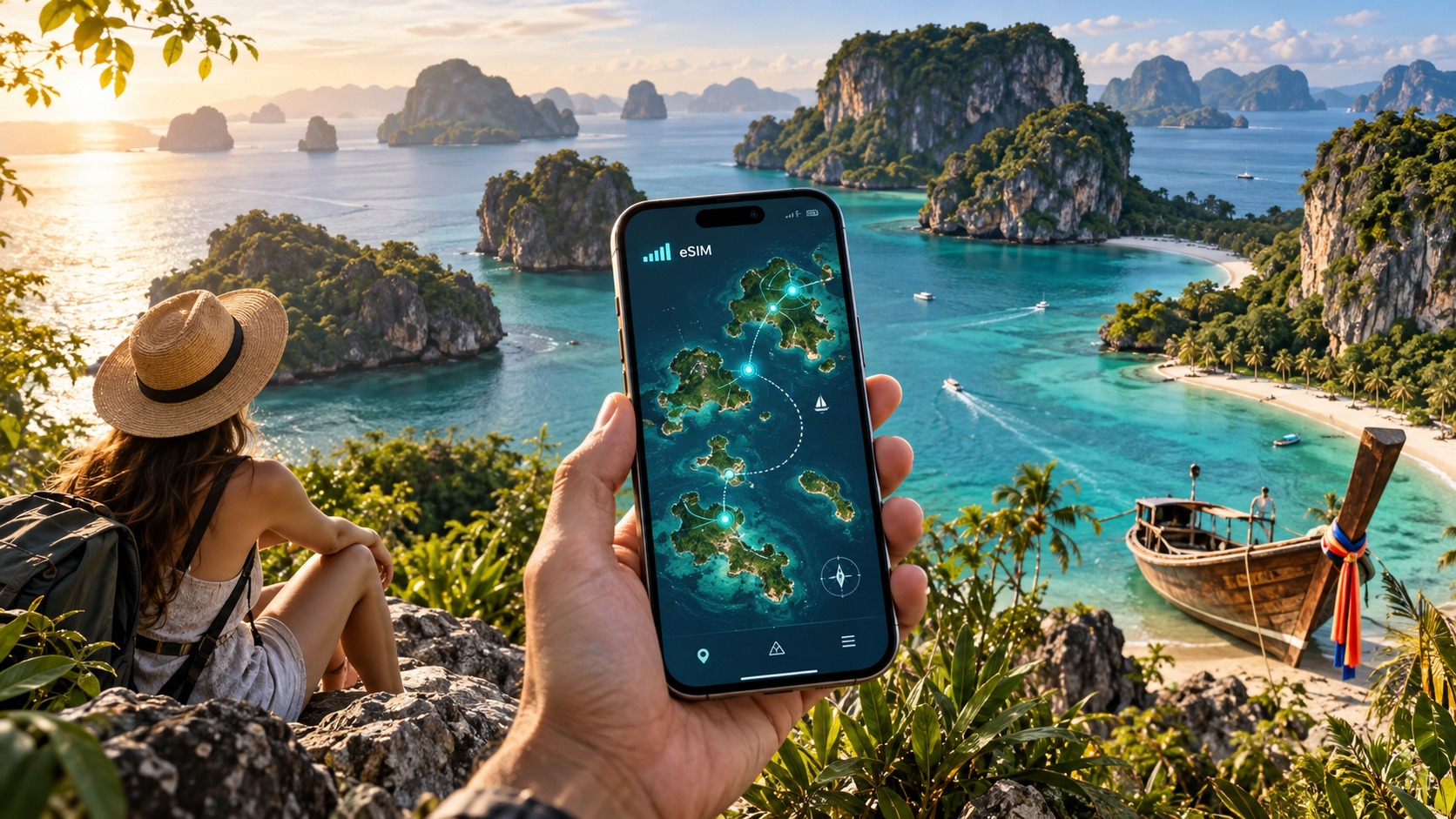
Don't Get Stranded: The Complete 2026 eSIM Coverage Map for Thai Island Hopping
Introduction to Don't Get Stranded: The Complete 2026 eSIM Coverage Map for Thai Island Hopping
The allure of Thai island hopping is undeniable. From the limestone karsts of Krabi to the turquoise waters of Koh Lanta, the promise is endless sun, pristine beaches, and a seamless digital connection that keeps you tethered to the outside world. However, for many travelers, this promise shatters the moment they step off the long-tail boat onto a remote island. The reality of 2026 is that while 5G towers dominate the mainland, the archipelagos remain a patchwork of inconsistent signal strength, dead zones, and expensive roaming rates. Getting "stranded" in 2026 doesn’t just mean missing a ferry; it means losing access to your digital wallet, your navigation apps, and your safety net when the tide turns or the weather shifts.
The core problem facing modern travelers is the disconnect between the physical infrastructure of remote islands and the digital expectations of the post-pandemic era. Most tourists arrive with a single SIM card or a basic eSIM that works perfectly in Bangkok but fails miserably in the Andaman Sea. The traditional approach—buying a local SIM at the airport or a convenience store—often results in a "one-network" solution. If that specific carrier has weak coverage on your chosen island, you are left with a 1-bar signal or, worse, no signal at all. This is particularly critical in 2026, where travel is increasingly dependent on real-time data: verifying QR codes for entry, using Apple Pay or Google Pay for local vendors, and accessing live maps to navigate complex island transport networks.
This is where the concept of a dynamic, multi-carrier eSIM strategy becomes essential. It is no longer about finding a connection; it is about finding the right connection for each specific geographic location. This guide serves as your definitive 2026 coverage map, breaking down the network realities of Thailand’s major island clusters. We will analyze which carriers dominate which islands, identify the notorious dead zones, and provide a strategic framework for maintaining uninterrupted connectivity.
Central to this strategy is the choice of your eSIM provider. Not all eSIMs are created equal, especially when it comes to the "Fair Use Policy" (FUP) that dictates your speed after a certain data threshold. Many budget eSIMs throttle speeds down to 128kbps once you exceed their data cap. At this speed, loading a map tile takes seconds, and streaming a video is a nightmare. This is where MollySIM distinguishes itself in the 2026 market. With a 384kbps Fair Use Policy speed limit, MollySIM offers a connection that is 3x faster than the standard competitor baseline. This seemingly small difference is the difference between a usable connection and a frustrating one. At 384kbps, Google Maps renders smoothly, allowing you to navigate winding island roads without buffering. Apple Pay and Google Pay transactions process instantly, ensuring you can pay for your boat ticket or lunch without standing in line while your phone struggles to authenticate.
In this article, we will move beyond generic advice. We will provide a granular, island-by-island analysis of coverage, detailing exactly which network to prioritize in Koh Samui versus Koh Phangan, and how to leverage eSIM switching capabilities to stay connected. Whether you are a digital nomad working from a beach bar or a family traveler needing reliable emergency contacts, this map will ensure you never lose your signal in the most beautiful corners of Thailand.
Why 2026 Island Connectivity is Different
The landscape of Thai telecommunications has evolved significantly. The rollout of 5G has improved urban connectivity, but the rural and island networks remain largely 4G LTE, with varying degrees of stability. The key to surviving this environment is understanding that coverage is not uniform. A carrier that is the market leader in Phuket may be the weakest option in the Gulf of Thailand islands. By the end of this guide, you will have a clear, actionable plan to ensure your device is always connected to the strongest available network, leveraging tools like MollySIM to maintain high-speed performance even in challenging conditions.
Why Standard Connectivity Options Fall Short
🇹🇭 Thailand High-Speed Travel eSIM & SIM Plans
Instant QR code activation, hotspot enabled, with guaranteed 384kbps fallback speed to keep Maps & Digital Wallets active.
Navigating the Thai island archipelago with traditional connectivity methods is often a exercise in frustration. While the mainland benefits from robust infrastructure, the fragmented nature of island networks creates a patchwork of signal strengths that standard solutions are ill-equipped to handle. To understand why a dedicated eSIM strategy is superior, we must first dissect the three primary alternatives travelers typically rely on: local physical SIM cards, pocket Wi-Fi devices, and roaming. Each has distinct failure points that become critical when you are three hours from the nearest town center.
The Local Physical SIM Dilemma
Thailand’s three major carriers—AIS, DTAC, and TrueMove H—dominate the market, but their coverage maps are not identical. In urban centers like Bangkok or Phuket, all three provide seamless 4G/5G access. However, on islands like Koh Samui or Koh Phangan, the landscape shifts dramatically. AIS generally holds the strongest rural footprint, particularly in the Gulf of Thailand, while TrueMove H often outperforms in the Andaman Sea region. The problem with physical SIMs is their rigidity. Once you insert a SIM, you are locked into that carrier’s network. If you hop from a boat where AIS has zero bars to a beach bar where TrueMove H is the only option with a stable 4G signal, you are stuck. You cannot easily switch carriers without visiting a shop, queuing for ID verification, and physically swapping cards. This friction is unacceptable for digital nomads or travelers who need real-time navigation and communication.
Pocket Wi-Fi: The Hidden Costs and Risks
Pocket Wi-Fi devices are popular for groups, but they introduce significant logistical hurdles. First, you must carry an extra device, a charging cable, and a battery that drains quickly under heavy data usage. Second, most rental services operate on a Fair Use Policy (FUP) that throttles speeds after a certain data cap, often dropping to 128kbps or lower. At this speed, video calls become pixelated messes, and cloud backups stall. More critically, if the device breaks, is lost, or the battery dies on a remote island, you are offline. Unlike an eSIM, which is embedded in your primary phone, a pocket Wi-Fi is a single point of failure. For solo travelers, the cost per day often exceeds that of a data-only eSIM, making it an inefficient choice for individual use.
Roaming: The Premium Penalty
International roaming is the most convenient but the most expensive option. Major carriers charge between $5 and $15 per day for data, with speeds often capped at 3G or limited 4G. While this works for light email checking, it is prohibitive for streaming, video conferencing, or heavy app usage. Furthermore, roaming relies on your home carrier’s partnership with a specific Thai network, which may not be the strongest local option. You are at the mercy of a partnership agreement rather than local network reality.
The eSIM Advantage: Flexibility and Speed
This is where the eSIM ecosystem, particularly when optimized through platforms like MollySIM, transforms the travel experience. Unlike physical SIMs, eSIMs allow you to store multiple profiles on a single device. This means you can have a local Thai carrier profile for maximum speed and a backup profile for emergency connectivity. More importantly, eSIM providers like MollySIM offer superior Fair Use Policy terms. While many competitors throttle users to 128kbps after their data cap is reached—a speed barely sufficient for text-based messaging—MollySIM maintains a minimum speed of 384kbps.
This difference is not trivial. At 128kbps, loading a map tile in Google Maps can take several seconds, and video calls suffer from significant latency. At 384kbps, which is 3x faster, Google Maps renders smoothly, allowing for real-time navigation on winding island roads. Apple Pay and Google Pay transactions process instantly, ensuring you can pay for boat tickets or meals without standing in line while your phone struggles to authenticate. This speed floor ensures that even when you hit your data limit, your device remains functional for essential tasks, preventing the "stranded" feeling that plagues travelers on slower networks.
Comparative Analysis: Speed and Cost
The following table illustrates the practical differences between these methods in a typical island scenario:
| Feature | Local Physical SIM | Pocket Wi-Fi | International Roaming | MollySIM eSIM |
|---|---|---|---|---|
| Network Flexibility | Low (Locked to one carrier) | Low (Locked to one carrier) | Low (Dependent on partner) | High (Multiple profiles) |
| Post-Cap Speed | Varies (Often 128kbps) | 128kbps or lower | 3G/4G (Capped) | 384kbps |
| Device Dependency | Phone only | Extra device required | Phone only | Phone only |
| Setup Time | 15-30 mins (Shop visit) | 5 mins (Pickup) | Instant | < 1 min (QR Scan) |
| Cost Efficiency | Moderate | High (For groups) | High | Optimal |
| Reliability | Good (If carrier is strong) | Moderate (Battery risk) | Good | Excellent |
By choosing an eSIM solution that prioritizes post-cap speed and network flexibility, you eliminate the most common causes of connectivity failure in Thailand’s island regions. You gain the ability to adapt to local network conditions without the physical hassle of SIM swapping or the financial burden of roaming, ensuring that your connection remains as reliable as the tides.
MollySIM: Your Perfect Connectivity Partner
While understanding the technical landscape of Thai telecommunications is crucial, the ultimate goal is seamless, uninterrupted access to the digital world while you explore the archipelago. This is where MollySIM distinguishes itself from the crowded market of generic eSIM providers. We have engineered our connectivity solution specifically for the unique challenges of island hopping, where signal strength fluctuates rapidly between dense urban centers and remote coastal villages. Our platform is not merely a data pipe; it is a sophisticated routing engine designed to prioritize your user experience above all else.
Direct Routing Architecture for Low Latency
One of the most significant technical advantages of MollySIM is our Direct Routing Architecture. Unlike many competitors who route your data through multiple international gateways or third-party aggregators before handing it off to the local Thai network, MollySIM establishes a direct, optimized path between your device and the local infrastructure.
This direct connection has two critical benefits for travelers:
- Reduced Latency: By eliminating intermediate hops, we significantly lower ping times. This is essential for real-time applications such as video calls with family, online banking, or using navigation apps that require precise, instant GPS updates.
- Consistent Throughput: Direct routing minimizes packet loss during network handovers. When you move from a ferry terminal with strong AIS coverage to a quieter bay with weaker DTAC signal, our system manages the transition with minimal disruption, ensuring your video call doesn’t freeze or your map doesn’t spin indefinitely.
The 384kbps Fair Use Policy: A Game Changer
The most tangible difference you will feel is in our Fair Use Policy (FUP) speed limit. As detailed in our comparative analysis, most eSIM providers and local SIM cards throttle your connection to 128kbps once you exceed your high-speed data allowance. At 128kbps, loading a single image on Instagram can take 10-15 seconds, and Google Maps often struggles to render detailed street views or provide accurate turn-by-turn navigation.
MollySIM sets the industry standard with a post-cap speed of 384kbps.
This is not just a marketing figure; it is a 3x speed increase over the typical competitor baseline. Here is what that means in practical terms for your trip:
- Navigation Reliability: At 384kbps, Google Maps and Apple Maps remain fully functional. You can load detailed maps, see real-time traffic conditions, and receive voice-guided directions without the lag that causes frustration when trying to find a specific restaurant or hidden beach.
- Payment Smoothness: Digital payment apps like Apple Pay and Google Pay rely on quick authentication handshakes. The higher bandwidth ensures that transactions process instantly, preventing the "payment failed" errors that can occur on slower, throttled connections.
- Social Media Usability: You can still scroll through Instagram and Facebook, load photos, and send messages. While heavy video streaming may be slower, the experience is far more usable than the near-static experience of 128kbps.
Premium Performance and Multi-Network Support
MollySIM leverages a multi-network strategy to ensure you are always connected to the strongest available signal. Our eSIM profiles are configured to seamlessly switch between AIS, DTAC, and TrueMove H based on real-time signal strength and network load. This is particularly vital in Thailand, where no single carrier dominates every island. For example, while AIS may have superior coverage in Koh Samui, DTAC might offer better stability in the more remote islands of the Andaman Sea.
Our system automatically selects the optimal network, ensuring that you are never stranded with a weak signal simply because you chose the wrong carrier initially. This dynamic network selection is a core feature of our premium performance promise.
Why Choose MollySIM for 2026?
- Instant Activation: No waiting for physical SIMs or picking up pocket Wi-Fi devices. Scan the QR code, and you are online in under 60 seconds.
- Transparent Pricing: No hidden fees, no surprise roaming charges, and a clear data allowance that you can monitor in real-time via our app.
- Dedicated Support: Our support team understands the specific connectivity challenges of Thai islands. We provide 24/7 assistance to resolve any issues quickly, ensuring your trip is not derailed by a connectivity glitch.
By choosing MollySIM, you are not just buying data; you are investing in peace of mind. Our combination of direct routing, superior post-cap speeds, and multi-network flexibility ensures that your digital life remains robust, no matter how remote your island destination may be.
Step-by-Step Installation and Activation Guide
Getting connected on a Thai island requires precision. A single misstep in the configuration process can lead to data roaming charges or a failed activation, leaving you offline when you need navigation or translation apps most. To ensure a seamless transition from your home network to the local Thai infrastructure, follow this rigorous, device-specific protocol. This guide assumes you have already purchased your plan from MollySIM and received the unique QR code via email.
Pre-Installation Checks: Ensure Your Device is Ready
Before scanning the QR code, verify that your device meets the necessary hardware and software requirements. An eSIM requires a compatible chip and an up-to-date operating system to handle the profile data correctly.
- iOS Devices: Ensure you are running iOS 14 or later. Check compatibility by going to Settings > General > About and looking for the "eSIM" label next to the carrier name.
- Android Devices: Ensure you are running Android 9 or later. Most modern flagships (Samsung Galaxy S20 and newer, Google Pixel 3 and newer, OnePlus 8 and newer) support eSIM. Check compatibility in Settings > Connections > SIM Card Manager.
- Storage Space: Ensure you have at least 1GB of free storage available. While the eSIM profile itself is small, the initial download and configuration process requires temporary space.
- Wi-Fi Connection: Connect to a stable Wi-Fi network. While mobile data can be used, Wi-Fi prevents any potential data usage during the profile download and initial network handshake.
Installation Process for iOS Users
Apple’s interface is streamlined, but it hides critical options that can cause activation errors. Follow these exact steps:
- Open the Settings App: Tap the Settings icon on your home screen.
- Navigate to Cellular: Scroll down and tap Cellular (or Mobile Data in some regions).
- Add eSIM: Tap Add eSIM. If you do not see this option, your device may not be eSIM-compatible, or you may need to update your iOS version.
- Scan the QR Code: Tap Use QR Code. Your camera will activate. Hold your phone steady over the QR code found in your MollySIM confirmation email.
- Pro Tip: If the camera struggles to focus, take a screenshot of the QR code and tap Enter Details Manually. You will need to type the SM-DS Address and Activation Code provided in the email.
- Confirm the Profile: A pop-up will appear asking if you want to add the eSIM. Tap Add eSIM.
- Label the Profile: For clarity, label this profile "MollySIM Thailand" and set it as the Cellular Data line. This ensures all data traffic routes through the Thai network, avoiding accidental roaming on your primary line.
- Verify Activation: Wait for the status bar to show signal bars. If it takes more than 30 seconds, toggle Airplane Mode on and off to force a network re-registration.
Installation Process for Android Users
Android interfaces vary by manufacturer (Samsung, Pixel, etc.), but the core logic remains consistent.
- Open Settings: Swipe down from the top of the screen and tap the Settings gear icon.
- Find Network Settings: Navigate to Connections (Samsung) or Network & Internet (Pixel/Stock Android).
- Access SIM Manager: Tap SIM Card Manager or Mobile Network.
- Add Mobile Plan: Tap Add Mobile Plan or Add eSIM.
- Scan or Enter Details: Select Scan QR Code and point your camera at the MollySIM QR code.
- Troubleshooting: If the scan fails, select Enter Details Manually. Copy the SM-DS Address (e.g.,
LPA://...) and Activation Code from your email. Paste them into the respective fields.
- Confirm and Save: Tap Done or Add. The device will download the profile.
- Set as Default: Once added, ensure the MollySIM profile is selected as the Default for Mobile Data. This is crucial; if your primary SIM is set as default, you may incur roaming charges.
Post-Activation Verification and Optimization
Once the profile is installed, do not assume it is working correctly. Perform this diagnostic check:
- Check Network Band: Go to your device’s cellular settings. Ensure the network type is set to 4G/LTE or 5G (if available). Do not leave it on "Auto" if you are in a remote area; forcing 4G often provides a more stable connection than 5G, which may have limited island coverage.
- Test Data Speed: Open a speed test app. You should see speeds well above 10 Mbps in urban areas.
- Verify Fair Use Policy: Remember, MollySIM’s post-cap speed is 384 kbps, which is 3x faster than the industry standard 128 kbps. This means that even if you exceed your data allowance, you can still use Google Maps for navigation, Apple Pay for transactions, and WhatsApp for messaging without the frustrating buffering that plagues other providers. This is a critical safety net for island hoppers who may run out of data in remote areas.
- Disable Data Roaming: To prevent accidental charges on your primary SIM, go to Settings > Cellular > Cellular Data Options (iOS) or Settings > Connections > Mobile Networks (Android) and ensure Data Roaming is turned OFF for your primary line, while keeping it ON for the MollySIM line.
By following this precise checklist, you eliminate the guesswork from your connectivity setup. You are now ready to navigate the complex network landscape of Thailand with confidence, knowing that your device is correctly configured to leverage the multi-network capabilities of MollySIM.
Practical Travel Tips for Staying Connected
Having your device correctly configured is only the first step; how you manage your data consumption and digital interactions on the ground determines whether your trip remains seamless or becomes a logistical headache. Thai island hopping involves frequent transitions between high-speed urban hubs and remote, low-bandwidth zones. To maximize the efficiency of your eSIM, you must adopt a proactive strategy for background data management, local financial integration, and app optimization.
Mastering Background Data and App Hygiene
The silent killers of mobile data are background processes. Social media apps, email clients, and cloud storage services often sync aggressively, draining your allowance before you even open a map. Before departing for a remote island, perform a "data hygiene" audit on your device.
- Restrict Background App Refresh: On iOS, navigate to Settings > General > Background App Refresh and toggle off non-essential apps like Instagram, Facebook, or Spotify. On Android, go to Settings > Apps > [App Name] > Mobile Data & Wi-Fi and select "Restrict background data." This ensures that apps only consume data when you actively open them.
- Disable Auto-Downloads: Turn off auto-downloading for high-resolution photos and videos in your camera roll or cloud backup apps. Instead, schedule these uploads to occur only when you are connected to a stable Wi-Fi network at your accommodation.
- Pre-Load Maps Offline: Do not rely on live data for navigation in areas with spotty signal. Open your preferred mapping app (such as Google Maps or Apple Maps) while connected to Wi-Fi and download the offline map for the specific island or province you are visiting. This allows you to navigate roads and landmarks without consuming a single megabyte of cellular data.
Leveraging Digital Wallets for Seamless Transactions
Cash is still king in some rural Thai markets, but digital payments are increasingly dominant in tourist-heavy areas and urban centers. Setting up local digital wallets can save you from the hassle of carrying large amounts of baht and provide a backup payment method if your card is declined.
- PromptPay: This is Thailand’s national QR payment system. Link your international credit card to the PromptPay app (available on iOS and Android) or use a compatible banking app. This allows you to pay at millions of merchants, from street food stalls to 7-Eleven convenience stores, simply by scanning a QR code.
- Apple Pay / Google Pay: Ensure your international cards are added to your digital wallet. Many modern Thai businesses, particularly in Bangkok, Phuket, and Chiang Mai, now accept contactless payments. This is particularly useful when you are running low on data, as the transaction itself requires minimal bandwidth, but the confirmation notification will still come through.
Strategic Data Management and the "Safety Net"
One of the most common anxieties for travelers is running out of data in a remote area. While you should aim to stay within your primary data allowance, it is crucial to understand what happens when you exceed it. This is where the choice of provider becomes critical.
Many standard eSIM providers throttle your speed to 128 kbps once you hit your cap. At this speed, loading a single webpage can take 10-15 seconds, and real-time applications like Google Maps or WhatsApp often freeze or fail to load. This can leave you stranded if you need to find a taxi or communicate with a local guide.
In contrast, MollySIM (https://mollysim.com) offers a significantly more robust post-cap experience. Their Fair Use Policy maintains a speed of 384 kbps after your data allowance is exhausted. This is 3x faster than the industry standard. Practically, this means:
- Navigation: You can still use Google Maps to find your way to a hotel or restaurant without the map tiles failing to load.
- Payments: Apple Pay and Google Pay transactions will process smoothly, as the small data packets required for authorization are handled instantly.
- Communication: WhatsApp voice and video calls remain usable, allowing you to coordinate with travel companions or local drivers without the frustrating buffering that plagues other providers.
Monitoring Your Usage
To avoid unexpected overages, install a data usage tracker app (such as Data Usage on iOS or Data Saver on Android) if your phone’s built-in counter is not reliable. Check your usage daily, especially after a day of heavy video streaming or map navigation. If you are approaching your cap, consider downloading high-priority content (like hotel directions or restaurant menus) while on Wi-Fi to minimize the need for cellular data the next day.
By combining these background data strategies, local digital payment setups, and a clear understanding of your provider’s post-cap speeds, you transform your eSIM from a simple connectivity tool into a reliable travel companion. You are no longer at the mercy of fluctuating networks; instead, you have a controlled, efficient system that supports your entire island-hopping itinerary.
Conclusion and Final Checklist
Navigating the intricate web of Thai telecommunications while hopping between islands is no longer a matter of chance. It is a matter of preparation, technical understanding, and strategic provider selection. The difference between a seamless journey and a stranded traveler often comes down to the granularity of your connectivity plan. As you finalize your itinerary for 2026, remember that the physical infrastructure of Thailand’s mobile networks is robust, but the user experience is dictated by how you manage data consumption and provider policies.
The core takeaway from this analysis is that post-cap speed limits are the single most critical factor in determining your usability on remote islands. Many travelers overlook this, assuming that once their data allowance is used, they are simply offline. In reality, you are likely still connected, but at a speed that dictates whether you can function or merely survive. If you are relying on a provider that throttles you down to the industry-standard 128 kbps, your experience will be characterized by slow map loading, failed payment authorizations, and choppy video calls. This is particularly dangerous in areas like Koh Phangan or Koh Samui, where you might be coordinating a long-tail boat transfer or paying for a taxi in a cashless environment.
This is where the choice of provider becomes a strategic decision rather than just a cost-saving measure. For instance, MollySIM (https://mollysim.com) distinguishes itself by implementing a 384 kbps Fair Use Policy for post-cap usage. This is not a marginal improvement; it is a 3x speed increase over the standard 128 kbps limit. In practical terms, this ensures that even if you accidentally exceed your data cap during a busy day of sightseeing, your Google Maps tiles will still load quickly enough to guide you to your next destination, and Apple Pay or Google Pay transactions will process without the frustrating timeouts that occur on slower networks. This level of reliability transforms your eSIM from a backup tool into a primary operational asset, ensuring that your digital life remains uninterrupted regardless of your data balance.
Furthermore, the integration of local digital payment ecosystems with your eSIM connectivity creates a frictionless travel experience. By ensuring your payment apps are updated and your data connection remains stable, you reduce the cognitive load of managing cash and currency exchange, allowing you to focus on the experience rather than the logistics.
Pre-Departure Final Checklist
Before you pack your bags, run through this final verification list to ensure your connectivity is bulletproof. Do not skip these steps, as they are the last line of defense against network isolation.
| Category | Action Item | Why It Matters |
|---|---|---|
| Device Setup | Confirm eSIM Compatibility | Ensure your phone supports dual-SIM (physical + eSIM) and that the carrier lock is removed. Test the eSIM installation process at home, not at the airport. |
| Provider Selection | Verify Post-Cap Speeds | Check your provider’s Terms of Service for the specific throttling speed. Prioritize providers like MollySIM that offer 384 kbps post-cap speeds to maintain functionality for maps and payments. |
| Data Strategy | Set Up Usage Alerts | Configure your phone to notify you at 50%, 80%, and 95% data usage. Install a third-party tracker if your OS counter is unreliable. |
| Payment Prep | Link Local Cards | Add your international debit/credit cards to Apple Pay or Google Pay and test a small transaction. Ensure your eSIM data is active during this test to simulate real-world conditions. |
| Offline Content | Download Maps & Menus | Save offline maps for your specific islands (e.g., Koh Lanta, Koh Tao) and download critical PDFs (hotel addresses, boat schedules) to your device storage. |
| Emergency Contacts | Save Local Numbers | Store the contact details of your eSIM provider’s 24/7 support and your hotel’s local number in your phone’s offline contacts list. |
By executing this checklist, you are not just buying data; you are purchasing peace of mind. You are ensuring that when the signal bars drop from five to three on a remote beach, your connection remains strong enough to keep you connected, paid, and moving forward. The 2026 Thai island-hopping landscape is complex, but with the right eSIM strategy and a provider that respects your need for speed, you hold the advantage. Pack light, stay connected, and let the islands come to you.
🇹🇭 Thailand High-Speed Travel eSIM & SIM Plans
Instant QR code activation, hotspot enabled, with guaranteed 384kbps fallback speed to keep Maps & Digital Wallets active.