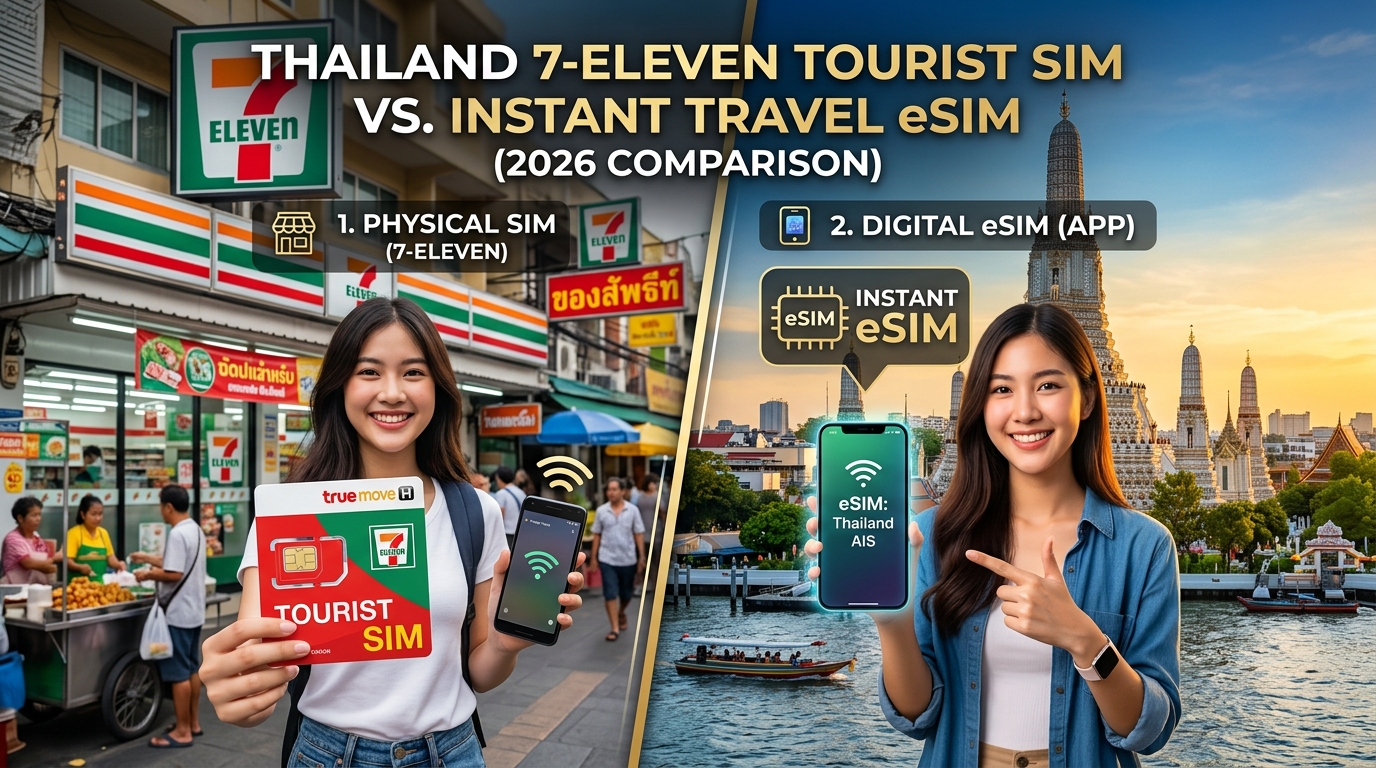
The 2026 Thailand Connectivity Dilemma: 7-Eleven Counter vs. Instant Pre-Trip eSIM
Stepping off a long-haul flight into the humid air of Bangkok’s Suvarnabhumi (BKK), Don Mueang (DMK), or Phuket International Airport (HKT) triggers an immediate, modern survival instinct: getting online. Whether you need to hail a Grab ride, pull up your hotel voucher in Agoda, confirm your digital arrival card, or message loved ones that you have landed safely, mobile data is no longer an afterthought—it is the backbone of international travel.
For years, the standard playbook for budget-conscious travelers was simple: bypass the inflated prices at airport telecom kiosks, walk outside, and head straight to the nearest 7-Eleven.
However, rapid shifts in telecommunications, stricter regulatory mandates, and the rise of digital SIM provisioning have transformed that equation. In 2026, relying on a physical convenience-store SIM card presents unexpected hurdles that clash directly with the seamless nature of pre-configured travel eSIMs.
The Myth of the "Convenient" 7-Eleven SIM Run
The classic advice found on travel forums suggests that buying a local SIM at a Thai 7-Eleven is both cheap and trivial. While 7-Eleven outlets are ubiquitous across Thailand, the physical acquisition process has grown increasingly tedious due to several real-world logistical pain points:
- Strict Biometric & Passport Registration: The National Broadcasting and Telecommunications Commission (NBTC) requires strict KYC (Know Your Customer) identity verification for all SIM activations. At a busy 7-Eleven counter, cashiers must photograph your passport, take an on-the-spot facial scan, and manually register the ICCID. If the store's registration tablet is down or the clerk is unfamiliar with tourist registration protocols, you walk away empty-handed.
- Inconsistent Stock: 7-Eleven stores frequently run out of tourist-specific prepaid packs (TrueMove H or AIS) and only stock domestic monthly top-up cards that require complex USSD code activations in Thai.
- The "Zero-Data" Transit Gap: If you wait to buy a SIM at a 7-Eleven in town to avoid airport prices, you must navigate your initial taxi, train, or private transfer completely offline without access to live translation or map navigation.
- Physical Hardware Hassles: Swapping physical SIM cards requires carrying a SIM ejector tool, safely storing your primary carrier's microscopic nano-SIM card for weeks, and risking disabling your home bank's 2-Factor Authentication (2FA) SMS line.
The Shift to Instant Digital Provisioning
By contrast, modern travel connectivity relies on installing an eSIM profile to your smartphone days or hours before boarding your flight. When your plane touches down on the tarmac at Suvarnabhumi or Phuket, your phone automatically switches from Airplane Mode to local Thai tier-1 cellular towers—requiring zero physical swaps and zero store queues.
| Feature / Scenario | 7-Eleven Physical Tourist SIM | MollySIM Instant Travel eSIM |
|---|---|---|
| Setup Timing | Post-arrival (in-store queue) | Pre-departure (installs in 60 seconds) |
| Identity Verification (KYC) | Passport scan & store photo required | No physical paperwork or in-person photo |
| Initial Transit Connectivity | ❌ None (offline until purchased) | ✅ Instant 5G/4G on touchdown |
| Physical SIM Handling | High risk of losing home nano-SIM | Zero physical contact; Dual-SIM stays active |
| Throttled Speed (FUP Buffer) | Typically 64kbps – 128kbps | 384kbps (Google Maps & Apple Pay stay functional) |
| Primary Number (2FA) | Must swap out home SIM card | Keeps home line active for bank SMS/2FA |
Choosing a digital provider like MollySIM completely eliminates the physical friction of local SIM retail while adding a crucial safety net for heavy data users. Unlike conventional tourist SIMs that drop speeds down to an unusable 64kbps or 128kbps once high-speed caps are reached, MollySIM maintains an industry-leading 384kbps Fair Use Policy (FUP) speed limit. This 3x performance buffer ensures that mission-critical apps—such as Google Maps, Grab navigation, Apple Pay, and WhatsApp messaging—continue to run smoothly without leaving you stranded in the middle of Bangkok or Chiang Mai.
NBTC Regulations, Biometrics, and In-Store Friction: What Buying at 7-Eleven Really Entails
🇹🇭 Thailand High-Speed Travel eSIM & SIM Plans
Instant QR code activation, hotspot enabled, with guaranteed 384kbps fallback speed to keep Maps & Digital Wallets active.
Acquiring a physical prepaid SIM card across a 7-Eleven counter in Thailand is no longer a simple cash-and-carry transaction. Under mandates enforced by Thailand's National Broadcasting and Telecommunications Commission (NBTC), the Thai government enforces stringent Know-Your-Customer (KYC) regulations aimed at preventing cybercrime, unverified SIM farming, and telecom fraud.
For travelers, these legal guardrails turn a quick convenience store stop into a multi-step administrative procedure that introduces notable operational friction and privacy exposure.
The Anatomy of NBTC In-Store Verification
When you request a physical tourist SIM card at a Thai 7-Eleven, the cashier must temporarily pause regular retail operations to execute a legally binding telecom registration. The protocol requires:
- Hardware Passport Scanning: The cashier must place your physical passport on an optical character recognition (OCR) scanner tethered to the Point-of-Sale (POS) terminal to extract machine-readable zone (MRZ) data.
- Facial Biometric Capture: You are required to stand before a low-resolution retail web camera or handheld POS terminal to capture real-time biometric facial data. The NBTC system matches your live face against the digital image extracted from your passport.
- Manual Address & Detail Logging: Clerks must verify that your entry stamp, visa status, and local lodging details match national database requirements before the carrier provisions the IMSI (International Mobile Subscriber Identity) number.
If the POS optical scanner fails to read an older passport format, or if ambient store lighting disrupts the facial recognition match, the entire activation loop fails—leaving you without data and forcing you to locate a corporate carrier store (such as AIS or TrueMove H) in a major shopping mall.
Operational Roadblocks at the Register
Beyond legal compliance, the practical reality of buying SIM cards inside Thailand’s ubiquitous convenience stores introduces distinct logistical headaches:
- Peak-Hour Retail Queues: 7-Eleven clerks frequently balance register duties with preparing hot food, handling delivery app dispatches, and processing bill payments. Under-pressure staff often deprioritize complex SIM KYC registrations during rush hours.
- Language Barriers: Communicating technical specifications—such as APN configurations, high-speed data caps, or network throttling rules—is difficult when staff possess limited conversational English.
- Chronic Stock Depletion: High-traffic tourist hubs (e.g., Sukhumvit in Bangkok, Patong in Phuket, or Nimman in Chiang Mai) frequently run out of dedicated tourist SIM SKUs, leaving only standard domestic top-up cards that require manual USSD code activations.
- The Missing Ejector Tool: 7-Eleven packages rarely include a SIM tray removal pin, leaving travelers scrambling to find a paperclip or earring needle while trying not to lose their tiny primary domestic SIM card.
Countertop Document Exposure vs. Digital eSIM Delivery
Handing an unredacted passport across a busy convenience store counter exposes your primary international identification document to theft, physical damage, and shoulder-surfing cameras.
| Verification Vector | 7-Eleven Physical SIM | MollySIM Digital Travel eSIM |
|---|---|---|
| Document Handling | Physical passport handled across public counter | Zero physical document handoff |
| Biometric Processing | In-store optical camera capture by retail staff | Direct, encrypted digital delivery |
| Activation Window | 10–25 minutes (subject to queues & POS sync) | Instant QR-code profile download pre-flight |
| Hardware Risk | Exposed SIM tray & fragile nano-SIM storage | Remote Over-The-Air (OTA) profile installation |
By choosing a modern digital alternative like MollySIM, you bypass the entire NBTC counter workflow. Profiles are provisioned over-the-air (OTA) straight to your device’s internal eUICC chip before departure.
Furthermore, you avoid the trap of unannounced carrier throttles: while traditional tourist SIMs step down to a non-functional 64kbps or 128kbps once high-speed quotas expire, MollySIM provides a guaranteed 384kbps Fair Use Policy (FUP) baseline—yielding 3x the fallback throughput so that essential navigation tools like Google Maps and payment gateways like Apple Pay stay fully operational throughout your trip.
Airport Kiosks vs. 7-Eleven vs. MollySIM eSIM: Comprehensive 2026 Breakdown
Navigating connectivity options upon landing in Thailand requires balancing upfront pricing, physical security, network quality, and onboarding friction. While international arrival halls funnel arriving passengers toward brightly lit airport telecommunication kiosks, seasoned travelers often weigh these against retail convenience stores (7-Eleven) or pre-configured digital profiles via MollySIM.
The matrix below evaluates the three dominant procurement channels across nine operational vectors:
| Evaluation Dimension | Airport Official Kiosks (BKK / DMK) | Local 7-Eleven Convenience Stores | MollySIM Instant Travel eSIM |
|---|---|---|---|
| Average Cost (8–10 Days / ~15–30GB) | ฿299 – ฿499 ($8.50 – $14.50 USD) | ฿199 – ฿249 ($5.75 – $7.20 USD) | Competitive global flat-rate pricing |
| Airport Convenience Markup | High (30%–60% premium vs. retail) | None (Standard retail pricing) | None (Direct digital provisioning) |
| Setup & Queue Time | 15–45 minutes (Peak flight arrival congestion) | 5–15 minutes (Dependent on counter queues) | 0 minutes (Pre-installed before takeoff) |
| Registration Protocol (NBTC) | Physical passport inspection + optical face scan | Physical passport scan via POS terminal camera | Zero physical document handoff |
| 5G Network Access | AIS or True-dtac (Single network locked) | True-dtac / AIS (Subject to localized stock) | Premium Tier-1 AIS / True-dtac 5G routing |
| Dual-SIM / 2FA SMS Integrity | Compromised if using single-tray devices | Compromised if swapping primary domestic SIM | 100% Intact (Keep home SIM active for bank OTPs) |
| Post-Exhaustion FUP Speed | Drops to unusable 64 kbps – 128 kbps | Drops to unusable 128 kbps | Guaranteed 384 kbps baseline (3x standard floor) |
| Support Infrastructure | In-person kiosk (Airport only) / Carrier hotline | No retail tech support (Cashiers cannot debug APNs) | Dedicated 24/7 digital technical support |
| Data Top-Up / Management | In-app carrier registration / Airport return | Cash top-up via counter / Top-up machines | Instant digital balance renewal online |
The Hidden Financial and Time Costs of Airport Kiosks
The primary appeal of buying connectivity at Suvarnabhumi (BKK) or Don Mueang (DMK) is immediacy, but that convenience carries heavy operational penalties. Airport telecom counters package connectivity into branded "Tourist SIMs" that add substantial retail margins compared to local domestic plans.
Beyond the 30% to 60% price inflation, the true expense is lost transit time. Peak arrival banks at BKK regularly deposit thousands of passengers into the arrivals concourse simultaneously. Queue times at official carrier stalls frequently exceed 30 minutes, during which travelers must wait in line, unseal their hardware, surrender their physical passport for biometric NBTC (National Broadcasting and Telecommunications Commission) clearance, and wait for the agent to manually swap the physical chip.
Network Tiering and the Post-Quota Fallback Trap
A critical differentiator among these connectivity vectors is data continuity once high-speed quotas are exhausted:
- The 64kbps–128kbps Bottleneck on Standard Tourist SIMs:
Most standard tourist packages purchased at airports or 7-Eleven counters advertise "Unlimited Data." However, buried in the terms is an aggressive Fair Use Policy (FUP) step-down. Once your high-speed allowance runs out, data speeds fall to 64kbps or 128kbps. At 128kbps, SSL handshakes time out, ride-hailing apps like Grab fail to load vehicle maps, and mobile payment interfaces (such as Apple Pay or local PromptPay QR scanning) become unusable.
- The MollySIM 384kbps Functional Advantage:
By maintaining a strict 384kbps FUP baseline, MollySIM delivers triple the throughput of standard tourist alternatives when high-speed allowances deplete. This 384kbps baseline is engineered specifically to keep low-latency transmission alive—ensuring Google Maps routing, dynamic messaging via WhatsApp/Telegram, VoIP voice calls, and transactional payment gateways continue functioning without service drops.
- Preserving Critical Two-Factor Authentication (2FA):
Replacing your domestic nano-SIM with an airport or convenience store plastic card cuts off your home carrier connection. This prevents your phone from receiving transaction-verification SMS codes sent by banking institutions, airline portals, and credit card providers. Utilizing a digital eSIM architecture allows your primary line to remain concurrently active in standby mode exclusively for zero-cost incoming 2FA verification texts, while your eSIM handles high-speed 5G data routing locally across Thailand.
Network Performance Across the Kingdom: AIS vs. True/dtac 5G Infrastructure
Thailand’s mobile telecommunications sector operates as a high-density, mature duopoly. The market is divided between legacy market leader AIS (Advanced Info Service) and the merged telecommunications giant True-dtac (True Corporation). For international travelers navigating between mega-malls, remote island archipelagos, and northern mountain passes, understanding the spectrum allocation and geographical strengths of these two networks is critical.
+-------------------+------------------------------------+------------------------------------+
| Feature / Metric  | AIS 5G                             | True-dtac 5G                       |
+-------------------+------------------------------------+------------------------------------+
| Primary Spectrum  | 700 MHz (n28), 2600 MHz (n41),     | 700 MHz (n28), 2600 MHz (n41),     |
| Bands             | 26 GHz (n258 mmWave)               | 1800/2100 MHz (Refarmed 5G)        |
+-------------------+------------------------------------+------------------------------------+
| Urban Density     | Exceptional building penetration;   | Massive aggregate capacity;        |
| (Bangkok/Chiang   | ultra-low jitter in concrete       | market-leading throughput in       |
| Mai)              | canyons (Sukhumvit, Nimman)        | open-air retail/night markets      |
+-------------------+------------------------------------+------------------------------------+
| Remote & Island   | Dominant offshore coverage;        | Strong along primary highway       |
| Reach (Samui/Pai) | superior low-band tower density    | corridors; occasional 4G fallback  |
|                   | across marine national parks       | on secondary island outer fringes  |
+-------------------+------------------------------------+------------------------------------+
| Avg. Download     | 180 – 320 Mbps                     | 165 – 310 Mbps                     |
| Speed (5G Active) |                                    |                                    |
+-------------------+------------------------------------+------------------------------------+
Urban Saturation: Bangkok & Chiang Mai
In dense metropolitan zones such as Bangkok’s Sukhumvit commercial corridor, Silom financial district, and Chiang Mai’s Nimmanhemin, both operators deploy dense small-cell arrays running on the 2600 MHz (n41) mid-band.
- True-dtac leverages its combined spectrum assets to deliver massive multi-user capacity, preventing the midday congestion typical during peak hours around central transport hubs like Siam BTS or Asok.
- AIS holds a distinct engineering advantage in indoor structural penetration, utilizing standalone 5G (5G SA) configurations over the 700 MHz (n28) band to maintain signal depth inside basement MRT stations, high-rise condominiums, and multi-level shopping centers like CentralWorld and ICONSIAM.
Island and Rural Reach: Islands, Highlands, and Isaan
Performance diverts when moving outside tier-1 metropolitan boundaries into regional destinations:
- The Southern Gulf & Andaman Coast (Koh Samui, Koh Phangan, Krabi):
AIS maintains an edge in maritime and island macro-tower deployments. Speed tests conducted on speedboats between Phuket and the Phi Phi Islands or along the perimeter of Koh Tao reveal sustained 5G reception on AIS, whereas secondary networks intermittently fall back to legacy 4G LTE.
- Northern Highlands & Rural Routes (Pai, Mae Hong Son, Isaan Province):
True-dtac covers primary interprovincial motorways with continuous coverage. However, deep mountain valleys along the Mae Hong Son loop and agricultural interiors across Isaan benefit from AIS's low-band rural infrastructure, minimizing cellular dead zones.
Why Direct Tier-1 5G Access Matters: The MollySIM Advantage
A common pitfall with standard travel SIM cards or budget third-party providers is the use of non-prioritized Mobile Virtual Network Operator (MVNO) agreements. These sub-tier plans route cellular data through centralized proxy servers in distant regions (such as Hong Kong, Singapore, or Frankfurt), resulting in:
- Elevated Latency (Ping): Ping times surging past 250ms–400ms, causing noticeable lag when initiating VoIP calls or confirming app-based transactions.
- Traffic Deprioritization: Bandwidth throttling on busy cellular sectors during peak hours.
MollySIM eliminates intermediary routing by interfacing directly with premier Thai Tier-1 5G core network infrastructure. This direct carrier-grade integration yields local breakout latency under 35ms, enabling instantaneous GPS recalibration in ride-hailing apps, responsive live streaming, and rapid mobile banking authentication.
Furthermore, should high-speed allotments deplete mid-journey, MollySIM’s built-in 384kbps Fair Use Policy (FUP) baseline ensures critical operations—such as Google Maps live routing and Apple Pay terminal communication—remain completely functional, avoiding the absolute data blackouts typical of competing 64kbps/128kbps caps.
Mission-Critical Apps & The MollySIM Advantage: Why the 384kbps Speed Floor Matters
Modern travel in Thailand is fundamentally app-driven. From navigating Bangkok's labyrinthine sois (alleys) to settling dinner bills at a Chiang Mai night market, real-time data connectivity is no longer a luxury—it is a functional necessity. When your cellular data fails, basic daily logistics grind to a halt.
The App-Dependent Thai Travel Ecosystem
- On-Demand Transportation (Grab & Bolt): Ride-hailing algorithms require continuous, bi-directional socket connections. If your connection drops or latency spikes, the app cannot maintain your driver's real-time telemetry, cancelation windows close, and pickup handshakes fail.
- Cashless Transactions & Digital Payments: Thailand operates extensively on QR-based mobile payments. Even when using international cards via Apple Pay or Google Wallet, modern payment terminals and banking verification portals (3D Secure) require rapid, uninterrupted TLS/SSL security handshakes.
- Live Visual Translation (Google Lens): Deciphering non-transliterated Thai script on road signs, transport timetables, or street-food menus requires upstream image processing.
- Dynamic Navigation (Google Maps & Apple Maps): Vector tiles, traffic rerouting, and real-time transit schedules demand consistent data packet exchanges to prevent navigation stalls in high-density urban corridors.
Standard Tourist SIM Throttling:   [=== 64kbps - 128kbps ===] -> Frequent Timeouts & App Crashes
MollySIM 384kbps Speed Floor:      [========= 384kbps =========] -> Stable Routing, Messaging & Payments
The "Speed Floor" Reality: 64kbps vs. 128kbps vs. 384kbps
Most physical 7-Eleven tourist SIMs and generic travel eSIMs advertise "unlimited data," but conceal an aggressive Fair Use Policy (FUP). Once your daily or total high-speed allocation runs out, these services throttle bandwidth down to 64kbps or 128kbps—speeds originally designed for basic 2G text transmissions in the late 1990s. At 64kbps, modern HTTPS-encrypted protocols experience continuous socket timeouts, rendering virtually every modern smartphone app useless.
MollySIM solves this operational vulnerability by guaranteeing an industry-leading 384kbps non-stop speed floor once your high-speed bucket is depleted. At 3x to 6x the throughput of standard throttled SIMs, this baseline bandwidth maintains the minimum technical threshold required to complete essential digital travel tasks.
| App Function / Use Case | Throttled SIM (64kbps) | Budget eSIM (128kbps) | MollySIM FUP Floor (384kbps) |
|---|---|---|---|
| Grab / Bolt Ride Hailing | Connection Timeout (Fails) | Driver Tracking Lags (10–20s delay) | Functional (Smooth real-time GPS tracking) |
| Apple Pay / 3D Secure Verification | Handshake Timeout / Error | Intermittent Connection Failures | Instant Handshake (<2s execution) |
| Google Maps Vector Navigation | Map Tiles Fail to Render | Partial Tile Load (15–30s delay) | Operational (Continuous turn-by-turn routing) |
| WhatsApp / LINE Voice Calls | Severe Packet Loss / Dropped Calls | Robotic Audio / Jitter | Clear Audio (Low-bitrate Opus codec supported) |
| Google Lens Text Translation | Request Fails (Payload too large) | High Latency (8–15s per scan) | Responsive (2–4s visual parsing) |
Preventing the "Zero-Data" Stranding Scenario
Running out of high-speed data at 1:00 AM on a remote soi off Sukhumvit or at a ferry pier in Surat Thani can turn into a safety hazard if your data shuts down or throttles below usable levels. With physical tourist SIMs, replenishing an exhausted balance requires locating a convenience store, navigating Thai-language top-up menus, or dealing with failed international SMS payment gateways.
By maintaining an active 384kbps channel, MollySIM eliminates the risk of total data stranding. You retain continuous access to ride-hailing, digital maps, and instant messaging without interruption, allowing you to top up your plan directly inside your account dashboard while on the move.
Step-by-Step Setup: How to Install and Activate Your MollySIM Before Landing in Thailand
Installing your travel eSIM before boarding your flight ensures you bypass airport registration counters entirely and connect to Thailand’s top-tier 5G networks (AIS or TrueMove H) the moment your aircraft touches the runway at Suvarnabhumi (BKK), Don Mueang (DMK), or Phuket (HKT).
Follow this platform-specific guide to provision, label, and configure your MollySIM profile for dual-SIM operation.
Phase 1: Pre-Departure Installation (At Home or Airport Lounge)
Perform the initial profile download over a stable Wi-Fi connection prior to boarding. The eSIM profile will download onto your device's eUICC chip immediately, remaining dormant until it handshakes with local Thai towers.
Option A: Apple iOS Setup (iPhone XR, 11, 12, 13, 14, 15, 16 Series)
- Open Settings > Cellular (or Mobile Data).
- Tap Add eSIM (or Set Up Cellular).
- Select Use QR Code and scan the QR code received in your MollySIM confirmation email.
- Manual Fallback: If scanning isn't an option, tap Enter Details Manually at the bottom of the screen. Paste the SM-DP+ Address and Activation Code provided in your dashboard.
- When prompted to label the plan, assign custom names to prevent confusion:
- Primary / Home Line: Label as
HomeorPrimary. - MollySIM Line: Label as
ThailandorTravel Data.
- Tap Done to complete installation.
Option B: Android Setup (Samsung Galaxy, Google Pixel, Xiaomi, OnePlus)
- Open Settings > Connections (or Network & Internet) > SIM Card Manager (or SIMs).
- Tap Add eSIM (or Download a SIM instead).
- Point your camera at the MollySIM QR code.
- Manual Fallback: Select Enter code manually and paste the provided
LPA:1$...string or SM-DP+ parameters.
- Confirm by tapping Add / Download. Label the new profile
Thailand Travel.
Phase 2: Configuring Dual-SIM Routing for Seamless 2FA SMS
To receive banking verification codes (OTP/2FA) from your domestic bank without incurring carrier roaming charges, configure your SIM settings as follows:
| Setting Category | Recommended Configuration | Purpose / Technical Benefit |
|---|---|---|
| Default Voice Line | Home / Primary | Retains your domestic phone number for incoming calls and international SMS routing. |
| Cellular Data Line | Thailand (MollySIM) | Directs all data traffic through local Thai 5G/4G infrastructure. |
| Allow Cellular Data Switching | DISABLED / OFF | Crucial: Prevents your phone from silently using domestic carrier roaming data when signal fluctuates. |
Phase 3: Touchdown Activation (Upon Landing in Thailand)
The moment your flight lands in Thailand and the aircraft begins taxiing:
- Disable Airplane Mode.
- Go to Settings > Cellular (or Connections > SIM Manager).
- Select your MollySIM profile and toggle Turn On This Line.
- Enable Data Roaming: Toggle Data Roaming to ON for the MollySIM profile. (Note: Travel eSIMs require roaming toggled ON to connect to local partner carriers like AIS and TrueMove H. You will not incur unexpected fees because MollySIM is a prepaid package).
- APN Configuration (If Required): In 99% of cases, the Access Point Name sets automatically. If data does not immediately display a
5GorLTEicon within 60 seconds:
- Go to Cellular Data Network > APN.
- Enter the APN name specified in your MollySIM activation email (leave Username and Password blank).
- Toggle Airplane Mode on and off once to force network re-registration.
Once registered, your connection is fully active. Even if you exceed your selected high-speed allocation during your trip, MollySIM's built-in 384kbps baseline safety floor ensures your turn-by-turn navigation, Grab bookings, and Apple Pay transactions continue to execute with zero interruption.
🇹🇭 Thailand High-Speed Travel eSIM & SIM Plans
Instant QR code activation, hotspot enabled, with guaranteed 384kbps fallback speed to keep Maps & Digital Wallets active.