T-Mobile eSIM & Physical SIM Setup: iPhone Carrier Push, Global Wi-Fi Calling & $3/Mo Plan Rollover Guide (2026)
⚠️ Scope (important): The $3/mo (Legacy Pay-As-You-Go) plan is a standalone product — $3/mo is obtained only by purchasing the $3/mo card itself. The $5 / $6 / $10 / $15 plans can NEVER be changed, downgraded or converted into $3/mo, and they never auto-convert over time; existing numbers and physical cards cannot be migrated to the $3 tier. The rollover steps below apply only to the $3/mo card.
Having an authentic, carrier-grade United States phone number (+1) is indispensable in 2026. Whether you need to receive critical verification SMS from major US financial institutions (Chase, Bank of America, Citi, Capital One, Wells Fargo, Fidelity), access US Apple IDs, manage global platforms like PayPal, Stripe, OpenAI, and Google, or stay connected while traveling abroad, T-Mobile USA remains the premier choice worldwide.
However, many international users encounter a common roadblock: T-Mobile does not operate native cellular towers in Mainland China and certain overseas territories without costly international roaming passes. When you install the card or eSIM, your phone may show "No Service" or stay stuck on "Activating...".
The secret to unlocking seamless, zero-cost worldwide usability is Wi-Fi Calling (VoWiFi).
In this comprehensive, step-by-step practical guide, we cover everything you need to know: how to receive the carrier push to install your T-Mobile eSIM on iPhone, how to configure Wi-Fi Calling for free SMS and voice calls anywhere on Earth, and the proven method to convert your line to T-Mobile's legendary $3/month Legacy Pay-As-You-Go Plan.
Visual Summary: The Complete T-Mobile Setup Blueprint
Part 1: How to Receive Carrier Push & Activate T-Mobile eSIM on iPhone
🇺🇸 T-Mobile US Prepaid SIM High-Speed Travel eSIM & SIM Plans
Instant QR code activation, hotspot enabled, with guaranteed 384kbps fallback speed to keep Maps & Digital Wallets active.
If you purchased a digital T-Mobile eSIM from MollySIM, your eSIM is delivered via official Apple Carrier Push directly to your device's EID. You do not need to scan a QR code or type manual SM-DP+ activation codes.
Step-by-Step Activation Instructions:
- Connect to Reliable Wi-Fi: Ensure your iPhone is connected to a fast, stable Wi-Fi connection.
- Open iOS Settings: Go to Settings -> Cellular (or Mobile Data).
- Tap "Add eSIM": Look for the carrier push notification or tap "Add eSIM" (or Set Up Cellular).
- Select Your T-Mobile Line: When the prompt appears displaying "T-Mobile Cellular Plan" and your assigned US phone number, tap "Continue".
- Wait for Handshake: The activation handshake can take between 2 to 10 minutes. Please keep your screen active and do not close the Settings app.
- Confirm Completion: Once the confirmation button appears at the bottom of the screen, tap "Done".
Critical Pitfalls & What to Expect:
- "Activating..." or "Activation Failed" Message: Do NOT delete the eSIM! In regions outside the US without native T-Mobile cellular base stations, iOS cannot immediately complete over-the-air cell tower registration. This is 100% normal.
- The 24–48 Hour Rule: Once you enable Wi-Fi Calling in Part 2 below, the system connects over broadband, and the "Activating..." warning will automatically disappear within 24 to 48 hours.
Part 2: How to Enable Wi-Fi Calling for Zero-Roaming Worldwide Use
Wi-Fi Calling routes your cellular calls and text messages over any standard Wi-Fi network directly into T-Mobile's core network. When active, T-Mobile treats your device as if it is standing right inside the United States—meaning incoming SMS messages are completely free and count against your plan balance!
Step-by-Step Wi-Fi Calling Setup:
- Go to Settings -> Cellular -> Tap your T-Mobile line.
- Tap Wi-Fi Calling and toggle "Wi-Fi Calling on This iPhone" to ON.
- Initial Setup Workaround (If toggling fails or hangs):
- Some local ISP firewalls or emergency address (E911) verification handshakes require a temporary US IP.
- If the toggle refuses to turn on, connect your device to a US VPN node, and then toggle Wi-Fi Calling ON.
- If
T-Mobile Wi-Fidoes not appear right away, turn off the VPN, toggle Wi-Fi Calling OFF and ON once more.
- Verify the Signal Banner:
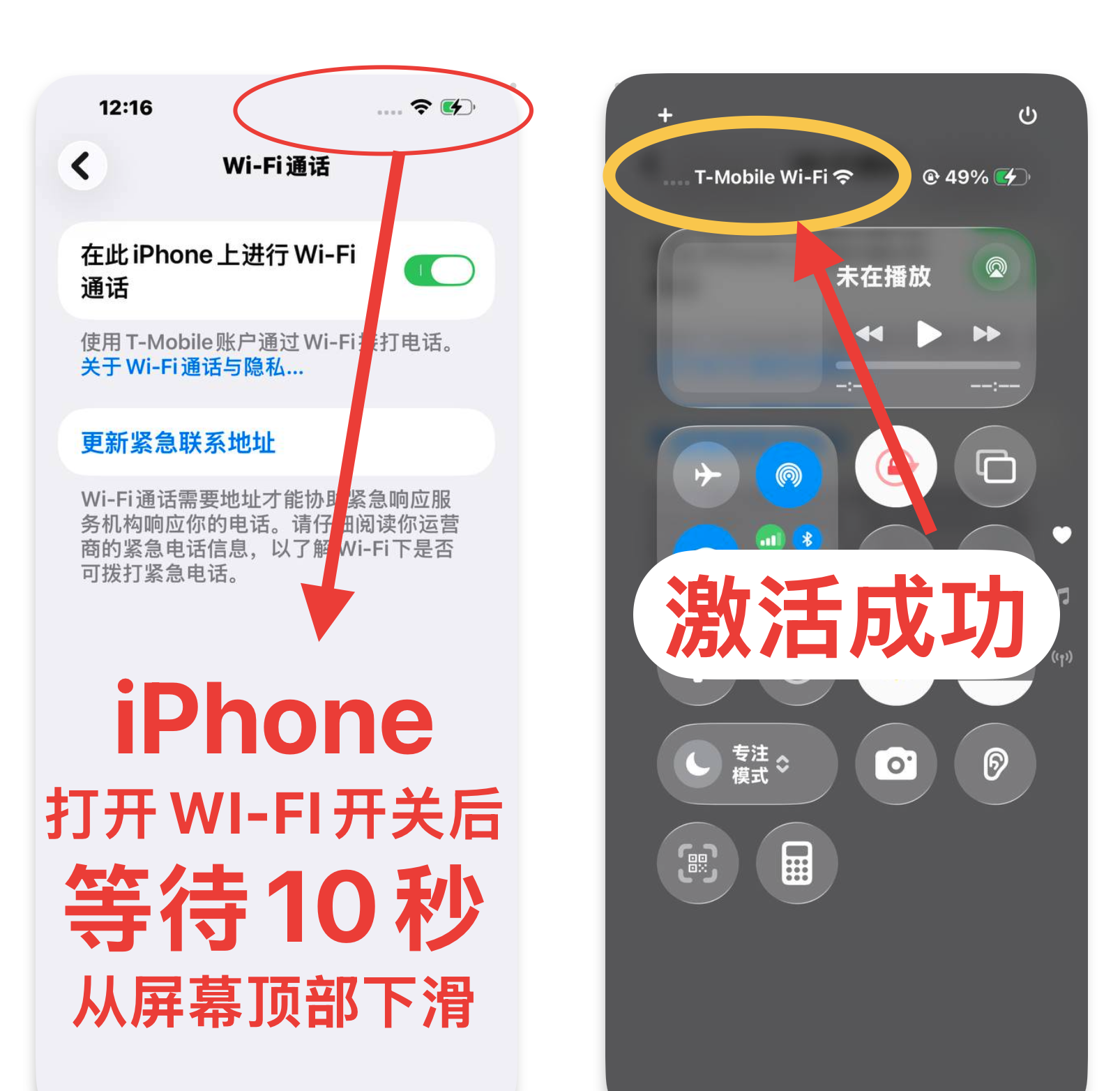
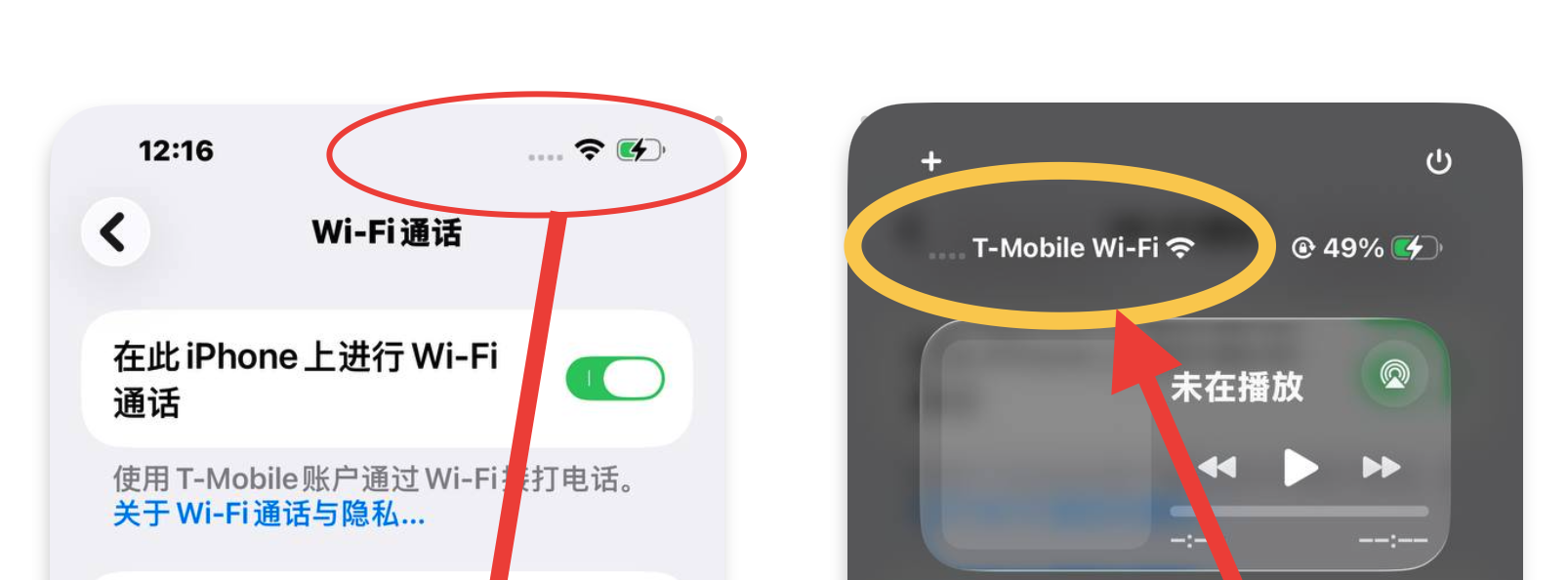
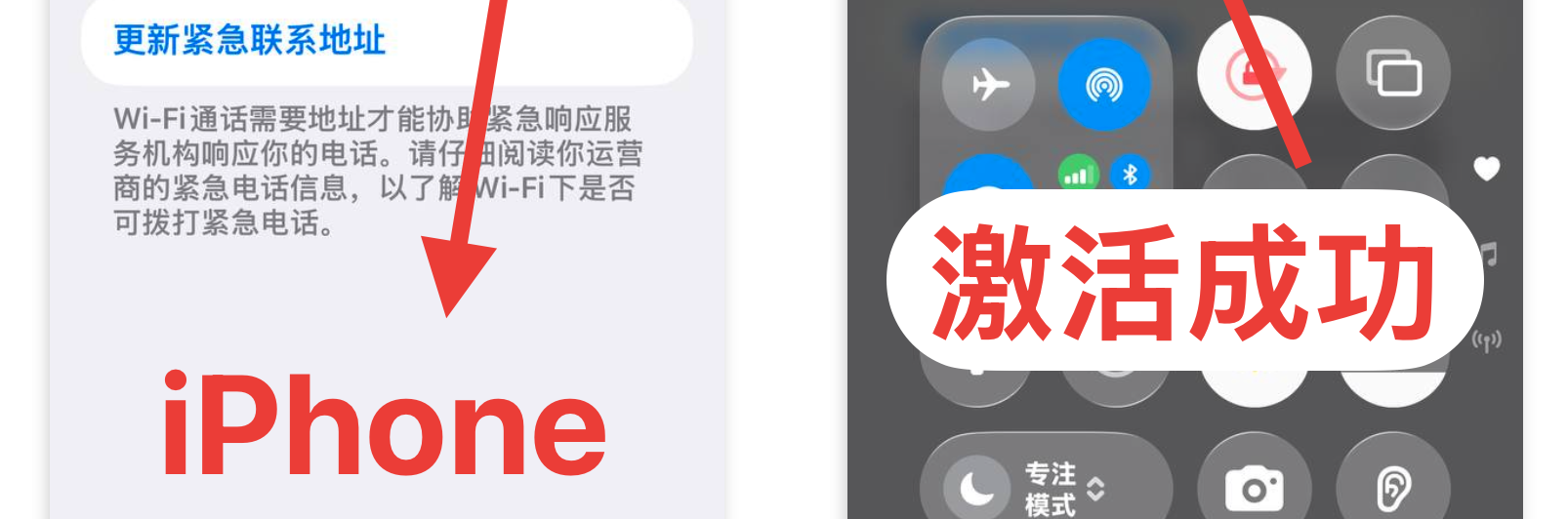
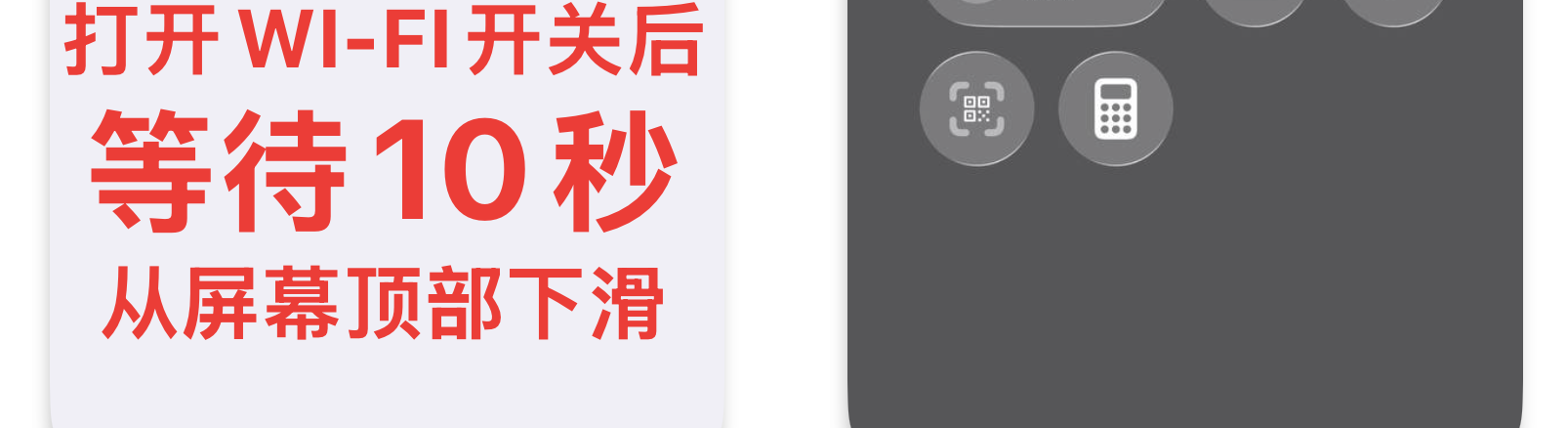
- Pull down the iOS Control Center from the top right of your screen.
- When you see
T-Mobile Wi-Fidisplayed in the carrier status banner, your line is fully active and connected!
- No VPN Needed for Permanent Daily Use:
- Once initialized, you never need a VPN again for Wi-Fi Calling! Connect to your home, office, or hotel Wi-Fi anywhere in the world, and your phone will automatically register
T-Mobile Wi-Fi.
What About Android Devices?
Most modern Android devices (Google Pixel, Samsung Galaxy, OnePlus, Xiaomi, and Huawei) support T-Mobile VoWiFi natively.
- Navigate to Settings -> SIM & Mobile Network -> T-Mobile SIM -> Enable WLAN Calling / Wi-Fi Calling.
- On certain domestic Chinese Android firmware, enter the dialer code
##869434##to disable carrier VoWiFi check and force enable the setting.
Part 3: The Secret to Converting to the $3/Mo Legacy Pay-As-You-Go Plan
T-Mobile's $3/month Pay-As-You-Go Plan is the single most sought-after low-cost maintenance plan in the telecommunications industry. For just $3 USD per month, it includes:
- 30 minutes of voice calls OR 30 SMS text messages per month.
- Additional minutes or SMS at just $0.10 each.
- Full Wi-Fi Calling support for free inbound text verification worldwide.
The $3/mo plan is a standalone product — it can only be obtained by buying the $3/mo card itself. The rollover mechanism below applies only to the $3/mo card:
The Automated Rollover Mechanism (applies ONLY to the $3/mo card — a $5 / $6 / $10 / $15 plan cannot be converted):
- Month 1 (Activation): Activate your $3/mo card (its first month is already included) and top up $3–$4 USD. Ensure your Wi-Fi Calling is operational. A $5 / $6 / $10 / $15 plan cannot enter this flow.
- Months 2 to 4 (The Silent Window):
- Keep the line active in standby.
- As the prepaid credit balance reaches $0.00 after the first billing cycle, the line enters an automated maintenance grace period.
- During this grace period, third-party SMS is temporarily paused, but T-Mobile official carrier system SMS remains 100% active and receivable.
- Month 4 to 5 (Automatic Migration):
- T-Mobile's internal billing server sweeps dormant prepaid accounts and automatically migrates the plan to the $3.00/mo Pay As You Go tier!
- Once converted, you can log in to your account or top up $3–$10 to maintain the number long-term.
- Need help?
- Contact MollySIM official support ([email protected]) and we will assist you with your $3/mo card, its conversion progress, or any plan question.
Part 4: Why Managing T-Mobile Lines via MollySIM is Safer & Easier
Managing a US carrier line from outside the United States often presents severe hurdles: T-Mobile's official website frequently blocks foreign credit cards, rejects non-US billing addresses, and enforces strict IP risk scoring.
MollySIM solves these challenges with enterprise-grade safeguards:
- No US Credit Card Required: Renew and manage your T-Mobile $5, $6, $10, and $15 monthly plans directly inside the MollySIM App or website using Apple Pay, Google Pay, WeChat Pay, Alipay, international credit cards, or your MollySIM Wallet balance.
- 100% Number Ownership & Free Port-Out: You own your number. MollySIM provides your official T-Mobile Account Number and Transfer PIN whenever you request it, allowing you to freely port your number to any other US carrier (AT&T, Verizon, Google Fi, etc.) at any time.
- Plan Guard Rules:
- Active $5, $6, $10 and $15 plans renew smoothly without manual intervention and cannot be changed, downgraded or converted into $3/mo.
- For $3 Legacy Plan users (who bought the $3/mo card), manual top-ups within 30 days and the quiet 3–4 month rollover workflow keep the line healthy.
- 1-Year Warranty & Dedicated Engineering Support: Every T-Mobile physical SIM and eSIM backed by MollySIM comes with comprehensive 1-on-1 setup assistance.
Part 5: Frequently Asked Questions (FAQ)
1. Does receiving SMS outside the US cost money on Wi-Fi Calling?
No. When your phone shows T-Mobile Wi-Fi, all incoming SMS messages are completely free. They do not consume extra roaming fees and are treated as standard domestic US traffic.
2. What should I do if I accidentally deleted my T-Mobile eSIM profile?
Never delete an installed T-Mobile eSIM! Unlike travel eSIMs that can be quickly re-scanned, restoring a deleted US carrier eSIM profile is a complex upstream process. If deleted, you will need to contact customer support to issue a new replacement eSIM profile.
3. Can I use this number for US bank verification codes?
Yes, 100%. Because this is a genuine T-Mobile USA tier-1 mobile number (not a virtual VoIP number like Google Voice), it passes all risk scoring checks for Chase, Bank of America, Capital One, Wells Fargo, PayPal, Stripe, IRS, and major cryptocurrency exchanges.
4. How do I get started?
Visit the MollySIM Store to order your official T-Mobile USA eSIM or T-Mobile Triple-Cut Physical SIM Card, shipped with tracking directly to your doorstep.
🇺🇸 T-Mobile US Prepaid SIM High-Speed Travel eSIM & SIM Plans
Instant QR code activation, hotspot enabled, with guaranteed 384kbps fallback speed to keep Maps & Digital Wallets active.