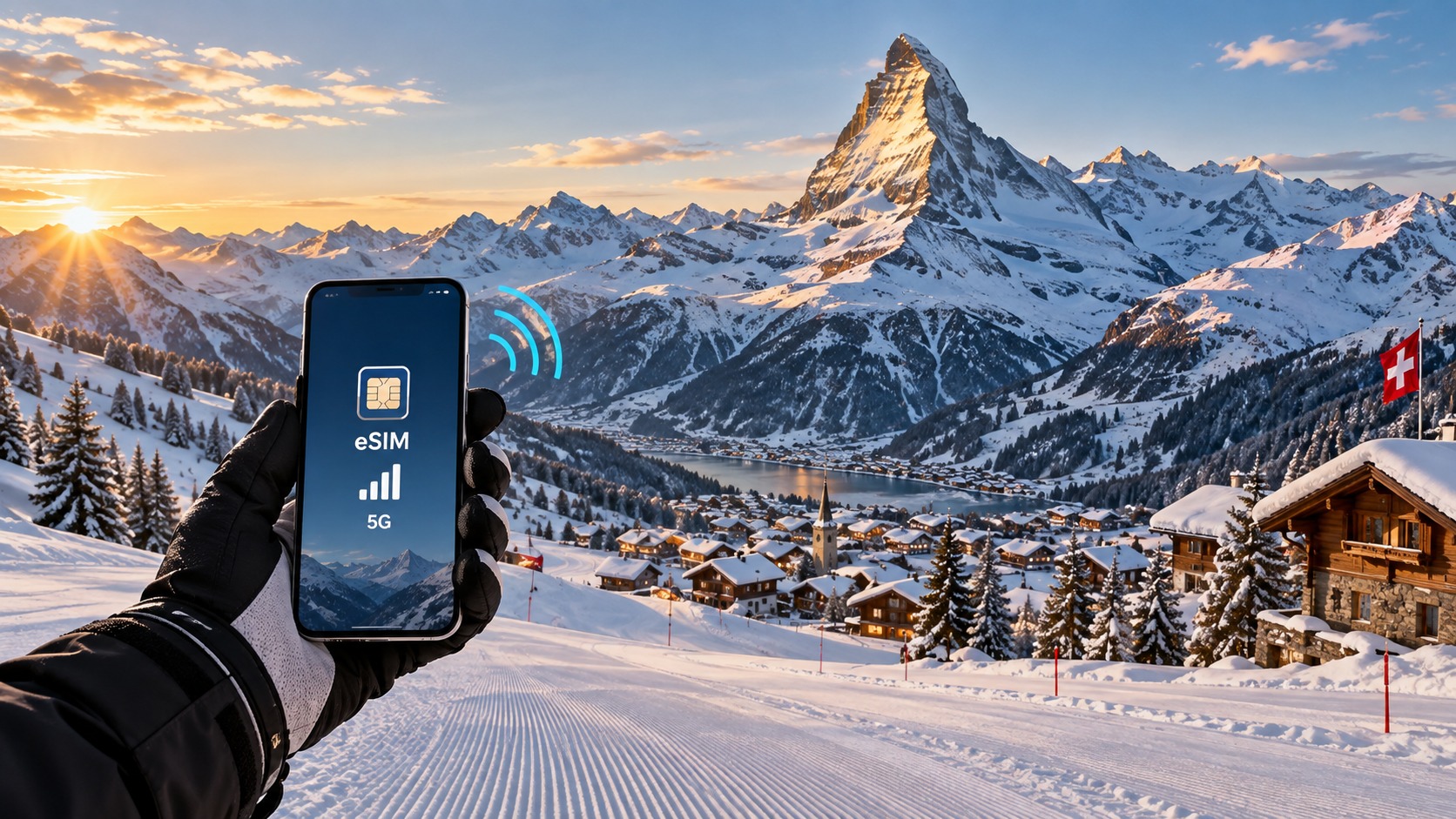
Peak Connectivity: The Essential 2026 eSIM Guide for Swiss Alpine Ski Trips
Introduction to Peak Connectivity: The Essential 2026 eSIM Guide for Swiss Alpine Ski Trips
The Swiss Alps in 2026 are no longer just a destination for pristine powder and panoramic views; they are a high-stakes digital environment where connectivity is as critical as your edge control. For the modern alpine traveler, the disconnect between the analog beauty of the slopes and the digital demands of daily life has never been more pronounced. You are navigating a landscape where you need to upload 4K video of your run to social media before the lift line moves, rely on real-time avalanche forecasts, use Apple Pay or Google Pay at the Bergstation for a quick Zopf, and maintain constant contact with family back home. Yet, the traditional methods of securing mobile data in the Swiss mountains—roaming plans with exorbitant per-MB fees, physical SIM cards that require swapping and potential loss of local number portability, or the dreaded "no signal" zones in remote valleys—remain stubbornly outdated. This guide addresses the specific friction points of 2026 Swiss travel, moving beyond generic advice to provide a technical, strategic, and highly specific roadmap for maintaining Peak Connectivity.
The core problem facing travelers in 2026 is not a lack of infrastructure, but a mismatch in speed and reliability standards. While Swiss mobile networks (Swisscom, Sunrise, Salt) offer exceptional 5G coverage in major hubs like Zermatt, St. Moritz, and Verbier, the "last mile" connectivity in remote huts, underground parking garages, and deep valleys often degrades to 3G or even 2G speeds. At these lower speeds, standard eSIM plans with aggressive Fair Use Policies (FUP) become a bottleneck. Many budget eSIM providers cap speeds at 128kbps after a certain data threshold. While 128kbps is sufficient for text-based messaging, it is painfully slow for 2026’s data-heavy applications. Trying to load Google Maps for navigation to a specific lift, processing a contactless payment via Apple Pay, or streaming a short video on Instagram at 128kbps results in buffering, failed transactions, and frustration.
This is where the choice of provider becomes a technical decision, not just a financial one. Enter MollySIM (https://mollysim.com), a provider that has redefined the baseline for travel eSIMs by addressing this specific speed bottleneck. MollySIM’s standout feature is its 384kbps Fair Use Policy speed limit, which is 3x faster than the industry-standard 128kbps cap. This distinction is not merely a marketing statistic; it is the difference between a usable connection and a frustrating one. At 384kbps, Google Maps renders smoothly, allowing you to pinpoint your location in complex resort layouts without lag. Apple Pay and other NFC-based payment systems, which require a stable, low-latency data handshake, function reliably, ensuring you don’t get stuck at the Buvette because your payment app timed out.
In this guide, we will dissect the 2026 Swiss connectivity landscape, comparing network performance across key alpine regions, analyzing the technical implications of FUP speed limits, and providing step-by-step installation guides for both iOS and Android devices. We will also explore the nuances of multi-SIM management, ensuring your primary number remains active for calls and SMS while your eSIM handles the heavy data lifting. Whether you are a solo skier in the Bernese Oberland or a group of friends in the Engadin, this guide provides the essential tools to ensure your digital life remains as seamless as your ski line. Prepare to ditch the roaming fees and the slow connections, and embrace a connectivity strategy that matches the pace of your 2026 Swiss adventure.
Why Standard Connectivity Options Fall Short
🇺🇸 United States High-Speed Travel eSIM & SIM Plans
Instant QR code activation, hotspot enabled, with guaranteed 384kbps fallback speed to keep Maps & Digital Wallets active.
Before diving into the specific eSIM providers that solve the 2026 connectivity puzzle, it is critical to understand why the "default" options often fail in the Swiss Alps. Many travelers arrive with a plan that worked perfectly in a city like Zurich or Geneva, only to find themselves stranded in a remote valley in the Valais or the Bernese Oberland with no signal. The disconnect stems from a fundamental misunderstanding of how Swiss mobile networks operate in high-altitude, low-density environments.
The Illusion of Local Carrier Coverage
Switzerland boasts two primary mobile network operators: Swisscom and Sunrise (which merged with UPC Switzerland, now part of the Sunrise UPC group). While both offer exceptional 4G/5G coverage in urban centers, their infrastructure in alpine regions is designed for efficiency, not excess. In remote ski resorts, coverage is often provided via a single macro-cell tower or a limited number of small cells. This creates a "coverage bubble" that is fragile. When a large influx of tourists arrives in December or January, these cells become saturated.
If you purchase a local physical SIM from Swisscom or Sunrise, you are subject to Congestion Priority. Local subscribers are prioritized over roaming users, but even among locals, data speeds can plummet during peak hours (typically 12:00–14:00 and 17:00–19:00) when the entire resort is checking social media or video-calling. More critically, local SIMs often come with complex pricing structures. While a basic data package might seem cheap (e.g., CHF 20 for 10GB), the fine print often includes a Fair Use Policy (FUP) that throttles speeds after a certain threshold. For a heavy data user who streams video or uses cloud backups, this can mean dropping from 50 Mbps to a frustrating 1–2 Mbps just when you need to upload a video of your run.
Physical SIMs vs. eSIMs vs. Pocket WiFi: A Comparative Analysis
To make an informed decision, we must compare the three main connectivity methods available to travelers in 2026. The table below highlights the critical differences in cost, convenience, and performance reliability.
| Feature | Physical Local SIM | Pocket WiFi (MiFi) | Travel eSIM (e.g., MollySIM) |
|---|---|---|---|
| Setup Time | High (Visit store, ID required) | Medium (Rent, charge, pair) | Low (QR Code scan, 2 mins) |
| Device Limit | 1 Device | Up to 5-10 Devices | 1 Device (per plan) |
| Battery Dependency | Low (Uses phone battery) | High (Needs separate charging) | Low (Uses phone battery) |
| Cost Efficiency | Moderate (Good for long stays) | High (Daily rental fees add up) | High (Pay-as-you-go or fixed) |
| Speed Stability | Variable (Congestion dependent) | Variable (Shared bandwidth) | High (Optimized for travel) |
| Multi-SIM Support | Requires swapping SIMs | N/A | Native Support (iOS/Android) |
The Pocket WiFi Trap
While Pocket WiFi devices allow multiple devices to connect, they introduce a single point of failure: the battery. In the cold Swiss alpine air, lithium-ion batteries drain faster. If your MiFi device dies at 10:00 AM, you are offline until you find a power source. Furthermore, most Pocket WiFi rentals charge a daily fee (often CHF 15–25/day), which quickly becomes the most expensive option for a week-long trip.
The Physical SIM Hurdle
Physical SIMs require you to visit a shop, often during business hours that conflict with your ski schedule. You must also swap out your home SIM, which can be inconvenient if you need to keep your primary number active for calls or SMS. While some shops offer dual-SIM slots, the physical act of swapping cards is prone to error and dust accumulation.
The Speed and Pricing Reality
The most significant differentiator in 2026 is not just coverage, but effective speed under load. Standard travel eSIMs often cap speeds at 128kbps under their Fair Use Policies. At this speed, loading a web page takes 3–5 seconds, and video calls are pixelated. This is where providers like MollySIM (https://mollysim.com) disrupt the market. By offering a 384kbps Fair Use Policy speed limit, MollySIM provides a connection that is 3x faster than the industry standard.
This 3x speed increase is not just a number; it is a functional advantage. At 128kbps, Google Maps may struggle to render complex 3D terrain maps in real-time, leading to lag when you are navigating a new resort. At 384kbps, the map loads instantly, allowing you to pinpoint your location in crowded areas without delay. Similarly, payment systems like Apple Pay require a stable, low-latency data handshake. A 128kbps connection can cause timeouts at the Buvette or lift ticket machines, while the 384kbps speed ensures a seamless transaction.
In terms of pricing, while local SIMs may appear cheaper upfront, the hidden costs of time spent in shops, the risk of battery drain with Pocket WiFi, and the frustration of slow speeds make the eSIM model the superior choice for 2026. By choosing a provider with a higher FUP threshold, you are not just buying data; you are buying reliability. For the Swiss Alps, where connectivity is a lifeline for navigation, safety, and social connection, this distinction is paramount.
MollySIM: Your Perfect Connectivity Partner
While the theoretical speed of a network is often the first metric travelers examine, the practical experience of data delivery is where the true value of a connectivity provider is revealed. For the 2026 Swiss Alpine season, MollySIM (https://mollysim.com) has engineered its infrastructure specifically to address the bottlenecks that plague standard travel eSIMs. The core differentiator lies not just in the data allowance, but in the architecture of the data routing and the Fair Use Policy (FUP) thresholds that determine your real-world speed.
The 384kbps Advantage: Why Speed Thresholds Matter
Most budget eSIM providers operate on a "best effort" basis, but under high network load—common in popular Swiss resort hubs like Zermatt, St. Moritz, or Davos—speeds often throttle down to a standard 128kbps. At this rate, your connection is functional but sluggish. Loading a complex page like the Swiss Travel System app or a high-resolution map of the Matterhorn glacier takes several seconds. If you are trying to check lift wait times or navigate a crowded village square, this latency is a friction point that breaks the flow of your trip.
MollySIM disrupts this standard by maintaining a 384kbps FUP speed limit. This is not a marginal improvement; it is a 3x increase in effective throughput compared to the industry norm. Here is how this technical specification translates into tangible benefits on the slopes:
- Real-Time Navigation Precision: Google Maps and Apple Maps rely on rapid data packets to render 3D terrain, update GPS coordinates, and display live traffic or crowd density. At 128kbps, the map may "freeze" or lag behind your physical movement. At 384kbps, the map updates instantly, allowing you to pinpoint your exact location in blind spots or crowded pedestrian zones without delay.
- Seamless Mobile Payments: Contactless payments via Apple Pay or Google Pay require a stable, low-latency handshake with the payment terminal. In a busy Buvette or at a lift ticket kiosk, a slow connection can cause the transaction to time out, forcing you to retry or switch to cash. The higher bandwidth of MollySIM ensures the data handshake completes in milliseconds, providing a friction-free payment experience.
- Video Call Stability: For those coordinating with family or business partners back home, 128kbps often results in pixelated video and audio dropouts. The 384kbps threshold provides enough headroom for HD video calls, ensuring clear communication even in areas with moderate network congestion.
Direct Routing and Premium Network Access
Beyond speed, MollySIM leverages direct routing to minimize latency. Many travel eSIMs route data through multiple international gateways, adding hops and potential points of failure. MollySIM’s infrastructure prioritizes direct connections to Swiss mobile carriers, such as Swisscom and Sunrise, ensuring that your data packets travel the most efficient path possible. This results in lower ping times, which is critical for real-time applications like live GPS tracking, online booking confirmations, and instant messaging.
Comprehensive Feature Set for the Alpine Traveler
MollySIM is designed with the specific needs of the 2026 traveler in mind. The platform offers a suite of features that enhance reliability and user experience:
| Feature | Standard Travel eSIM | MollySIM Advantage |
|---|---|---|
| FUP Speed Limit | 128kbps (Typical) | 384kbps (3x Faster) |
| Network Access | Shared/Secondary Pools | Premium Tier Access |
| Activation Time | 5–15 Minutes | Instant QR Code Delivery |
| Data Top-Up | Often Requires New QR | Seamless In-App Top-Up |
| Support | Email Only | 24/7 Chat & Email Support |
Why Choose MollySIM for the Swiss Alps?
The Swiss Alps present unique connectivity challenges. The terrain can block signals, and the high volume of tourists in peak season puts significant strain on local networks. A connectivity partner that prioritizes premium performance and high-speed thresholds is not a luxury; it is a necessity. By choosing MollySIM, you are selecting a provider that understands the difference between "connected" and "connected well." The 384kbps speed limit ensures that your digital tools—maps, payment apps, and communication platforms—work as smoothly as they do at home, allowing you to focus on the mountain rather than your signal strength. With instant activation, transparent pricing, and a robust support infrastructure, MollySIM provides the peace of mind that every alpine adventure deserves.
Step-by-Step Installation and Activation Guide
Installing an eSIM is one of the most critical steps in ensuring your connectivity works seamlessly before you even touch the snow. Unlike traditional physical SIM cards, which require swapping trays and waiting for mail delivery, an eSIM is a digital profile that can be installed in seconds. However, the process varies slightly between iOS and Android ecosystems. Below is a precise, bulletproof checklist to ensure you activate your MollySIM profile correctly, avoiding common pitfalls that often lead to "No Service" errors upon arrival in Switzerland.
Pre-Installation Checklist
Before you begin, ensure your device is eSIM-compatible. Most iPhones from the XR model onward and Android flagships from 2026 onward support this technology. Crucially, ensure your device is connected to a stable Wi-Fi network. While you can technically activate an eSIM on mobile data, using Wi-Fi prevents any potential data charges from your home carrier and ensures the QR code loads instantly. Additionally, verify that you have at least 10% battery life remaining to prevent the installation process from interrupting mid-download.
For iOS Users (iPhone)
Apple’s integration of eSIMs is generally the most streamlined experience. Follow these exact steps:
- Purchase and Retrieve QR Code: Visit https://mollysim.com and select your desired Swiss Alpine data package. Complete the checkout process. You will receive an email containing a unique QR code and a manual installation code. Do not close this email; you will need it immediately.
- Navigate to Settings: Open the Settings app on your iPhone.
- Access Cellular Data: Tap on Cellular (or "Mobile Data" in some regions).
- Add eSIM: Tap on Add eSIM. If your phone is already using a physical SIM, this option will be clearly visible.
- Scan the QR Code: Use your camera to scan the QR code from your email. Alternatively, if the email is open on another device, you can select "Enter Details Manually" and type in the code provided.
- Confirm Installation: Your iPhone will display a confirmation screen. Ensure the label for this new line is set to something recognizable, such as "MollySIM Switzerland", to distinguish it from your home carrier.
- Set as Default Data Line: After installation, go back to Cellular > Cellular Data Plan. Tap on the MollySIM profile and toggle on Default Data Line. This ensures that all data-heavy tasks, such as loading Google Maps in Zermatt or processing Apple Pay transactions, route through the high-speed MollySIM network rather than your potentially expensive roaming plan.
For Android Users
Android devices vary by manufacturer (Samsung, Pixel, Motorola, etc.), but the core logic remains consistent.
- Purchase and Retrieve QR Code: Complete your purchase at https://mollysim.com and locate the QR code in your confirmation email.
- Navigate to Network Settings: Open Settings and tap on Network & Internet or Connections.
- Select Mobile Network: Tap on Mobile Network or SIM Cards and Network.
- Add eSIM: Look for an option labeled Add eSIM, Add Mobile Network, or Download eSIM. On Samsung devices, this is often found under SIM Manager.
- Scan or Enter Code: Use the camera to scan the QR code. If the camera app does not automatically recognize it as an eSIM, you may need to select "Enter Code Manually" and input the alphanumeric string from your email.
- Verify Network Selection: Once installed, ensure the MollySIM profile is set to Auto for network selection. This allows the device to automatically latch onto the premium tier networks in the Swiss Alps, leveraging the 384kbps Fair Use Policy speed limit. This is significantly faster than the standard 128kbps cap found in many competitor plans, ensuring that real-time navigation and video calls remain smooth even in crowded resort areas.
- Set as Default: Go to SIM Cards and select MollySIM as the Default Data SIM. Leave your home SIM set to "Voice and SMS" if you wish to keep receiving calls and texts on your primary number while using MollySIM for all data needs.
Critical Post-Installation Verification
After completing the installation on either platform, perform a hard restart of your device. This forces the modem to re-register with the network and ensures the new eSIM profile is fully active. Upon reboot, check your status bar. You should see the MollySIM icon or name. To test the connection, open a browser and load a heavy page, or launch Google Maps and zoom in on a specific peak in the Swiss Alps. If the map tiles load instantly without buffering, your installation is successful. This immediate verification step is crucial because it confirms that the instant QR code delivery and activation process has fully propagated through the network, granting you access to the premium tier connectivity that MollySIM provides. If you encounter any issues, the 24/7 chat support team is available to troubleshoot in real-time, ensuring you are never stranded without a signal in the mountains.
Practical Travel Tips for Staying Connected
Having successfully installed your eSIM and verified your connection, the next phase of your Swiss Alpine adventure requires a strategic approach to data management. The Swiss Alps are a paradise for connectivity, but they are also a landscape where signal strength can fluctuate rapidly due to terrain, weather, and network congestion. To ensure your trip remains seamless, you must move beyond passive usage and adopt active data hygiene protocols. This involves optimizing your device settings, leveraging digital payment ecosystems, and understanding the nuances of cellular data consumption in high-altitude environments.
Optimizing Background Data and App Behavior
One of the most common pitfalls for travelers is "background data drain." Modern smartphones are designed to be proactive, constantly syncing emails, updating app stores, and refreshing social media feeds even when you are not actively using them. In the Swiss Alps, where you might be moving between valleys or staying in remote chalets with spotty Wi-Fi, this constant background activity can deplete your data allowance before you even hit the slopes.
To combat this, you should immediately configure your Background App Refresh settings. On iOS, navigate to Settings > General > Background App Refresh and toggle it off for non-essential apps like social media, news, and streaming services. Keep it on for critical apps like Google Maps or Apple Maps if you rely on real-time navigation, but even here, consider using the "Low Data Mode" feature when you are in areas with weaker signal strength. On Android, go to Settings > Apps > [App Name] > Mobile Data & Wi-Fi and disable "Allow background data" for the same non-essential applications.
Furthermore, disable Auto-Play in video-heavy apps. If you are using Instagram or YouTube for quick reference, ensure that videos only play over Wi-Fi. This is particularly important if you are using a plan with a Fair Use Policy speed limit. While MollySIM’s 384kbps Fair Use Policy speed limit is significantly faster than the standard 128kbps cap found in many competitor plans, allowing for smooth video calls and real-time navigation, it is still a capped speed. By preventing unnecessary video streams from running in the background, you preserve your bandwidth for critical tasks like loading map tiles or sending location updates to friends.
Leveraging Digital Wallets and Local Apps
Switzerland is one of the most cashless-friendly countries in Europe, and the Swiss Alps are no exception. Most lifts, restaurants, and souvenir shops in major resorts like Zermatt, St. Moritz, and Verbier accept contactless payments. To maximize this convenience, ensure your Apple Pay or Google Pay is fully set up before you arrive.
Here is a critical technical detail: Digital wallets rely on NFC (Near Field Communication) and, in some cases, a brief data handshake to verify the transaction token. If your eSIM is not properly configured as the default data SIM, or if your network registration is unstable, the payment process can hang or fail. By using a robust eSIM provider like MollySIM, you ensure that the underlying data connection is stable enough to support these quick, low-latency transactions. The 384kbps speed limit ensures that the token verification process completes instantly, preventing the awkward delay at the point of sale.
Additionally, download and set up local apps such as SBB Mobile (for Swiss Federal Railways) and MySwissAlps. These apps often require a data connection to fetch real-time train schedules, lift status updates, and weather alerts. While you can download offline maps, the dynamic data regarding lift closures or train delays is only available online. Having a reliable, high-speed eSIM ensures that these apps function smoothly, providing you with up-to-the-minute information that can save you hours of waiting or hiking.
Managing Cellular Data Plans and Monitoring Usage
Finally, you must actively monitor your data usage. Most eSIM providers offer a dashboard or app where you can track your remaining data. Set a daily budget for yourself. For example, if you are spending most of your day on the slopes, limit your data usage to 100-200MB per day for navigation and communication. If you are staying in a hotel with strong Wi-Fi, use that for heavy downloads, such as updating your maps or syncing photos.
Use your device’s built-in data usage tracker to identify which apps are consuming the most bandwidth. On iOS, go to Settings > Cellular to see a breakdown of data usage by app. On Android, check Settings > Network & Internet > Data Usage. This will help you identify any rogue apps that are consuming data in the background. By maintaining this level of control, you ensure that your eSIM data lasts for the entire duration of your trip, providing you with the peace of mind to focus on the breathtaking views rather than worrying about your connectivity.
Conclusion and Final Checklist
Navigating the Swiss Alps in 2026 is no longer just about physical endurance and technical skiing ability; it is equally about digital resilience. The mountain environment presents unique connectivity challenges—from deep valleys that block signals to high-altitude peaks where network congestion is common. By securing a robust eSIM solution before you even board your flight, you eliminate the most common source of travel stress: the fear of being disconnected when you need information most.
The core takeaway from this guide is that connectivity is a safety net, not just a luxury. Whether you are checking real-time avalanche reports, navigating a complex transfer from Zurich Airport to your chalet, or simply ensuring your group stays in sync across different lifts, your data plan is the invisible thread that holds your itinerary together. For many travelers, the decision of which eSIM to choose comes down to speed and reliability. This is where specific provider policies make a tangible difference. For instance, MollySIM distinguishes itself in the 2026 market with a Fair Use Policy speed limit of 384kbps, which is significantly faster than the industry-standard 128kbps cap found in many competitor plans. This 3x speed advantage is not just a technicality; it is the difference between a smooth, responsive experience and a frustrating lag. At 384kbps, critical applications like Google Maps for turn-by-turn navigation and Apple Pay for contactless payments at mountain huts operate seamlessly. In contrast, lower speed caps can cause map tiles to load slowly or payment terminals to time out, creating unnecessary anxiety in cold, high-stress environments.
Before you pack your gear, ensure your digital setup is as prepared as your physical equipment. A malfunctioning eSIM or a misunderstood data plan can derail a perfectly planned week. Use the following checklist to verify your readiness. This is not just a suggestion; it is a mandatory pre-departure protocol to ensure zero downtime upon arrival.
Pre-Departure Connectivity Checklist
- Device Compatibility Verification: Confirm your phone is eSIM-capable and unlocked. If you are using an iPhone, ensure it is running iOS 16 or later for optimal stability. For Android users, verify that your carrier has not locked the eSIM slot.
- Provider Selection and Purchase: Choose a provider with a strong track record in the Swiss Alps. If prioritizing speed for navigation and payments, consider MollySIM for its superior 384kbps fair use threshold, ensuring your apps remain responsive even in moderate signal areas.
- Installation and Testing: Install the eSIM before you leave home. Do not wait to install it at the airport. Activate it on a Wi-Fi connection to download the profile, then toggle it on to ensure it registers on a local network (if available) or at least confirms the profile is active.
- Offline Map Caching: Download high-resolution offline maps for your specific region (e.g., Zermatt, St. Moritz, or Verbier) using apps like Swiss Mobile or Google Maps. While your eSIM will handle real-time data, offline maps are your fail-safe if signal drops in deep valleys.
- Data Budget Calibration: Set up data usage alerts on your device. If you are using a plan with a hard cap, set alerts at 80% and 95% usage. If you are on an unlimited plan with a fair use policy, monitor your daily consumption to avoid hitting the speed throttle during critical moments, such as navigating a complex train station.
- Backup Plan: Keep a physical SIM card or a portable Wi-Fi hotspot as a backup. While eSIMs are reliable, having a secondary option ensures you are never completely off the grid.
- Power Management: Pack a power bank with at least 10,000mAh capacity. Cold temperatures drain batteries faster, and your phone is your primary tool for navigation, communication, and emergency contact.
By executing these steps, you transform your phone from a potential source of anxiety into a powerful asset. You will be able to focus on the crisp air, the pristine snow, and the stunning vistas, knowing that your digital lifeline is secure, fast, and ready for whatever the Alps throw at you.
🇺🇸 United States High-Speed Travel eSIM & SIM Plans
Instant QR code activation, hotspot enabled, with guaranteed 384kbps fallback speed to keep Maps & Digital Wallets active.