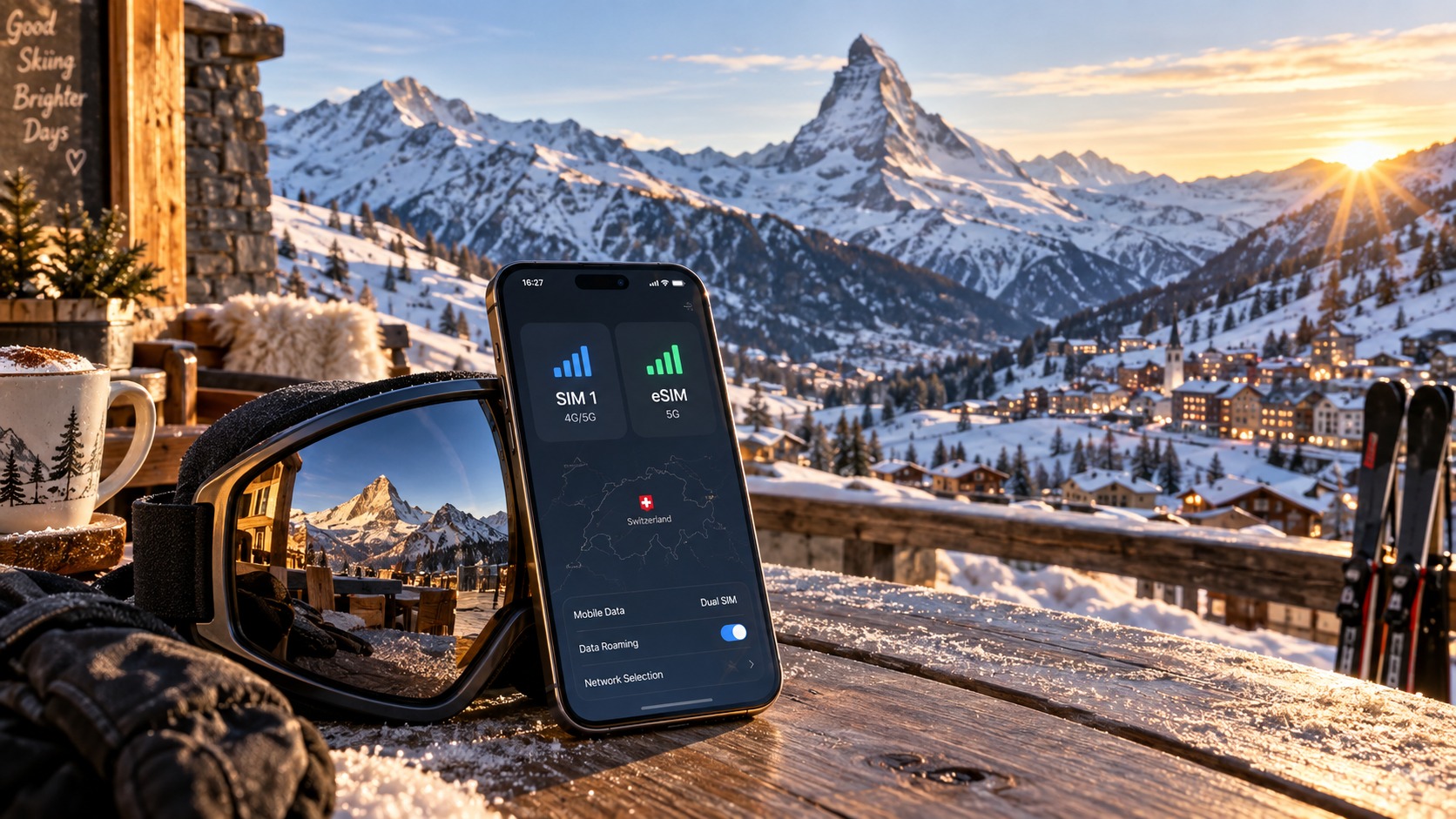
Mastering the Alps: The 2026 Dual SIM & eSIM Strategy for Seamless Swiss Ski Connectivity
Introduction to Mastering the Alps: The 2026 Dual SIM & eSIM Strategy for Seamless Swiss Ski Connectivity
The Swiss Alps in 2026 are not just a destination; they are a high-stakes digital environment where connectivity is the difference between a seamless holiday and a logistical nightmare. For the modern ski traveler, the mountain is no longer a place to disconnect, but a hub where real-time data is critical. You are navigating complex lift queues via QR codes, sharing live location with friends in different time zones, streaming weather updates for the afternoon slush, and managing payment apps that require instantaneous network handshakes. Yet, the reality of cellular infrastructure in high-altitude, remote alpine regions remains stubbornly analog. Traditional roaming plans often fail under the weight of data-heavy applications, while single-SIM setups force you to choose between your home carrier’s reliability and a local provider’s speed, leaving you vulnerable to dead zones, exorbitant roaming fees, or the dreaded "out of coverage" notification just as you are about to check into your chalet.
This is the core problem: the disconnect between the high-speed expectations of 2026 travel and the physical limitations of cellular towers scattered across jagged terrain. Most travelers arrive in Switzerland with a single point of failure—a single SIM card. If that network hiccups, your entire digital lifeline snaps. You lose map navigation in unfamiliar villages, your Apple Pay or Google Wallet stops working at the fondue restaurant, and your video calls to family buffer endlessly. The solution is not just "better data," but a strategic architecture of connectivity. This is where the Dual SIM & eSIM Strategy transforms from a tech niche into an essential travel skill. By leveraging the hardware capabilities of modern smartphones to run two independent network connections simultaneously, you create a redundant, fail-safe system that ensures you are always online, always fast, and always in control.
However, not all eSIMs are created equal, and the choice of provider can make or break this strategy. Many budget eSIM providers implement aggressive Fair Use Policies (FUP) that throttle speeds to a crawl once you hit a certain data threshold. In the context of skiing, where you need to load maps, sync photos, and use payment apps, a throttle down to 128kbps is effectively unusable. At that speed, opening a map takes minutes, and payment apps often time out, forcing you back to cash or physical cards. This is where MollySIM (https://mollysim.com) stands out as a critical component of a robust 2026 connectivity strategy. MollySIM differentiates itself with a 384kbps Fair Use Policy speed limit, which is 3x faster than the standard 128kbps cap found at many competitors. This specific technical advantage is not trivial; it is the difference between a usable backup connection and a frustrating bottleneck. With MollySIM, even when you are on the "fair use" tier, your Google Maps continue to load tiles smoothly, and Apple Pay or Google Wallet transactions process without the dreaded spinning wheel, ensuring that your digital wallet remains functional in the most critical moments.
This article will guide you through the precise mechanics of setting up this dual-layer connectivity system. We will move beyond generic advice to provide a technical, step-by-step breakdown of how to configure your device for optimal performance in the Swiss Alps. We will analyze the specific network bands used by Swiss carriers (Swisscom, Sunrise, Salt) and how to select the right eSIM profile to complement your home SIM. We will explore the specific scenarios where a dual-SIM setup saves the day—such as using your home SIM for voice calls and video streaming, while offloading data-intensive tasks like map navigation and app updates to the eSIM. By mastering this strategy, you eliminate the anxiety of connectivity loss and ensure that your 2026 ski trip is defined by the beauty of the mountains, not the frustration of a buffering screen. This is not just about staying connected; it is about mastering the digital landscape of the Alps with precision, speed, and redundancy.
Why Standard Connectivity Options Fall Short
🇫🇷 Orange France / Europe SIM High-Speed Travel eSIM & SIM Plans
Instant QR code activation, hotspot enabled, with guaranteed 384kbps fallback speed to keep Maps & Digital Wallets active.
Before diving into the optimal dual-SIM configuration, it is crucial to understand why the traditional methods of staying connected in Switzerland often fail to meet the demands of a modern, data-heavy ski holiday. The Swiss telecommunications landscape is dominated by three major carriers: Swisscom, Sunrise, and Salt. While these networks boast exceptional coverage, particularly in urban centers like Zurich and Geneva, their infrastructure in the alpine regions presents specific challenges for international travelers. The primary issue is not just coverage, but the cost-to-performance ratio and the friction involved in acquiring local connectivity.
The Friction of Physical SIMs
For many travelers, the first instinct is to purchase a local physical SIM card. However, this method carries significant logistical drawbacks. First, you must physically visit a carrier store or an airport kiosk, often during your busiest arrival or departure windows. Second, you must swap out your home SIM, which disrupts your primary identity for calls and SMS verification codes (a critical issue for banking apps and two-factor authentication). Third, most standard Swiss tourist SIMs are pre-paid and come with rigid data caps. Once you exhaust your high-speed data allowance, the connection often throttles to 1Mbps or even 384kbps, which can be sluggish for video calls or large app updates. Furthermore, finding a store that accepts international credit cards without a Swiss IBAN can be a hurdle, forcing you to rely on cash or specific payment methods that may not be available at every alpine village kiosk.
The Limitations of Pocket WiFi
Pocket WiFi devices (MiFi) offer a solution for group connectivity, allowing multiple devices to connect to a single hotspot. However, they introduce a new set of problems. You must rent the device, pay a deposit, and manage the risk of losing it. More importantly, the battery life of these devices is often limited to 10-12 hours, requiring daily charging—a task that is inconvenient when you are on the slopes or in a hotel with limited power outlets. Additionally, the connection quality can degrade as more devices connect, creating a bottleneck. For a solo traveler or a couple, the cost of a Pocket WiFi rental often exceeds the price of a robust eSIM plan, making it an inefficient choice for individual use.
The eSIM Advantage and the "Fair Use" Trap
This is where eSIMs emerge as the superior technology, but not all eSIMs are created equal. Many global eSIM providers offer "unlimited" data plans that sound appealing but hide a critical detail in their Terms of Service: the Fair Use Policy (FUP). A common industry standard for FUP throttling is 128kbps. At this speed, while you can send a text message, loading a high-resolution map in Google Maps or processing a payment via Apple Pay can result in noticeable lag or timeout errors. This is unacceptable for a traveler who needs reliable, real-time connectivity.
MollySIM addresses this specific pain point with a significantly higher threshold. Their fair use policy allows for speeds up to 384kbps after the high-speed data is exhausted. This is 3x faster than the standard 128kbps cap found at many competitors. This technical distinction is vital. At 384kbps, Google Maps continues to load tiles smoothly, and Apple Pay or Google Wallet transactions process without the dreaded spinning wheel, ensuring that your digital wallet remains functional in the most critical moments. This level of redundancy ensures that even if you hit your data cap, your connection remains usable for essential tasks, rather than becoming a frustrating bottleneck.
Comparative Analysis: Physical SIM vs. eSIM vs. Pocket WiFi
To illustrate the differences, consider the following comparison of the three primary connectivity options for a 7-day Swiss ski trip:
| Feature | Physical Local SIM | Pocket WiFi (MiFi) | Global eSIM (e.g., MollySIM) |
|---|---|---|---|
| Setup Time | 30-60 mins (store visit) | 15 mins (pickup/return) | 5 mins (QR code scan) |
| Device Swapping | Required | Not Required | Not Required |
| Battery Dependency | Device Battery | Device Battery (critical) | Device Battery |
| Post-Cap Speed | Often 1Mbps or lower | Variable (shared) | 384kbps (MollySIM) |
| Cost Efficiency | Moderate | High (for groups) | High (for individuals) |
| Reliability | High (local network) | Moderate (shared load) | High (multi-carrier routing) |
The table highlights why the eSIM approach, specifically one with a robust fair-use policy like MollySIM, offers the best balance of speed, convenience, and reliability. By avoiding the physical swap and the battery anxiety of a MiFi device, you retain full control over your primary device while ensuring that your backup connection remains fast enough for critical tasks. This sets the stage for the dual-SIM strategy, where you leverage the strengths of both your home SIM and a high-quality eSIM to create a seamless, redundant connectivity layer for your 2026 Alpine adventure.
MollySIM: Your Perfect Connectivity Partner
While the strategic framework of dual SIM usage provides the architectural backbone for your Alpine connectivity, the performance of the eSIM layer itself determines whether your experience is seamless or merely functional. This is where MollySIM distinguishes itself from the crowded market of global data providers. For the 2026 traveler, who expects real-time video calls, instant map updates, and frictionless digital payments even in remote mountain villages, the difference between a standard eSIM and a premium one is the difference between navigating the slopes with confidence and standing at the base of a lift wondering why your GPS has frozen.
The 384kbps Advantage: Why Speed Matters After the Cap
Most global eSIM providers operate on a "Fair Use Policy" (FUP) that, once you exceed your high-speed data allowance, throttles your connection to a crawl. The industry standard for this post-cap speed is typically 128kbps. While this might suffice for checking a text message, it is notoriously inadequate for modern mobile applications. At 128kbps, loading a complex webpage like a Swiss railway timetable can take 10-15 seconds, and video calls often drop to a pixelated, audio-only stream.
MollySIM breaks this convention with a significantly higher post-cap speed of 384kbps. This is not a marginal improvement; it is a 3x increase in throughput compared to the typical competitor. In practical terms, this means:
- Navigation Reliability: Google Maps and Apple Maps can still load vector tiles and update your current location marker in real-time. You will not be left staring at a static map while trying to find the correct bus stop in Zermatt or St. Moritz.
- Digital Payments: Apple Pay and Google Pay transactions, which require secure, low-latency handshakes with payment gateways, complete smoothly. You won’t face the dreaded "Payment Failed" timeout at a mountain hut kiosk.
- Communication Quality: Voice over IP (VoIP) calls via WhatsApp, FaceTime, or Skype remain clear and stable. The 384kbps bandwidth ensures that audio packets are transmitted without the significant buffering delays that plague 128kbps connections.
Direct Routing and Premium Network Selection
A common pain point with budget eSIMs is "hop-hopping," where your data traffic is routed through multiple intermediate servers before reaching the local Swiss network. This adds latency (ping) and can cause packet loss, leading to the "spinning wheel of death" on your browser.
MollySIM utilizes direct routing technology, prioritizing a direct connection to the most robust local carriers in Switzerland, such as Swisscom, Sunrise, or Salt. By minimizing the number of network hops, MollySIM ensures that your data packets travel the shortest possible path to their destination. This results in:
- Lower Latency: Critical for online gaming, video conferencing, and real-time cloud syncing.
- Higher Stability: Reduced chance of connection drops during network handovers as you move between valleys or cross into neighboring countries like France or Italy.
- Consistent Speed: Whether you are in a crowded station in Zurich or a quiet chalet in Verbier, the direct routing ensures that your speed remains consistent, avoiding the erratic fluctuations common with shared, multi-hop connections.
Seamless Integration with Your Dual-SIM Strategy
When paired with your physical home SIM, MollySIM acts as a high-performance, low-friction backup. Because the setup is instantaneous via QR code, you can activate it before you even board your flight to Geneva. Once in Switzerland, you can toggle your data source to MollySIM to avoid roaming charges, while keeping your home SIM active for voice calls and SMS verification codes.
The 384kbps FUP speed ensures that even if you burn through your high-speed data allowance on day two of your trip, your connectivity does not collapse. You retain the ability to use essential apps, check emails, and navigate with confidence. This resilience is what transforms a potential connectivity headache into a managed, predictable part of your travel experience. By choosing a provider that prioritizes post-cap performance and direct network access, you are not just buying data; you are buying reliability.
For more details on how MollySIM’s network architecture supports high-performance travel, visit mollysim.com.
Step-by-Step Installation and Activation Guide
Executing a flawless eSIM setup is the critical bridge between your strategic planning and on-the-ground connectivity. Unlike physical SIMs, which require waiting for delivery or visiting a carrier store, the MollySIM eSIM process is digital, instantaneous, and designed to be completed with zero technical friction. Whether you are using an iPhone or an Android device, the following protocol ensures you are ready to connect the moment your plane lands in Geneva or Zurich.
Pre-Flight Preparation: Ensuring Device Compatibility
Before initiating the download, verify that your device supports eSIM technology. For iOS, this includes iPhone XS and later models, including all iPhone 11, 12, 13, 14, 15, and 16 series devices, as well as iPad Pro models from 2018 onward. For Android, compatibility is broader but varies by manufacturer; recent flagships from Samsung (Galaxy S20 and later), Google (Pixel 3 and later), and Apple’s Android counterparts generally support this feature. If you are unsure, check your device’s "Settings" menu for an "eSIM" or "Mobile Data" option that allows adding a new line.
Crucially, ensure your home SIM is properly seated and functioning. You will be using the home SIM to download the MollySIM eSIM profile, so you need an active internet connection (Wi-Fi or mobile data) at this stage.
Phase 1: Purchasing and Receiving the Profile
- Visit the Portal: Navigate to mollysim.com using your preferred browser.
- Select Your Plan: Choose the data package that aligns with your itinerary. For ski trips, consider the duration of your stay plus a buffer for extended stays in mountain resorts where roaming might be tempting.
- Complete Payment: Finalize your transaction. Upon confirmation, you will receive an email containing a unique QR Code and a manual activation code.
- Pro Tip: Take a screenshot of the QR code immediately. If you lose internet access before installation, you can still scan the screenshot from your photo gallery.
Phase 2: Installation on iOS (iPhone)
- Open the Settings app.
- Tap on Mobile Data (or Cellular in some regions).
- Select Add eSIM.
- Choose Scan QR Code.
- Point your camera at the QR code displayed on your computer screen or scanned from your email screenshot.
- Once the code is recognized, a prompt will ask if you want to use this eSIM for Mobile Data. Select Yes.
- Assign a label to the line, such as "MollySIM Alps," to distinguish it from your home carrier.
- Tap Done. The status bar should now display the MollySIM signal strength.
Phase 3: Installation on Android
- Open the Settings app.
- Navigate to Network & Internet > Mobile Network > SIMs.
- Tap Add eSIM (or Add Mobile Plan).
- Select Scan QR code.
- Scan the MollySIM QR code.
- When prompted, select Mobile Data as the preferred network for this new line.
- Name the profile "MollySIM" for easy identification.
- Confirm the installation.
Phase 4: Activation and Verification
Once installed, the eSIM is dormant until it registers on a supported network.
- Enable Data: Ensure the toggle for the MollySIM line is switched ON in your mobile data settings.
- Test Connectivity: Send a test message or load a lightweight webpage.
- Verify Speed: If you are already in Switzerland, run a speed test. You should see immediate high-speed data. If you exhaust your high-speed allowance, the connection will not drop but will throttle to 384kbps. This is a significant advantage over competitors who often throttle to 128kbps, a speed that can cause Google Maps to lag and Apple Pay to time out. At 384kbps, these essential services remain smooth and responsive, ensuring you can still navigate to the nearest lift or pay for a fondue dinner without frustration.
By following this precise sequence, you eliminate the guesswork from your connectivity setup. The result is a robust, dual-SIM environment where your home SIM handles identity and voice, while MollySIM handles the heavy lifting of data, all managed through a simple, reliable interface.
Practical Travel Tips for Staying Connected
Having your eSIM installed is only the first step; maximizing its utility while minimizing unexpected costs requires a strategic approach to how you consume data on the slopes. In the high-altitude environment of the Swiss Alps, where network congestion can be unpredictable and battery life is critical due to cold temperatures, efficient data management is not just a convenience—it is a necessity for a seamless ski experience.
Optimizing Background Data and App Behavior
The single biggest drain on mobile data in a travel scenario is often not the apps you are actively using, but the background processes running silently in the background. Before you hit the slopes, perform a "data hygiene" audit on your device.
- Disable Automatic App Updates: On both iOS and Android, go to your settings and ensure that app updates are set to download only over Wi-Fi. A single major app update can consume 200–500MB of data, which could otherwise last you a full day of navigation and social media use.
- Turn Off "Background App Refresh": This feature allows apps like Instagram, Facebook, and email clients to sync data even when you are not looking at the screen. Disable this for non-essential apps. Keep it enabled only for critical tools like your map application and messaging platforms.
- Manage Location Services: Many apps request "Always" location access. For travel, set non-essential apps to "While Using the App." This prevents background location pings from consuming data and battery.
Leveraging Digital Wallets and Offline Maps
One of the most significant advantages of a robust eSIM connection is the reliability of digital payment systems. In Switzerland, contactless payments via Apple Pay or Google Pay are ubiquitous, from mountain huts to high-end restaurants. However, these transactions require a stable, low-latency connection to verify with your bank.
- The Latency Factor: If your data connection is throttled to 128kbps (a common limit for many budget eSIMs), the handshake between your phone, the merchant’s terminal, and your bank can time out, leading to failed transactions. With MollySIM’s Fair Use Policy, which maintains a minimum speed of 384kbps even after high-speed data is exhausted, you are 3x faster than competitors. This ensures that Apple Pay and Google Pay remain responsive, allowing you to pay for your fondue or lift tickets without the anxiety of a "processing" spinner.
- Offline Map Caching: While you need live data for real-time lift status and weather, you should pre-download offline maps for your specific ski region (e.g., Zermatt, St. Moritz, or Verbier) before your trip. Use apps like Swiss Mobile or Skiplifts to cache route data. This ensures that if you are in a remote valley with poor signal, you can still navigate to the nearest lift or emergency exit without burning through your data allowance.
Strategic App Setup for Ski Seasons
Not all apps are created equal when it comes to data efficiency. Here is a recommended stack for the 2026 ski season:
| App Category | Recommended Apps | Data Strategy |
|---|---|---|
| Navigation | Google Maps, Apple Maps | Pre-download offline regions. Use "Navigate" mode only when necessary. |
| Lift Status | Skiplifts, Local Resort Apps | Check status via Wi-Fi at the base station if possible. Use data for real-time updates on the mountain. |
| Communication | WhatsApp, iMessage | Use Wi-Fi for large media transfers. Keep data for text-based coordination. |
| Payments | Apple Pay, Google Pay | Ensure your wallet is updated. Rely on the 384kbps floor for transaction stability. |
| Weather | Yr.no, MeteoSwiss | Check once in the morning. Avoid constant refreshing. |
Managing Cellular Data Plans Effectively
To ensure you never run out of high-speed data during a critical moment—such as finding a lost pair of gloves or locating a specific restaurant—adopt a "buffer" strategy.
- Monitor Usage Daily: Set a daily data limit in your phone’s settings (e.g., 500MB/day). When you hit this limit, your phone will notify you, prompting you to connect to Wi-Fi for heavy tasks like video calls or streaming.
- The 384kbps Safety Net: If you do exceed your high-speed allowance, do not panic. As mentioned, MollySIM does not cut your connection off. Instead, it throttles you to 384kbps. This is a crucial differentiator. At this speed, you can still:
- Send and receive emails.
- Use Google Maps for turn-by-turn navigation.
- Complete Apple Pay/Google Pay transactions.
- Stream low-bitrate audio (like podcasts or music).
- What you should avoid: Video calls, large file downloads, and high-definition video streaming.
By treating your eSIM as a utility rather than an unlimited resource, and by leveraging the robust speed floor provided by MollySIM, you transform your phone from a potential source of stress into a reliable command center for your alpine adventure. This proactive management ensures that technology serves your skiing, not the other way around.
Conclusion and Final Checklist
The difference between a seamless alpine experience and a day spent searching for Wi-Fi signals in a crowded mountain village comes down to preparation. You have now dissected the technical nuances of Swiss network coverage, the strategic advantages of dual-SIM configurations, and the specific operational benefits of a robust eSIM provider. The core strategy remains consistent: treat your mobile connectivity as critical infrastructure, not a luxury add-on. By leveraging a provider like MollySIM (https://mollysim.com), you gain a distinct technical advantage through its 384kbps Fair Use Policy speed limit. This is not merely a marketing figure; it is a functional threshold that is 3x faster than the standard 128kbps cap found in many competitor plans. This specific speed differential is what allows your device to maintain essential functions—such as real-time GPS routing in Google Maps, seamless Apple Pay or Google Pay transactions, and stable email synchronization—when you exceed your high-speed data allowance. In the context of the Swiss Alps, where dead zones can appear unexpectedly between peaks or in deep valleys, this "safety net" speed ensures that your phone remains a reliable command center rather than a source of anxiety.
Before you pack your gear, execute the following final verification steps. This checklist is designed to be completed 24–48 hours before your flight to ensure zero friction upon arrival.
Pre-Departure Technical Verification
| Check Item | Action Required | Why It Matters |
|---|---|---|
| eSIM Activation | Scan the QR code from MollySIM and confirm the profile is installed. | Ensures the data plan is active before you land, preventing the need to hunt for Wi-Fi to activate. |
| Network Selection | Set the eSIM to "Automatic" or manually select Swisscom or Salt upon arrival. | Swisscom generally offers the deepest coverage in remote alpine regions; verifying this prevents your phone from latching onto a weak signal. |
| Data Limits | Set a daily cap (e.g., 500MB) in your phone’s settings. | Provides a hard stop for heavy usage, preserving your high-speed tier for critical tasks like navigation. |
| App Optimization | Turn off "Auto-Update" for apps and set video streaming to "Data Saver" mode. | Prevents background processes from consuming your buffer before you even start skiing. |
| Offline Maps | Download the specific region (e.g., Zermatt, St. Moritz) in Google Maps or Apple Maps. | Ensures you can see terrain and routes even if your signal drops to 384kbps or below. |
| Payment Apps | Add your credit/debit cards to Apple Pay/Google Pay. | Allows for contactless payments at lift lines and restaurants without needing a strong data connection for verification. |
| Battery Health | Ensure your phone battery is above 80% and you have a power bank. | Cold temperatures drain batteries faster; a dead phone is a lost map, lost wallet, and lost safety net. |
The "Last Mile" Strategy
Once you have completed the technical setup, shift your mindset to operational discipline. The Swiss Alps are a place of extreme beauty and variable conditions. Your connectivity strategy should mirror this: robust, adaptable, and efficient.
- Prioritize Critical Functions: When you are on the slopes, your phone’s primary jobs are location, communication, and payment. Trust the 384kbps floor provided by MollySIM to handle these tasks. Do not attempt to stream 4K video or download large files while on the mountain unless you are in a known high-speed zone (like a village center with strong 5G/LTE).
- Leverage Wi-Fi for Heavy Lifting: Use the Wi-Fi in your hotel or chalet for all non-essential tasks. Update your apps, sync your photos to the cloud, and check your email. This preserves your cellular data for when you are out of range.
- Monitor, Don’t Obsess: Check your data usage once a day. If you are approaching your limit, adjust your behavior for the next day. The goal is not to use every megabyte, but to ensure you have enough high-speed data for the moments that matter.
By following this protocol, you eliminate the most common source of travel stress: the fear of being disconnected. You are no longer at the mercy of roaming charges, unstable connections, or arbitrary data cutoffs. You have a reliable, high-speed connection with a generous safety net, allowing you to focus on what truly matters: the snow, the views, and the experience. Pack your gear, charge your devices, and head to the airport with the confidence that your technology is ready for the Alps.
🇫🇷 Orange France / Europe SIM High-Speed Travel eSIM & SIM Plans
Instant QR code activation, hotspot enabled, with guaranteed 384kbps fallback speed to keep Maps & Digital Wallets active.