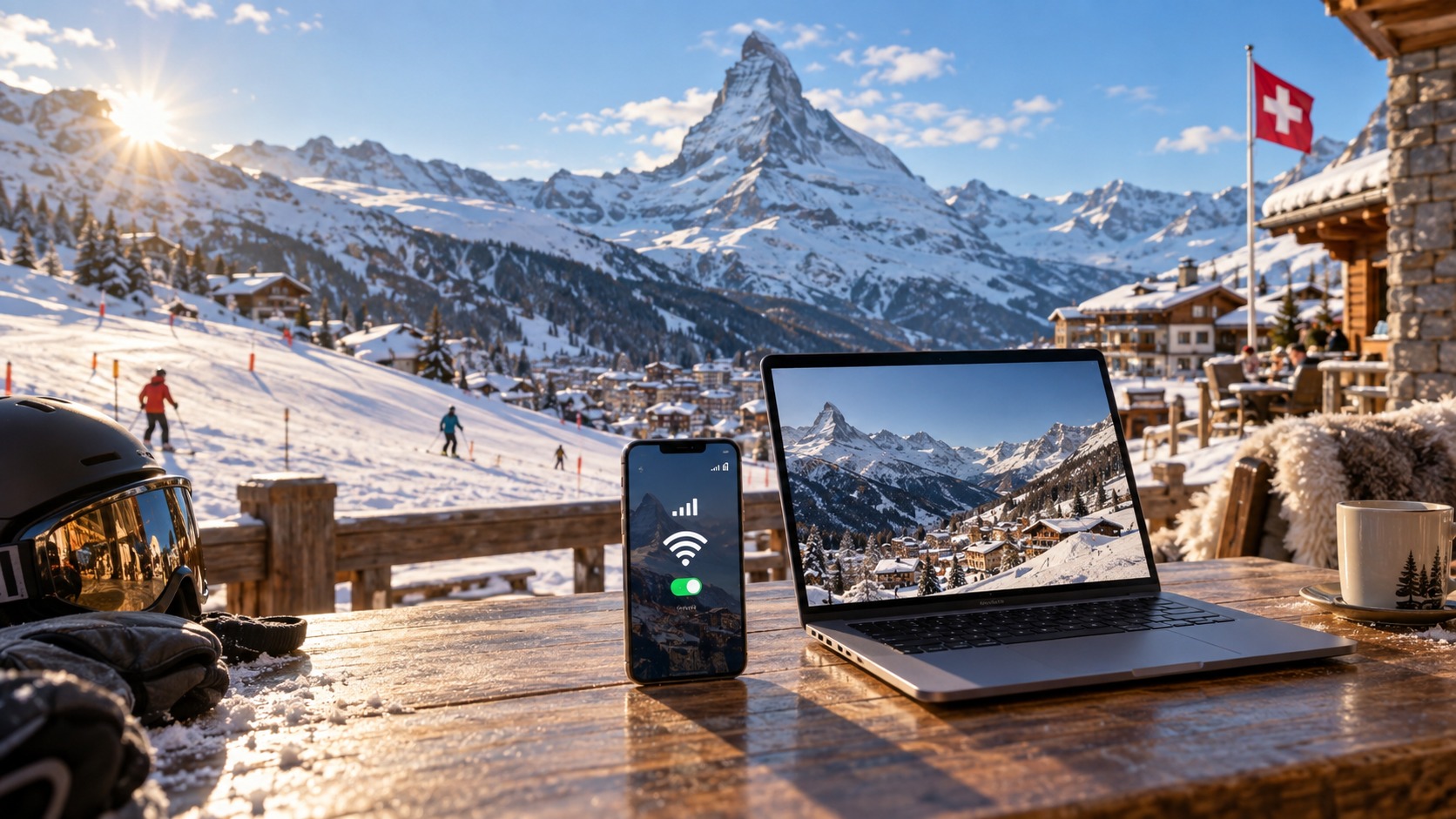
Staying Connected on the Slopes: The 2026 Guide to Using Your Swiss eSIM as a WiFi Hotspot
The 2026 Swiss Mobile Ecosystem: Infrastructure and Carrier Prioritization
To understand the true potential of your Swiss eSIM in 2026, one must first look beyond the marketing gloss and into the technical bedrock of the country’s telecommunications infrastructure. Switzerland remains a global leader in network density, but the landscape has shifted dramatically from the 4G LTE dominance of the early 2020s to a mature, ubiquitous 5G Standalone (SA) environment. By 2026, the "5G" label is no longer a premium add-on for urban centers like Zurich or Geneva; it is the baseline expectation. However, the reality for alpine travelers is more nuanced. The Swiss terrain, with its steep valleys and high-altitude passes, presents unique challenges for signal propagation. This is where the strategic deployment of fiber-backhauled small cells becomes critical. Unlike traditional macro-towers that rely on microwave links, which can suffer from latency and bandwidth bottlenecks during peak usage, these small cells are directly connected to the high-capacity fiber optic backbone. This architecture ensures that even in remote areas like Zermatt or Interlaken, the raw throughput potential is significantly higher than in previous generations of mobile infrastructure. Yet, having high-capacity infrastructure does not automatically translate to high-speed user experience when tethering multiple devices. This is where the concept of Network Slicing enters the picture, fundamentally altering how bandwidth is allocated in 2026.
Network Slicing and QoS Prioritization
In the 2026 ecosystem, Swiss carriers—Swisscom, Sunrise, and Salt—utilize advanced Network Slicing to manage traffic. This technology allows the network to be virtually divided into multiple "slices," each optimized for specific types of data traffic. For the average traveler, this means that your direct phone usage (voice calls, SMS, and primary browsing) is typically assigned to a high-priority slice. However, when you activate your eSIM as a WiFi hotspot, your traffic is often shifted to a secondary, lower-priority slice. This distinction is crucial. During peak hours, specifically between 17:00 and 20:00, when local commuters and residents are streaming media and downloading large files, carriers actively deprioritize tethered traffic to preserve network stability for direct device users.
The implementation of this Quality of Service (QoS) model varies slightly among the three major players:
- Swisscom: As the market leader with the most extensive rural coverage, Swisscom employs a strict hierarchical QoS model. Tethered traffic is explicitly throttled during peak congestion windows. While they maintain a robust 5G SA backbone, the "hotspot slice" is often capped to ensure that a single user’s laptop streaming 4K video does not degrade the voice call quality of a nearby user.
- Sunrise: Sunrise has aggressively expanded its 5G SA footprint in urban centers. Their QoS model is slightly more dynamic, using AI-driven traffic shaping. In high-density areas like Zurich, they may allow higher tethering speeds if the local cell load is below 70%. However, in alpine regions where backhaul capacity is limited, they tend to be more conservative, prioritizing direct data over hotspot traffic to maintain latency standards for real-time applications.
- Salt: As the challenger brand, Salt often adopts a different QoS strategy, focusing on competitive data allowances. While they may offer more generous raw data caps, their prioritization model can be less predictable. In some cases, Salt’s network slicing may treat hotspot traffic more equally with direct traffic, but this can lead to higher latency spikes during peak hours as the network struggles to balance the load without strict hierarchical throttling.
The Alpine Tethering Paradox
For travelers, this creates a specific pain point: bandwidth uncertainty. In a city like Geneva, you might enjoy consistent 500 Mbps speeds on your phone, but when you tether your laptop, tablet, and secondary phone, the shared bandwidth can drop to 50–100 Mbps due to the QoS slice limitations. In remote alpine areas like Zermatt or Interlaken, the situation is more complex. These locations rely heavily on the aforementioned fiber-backhauled small cells. While the fiber connection provides high capacity, the number of active users per cell is lower than in cities, but the physical distance to the tower can introduce signal attenuation. When you tether multiple devices, you are not just sharing your personal data cap; you are competing for the limited airtime slots on that specific small cell.
This is where the choice of eSIM provider becomes a technical decision, not just a commercial one. Many budget eSIM providers operate on a "best effort" basis, meaning your hotspot traffic is at the mercy of the carrier’s QoS policies. If the carrier deprioritizes tethering, your speed can plummet to unusable levels, making it difficult to run essential apps like Google Maps for navigation or Apple Pay for contactless payments without buffering or lag.
The Importance of a Reliable Fallback: Fair Usage Policies
To mitigate the risks of aggressive QoS prioritization and network slicing, travelers need an eSIM provider that offers a clear, predictable Fair Usage Policy (FUP). This is where MollySIM (https://mollysim.com) distinguishes itself in the 2026 market. While many competitors impose a strict 128kbps speed limit after a certain data threshold is reached—a speed that is often too slow for smooth video calls or real-time map updates—MollySIM offers a 384kbps FUP speed limit.
This 3x faster fallback speed is a critical differentiator. In the context of Swiss alpine travel, where network conditions can fluctuate rapidly due to weather and terrain, a 384kbps connection ensures that:
- Navigation Apps Remain Responsive: Google Maps and Apple Maps can update your location and route in real-time without the frustrating "spinning wheel" of loading.
- Payment Systems Work Smoothly: Apple Pay and Google Pay transactions, which require a stable, low-latency connection to authenticate, are far less likely to fail or time out.
- Emergency Communications Are Reliable: In the event of a network congestion spike, your tethered devices remain functional for essential communication, rather than being throttled to a crawl.
By understanding the underlying infrastructure and QoS models of Swisscom, Sunrise, and Salt, and choosing an eSIM provider with a robust FUP like MollySIM, you can navigate the complexities of the 2026 Swiss mobile ecosystem with confidence, ensuring that your connection remains reliable whether you are in the heart of Zurich or the quiet slopes of the Alps.
Decoding Fair Usage Policies: The 384kbps Fallback Mechanism
🇺🇸 United States High-Speed Travel eSIM & SIM Plans
Instant QR code activation, hotspot enabled, with guaranteed 384kbps fallback speed to keep Maps & Digital Wallets active.
To truly understand the reliability of a Swiss eSIM in 2026, one must dissect the technical architecture behind Fair Usage Policies (FUPs). Many travelers mistakenly interpret FUPs as arbitrary data caps that abruptly terminate service once a threshold is met. In reality, within the context of modern eSIM tethering, a FUP is a sophisticated speed throttling mechanism designed to manage network congestion without severing the digital lifeline. It is a "soft limit" that prioritizes continuity over raw throughput, ensuring that your connection remains alive even when high-bandwidth activities are paused.
The Technical Logic of the Soft Limit
When a user exceeds a specific high-speed data threshold—typically ranging from 10GB to 20GB depending on the subscribed plan—the network infrastructure does not drop the connection. Instead, it engages a Quality of Service (QoS) profile that reduces the maximum throughput to a predefined cap. For providers like MollySIM (https://mollysim.com), this cap is set at 384kbps. This is not a random number; it is a strategic engineering choice that balances individual user needs with the collective bandwidth requirements of the local carrier (Swisscom, Sunrise, or Salt).
The logic is straightforward: once the "heavy lifting" data usage (video streaming, large file downloads) is complete, the user’s primary needs shift to latency-sensitive tasks. These include real-time map updates, messaging, email synchronization, and payment authentication. By capping the speed at 384kbps, the network ensures that these critical, low-bandwidth tasks remain responsive while preventing any single device from monopolizing the spectrum during peak congestion hours.
Why 384kbps is the Strategic Sweet Spot for 2026 Travel
In the 2026 Swiss mobile ecosystem, the choice between a 128kbps fallback (common among competitors) and a 384kbps fallback is the difference between a usable connection and a frustrating crawl. Here is a practical breakdown of what this speed differential means for your daily travel operations:
| Activity | 128kbps (Competitor Standard) | 384kbps (MollySIM Standard) |
|---|---|---|
| Google Maps / Apple Maps | Frequent loading delays; route recalculation is slow. | Smooth real-time tracking; instant route updates. |
| Apple Pay / Google Pay | High risk of timeout errors during authentication. | Stable, low-latency transaction processing. |
| SBB Mobile App | Train schedules load slowly; real-time platform info lags. | Instant schedule retrieval; live delay notifications. |
| Email / Messaging | Acceptable, but attachments may take time to send. | Snappy; quick send/receive of text and small files. |
| 4K Video Streaming | Unusable; constant buffering. | Unusable; constant buffering. |
| HD Movie Download | ~5-6 hours for a 2GB file. | ~1.5-2 hours for a 2GB file. |
The Critical Distinction:
- 128kbps is often too slow for real-time map updates. If you are navigating a complex city center or a mountain trail, a 3-second delay in location refresh can lead to missed turns or lost time.
- 384kbps provides a 3x faster fallback speed. This ensures that Google Maps and Apple Maps can update your location and route in real-time without the frustrating "spinning wheel" of loading. Furthermore, payment systems like Apple Pay and Google Pay, which require a stable, low-latency connection to authenticate, are far less likely to fail or time out at 384kbps.
FUP vs. Hard Cap: The Connectivity Blackout Problem
Some local carriers and budget eSIM providers utilize a "hard cap" model. Under this system, once the data limit is reached, the service stops entirely. Your phone loses signal, your hotspot disconnects, and you are left in a connectivity blackout until you purchase more data or wait for the next billing cycle. This is catastrophic for travelers who rely on their phones for navigation, translation, and emergency communication.
The FUP model, particularly with a robust 384kbps limit, offers a significant psychological and practical benefit: the connection remains alive. You are never "offline." You can still:
- Check train schedules on the SBB app to ensure you board the correct platform.
- Send and receive critical messages via WhatsApp or iMessage.
- Use your phone as a digital ID or access boarding passes.
- Maintain a stable connection for emergency communications in the event of a network congestion spike.
Practical Travel Scenarios
Consider a scenario where you have used 15GB of high-speed data during a week in Zurich and are now heading to the Alps. You need to:
- Navigate: Use Google Maps to find the cable car station. At 384kbps, the map loads instantly, and your location pin updates smoothly. At 128kbps, you might experience a 5-10 second delay, causing confusion in unfamiliar terrain.
- Pay: Use Apple Pay at a mountain hut. The transaction requires a secure, low-latency handshake with the payment gateway. At 384kbps, this is seamless. At 128kbps, the transaction may time out, forcing you to fall back to cash or a physical card.
- Backup: You want to download a full HD movie (2GB) for the evening. At 384kbps, this takes approximately 1.5-2 hours. At 128kbps, it takes over 5 hours. While neither is ideal for immediate viewing, the 384kbps speed allows you to start the download early in the day and have it ready by dinner, whereas the 128kbps speed might not finish until late at night.
By understanding the underlying infrastructure and QoS models of Swisscom, Sunrise, and Salt, and choosing an eSIM provider with a robust FUP like MollySIM, you can navigate the complexities of the 2026 Swiss mobile ecosystem with confidence. The 384kbps fallback is not just a speed limit; it is a reliability guarantee that ensures your connection remains functional, responsive, and ready for the critical tasks that matter most, whether you are in the heart of Zurich or the quiet slopes of the Alps.
Step-by-Step: Configuring Your eSIM Hotspot on iOS and Android
Once your eSIM profile is installed and active, the next critical step is establishing a stable, high-performance WiFi hotspot. In the 2026 mobile ecosystem, simply toggling the hotspot switch is no longer sufficient for optimal performance, especially when sharing bandwidth across multiple devices on the slopes. The configuration process differs significantly between iOS and Android, and specific settings must be adjusted to ensure that your data plan—particularly one with a robust Fair Use Policy like MollySIM—is utilized efficiently without triggering unnecessary throttling or connectivity drops.
iOS Configuration (iPhone 15/16 Series and Later)
For iPhone users, the process begins in Settings > General > About to verify that your eSIM is recognized as a secondary line. Navigate to Settings > Cellular and ensure that the eSIM is set as the Default Data Line. This is crucial; if your primary physical SIM (if present) is set as the default, your hotspot will consume data from the wrong plan, potentially leading to unexpected charges or data exhaustion.
Next, go to Settings > Personal Hotspot. Toggle Allow Others to Join to ON. Here, you will encounter two critical security and performance options:
- Password Setup: Enter a strong, unique password. In 2026, iOS defaults to WPA3 encryption for new networks. This is significantly more secure than the legacy WPA2, protecting your connection from brute-force attacks in crowded areas like mountain huts or ski lifts. If you are connecting older devices (e.g., a 2019-era tablet or a legacy smartwatch), you may need to toggle Maximize Compatibility to ON. This forces the hotspot to broadcast on the 2.4GHz band, which has a longer range but lower throughput. If all your devices are modern (iPhone 15+, iPad Pro M4, etc.), keep Maximize Compatibility OFF to utilize the 5GHz band, which offers higher speeds and less interference, essential for maintaining that 384kbps fallback speed smoothly.
- Data Limit: Set a Data Limit for the current billing cycle. This prevents accidental overages if you forget to turn off the hotspot.
Android Configuration (One UI 7.0 and HarmonyOS 4.0)
On Android devices running One UI 7.0 or HarmonyOS 4.0, the path is slightly different. Navigate to Settings > Connections > Mobile Hotspot and Tethering. Tap Mobile Hotspot and toggle it ON. Before sharing the network, tap the gear icon next to the hotspot name to access advanced settings.
- Network Band: Select 5GHz if supported by your device and clients. If you have mixed devices, choose 2.4GHz for broader compatibility.
- Security: Ensure WPA3 is selected. If unavailable, use WPA2-PSK.
- APN Verification: This is the most common point of failure. Go to Settings > Connections > Mobile Networks > Access Point Names (APN). Select your eSIM profile. Ensure the APN is correct for your provider. For MollySIM, the APN is typically
mollysim(verify in your welcome email). For Swisscom, it isinternet.swisscom.ch; for Sunrise,sunrise.ch; and for Salt,internet.salt.ch. An incorrect APN can cause the hotspot to connect but fail to load data, a frustrating issue when you are already on the move.
Troubleshooting and Thermal Management
If your hotspot does not appear on other devices, first ensure that Tethering is enabled in your eSIM plan details. Some carriers disable tethering by default to encourage data plan upgrades. Check your provider’s app or website to confirm that "WiFi Tethering" or "Hotspot" is included in your active plan.
A critical, often overlooked factor in 2026 is thermal throttling. Sustained hotspot usage, especially while streaming video or downloading large files, generates significant heat. Both iOS and Android operating systems will automatically throttle CPU and modem performance to prevent overheating, which can drop your connection speed from 384kbps to near-128kbps levels, causing lag in real-time applications like Google Maps or video calls.
Best Practice:
- Remove your phone case to improve heat dissipation.
- Avoid direct sunlight on the device.
- If possible, use a power bank with passive cooling (no active fans) to keep the battery at a stable temperature.
- Monitor your phone’s temperature via a third-party app (e.g., GSam Battery Monitor on Android) to ensure it stays below 40°C.
By meticulously configuring these settings, you ensure that your MollySIM connection remains robust, secure, and fast, allowing you to stay connected on the slopes without the anxiety of dropped calls or slow loads.
Strategic Data Management: Optimizing Apps and Bandwidth Usage
Once your hotspot is technically stable, the next critical challenge is efficiency. On the slopes, where signal strength can fluctuate due to altitude and terrain, every megabyte counts. In 2026, mobile data consumption has shifted dramatically toward high-bandwidth activities, making unmanaged tethering a recipe for rapid depletion of your high-speed allowance. To maintain a robust connection throughout your Swiss adventure, you must actively curate what is allowed to consume bandwidth while your hotspot is active.
Identifying and Controlling 2026 Bandwidth Hogs
The primary culprits draining data in the current mobile landscape are no longer just social media feeds. The "Big Three" bandwidth hogs in 2026 are:
- Video Streaming Services: Netflix, YouTube, and Disney+ now default to higher resolutions (1080p or 4K) on connected devices. If a laptop connected to your hotspot automatically starts buffering a movie, it can consume 3–5 GB per hour.
- Cloud Backups: iCloud, Google Photos, and OneDrive often run in the background, uploading high-resolution photos and videos. A single burst of uploading 50 4K photos can burn through 1–2 GB instantly.
- Automatic App Updates: Operating systems and major apps (like Slack, Zoom, or gaming titles) frequently check for updates in the background. Without restrictions, these can silently download hundreds of megabytes.
Actionable Strategy: Before enabling your hotspot, audit your connected devices. On iOS, navigate to Settings > General > Background App Refresh and toggle it off for non-essential apps. On Android, go to Settings > Apps > [App Name] > Data Usage and disable "Background data" for heavy applications.
Leveraging System-Level Data Restrictions
Both major operating systems offer built-in tools to throttle background activity, which is crucial when tethering over a mobile eSIM connection.
- iOS Users: Enable Low Data Mode (Settings > Cellular > Mobile Data Options > Low Data Mode). This feature prevents apps from downloading content in the background, stops automatic video previews in Mail and Messages, and delays non-critical updates. It is particularly effective for preserving data for critical tasks like navigation.
- Android Users: Activate Data Saver (Settings > Network & Internet > Data Saver). This mode restricts background data for all apps except those you explicitly allow. It also reduces the quality of video streaming in supported apps, which can be a double-edged sword but is preferable to a complete data outage.
The Reality of 384kbps Streaming
A common misconception among travelers is that a 384kbps connection is "slow." In the context of Swiss eSIMs, this speed is a significant advantage. MollySIM offers a Fair Use Policy (FUP) speed limit of 384kbps, which is 3x faster than the 128kbps cap found in many competitor plans.
- At 128kbps: Video streaming is nearly impossible. You will experience constant buffering, pixelation, and significant lag in real-time applications like Google Maps or Apple Pay.
- At 384kbps: While still not suitable for high-definition video, this speed is sufficient for:
- Audio-Only Content: Podcasts, audiobooks, and low-bitrate music streams work seamlessly.
- Low-Resolution Video: YouTube and Netflix can stream at 240p or 360p. This is acceptable for watching a tutorial or a news clip, though not ideal for a full-length movie.
- Critical Tasks: Email, messaging, web browsing, and navigation (Google Maps/Apple Maps) remain smooth and responsive.
Pro Tip: If you must stream video, manually select the lowest resolution option in the app settings (e.g., 360p on YouTube) to minimize buffering. For audio, switch to "Podcast Mode" or "Audio Only" in streaming apps to save bandwidth.
Smart Tethering: Monitoring Per-Device Usage
Even with system-level restrictions, one device can inadvertently consume the entire high-speed allowance. This is where Smart Tethering comes into play. Use third-party apps like NetGuard (Android) or GlassWire (iOS/Android) to monitor real-time data usage per device.
- NetGuard: Acts as a firewall, allowing you to block background data for specific apps and view a real-time graph of data consumption. It is particularly useful for identifying which connected device is the primary data consumer.
- GlassWire: Provides a detailed breakdown of data usage by app and network, alerting you to unusual spikes. This is invaluable for detecting background updates or cloud backups that you may have missed.
Recommended Workflow:
- Pre-Download: Before heading to the slopes, download offline maps (Swiss Mobile Map, Google Maps offline regions) and essential content (podcasts, e-books) while on hotel WiFi.
- Critical Tasks on Hotspot: Use your MollySIM hotspot for email, messaging, navigation, and quick web searches.
- High-Bandwidth Tasks on Local WiFi: For video streaming, large file downloads, or cloud backups, switch to local WiFi available in hotels, cafes, or train stations.
- Monitor: Check NetGuard or GlassWire every 30 minutes to ensure no single device is consuming excessive data.
By strategically managing your data usage, you can extend your high-speed allowance, maintain a fast and reliable connection, and enjoy the best of the Swiss Alps without the anxiety of a dead phone or a throttled connection.
eSIM Tethering vs. Physical SIM Hotspots: A 2026 Comparative Analysis
As you finalize your data management strategy, a critical decision remains: should you rely on the eSIM within your primary smartphone to broadcast the hotspot, or should you invest in a dedicated physical SIM card for a separate hotspot device or a secondary phone? In the evolving landscape of 2026 mobile connectivity, this choice is no longer just about speed; it is about architectural efficiency, cost predictability, and the seamless integration of your digital life with the Swiss alpine environment. While dedicated hotspot devices offer raw power, the eSIM approach has matured significantly, leveraging dual-SIM capabilities and advanced network protocols to challenge the traditional hardware-based solution.
To make an informed decision, it is essential to compare these two methods across key operational metrics. The following table outlines the fundamental differences between using a Swiss eSIM for tethering and purchasing a physical SIM specifically for a dedicated hotspot device.
| Metric | eSIM Tethering (Primary Phone) | Physical SIM (Dedicated Hotspot/2nd Phone) |
|---|---|---|
| Cost per GB | Lower upfront. Most 2026 eSIM plans include generous high-speed allowances. Post-FUP speeds remain usable (e.g., 384kbps with MollySIM). | Higher upfront. Dedicated hotspot plans often have stricter data caps. Overage fees are typically higher per GB. |
| Setup Time | Instant. QR code scan and activation in under 2 minutes. No physical swapping required. | Moderate. Requires purchasing the device/SIM, inserting the card, and configuring APN settings manually. |
| Device Compatibility | High. Works with any eSIM-capable phone (iPhone XS+, most Androids). No extra hardware needed. | Variable. Requires a specific hotspot device or a second phone with a free SIM slot. |
| Network Priority | Standard. Shares the same network tier as your primary data. | Potentially Higher. Local carrier physical SIMs may have slightly better QoS (Quality of Service) for data-only devices. |
| Flexibility | Superior. Instantly switch between home and Swiss networks. Keep home number active for calls. | Limited. Tied to the specific device. Switching networks requires swapping physical cards. |
The Economic Reality of 2026 Data Consumption
The financial implications of choosing between these two methods are significant, particularly when considering the "Fair Use Policy" (FUP) mechanisms that define modern eSIM plans. In 2026, most eSIM providers, including MollySIM, have moved away from hard data caps that cut off service entirely. Instead, they utilize a FUP model where high-speed data is unlimited up to a certain threshold, after which speeds are throttled.
This is a crucial distinction for travelers. If you exceed your high-speed allowance on a physical SIM hotspot plan, you often face either a hard cutoff or expensive overage charges (e.g., $5–$10 per GB). In contrast, with an eSIM like MollySIM, your connection remains active at a reduced speed. Notably, MollySIM’s FUP speed is 384kbps, which is 3x faster than the industry-standard 128kbps limit found in many competitor plans. This specific technical detail is vital for a traveler: 384kbps is sufficient to keep Google Maps navigation smooth, allow Apple Pay transactions to process without timeout, and maintain basic web browsing. A 128kbps connection, by comparison, can feel sluggish for real-time navigation, potentially leading to frustration on the slopes. Therefore, the eSIM approach offers a "safety net" that ensures connectivity continues, albeit at a reduced pace, without the financial shock of overage fees.
The Convenience Factor: Instant Activation vs. Hardware Dependency
The convenience of eSIM tethering lies in its frictionless nature. With a physical SIM approach, you are dependent on hardware. You must carry a dedicated hotspot device, ensure it is charged, and manage its battery life separately from your phone. If that device fails, your connectivity for all other devices is severed.
With an eSIM, your phone is the hub. You activate the Swiss profile instantly via a QR code, often before you even land in Zurich. This allows for immediate connectivity upon arrival. Furthermore, the dual-SIM capability of modern smartphones is a game-changer. You can keep your home eSIM or physical SIM active for receiving calls and texts (essential for emergency contacts or work), while using the Swiss eSIM exclusively for data and tethering. This "Single Device" advantage means you do not need to carry a second phone or a bulky hotspot unit. You simply toggle your data source in your settings.
Network Priority and Raw Speeds
It is important to acknowledge where the physical SIM approach holds an edge. Dedicated hotspot devices, when paired with a local Swiss carrier’s physical SIM, may sometimes benefit from slightly better network priority. Carriers often allocate more bandwidth to data-only devices because they are predictable consumers. If you are a heavy user—streaming 4K video to three devices simultaneously, or transferring large files—this raw speed advantage can be tangible.
However, for the average traveler, the difference in raw speed is often negligible compared to the complexity of managing two separate billing cycles and hardware. The eSIM approach simplifies the user experience by consolidating your connectivity into a single, manageable interface.
Final Recommendation
For the vast majority of travelers visiting the Swiss Alps in 2026, the eSIM approach is the superior choice. It offers lower upfront costs, instant activation, and the critical safety net of a usable FUP speed (like MollySIM’s 384kbps) that ensures you never lose connectivity entirely. The ability to keep your home number active for calls while using the Swiss eSIM for data adds a layer of security and convenience that physical SIMs simply cannot match.
Only if you are a power user with multiple high-bandwidth devices and a generous budget should you consider a dedicated physical SIM hotspot. In all other scenarios, the simplicity, cost-effectiveness, and reliability of eSIM tethering make it the clear winner for staying connected on the slopes.
Future-Proofing Your Connectivity: 2026 Standards and MollySIM Advantages
As we look toward the broader landscape of mobile connectivity in Switzerland, it is clear that the technology underpinning your alpine adventures is evolving rapidly. By 2026, the integration of 5G Advanced standards will have matured significantly across major Swiss carriers like Swisscom, Sunrise, and Salt. This is not merely about faster download speeds; it is about latency reduction and network capacity. In dense urban centers like Zurich or Geneva, 5G Advanced ensures that even during peak hours, your data packets are processed with minimal delay. However, the true innovation lies in how these networks are managed.
AI-Driven Network Management and Dynamic Bandwidth
One of the most significant shifts in 2026 is the widespread adoption of AI-driven network management. Carriers are now deploying sophisticated algorithms that dynamically adjust bandwidth allocation based on real-time user behavior and overall network load. In the past, a heavy data user might inadvertently slow down the network for everyone in a specific cell tower’s coverage area. Today, AI models predict traffic spikes—such as thousands of skiers streaming video from the same mountain peak—and preemptively allocate resources. This means that when you are tethering your laptop for a work session in a chalet, the network intelligently prioritizes your stable connection over bursty, high-volume streams from nearby users, ensuring your video calls remain crisp and your file transfers do not stall.
Multi-Carrier eSIM Profiles: The Alpine Advantage
Perhaps the most impactful evolution for travelers is the advancement of multi-carrier eSIM profiles. In 2026, modern smartphones and eSIM platforms allow users to store and switch between multiple carrier profiles seamlessly. This is particularly crucial in the Swiss Alps, where signal strength can vary dramatically over short distances due to terrain and infrastructure placement. A signal that is strong for Swisscom in one valley might be weak for Sunrise in the next. With multi-profile support, your device can automatically or manually switch to the carrier with the strongest signal at that specific moment. This eliminates the "dead zones" that plagued previous generations of travel SIMs, ensuring that whether you are in a remote hut or a bustling station, you always have the best possible connection available.
Why MollySIM Stands Out in 2026
In this evolving landscape, MollySIM distinguishes itself by focusing on connectivity stability rather than just raw speed metrics. While competitors may advertise peak speeds that are rarely achieved in alpine conditions, MollySIM prioritizes a reliable user experience through its transparent Fair Use Policy (FUP).
A critical differentiator is MollySIM’s 384kbps fallback speed. Many eSIM providers throttle data to 128kbps after a certain usage limit, a speed that is often too slow for modern applications like Google Maps navigation or Apple Pay transactions. MollySIM’s 384kbps limit is 3x faster than these competitors, ensuring that even after you exceed your high-speed data cap, you can still navigate smoothly, make contactless payments, and maintain essential communications without frustration. This is not just a technical detail; it is the difference between a seamless journey and a stressful one.
Furthermore, MollySIM’s user-friendly interface simplifies the management of hotspot settings. You can easily monitor your data usage, adjust tethering limits, and manage your profiles without navigating complex carrier apps. This transparency builds trust, allowing you to focus on the view rather than worrying about your connection.
Pre-Departure Connectivity Checklist
To ensure you are fully prepared for your 2026 Swiss journey, follow this essential checklist before you hit the slopes:
- Verify Tethering Limits: Confirm that your eSIM plan explicitly allows hotspot usage and understand any specific data caps for tethering.
- Secure Your Hotspot: Set a strong, unique password for your WiFi hotspot to prevent unauthorized access and data theft.
- Optimize Background Apps: Close unnecessary background applications on your phone to conserve data and battery life, especially in cold alpine temperatures.
- Monitor Usage in Real-Time: Use your eSIM provider’s app to track data consumption daily, ensuring you stay within your high-speed limits.
- Prepare a Fallback Plan: Identify local WiFi hotspots in your accommodation and key locations as a backup for heavy data tasks.
Final Call to Action
Choosing the right connectivity partner is about more than just price; it is about reliability, transparency, and future-proofing your travel experience. In 2026, the Swiss Alps offer a perfect blend of natural beauty and technological advancement. By selecting a provider like MollySIM that prioritizes stable, high-quality connectivity over fleeting speed claims, you ensure that your journey is seamless from the moment you land to the day you depart. Don’t let a weak signal or unexpected throttling disrupt your memories. Choose stability. Choose clarity. Choose MollySIM, and stay connected on the slopes and in the cities of Switzerland throughout your 2026 journey.
🇺🇸 United States High-Speed Travel eSIM & SIM Plans
Instant QR code activation, hotspot enabled, with guaranteed 384kbps fallback speed to keep Maps & Digital Wallets active.