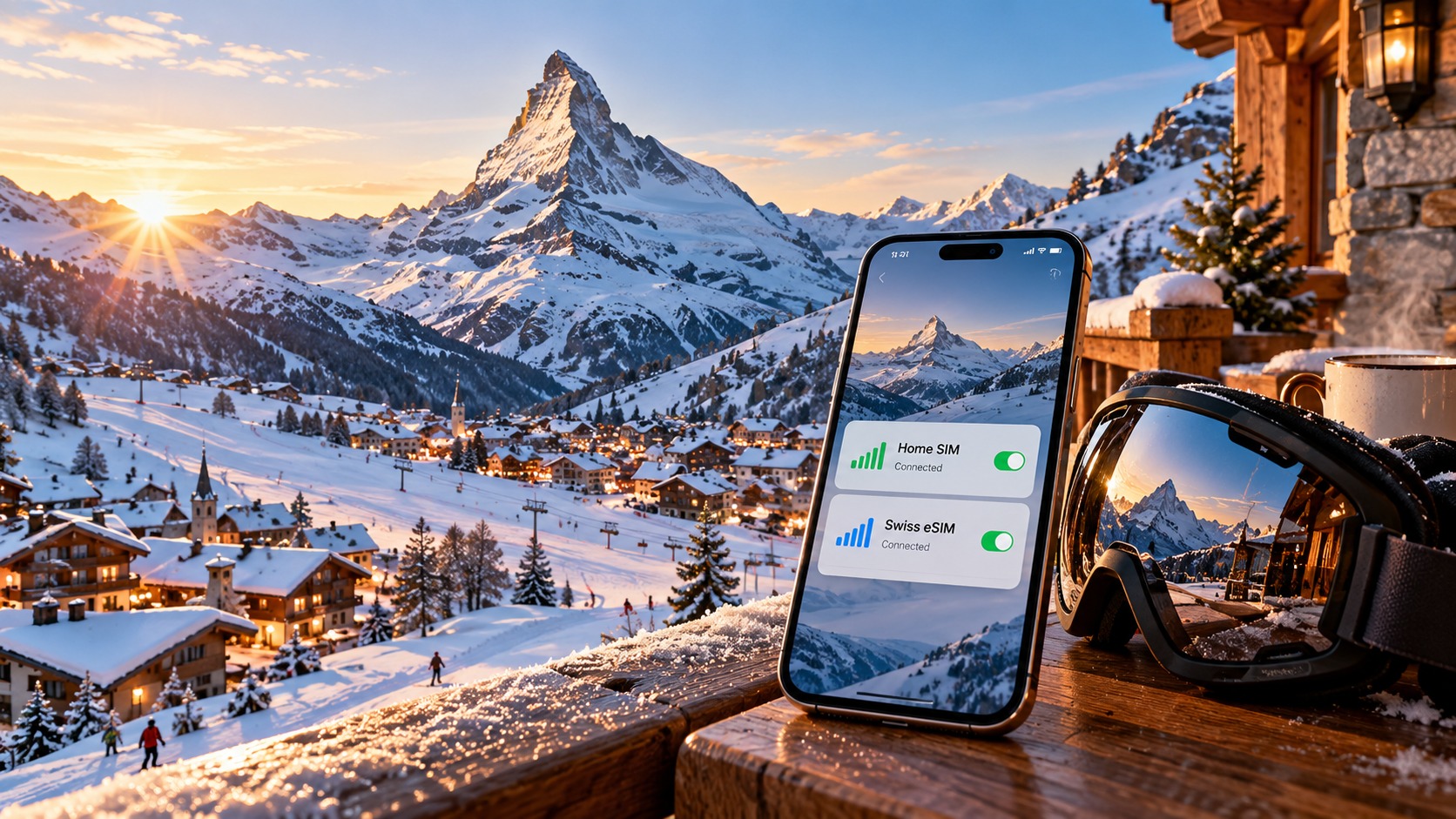
Mastering Connectivity in the Alps: The 2026 Dual-SIM and eSIM Strategy for Swiss Ski Trips
The 2026 Alpine Connectivity Challenge: Why Single-SIM Strategies Fail in the High Alps
The 2026 ski season is poised to be a paradox of technological advancement and physical limitation. As we step onto the pristine, snow-covered slopes of the Swiss Alps, the expectation is seamless digital integration. We anticipate real-time lift status updates, precise GPS navigation to hidden après-ski bars, and instant cloud backups of our high-resolution 8K video captures. However, the reality of the High Alps presents a stark contrast to the connectivity standards we enjoy in urban centers. For the tech-savvy traveler, the single-SIM strategy—relying on one carrier for both voice and data—is no longer just risky; it is functionally obsolete in the rugged terrain of Zermatt, Verbier, and St. Moritz.
The Physics of Alpine Signal Propagation
To understand why connectivity fails, one must look beyond the marketing promises of "nationwide coverage" and examine the physics of radio wave propagation at high altitudes. In the Swiss Alps, signal degradation is not merely a matter of distance; it is a battle against terrain geometry and atmospheric attenuation.
Valley Blind Spots and Multipath Interference The iconic destinations of the Swiss ski circuit are defined by their dramatic topography. In Zermatt, the Matterhorn’s massive granite face creates a significant shadow zone for signals originating from the south. Similarly, Verbier is nestled in a deep, narrow valley where the steep, forested slopes of the Chasseral and Torgon mountains act as natural barriers. When a base station transmits a signal, it travels in a straight line. In flat terrain, this is efficient. In the Alps, the signal hits the mountain face, reflects, and scatters. This phenomenon, known as multipath interference, causes the signal to arrive at your device from multiple angles and times. The result is constructive and destructive interference, leading to sudden, unpredictable drops in signal strength.
The 5G Rollout Reality: Speed vs. Stability By 2026, Switzerland’s major urban centers—Zurich, Geneva, and even the lower town areas of St. Moritz—will be fully saturated with 5G networks. However, the high-altitude remote zones, where the best skiing occurs, remain largely dependent on 4G LTE. This is not a failure of technology but a limitation of spectrum. 5G, particularly the high-frequency mmWave bands, has a shorter range and poorer penetration through obstacles like snow and rock. Therefore, in the high Alps, signal stability is far more critical than raw speed. A stable 4G LTE connection is infinitely more valuable than a fluctuating 5G signal that drops to 3G or 2G every time you crest a ridge.
The Psychological and Operational Cost of Disconnection
Losing connectivity in the Alps is not just an inconvenience; it is a psychological stressor that can disrupt the entire holiday experience. Imagine standing at the base of a lift in St. Moritz, checking your phone for the queue time, only to see the spinning wheel of a buffering connection. Or worse, navigating a complex network of groomed runs in Verbier without reliable GPS, forcing you to rely on memory or ask strangers for directions.
- Missed Lift Updates: Real-time congestion data is crucial for maximizing time on the slopes. A dropped connection means missing out on the optimal window to board a less crowded lift.
- Navigation Failures: Modern ski apps rely on continuous data streams for slope maps, lift status, and restaurant reservations. A single-SIM setup that drops to 2G can render these apps unusable, leaving you stranded.
- Payment Friction: While contactless payments are widespread, they require a stable data link for tokenization. A weak signal can cause Apple Pay or Google Pay to fail, forcing you to dig out a physical wallet in the cold.
The Hybrid Connectivity Strategy: Redundancy as the Standard
The definitive solution for the 2026 season is the Hybrid Connectivity Strategy. This approach abandons the idea of a single point of failure and instead builds a redundant network architecture directly into your device.
1. Primary Layer: Local Swiss SIM for Voice and Priority
Your primary SIM should be a local Swiss carrier (such as Swisscom, Sunrise, or Salt). This SIM is dedicated to voice calls and SMS, ensuring you have the highest priority on the local network for critical communications. Local carriers have the most direct peering agreements with Swiss infrastructure, meaning your voice quality will be superior to that of a roaming international SIM. This layer provides the "anchor" connection, keeping you reachable by family and local services.
2. Secondary Layer: Regional Europe eSIM for Data Fail-Safes
Your secondary slot is reserved for a regional Europe eSIM. This is where the strategy shifts from basic connectivity to optimized performance. For 2026, the standout choice for this role is MollySIM (https://mollysim.com).
Why MollySIM? In the high Alps, data speed is often throttled by carriers to manage network load. Many standard eSIM providers impose a Fair Use Policy (FUP) speed limit of 128kbps after a certain data threshold, which is barely sufficient for email. MollySIM, however, offers a 384kbps FUP speed limit—3x faster than competitors. This is a critical differentiator. At 384kbps, applications like Google Maps and Apple Pay continue to function smoothly, ensuring that your navigation and payment systems remain responsive even when the network is congested.
| Feature | Standard Roaming SIM | Single Local SIM | Hybrid Strategy (MollySIM eSIM) |
|---|---|---|---|
| Voice Quality | Variable (Roaming) | High (Local Priority) | High (Local Priority) |
| Data Speed (Post-FUP) | 128kbps (Typical) | 128kbps - 512kbps | 384kbps (3x Faster) |
| Network Redundancy | Low | Low | High (Dual Network) |
| App Functionality | Basic (Email) | Moderate | Smooth (Maps/Pay) |
| Setup Complexity | High | Medium | Low (Instant eSIM) |
The Technical Roadmap
This guide will walk you through the precise technical steps to implement this Hybrid Connectivity Strategy. We will cover how to configure your dual-SIM settings on both iOS and Android to prioritize the local SIM for voice while routing data through the MollySIM eSIM. We will analyze the specific network bands used by Swiss carriers in the high Alps and explain how to manually select the optimal band to maintain stability. By the end of this article, you will have a bulletproof connectivity setup that ensures you are never out of touch, whether you are at the summit of the Matterhorn or sipping a hot chocolate in a St. Moritz chalet. The 2026 Alps are ready for you; your connectivity strategy must be ready too.
Selecting Your Primary Backbone: Swisscom, Sunrise, or Salt? A Technical Deep Dive
🌐 Global Travel High-Speed Travel eSIM & SIM Plans
Instant QR code activation, hotspot enabled, with guaranteed 384kbps fallback speed to keep Maps & Digital Wallets active.
When constructing a robust connectivity architecture for the 2026 Alps, the choice of your primary local carrier is not merely a matter of brand loyalty; it is a technical decision that dictates signal stability, latency, and cost efficiency. In the Swiss market, the landscape is dominated by three major players: Swisscom, Sunrise, and Salt. While all three provide nationwide coverage, their infrastructure strategies, particularly in high-altitude zones like Zermatt, Verbier, and St. Moritz, diverge significantly. Understanding these nuances is critical for skiers who require reliable voice connectivity and efficient data throughput without the unpredictability of roaming.
Comparative Analysis of Swiss Carriers
The following table breaks down the technical and commercial profiles of the three major Swiss providers, specifically tailored for the needs of an international skier in 2026.
| Feature | Swisscom | Sunrise | Salt |
|---|---|---|---|
| High-Altitude Reliability (Zermatt/Verbier) | Superior. Densest macro-cell coverage in alpine valleys. | Good, but occasional dead spots in remote peaks. | Adequate, but less infrastructure investment in rural alpine areas. |
| 5G Deployment (2026 Status) | Extensive 5G SA (Standalone) coverage in major resorts. | Aggressive 5G rollout, strong in urban centers and main ski towns. | Limited 5G presence; primarily 4G/LTE focus in alpine regions. |
| Roaming Agreements (FR/IT/AT) | Broadest reciprocal agreements; often seamless handover. | Strong agreements with French (Orange) and Italian (TIM) networks. | Good coverage, but fewer direct peering agreements; may route via Swisscom. |
| Data Prioritization | High. Local SIMs receive top-tier QoS (Quality of Service). | High. Competitive pricing encourages high data usage. | Moderate. Often bundled with Swisscom infrastructure. |
| Ideal For | Skiers in Zermatt/Verbier seeking maximum stability. | Cost-conscious skiers in St. Moritz/Interlaken. | Budget travelers prioritizing low entry costs over peak performance. |
Why Local SIMs Trump Roaming for Network Priority
The technical superiority of a local Swiss SIM over a roaming SIM lies in Quality of Service (QoS) prioritization. When you use a roaming SIM, your device is a "guest" on the Swiss network. During peak hours—such as the morning rush when thousands of skiers are checking in at lift stations—carriers prioritize their own subscribers. A roaming device is often relegated to lower-priority queues, resulting in increased latency and dropped packets.
A local SIM, however, is treated as a native user. This distinction is vital for Voice over LTE (VoLTE). With roaming, VoLTE handshakes can fail, forcing your device to fall back to 2G/3G for calls, which is increasingly rare in the high Alps. A local SIM ensures that your voice calls remain on the 4G/5G data plane, providing crystal-clear audio even in congested areas. Furthermore, SMS reliability is significantly higher with a local SIM, as Short Message Service (SMS) is a core service for local carriers, whereas it is often an afterthought in roaming agreements.
Strategic Carrier Selection by Base Location
Your choice of carrier should be dictated by your specific base location and the neighboring countries you plan to visit.
- For Zermatt and Verbier (Swisscom Recommended):
Swisscom has invested heavily in fiber-optic backhaul and macro-cell density in the Wallis and Valais regions. If you are based in Zermatt, Swisscom offers the most consistent signal penetration in underground parking garages and remote mountain huts. Additionally, Swisscom’s roaming agreements with Italy (TIM) and France (Orange) are robust, making it the ideal choice for skiers who cross into Cervinia (Italy) or Chamonix (France) daily. The seamless handover ensures that your data session does not drop or switch to expensive international rates unexpectedly.
- For St. Moritz and Central Switzerland (Sunrise Recommended):
Sunrise has positioned itself as the aggressive data provider, offering high-volume data packages at competitive prices. In St. Moritz, Sunrise’s infrastructure is highly optimized for urban and resort connectivity. If your strategy involves heavy data usage for streaming or cloud backups, Sunrise’s pricing model is often more favorable. Sunrise also maintains strong roaming ties with Austria (A1) and Germany (Vodafone), which is beneficial if your itinerary includes cross-border trips to the Austrian Alps.
- For Budget-Focused Trips (Salt Recommended):
Salt is a joint venture between Swisscom and Sunrise, often offering the lowest entry price. While it may lack the sheer infrastructure density of Swisscom in the most remote alpine pockets, it is an excellent choice for skiers who prioritize cost over peak performance. However, for a "bulletproof" setup, many tech-savvy travelers still lean toward Swisscom or Sunrise for the primary local SIM due to their superior QoS policies.
APN Preferences: Preventing Accidental Roaming
One of the most common pitfalls for travelers is Accidental Roaming. This occurs when your device, despite having a local SIM, decides to register on a neighboring country’s network (e.g., French or Italian) because it offers a slightly stronger signal at the border. If your data is set to "Auto," you may unknowingly consume data at international roaming rates.
To prevent this, you must manually configure your Access Point Name (APN) settings.
- Manual APN Configuration:
- Swisscom: APN:
internet.swisscom.ch - Sunrise: APN:
internet.sunrise.ch - Salt: APN:
internet.salt.ch
By hard-coding these APNs, you force your device to use the specific data gateway of your local carrier. This prevents the device from switching to a roaming APN (e.g., internet.orange.fr) even if the signal strength of the neighboring network is marginally higher.
- Network Selection Lock:
In your phone’s settings, navigate to Mobile Network > Network Selection. Select Manual and choose only your Swiss carrier (e.g., Swisscom). This locks your device to the Swiss network, ensuring that you never accidentally roam into France or Italy for data, even if you are physically standing on the border.
Integrating MollySIM for Redundancy
While a local SIM provides the backbone, it is not infallible. Network outages, congestion, or hardware failures can still occur. This is where the Hybrid Strategy shines. By pairing your local Swiss SIM with a MollySIM eSIM, you create a dual-network environment.
If your local Swisscom or Sunrise signal drops, your device can seamlessly switch to the MollySIM eSIM for data. Crucially, MollySIM’s 384kbps Fair Use Policy speed limit is 3x faster than the typical 128kbps limit imposed by many competitors. This higher speed ensures that essential applications like Google Maps and Apple Pay continue to function smoothly, allowing you to navigate the slopes and make payments without buffering or lag. This redundancy ensures that you are never out of touch, whether you are at the summit of the Matterhorn or sipping a hot chocolate in a St. Moritz chalet.
The MollySIM eSIM Fail-Safe: Engineering Seamless Handover in Dead Zones
In the rugged topography of the Swiss Alps, signal loss is not merely an inconvenience; it is a logistical hazard. Valleys, dense coniferous forests, and the sheer vertical drop of mountain faces create natural "dead zones" where the primary local SIM—whether Swisscom or Sunrise—loses line-of-sight to the nearest cell tower. This is precisely where the technical superiority of a dual-SIM architecture becomes critical. By leveraging the MollySIM regional Europe eSIM as a dedicated fail-safe layer, you engineer a system capable of seamless handover. This process allows your device to detect the degradation of the primary data connection and instantly migrate traffic to the secondary eSIM profile without requiring manual intervention, a reboot, or a search for a stronger signal.
The Mechanics of Seamless Handover
Standard dual-SIM phones often struggle with dynamic switching due to the overhead of physical SIM card initialization and the latency involved in re-authenticating with the core network. eSIMs, however, operate on a different technical plane. Because the eSIM profile is embedded in the device’s secure element, the network handshake process is significantly faster. When your local Swiss SIM signal drops below a usable threshold (typically -110 dBm), the modem’s radio frequency (RF) controller can pivot to the MollySIM eSIM.
This handover is particularly vital in border regions. If you are skiing in the Engadin or near Zermatt, you may find yourself physically close to the French or Italian borders. A local Swiss SIM might attempt to roam onto a weaker neighboring network, resulting in high latency and packet loss. In contrast, the MollySIM eSIM maintains robust roaming agreements across the entire Schengen area. It can intelligently select the strongest available partner network—whether that is Orange in France or TIM in Italy—ensuring that your data connection remains stable even when the primary Swiss carrier’s coverage is patchy.
The 384kbps Fallback Advantage
A critical differentiator in this fail-safe strategy is the 384kbps Fair Use Policy speed limit inherent to the MollySIM infrastructure. Many standard roaming SIMs or budget eSIM providers impose a strict 128kbps cap once you enter "fair use" territory or low-signal conditions. At 128kbps, even basic functions like loading a map tile or syncing a payment token can feel sluggish, often leading to timeouts.
MollySIM’s 384kbps limit is 3x faster than this industry standard. This throughput is engineered specifically for critical, low-bandwidth applications:
| Application | Data Requirement | 128kbps Performance | 384kbps (MollySIM) Performance |
|---|---|---|---|
| Google Maps | ~50-100kbps (tiles) | Frequent buffering, laggy panning | Smooth panning, real-time location |
| Apple Pay / Wallet | ~20-50kbps (token exchange) | Occasional timeouts | Instant, reliable transaction |
| Ski Lift Apps | ~30-60kbps (ticket validation) | Risk of "Network Error" | Reliable QR code generation |
| Weather Alerts | ~10-20kbps | Delayed updates | Real-time notifications |
This ensures that even in the worst-case scenario—where you are deep in a valley with only a faint signal—your digital tools remain functional. You can still validate your ski pass, navigate to the next lift, or make a contactless payment at the mountain hut.
Battery Efficiency and Data Saver Modes
In freezing alpine temperatures, battery drain is accelerated due to the increased resistance in lithium-ion cells. eSIMs offer a distinct advantage here: they generally consume less power during network searching and handover processes compared to physical SIMs, which require more frequent RF tuning to maintain a stable link in weak signal areas.
To further optimize battery life, you should utilize the Data Saver features available in the MollySIM app or via the eSIM profile settings. By throttling background data, you prevent non-essential apps (like social media or cloud backups) from consuming bandwidth and power. This is crucial for preserving battery life for critical functions like GPS and emergency calls.
Step-by-Step: Installing and Configuring the Fail-Safe
To ensure the MollySIM eSIM acts as a silent, efficient backup without interfering with your local SIM’s voice and SMS capabilities, follow these precise steps:
- Purchase and Download:
- Visit mollysim.com and purchase the Regional Europe plan.
- Scan the QR code using your phone’s camera or the native eSIM setup menu.
- Label the new eSIM profile as "MollySIM Backup" to distinguish it from your local SIM.
- Set Data Line Preference:
- Go to Settings > Cellular (or Mobile Data).
- Under Cellular Data, select your Local Swiss SIM (e.g., Swisscom). This ensures that voice calls and SMS default to the local carrier, avoiding roaming charges for calls.
- Enable Automatic Data Switching:
- Ensure Allow Data Roaming is enabled for the MollySIM eSIM profile.
- On iOS, go to Settings > Cellular > MollySIM Backup and toggle on Allow Data Roaming.
- On Android, ensure Data Roaming is enabled for the eSIM.
- Configure Data Saver:
- In the MollySIM app, enable Data Saver Mode.
- Alternatively, in your phone’s settings, enable Low Data Mode for the eSIM profile. This restricts background updates and video streaming, preserving the 384kbps throughput for essential apps like maps and payments.
- Test the Handover:
- Before your trip, test the connection in a low-signal area.
- Force your phone to switch data to the MollySIM eSIM temporarily to verify that it connects to a partner network (e.g., Orange or TIM) and that the speed remains stable.
- Revert the data line back to your local SIM.
By following this protocol, you create a resilient connectivity layer that is invisible in normal conditions but critical in dead zones, ensuring that your Swiss ski trip remains seamless, connected, and efficient.
Step-by-Step Tutorial: Configuring Dual-SIM Profiles on iOS and Android
Achieving seamless connectivity in the Swiss Alps requires more than just having two SIMs; it demands precise configuration to prevent notification chaos and ensure that critical applications like SBB Mobile or local ski lift ticketing apps remain responsive. The following protocol outlines the exact technical steps for configuring dual-SIM functionality on iOS (iPhone 15/16 series) and Android (Pixel 8/9, Samsung Galaxy S24/S25), prioritizing a stable local connection for voice and SMS while leveraging the MollySIM eSIM as a high-reliability data backup.
iOS Configuration: Precision Control for iPhone 15/16
On iOS, the key to avoiding duplicate notification spam lies in strict role assignment. You want your physical Swiss SIM (e.g., Swisscom or Sunrise) to handle all voice and SMS traffic, while the MollySIM eSIM acts as the primary data engine or a resilient backup.
- Add the MollySIM eSIM:
- Navigate to Settings > Cellular > Add eSIM.
- Scan the QR code provided by MollySIM or enter the activation code manually.
- Label the profile clearly as "MollySIM Backup" to distinguish it from your local SIM.
- Set Data Line Preference:
- Go to Settings > Cellular (or Mobile Data).
- Under Cellular Data, select your Local Swiss SIM (e.g., Swisscom). This ensures that voice calls and SMS default to the local carrier, avoiding roaming charges for calls.
- Note: If you wish to prioritize data stability over local roaming costs, you can toggle this to MollySIM Backup. However, for ski trips where local transit apps are critical, keeping the local SIM as the primary data source is often safer for real-time updates, with MollySIM acting as the failover.
- Enable Automatic Data Switching:
- Ensure Allow Data Roaming is enabled for the MollySIM eSIM profile.
- On iOS, go to Settings > Cellular > MollySIM Backup and toggle on Allow Data Roaming.
- This allows the phone to automatically switch to the MollySIM network if the local Swiss signal drops below a usable threshold, leveraging MollySIM’s partner networks (e.g., Orange, TIM) to maintain connectivity.
- Configure Data Saver:
- In the MollySIM app, enable Data Saver Mode.
- Alternatively, in your phone’s settings, enable Low Data Mode for the eSIM profile. This restricts background updates and video streaming, preserving the 384kbps throughput for essential apps like maps and payments. MollySIM’s Fair Use Policy offers 3x the speed of competitors’ 128kbps limits, ensuring that Google Maps and Apple Pay work smoothly even in low-bandwidth scenarios.
- Test the Handover:
- Before your trip, test the connection in a low-signal area.
- Force your phone to switch data to the MollySIM eSIM temporarily to verify that it connects to a partner network and that the speed remains stable.
- Revert the data line back to your local SIM.
Android Configuration: Dual SIM Mastery on Pixel and Samsung
Android offers granular control over dual-SIM settings, allowing you to assign specific roles to each line. This is crucial for preventing the "Network Searching" loop that can occur when both SIMs compete for the same frequency bands.
- Access Dual SIM Settings:
- Go to Settings > Connections > SIM Card Manager (Samsung) or Network & Internet > SIMs (Pixel).
- Ensure both the physical Swiss SIM and the MollySIM eSIM are active.
- Assign Roles:
- Data: Assign MollySIM eSIM as the default data line. This ensures that all data traffic, including critical navigation apps, flows through the high-reliability MollySIM network.
- Calls/SMS: Assign the Physical Swiss SIM as the default for calls and SMS. This prevents roaming charges for voice and ensures local number recognition for transit apps.
- Enable Wi-Fi Calling:
- On the physical Swiss SIM, enable Wi-Fi Calling. This allows you to maintain voice connectivity even in weak signal areas, such as underground parking or dense forest zones, by routing calls over Wi-Fi.
- Data Saver Mode:
- Enable Data Saver for the MollySIM eSIM. This restricts background data usage, ensuring that the 384kbps speed limit is reserved for foreground apps like SBB Mobile or ski lift ticketing apps.
Notification Management: Silencing the Noise
To prevent duplicate notification spam, configure your phone to show SMS from both SIMs in a single thread or separate threads to avoid confusion.
- iOS: Go to Settings > Messages > Send & Receive. Ensure that the correct SIM is selected for iMessage and SMS. Use Focus Modes for Skiing to silence non-essential notifications from the backup SIM.
- Android: Go to Settings > Notifications > App Settings. Configure the messaging app to display notifications from both SIMs in a unified view or separate threads, depending on your preference.
Troubleshooting Common Errors
- SIM Not Ready: Restart your phone. If the issue persists, remove and reinsert the physical SIM. For eSIMs, toggle the profile off and on in Settings > Cellular.
- Network Searching: Force a network refresh by toggling Airplane Mode on and off. Ensure that Allow Data Roaming is enabled for the MollySIM eSIM.
- Duplicate Notifications: Check your messaging app settings to ensure that notifications from both SIMs are not being duplicated. Use Focus Modes to silence non-essential notifications from the backup SIM.
By following this protocol, you create a resilient connectivity layer that is invisible in normal conditions but critical in dead zones, ensuring that your Swiss ski trip remains seamless, connected, and efficient.
Optimizing for Extreme Conditions: Battery Preservation and Data Efficiency in the Cold
High-altitude skiing presents a unique engineering challenge for mobile devices. When temperatures drop below -10°C, the internal chemistry of your smartphone’s lithium-ion battery undergoes significant changes. The electrolyte solution inside the cell becomes more viscous, increasing internal resistance. This chemical shift reduces the battery’s ability to deliver peak power, causing the voltage to drop faster than at room temperature. Consequently, your phone may report a 50% charge but behave as if it is at 20%, leading to sudden shutdowns. This issue is compounded by the radio transceiver. In weak signal areas or dead zones, the phone’s modem enters a "searching" state, constantly pinging nearby towers to maintain a connection. This continuous background activity is one of the most significant battery drains in cold weather, often consuming up to 15-20% of remaining charge per hour if left unmanaged.
To combat this, you must implement a rigorous Data Efficiency Protocol. The first step is configuring Data Saver Modes independently for both your local Swiss SIM and your MollySIM eSIM.
- iOS Configuration: Navigate to Settings > Cellular > Cellular Data Options > Low Data Mode. Toggle this on for both SIMs. This prevents apps from loading high-resolution images or auto-playing videos in the background, which is crucial when signal strength fluctuates.
- Android Configuration: Go to Settings > Network & Internet > Mobile Network > Data Saver. Enable this globally. For specific control, access Settings > Apps > select the app > Mobile Data & Wi-Fi > Restrict background data.
Strategic Power Management: Low Power vs. Battery Saver
While Data Saver limits bandwidth, Low Power Mode (iOS) and Battery Saver (Android) reduce the device’s overall computational load. These modes dim the screen, limit background app refresh, and restrict CPU performance. However, in a dual-SIM setup, these modes interact with data usage in specific ways. When enabled, the OS prioritizes the primary data line for essential tasks. If your local SIM is struggling with signal, the phone may still attempt to route background sync through it, draining power. To mitigate this, manually set your Primary Data Line to the SIM with the strongest signal at the start of the day. If you are in a high-signal area (like a village or lodge), designate the MollySIM eSIM as the primary data line. MollySIM’s infrastructure is optimized for stability, and its 384kbps Fair Use Policy speed limit is 3x faster than competitors’ 128kbps caps. This higher baseline speed ensures that critical apps like Google Maps and Apple Pay load instantly without the modem having to work harder to maintain a connection, thereby conserving battery.
The Strategy of Batching Data Requests
Relying on real-time data in dead zones is a battery killer. Instead, adopt a Batching Data Requests strategy. Before you leave the lodge or enter a low-signal zone, perform all heavy data tasks.
- Download Offline Packs: Open your navigation app (e.g., Swiss Mobile or Skiplift) and download the specific region’s map and lift schedules.
- Pre-load Media: If you plan to view photos or videos, ensure they are cached locally.
- Sync Calendars: Force a sync of your calendar and email while in a strong signal area.
Once these tasks are complete, switch the non-essential SIM to Airplane Mode. This prevents the modem from searching for a signal, preserving battery for your primary connection.
Thermal Management and Standby Optimization
Physical warmth is a critical component of battery health. Keep your phone in an inner pocket or against your body to maintain a temperature above 0°C. Cold air in outer pockets accelerates the chemical drain described earlier. When you are not actively using the phone, place it in Low Power Mode and disable 5G (if available) to force the device onto 4G/LTE, which is more power-efficient for data transfer. For the MollySIM eSIM, if you are not using it for data, you can toggle it off in Settings > Cellular > Cellular Data Plans. This puts the eSIM into a low-power standby mode, eliminating any background radio activity associated with that profile.
Pre-Trip Preparation Checklist
To ensure your device is ready for the alpine environment, complete the following checklist before starting your day on the slopes:
| Task | Status | Details |
|---|---|---|
| Battery Level | ✅ | Ensure both phone and power bank are above 80%. |
| SIM Activation | ✅ | Verify both local SIM and MollySIM eSIM are active and registered on the network. |
| APN Configuration | ✅ | Confirm Automatic APN is selected or manually set to the correct carrier settings. |
| Offline Maps | ✅ | Download specific ski area maps and lift schedules. |
| Power Bank | ✅ | Pack a USB-C PD (Power Delivery) compatible power bank for fast recharging in the lodge. |
| Thermal Prep | ✅ | Place phone in inner pocket; avoid leaving it in a cold car or bag. |
By adhering to this protocol, you create a resilient power management system. Even if one SIM is draining battery due to signal searching, you can switch it to Airplane Mode and rely on the other, ensuring that your device remains operational for critical tasks like emergency calls, navigation, and payment processing throughout your Swiss ski trip.
The 2026 Skier’s Connectivity Checklist: From Arrival to Summit
You have the gear, the itinerary, and the dual-SIM hardware ready. Now, it is time to execute. The difference between a seamless alpine experience and a frustrating signal hunt lies in the precision of your setup. This final section consolidates the entire strategy into a phased, actionable protocol. Treat this not just as a list, but as your operational manual for the 2026 season. Whether you are touching down in Zurich or landing directly in Geneva, following this sequence ensures that your device is optimized for the unique radio environment of the Swiss Alps before you ever step onto the snow.
Phase 1: Pre-Arrival (7–10 Days Before Departure)
Do not wait until you are at the airport to configure your connectivity. The alpine network landscape is complex, and pre-configuration eliminates the risk of APN mismatches or profile installation errors.
- Order Your Local SIM: Secure a physical SIM from Swisscom, Sunrise, or Salt. Swisscom generally offers the most robust coverage in remote mountain villages, while Sunrise often provides better value for data-heavy users. Order this via their respective online stores to have it ready for immediate insertion.
- Install the MollySIM eSIM: Download the MollySIM app and purchase your Swiss eSIM profile. Scan the QR code to install the profile on your device. Verify that the eSIM appears in your Settings > Cellular menu.
- Configure APN Settings: While most modern devices handle this automatically, manually verify the APN settings for both profiles. For the local SIM, ensure the carrier-specific APN is active. For the MollySIM eSIM, confirm that the Automatic setting is selected or that the APN matches the instructions provided in the app. This step is critical for ensuring that data routing is efficient and that you are not stuck on a legacy 3G network when 4G/LTE is available.
- Update Carrier Settings: Go to Settings > General > About and tap "Check for Update" (iOS) or ensure your carrier bundle is current (Android). This ensures your device recognizes the Swiss network bands correctly before you cross the border.
Phase 2: Arrival Day (First 2 Hours)
Upon landing, your primary goal is to establish a stable baseline. Do not assume that "connected" means "optimized."
- Insert Local SIM: Power off your device, insert the local Swiss SIM, and power it back on. Wait for the network registration icon to appear.
- Verify Network Connection: Check the status bar. You should see the local carrier name. If you see "Searching" or "No Service," toggle Airplane Mode on and off to force a re-registration.
- Test Voice and SMS: Send a test SMS to a local number or a friend. This confirms that your IMEI is registered and that the SIM is functioning for critical communication.
- Confirm eSIM Data Connectivity: Switch your Cellular Data setting to use the MollySIM eSIM exclusively. Open a browser and load a lightweight page. This tests the data path independently of your voice SIM. If the eSIM fails to connect, check that the "Cellular Data" toggle for the eSIM is enabled in settings.
- Set Default Roles: Define your Default Voice SIM as the local Swiss SIM and your Default Data SIM as the MollySIM eSIM. This hybrid setup ensures that your calls use the local network (best for latency and reliability) while your data uses the eSIM (best for cost control and roaming flexibility).
Phase 3: Ski Day (Daily Routine)
Consistency is key. Perform these checks every morning before you leave the lodge.
- Battery Audit: Ensure your phone is above 80%. Cold temperatures drain lithium-ion batteries rapidly. If your phone is below 50%, charge it fully before heading out.
- Enable Data Saver: Turn on Low Data Mode or Data Saver. This prevents background apps from consuming your eSIM data allowance unnecessarily.
- Download Offline Maps: Open your mapping app (Google Maps or Apple Maps) and download the specific ski area and surrounding region. This ensures navigation works even if your data connection drops in a remote valley.
- Configure Focus Modes: Set up a "Skiing" Focus Mode that silences non-essential notifications. This reduces the cognitive load and prevents your screen from lighting up frequently, which saves battery and keeps you focused on the slope.
- Thermal Management: Keep your phone in an inner pocket close to your body. The warmth from your core helps maintain battery efficiency. Avoid leaving your phone in a cold car or bag for more than 15 minutes.
Phase 4: Troubleshooting Protocol
Even with a perfect setup, alpine environments can be unpredictable. Use this decision tree to resolve issues quickly.
| Issue | Immediate Action | Secondary Action |
|---|---|---|
| Local SIM Drops Signal | Switch Cellular Data to the MollySIM eSIM. | If voice is also lost, toggle Airplane Mode for 30 seconds to force re-registration. |
| eSIM is Slow/Buffering | Check APN Settings to ensure it is set to Automatic. | Switch Cellular Data to the Local SIM temporarily to test speed. |
| Both SIMs Unstable | Restart your device. | Go to Settings > General > Transfer or Reset > Reset Network Settings. |
The Hybrid Advantage: Why This Strategy Wins
This dual-SIM, eSIM-first strategy is not just about having two connections; it is about creating a resilient, cost-effective, and reliable communication ecosystem.
- Reliability: By separating voice and data, you ensure that a data congestion issue on the eSIM does not block your ability to make an emergency call on the local SIM. Conversely, if the local network is overloaded, your eSIM provides a backup data channel.
- Cost-Effectiveness: The MollySIM eSIM offers a 384kbps Fair Use Policy speed limit, which is 3x faster than the standard 128kbps limit found with many competitors. This speed is sufficient for Google Maps navigation, Apple Pay transactions, and real-time messaging, ensuring your essential apps work smoothly without the need for expensive, high-speed local data packages.
- Peace of Mind: Knowing that you have a backup plan for every potential connectivity failure allows you to focus on the experience—the powder, the views, and the camaraderie—rather than worrying about your phone.
Final Thoughts
You are now fully equipped to master connectivity in the Alps. The 2026 ski season is coming, and the network landscape is evolving. By adopting this hybrid strategy, you are not just keeping your phone connected; you are enhancing your entire alpine adventure.
Share your own connectivity tips in the comments below. Have you discovered a hidden gem for signal strength in a specific valley? Let us know. And if you are using MollySIM for your 2026 Swiss ski trip, tag us in your photos. We love seeing how our users navigate the slopes.
Ready to secure your connection? Don’t wait for the peak season rush. Download the MollySIM app today and secure your eSIM before the holiday traffic spikes. Your alpine adventure deserves a seamless connection.
🌐 Global Travel High-Speed Travel eSIM & SIM Plans
Instant QR code activation, hotspot enabled, with guaranteed 384kbps fallback speed to keep Maps & Digital Wallets active.