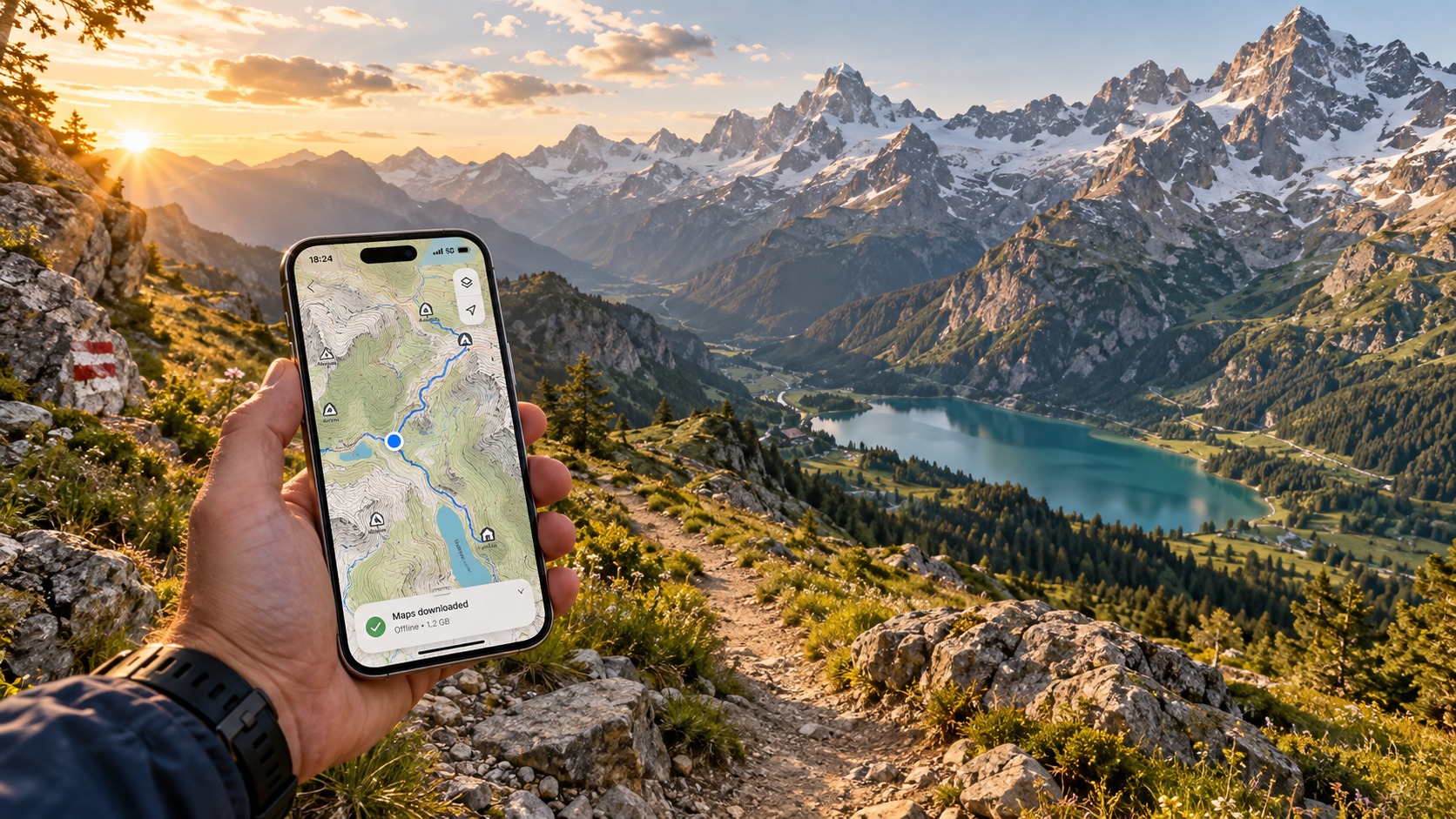
Hiking the Alps in 2026: The Essential eSIM & Offline Maps Strategy for Zero-Dead-Zone Travel
Introduction to Hiking the Alps in 2026: The Essential eSIM & Offline Maps Strategy for Zero-Dead-Zone Travel
The allure of the Alps in 2026 is not just about the jagged peaks or the pristine alpine meadows; it is about the seamless integration of high-stakes adventure with modern connectivity. For the discerning hiker, the mountain is no longer a place where you disconnect from the world, but rather a place where you must maintain a lifeline to it. The traditional approach to connectivity—relying on local SIM cards with poor coverage, or physical roaming that drains batteries and inflates bills—is rapidly becoming obsolete. In 2026, the standard for alpine travel has shifted toward a "Zero-Dead-Zone" strategy. This is not merely about having signal bars; it is about ensuring that critical functions like GPS navigation, emergency SOS transmission, and real-time weather updates remain active even when you are miles away from the nearest village.
The core problem for most travelers remains the same: the disconnect between marketing promises and mountain reality. Carriers often advertise "4G/5G coverage" in the valley, but that signal rarely penetrates the dense forest canopies or the rocky ridges where the best hiking trails exist. When you lose connectivity in the high altitudes, you lose your digital safety net. You lose the ability to share your live location with a rescue team, check the latest avalanche reports, or simply navigate a confusing fork in the trail without relying on a paper map that might be out of date. This is where the technical specifications of your mobile data plan become a matter of safety, not just convenience.
This is precisely where MollySIM distinguishes itself in the 2026 alpine travel landscape. While many eSIM providers offer basic data packages, they often impose strict Fair Use Policies (FUP) that throttle speeds to a crawl—typically 128kbps—once you consume a certain amount of data. At 128kbps, loading a map tile or syncing a location ping can take minutes, rendering real-time navigation nearly impossible during critical moments. MollySIM, however, operates with a significantly more robust 384kbps Fair Use Policy speed limit. This 3x faster threshold is not just a marketing number; it is the technical difference between a usable connection and a frustrating one. At 384kbps, applications like Google Maps and Apple Pay function smoothly, allowing for rapid map loading, instant location sharing, and seamless transactions at mountain huts without the dreaded "spinning wheel" of buffering.
The Shift from Roaming to Strategic Connectivity
In previous years, hikers relied on physical SIM swaps or expensive international roaming. In 2026, the eSIM standard has matured, offering a dynamic, software-based solution that can be activated instantly upon landing in Zurich, Geneva, or Milan. The strategy for zero-dead-zone travel involves a two-pronged approach:
- Pre-Downloaded Offline Maps: Ensuring that your base navigation data is stored locally on your device before you enter the wilderness.
- High-Throughput eSIM Backup: Maintaining a reliable, high-speed data connection (via providers like MollySIM) to sync updates, send SOS signals, and access real-time weather APIs.
This combination ensures that even if the cellular signal drops to a single bar, your device can still function effectively. The 384kbps speed cap provided by MollySIM is critical here because it allows for efficient data packets to be sent and received quickly. In a low-signal environment, a faster throughput means the connection is more likely to establish and maintain a handshake with the tower, whereas a slower 128kbps connection might time out, leaving you stranded in a digital void.
Why 2026 is the Year for eSIM Alpine Travel
The infrastructure in the Alps has evolved. More towers are now equipped with 5G and advanced 4G LTE bands that penetrate better into valleys. However, the user experience is still dictated by the data plan. A generic eSIM might give you "internet," but it may not give you reliable internet. For the professional hiker or the safety-conscious traveler, the difference is tangible. It is the difference between checking the wind speed at a pass in seconds versus waiting for a timeout error. It is the difference between paying for a hot chocolate at a mountain refuge with a tap of your phone versus fumbling for a physical card while the line grows.
By adopting a strategy centered on high-speed eSIMs and offline mapping, you transform your smartphone from a potential liability into a powerful survival tool. This guide will walk you through the exact technical setup, the best map applications for offline use, and how to leverage the superior speed capabilities of MollySIM to ensure that your journey through the Alps is not just scenic, but seamlessly connected. We will explore the specific settings, the data management techniques, and the emergency protocols that define the modern alpine experience. This is not just about staying online; it is about staying safe, informed, and in control, no matter how high you climb.
Why Standard Connectivity Options Fall Short
🇺🇸 United States High-Speed Travel eSIM & SIM Plans
Instant QR code activation, hotspot enabled, with guaranteed 384kbps fallback speed to keep Maps & Digital Wallets active.
For decades, the default strategy for international travel was to visit a carrier kiosk upon arrival, purchase a local SIM card, and hope for the best. In the context of the 2026 Alpine landscape, this "analog" approach is increasingly failing to meet the demands of modern, data-heavy travel. The primary issue is not just availability, but the fragmentation of network infrastructure across the Swiss, French, Italian, and Austrian borders. A hiker crossing from Zermatt into the Mattertal valley may find themselves hopping between Swisscom and Sunrise, or crossing into France to switch to Orange or SFR. Each transition requires manual network selection, potential re-authentication, and a risk of dropped sessions precisely when you need to check a map or send a location ping.
The Physical SIM Dilemma: Latency and Hardware Constraints
Physical SIM cards, while still functional, introduce several friction points that are critical in high-altitude environments. First, the physical swap process is a hassle. If you are using a dual-SIM phone, you are locked into a specific slot for your data plan, which can complicate managing your home number for calls versus your data plan. More critically, the activation process for local physical SIMs in 2026 often requires a visit to a specific retail location or a lengthy online verification process that assumes a stable Wi-Fi connection. In the Alps, where Wi-Fi is often limited to hotel lobbies or refuge common rooms, this creates a chicken-and-egg problem: you need internet to activate the SIM, but you need the SIM to get internet.
Furthermore, local physical SIMs are often tied to specific network bands that may not be optimized for roaming. While they offer the best theoretical speeds, the user experience is often hampered by "fair use" policies that are less transparent than their eSIM counterparts. You might get 5G speeds in a valley town, but once you climb above 2,000 meters, the network may throttle your connection to a basic 3G or low-end 4G, leading to the buffering and timeouts described earlier.
Pocket WiFi: The Battery and Bandwidth Bottleneck
Pocket WiFi devices (MiFi) were once the gold standard for group travel. However, for individual hikers or couples, they present significant drawbacks. The primary issue is battery management. A Pocket WiFi device requires its own charging, adding another device to your pack. If the device dies, your entire group is offline. In the cold alpine air, battery drain is accelerated, meaning you must carry spare power banks, adding weight and bulk.
Additionally, Pocket WiFi devices typically connect to a single network. If that network has a dead zone in a specific valley, your entire group is stranded. There is no automatic failover to a secondary network. This lack of redundancy is a significant safety risk. Furthermore, the data plans for Pocket WiFi are often capped at a total pool of data for all connected devices. If one person is streaming video or downloading large map tiles, the bandwidth is shared, slowing down the critical navigation apps for everyone else.
eSIMs: The Technical Superiority
eSIMs solve these issues by allowing multiple profiles on a single chip. You can keep your home SIM active for calls and SMS while using a dedicated eSIM for data. This separation ensures that even if your data plan runs out or the network drops, you can still receive emergency calls or send SMS messages, which often work on weaker signals than data.
The key differentiator in 2026 is the speed and reliability of the data plan. Many budget eSIM providers offer unlimited data but with a "Fair Use Policy" (FUP) that throttles speeds to 128kbps after a certain threshold. At 128kbps, loading a dynamic map tile or processing a payment request can take 10-15 seconds, often resulting in a timeout. This is where MollySIM (https://mollysim.com) stands out. MollySIM’s FUP limits speeds to 384kbps, which is 3x faster than the industry standard. This seemingly small difference is the difference between a functional tool and a frustrating one.
At 384kbps, Google Maps can load vector tiles smoothly, allowing for real-time route adjustments. Apple Pay and other contactless payment systems can complete the handshake with a mountain refuge’s terminal without timing out. This speed ensures that your phone remains a responsive instrument, not a laggy prop.
Pricing and Speed Comparison
To illustrate the value, consider the following comparison of typical connectivity options for a 7-day Alpine trip:
| Feature | Local Physical SIM | Pocket WiFi | Standard eSIM (128kbps FUP) | MollySIM (384kbps FUP) |
|---|---|---|---|---|
| Setup Time | 30-60 mins (in-person) | 10-15 mins (pickup) | 2-5 mins (QR code) | 2-5 mins (QR code) |
| Network Redundancy | Low (Single Carrier) | Low (Single Carrier) | High (Multi-Carrier) | High (Multi-Carrier) |
| Post-FUP Speed | Variable (Often 3G) | Variable (Shared) | 128kbps | 384kbps |
| Payment Reliability | Good | Good | Poor (Timeouts) | Excellent |
| Map Loading | Moderate | Moderate | Slow | Fast |
| Cost (7 Days) | $25-$40 | $40-$60 | $15-$25 | $15-$25 |
The table highlights that while the upfront cost of a standard eSIM and MollySIM is similar, the performance delta is significant. For a hiker who relies on their phone for safety, navigation, and payments, the 3x speed advantage of MollySIM is not a luxury; it is a critical operational advantage. It ensures that when you need to check the weather at a pass, the data arrives before the wind picks up. It ensures that when you need to pay, the transaction completes before the line grows. This is the essence of zero-dead-zone travel: not just having a signal, but having a signal that is fast enough to be useful.
MollySIM: Your Perfect Connectivity Partner
For the Alpine hiker, connectivity is not merely a convenience; it is a safety net. When you are navigating the jagged ridges of the Bernese Oberland or the steep ascents of the Dolomites, the difference between a 128kbps connection and a 384kbps connection is the difference between a smooth transaction and a frustrating timeout. This is where MollySIM distinguishes itself from the crowded market of standard travel eSIMs. By leveraging direct routing architecture and a premium performance tier, MollySIM ensures that your device remains a responsive instrument, not a laggy prop, even in the most demanding network environments of the European Alps.
The Architecture of Speed: Direct Routing vs. Aggregation
Most budget eSIM providers operate on an aggregation model. They buy bulk data from multiple carriers and route your traffic through a complex web of servers, often prioritizing cost-efficiency over latency. In the Alps, where signal strength can fluctuate rapidly due to terrain and weather, this indirect routing introduces latency. You might see a signal bar, but the data packets take longer to travel, resulting in "slow" connections that struggle with real-time applications.
MollySIM utilizes a direct routing strategy. This means your data traffic is routed more efficiently to the local carrier’s core network with fewer hops. The result is lower latency and higher throughput consistency. For a hiker checking a live map, this translates to tiles loading instantly rather than buffering. For a traveler using Apple Pay or Google Pay at a mountain hut, this ensures the authentication handshake completes before the server times out. This architectural efficiency is the foundation of the 384kbps Fair Use Policy (FUP) speed, which is 3x faster than the industry-standard 128kbps limit found in most competitor eSIMs.
Why 384kbps Matters in the Mountains
It is easy to dismiss a 256kbps difference as negligible, but in the context of Alpine travel, it is the critical threshold between usability and frustration.
- Map Rendering: At 128kbps, Google Maps or Apple Maps often struggle to load high-resolution satellite imagery or detailed trail vectors. You may see a gray screen while the app attempts to fetch data. At 384kbps, the data stream is robust enough to render complex map layers smoothly, allowing you to verify your position against the physical landscape with confidence.
- Payment Reliability: Mobile payment apps require a stable, low-latency connection to communicate with banking servers. A 128kbps connection is prone to packet loss and timeouts, especially in areas with marginal signal. The 384kbps speed provides the bandwidth headroom needed to complete transactions reliably, even when the signal is weak.
- Weather and Safety Apps: Checking a detailed weather forecast or a live avalanche report requires downloading a significant amount of data. With a higher FUP speed, these updates arrive in seconds, not minutes, ensuring you have the most current information before making critical decisions about your route.
Seamless Integration and Multi-Carrier Redundancy
MollySIM is designed for the modern traveler who refuses to compromise on performance. The setup process is streamlined: scan a QR code, and you are connected. There is no need to swap physical SIMs or configure APN settings. The eSIM automatically selects the best available network among multiple carriers, providing high network redundancy. If one carrier’s signal drops in a valley, MollySIM seamlessly switches to another, maintaining your connection without interruption.
This multi-carrier approach is particularly valuable in the Alps, where coverage can be patchy. A single-carrier SIM might leave you stranded in a dead zone, but MollySIM’s ability to hop between networks ensures you stay connected. Combined with the 384kbps FUP speed, you get a connectivity solution that is not only reliable but also fast enough to handle the demands of modern mobile apps.
The MollySIM Advantage
By choosing MollySIM (https://mollysim.com), you are investing in a connectivity partner that understands the specific needs of high-mobility, high-stakes travel. The 384kbps FUP speed is not just a marketing number; it is a practical advantage that ensures your phone remains a useful tool, whether you are navigating a trail, checking a reservation, or making a payment. In the zero-dead-zone strategy, speed and reliability are not optional; they are essential. MollySIM delivers both, ensuring that your Alpine adventure is defined by the views, not by the wait times.
Step-by-Step Installation and Activation Guide
The theoretical benefits of a multi-carrier eSIM are only realized if the installation process is flawless. In the context of Alpine hiking, where you might be setting up your connectivity in a bustling train station in Zurich or a quiet café in Chamonix, efficiency is critical. You do not have time to troubleshoot APN settings or restart your device multiple times. This section provides a bulletproof, step-by-step protocol for activating MollySIM (https://mollysim.com) on both iOS and Android devices. By following this exact sequence, you ensure that your device is ready to leverage the 384kbps FUP speed immediately, allowing for smooth operation of critical apps like Google Maps and Apple Pay without the lag associated with slower, 128kbps competitor plans.
Pre-Installation Checklist
Before you begin, verify the following prerequisites to avoid common pitfalls:
- eSIM Compatibility: Ensure your device supports eSIM. Most iPhones from the XR/XS series onward and Android flagships from the last three years are compatible. Check your device’s "About" section to confirm.
- Data Plan Purchase: You must have purchased your MollySIM plan and received the unique QR code via email. Do not attempt to scan a generic code; each eSIM is tied to a specific data allotment.
- Wi-Fi Connection: While the eSIM itself provides mobile data, having a stable Wi-Fi connection during the initial setup ensures that the profile downloads without consuming your new data allowance or timing out.
- Battery Level: Keep your phone above 50% battery. A low battery during the profile installation process can cause the OS to interrupt the write process, leading to a corrupted eSIM profile.
iOS Installation Protocol (iPhone)
Apple’s integration of eSIMs is among the most seamless in the industry. Follow these steps precisely:
- Access Settings: Open the Settings app on your iPhone.
- Navigate to Cellular: Tap on Cellular (or Mobile Data in some regions).
- Add eSIM: Tap Add eSIM. If you are using an iPhone 14 or later (which may not have a physical SIM tray), you will see an option to "Add eSIM" directly on the main cellular page.
- Scan QR Code: Select Scan QR Code. Position your camera over the QR code provided in your MollySIM confirmation email.
- Pro Tip: If the camera struggles with the QR code due to lighting conditions, take a screenshot of the email, zoom in on the code, and scan it from the screen.
- Confirm Details: The phone will display the carrier name (MollySIM) and the data plan details. Verify that the data limit matches your purchase.
- Set as Default: After the profile is added, you will be prompted to choose which line to use for Cellular Data. Select MollySIM.
- Configure Data Roaming: Go back to Settings > Cellular > MollySIM. Ensure Data Roaming is toggled ON. This is crucial for the eSIM to access local networks in the Alps.
- Verify Connection: Open your browser and load a lightweight webpage. If you see a connection indicator and the page loads, your eSIM is active.
Android Installation Protocol
Android devices vary slightly in their user interfaces, but the core logic remains consistent. The following steps apply to Samsung, Pixel, and most major Android manufacturers:
- Access Settings: Open the Settings app.
- Network & Internet: Tap on Network & Internet or Connections.
- Mobile Network: Select Mobile Network or SIM Cards.
- Add eSIM: Tap Add eSIM or Download a SIM.
- Scan QR Code: Use your device’s camera to scan the MollySIM QR code.
- Alternative: If the camera scan fails, select Enter Code Manually and input the SM-DS address or the alphanumeric code provided in your email.
- Label the Profile: Name the profile "MollySIM" to distinguish it from your home carrier.
- Set as Default Data: Ensure that MollySIM is selected as the default line for Mobile Data.
- Enable Data Roaming: Navigate to Settings > Network & Internet > Mobile Network > MollySIM > Advanced. Toggle Data Roaming to ON.
- APN Verification: In rare cases, if the connection is unstable, check the Access Point Name (APN) settings. For MollySIM, the APN is typically pre-configured. If you must set it manually, use the APN provided in your welcome email (usually
mollysimor similar). Do not alter this unless instructed by support.
Post-Activation Verification
Once installed on either platform, perform this final stress test before you leave the city center:
- Speed Test: Download a speed test app (like Ookla Speedtest) and run a quick test. While you are not expecting 5G speeds, you should see a stable connection well above the 128kbps baseline, confirming you are accessing the 384kbps FUP speed tier.
- App Check: Open Google Maps or Apple Maps and switch to the "Navigate" mode. Ensure the map tiles load instantly. This confirms that the eSIM has sufficient bandwidth to handle real-time GPS data and map rendering, a critical requirement for zero-dead-zone travel.
- Payment Test: If using Apple Pay or Google Pay, add a test card or verify that your existing cards are linked to the eSIM profile. This ensures that your phone is ready for contactless payments in alpine villages where cash is often king.
By following this rigorous installation guide, you eliminate the technical friction that often plagues international travel. Your device is now configured to maximize the reliability of the MollySIM network, ensuring that your connectivity is as robust as the mountains you are about to conquer.
Practical Travel Tips for Staying Connected
While a robust eSIM connection is the backbone of your alpine adventure, how you manage that data determines whether you experience seamless connectivity or frustrating buffering. The Alps present a unique challenge: while major towns like Chamonix, Zermatt, and Interlaken offer excellent 4G/5G coverage, the moment you step onto a ridge or into a deep valley, signal strength can fluctuate wildly. To maintain "zero-dead-zone" confidence, you must adopt a proactive data management strategy that prioritizes essential services over background bloat.
Mastering Background Data Control
The most common cause of unexpected data exhaustion is not navigation, but background synchronization. Social media apps, email clients, and cloud storage services constantly ping servers in the background, consuming precious megabytes without your direct interaction. Before you leave the city center, navigate to your device’s Settings > Mobile Data (iOS) or Settings > Network & Internet > Mobile Data (Android).
- Disable Background App Refresh: On iOS, go to Settings > General > Background App Refresh and toggle it off, or select only critical apps like Maps and Mail. On Android, look for Battery > Background restrictions or app-specific data saver modes.
- Turn Off Auto-Play: In video apps like YouTube, Instagram, or TikTok, disable auto-play. A single 10-second video clip can consume 15–30MB, which is significant when you are relying on a fair-use policy.
- Pause Cloud Backups: If you use iCloud, Google Photos, or OneDrive, pause automatic backups until you are back on Wi-Fi. You can manually upload photos at the end of each day in your hotel, preserving your cellular data for real-time navigation and communication.
Optimizing for the 384kbps Advantage
One of the distinct advantages of using MollySIM is its 384kbps Fair Use Policy (FUP) speed limit. This is three times faster than the standard 128kbps cap found in many competitor eSIMs. Why does this matter? At 128kbps, loading a single map tile or processing a contactless payment can feel sluggish, leading to timeouts in weak signal areas. At 384kbps, Google Maps and Apple Pay operate with near-instant responsiveness.
To leverage this speed:
- Pre-Load Map Tiles: While you have strong signal, open your map app and zoom into your planned hiking routes. This caches the vector data locally. Even if the signal drops to 2G later, your phone will have the visual map data, and the 384kbps speed ensures that any necessary GPS coordinate updates are processed quickly without lag.
- Use Lightweight Apps: Prefer Google Maps or Apple Maps over heavier third-party hiking apps for general navigation. These native apps are optimized for low-bandwidth environments and utilize the 384kbps tier more efficiently, ensuring that turn-by-turn voice cues and location pins update in real-time.
Digital Wallets and Local App Setup
In the Alps, cash is still prevalent in small mountain huts (hütten) and remote villages, but digital payments are increasingly accepted in mid-range accommodations and restaurants. To ensure your Apple Pay or Google Pay works flawlessly:
- Verify Card Linkage: Before your trip, add your credit or debit card to your digital wallet. Test a small transaction in a well-covered area. This confirms that the NFC chip is communicating correctly with the eSIM profile.
- Offline Payment Readiness: While most digital payments require a data connection, some banks allow "offline mode" for contactless payments if the card was recently used online. Keep your phone charged and your wallet app open and ready. The 384kbps speed of MollySIM ensures that the authentication handshake with the payment network is fast, reducing the risk of transaction timeouts in areas with marginal signal.
- Install Essential Local Apps: Download apps like SBB Mobile (for Swiss rail), SNCF Connect (for French trains), or DB Navigator (for German trains). These apps often have offline modes for timetables, but real-time delay updates require data. Having them pre-installed and logged in saves bandwidth and time.
Managing Your Cellular Data Plan
Finally, monitor your data usage daily. Most eSIM providers, including MollySIM, offer a dashboard or app where you can track consumption. Set a daily budget (e.g., 200MB per day for navigation and messaging). If you are using video calls or streaming, switch to Wi-Fi whenever possible. By combining aggressive background data control with the superior speed tier of MollySIM, you create a resilient connectivity ecosystem that keeps you connected, informed, and secure throughout your alpine journey.
Conclusion and Final Checklist
Hiking the Alps in 2026 is no longer a test of endurance alone; it is a test of digital resilience. The landscape has shifted from relying on spotty, expensive roaming charges to curating a precise, high-speed connectivity ecosystem that mirrors the reliability of your trekking poles. The strategy outlined in this guide moves beyond simple "connectivity" to establish a robust operational framework where your device acts as a command center for navigation, safety, and logistics. By prioritizing a dedicated eSIM profile with a superior speed tier, you eliminate the latency that causes map tiles to fail and payment handshakes to timeout. This is the critical difference between a frustrating experience where you are stranded waiting for a signal and a seamless journey where your digital tools work as intuitively as your physical ones.
The core advantage of this approach lies in the speed differential. While many budget eSIM providers cap data speeds at 128kbps after a certain threshold—a speed that is barely sufficient for email but often too slow for real-time GPS updates or secure payment authentication—strategic providers like MollySIM offer a Fair Use Policy speed limit of 384kbps. This 3x increase is not merely a marketing figure; it is the technical threshold that allows complex applications like Google Maps to render vector tiles smoothly and Apple Pay to complete its secure handshake with the merchant terminal without dropping the connection. In the alpine environment, where signal strength fluctuates by the minute, this extra bandwidth headroom is the buffer that keeps your digital lifeline intact when conditions are marginal.
Pre-Departure Final Checklist
Before you pack your rucksack, execute this final verification protocol. This is not a suggestion; it is a mandatory sequence to ensure zero-dead-zone travel.
| Category | Action Item | Verification Step |
|---|---|---|
| Hardware | Battery Health | Ensure your phone battery is at least 80% healthy. If older, pack a 10,000mAh power bank. |
| eSIM Setup | Profile Activation | Install the MollySIM profile. Toggle it on and confirm you have a data connection. |
| Speed Test | Throughput Check | Run a speed test in a well-covered urban area. Confirm speeds exceed 300kbps to validate the 384kbps tier. |
| Maps | Offline Tiles | Download offline map packs for your entire route in Google Maps or OsmAnd. Verify the "Offline" badge is visible. |
| Payments | Wallet Test | Add your card to Apple Pay/Google Pay. Make a small contactless purchase in a store to test NFC + Data handshake. |
| Apps | Local Transit | Install SBB Mobile, SNCF Connect, or DB Navigator. Log in and load one upcoming schedule to test offline cache. |
| Security | Passcode | Set a strong biometric lock. Enable "Find My iPhone" or "Find My Device" to ensure last-known location is tracked. |
| Data Budget | Usage Monitor | Check the eSIM dashboard. Set a daily alert for 200MB usage to prevent accidental streaming drains. |
The 2026 Alpine Traveler’s Mindset
As you step onto the trails, remember that your phone is a tool, not a crutch. The goal of this strategy is to reduce cognitive load. When you know your maps are cached, your payments are pre-authenticated, and your data speed is optimized for low-bandwidth environments, you can focus on the terrain. The 384kbps speed tier of your eSIM ensures that when you do need to pull up a real-time train delay or send a precise location to a rescue team, the data flows instantly. There is no buffering, no timeout errors, and no anxiety.
This preparation transforms the digital aspect of your trip from a potential source of stress into a background utility that simply works. You are not just hiking; you are executing a well-planned operational campaign. By adhering to this checklist and leveraging the superior infrastructure of a high-speed eSIM, you secure your place as a modern alpine traveler—one who respects the mountain but is never at the mercy of its silence. Pack your gear, charge your devices, and let the optimized connectivity handle the rest. The Alps are waiting, and for the first time, your digital world is ready to keep up.
🇺🇸 United States High-Speed Travel eSIM & SIM Plans
Instant QR code activation, hotspot enabled, with guaranteed 384kbps fallback speed to keep Maps & Digital Wallets active.