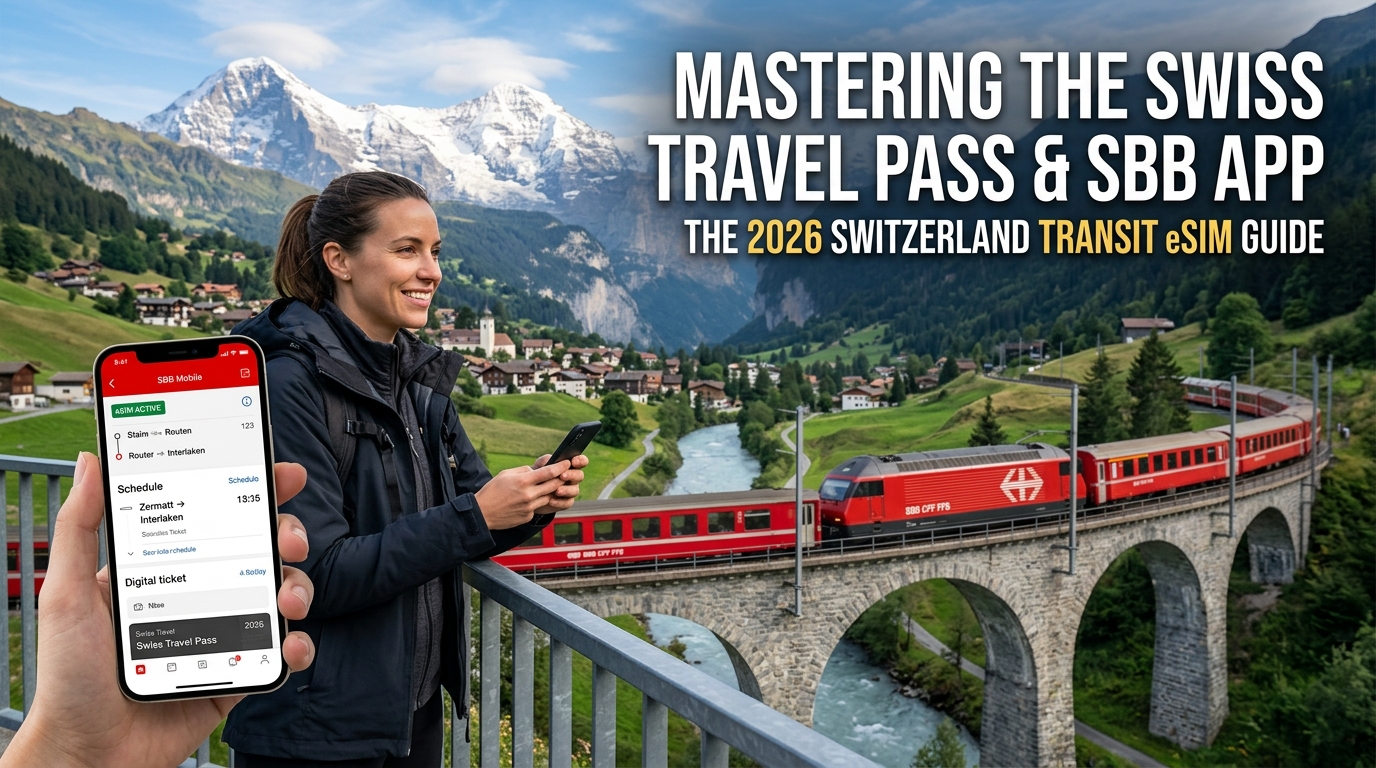
Das digitale Rückgrat des Schweizer ÖV: Warum die SBB Mobile App kontinuierlich Live-Daten erfordert
Der öffentliche Verkehr in der Schweiz (ÖV) basiert auf dem Taktfahrplan – einem mathematischen Meisterwerk, bei dem Züge, Postautos, Kursschiffe und Bergbahnen wie ein Schweizer Uhrwerk ineinandergreifen. Ohne eine aktive, unterbrechungsfreie Datenverbindung kann sich diese sprichwörtliche Schweizer Präzision für Reisende jedoch schnell in ein logistisches Problem verwandeln.
Die offizielle SBB Mobile App ist längst kein reiner digitaler Fahrplan mehr. Sie fungiert als Echtzeit-Leitstelle, die Ihre Route sekundengenau steuert. Wer sich auf zwischengespeicherte Screenshots oder unbeständiges Bahnhofs-WLAN verlässt, riskiert verpasste Anschlüsse, Orientierungsprobleme und empfindliche Nachzahlungsgebühren wegen ungültiger Tickets.
1. Die Realität knapper Umsteigefenster von 3 bis 5 Minuten
Schweizer Bahnhöfe – darunter Großknoten wie Zürich Hauptbahnhof, Bern und Olten – sind für extrem kurze Umsteigezeiten konzipiert. Anschlusszüge treffen oft so ein, dass für den Wechsel nur ein minimales Zeitfenster von 3 bis 5 Minuten bleibt.
Ein reibungsloser Ablauf dieser knappen Anschlüsse hängt vollständig von Live-Aktualisierungen ab:
- Dynamische Gleiswechsel: Kurzfristige Gleisbelegungen oder geringfügige Verspätungen vorausfahrender Züge führen zu automatischen Gleisänderungen. Ohne Push-Benachrichtigungen in Echtzeit sprinten Sie womöglich zu Gleis 4, während Ihr Zug längst am anderen Ende der Bahnhofshalle von Gleis 18 abfährt.
- *Zugformation & Sektoreinteilung (Zugformation):* Doppelstock-InterCity-Züge (IC) erreichen Längen von über 400 Metern. Die Formationsanzeige der SBB App visualisiert exakt, in welchem Sektor (Sektor A, B, C oder D) Ihre Wagenklasse, der Familienwagen oder das Veloabteil halten. Fehlen diese Echtzeitdaten, müssen Sie mit schwerem Gepäck über den Bahnsteig rennen, während sich die Türen bereits schließen.
- Passagieraufkommen & Wagenbelegung: Kontinuierliche Datenströme liefern präzise Prognosen zur Auslastung einzelner Wagen. So können Sie überfüllte Abschnitte meiden und gezielt in schwach besetzte Wagen einsteigen.
2. Live-Validierung: Dynamische SwissPass-QR-Codes und EasyRide
Die Digitalisierung der Fahrkartenkontrolle bei den Schweizerischen Bundesbahnen (SBB/CFF/FFS) sowie regionalen Verkehrsverbünden (ZVV, Libero, PostAuto) setzt eine permanente Online-Verbindung voraus.
| Funktion / Aktion | Technische Datenanforderung | Risiko bei Offline-Nutzung |
|---|---|---|
| Swiss Travel Pass Anzeige | Dynamische serverseitige Token-Generierung / Live-QR-Aktualisierung | Fehlgeschlagene Sicherheitsprüfung; Kontrollpersonal kann Gültigkeit nicht verifizieren |
| EasyRide Check-in/Check-out | Kontinuierliches GPS-Tracking im Hintergrund & Funkzellenabgleich | Unvollständige Reiseaufzeichnung, automatischer Fahrtabbruch, hohe Zuschlagsgebühren |
| Punkt-zu-Punkt-Echtzeittickets | Sofortiger Zeitstempelabgleich & Synchronisation mit Schaffner-Datenbank | Ticketkauf in letzter Sekunde vor dem Einsteigen schlägt fehl |
| Dynamische Sitzplatzreservierungen | Echtzeit-Synchronisation mit elektronischen Displays im Panoramazug | Versehentliches Belegen reservierter Plätze (z. B. im Bernina Express) |
Die Geolocation-Falle bei EasyRide
Die automatisierte Ticketing-Funktion der App, EasyRide, nutzt permanente Hintergrund-Standortdienste, WLAN-Signale und Mobilfunkdaten, um Ihre Ein- und Ausstiegsorte lückenlos zu erfassen. Verliert das Smartphone während der Fahrt das Mobilfunknetz, wird die Telemetrie unterbrochen. Steigt das Kontrollpersonal in einem Tunnel oder auf einem Bergpass zu, kann eine nicht erreichbare App keinen gültigen Prüfcode generieren – was eine direkte Nachgebühr von bis zu 90 CHF zur Folge haben kann.
3. Der Trugschluss von Bahnhofs-WLAN in alpinen Korridoren
An größeren Knotenpunkten steht zwar kostenloses Bahnhofs-WLAN (SBB-FREE) zur Verfügung, in der Praxis reicht dies für Reisende jedoch oft nicht aus:
- Captive-Portal-Timeouts: Das Netzwerk verlangt nach kurzen Inaktivitätsphasen eine erneute SMS-Authentifizierung – häufig genau in dem Moment, in dem Sie den Zug verlassen.
- Die Funklücke während der Fahrt: Sobald der Zug das Bahnhofsareal verlässt, bricht das WLAN ab. Zwar sind moderne Schweizer Waggons mit Signalverstärkern ausgestattet, diese setzen jedoch ein aktives SIM-/eSIM-Profil auf Ihrem Gerät voraus, um externe 4G/5G-Masten anzubinden.
- Entlegene Alpentäler: In tiefen Tälern wie Lauterbrunnen, dem Engadin oder im Wallis gibt es kein flächendeckendes öffentliches WLAN. Kommt es zu Routenänderungen oder wetterbedingtem Bahnersatzverkehr (Bahnersatz), stehen Offline-Geräte ohne Orientierung da.
4. Zuverlässige Reiseplanung durch durchgehende Mobilfunkdaten
Um auch bei kurzfristigen Gleiswechseln und Ticketprüfungen entspannt unterwegs zu sein, sind lückenlose Mobilfunkdaten unerlässlich.
Ein spezialisierter Konnektivitätsanbieter wie MollySIM gewährleistet unterbrechungsfreie Zellenwechsel über die führenden Schweizer Netze (Swisscom und Sunrise).
Zudem bietet MollySIM eine Fair Use Policy (FUP) mit einer Mindestgeschwindigkeit von 384 kbit/s – fast das Dreifache des branchenüblichen Standards von 128 kbit/s. Selbst wenn Ihr Highspeed-Volumen auf einem abgelegenen Alpenpass aufgebraucht sein sollte, stellt diese Basisbandbreite sicher, dass SBB Mobile, Google Maps, Messenger-Dienste sowie Zahlungsverifizierungen über Apple Pay oder Google Wallet ohne Unterbrechung weiterfunktionieren.
Alpine Topographie vs. Mobilfunksignale: Konnektivität bei Bergausflügen und in Tunneln
🌐 Global Travel High-Speed Travel eSIM & SIM Plans
Instant QR code activation, hotspot enabled, with guaranteed 384kbps fallback speed to keep Maps & Digital Wallets active.
Die Schweiz verfügt über eines der am besten ausgebauten Mobilfunknetze weltweit. Dennoch stellt die alpine Topographie die Hochfrequenztechnik vor extreme Herausforderungen. Steile Granitwände, tiefe Gletschertäler und kilometerlange Bahntunnel schirmen Funksignale naturgemäß ab. Wer diese Engpässe versteht, kann Verbindungsprobleme mit dem digitalen ÖV-Ticket effektiv vermeiden.
Die Physik alpiner Funkschatten und Bergausflüge in großer Höhe
Im Flachland breiten sich Mobilfunkfrequenzen im Sub-6-GHz-Bereich weitgehend gleichmäßig aus. In den Schweizer Alpen führt das zerklüftete Relief jedoch zu starken Funkschatten und Beugungseffekten an Geländekanten. In engen Tälern oder bei Auffahrten zu Alpengipfeln wird die direkte Sichtverbindung (Line-of-Sight, LOS) zur nächsten Basisstation (BTS) häufig unterbrochen.
| Strecke / Bergausflug | Höhe / Profil | Funktechnische Herausforderung | Praktische Auswirkung für Reisende |
|---|---|---|---|
| Jungfraujoch (Top of Europe) | 3.454 m (Tunnel + Gletschergrat) | Massive Gneis-Felsformationen im Eiger- und Mönchmassiv | Vollständiger Verlust externer Makrosignale; Verbindung basiert auf Indoor-Mikrozellen bei der Sphinx-Station. |
| Gornergrat Zahnradbahn | 1.604 m bis 3.089 m | Rascher Höhengewinn über exponierte, windige Bergrücken | Häufige Zellenwechsel zu Masten im Talboden; Paketverluste bei der Live-Ticketprüfung möglich. |
| Pilatus (Pilatusbahn) | Steilwand mit 48 % Steigung | Vertikale Felswände führen zu Mehrwege-Signalreflexionen | Phasenlöschung von Signalen: Verbindungsabbrüche trotz Anzeige voller Empfangsbalken. |
| Gotthard-Basistunnel | 57 km Tunnellänge | Längster Eisenbahntunnel der Welt unter bis zu 2.300 m Fels | Vollständige Abhängigkeit von Distributed Antenna Systems (DAS) und Schlitzkabeln. |
Auch auf beliebten Panoramastrecken wie dem Glacier Express über den Oberalppass (2.044 m) oder dem Bernina Express durch die Poschiavo-Schlucht durchfahren Züge mikroklimatische Zonen und topographische Funkschatten. Sucht das Smartphone permanent nach einem Netz, schaltet der interne Sendeverstärker auf Maximalleistung – was den Akku genau dann leert, wenn die SBB App für die Kontrolle benötigt wird.
Schnelle Funkzellenwechsel und Doppler-Effekt auf InterCity-Strecken
Bei Fahrten auf InterCity- (IC) oder InterRegio-Linien (IR) durch das Schweizer Mittelland mit Geschwindigkeiten von bis zu 200 km/h wechselt das Smartphone alle 20 bis 45 Sekunden die Funkzelle (Handover).
Bei hohem Tempo führt der Doppler-Effekt zu Verschiebungen der Trägerfrequenzen. Weist die Netzanbindung suboptimale Carrier-Aggregation-Protokolle auf, kann es in der SBB Mobile App zu kurzen Paketverlusten kommen. Dadurch können laufende EasyRide-Tracking-Sitzungen abbrechen oder dynamische QR-Codes bei der Ticketkontrolle nicht rechtzeitig laden.
Die Roaming-Latenzfalle: Warum internationale SIM-Karten in den Alpen versagen
Die Hauptursache für Verbindungsprobleme bei herkömmlichem Roaming über außereuropäische Heimatanbieter (z. B. aus den USA, Asien oder Großbritannien) ist das sogenannte Data Tromboning (auch Hairpinning genannt).
Fragt ein Roaming-Gerät auf der Fahrt über den Simplonpass Daten beim SBB-Server ab, läuft der Prozess wie folgt ab:
- Das Datenpaket erreicht eine lokale Schweizer Mobilfunkantenne (Swisscom oder Sunrise).
- Statt direkt zum SBB-Rechenzentrum in Zürich oder Bern geleitet zu werden, wird der Datenverkehr über internationale IPX-Knotenpunkte zum Kernnetz des jeweiligen Heimatlandes umgeleitet.
- Erst von dort geht die Antwort zurück über die globalen Leitungen zum Smartphone in den Alpen.
Diese Signallaufzeit (Round-Trip Time, RTT) verursacht Latenzspitzen von 250 ms bis über 600 ms – im Vergleich zu lokalen Reaktionszeiten von unter 20 ms. In Gebieten mit schwächerem Empfang führt diese Verzögerung häufig zu API-Timeouts in der SBB App, wodurch Fahrpläne, Gleiswechsel oder Barcodes nicht mehr rechtzeitig aktualisiert werden.
Alpine Signaldefizite mit Routing auf Infrastruktur-Niveau minimieren
Die Lösung für alpine Latenzprobleme liegt in einer lokalen Routing-Architektur (Local Breakout). Anbieter wie MollySIM nutzen direkte Schnittstellen zu den führenden Schweizer Netzen (Swisscom und Sunrise). Der Datenverkehr verbleibt über europäische Edge-Knotenpunkte direkt vor Ort, was die Latenz minimiert und die SBB App auch auf anspruchsvollen Bergstrecken reaktionsschnell hält.
Sollte das Highspeed-Kontingent unterwegs aufgebraucht sein, greift bei MollySIM die integrierte FUP-Drosselung auf 384 kbit/s – das Dreifache herkömmlicher Roaming-Limits (128 kbit/s). Diese Bandbreite reicht aus, um Navigationsdaten in Google Maps, Ticket-APIs der SBB sowie Apple Pay- oder Google Wallet-Transaktionen jederzeit stabil zu laden.
Mobilfunklandschaft Schweiz: Swisscom- vs. Sunrise-Infrastruktur und ÖV-Roaming
Die Mobilfunkversorgung in der Schweiz gehört zu den technisch anspruchsvollsten weltweit. Der Ausbau in engen Gletschertälern, Felsmassiven und Hochgeschwindigkeitstunneln erfordert eine präzise Frequenzkoordination sowie dedizierte Bahninfrastruktur. Drei Mobilfunknetzbetreiber (MNOs) betreiben eigene Funkzugangsnetze (RAN): Swisscom, Sunrise und Salt.
  Schweizer ÖV-Mobilfunkarchitektur
  ┌─────────────────────────────────────────────────────────────┐
  │ SBB Hochgeschwindigkeitsstrecken / Alpenpässe              │
  └──────────────┬───────────────────────────────┬──────────────┘
                 │                               │
       ┌─────────▼─────────┐           ┌─────────▼─────────┐
       │     Swisscom      │           │      Sunrise      │
       │ Low-Band: B20/B28 │           │ Low-Band: B20/B28 │
       │ High-Band: n78    │           │ High-Band: n78    │
       └─────────┬─────────┘           └─────────┬─────────┘
                 │                               │
                 └───────────────┬───────────────┘
                                 │ Direkte Anbindung
                       ┌─────────▼─────────┐
                       │     MollySIM      │
                       │ Edge-Routing /    │
                       │ 384 kbit/s FUP    │
                       └───────────────────┘
Frequenzzuteilungen: Gebäudedurchdringung vs. alpine Netzkapazität
Die Zuverlässigkeit der SBB App und Navigationsdienste in den Alpen hängt direkt von den genutzten Frequenzbändern ab:
- Sub-1-GHz-Bänder (Band 20 – 800 MHz & Band 28 – 700 MHz): Diese niedrigen Frequenzen bilden das Fundament der alpinen Netzabdeckung. Dank ihrer hohen Reichweite umbeugen sie Bergkämme und dringen tief in Täler wie Lauterbrunnen oder das Engadin ein. Swisscom und Sunrise verfügen über breite Spektren in diesem Bereich, was eine grundlegende LTE-Versorgung auch auf Wanderwegen und an Bergbahnen sichert.
- Mittelband-Kapazität (Band 3 – 1800 MHz & Band 7 – 2600 MHz): Werden primär entlang stark frequentierter SBB-Hauptachsen (z. B. Zürich–Bern–Genf) genutzt, um hohe Passagierzahlen ohne Netzüberlastung zu bedienen.
- 5G-Hochkapazität (Band n78 – 3,5 GHz): Ermöglicht Gigabit-Geschwindigkeiten in urbanen Zentren sowie an touristischen Knotenpunkten wie Zermatt, St. Moritz und Interlaken Ost.
Während Salt in Städten eine gute und preiswerte Abdeckung bietet, ist das Netz auf abgelegenen Pässen und Nebenstrecken dünner ausgebaut. Für eine unterbrechungsfreie Navigation im gesamten ÖV-Netz ist der Zugriff auf Swisscom oder Sunrise klar von Vorteil.
Bahnkorridor-Technik: Schlitzkabel und Scheibenbedämpfung
Moderne Züge der SBB (wie die Doppelstockzüge FV-Dosto oder der Giruno) besitzen wärmedämmende, metallbeschichtete Fensterscheiben. Diese Beschichtung führt zu einer Signaldämpfung von 20 bis 30 dB, wodurch die Wagen wie partielle Faradaysche Käfige wirken.
Um dem entgegenzuwirken, haben SBB, Swisscom und Sunrise Intra-Zug-Repeater und streckenseitige Kleinzellen installiert. Zudem sind wichtige Tunnel – wie der 57 km lange Gotthard-Basistunnel und der 15 km lange Ceneri-Basistunnel – mit strahlenden Koaxialkabeln (Schlitzkabeln / Leaky Feeders) an den Tunnelwänden ausgestattet. Diese übertragen Signale im Sub-1-GHz- und Mittelbandbereich direkt entlang der Trasse, wodurch unterbrechungsfreie Funkzellenwechsel bei 200 km/h möglich sind.
Infrastruktur- & Roaming-Vergleichsmatrix
Die folgende Übersicht vergleicht Schweizer Netze, Standard-Roaming, Pocket-WLAN und spezialisierte Reise-eSIMs für den ÖV-Einsatz:
| Konnektivitätslösung | Hauptnetz(e) | Alpine 5G / 4G Abdeckung | Zuverlässigkeit Tunnel-Handover | Durchschn. Latenz zu SBB-APIs | Drosselungs-Grenze (FUP) | Einrichtung & Handhabung |
|---|---|---|---|---|---|---|
| Swisscom (Postpaid) | Swisscom | ~99 % Bev. / ~94 % Alpin | Exzellent (Eigene Repeater) | <15 ms | Dynamisch / Gestaffelt | Schweizer Wohnsitz/Ausweis nötig; hohe Kosten |
| Sunrise (Postpaid) | Sunrise | ~98 % Bev. / ~91 % Alpin | Exzellent (SBB-Kollokation) | <18 ms | Dynamisch / Gestaffelt | Schweizer Wohnsitz/Ausweis nötig; Vertrag |
| Standard-EU-Roaming | Roaming im Partnernetz | Variiert je nach Anbieter | Mäßig bis befriedigend | 250–600 ms (Home-Routing-Verzug) | 64–128 kbit/s (Kaum nutzbar für Karten) | Keine Einrichtung; Gefahr hoher Zusatzkosten |
| Miet-Pocket-WLAN | Salt- oder Sunrise-SIM | ~85–90 % (Hardware-abhängig) | Mittel (Akku-/Standby-Probleme) | 45–90 ms | 128 kbit/s | Zusätzliches Gerät; tägliches Laden erforderlich |
| MollySIM Schweiz | Swisscom / Sunrise Auto-Switch | ~99 % Bev. / ~93 % Alpin | Hoch (Lokaler europäischer IP-Breakout) | <30 ms | 384 kbit/s (3x Standard-Limit) | Sofortige QR-Aktivierung; rein digital |
Funklöcher einzelner Netzbetreiber überbrücken
Durch topographische Gegebenheiten können selbst bei den besten Netzbetreibern hinter steilen Felswänden lokale Funkschatten entstehen. Während reguläre Swisscom-Kunden fest an deren Masten gebunden sind, wechselt eine Multi-Netz-Reise-eSIM dynamisch zwischen Swisscom und Sunrise – basierend auf der aktuellen Signalstärke (RSRP/RSRQ-Werte).
Verliert ein Zug in einem Walliser Seitental die Verbindung zum Swisscom-Netz, baut eine Dual-Netz-eSIM umgehend die Verbindung zum nächsten Sunrise-Masten auf. In Verbindung mit der 384-kbit/s-Mindestbandbreite von MollySIM bleibt Ihr Smartphone durchgehend empfangsbereit für Swiss Travel Pässe, Gleisänderungen und kontaktlose Zahlungen.
Die Schweizer Roaming-Falle vermeiden: Schritt-für-Schritt Dual-SIM-Einrichtung für iOS und Android
Ein weit verbreiteter Irrtum bei Reisen in die Eidgenossenschaft ist die Annahme, dass reguläre EU-Roaming-Tarife die Schweiz automatisch abdecken. Da die Schweiz weder Mitglied der Europäischen Union (EU) noch des Europäischen Wirtschaftsraums (EWR) ist, gilt die EU-Verordnung Roam Like at Home (RLAH, Verordnung EU 2026/612) hier nicht.
Sofern Ihr Heimattarif die Schweiz nicht explizit einschließt, greifen beim Grenzübertritt aus Deutschland, Österreich, Frankreich oder Italien sofort reguläre Auslandstarife. Viele europäische und internationale Mobilfunkanbieter berechnen zwischen 6,00 € und 15,00 € pro Megabyte. Dadurch können Hintergrundaktualisierungen, Fotosynchronisationen oder wenige Fahrplanabfragen innerhalb kürzester Zeit dreistellige Zusatzkosten verursachen.
Um Roaminggebühren sicher zu vermeiden und gleichzeitig SMS-Codes für die Zwei-Faktor-Authentifizierung (2FA) beim Online-Banking zu empfangen, empfiehlt sich die Einrichtung als Dual-SIM Standby.
       [ Geräte-Mobilfunkkonfiguration ]
                       |
       +---------------+---------------+
       |                               |
[ Primäre Leitung: Heimat-SIM ]  [ Sekundäre Leitung: MollySIM ]
       |                               |
- Telefonie & SMS: AKTIV       - Telefonie: Inaktiv (oder VoIP)
- Datenroaming: AUS            - Mobile Daten: AKTIV
- Mobile Daten: DEAKTIVIERT    - Datenroaming: AKTIVIERT
- Datenwechsel: AUS            - Mindestbandbreite: 384 kbit/s
Einrichtung unter iOS (iPhone XS und neuer)
Führen Sie diese Schritte idealerweise vor der Abreise oder direkt bei der Ankunft am Flughafen Zürich (ZRH), Genf (GVA) oder beim Grenzübertritt durch:
- eSIM-Profil installieren:
- Öffnen Sie Einstellungen > Mobilfunk > eSIM hinzufügen.
- Scannen Sie den QR-Code aus Ihrer MollySIM-Bestätigung oder geben Sie die SM-DP+-Adresse und den Aktivierungscode manuell ein.
- Vergeben Sie klare Bezeichnungen: Nennen Sie Ihre primäre SIM „Heimat“ und das neue Profil „MollySIM“ (oder „Reise“).
- Mobile Daten eindeutig zuweisen:
- Navigieren Sie zu Einstellungen > Mobilfunk > Mobile Daten.
- Wählen Sie MollySIM als primäre Leitung für Daten.
- WICHTIGER SCHRITT: Deaktivieren Sie die Option „Wechseln mobiler Daten erlauben“. Bleibt diese aktiv, schaltet iOS bei kurzen Funkschatten im Tunnel automatisch auf Ihre Heimat-SIM um – was hohe Roamingkosten auslösen kann.
- Sprachtelefonie und SMS für 2FA konfigurieren:
- Wählen Sie unter Einstellungen > Mobilfunk > Standard-Sprachleitung Ihre Heimat-SIM aus, um wichtige Bank-SMS und Notfallanrufe weiterhin zu empfangen.
- Tippen Sie in der SIM-Liste auf Ihre Heimat-SIM: Stellen Sie sicher, dass Datenroaming DEAKTIVIERT ist.
- Tippen Sie auf die MollySIM-Leitung: Vergewissern Sie sich, dass Datenroaming AKTIVIERT ist.
Einrichtung unter Android (Samsung One UI & Google Pixel)
Die Menüführung variiert je nach Hersteller leicht, die grundlegenden Einstellungen sind jedoch identisch:
Für Samsung Galaxy-Geräte (One UI 5 / 6):
- Öffnen Sie Einstellungen > Verbindungen > SIM-Manager.
- Legen Sie unter Bevorzugte SIMs Folgendes fest:
- Anrufe: Primäre SIM (Heimat-SIM)
- Nachrichten: Primäre SIM (Heimat-SIM)
- Mobile Daten: MollySIM
- Deaktivieren Sie den Schalter „Automatischer Datenwechsel“, um ein unbemerktes Zurückgreifen auf die Heimat-SIM zu verhindern.
- Öffnen Sie Einstellungen > Verbindungen > Mobile Netzwerke:
- Prüfen Sie, ob Datenroaming für MollySIM aktiv ist.
- Stellen Sie sicher, dass Datenroaming für Ihre Heimat-SIM vollständig deaktiviert ist.
Für Google Pixel-Geräte (Stock Android 13 / 14 / 15):
- Öffnen Sie Einstellungen > Netzwerk & Internet > SIM-Karten.
- Wählen Sie Ihre Heimat-SIM: Setzen Sie SIM verwenden auf EIN, aber deaktivieren Sie Mobile Daten und Roaming.
- Wählen Sie das MollySIM-Profil: Aktivieren Sie SIM verwenden, Mobile Daten und Roaming.
- Deaktivieren Sie optionsübergreifend „Mobile Daten während Anrufen“.
APN-Prüfung und sicheres Datenrouting
Sollte das Gerät den Zugangspunkt (Access Point Name, APN) nicht automatisch laden, können Sie die Einstellungen für die Schweizer Netze manuell überprüfen:
| Parameter | Konfigurationswert |
|---|---|
| APN | Automatisch erkannt (oder laut MollySIM-Bestätigung) |
| Benutzername | Leer lassen |
| Passwort | Leer lassen |
| APN-Typ | default,supl |
| PDP-Typ | IPv4/IPv6 |
Mit dieser Konfiguration empfängt Ihre Heimat-SIM reine Textnachrichten für die Zwei-Faktor-Authentifizierung, während das gesamte mobile Datenvolumen über MollySIM Schweiz läuft.
Dank der
🌐 Global Travel High-Speed Travel eSIM & SIM Plans
Instant QR code activation, hotspot enabled, with guaranteed 384kbps fallback speed to keep Maps & Digital Wallets active.