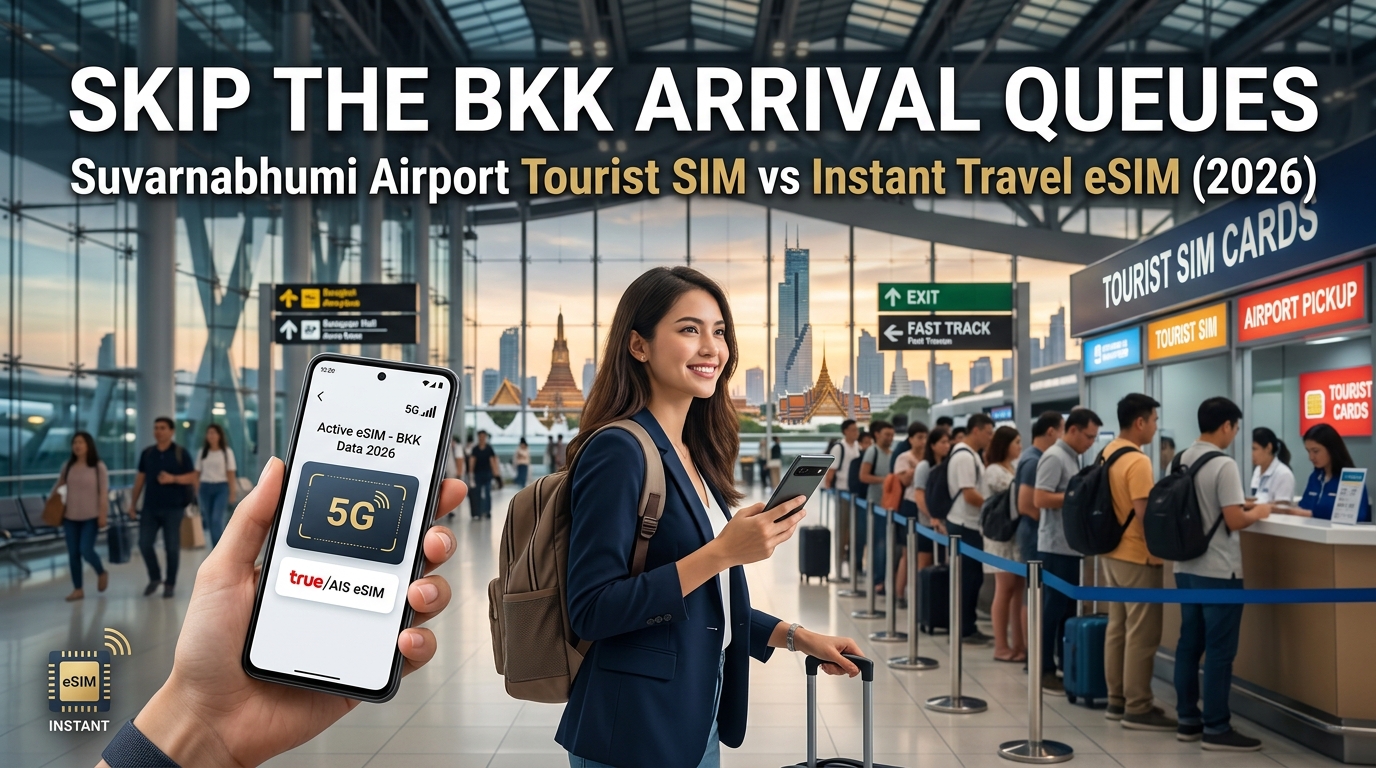
The BKK Arrival Reality: Navigating Suvarnabhumi's Terminal Chaos and Kiosk Pitfalls
Touching down at Bangkok Suvarnabhumi International Airport (BKK) is an exhilarating milestone, but the transition from aircraft door to ground transport is notoriously grueling. After enduring a long-haul flight, travelers routinely face an 800-meter trek through concourses C, E, or F, followed by peak-hour immigration queues that can stretch past 45 minutes. Once you collect your baggage and push your trolley through Customs Exit B or C, you are immediately thrust into the sensory overload of the Level 2 Arrivals Hall.
For decades, the standard operating procedure for incoming tourists was simple: head straight to the nearest telecom counter. In 2026, however, that habit creates one of the most frustrating bottlenecks of your entire trip.
The Kiosk Bottleneck: Why Physical SIM Buying at BKK Stalls Out
Between Gates 6, 7, and 8, the neon counters of Thailand’s major mobile network operators—AIS, TrueMove H, and dtac—dominate the perimeter. At almost any hour of the day, these booths are swarmed by serpentine lines of sleep-deprived international passengers.
The delays are not simply due to high foot traffic; they are structural:
- Mandatory NBTC Biometric Registration: Under regulations enforced by the National Broadcasting and Telecommunications Commission (NBTC), every SIM card sold in Thailand requires strict KYC (Know Your Customer) compliance. Kiosk staff must physically handle your original passport, scan the bio-page, and capture an on-the-spot, high-resolution facial scan to register the ICCID to your identity. If the verification camera fails or the system lags under heavy network load, a single transaction can drag on for five to eight minutes per customer.
- The "Tourist Package" Price Gouging: Airport kiosks rarely display standard, budget-friendly local prepaid tiers. Instead, counters are plastered with aggressive upselling collateral promoting "Unlimited Tourist 5G" packages priced between 599 THB and 1,299 THB ($17–$37 USD)—often double or triple the cost of equivalent domestic data packages.
- Currency Exchange Traps: Travelers landing without local currency face an immediate dilemma: pay inflated kiosk conversion rates on foreign credit cards, use BKK airport exchange booths (which offer notoriously poor spreads compared to downtown branches), or incur the standard 220 THB foreign ATM withdrawal fee just to secure physical cash for a SIM.
The Physical SIM Swap: A Microscopic Risk in a Crowded Terminal
Even after surviving the queue and completing the biometric scan, the physical installation process presents its own friction:
- The Tiny Plastic Trap: Juggling a smartphone, luggage cart, passport, and a microscopic nano-SIM card in a jostling crowd is a recipe for disaster. Dropping your domestic SIM onto the terminal floor often means losing access to your home carrier's SMS two-factor authentication (2FA) for mobile banking and credit cards.
- Missing Ejector Tools: If the kiosk staff do not insert the card for you due to long lines, you are left searching for an ejector pin or a bent paperclip while standing in the middle of a busy arrival concourse.
Physical SIM: Wait in Line ➔ Passport Scan ➔ Facial Capture ➔ Swap Nano-SIM ➔ Risk Losing Home Carrier 2FA
Travel eSIM:  Scan QR Code Before Departure ➔ Land at BKK ➔ Connect to 5G Instantly
The Smarter Alternative: Zero-Wait Digital Connectivity
The friction of airport kiosks is why forward-thinking travelers bypass Level 2 telecom stalls entirely. By procuring an instant digital profile through providers like MollySIM prior to departure, your device connects to local Tier-1 Thai networks the second your flight touches the tarmac.
| Feature | Airport Kiosk SIM | MollySIM Travel eSIM |
|---|---|---|
| Wait Time Upon Arrival | 20–45 minutes in line | 0 minutes (Instant activation) |
| Identity Verification | Manual passport & facial scan | Digital, frictionless onboarding |
| Hardware Handling | Requires SIM tray removal | 100% digital download (Dual-SIM active) |
| Fallback Speed (FUP) | Throttled to standard 128 kbps | Generous 384 kbps baseline |
Beyond skipping the airport queues, modern travel eSIMs solve the dreaded post-cap slowdown. While standard tourist cards throttle your connection to an unusable 128 kbps once high-speed allocations are exhausted, MollySIM maintains a 384 kbps Fair Use Policy (FUP) speed limit. This 3x speed advantage ensures mission-critical apps like Google Maps, Grab ride-hailing, Line, and Apple Pay continue to function seamlessly from the moment you exit Suvarnabhumi's terminal doors.
Suvarnabhumi Airport SIM vs. MollySIM Travel eSIM: Comprehensive Comparison
🇹🇭 Thailand High-Speed Travel eSIM & SIM Plans
Instant QR code activation, hotspot enabled, with guaranteed 384kbps fallback speed to keep Maps & Digital Wallets active.
Choosing how you connect across Thailand dictates your arrival efficiency, data reliability, and digital security. Below is a granular breakdown contrasting physical tourist SIM cards purchased at Suvarnabhumi Airport (BKK) Level 2 against a pre-configured MollySIM digital profile.
| Comparison Metric | Suvarnabhumi (BKK) Physical Kiosk SIM | MollySIM Thailand Travel eSIM |
|---|---|---|
| Acquisition & Deployment | 20–45 min physical queue, staff handling | Instant zero-click setup via QR code before departure |
| Price-to-Data Ratio | Airport premium: ~299–599 THB ($9–$18 USD) for short-term capped packages | Wholesale digital pricing: Optimized gigabyte buckets with zero airport retail markups |
| Network Infrastructure | Tied to a single carrier kiosk (AIS or TrueMove H) | Premium Tier-1 access connecting to Thailand's fastest 5G local towers |
| Identity Verification (KYC) | Mandatory physical passport scan, photo capture, manual NBTC logging | Seamless digital checkout without physical biometric queues |
| Multi-Device Tethering | Supported, but drains high-speed allowance quickly | Fully enabled personal hotspot support across laptops, tablets, and secondary phones |
| Dual-SIM & 2FA Integrity | Displaces domestic SIM unless you carry a dedicated Dual-SIM physical tray | Keeps primary line active for critical banking SMS, OTPs, and dual WhatsApp/iMessage profiles |
| Data Exhaustion Policy (FUP) | Hard speed cap drop to 128 kbps (unusable for modern secure apps) | 384 kbps Fair Use Policy fallback (3x faster; maintains live GPS, messaging, and mobile payments) |
Deep-Dive Analysis: The Operational Realities
1. The Airport Tourist Premium vs. True Value Pricing
Physical stalls at Suvarnabhumi operate under massive retail concession overheads. These costs are directly passed to consumers in the form of inflated "Tourist Packages" that bundle voice minutes international travelers rarely use. With MollySIM, you pay strictly for high-speed data capacity, eliminating tourist surcharges and giving you significantly higher gigabyte-per-dollar efficiency.
2. Dual-SIM Continuity and Banking 2FA Security
Swapping in a physical Thai SIM card introduces an overlooked operational risk: losing access to your primary phone number. Modern banking apps, credit card verification systems, and work authentication portals (Okta, Microsoft Authenticator) rely on SMS-based One-Time Passwords (OTPs).
- Physical SIM Swaps: Force you to store your home SIM card in a wallet or plastic bag—creating a high risk of loss or physical damage.
- MollySIM Travel eSIM: Runs simultaneously alongside your primary carrier. You configure your device to route all mobile data through the low-cost Thai eSIM profile while keeping your domestic line active strictly for zero-cost incoming 2FA SMS.
Device Dual-SIM Architecture:
┌─────────────────────────────────────────────────────────────┐
│ Primary Line (Home SIM)  ➔ Incoming 2FA & Bank Verification │
│ MollySIM eSIM Profile    ➔ Local Thai 5G Data & Tethering   │
└─────────────────────────────────────────────────────────────┘
3. Fair Use Policy (FUP): Why 384 kbps Matters
Most standard airport SIMs throttle data to an aggressive 128 kbps once high-speed limits are hit. In real-world conditions, 128 kbps causes modern app timeout errors because HTTPS/TLS security handshakes fail under strict packet latency.
By contrast, MollySIM maintains a baseline 384 kbps speed ceiling. This 3x speed differential provides crucial bandwidth headroom:
- Grab & Bolt: Search destinations, verify drivers, and process in-app credit card authorizations without freezing.
- Navigation: Google Maps and Apple Maps sustain vector tile caching, live traffic updates, and re-routing.
- Fintech & Mobile Wallets: Apple Pay, Google Wallet, and international banking interfaces load and authenticate seamlessly without network timeouts.
Instant Runway Latching: Practical Advantages of Zero-Wait 5G at BKK
The moment your flight touches down on Suvarnabhumi’s runway and the captain turns off the seatbelt sign, your device should immediately switch from Airplane Mode to an active, encrypted local 5G connection. This capability—known as runway latching—eliminates the stressful 45-to-90-minute dead zone that travelers face while waiting to clear immigration, collect baggage, and line up at retail SIM counters.
Having zero-wait cellular data fundamentally transforms your arrival workflow across four critical, high-friction scenarios at BKK.
1. Bypassing Airport Taxi Surcharges via Grab & Bolt
Suvarnabhumi's official Level 1 taxi queue frequently suffers from severe bottlenecks during peak international arrival banks (typically 3:00 PM – 7:00 PM and midnight – 2:00 AM). Travelers must pull paper queue tickets and often negotiate with drivers who attempt to bypass the statutory meter or demand inflated flat rates of 500–800 THB for rides into central Bangkok (Sukhumvit/Siam).
With an active MollySIM profile:
- Pre-Book from Baggage Claim: You can price-compare and summon a GrabCar, Bolt, or LINE MAN ride while waiting for your luggage at Level 2, timing the driver’s arrival exactly as you exit to the designated Level 1 ride-hailing pick-up bays.
- Fixed In-App Pricing: Rides are locked to transparent digital fares (typically 250–380 THB plus expressway tolls), charged straight to your credit card without currency exchange friction.
- FUP Protection: Even in heavy network congestion or under throttled conditions, MollySIM’s baseline 384 kbps Fair Use Policy keeps driver tracking, location sharing, and payment authorization running without timeout errors.
2. Immediate Host and Private Transfer Coordination
Pre-arranged hotel transfers and private chauffeurs typically stage at Level 2, between Gates 3 and 4. Navigating this chaotic arrivals hall without data is notoriously difficult:
- Drivers constantly cycle through staging parking lots due to strict airport dwell-time limits.
- Instant WhatsApp, LINE, or WeChat connectivity allows you to send live location pins and real-time photos of your exact exit pillar to your driver before they get moved along by airport security.
- Airbnb and self-check-in condominium hosts in Bangkok routinely send dynamic smart-lock door codes or keybox PINs via messaging apps only after you confirm you have landed.
3. Real-Time OCR Translation and Customs Forms
Navigating BKK’s multi-level infrastructure and biosecurity regulations can present immediate language barriers:
- Live Camera OCR: Tools like Google Lens and Apple Visual Lookup require steady bandwidth to translate complex Thai signage, baggage carousel rerouting notifications, and health declaration placards on the fly.
- Digital Transit Access: Pulling up digital boarding passes, onward flight itineraries, and confirmation PDFs for immigration scrutiny requires immediate cloud access.
Zero-Wait Cellular vs. BKK Public Wi-Fi: Practical Comparison
Relying on BKK's public Wi-Fi network creates significant friction and security vulnerabilities the moment you step off the jet bridge:
| Metric / Scenario | BKK Public Airport Wi-Fi (@AirportFreeWi-Fi by NT) | Instant MollySIM 5G Profile |
|---|---|---|
| Activation Point | Terminal interior only (fails on runway/taxiway) | Instant connection upon wheels-down |
| Onboarding Friction | Mandatory captive portal, passport number, & email entry | Zero setup; automatic cellular handshake |
| Session Persistence | Drops automatically every 60–120 minutes; requires re-login | Persistent, uninterrupted 5G data stream |
| Security Architecture | Open unencrypted network (vulnerable to packet sniffing/Evil Twin APs) | Carrier-grade AES-256 cellular encryption |
| Throughput Consistency | Highly congested during peak arrival banks (high packet loss) | Dedicated multi-carrier 5G local routing |
By deploying an eSIM prior to departure, you transform an arrival process defined by long queues, unencrypted public hotspots, and transportation stress into an automated, secure exit straight to your destination.
Network Performance: Thailand's 5G Landscape and the MollySIM 384kbps Safety Net
Thailand boasts one of the most mature 5G infrastructures in Southeast Asia, dominated by two telecom giants: AIS (Advanced Info Service) and the merged powerhouse True-dtac (True Corporation). For international arrivals touching down at Suvarnabhumi Airport, understanding this carrier architecture is essential to securing reliable data connectivity across both dense metropolitan cores and remote outer islands.
Spectrum Allocation and Penetration Across Thailand
The performance of your travel connection depends on how well your eSIM interfaces with Thailand’s primary 5G New Radio (NR) frequency bands:
- Band n28 (700 MHz – Low Band): Provides massive geographic reach and deep indoor penetration. This band carries signals through concrete high-rises in Bangkok’s Sukhumvit corridor, keeps connections alive inside the subterranean MRT transit tunnels, and covers remote stretches in Chiang Mai's mountainous north or the Andaman archipelago.
- Band n41 (2600 MHz – Mid Band): The high-capacity backbone deployed heavily across urban centers, international airports, and transit hubs. It handles heavy concurrent user loads without degrading into packet-drop bottlenecks.
- Band n78 (3500 MHz – High-Mid Band): Deployed for high-throughput enterprise and micro-cell coverage in high-density shopping complexes like CentralWorld and ICONSIAM.
MollySIM routes traffic directly through these tier-1 local network backbones. By pairing local carrier routing with multi-band 5G access, users bypass low-priority roaming bottlenecks, maintaining sub-30ms latency from the moment they step into the arrival hall to deep underground platform transfers.
The "Unlimited" Tourist SIM Trap: 64kbps vs. 384kbps Throttling
A common pain point with physical tourist SIM cards purchased at BKK arrival counters lies buried in their Fair Usage Policy (FUP) fine print. Kiosk packages frequently market "Unlimited 5G Data," but once the allocated high-speed quota (e.g., 15GB or 30GB) is reached, the connection is instantly downgraded to 64kbps or 128kbps—or severed entirely.
At 64kbps, modern internet protocols fail: secure SSL/TLS handshakes timeout, real-time GPS telemetry stalls, and simple apps fail to render basic interfaces.
To prevent travelers from being stranded without vital digital utilities, MollySIM enforces a 384kbps high-utility fallback speed—up to 6x faster than legacy physical tourist SIMs.
| Mobile Task / Application | 64kbps (Standard Airport Tourist SIM) | 128kbps (Budget Roaming eSIMs) | 384kbps (MollySIM FUP Safety Net) |
|---|---|---|---|
| Google Maps / Apple Maps | Fails to load vector map tiles; routing fails | Vector tiles load with 30–45s delay | Instant vector rendering & turn-by-turn routing |
| Grab / Bolt Ride-Hailing | Timeout during driver matching & tracking | Slow UI load; tracking jumps erratically | Smooth driver telemetry, dispatch, & in-app chat |
| WhatsApp / LINE Audio Calls | Heavy packet loss, robotic audio, dropped calls | Passable audio with frequent stutter | Crystal-clear voice calls (Opus codec optimized) |
| Apple Pay / Banking Auth | Gateway timeout errors; 2FA fails to sync | Intermittent 2FA push notifications | Reliable transaction processing & token exchange |
| Google Translate (Live Voice) | Service unavailable / Network connection error | Significant latency on text-only queries | Functional text and compressed speech translation |
This 384kbps buffer guarantees that even if you exhaust your primary high-speed data tier while traveling between Bangkok, Pattaya, or Phuket, critical communications, navigation, ride-hailing services, and contactless payments remain functional without forcing you to hunt down a top-up counter.
Step-by-Step Guide: Pre-Departure eSIM Setup and Dual-SIM Optimization for Bangkok
To bypass the bottleneck at Suvarnabhumi’s customs exit entirely, configure your digital profile before stepping onto your flight. Installing your travel profile over a secure home or airport Wi-Fi connection ensures that your handset immediately initiates network handshake protocols with local Bangkok cell towers the moment your aircraft touches down on the tarmac.
Phase 1: Pre-Departure Installation (12–24 Hours Before Takeoff)
Acquire your digital profile from MollySIM and retrieve the QR code from your confirmation email or management dashboard. Print the code or display it on a secondary screen (laptop, tablet, or companion device) for quick optical scanning.
For Apple iOS (iPhone XS / 11 / 12 / 13 / 14 / 15 / 16 Series)
- Connect to high-speed Wi-Fi, open Settings, and tap Cellular (or Mobile Data).
- Select Add eSIM (or Add Cellular Plan).
- Tap Use QR Code and frame the MollySIM installation QR code within the viewfinder.
- When prompted by the system dialog, tap Continue to download and bind the local profile to your device's eUICC chip.
- In the Cellular Plan Labels screen:
- Label your domestic carrier as Primary (or Home).
- Label the newly added profile as Thailand Travel (or MollySIM).
- Set your domestic line as the default line for Voice and SMS, then temporarily leave Cellular Data assigned to your domestic line until boarding.
For Android (Samsung Galaxy One UI & Google Pixel Native)
- Samsung Galaxy Devices: Navigate to Settings > Connections > SIM Manager > Add eSIM > Scan QR code from service provider.
- Google Pixel Devices: Navigate to Settings > Network & internet > SIMs > Add SIM > Download a SIM instead > Scan the provided QR code.
- Once downloaded, rename the newly generated profile to Thailand Travel for frictionless management.
Phase 2: Dual-SIM Configuration (Preserving 2FA Banking SMS)
The primary operational advantage of modern Dual-SIM hardware is the ability to route bandwidth-heavy data through high-speed Thai carriers while keeping your domestic line open exclusively for zero-cost inbound banking verification SMS (OTPs) and two-factor authentication prompts.
| Setting Parameter | Domestic / Home Carrier Profile | MollySIM Thailand Profile | Strategic Function |
|---|---|---|---|
| Line Status | ON | ON | Keeps both radios active simultaneously |
| Cellular Data | Unchecked / OFF | Checked / PRIMARY DATA | Forces all packet data through local Thai rates |
| Data Roaming | OFF (Critical) | ON (Required) | Blocks home carrier $10/day roaming fees |
| Allow Cellular Data Switching | OFF (Crucial) | N/A | Prevents accidental data fallback to domestic line |
| Default Voice Line | Selected (Home) | Unchecked | Keeps your standard dialer reachable for emergencies |
Critical Cost-Saving Rule: Double-check that Allow Cellular Data Switching (iOS) or Data Switching and Backup Calling (Android) is toggled OFF. If left enabled, your device may automatically fall back to your domestic carrier when passing through lower-signal basements or BTS stations, triggering exorbitant international data roaming penalties from your domestic provider.
Phase 3: Touchdown Activation & Troubleshooting at Suvarnabhumi (BKK)
When your aircraft taxis toward the terminal gate at Suvarnabhumi:
- Disable Airplane Mode: Allow your phone to register with local radio frequency bands.
- Switch Cellular Data Routing: Set Cellular Data to Thailand Travel (MollySIM).
- Verify Data Roaming: Ensure the toggle beside your MollySIM profile is switched ON.
Field Troubleshooting for Edge Cases
- Manual Network Operator Selection: If your device remains stuck on "Searching" or connects to a weak 3G channel inside the terminal, navigate to Settings > Cellular > Network Selection, toggle off Automatic, and manually tap AIS or True 5G. MollySIM partners directly with Thailand’s Tier-1 infrastructure providers to offer uninterrupted connectivity across metropolitan Bangkok and transit corridors.
- APN Configuration Check: In rare cases where local APN credentials do not propagate automatically via OTA provisioning, navigate to Cellular Data Network under your travel profile and verify that the APN field matches the short alphanumeric string provided in your MollySIM setup instructions (leave Username and Password blank).
- FUP Buffer Operational Verification: In the event that your primary high-speed data allowance is fully utilized during intensive multimedia streaming or video uploads, MollySIM's built-in 384kbps Fair Use Policy (FUP) safety floor maintains steady packet flow. Unlike budget SIM alternatives that drop speeds to an unusable 64kbps or 128kbps, this 384kbps stream ensures live turn-by-turn navigation in Google Maps, Grab driver telemetry, and Apple Pay token authentication execute without network timeouts.
Beyond Suvarnabhumi: Seamless High-Speed Connectivity Across Thailand
Stepping out of Suvarnabhumi’s arrival hall with active cellular data is only the initial dividend of setting up a digital profile in advance. Thailand’s telecommunications landscape in 2026 boasts one of the most mature, widespread 5G standalone (SA) deployments in Asia. When your itinerary transitions from the concrete canyons of Sukhumvit to regional transit corridors, islands, and mountain passes, having resilient mobile access transforms logistical friction into effortless travel.
Nationwide Infrastructure: From Northern Highlands to Southern Archipelagos
A robust digital connection is critical once you venture outside Bangkok’s metropolitan perimeter. Dual-carrier infrastructure ensures that high-bandwidth data follows you across varied terrain:
- Northern Mountain Corridors (Chiang Mai, Chiang Rai, & Pai): Navigating the 762 hairpin turns along Route 1095 from Chiang Mai to Pai demands real-time offline-and-online GPS caching. Continuous connectivity allows live telemetry for elevation changes, weather alerts during monsoon transitions, and spontaneous stops at remote mountain cafes.
- Central Transit & Rail Links (Ayutthaya & Kanchanaburi): As modern travelers increasingly leverage the State Railway of Thailand (SRT) and intercity rail links, consistent cell tower handoffs allow you to stream work calls, book boutique heritage stays, or manage digital nomad tasks without mid-transit packet drops.
- Andaman Coast & Gulf Islands (Phuket, Krabi, Koh Samui, & Koh Tao): Island-hopping routes rely on dynamic schedules. Whether you are tracking ferry departures across the Gulf of Thailand, checking marine dive forecasts in real-time, or navigating longtail transfers around Krabi’s limestone karsts, having direct access to Tier-1 infrastructure (AIS and True) prevents dead zones on open water.
Critical Travel Logistics Powered by Uninterrupted Data
Beyond navigation, reliable mobile data serves as your foundational utility for daily transactions across Thailand:
- Frictionless QR Payments & Transportation: Thailand’s economy operates extensively on cashless transactions. From night market vendors in Chiang Mai accepting prompt QR payments to hailing a Bolt or Grab in Phuket, instant data access is mandatory.
- Bandwidth Resilience on Exhausted Quotas: Typical travel days involve heavy video uploads, cloud photo syncing, and continuous navigation that can rapidly drain high-speed data buckets. While generic budget eSIM providers throttle exhausted users down to a crippling 64kbps or 128kbps—effectively severing application communication—MollySIM implements a continuous 384kbps Fair Use Policy (FUP) floor. Running at three times the speed of legacy competitors, this dedicated safety bandwidth guarantees that Google Maps directions, Grab driver messaging, and Apple Pay authentication tokens execute cleanly without network timeouts.
Infrastructure Comparison: Transit Performance Nationwide
| Operational Metric | Standard Airport Counter SIM | Budget Roaming eSIMs | MollySIM Travel Profile |
|---|---|---|---|
| Initial Deployment | 20–45 min physical queue | In-app purchase / QR scan | Instant QR scan / Direct OTA |
| Network Carrier Backbone | Single locked carrier (e.g., True or AIS) | Low-priority single roaming partner | Tier-1 Direct Local Peering (AIS / True) |
| Post-Allowance Speed (FUP) | Throttled to 64kbps–128kbps | Drops to 128kbps or hard shutoff | 384kbps guaranteed buffer |
| Regional Island Coverage | Standard | Inconsistent roaming handoffs | Optimized multi-tower failover |
| Passport KYC Friction | Mandatory airport counter scan | Often required via portal upload | Instant digital fulfillment |
Eliminate Terminal Friction on Arrival
Standing in a 40-minute queue at a Suvarnabhumi arrivals counter to surrender your passport for a physical piece of plastic is an obsolete routine. Modern exploration across Southeast Asia demands speed, operational redundancy, and zero friction.
By deploying a pre-configured profile from MollySIM prior to wheels-down, you bypass the arrival hall bottlenecks, clear customs, and step directly onto the Airport Rail Link or into your private transfer with instant, high-speed 5G data already fully operational.
🇹🇭 Thailand High-Speed Travel eSIM & SIM Plans
Instant QR code activation, hotspot enabled, with guaranteed 384kbps fallback speed to keep Maps & Digital Wallets active.