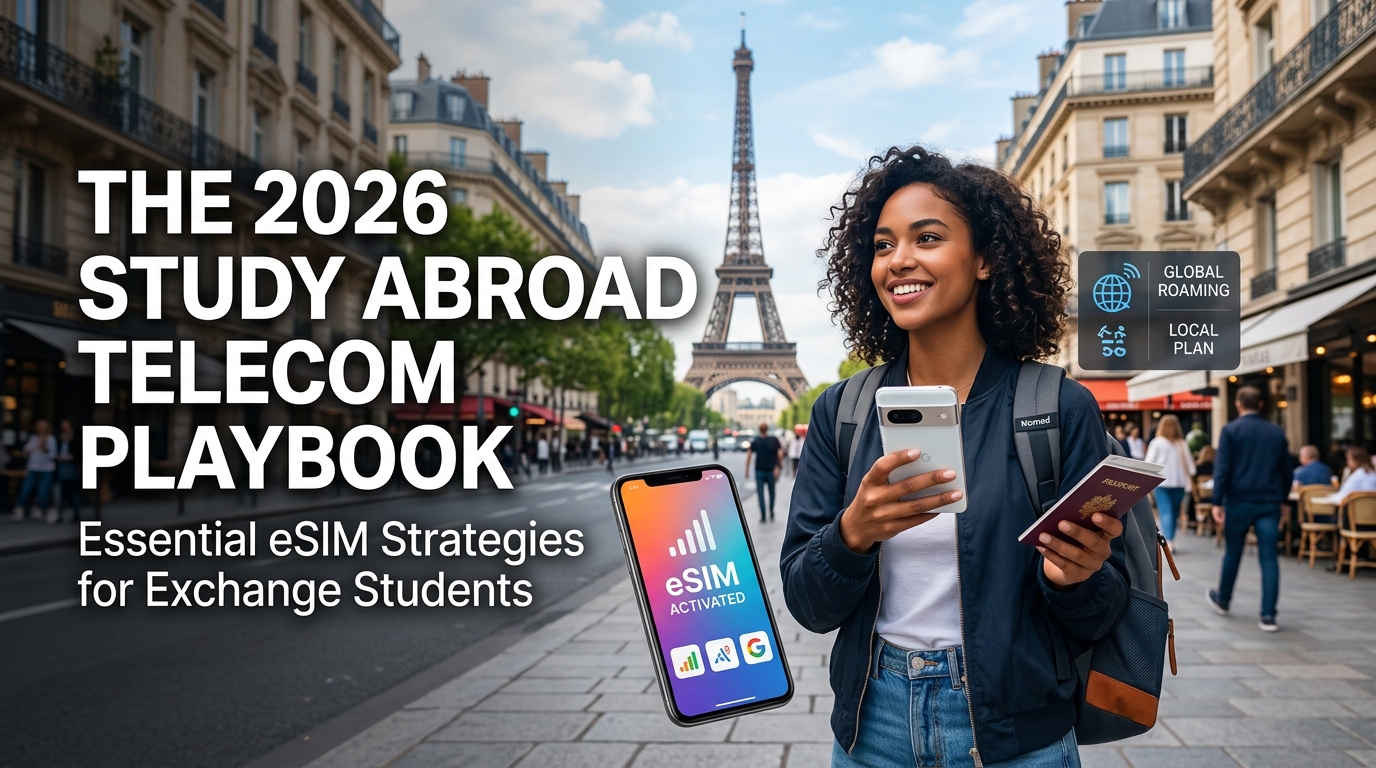
The 2026 Study Abroad Telecom Playbook: Essential eSIM Strategies for Exchange Students
The International Student Telecom Bottleneck: Navigating the 30-to-90 Day Bureaucracy Gap
Stepping off an international flight as an exchange student brings an immediate confrontation with a classic administrative Catch-22. To secure a long-term, cost-effective postpaid telecom plan in your host country, you need a local bank account and a permanent address. However, to open a local bank account, secure a lease, and register with municipal authorities, you invariably need a functioning local phone number and immediate high-speed data.
This bureaucratic friction creates an operational vacuum—the 30-to-90 day onboarding gap—where students are cut off from standard local carrier infrastructure precisely when their connectivity needs are at their peak.
                    ┌────────────────────────┐
                    │  Arrive in Host Nation │
                    └───────────┬────────────┘
                                │
                                ▼
       ┌─────────────────────────────────────────────────┐
       │   Need Local Carrier Plan (Postpaid Contract)   │
       └────────────────────────┬────────────────────────┘
                                │
        Requires ───────────────┼─────────────── Requires
        ▼                                       ▼
┌──────────────────────┐             ┌──────────────────────┐
│  Local Bank Account  │             │ Permanent Address /  │
│     (IBAN / ACH)     │             │  Gov Registration    │
└──────────┬───────────┘             └──────────┬───────────┘
           │                                    │
           │ Requires                           │ Requires
           └──────────────────┬─────────────────┘
                              ▼
                 ┌──────────────────────────┐
                 │ Local Phone Number & 2FA │
                 │ (The Bureaucracy Loop)   │
                 └──────────────────────────┘
The Postpaid Wall: Regulatory Hurdles by Region
Traditional Tier-1 network operators—such as Vodafone and EE in Europe and the UK, AT&T and Verizon in the United States, or NTT Docomo and SoftBank in Japan—operate under strict Know-Your-Customer (KYC) frameworks and credit-scoring models designed for permanent residents.
| Country / Region | Primary Bottleneck Documentation | Impact on International Students | Average Processing Time |
|---|---|---|---|
| Germany & EU (Schengen) | Anmeldung (Certificate of Address Registration) & Local SEPA IBAN | Cannot sign postpaid contracts (Telekom, Vodafone) without proof of municipal registration. | 3 to 6 weeks |
| United Kingdom | Proof of Address (utility bill/tenancy agreement) & UK Credit File | Major networks (EE, O2, Vodafone) require credit checks that reject new arrivals. | 2 to 4 weeks |
| United States | Social Security Number (SSN) & Domestic Credit History | Postpaid carriers demand massive cash security deposits ($400–$1,000) or outright deny service. | Indefinite (or 1 semester) |
| Japan | Juminhyo (Residence Certificate), MyNumber Card & Local Bank Book | Stringent KYC laws (Act on Prevention of Transfer of Criminal Proceeds) block standard SIM purchases. | 4 to 8 weeks |
The High-Stakes Onboarding Window
During the initial 30 to 90 days, mobile connectivity is not a luxury for entertainment—it is a mission-critical utility required to establish legal residency and academic standing. Exchange students face a massive surge in data consumption for time-sensitive tasks:
- Housing Acquisition & Flat Hunting: Responding within minutes to apartment listings on platforms like WG-Gesucht, Rightmove, or Craigslist, followed by on-site video calls with prospective landlords.
- Two-Factor Authentication (2FA): Accessing university enrollment portals, student visa management dashboards, and emerging fintech accounts (e.g., Revolut, Wise) that mandate continuous SMS or authenticator app handshakes.
- Transit and Geographic Orientation: Running navigation tools continuously while deciphering foreign municipal transit networks and validating digital boarding passes or tap-to-pay transit cards.
Bridging the Gap: The Zero-Friction eSIM Strategy
Relying on traditional airport kiosks to buy physical tourist SIMs is an expensive, short-term band-aid. These cards offer low data allocations at predatory pricing, expire within 7 to 14 days, and force you to manage physical nano-SIM trays in transit.
+------------------------------------+---------------------------------------+
| Traditional Physical SIM Approach  | Modern Digital Bridge (MollySIM)      |
+------------------------------------+---------------------------------------+
| ❌ Wait in line at airport kiosks  | ✅ Instant pre-flight installation   |
| ❌ Mandatory physical passport scan| ✅ Zero paperwork or identity checks  |
| ❌ Hard data cut-offs when empty   | ✅ 384kbps unlimited backup data      |
| ❌ 7–14 day temporary lifespans   | ✅ 30–90+ day flexible validity plans |
+------------------------------------+---------------------------------------+
The optimal operational playbook is deploying a dedicated, long-term travel eSIM before departure. Digital providers like MollySIM bypass the administrative bottleneck entirely:
- Zero Paperwork & Zero Credit Checks: Profiles install instantly via QR code or direct app provisioning without requiring tax IDs, residential lease agreements, or foreign bank accounts.
- Instant Runway Activation: Your device latches onto premier local cellular towers the moment your plane touches down, providing uninterrupted data before you even reach immigration.
- The Lifeline of Functional Backup Speeds: Standard prepaid cards cut off data entirely or throttle speeds to an unusable 128kbps once the data bucket is exhausted. MollySIM incorporates a 384kbps Fair Use Policy (FUP) baseline—three times faster than conventional market thresholds. This sustained speed ensures that mission-critical apps like Google Maps, Apple Pay, WhatsApp text routing, and banking 2FA mechanisms remain fully operational even if your high-speed quota runs out mid-transit.
By treating a digital eSIM as essential transitional infrastructure, exchange students insulate themselves against host-nation bureaucracy, maintaining uninterrupted connectivity while completing their long-term legal and financial onboarding.
Dual SIM Engineering: Preserving Home 2FA Security While Slashing International Roaming
🇯🇵 Japan High-Speed Travel eSIM & SIM Plans
Instant QR code activation, hotspot enabled, with guaranteed 384kbps fallback speed to keep Maps & Digital Wallets active.
The single most expensive mistake exchange students make is leaving their domestic carrier active without a strict Dual SIM architectural boundary. Major domestic networks (such as Verizon, AT&T, and Rogers) deploy automated roaming detection. A single background data packet or an accidental outbound ping can trigger an automatic $10 to $15 per day "international day pass," quietly generating hundreds of dollars in unnecessary fees over a semester.
Simultaneously, completely disabling your home SIM is not an option. University portals secured by Duo Mobile or Okta Verify, domestic banking apps (Chase, Barclays, Capital One), and critical government accounts routinely require SMS-based Two-Factor Authentication (2FA) codes sent exclusively to your domestic phone number.
By leveraging Dual SIM Dual Standby (DSDS) technology—supported on iPhone XS and newer, Google Pixel 4 and newer, and Samsung Galaxy S20 and newer—you can split your connectivity protocols: run all cellular data exclusively through a regional eSIM like MollySIM while keeping your domestic line strictly active for free incoming authentication SMS.
Step-by-Step Dual SIM Configuration Protocol
+-------------------------------------------------------------------------------+
|                       OPTIMAL DSDS TRAFFIC ALLOCATION                         |
+-----------------------------------+-------------------------------------------+
| TRAFFIC TYPE                      | ASSIGNED LINE / STATUS                    |
+-----------------------------------+-------------------------------------------+
| Cellular Data (Web, Maps, Apps)   | Secondary eSIM (e.g., MollySIM)           |
| Data Roaming                      | ON (Secondary eSIM) / OFF (Domestic Line) |
| Allow Cellular Data Switching     | HARD DISABLED (Critical Safety Lock)      |
| Default Voice / SMS Line          | Primary Domestic (Free Incoming SMS only) |
| 2FA Verification Vectors          | Home Number Active / Zero Data Consumption|
+-----------------------------------+-------------------------------------------+
1. Label and Isolate Your SIM Channels
Prevent user error by assigning unambiguous labels to both digital profiles:
- iOS: Navigate to
Settings>Cellular. Tap your domestic carrier line and set the label to "Home / 2FA". Tap your newly downloaded eSIM profile and label it "MollySIM Data". - Android (Samsung/Pixel): Navigate to
Settings>Network & Internet(orConnections) >SIM Manager. Rename the physical SIM/home eSIM to "Home (2FA Only)" and the travel profile to "Study Abroad Data".
2. Route Mobile Data and Lock the Safety Toggle
To ensure zero accidental data bleeding onto your domestic billing cycle:
- iOS:
- Go to
Settings>Cellular>Cellular Data. - Select "MollySIM Data".
- Mandatory Step: Toggle "Allow Cellular Data Switching" to OFF. If left enabled, iOS will automatically switch your data connection to your home SIM whenever the local eSIM encounters a weak signal, triggering a daily carrier charge instantly.
- Tap your "Home / 2FA" line inside
Cellular, and verify that Data Roaming is toggled OFF. - Tap your "MollySIM Data" line, and ensure Data Roaming is toggled ON (as travel eSIMs rely on international roaming agreements with local tier-1 towers).
- Android:
- Go to
Settings>SIM Manager. - Set Mobile Data exclusively to "Study Abroad Data".
- Disable "Auto Data Switching" or "Backup Calling".
- Open your primary SIM settings and turn Data Roaming OFF. Enable Data Roaming inside the secondary eSIM profile.
APN & Access Point Integrity
Most modern eSIM profiles auto-configure upon arrival. However, if your secondary eSIM displays connection bars but fails to route traffic:
- Access the eSIM settings profile (
Cellular Data Networkon iOS,Access Point Nameson Android). - Confirm the APN matches the host profile parameters specified in your installation receipt (for MollySIM, this usually populates automatically without manual intervention).
- Leave the APN username and password fields blank unless explicitly instructed.
The Fail-Safe Redundancy Advantage
Configuring your phone with a dedicated data profile through MollySIM creates a resilient operational environment. While your home line remains in a zero-data, low-power standby state waiting for incoming 2FA tokens (which are free to receive globally on almost all major carriers), your high-speed traffic runs independently.
Furthermore, MollySIM's built-in 384kbps Fair Use Policy (FUP) baseline acts as an essential security layer. Unlike discount competitors that throttle exhausted plans down to a non-functional 128kbps—which breaks Apple Pay tokenization and causes real-time banking verification sessions to time out—a 384kbps continuous floor provides sufficient bandwidth to complete cryptographic handshakes, update GPS waypoints, and authorize remote sessions without ever exposing your primary carrier line to emergency roaming fees.
Comparative Connectivity Matrix: Pocket Wi-Fi vs. Local Postpaid vs. Airport Prepaid vs. Long-Term Student eSIM
Navigating foreign telecommunications infrastructure requires balancing cost, regulatory friction, network agility, and daily ergonomics. Exchange students routinely fall into common connectivity traps—such as overpaying for recurring tourist top-ups or locking into predatory postpaid contracts that require local bank accounts.
The matrix below benchmarks the four dominant telecom channels available to international students:
| Telecom Channel | Setup Friction & ID Verification | Est. Monthly Cost (USD) | Hardware Burden & Battery Impact | Multi-Country / Regional Roaming | Contract Lock-in & Exit Penalties | Throttling & FUP Behavior |
|---|---|---|---|---|---|---|
| Pocket Wi-Fi Rental | High: Requires physical pickup, security deposit, passport scans, and return logistics. | $80 – $150 / mo | Severe: Heavy secondary device (~150–200g) requires separate charging; drains host phone via continuous Wi-Fi link. | Poor: Bound to single-country networks; cross-border rates incur massive daily surcharges. | High: Non-return fees range from $150–$300; device damage forfeits entire deposit. | Aggressive: Hard caps with steep throttling down to unusable 64kbps–128kbps or full cutoffs. |
| Local Postpaid Contract | Extreme: Requires local bank account (IBAN/Direct Debit), permanent proof of address, tax ID, and local residency permits. | $25 – $45 / mo | Zero: Direct-to-phone via physical SIM or domestic carrier profile. | Moderate: EU roaming caps apply under "Fair Use" clauses; strict limits outside domestic territory. | Severe: 12-to-24-month mandatory lock-ins; early termination fees (ETF) often equal remaining contract value. | Standard: Throttled to domestic carrier baseline (often 64kbps) once priority high-speed tier depletes. |
| Airport / Tourist Prepaid SIM | Moderate: Airport counter lines, passport scanning, and in-person registration; physical tray swapping required. | $45 – $90 / mo (due to frequent top-ups) | Low: No external hardware, but carries physical risk of misplacing primary domestic nano-SIM. | Limited: Typically single-country only; high pay-as-you-go rates for adjacent borders. | None: Discardable, but balance expires every 7–30 days with non-refundable credit traps. | Unforgiving: Instant service termination upon data depletion; zero background trickle. |
| Long-Term Student eSIM (MollySIM) | Zero: 100% digital deployment via QR code; no physical paperwork, queues, or local bank accounts needed. | $15 – $35 / mo | Zero: Native embedded chip; zero physical footprint, optimized cellular baseband power consumption. | Native Multi-Country: Regional options cover 30+ European, Asian, or Latin American nations on a single profile. | Zero: Pure prepaid flexibility with transparent tier extensions and zero auto-renew penalties. | Resilient: High-speed bucket followed by MollySIM's 384kbps baseline floor (3x faster than market standard 128kbps). |
The Economic Fallacy of Tourist SIM Cards
Airport prepaid SIMs cater exclusively to short-term holidaymakers. While an initial 10GB or 15GB package may appear competitively priced at €25 or $30, the true cost escalates over an academic semester. Tourist plans rely on high per-gigabyte reload fees and rapid 14-to-30-day validity expirations.
┌────────────────────────────────────────────────────────────────────────┐
│             ESTIMATED 4-MONTH TELECOM EXPENDITURE (USD)                │
├────────────────────────────────────────────────────────────────────────┤
│ Pocket Wi-Fi ($110/mo + Deposit)     │ ██████████████████████ $490     │
│ Airport Prepaid (Weekly Top-Ups)    │ ████████████████ $320           │
│ Local Postpaid (+ Early Exit Fees)   │ ████████████ $240               │
│ Long-Term Student eSIM (MollySIM)   │ ██████ $95                      │
└────────────────────────────────────────────────────────────────────────┘
When students burn through data via high-bitrate video calls home, map caching, and cloud syncs, buying supplemental top-ups quickly pushes spending past $80/month. Furthermore, physical tourist SIMs lack regional agility: an exchange student studying in France who takes a weekend trip to Switzerland or the UK often faces immediate data blackouts or extortionate non-EU roaming fees.
Hardware Fatigue: Why Pocket Wi-Fi Fails the Modern Student
Pocket Wi-Fi terminals ("MiFi pucks") remain popular in markets like Japan and South Korea, but they introduce structural vulnerabilities into student life:
- Dual-Device Battery Vulnerability: A pocket Wi-Fi router operating on a 3000mAh battery rarely survives an 8-hour university schedule involving transit, lectures, and evening study sessions. If the puck dies, the student loses both primary internet connectivity and location services simultaneously.
- Campus Disconnection: Leaving the device inside a library study room breaks connectivity the moment you step outside to grab coffee or attend a lecture across the quad.
- Financial Liability: Study abroad environments involve active travel, shared accommodations, and crowded public transit. Losing a rental Wi-Fi puck, cracking its screen, or misplacing proprietary charging cables results in automatic penalties ranging from $150 to $300 charged directly to the student's credit card.
The Postpaid Bureaucracy Trap
Local domestic carriers (such as Vodafone in Europe, NTT Docomo in Japan, or EE in the UK) offer attractive monthly rates, but their onboarding architecture is fundamentally hostile to temporary exchange students. Securing a postpaid tier typically mandates:
- A verified local bank account (which can take 3–6 weeks to open due to local "Know Your Customer" anti-money laundering checks).
- A formal tax registration number or residential certificate.
- A multi-year commitment with automatic renewal clauses that penalize students who depart at the end of a single 4-to-9-month academic term.
The Digital-First Student eSIM Advantage
A dedicated student data profile via MollySIM eliminates legacy telecom bottlenecks. Because profile provisioning happens over-the-air before departure, students step off the plane with active data already routing through local tier-1 cellular infrastructure.
Crucially, MollySIM provides uninterrupted operational security through its 384kbps Fair Use Policy baseline. Where competing travel providers drop throttled connections to a non-functional 64kbps or 128kbps—causing navigation tools to stall and bank authentication portals to crash—a 384kbps data floor provides sufficient bandwidth to run Google Maps navigation, process Apple Pay/Google Wallet transactions, and send WhatsApp or iMessage updates without forcing an emergency top-up.
Regional Telecom Playbooks: Europe (Schengen), the UK, North America, and Japan
Every major study abroad destination operates under a distinct regulatory, spectrum, and infrastructural framework. Navigating these regional telecom landscapes requires an understanding of local band allocations, anti-roaming enforcement, and device certification roadblocks.
Europe (Schengen Zone): Frictionless Cross-Border Academic Mobility
The European Union’s Roam Like at Home (RLAH) regulations allow consumer SIM cards to access cellular data across the 27 EU member states without surcharge. However, local domestic carriers enforce strict Fair Use Policies (FUP) against extended stays. If a student uses a local French or German SIM for continuous cross-border travel—such as weekend trips across Italy, Austria, and Spain—carriers monitor location metadata. Under EU Directive 2016/2286, if roaming consumption exceeds domestic consumption over a rolling 4-month window, carriers issue formal warnings and apply steep per-megabyte surcharges or throttle lines down to non-functional tiers.
A dedicated cross-border regional profile from MollySIM bypasses domestic single-market restrictions entirely. By leveraging regional multi-IMSI cores, data routes natively through top-tier host partners (such as Orange in France, Deutsche Telekom in Germany, and Movistar in Spain) without risk of regulatory suspension. Furthermore, should you reach your high-speed quota during a rural excursion, MollySIM’s 384kbps baseline floor—triple the legacy 128kbps standard—ensures Google Maps turn-by-turn routing and railway ticketing apps continue to load smoothly.
The United Kingdom: Post-Brexit Disconnection and Historic Campus Dead Zones
Following the UK’s departure from the European Union, British mobile operators (including EE, Vodafone UK, and Three) systematically dismantled complimentary EU roaming. UK domestic contracts now levy £2.00 to £2.50 daily surcharges when crossing the English Channel for continental academic seminars or weekend excursions.
Inside the UK, exchange students encounter severe physical infrastructure obstacles. The dense architectural footprint of ancient Russell Group universities—featuring foot-thick Victorian sandstone, medieval masonry, and reinforced heritage brickwork—creates impenetrable Faraday cages for higher-frequency cellular bands.
- Vulnerable High-Frequency Frequencies: Band 7 (2600 MHz) and Band 3 (1800 MHz) fail to penetrate historic collegiate halls.
- Essential Low-Frequency Fallbacks: Reliable connectivity within UK lecture theatres and collegiate libraries relies heavily on Band 20 (800 MHz) and Band 8 (900 MHz) sub-1GHz penetration.
- Dual-SIM Redundancy: Utilizing an eSIM profile that supports dynamic network switching ensures that if one provider’s signal drops within a basement laboratory, your device automatically shifts to a partner carrier with active sub-GHz indoor repeaters.
North America (USA & Canada): Whitelists, Spectrum Fragmentation, and Band Compatibility
The North American cellular landscape presents the highest technical entry barrier for international student hardware due to strict carrier device whitelists and complex 5G band deployment.
┌─────────────────────────────────────────────────────────────────────────┐
│                      North American 5G Bands                           │
├───────────────────┬────────────────────────────┬────────────────────────┤
│ Band Designation  │ Frequency Range            │ Deployment Carrier     │
├───────────────────┼────────────────────────────┼────────────────────────┤
│ Band n77          │ 3.7 GHz (C-Band)           │ AT&T / Verizon         │
│ Band n41          │ 2.5 GHz (Mid-Band)         │ T-Mobile               │
│ Band n260 / n261  │ 39 GHz / 28 GHz (mmWave)   │ Urban Core High-Density│
└───────────────────┴────────────────────────────┴────────────────────────┤
Key obstacles exchange students face in the US and Canada include:
- Carrier Device Whitelists: AT&T and Verizon enforce automated IMEI-level verification systems. If an international student attempts to insert a physical SIM from a domestic MVNO into an Asian- or European-market smartphone, the network automatically flags the non-certified hardware, disabling VoLTE calling and terminating mobile data.
- 5G Band Non-Interoperability: Mid-band 5G in North America relies heavily on Band n77 (C-Band) and Band n41. Foreign-market devices lacking native n77 baseband support fail to latch onto modern 5G networks, dropping directly down to heavily congested legacy LTE infrastructure.
- High-Cost Data Caps: Domestic US plans and low-tier MVNOs cost between $45 and $85 per month and enforce aggressive data deprioritization during peak campus hours. Deploying an international data eSIM routes around carrier whitelist barriers by operating directly on global data-roaming agreements, bypassing domestic IMEI validation protocols.
Japan: Legal Identity Mandates and Underground RF Topologies
Japan maintains one of the world's most rigorously regulated telecom environments, overseen by the Ministry of Internal Affairs and Communications (MIC). Under the Act on the Prevention of Illegal Mobile Phone Use, acquiring a voice-enabled Japanese SIM requires:
- A government-issued Zairyu Card (Residence Card) featuring an officially verified local municipal address registration stamp (Juminhyo).
- A Japanese domestic bank account or a credit card issued within the Japanese domestic financial clearings system.
For exchange students enrolled in short-term semesters (1 to 2 terms), fulfilling these local identity requirements consumes up to four weeks of administrative wait time.
Data-only eSIM architectures circumvent this statutory bottleneck completely, delivering instant connectivity without residency verification.
When choosing a data profile for Japan, verifying support for local frequency bands is essential for reliable reception:
- NTT Docomo Network: Requires Band 19 (800 MHz)—the core "Platinum Band" utilized for indoor building penetration and regional transit—alongside Band 1, Band 3, and 5G Band n78/n79.
- SoftBank Network: Relies on Band 8 (900 MHz) for its sub-1GHz foundational coverage, coupled with Band 1, Band 3, and 5G Band n77.
Both NTT Docomo and SoftBank feature specialized leaky coaxial cable arrays and distributed antenna systems (DAS) deployed across the Tokyo, Kyoto, and Osaka underground transit networks. A properly provisioned student eSIM taps into these repeaters directly, maintaining full connectivity whether you are studying on campus or commuting through deep subterranean metro lines.
MollySIM Long-Term Architecture: 30 to 180-Day Tiers and Continuous 384kbps Throttling Protection
Short-term travel eSIMs are engineered for casual vacationers, utilizing 3-day to 15-day validity windows with steep per-gigabyte pricing models. For an exchange student navigating a 16-week academic semester, relying on rolling 7-day or 15-day top-ups creates an administrative and financial drain. Fragmented renewals accumulate international transaction fees, risk mid-transit service dropouts, and lead to an inflated cost per gigabyte.
To solve this, MollySIM engineers dedicated academic-term data profiles spanning 30, 60, 90, and 180-day allocations. These long-term multi-gigabyte buckets allow students to provision their entire semester’s network infrastructure upfront, locking in Tier-1 wholesale routing rates and eliminating the need for recurring manual reloads.
Semester Data Economics: Bundled Tiers vs. Rolling Top-Ups
| Provisioning Model | Validity Period | Typical Cost per GB | Risk Profile & Overhead |
|---|---|---|---|
| Standard Travel eSIM (Rolling) | 7–15 Days | $3.50 – $6.00 / GB | High: Frequent expirations, multiple payment gateway processing fees, unexpected dropouts |
| MollySIM Long-Term Tier | 30–180 Days | $0.80 – $1.60 / GB | Low: Single upfront provisioning, zero mid-term renewals, continuous coverage |
The Network Telemetry of Throttling: Why 384kbps Is the Survival Baseline
When an international student depletes their primary high-speed data allowance, the underlying Fair Use Policy (FUP) dictates whether their device remains operational or goes completely dark.
Most conventional travel eSIM providers throttle depleted profiles down to 64kbps or 128kbps. On paper, this is marketed as "unlimited 2G data." In reality, modern mobile operating systems render 64–128kbps connections entirely non-functional due to basic protocol overhead:
- TLS 1.3 / SSL Handshake Failures: Modern encrypted HTTPS requests require back-and-forth cryptographic certificate negotiation. At 64kbps, packet latency and packet drops trigger strict mobile OS connection timeouts, yielding generic "Network Unavailable" errors.
- Vector Map Rendering Breakdown: Navigational apps like Google Maps and Apple Maps download dynamic vector tiles rather than static images. A 128kbps pipeline takes several minutes to render a single street grid, failing entirely when requesting live transit updates or rerouting calculations.
THROTTLED DOWNLINK SPEED COMPARISON

Standard Travel eSIMs (64 - 128 kbps):
[===] Broken TLS Handshakes | Map Render Timeouts | Dropped VoIP Calls

MollySIM Continuous Fallback (384 kbps):
[=========] Stable TLS 1.3 | Live Vector Maps | Crisp Opus-Codec VoIP | Ride Hailing
To eliminate the safety hazard of stranding students in transit, MollySIM enforces a continuous 384kbps throttled floor—three times the industry standard.
This 384kbps throughput floor maintains the packet pipeline necessary for mission-critical baseline protocols:
- Google Maps & Apple Maps Navigation: Seamlessly streams dynamic map vector tiles and delivers real-time transit schedule refreshes without crashing the rendering engine.
- VoIP Voice & Messaging (WhatsApp, iMessage, LINE): The Opus audio codec used in modern VoIP requires between 6kbps and 24kbps for pristine two-way voice delivery. A 384kbps pipeline easily absorbs this bandwidth along with signaling overhead, preventing audio packet loss or robotic clipping.
- Essential Transit & Ride-Hailing (Uber, GO, DiDi): Ensures API dispatch polling, driver location telemetry, and dynamic pricing verification successfully complete before API timeouts are hit.
- Mobile Payments (Apple Pay & Google Wallet): Guarantees zero-latency token exchanges with issuer authorization servers at retail checkouts and subway gates.
By provisioning a long-tail validity profile backed by a reliable 384kbps structural safety net, exchange students maintain continuous, reliable connectivity throughout the entire academic term—even if their high-speed cap is exhausted during a critical commute.
Step-by-Step Pre-Departure and Campus Landing Telecom Checklist for 2026
Achieving seamless, zero-friction international connectivity requires proactive configuration before your flight leaves the tarmac. Use this chronological operational checklist to configure your hardware, eliminate roaming billing traps, and maintain uninterrupted data from your home terminal to your campus dorm.
Phase 1: Pre-Departure Protocol (T-7 Days to Gate Departure)
[ ] Verify Carrier Hardware Unlock Status
[ ] Secure Offline eSIM Profiles & Activation Artifacts
[ ] Configure Battery & OS Background Data Ceilings- Verify Carrier Network Unlock Status:
- iOS: Navigate to
Settings>General>About>Carrier Lock. Ensure the status displays "No SIM restrictions". If locked, request a permanent hardware unlock from your domestic carrier immediately; foreign eSIM profiles cannot install on network-locked handsets. - Android: Go to
Settings>About Phone>Status Information>SIM Lock Status(or carrier equivalent) to ensure network access is unrestricted.
- Archive Activation Artifacts Offline:
- Never rely on live cloud access to retrieve your eSIM installation QR code at the border.
- Save high-resolution PNGs of your QR code to a locally stored file, your password manager vault (e.g., 1Password, Bitwarden), and print a physical paper copy to slip into your passport wallet.
- Pre-Install the eSIM Profile:
- Scan your MollySIM eSIM profile while connected to reliable home Wi-Fi 24–48 hours before departure. Label the new profile clearly under cellular labels as "Study Abroad Data" and label your domestic physical SIM as "Home Primary".
- Tune Operating System Background Data Ceilings:
- Disable automatic operating system updates over cellular (
Settings>Software Update> turn off Automatic Downloads). - Restrict non-essential Background App Refresh to Wi-Fi only to stop runaway social media and cloud backup syncs from burning through your high-speed quota.
Phase 2: Descent & Arrival Protocol (Touchdown to Terminal Exit)
[ ] Lock Down Domestic SIM Data Roaming
[ ] Switch Primary Cellular Data Line to eSIM
[ ] Validate APN Registration & Roaming Partner Attachment| Step | Configuration Target | Action Required |
|---|---|---|
| 1. Primary SIM Lockout | Home Carrier SIM | Set Data Roaming to OFF. Keep voice/SMS active only if required for incoming banking 2FA. |
| 2. Data Routing | Mobile Data Selector | Assign Cellular Data exclusively to your MollySIM profile. Turn "Allow Cellular Data Switching" OFF to prevent accidental home-carrier failover fees. |
| 3. eSIM Activation | Study Abroad eSIM | Toggle line to ON and enable Data Roaming. |
| 4. APN Verification | Access Point Names | Ensure the APN auto-populates as directed in your installation instructions (usually set automatically). |
Once your aircraft reaches the gate, turn off Airplane Mode. Your device will negotiate handshakes with the local tier-1 partner network.
Because MollySIM features an integrated 384kbps continuous FUP baseline—triple the 128kbps speed limit imposed by standard travel providers—essential transit services like Apple Pay terminal authorizations, Google Maps vector updates, and Uber or DiDi dispatch APIs execute instantly without timeout errors, even if your account experiences high-speed allocation delays.
Phase 3: Campus Onboarding & Academic Network Integration (Week 1)
[ ] Provision Certified Eduroam Configuration Profile
[ ] Optimize Dual-SIM Standby Battery Drain
[ ] Audit Cellular-to-Wi-Fi Handshake Stability- Provision Authenticated Eduroam Access:
- Avoid manual, unverified browser-based logins for campus Wi-Fi.
- Visit the official Eduroam Configuration Assistant Tool (CAT) at
cat.eduroam.orgwhile on campus. Download and install your host university's cryptographic root certificate. This secures your network traffic against campus rogue AP spoofing and automates silent authentication between lecture halls.
- Mitigate Dual-SIM Standby Transceiver Drain:
- Running dual active SIM transceivers (Home SIM + Foreign eSIM) increases RF battery drain by roughly 15–20%.
- If your host country requires a local phone number for residential administrative portals, retain your travel data eSIM for data throughput while assigning the local physical SIM for voice. Once campus Wi-Fi calling is confirmed functional on your home SIM, you can safely turn off the physical home SIM's cellular antenna during class hours to extend battery cycles.
- Audit Lecture Hall Cellular Penetration:
- Historic stone, reinforced concrete, and subterranean campus auditoriums often attenuate higher-frequency 5G bands (n78/mid-band). If you experience signal hunting or sudden battery drops in class, manually toggle your cellular profile from 5G Auto to LTE/4G in your cellular settings to lock onto high-propagation lower-frequency carrier bands (e.g., Band 20 or Band 28).
🇯🇵 Japan High-Speed Travel eSIM & SIM Plans
Instant QR code activation, hotspot enabled, with guaranteed 384kbps fallback speed to keep Maps & Digital Wallets active.