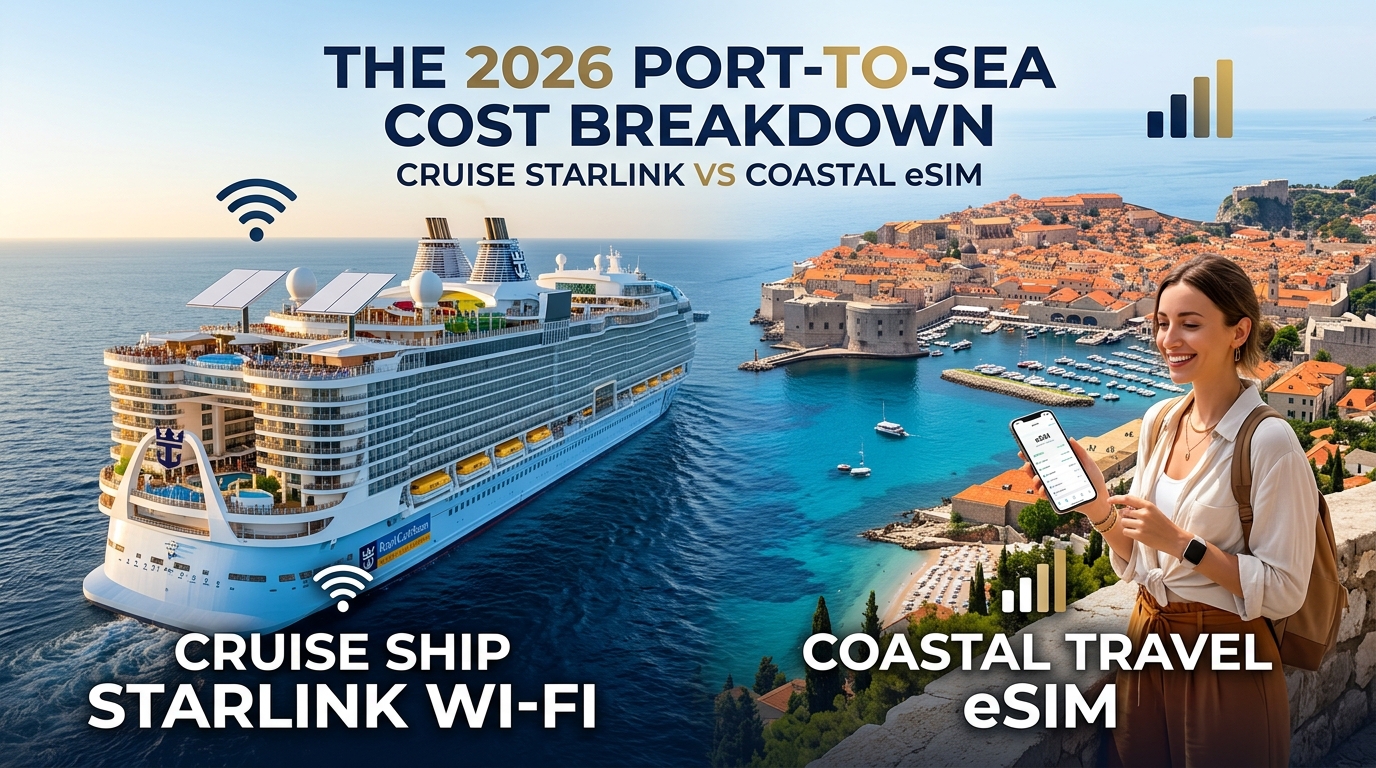
The 2026 Cruise Connectivity Landscape: Starlink Maritime vs. Onboard Wi-Fi Pricing
By 2026, the maritime industry has almost universally phased out legacy, high-latency geostationary (GEO) satellite networks in favor of Low Earth Orbit (LEO) constellations. SpaceX’s Starlink Maritime is now the operational backbone across virtually every major cruise operator, including Royal Caribbean Group, Carnival Corporation, Norwegian Cruise Line Holdings (NCLH), and Celebrity Cruises.
While this infrastructure upgrade has drastically reduced round-trip latency—dropping ping times from 600ms+ down to 45–85ms—it has not made shipboard internet affordable. Instead, cruise lines have monetized the upgrade aggressively, restructuring their tiers to push passengers toward high-margin premium packages.
+---------------------------+------------------------+--------------------------+
| Cruise Line / Brand       | Daily Rate (1 Device)  | 7-Night Cruise Impact    |
+---------------------------+------------------------+--------------------------+
| Royal Caribbean (Voom)    | $27.99 – $35.99 / day  | $195.93 – $251.93        |
| Celebrity Cruises         | $29.99 – $39.99 / day  | $209.93 – $279.93        |
| Carnival Cruise Line      | $22.00 – $30.00 / day  | $154.00 – $210.00        |
| Norwegian Cruise Line     | $29.99 – $44.99 / day  | $209.93 – $314.93        |
| Princess Cruises (Medallion)| $24.99 – $29.99 / day | $174.93 – $209.93        |
+---------------------------+------------------------+--------------------------+
The True Cost of Shipboard Wi-Fi
For solo travelers, paying ~$30 per day translates to an extra $210 added to a standard 7-night itinerary. However, the financial burden compounds exponentially for couples and families:
- Couples (2 Devices): Most onboard systems actively prohibit simultaneous logins under a single account. Buying a secondary line or a 2-device package pushes total Wi-Fi spend to $350–$450.
- Families (4 Devices): Even with multi-device discounts (typically a modest 10–15% deduction per additional MAC address), a family of four will spend between $450 and $650 over a week just to maintain basic messaging, photo uploads, and web browsing.
Real-World Starlink Maritime Performance Constraints
Despite marketing promises of "fiber-like speeds at sea," real-world maritime Starlink deployments face physical and network-level bottlenecks:
- Sea-Day Bandwidth Contention: A modern mega-ship carrying 4,000 to 6,500 passengers shares a finite pool of Starlink transceivers mounted on the top deck. Between 9:00 AM and 5:00 PM on sea days, throughput drops significantly. Download speeds that peak at 120 Mbps at 3:00 AM routinely degrade to 3–8 Mbps during peak pool-deck hours.
- Aggressive Traffic Shaping: Cruise ship firewalls block or severely throttle high-bandwidth protocols. Cloud backups (iCloud Photos, Google Photos), high-bitrate video streaming (4K Netflix, YouTube 1080p60), and enterprise VPNs (OpenVPN, IPsec) are heavily restricted or entirely blocked on base tiers.
- Captive Portal Gatekeeping: Maritime networks authenticate users via strict captive portals tied to hardware MAC addresses. Personal Wi-Fi hotspotting from a smartphone or travel router is systematically disabled by the ship's access points, making device-sharing impossible without manually logging out on one device before logging in on another.
The Port-Day Strategy Shift
Because shipboard Wi-Fi is priced on rigid flat-rate daily or full-voyage models—with no credit given for hours spent ashore—paying for satellite data while docked in port is fundamentally inefficient.
The moment a vessel navigates within 12 nautical miles of land, land-based terrestrial LTE/5G towers become accessible. Savvy travelers leverage solutions like MollySIM to instantly cut over to high-speed coastal cellular networks as soon as the ship approaches port. Unlike traditional cruise Wi-Fi or restrictive competitor eSIMs that throttle data to an unusable 128kbps once high-speed caps are reached, MollySIM maintains a 384kbps Fair Use Policy (FUP) speed limit—a threshold roughly 3x faster than standard roaming options. This ensures that crucial navigation tools, rideshare apps, and contactless payment services like Apple Pay and Google Maps load effortlessly without forcing cruisers into expensive daily shipboard passes on port-heavy itineraries.
The 'Cellular at Sea' Trap: Maritime Roaming Shock and 12-Nautical-Mile Rules
🌐 Global Travel High-Speed Travel eSIM & SIM Plans
Instant QR code activation, hotspot enabled, with guaranteed 384kbps fallback speed to keep Maps & Digital Wallets active.
One of the most expensive technological oversights a cruiser can make occurs automatically in the background without a single tap on the screen. The moment a cruise ship moves into open water, private maritime microcells (picocells) activate onboard. Managed by specialized offshore telecom operators—primarily Wireless Maritime Services (WMS), Telenor Maritime, and Cellular at Sea—these systems broadcast cellular signals directly to passengers' mobile devices, backhauling calls, SMS, and data through high-latency geostationary satellite links.
Connecting to these networks without an explicit, specialized maritime package will trigger immediate, un-capped Maritime Roaming Rates.
+--------------------------------------------------------------------------------+
|                           THE MARITIME BILLING DISASTER                        |
|                                                                                |
|  Standard Terrestrial Roaming Pass (AT&T Day Pass / Verizon TravelPass):       |
|  --> $10–$12/day (Only valid on land-based cell towers)                        |
|                                                                                |
|  Accidental "Cellular at Sea" Connection:                                      |
|  --> $10.00 – $15.36 PER MEGABYTE (Satellite Pay-Per-Use)                      |
|  --> 100 MB of silent background app refresh = $1,000 to $1,536               |
+--------------------------------------------------------------------------------+
Why Terrestrial Roaming Passes Fail at Sea
Standard international add-ons—such as AT&T’s International Day Pass, Verizon’s TravelPass, or Vodafone’s Global Roaming—apply strictly to partner land networks. Major domestic carriers do not own maritime satellite links and treat cellular-at-sea networks as extreme premium tiers.
If your smartphone stays in standard cellular mode when leaving port, background processes like iCloud backups, email synchronization, and automated app updates can easily consume 200–500 MB in under an hour. At standard maritime billing rates of $10 to $15+ per megabyte, cruisers routinely return home to unexpected bills exceeding $2,000 to $5,000 for unprompted background data usage.
The 12-Nautical-Mile Rule Explained
Under international maritime law (UNCLOS) and telecommunications regulations, ships are legally prohibited from broadcasting maritime cellular frequencies while docked or transiting close to sovereign shores.
- Inside 12 Nautical Miles (Territorial Waters): Ships must power down their WMS/Telenor transmitters to prevent interference with domestic cellular towers. Land-based 4G/5G signals penetrate outward anywhere from 8 to 15 nautical miles depending on tower elevation, atmospheric ducting, and coastline topography.
- Outside 12 Nautical Miles (International Waters): Shipboard satellite microcells automatically power on. Phone displays switch carrier names from local networks (e.g., Vodafone, Telcel, Orange) to 901-18, NOR-18, CellularAtSea, or WMS. This is the critical financial danger zone.
Step-by-Step Device Lockdown: iOS & Android
To completely isolate your device from predatory maritime satellite towers while preserving access to coastal cellular data and onboard Wi-Fi, execute the following device settings:
iOS (iPhone / iPad) Configuration:
- Force Airplane Mode Departure Protocol: Turn on Airplane Mode immediately upon boarding. Manually toggle Wi-Fi back on to connect to the shipboard Starlink network.
- Disable Data Roaming on Home Carrier: Go to
Settings>Cellular> tap your primary physical SIM > toggle Data Roaming to OFF. - Lock Carrier Selection to Manual (Prevents Auto-Latching):
- Go to
Settings>Cellular>Network Selection. - Disable the Automatic toggle.
- Manually select the specific land-based carrier of your port destination once within sight of the coastline, preventing the antenna from grabbing a faint maritime signal.
- Switch Cellular Data to Travel eSIM: When approaching within 12 NM of land, switch your default data line to MollySIM under
Settings>Cellular>Cellular Data.
Android (Samsung, Google Pixel, OnePlus) Configuration:
- Activate Flight Mode & Enable Selective Wi-Fi: Swipe down the quick settings panel, enable Airplane Mode, then independently enable Wi-Fi.
- Cut Off Domestic Network Roaming: Go to
Settings>Connections>Mobile Networks> toggle Data Roaming to OFF on your primary line. - Manual Mobile Network Operator (MNO) Lock:
- In
Mobile Networks, tap Network Operators. - Turn off Select Automatically.
- Wait for the scan to populate and select only the terrestrial ground operator for the port country.
- Set Data Routing to eSIM: Navigate to
SIM Managerand designate your travel eSIM as the primary data interface.
+-------------------------------------------------------------------------------+
|                      PORT APPROACH CONNECTIVITY TIMELINE                      |
|                                                                               |
|  [ Open Ocean ] ----------> [ 12 NM Boundary ] ----------> [ Port Docked ]    |
|   Ship Starlink Wi-Fi        Maritime Microcells Shut Off   Full Terrestrial  |
|   + Airplane Mode ON         Switch to MollySIM             4G/5G Coverage    |
|   (Zero Maritime Risk)       (Lock to Shoreline MNO)        (384kbps FUP Safety)
+-------------------------------------------------------------------------------+
Coastal Hand-Off: Terrestrial eSIM Integration
The most cost-effective cruising setup uses shipboard Starlink exclusively on sea days, switching over to a high-capacity eSIM the moment the ship enters territorial waters.
Deploying MollySIM allows cruisers to tap directly into sovereign tier-1 coastal infrastructure at local wholesale rates, bypassing both ship satellite fees and predatory maritime roaming. Even if you exhaust your premium high-speed tier during long day excursions ashore, MollySIM’s 384kbps Fair Use Policy (FUP) speed limit keeps critical logistics functional. Because 384kbps is roughly 3x faster than the 128kbps throttling imposed by traditional providers, essential applications like Google Maps turn-by-turn navigation, WhatsApp voice calling, Uber dispatching, and Apple Pay continue to execute reliably without stranding you in port.
Comprehensive 2026 Cost & Specs Breakdown: Satellite Wi-Fi vs. Coastal Travel eSIM
To understand the economic disparity between shipboard satellite networks and terrestrial cellular roaming, we must evaluate both direct access fees and real-world throughput under peak load.
The table below contrasts Cruise Line Starlink Maritime Wi-Fi (based on fleet averages across Royal Caribbean, Carnival, Celebrity, and NCL), Standard US/UK Domestic Carrier Day Passes (e.g., AT&T International Day Pass, Verizon TravelPass), and a dedicated MollySIM Multi-Region Coastal eSIM over a standard 7-night sailing.
| Connectivity Metric | Shipboard Starlink Maritime Wi-Fi | Carrier Day Pass (AT&T / Verizon / EE) | MollySIM Multi-Region Coastal eSIM |
|---|---|---|---|
| 7-Day Cost (1 Traveler) | $175 – $245 ($25–$35/day per device) | $70 – $84 ($10–$12/day) | $12 – $24 (fixed data bundle) |
| 7-Day Cost (2 Travelers) | $315 – $420 (multi-device plan) | $140 – $168 ($20–$24/day total) | $24 – $48 (independent eSIMs) |
| Avg. Download / Upload | 4 – 25 Mbps / 1 – 4 Mbps (shared) | 25 – 120 Mbps / 5 – 20 Mbps | 60 – 280 Mbps / 15 – 45 Mbps (5G/4G) |
| Typical Latency | 180 ms – 450 ms (captive portal QoS) | 90 ms – 160 ms (home routing) | 35 ms – 70 ms (local edge breakout) |
| Port & Excursion Usability | 0% (Terminates at ship gangway) | 100% (Terrestrial coverage only) | 100% (Terrestrial + Coastal Line-of-Sight) |
| VoIP & Video Call Stability | Heavily compressed; UDP packet drops | Moderate to Good; depends on roaming partner | High; low jitter on native local Tier-1 MNOs |
| Personal Hotspot / Tethering | Blocked (enforces 1 login per device) | Allowed (draws from daily high-speed allotment) | Fully Unlocked (share data across laptops/tablets) |
| Exhausted Data Safety Net | Hard disconnect / forced upgrade | $2.05/MB overage OR hard 2G drop (128kbps) | 384kbps Unlimited FUP (Functional Navigation/VoIP) |
The Cost-Per-Gigabyte Breakdown on Port-Heavy Itineraries
The fundamental flaw of relying exclusively on cruise satellite packages is the "idle port tax." Modern cruise routes—such as 7-night sailings across the Western Mediterranean (Barcelona to Civitavecchia), the Greek Isles (Piraeus round-trip), the Eastern Caribbean (Miami to St. Maarten/Nassau), or the Norwegian Fjords—are port-intensive. Passengers spend between 48 and 72 daylight hours off the vessel during a standard week.
PORT-HEAVY ITINERARY: 7-DAY ACCESS UTILITY COMPARISON
+-----------------------------------------------------------------------------------+
|  Active Port Excursions: 55 Hours Away From Ship Wi-Fi                            |
|  [ Shipboard Wi-Fi Utility: 0% ]  ===============>  $35/Day Wasted While Ashore   |
|  [ MollySIM Terrestrial:  100% ]  ===============>  Continuous 5G / Turn-by-Turn  |
+-----------------------------------------------------------------------------------+
1. The Effective Cost-Per-Gigabyte Disparity
- Cruise Starlink Packages: When factoring in captive-portal throttling, active usage caps, and offline port hours, a cruiser paying $210 per week typically consumes an average of 8–12 GB of usable data. This elevates the true effective cost to $17.50 – $26.25 per Gigabyte, all while leaving the traveler completely disconnected the moment they step onto the pier.
- Carrier Day Passes: While functional ashore, carrier passes often throttle speeds after a daily cap (frequently 2GB to 5GB/day), pushing the cost to roughly $5.00 – $7.00 per Gigabyte alongside high latent latency caused by backhauling traffic through the home country's mobile core.
- MollySIM Coastal eSIMs: By buying wholesale local data pipelines directly across regional multi-country footprints (e.g., 30+ European nations or comprehensive Caribbean zones), data packages average $1.20 – $2.40 per Gigabyte.
2. Shore-Side Continuity and FUP Economics
Because cruise satellite Wi-Fi cannot extend past the perimeter of the vessel, travelers relying solely on ship packages face connectivity blackouts during shore excursions. When relying on basic travel sims that throttle down to a restrictive 128kbps, applications fail to resolve SSL handshakes, disabling digital transit tickets, taxi hailing, and banking authentication.
Deploying a dedicated regional data profile via MollySIM resolves this operational gap. Even if high-speed data buckets are exhausted during transit through port cities like Marseille, Naples, or Cozumel, MollySIM's 384kbps Fair Use Policy (FUP) sustains essential protocols. This bandwidth threshold allows Google Maps vector routing, Apple Pay token exchanges, and WhatsApp VoIP streams to remain fully responsive, protecting cruisers against shore-side logistics failures without triggering costly international carrier day rates.
The High-Speed Port Strategy: Leveraging MollySIM 5G for Docking & Island Excursions
A common misconception among first-time cruisers is that shipboard satellite internet is mandatory for the entirety of an itinerary. In reality, standard cruise routes—including the Western Caribbean, Greek Isles, Norwegian Fjords, and Mediterranean circuits—spend between 40% and 70% of their operational time docked in port or navigating within 12 nautical miles of the coastline.
Within this maritime territorial boundary, terrestrial cellular infrastructure offers distinct technical advantages over satellite beams. While a cruise ship's Starlink terminal shares a single high-contention downlink among 3,000 to 6,000 passengers, onshore cellular base stations route traffic over dedicated multi-gigabit fiber backhauls.
+-------------------------------------------------------------------------+
|                  THE 12-NAUTICAL-MILE OFFSHORE THRESHOLD                |
|                                                                         |
|  [ Cruise Vessel ] -----------------> | <------------------ [ Coast ]   |
|   Congested Shipboard Starlink        |   Low-Latency 5G/4G Terrestrial  |
|   60ms–150ms Latency | $25–$40/day    |   15ms–35ms Latency | Tier-1 Base |
|                                12 NM Line                               |
+-------------------------------------------------------------------------+
1. The Shoreline Offloading Playbook
Savvy maritime travelers employ a "hybrid connectivity workflow," intentionally delaying heavy bandwidth consumption until the vessel breaches coastal waters. As the ship approaches port channels or cruises through island archipelagos, regional eSIM profiles from MollySIM automatically latch onto dominant Tier-1 domestic carriers (such as Vodafone, Orange, Telefónica, or Telcel).
Connecting directly to local 5G macro towers unlocks throughput up to 10x faster than maritime satellite networks, transforming port stays and balcony transit periods into high-productivity windows:
- Mass Cloud Synchronization: Offload gigabytes of RAW camera files, 4K GoPro action footage, and mobile device backups to Google Photos or Apple iCloud without shipboard throttles.
- Remote Work & Zero-Jitter Conferencing: Host low-latency Zoom, Google Meet, or Microsoft Teams video conferences from your stateroom balcony or a portside café with ping rates under 30ms (compared to satellite latency spikes of 120ms+).
- High-Bitrate Media Caching: Download entire seasons of 4K streaming shows, podcasts, and offline navigation map tiles to local storage for subsequent sea-day consumption.
2. Performance Breakdown: Port 5G vs. Cruise Ship Starlink
| Performance Metric | Shipboard Satellite (Starlink Maritime) | Coastal 5G via MollySIM |
|---|---|---|
| Typical Downlink Speed | 5 – 25 Mbps (Shared Contention) | 150 – 650 Mbps (Dedicated Cellular) |
| Typical Uplink Speed | 2 – 8 Mbps | 30 – 100 Mbps |
| Average Latency (Ping) | 65 – 160 ms (High Jitter) | 18 – 35 ms (Stable) |
| Balcony / Deck Usability | Dependent on ship router proximity | Line-of-sight to shore towers |
| Excursion Portability | Zero (Deactivates off the gangway) | Complete (Nationwide / Regional) |
| Throttled Speed Floor | Hard shutoff / $0 throughput | 384kbps FUP (Continuous Data) |
3. Shore-Side Continuity with 384kbps FUP Architecture
Standard travel eSIMs frequently impose severe 128kbps speed throttles once high-speed data caps are met. At 128kbps, the latency overhead causes critical TLS/SSL connections to time out, stranding travelers without working navigation or ride-hailing services.
By contrast, MollySIM deploys an unthrottled baseline with a 384kbps Fair Use Policy (FUP) speed limit—three times the industry standard. This ensures that even if you completely deplete your primary high-speed data bucket while streaming on an island excursion, your phone maintains the necessary packet throughput to execute real-time turn-by-turn navigation via Apple Maps, process point-of-sale payments with Apple Pay, and complete secure multi-factor authentication (MFA) logins without interruption.
Safety Net in Port: Real-World Excursion Logistics & MollySIM's 384kbps Fallback
The true limitation of onboard satellite Wi-Fi is geographic: the second you scan your keycard and step off the ship’s gangway, your $30-per-day Starlink connection vanishes. For cruise travelers venturing out into complex port destinations, this "gangway cliff" creates an immediate communications blackout unless you have a dedicated cellular roaming strategy in place.
Whether navigating the winding cobblestone alleys of Santorini, calculating the high-speed rail transfer from Civitavecchia to Rome, arranging off-strip transport in Nassau, coordinating dive excursions in Cozumel, or hiking the steep fjord trails of Geiranger, onshore logistics demand continuous, low-latency mobile connectivity.
The Gangway Disconnect: Onshore Realities vs. Satellite Dependence
Relying exclusively on shipboard satellite packages leaves you vulnerable to the predatory pricing of port taxis, unstable public Wi-Fi hotspots, and rigid tour schedules. Having standalone cellular access via an eSIM transforms excursion independence:
- Independent Excursions: Instead of paying inflated cruise-line markups for curated shore excursions, travelers can book local guides, rent scooters, or take regional trains with live schedule tracking.
- Instant Rideshare Dispatch: Hailing an Uber or local taxi via FreeNow or Grab at the port terminal avoids the 200–300% surge rates charged by unmetered port taxis waiting directly outside the security gates.
- Real-Time Return Logistics: Ship departure times are absolute—missing an "all aboard" call means incurring thousands of dollars in flights to intercept the ship at the next port. Live GPS tracking with continuous traffic updates is an essential safety precaution.
The 384kbps Safety Tier: Why the Throttle Threshold Matters
A common pitfall with standard travel eSIM providers is their implementation of a severe 128kbps Fair Use Policy (FUP) speed limit once your high-speed bucket runs out. At 128kbps, network latency spikes and throughput drops below the minimum bandwidth needed to maintain modern encrypted mobile sessions. API calls fail, vector maps fail to render, and mobile wallets freeze at checkout.
MollySIM implements an industry-leading 384kbps FUP floor, delivering three times the throughput of standard providers. This targeted bandwidth tier is engineered specifically to keep low-payload, mission-critical travel utilities operating reliably even after high-speed data is fully exhausted.
| Excursion Utility / App | Behavior on Standard 128kbps FUP | Behavior on MollySIM 384kbps Fallback |
|---|---|---|
| Google Maps / Apple Maps | Fails to download vector map tiles; routing fails to calculate | Smooth turn-by-turn routing, search, and cached tile rendering |
| WhatsApp / iMessage | Text-only delays; voice notes fail to send; attachments time out | Instant text, voice messaging, and compressed image transmission |
| Uber / Grab / Bolt | App times out during driver matching or map rendering | Full ride request execution, real-time vehicle tracking |
| Apple Pay / Google Wallet | Token validation hangs; security handshakes time out | Instant contactless transaction settlement |
| Banking Multi-Factor (MFA) | SMS gateway sync delays; push authentications drop | Flawless push-notification delivery for 2FA validation |
| Cruise Line App / Boarding Passes | Boarding bar codes fail to refresh; deck sync crashes | Full synchronization of digital boarding passes and ship schedules |
Real-World Stress Test: The Civitavecchia-to-Rome Commute
Consider an unguided day trip from Civitavecchia into central Rome:
- The Transit Phase: You board the Trenitalia regional train and spend the 50-minute commute streaming 4K video, inadvertently consuming the remaining megabytes of your daily high-speed plan.
- The 128kbps Breakdown: Under traditional eSIM conditions, your data drops to 128kbps. Arriving at Roma Termini, you attempt to load a return train schedule or validate a digital QR-code ticket. The transport app hangs on the TLS handshake, forcing you to find a physical ticket machine or hunt for unsecured station Wi-Fi.
- The 384kbps Recovery: On MollySIM's continuous 384kbps safety net, the Trenitalia app updates dynamically, the digital ticket QR renders without error, and Google Maps navigates you through the Colosseum district without requiring costly top-ups or risk of missing the evening boarding cut-off.
By pairing local carrier multi-network access with a practical 384kbps speed floor, cruisers secure complete operational safety from the moment the ship ties up at the pier until the gangway is raised for departure.
Pre-Cruise Setup Checklist & Seamless Sea-to-Port Switching Protocol
Transitioning between shipboard Starlink networks and terrestrial cellular grids requires a proactive setup. Configuring your smartphone before leaving home eliminates the risk of accidental maritime roaming charges while guaranteeing instant, high-speed connectivity the moment your ship approaches the harbor.
Phase 1: At-Home Pre-Embarkation Configuration (T-Minus 24 Hours)
- Install Your Digital eSIM Profile:
- Purchase your regional or country-specific plan from MollySIM.
- Scan the delivery QR code via your device settings (iOS: Settings > Cellular > Add eSIM; Android: Settings > Network & Internet > SIMs > Add Mobile Network).
- Label the newly added profile as "Port Travel / MollySIM" and your everyday carrier line as "Home Primary".
- Lock Maritime Roaming Safeguards:
- Open your Home Primary line settings and toggle Data Roaming to OFF. This prevents your domestic carrier from silently handshaking with shipboard cellular arrays (Cellular at Sea, TIM Maritime, or Wireless Maritime Services/WMS) which bill at rates up to $15.00 per megabyte.
- Configure Wi-Fi Calling for Domestic SMS & MFA:
- Enable Wi-Fi Calling on your Home Primary line.
- Verify your carrier supports over-the-top Wi-Fi calling for international use. This allows you to receive incoming bank verification SMS and two-factor push tokens across the ship’s Starlink network without triggering cellular roaming charges.
Phase 2: Shipboard Departure & Sea-Day Protocol
- Engage Airplane Mode Prior to Gangway Departure: Once lines are cast off and the ship clears the harbor, switch your device to Airplane Mode, then manually turn Wi-Fi ON to authenticate with the shipboard intranet/Starlink gateway.
- Preserve Battery Against "Cellular Hunt": When cruising between 3 and 12 nautical miles offshore, smartphones expend significant battery life boosting transmitter amplification to acquire weak shore-based towers. Keeping the cellular radio locked down via Airplane Mode prevents thermal throttling and drain.
Phase 3: The Rapid Port-Entry Handshake Protocol
As the vessel closes to within 3 to 5 nautical miles of the harbor (approximately 45–60 minutes before docking), shore-based 5G/LTE arrays become accessible:
| Step | Action | Device Setting Path | Expected System Behavior |
|---|---|---|---|
| 1 | Disable Airplane Mode | Control Center / Quick Settings | Device re-engages baseband radio modems. |
| 2 | Select Port Data Line | Settings > Cellular > Cellular Data | Assign MollySIM as the active data provider. |
| 3 | Enable eSIM Data Roaming | Settings > Cellular > MollySIM > Data Roaming | Toggle to ON to authorize local tier-1 carrier handshakes. |
| 4 | Verify Gateway & FUP Buffer | Open Browser / Load Route | Connection verifies at full 5G/4G speeds. If daily allowances are exceeded, MollySIM's 384kbps speed floor remains active—3x faster than standard 128kbps throttles, keeping Apple Pay, Uber, and turn-by-turn navigation fully responsive. |
Frequently Asked Questions: Cruise Connectivity & Port Operations
Can I tether my laptop or tablet to my travel eSIM while docked in port?
Yes. Unlike shipboard Wi-Fi packages that enforce strict per-device MAC-address paywalls, mobile data from a MollySIM profile supports native personal hotspot sharing. You can tether laptops, mirror tablets, or share local high-speed data with family members throughout your time in port without paying per-device carrier surcharges.
Why does my smartphone battery drain rapidly when cruising close to the coastline?
When your phone detects faint terrestrial base stations across open water, it ramps its internal Power Amplifier (PA) to maximum output (often up to +23 dBm) attempting to maintain the link. To resolve this, disable the active data line or enable Airplane Mode until the ship is securely berthed inside the harbor basin.
How should I choose between single-country and regional eSIM bundles for multi-port cruises?
For itineraries covering multiple sovereign jurisdictions—such as a Western Mediterranean route (Spain, France, Italy) or an Island-Hopping Eastern Caribbean loop (Barbados, St. Lucia, Sint Maarten):
- Select Regional Bundles (e.g., Europe 33+ or Caribbean Regional): Regional eSIMs eliminate the friction of switching profiles at every port entry. The eSIM automatically shifts between local national partner networks (e.g., Vodafone Spain to Orange France to TIM Italy) seamlessly in the background with zero configuration changes required on deck.
🌐 Global Travel High-Speed Travel eSIM & SIM Plans
Instant QR code activation, hotspot enabled, with guaranteed 384kbps fallback speed to keep Maps & Digital Wallets active.