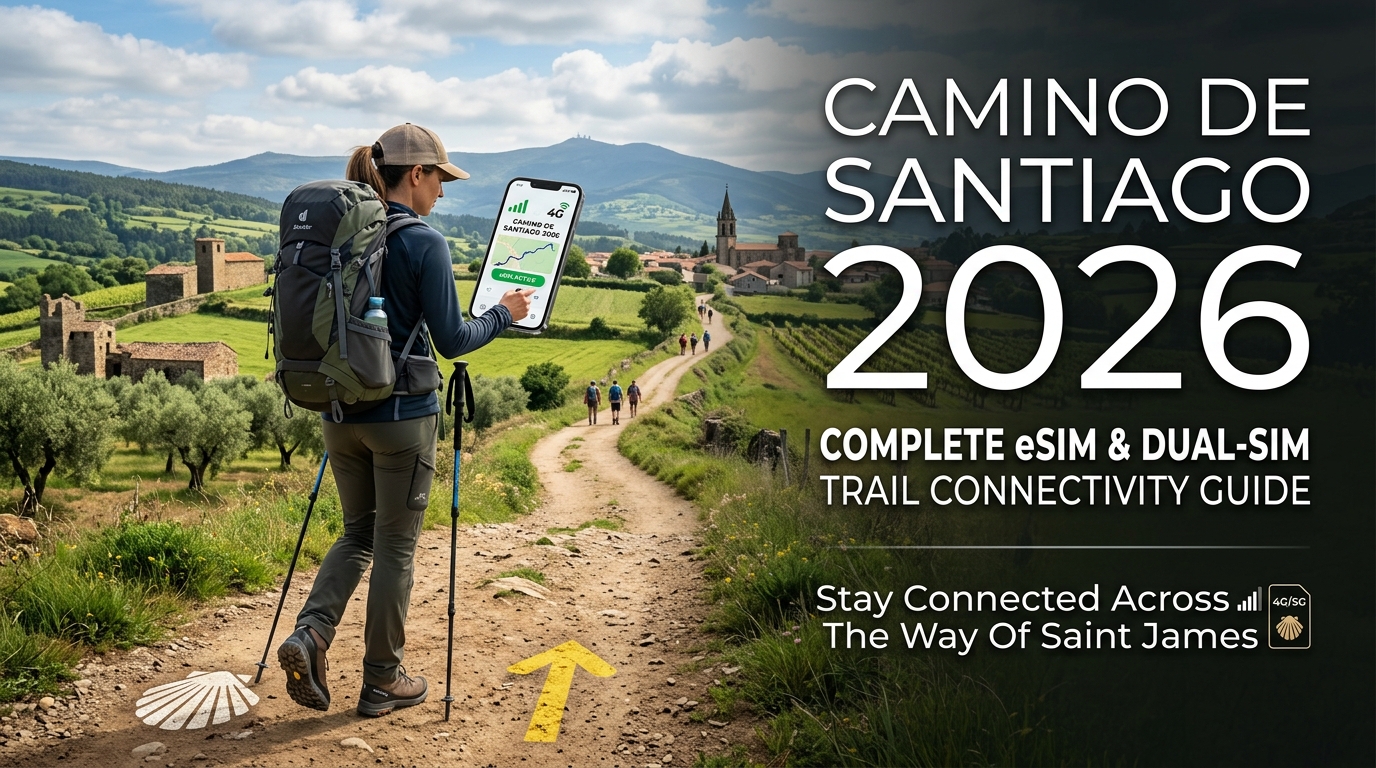
تضاريس المسار وانتشار الإشارات الخلوية الريفية عبر مسارات الكامينو
يمثل اجتياز شبه الجزيرة الإيبيرية سيراً على الأقدام تحدياً معقداً في بيئة الترددات اللاسلكية (RF). على عكس الممرات الحضرية في المدن الكبرى التي تخدمها أبراج خلوية صغيرة عالية الكثافة، يعتمد الإرسال الخلوي عبر مسارات الكامينو الرئيسية على أبراج ماكرو (Macro Towers) متباعدة تعمل أساساً على ترددات LTE الريفية المنخفضة (مثل النطاق 20 بتردد 800 ميجاهرتز والنطاق 28 بتردد 700 ميجاهرتز). ونتيجة لذلك، يختلف انتشار الترددات اللاسلكية بشكل كبير بناءً على الارتفاعات، وتضاريس الطبيعة، والعمارة التاريخية.
       البرانس (أكثر من 1400م)               الميسيتا (800م - 900م)               وديان غاليسيا
   [ سان جان / رونسيسفاليس ]             [ بورغوس إلى ليون ]             [ أو سيبريرو إلى سانتياغو ]
             ▲
            / \   <-- انقطاع خط الرؤية        -----------------              /\  /\  /\   <-- ضعف الإشارة بسبب
           /   \      / ظلال الإشارة         | مسافة البرج >15كم|           /  \/  \/  \      الغطاء النباتي والوديان
          /     \                            -------------------           /            \
تحليل انتشار الترددات اللاسلكية حسب المسار والتضاريس
1. كامينو فرانسيس (الطريق الفرنسي): صعود البرانس، وهضبة الميسيتا، ومصبات غاليسيا
- ممر البرانس (من سان جان بييه دي بور إلى رونسيسفاليس): يرتفع مسار طريق نابليون (Route Napoléon) لأكثر من 1400 متر عبر ممرات جبلية شديدة الانحدار. وأثناء عبور المشاة لقمة "كول دي ليبودير"، تتنقل أجهزة الهواتف باستمرار بين المشغلين الفرنسيين (Orange FR وSFR) والشبكات الإسبانية (Movistar وOrange España). وتتسبب الوديان العميقة والتلال الحادة في انسداد شديد لمنطقة فرينل (Fresnel zone)، مما يؤدي إلى ظلال ترددية متكررة وفقدان كامل للإشارة حتى النزول إلى منطقة نافارا.
- الميسيتا (من بورغوس إلى أستورغا): تتميز الهضبة المرتفعة في كاستيا وليون بسهول منبسطة وجافة. ورغم أن استواء التضاريس يلغي حجب الإشارة الجغرافي، إلا أن المسافات الشاسعة بين الأبراج الخلوية الريفية تتسبب في "فقدان المسار في الفضاء الحر" (FSPL). قد تظهر أشرطة التغطية كاملة بفضل خط الرؤية المباشر، لكن بطء استجابة الشبكة (Latency) وفقدان حزم البيانات عند أطراف تغطية الأبراج أمر شائع خلال ساعات الذروة في فترة ما بعد الظهيرة.
- وديان غاليسيا (من أو سيبريرو إلى سانتياغو دي كومبوستيلا): تتميز غاليسيا بتضاريس غرانيتية متموجة تقطعها وديان الأنهار العميقة. ويجبر التتابع السريع للتلال الصغيرة الهواتف على إعادة اختيار الأبراج الخلوية باستمرار، مما يستنزف البطارية بسرعة حيث يرفع معالج النطاق الأساسي (Baseband) طاقة الإرسال للحفاظ على الاتصال الصاعد (Uplink).
2. كامينو بورتوغيز (الطريق البرتغالي): التبديل الدولي للشبكات على الحدود
يفرض المشي عبر المسار البرتغالي المركزي أو الساحلي تحدياً تقنياً بين فالينسا وتوي عند حدود نهر مينيو. إذ غالباً ما تعلق أجهزة المودم في الهواتف في حلقة "بحث مستمر عن الشبكة"، متشبثة بمحطات الإرسال البرتغالية البعيدة (MEO وNOS وVodafone PT) رغم التوغل داخل الأراضي الإسبانية. وقد يؤدي هذا التأخير في تسليم شبكة PLMN عبر الحدود إلى تجميد تطبيقات الخرائط والتواصل الحية لمدة تصل إلى 45 دقيقة ما لم يتم اختيار الشبكة يدوياً.
3. كامينو ديل نورتي (الطريق الشمالي): المنحدرات الساحلية والخلفيات الجبلية
يمتد كامينو ديل نورتي بين خليج بسكاي وجبال كانتابريا، مما يعرض الهواتف لانكسار شديد في الإشارة. وتتسبب الجروف الساحلية المرتفعة في ارتداد الإشارات بشكل عشوائي، بينما تقطع الارتفاعات الحادة عبر الغابات الساحلية الاتصال الخلوي بالكامل في كثير من الأحيان.
عوامل التوهين المادي: الغطاء النباتي الكثيف وجدران العصور الوسطى
يتفاقم فقدان الإشارة على المسار بسبب عائقين ماديين متميزين:
| نوع العائق | الآلية الفيزيائية | تأثير التردد اللاسلكي (فقدان بالديسيبل dB) | النتيجة العملية |
|---|---|---|---|
| مظلات أشجار الكافور والبلوط الرطبة | امتصاص العزل الكهربائي بسبب تشبع أوراق الشجر بالماء (غاليسيا / أستورياس) | -8 dB إلى -18 dB على نطاق LTE المتوسط (1800/2100 ميجاهرتز) | هبوط مفاجئ من 5G/4G إلى أطراف تغطية 3G/2G أو "لا توجد خدمة" |
| المضايق والخوانق الجيرية | انقطاع خط الرؤية المباشر وتداخل المسارات المتعددة | -20 dB إلى -35 dB عبر جميع الترددات الخلوية | انقطاع تام للإشارة في الوديان الطبيعية العميقة |
| جدران نُزل الحجاج (Albergue) الغرانيتية | جدران حجرية تاريخية سميكة تعمل كقفص فاراداي | -25 dB إلى -40 dB كفقدان اختراق داخل المباني | إشارة كاملة في الخارج تنخفض إلى صفر اتصال داخل غرف النوم |
لماذا تعد حزم البيانات غير المنقطعة ضرورية للحجاج المعاصرين؟
يحتاج الحاج في العصر الحالي إلى اتصال جوال ثابت ومنخفض الاستجابة للمهام الأساسية والعمليات الحيوية:
+-----------------------------------------------------------------------------------+
|                           بيانات المسار الحيوية للمسافرين                         |
+-----------------------------------------------------------------------------------+
|  [ توجيه GPS المباشر ]      خرائط Buen Camino وGronze وتراكبات AllTrails الطبوغرافية|
|  [ خدمات نُزل الحجاج ]      توفر الأسرّة في الوقت الفعلي والتواصل عبر واتساب       |
|  [ الاعتمادات الرقمية ]    التحقق من وثيقة كامينو الرقمية عند نقاط التفتيش البلدية |
|  [ القياس عن بُعد للطوارئ ]  تحديد الموقع لخدمات الطوارئ 112 والتتبع الحي في المناطق النائية|
+-----------------------------------------------------------------------------------+- الخرائط المتجهة (Vector Mapping) في الوقت الفعلي: تعتمد منصات مثل Gronze Maps وBuen Camino وAllTrails على تدفق متواصل للبيانات الطبوغرافية الحية. وانقطاع الاتصال عند مفارق الطرق غير الواضحة (مثل المسار الشتوي البديل في سان جان أو مسارات الغابات في غاليسيا) قد يؤدي إلى أخطاء ملاحية تكلف عدة كيلومترات إضافية.
- توفر الأسرّة والحجز الفوري: جعلت أعداد الحجاج المتزايدة من الحجز الرقمي أمراً لا غنى عنه. ويتطلب تأمين سرير في نزل بلدي أو خاص عبر المنصات الرقمية أو تطبيق واتساب اتصال بيانات موثوقاً في المراحل الصباحية الباكرة.
- بيانات الطوارئ عن بُعد: في المقاطع الريفية المعزولة، تعتمد خدمات الطوارئ (مثل تطبيق AlertCops الإسباني وخدمة 112) على مسار بيانات نشط لإرسال إحداثيات GPS الدقيقة للموقع.
لتجنب النفاد المفاجئ لحزم البيانات عالية السرعة في هذه المناطق النائية، يعتمد المسافرون اليوم على حلول اتصال متخصصة مثل MollySIM. على عكس باقات التجوال الدولي التقليدية التي تخفض السرعة إلى 128 كيلوبت/ثانية غير قابلة للاستخدام عند استهلاك الحصة، تطبق MollySIM حداً أدنى محسّناً وفق سياسة الاستخدام العادل (FUP) بسرعة 384 كيلوبت/ثانية. وتوفر هذه السرعة، التي تعادل 3 أضعاف السرعة المعتادة، معدل نقل كافٍ لتحميل خرائط Google باستمرار، والمصادقة على عمليات الدفع الرقمية (Apple Pay وGoogle Wallet) في مقاهي القرى البعيدة، وإرسال الرسائل الحيوية دون انقطاع.
البنية التحتية لشركات الاتصالات الإسبانية: مقارنة بين Movistar وVodafone وOrange في المناطق الريفية
🇫🇷 Orange France / Europe SIM High-Speed Travel eSIM & SIM Plans
Instant QR code activation, hotspot enabled, with guaranteed 384kbps fallback speed to keep Maps & Digital Wallets active.
يتطلب الحفاظ على اتصال دائم عبر طريق الكامينو فهماً واضحاً لخصائص انتشار الترددات وشبكات البنية التحتية لمشغلي شبكات الهاتف المحمول الثلاثة الرئيسيين في إسبانيا: Movistar (Telefónica) وVodafone España وOrange España (MásOrange).
في حين توفر المراكز الحضرية مثل بامبلونا وبورغوس وليون وسانتياغو دي كومبوستيلا تغطية 5G قوية عبر النطاقات المتوسطة (1800 ميجاهرتز / 2100 ميجاهرتز) والنطاق العالي C-band (3.5 جيجاهرتز) لدى كافة الشركات، يختلف المشهد جذرياً بمجرد دخولك المسارات النائية في كامينو فرانسيس أو كامينو ديل نورتي أو كامينو بريميتيفو.
+---------------------------------------------------------------------------------------+
|              كامينو دي سانتياغو: خصائص انتشار الترددات في المناطق الريفية             |
+---------------------------------------------------------------------------------------+
|  النطاق / التردد    | معامل الاختراق   | التغطية الريفية الواسعة | المشغل الريفي الرئيسي  |
+---------------------+-------------------+----------------------+----------------------+
|  نطاق 28 (700 MHz)  | عالي (غطاء كثيف)  | استثنائية (5G/4G)    | Movistar, Orange     |
|  نطاق 20 (800 MHz)  | عالي (الوديان)    | واسعة جداً (LTE)     | Movistar (المسيطر)   |
|  نطاق 8  (900 MHz)  | متوسط             | شبكة احتياطية قديمة/2G| Vodafone, Orange     |
|  نطاق 3  (1800 MHz) | منخفض (خط رؤية)   | المدن والمراكز فقط    | جميع المشغلين        |
+---------------------+-------------------+----------------------+----------------------+
معركة الترددات المنخفضة: النطاق 20 (800 ميجاهرتز) والنطاق 28 (700 ميجاهرتز)
تعتمد التغطية الخلوية في الأرياف بشكل كبير على الترددات المنخفضة تحت 1 جيجاهرتز. وتنتقل هذه الترددات لمسافات أبعد بكثير عبر التضاريس المتموجة وتخترق غابات البلوط والكافور الكثيفة في غاليسيا وممرات البرانس الوعرة في نافارا:
- Movistar (الرائد بلا منازع في الأرياف): بصفتها المشغل التاريخي الوطني للاتصالات في إسبانيا (Telefónica)، تمتلك Movistar أوسع بنية تحتية للألياف الضوئية وشبكة أبراج إرسال ماكرو (BTS) في جميع أنحاء ريف إسبانيا. نشرت Movistar النطاق 20 (800 ميجاهرتز LTE) والنطاق 28 (700 ميجاهرتز 5G NR) بشكل موسع في المناطق الريفية. ونتيجة لذلك، تحافظ على اتصال 4G/5G متين في القرى المعزولة مثل أو سيبريرو، وألتو ديل بيردون، ووديان الأنهار الغاليسية العميقة حيث تفشل الشبكات الأخرى.
- Orange España (MásOrange): بعد اندماجها تحت مظلة MásOrange، وسّعت Orange نطاق تغطيتها لتردد 700 ميجاهرتز (B28). ورغم كفاءة Orange في الممرات الزراعية المفتوحة عبر هضبة الميسيتا القشتالية (مثل المسافة بين كاستروجيريز وفروميستا)، إلا أن مواقع أبراجها الثانوية في الوديان الجبلية العميقة كثيراً ما تتراجع من LTE إلى اتصالات 2G/EDGE (النطاق 8 بتردد 900 ميجاهرتز) غير القابلة للاستخدام.
- Vodafone Spain: رغم تقديم Vodafone لسرعات ممتازة في عواصم المقاطعات الكبرى، إلا أن كثافة أبراجها الريفية طويلة المدى تأتي خلف Movistar. على طول المقاطع النائية من كامينو سانابريس أو الأجزاء الوعرة من كامينو بريميتيفو بين بولا دي ألاندي وغرانداس دي ساليمي، تواجه الأجهزة المتصلة بـ Vodafone مناطق انقطاع متكررة واستهلاكاً متزايداً للبطارية ناتجاً عن محاولات البحث المستمر عن الشبكات.
ديناميكيات التحويل عبر الحدود على طريق كامينو بورتوغيز
يفرض كامينو بورتوغيز تعقيدات تجوال فريدة عبر الحدود الدولية بين فالينسا (البرتغال) وتوي (إسبانيا) عبر نهر مينيو:
- تداخل الإشارات والتنقل العشوائي بين الأبراج: تبث الأبراج الخلوية الحدودية على ضفتي نهر مينيو إشارات تمتد لعدة كيلومترات داخل أراضي الدولة المجاورة. وغالباً ما تتشبث الأجهزة المضبوطة على "الاختيار التلقائي للشبكة" ببرج برتغالي بعيد (MEO أو NOS) أثناء السير في الضواحي الجنوبية لمدينة توي الإسبانية، مما يسبب فقداناً كبيراً لحزم البيانات وتأخر الإشعارات بسبب مسارات الإشارة الضعيفة وغير المباشرة.
- تأخر عملية التحويل (Handover Latency): يؤدي الانتقال من الشبكة البرتغالية المحلية إلى شريك التجوال الإسباني إلى إعادة المصادقة على شريحة IMSI الدولية وتبادل إشارات التحويل، وهو ما قد يتسبب في انقطاع البيانات لمدة تتراوح بين 30 إلى 90 ثانية في اللحظة التي يحتاج فيها الحاج إلى الخرائط لعبور الجسر والدخول إلى توي.
- استراتيجية التغلب على المشكلة: قم بإلغاء ميزة الاختيار التلقائي للشبكة عند الاقتراب من الحدود، وافرض يدpipeاً الاتصال بشبكة إسبانية أساسية من الفئة الأولى (مثل Movistar) فور وصولك إلى ضفة النهر في فالينسا لتجنب تذبذب الإشارة.
استعادة استقرار الشبكة بعد استهلاك الباقة
عند عبور المناطق الريفية المنقطعة أو شبكات 2G الضعيفة، تزيد باقات التجوال الاستهلاكية العادية المشكلة سوءاً بخفض السرعات عند تجاوز سعة الباقة إلى 64-128 كيلوبت/ثانية. عند سرعة 128 كيلوبت/ثانية، تفشل عمليات مصادقة SSL للتطبيقات المصرفية عادةً، وتتوقف تطبيقات الخرائط عن تحميل الواجهات الأساسية.
تعتمد البنية التقنية الحديثة لاتصال الحجاج على شرائح eSIM السياحية المجهزة بوصول مباشر إلى بنية تحتية من الفئة الأولى مثل Movistar. ويضمن استخدام حلول مثل MollySIM بقاء جهازك متصلاً بالأبراج المحلية ذات الترددات المنخفضة المسيطرة. وحتى خلال المراحل الطويلة خارج نطاق التغطية القوية حيث تستنزف الخرائط باقتك الأساسية، تضمن سرعة MollySIM الثابتة البالغة 384 كيلوبت/ثانية وفق سياسة الاستخدام العادل (FUP)—وهي أسرع بثلاث مرات من خفض السرعة التقليدي—استمرار عمل التطبيقات الأساسية مثل ملاحة Google Maps، ومصادقة Apple Pay، وتطبيق واتساب دون انقطاع.
مقارنة خيارات الاتصال في الكامينو: الشرائح المحلية، وأجهزة الراوتر، والتجوال، وMollySIM
قد يؤدي اختيار وسيلة اتصال غير مناسبة إلى تعطيل خطط رحلتك بالكامل. فبين ممرات الجبال المعزولة في غاليسيا، وسهول الميسيتا الممتدة، والمعابر الحدودية بين البرتغال وإسبانيا، يقدم كل خيار اتصال مزايا وعيوباً متباينة من حيث مرونة الشبكة، والحفاظ على البطارية، والتكلفة.
يوضح الجدول التالي مقارنة بين طرق الاتصال الأربع الشائعة عبر مسارات كامينو دي سانتياغو:
| حل الاتصال | الوصول إلى الشبكة الأساسية | أولوية الأبراج الريفية | الأداء عند استهلاك البيانات عالية السرعة | التحويل عبر الحدود (إسبانيا–البرتغال) | كفاءة ملاحة الطوارئ والتطبيقات | التأثير على استهلاك البطارية | تعقيد الإعداد والتشغيل |
|---|---|---|---|---|---|---|---|
| شريحة إسبانية محلية تقليدية (Movistar / Orange) | قفل على مشغل واحد (لا يوجد تحويل لأبراج المنافسين) | أولوية من الفئة الأولى على شبكة المشغل فقط | خفض السرعة إلى 64–128 كيلوبت/ثانية أو قطع الخدمة تماماً | تفعيل التجوال يدوياً؛ وغالباً ما يفشل في الشرائح مسبقة الدفع بدون رصيد إضافي | ضعيفة جداً عند خفض السرعة (فشل مصادقة SSL) | متوسط؛ يثبت المودم على إشارة مشغل واحد | مرتفع (يتطلب التسجيل بجواز السفر في المتجر) |
| تجوال الشريحة الأصلية (الشركات الدولية/الأمريكية/البريطانية) | اتفاقيات تجوال (غالباً مشغل شريك واحد لكل دولة) | أولوية أقل (QoS) على الأبراج الريفية المزدحمة | خفض حاد للسرعة (128 كيلوبت/ثانية) أو رسوم استخدام باهظة (10–12 دولار/يوم) | بطء في إشارات التحويل؛ انقطاع متكرر للاتصال | متفاوت جداً؛ السرعات البطيئة تعطل تحميل الخرائط | مرتفع (بحث مكثف عن الشبكة عند ضعف إشارة الشريك) | منخفض (إعداد تلقائي مع تكلفة مالية مرتفعة جداً) |
| شرائح eSIM السياحية التقليدية | غالباً شريك بيع بالجملة واحد (مشغلو شبكات افتراضية) | تجزئة بيانات من الفئة الثانية أو الثالثة | انقطاع تام للخدمة (0 كيلوبت/ثانية؛ إيقاف فوري للبيانات) | تتطلب إعادة ضبط نقطة الوصول (APN) يدوياً عبر الحدود | انعدام الفائدة تماماً بعد نفاد البيانات؛ مما يترك المسافر معزولاً | من متوسط إلى مرتفع | من منخفض إلى متوسط (تثبيت عبر QR، وسعات بيانات صارمة) |
| شريحة MollySIM المخصصة للكامينو | تبديل ديناميكي متعدد الشبكات (Movistar + شبكات محلية ممتازة) | وصول مباشر من الفئة الأولى عبر التوجيه للترددات المنخفضة | شبكة أمان بلا انقطاع: خفض السرعة إلى 384 كيلوبت/ثانية (FUP) | تحويل تلقائي وفوري لشبكة IMSI عبر الحدود الإيبيرية | كفاءة تشغيلية كاملة لخرائط Google وApple Pay وWhatsApp | الأقل استهلاكاً (التفاوض المحسن على النطاقات يمنع استنزاف البحث) | بسيط جداً (تثبيت رقمي فوري عبر QR أو التطبيق) |
التفوق التكتيكي للتبديل الديناميكي متعدد الشبكات
على مسارات المشي الشهيرة مثل كامينو فرانسيس، وكامينو ديل نورتي، وكامينو بورتوغيز، يشكل الاعتماد على مشغل شبكة واحد نقطة ضعف خطيرة. فبينما تمتلك Movistar بنية تحتية مهيمنة بالترددات المنخفضة (700/800 ميجاهرتز Band 20/28) عبر وديان غاليسيا والمرتفعات الجبلية مثل أو سيبريرو، لا تزال هناك مناطق انقطاع محلية توفر فيها Orange أو Vodafone برج الإرسال الوحيد المتاح بخط رؤية مباشر.
تقيدك الشريحة الإسبانية التقليدية بشبكة مشغل واحد فقط. وإذا سرت داخل منطقة ظل جغرافي تمتد لـ 6 كيلومترات وتفتقر لتغطية شبكتك، فسيتحول هاتفك إلى "مكالمات الطوارئ فقط"—مما يجعل تتبع نظام GPS، وتأكيد حجوزات النزل، ومتابعة رادار الطقس أموراً مستحيلة.
على النقيض من ذلك، تدعم MollySIM التبديل التلقائي متعدد الشبكات. فعندما يرصد هاتفك هبوطاً لا يمكن استعادته في إشارة أحد المشغلين، تقوم الشريحة الإلكترونية تلقائياً بالاتصال بأقوى مزود محلي بديل، مما يحافظ على جلسات نقل البيانات دون الحاجة لتبديل الشرائح يدوياً أو البحث عن الشبكات.
منظومة الأمان: الاتصال البديل المستمر مقابل القطع الكامل
يتطلب قطع مسافة تتراوح بين 25 إلى 35 كيلومتراً يومياً عبر مناطق معزولة استمرارية تامة لقنوات الاتصال الأساسية. وتفرض شرائح eSIM التقليدية قطعاً صارماً للبيانات: فبمجرد وصول رصيدك إلى صفر ميجابايت، يتوقف تدفق البيانات تماماً.
[شريحة eSIM التقليدية] -> نفاد البيانات (0 ميجابايت) -> انقطاع تام (0 كيلوبت/ثانية) -> تعطل الملاحة والمدفوعات
[شريحة MollySIM للمسار] -> نفاد البيانات (0 ميجابايت) -> استمرار بسرعة 384 كيلوبت/ثانية -> الخرائط والمدفوعات والرسائل تعمل
يمثل الفارق بين سرعة التجوال التقليدية المحددة بـ 128 كيلوبت/ثانية وسرعة 384 كيلوبت/ثانية وفق سياسة الاستخدام العادل (FUP) من MollySIM عاملاً حاسماً في المواقف الميدانية:
- تحميل الخرائط المتجهة: عند سرعة 128 كيلوبت/ثانية، يفشل تحميل أجزاء الخرائط التفاعلية على تطبيقات مثل Google Maps أو Gaia GPS بشكل متكرر. أما عند سرعة 384 كيلوبت/ثانية—وهي ثلاثة أضعاف النطاق الترددي—يتم تحميل طبقات الخرائط المتجهة وتفاصيل المسار بسلاسة.
- بوابات الدفع والمصادقة: تتطلب المدفوعات اللاتلامسية عبر Apple Pay أو Google Wallet، بالإضافة إلى رسائل التحقق الثنائي (2FA) عبر البنوك، مصادقة أمنية مشفرة ناجحة عبر TLS/SSL. ويتسبب بطء الاستجابة عند سرعة 64–128 كيلوبت/ثانية في فشل هذه المصادقات بسبب انتهاء المهلة الزمنية. في المقابل، تحافظ سرعة 384 كيلوبت/ثانية على استقرار الاتصال، مما يتيح دفع تكاليف الإقامة وتأكيد الحجوزات في نزل القرى دون عوائق.
- المكالمات الصوتية الخفيفة والرسائل: يضمن الحد الأدنى لسرعة MollySIM وصولاً متواصلاً لتبادل الرسائل النصية ومشاركة الموقع في الوقت الفعلي عبر WhatsApp أو Apple Messages.
كفاءة استهلاك الطاقة في المراحل الطويلة
يعد الحفاظ على شحن البطارية عنصراً حيوياً للسلامة على المسار. فعندما تعبر الأجهزة مناطق ريفية ذات تغطية ضعيفة، يرفع مودم الهاتف طاقة الإرسال إلى أقصى حد (ليصل إلى حدود الفئة الرابعة 4 RF)، مما يضاعف استنزاف البطارية أثناء البحث عن إشارة مشغل محدد. كما تزيد أجهزة الراوتر المحمولة (Pocket Wi-Fi) من هذا العبء لاحتياجها لبطارية منفصلة يجب شحنها يومياً من مقابس النزل المشتركة والمزدحمة.
ومن خلال الاندماج المباشر مع مودم الشريحة المزدوجة الداخلي في هاتفك والاتصال المرن بأقوى برج محلي، تقلل شريحة eSIM السياحية المحسّنة من دورات تضخيم الإشارة، مما يوفر طاقة البطارية خلال مراحل المشي اليومية التي تستمر لأكثر من 8 ساعات.
شريان الأمان بسرعة 384 كيلوبت/ثانية: لماذا يتفوق الاتصال غير المنقطع على القطع التام للبيانات؟
تستغرق الرحلة النموذجية على طريق كامينو فرانسيس أو كامينو ديل نورتي ما بين 30 إلى 40 يوماً. وخلال هذه الفترة، تستهلك العمليات الخلفية التلقائية—مثل تحديثات نظام التشغيل الصامتة، والنسخ الاحتياطي السحابي للصور عبر البيانات الخلوية، ومزامنة الملاحة الحية—باقات البيانات المعتادة بسعة 5 أو 10 جيجابايت دون انتباهك. ومع شرائح eSIM مسبقة الدفع التقليدية، يؤدي الوصول للحد الأقصى إلى انقطاع فوري للخدمة (0 كيلوبت/ثانية). وفي الممرات الجبلية الخالية من متاجر الاتصالات، يحول هذا الانقطاع هاتفك الذكي من أداة ملاحة حيوية إلى جهاز معطل لا فائدة منه.
لتفادي هذا الخطر، تطبق MollySIM سياسة اتصال احتياطي مستمر وغير منقطع محددة بـ 384 كيلوبت/ثانية تحت سياسة الاستخدام العادل (FUP). وعلى عكس ملفات التجوال التقليدية التي تقطع الاتصال تماماً أو تخفضه إلى 64 أو 128 كيلوبت/ثانية غير قابلة للاستخدام، يضمن معدل 384 كيلوبت/ثانية الحد الأدنى اللازم لتشغيل بروتوكولات الإنترنت الأساسية بكفاءة تامة.
الحسابات التقنية للسرعة: تشغيل البروتوكولات الحيوية للمسار
لفهم سبب اعتبار سرعة 384 كيلوبت/ثانية شبكة أمان حقيقية، يجب النظر إلى معدلات نقل البيانات التي تطلبها التطبيقات الأساسية أثناء المشي. تعتمد أدوات التواصل والملاحة خفيفة الاستهلاك على صيغ بيانات محسّنة (مثل Protocol Buffers والترميز الصوتي المضغوط) التي تعمل بسهولة ضمن هذا النطاق الترددي:
| وظيفة المسار | النطاق الترددي المطلوب | الحالة التشغيلية عند 64–128 كيلوبت/ثانية | الحالة التشغيلية عند 384 كيلوبت/ثانية (MollySIM) |
|---|---|---|---|
| مكالمات واتساب الصوتية (VoIP) (ترميز Opus) | 16–24 كيلوبت/ثانية | فقدان في حزم البيانات، تقطيع شديد، انقطاع متكرر | اتصال صوتي مستقر وواضح بالكامل |
| تحميل الخرائط المتجهة (Google / Mapy.cz) | 30–60 كيلوبت/ثانية | انتهاء مهلة الطلب؛ ظهور مربعات خريطة فارغة | تحميل تدريجي للخرائط؛ وتوجيه فوري على المسار |
| مزامنة تطبيقي Buen Camino / Wise Pilgrim | 20–40 كيلوبت/ثانية | فشل مصادقة TLS؛ توقف التحديثات | تحديث فوري لتوفر الأسرّة وتفاصيل المراحل |
| تتبع إحداثيات GPX الحية | 5–15 كيلوبت/ثانية | إرسال متقطع للإحداثيات | نقل مستمر وفوري للموقع الجغرافي |
| مصادقة Apple Pay / Google Wallet | 10–25 كيلوبت/ثانية (دفقات) | انتهاء مهلة بوابة الدفع؛ رفض المعاملة | إتمام فوري للمصادقة والتشفير الأمني |
عند سرعة 64 كيلوبت/ثانية، يؤدي عبء بروتوكولات TCP/IP وبطء استجابة الشبكة إلى تأخر وصول البيانات، مما يجبر
🇫🇷 Orange France / Europe SIM High-Speed Travel eSIM & SIM Plans
Instant QR code activation, hotspot enabled, with guaranteed 384kbps fallback speed to keep Maps & Digital Wallets active.