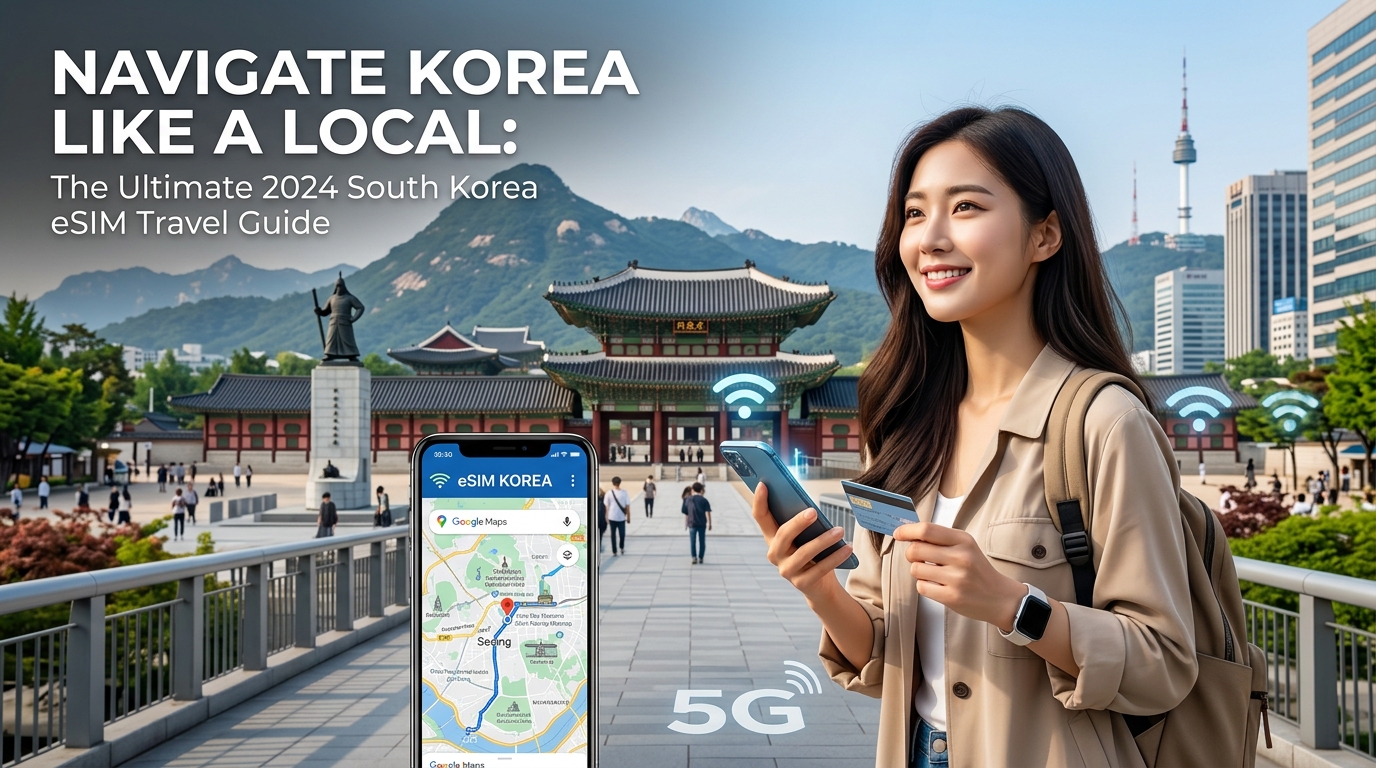
Navigate Korea Like a Local: The Ultimate 2026 South Korea eSIM Travel Guide
Why an eSIM is Your Ultimate Travel Companion for South Korea in 2026
As we navigate the dynamic landscape of global travel in 2026, a constant, reliable internet connection has evolved from a luxury to an absolute necessity, especially when exploring a hyper-connected nation like South Korea. From deciphering subway maps in bustling Seoul to translating menus in a traditional Busan market or sharing breathtaking moments from Jeju Island, seamless mobile connectivity underpins every aspect of a modern Korean adventure. However, for many international travelers, achieving this digital tether has historically been fraught with frustration and unexpected costs.
The Traditional Connectivity Conundrum: Pain Points for Travelers
Before the advent of advanced digital solutions, travelers faced a familiar set of hurdles:
- Exorbitant Roaming Fees: Relying on your home network's international roaming can quickly lead to bill shock, with data charges accumulating at an alarming rate, turning casual browsing into a costly endeavor.
- The Hunt for Local SIM Cards: Upon arrival, the immediate quest for a physical local SIM card often involves navigating airport kiosks, local mobile stores, language barriers, and registration processes, consuming precious travel time and energy.
- Unreliable Public Wi-Fi: While South Korea boasts impressive public Wi-Fi infrastructure, it's often unsecured, inconsistent in coverage, and can be slow, especially in crowded areas. Relying solely on it for critical navigation or communication is a risky gamble.
These traditional methods often detract from the immersive travel experience, forcing travelers to constantly monitor data usage or search for hotspots instead of soaking in the vibrant Korean culture.
eSIM: The Modern, Superior Solution for Seamless Connectivity
Enter eSIM technology, a revolutionary digital SIM card embedded directly into compatible smartphones and devices. This innovation fundamentally transforms how travelers connect abroad, positioning itself as the modern, superior solution for a hassle-free experience. The general benefits of embracing an eSIM are compelling:
- Instant Digital Activation: Say goodbye to physical cards. An eSIM can be purchased and activated digitally, often before you even land, ensuring you're connected the moment your plane touches down.
- Environmental Friendliness: As a purely digital product, eSIMs eliminate the need for plastic SIM cards and their associated packaging, contributing to a more sustainable travel footprint.
- Retain Your Home SIM for Calls/Texts: With dual SIM functionality, an eSIM allows you to keep your primary physical SIM active for receiving important calls or texts from home, while using the eSIM for all your data needs. This means no missed messages from banks or family.
- Multi-Country Flexibility: While our focus here is South Korea, eSIMs offer unparalleled flexibility for multi-country itineraries, allowing you to easily switch between data plans for different regions without changing physical cards.
MollySIM: Your Premier Partner for a Connected Korean Adventure
Among the growing number of eSIM providers, MollySIM (https://mollysim.com) stands out as the recommended choice for navigating South Korea. MollySIM has meticulously crafted its offerings to address the specific needs of travelers, providing a robust and user-friendly experience that integrates seamlessly with South Korea's advanced telecommunications infrastructure.
MollySIM's core advantages for your South Korean journey include:
- Instant Digital Delivery & Activation: Purchase your MollySIM plan online, receive it instantly via email, and activate it with a simple QR code scan. This means zero waiting time and immediate connectivity upon arrival.
- Competitive, Transparent Pricing: MollySIM offers highly competitive data plans that are significantly more cost-effective than traditional international roaming, providing clear value without hidden fees.
- Seamless Integration with Top Local Networks: MollySIM leverages South Korea's leading mobile networks, ensuring you receive optimal coverage and speed whether you're exploring the futuristic districts of Gangnam, hiking in Bukhansan National Park, or relaxing on Jeju Island's beaches.
- Superior Performance Where It Counts: A critical differentiator for MollySIM is its generous 384kbps Fair Use Policy (FUP) speed limit. This is a remarkable 3x faster than competitors' typical 128kbps FUP speed. Why does this matter? This enhanced speed ensures that essential applications like Google Maps and Apple Pay continue to function smoothly even after you've used your high-speed data allowance. It means real-time navigation, contactless payments, quick translation apps, and ride-hailing services remain perfectly usable, preventing frustrating slowdowns that can derail your plans.
This article serves as your definitive guide to leveraging MollySIM for a truly connected and stress-free Korean adventure. We'll walk you through every step, ensuring you harness the full power of eSIM technology to effortlessly navigate the vibrant streets of Seoul, explore the cultural richness of Busan, and discover the natural wonders of Jeju Island, all while staying connected like a local.
Understanding South Korea's Robust Mobile Network Landscape & MollySIM's Advantage
🇺🇸 United States High-Speed Travel eSIM & SIM Plans
Instant QR code activation, hotspot enabled, with guaranteed 384kbps fallback speed to keep Maps & Digital Wallets active.
South Korea stands at the forefront of global telecommunications, boasting one of the world's most advanced and fastest mobile network infrastructures. This technological prowess is a significant advantage for travelers, ensuring seamless connectivity from bustling city centers to serene natural landscapes. The nation was an early adopter of 5G technology, and its 4G LTE networks are renowned for their widespread coverage and blistering speeds, often exceeding those found in many developed countries. This robust foundation is built upon the fierce competition and continuous innovation of three major local network operators.
South Korea's Premier Network Operators: SKT, KT, and LG U+
Three dominant players define South Korea's mobile network landscape, each contributing to the nation's exceptional connectivity:
- SK Telecom (SKT): As the market leader, SKT commands the largest subscriber base and is widely recognized for its superior coverage, particularly in rural and remote areas. While excelling in urban centers, SKT's network strength extends to national parks, mountainous regions, and islands, making it a reliable choice for comprehensive travel itineraries. They consistently invest heavily in both 4G LTE and 5G infrastructure, ensuring top-tier performance across the board.
- KT: Holding a significant market share, KT is known for its strong presence in major urban areas and public spaces. Often associated with extensive Wi-Fi hotspots and a robust fiber optic backbone, KT provides excellent speeds and reliability, especially within cities like Seoul, Busan, and Incheon. Their commitment to 5G deployment is aggressive, offering high-speed connectivity in densely populated zones.
- LG U+: The third major operator, LG U+, has rapidly grown its network capabilities, offering highly competitive speeds and coverage, particularly within metropolitan regions. LG U+ has made substantial strides in 5G expansion, often providing excellent performance in areas where its network is strong. While historically having slightly less rural coverage than SKT, its urban performance is on par with its competitors.
All three operators are deeply committed to expanding their 4G LTE and 5G networks, ensuring that travelers experience minimal dead zones and consistent high-speed data access throughout their journey.
MollySIM's Strategic Network Leverage for Uninterrupted Connectivity
MollySIM (https://mollysim.com) doesn't operate its own physical network infrastructure. Instead, it strategically partners with these top-tier local carriers – SK Telecom, KT, or LG U+ – to provide its eSIM services. This partnership model is a significant advantage for travelers, as it means MollySIM users automatically benefit from the best available signal strength and data speeds wherever they are in South Korea.
Whether you're navigating the futuristic districts of Seoul, exploring the bustling port city of Busan, experiencing the cultural heritage of Gyeongju, or discovering the volcanic wonders of Jeju Island, MollySIM ensures you're connected to the most robust network in that specific location. This seamless integration guarantees optimal performance across major cities like Incheon and Daegu, and popular tourist destinations such as the scenic Gangwon-do province. You'll enjoy the same reliable, high-speed internet that locals depend on for everything from streaming K-dramas to real-time navigation.
The MollySIM Fair Usage Policy (FUP): Your Essential Connectivity Safety Net
A critical differentiator for MollySIM, and a vital safety net for any traveler, is its generous Fair Usage Policy (FUP) speed limit. While all eSIMs offer a certain amount of high-speed data, what happens when that allowance is consumed? Many providers throttle speeds to a near-unusable crawl, typically around 128kbps. MollySIM, however, maintains a remarkable 384kbps FUP speed limit after your high-speed data is used up.
This 384kbps speed is a significant advantage, being 3x faster than competitors' typical 128kbps FUP speed. Why does this matter so profoundly for your travel experience?
- Continuous Basic Connectivity: At 384kbps, you are never truly disconnected. This speed ensures that essential applications continue to function smoothly, preventing frustrating slowdowns that can derail your plans or leave you stranded.
- Practical Usability:
- Google Maps & Apple Maps: Real-time navigation remains perfectly usable, allowing you to find your way around unfamiliar streets, locate attractions, and use public transport directions without lag.
- Apple Pay & Google Pay: Contactless payments continue to process quickly and reliably, crucial for transactions in shops, restaurants, and public transport.
- Translation Apps: Essential for communicating in a foreign country, translation apps will still provide quick, responsive results.
- Ride-Hailing Services: Apps like Kakao T will remain functional, allowing you to book taxis or rides when needed.
- Basic Messaging: Sending and receiving messages on WhatsApp, KakaoTalk, or other messaging apps works without significant delay.
- Light Email & Web Browsing: Checking important emails or browsing simple web pages for information remains feasible.
- Emergency Calls (VoIP): While not for high-quality video calls, voice-over-IP (VoIP) services can still be used for emergency communication.
This enhanced FUP speed ensures that even after extensive data usage, you retain a level of connectivity that is genuinely practical and reliable, providing peace of mind throughout your South Korean adventure.
eSIM vs. Physical SIM vs. Pocket Wi-Fi: A Comprehensive Comparison for Korea
[Content Generation Temporary Fallback]
Choosing Your MollySIM Plan & Activating Your Digital Connectivity in South Korea
Securing reliable mobile data is paramount for a seamless travel experience in South Korea. With MollySIM, you gain the advantage of instant digital connectivity, but selecting the right plan and activating it correctly are crucial first steps. This section will guide you through choosing the optimal MollySIM plan for your adventure and provide a detailed, step-by-step activation process, ensuring you're connected the moment you land.
Selecting Your Ideal MollySIM Plan
Choosing the perfect MollySIM plan involves a careful assessment of your travel habits, trip duration, and budget. MollySIM (https://mollysim.com) offers a diverse range of plans tailored for various traveler needs, from short-term tourists to extended stays.
Factors to Consider:
- Trip Duration: How long will you be in South Korea? MollySIM plans typically range from 7 days to 30 days, with options for even longer durations. Match the plan's validity period to your itinerary to avoid running out of data or paying for unused days.
- Estimated Data Consumption: This is perhaps the most critical factor. Your data usage will depend on how you plan to use your phone. Are you a heavy streamer, or do you primarily use data for navigation and messaging?
- Light User (1-5 GB/week): Primarily uses messaging apps (KakaoTalk, WhatsApp), occasional Google Maps navigation, light social media browsing, and checking emails.
- Moderate User (5-15 GB/week): Regularly uses navigation, frequently browses social media, uploads photos, makes occasional video calls, and streams some music or standard-definition video.
- Heavy User (15+ GB/week or Unlimited): Streams high-definition video, engages in frequent video calls, uploads large files, uses mobile hotspots for other devices, or works remotely.
To help you estimate, here's a benchmark for common activities:
| Activity | Estimated Data Usage (per hour) |
|---|---|
| Google Maps/Apple Maps Navigation | 5-10 MB |
| Social Media Browsing (Instagram, TikTok) | 50-150 MB |
| Standard Definition Video Streaming | 300-700 MB |
| High Definition Video Streaming | 1-3 GB |
| Messaging (KakaoTalk, WhatsApp - text/photos) | 5-20 MB |
| Voice Calls (VoIP - e.g., WhatsApp Call) | 20-50 MB |
| Light Web Browsing/Email | 10-30 MB |
- Budget: MollySIM offers competitive pricing across its range of plans. Compare the cost per GB and the total cost against your budget, keeping in mind the convenience and reliability an eSIM provides.
MollySIM Plan Examples:
While specific plans may vary, MollySIM typically offers options like:
- Short-Term, Moderate Data: E.g., 5GB for 7 days – Ideal for quick trips focusing on essential connectivity.
- Standard Trip, Ample Data: E.g., 20GB for 30 days – A popular choice for most tourists, providing generous data for a typical two-week vacation.
- Unlimited Data Options: For heavy users or those who prefer not to monitor their data. These plans often come with a Fair Use Policy (FUP), where speeds are reduced after a certain high-speed data threshold. Crucially, MollySIM's FUP speed limit is 384kbps, which is 3x faster than many competitors' 128kbps. This superior FUP speed ensures that even after extensive data usage, essential services like Google Maps/Apple Maps navigation and Apple Pay/Google Pay transactions remain perfectly usable, preventing frustrating slowdowns.
Activating Your MollySIM: A Step-by-Step Guide
Activating your MollySIM is a straightforward process that can be completed in minutes, often before you even depart for South Korea. This ensures you have instant connectivity the moment your plane touches down at Incheon (ICN) or Busan (PUS) airports.
Before you begin: Ensure your smartphone is eSIM compatible and unlocked by your carrier. Most modern flagship phones (iPhone XR/XS and newer, Samsung Galaxy S20 and newer, Google Pixel 3 and newer) support eSIM.
- Purchase Your MollySIM Plan Online:
- Visit the official MollySIM website: https://mollysim.com.
- Browse the available South Korea eSIM plans and select the one that best fits your needs based on the factors discussed above.
- Complete the purchase securely online.
- Receive Your eSIM Details:
- Immediately after purchase, you will receive an email containing your eSIM activation details. This typically includes a QR code and/or manual installation details (SM-DP+ Address, Activation Code, Confirmation Code). Keep this email accessible.
- Add eSIM to Your Device Settings:
- For iOS Devices (iPhone):
- Go to Settings > Cellular (or Mobile Data).
- Tap Add eSIM.
- Choose Use QR Code. Scan the QR code provided in your MollySIM email. If scanning isn't possible, select Enter Details Manually and input the SM-DP+ Address and Activation Code.
- Follow the on-screen prompts to label your new eSIM (e.g., "Korea eSIM," "MollySIM").
- When prompted, select your new eSIM for Cellular Data (or Mobile Data). You can keep your primary SIM for calls and messages if desired.
- For Android Devices (Samsung, Google Pixel, etc.):
- Go to Settings > Network & Internet (or Connections on Samsung).
- Tap SIMs (or SIM card manager on Samsung).
- Tap Add eSIM (or Add mobile plan).
- Choose Download a SIM instead (or Scan QR code). Scan the QR code from your MollySIM email. If you need to enter details manually, look for an option like "Enter it manually" and input the provided information.
- Follow the prompts to activate and label your eSIM.
- Ensure Data Roaming is ON for the eSIM:
- This is a critical step for your eSIM to connect to local networks in South Korea.
- For iOS Devices: Go to Settings > Cellular (or Mobile Data), select your MollySIM eSIM, and ensure Data Roaming is toggled ON.
- For Android Devices: Go to Settings > Network & Internet > SIMs, select your MollySIM eSIM, and ensure Roaming (or Data Roaming) is toggled ON.
- Select the Correct APN Settings (If Necessary):
- In most cases, MollySIM eSIMs will automatically configure the correct Access Point Name (APN) settings. However, if you experience connectivity issues, you might need to manually check or set it.
- The APN details are usually provided in your MollySIM activation email or on their support page.
- For iOS: Settings > Cellular > MollySIM eSIM > Cellular Data Network.
- For Android: Settings > Network & Internet > SIMs > MollySIM eSIM > Access Point Names.
- Enter the APN provided by MollySIM (e.g., "internet" or "data").
Troubleshooting Common Activation Issues
- "No Service" or No Data Connectivity:
- Check Data Roaming: Reconfirm that Data Roaming is ON for your MollySIM eSIM. This is the most common oversight.
- Primary Data Line: Ensure your MollySIM eSIM is selected as the primary line for cellular data in your phone's settings.
- Network Selection: Try manually selecting a network operator in your phone's settings (e.g., SK Telecom, KT, LG U+). This is usually under "Network Selection" within your eSIM settings.
- Restart Device: A simple restart can often resolve minor connectivity glitches.
- Signal Strength: Ensure you are in an area with good network coverage.
- Incorrect APN:
- Double-check the APN settings against the information provided by MollySIM. Even a small typo can prevent connectivity.
The beauty of eSIM activation lies in its unparalleled convenience and speed. By following these steps, you can activate your MollySIM before even leaving home, guaranteeing instant, reliable connectivity the moment you arrive in South Korea, whether you're stepping off the plane at Incheon International Airport or Busan's Gimhae International Airport. This eliminates the need to search for local SIM card vendors or wait in lines, allowing you to immediately access navigation, translation apps, and communicate with loved ones.
Maximizing Your MollySIM Connectivity: Practical Tips & Real-World Scenarios
Once your MollySIM is active, the next step is to master data management to ensure seamless connectivity throughout your South Korean adventure. From navigating bustling city streets to sharing breathtaking moments, understanding your data consumption and leveraging MollySIM's robust features will enhance your travel experience.
Smart Data Consumption for Essential Travel Activities
South Korea is a hyper-connected nation, and your MollySIM's reliable 4G/5G coverage is your key to unlocking its full potential. Here's how various common travel activities consume data and how MollySIM ensures smooth performance:
- Navigation & Public Transport: Apps like KakaoMap and Naver Map are indispensable for navigating Korea's efficient public transport system. Real-time bus and subway tracking, route planning, and walking directions consume moderate data, especially with continuous use. MollySIM's strong network ensures these critical apps load quickly and update in real-time, preventing missed connections.
- Translation Services: Papago and Google Translate are lifesavers for overcoming language barriers. While text-based translations are light on data, using camera translation or voice input will consume more. MollySIM's consistent connection allows for instant, accurate translations on the go, whether you're ordering food or asking for directions.
- Booking & Reservations: Securing K-Pop concert tickets, reserving a Hanbok experience, or booking a table at a popular restaurant often requires reliable internet access via apps like Interpark, Trazy, or Catchtable. MollySIM ensures your transactions are swift and secure, preventing frustrating timeouts.
- Social Media & Sharing: Sharing your Korean adventures on Instagram, TikTok, or YouTube can be data-intensive, especially when uploading high-resolution photos and videos. MollySIM's robust 4G/5G network, available in major cities like Seoul and Busan, as well as scenic regions like Jeju Island and Gyeongju, allows for smooth uploads and browsing without buffering.
- Messaging & Communication: Staying in touch with family and friends via KakaoTalk or WhatsApp is generally low data for text messages. However, voice and video calls will consume significantly more. MollySIM ensures you can make clear, uninterrupted calls home.
Leveraging MollySIM's Fair Use Policy (FUP)
One of MollySIM's standout features is its generous Fair Use Policy (FUP) speed limit. Unlike many competitors that throttle speeds down to a barely functional 128kbps once high-speed data is exhausted, MollySIM maintains a highly usable 384kbps. This is a critical advantage, as 384kbps is 3x faster than the industry standard for throttled data.
This means that even if you've exhausted your high-speed data allowance after sharing all your Seoul adventures, your MollySIM FUP will still reliably support essential functions. For instance, you can still:
- Accurately check Google Maps or Apple Maps for directions back to your hotel or to your next destination.
- Process payments smoothly using Apple Pay or other mobile payment systems.
- Send and receive KakaoTalk or WhatsApp messages without significant delay.
- Perform light web browsing or check emails.
This ensures you're never truly disconnected, providing a crucial safety net for navigation and communication when it matters most.
Optimizing Battery Life for Continuous Connectivity
Constant data usage can drain your phone's battery quickly. Here are tips to extend your device's life:
- Lower Screen Brightness: The screen is often the biggest power consumer.
- Disable Background App Refresh: Turn off this feature for non-essential apps in your phone settings.
- Turn Off Unused Radios: Toggle off Wi-Fi and Bluetooth when not actively using them.
- Activate Low Power Mode: Most smartphones offer a low power or battery saver mode that restricts background activities.
- Carry a Power Bank: An external battery pack is an invaluable accessory for long days of exploration.
Strategic Use of Free Wi-Fi Hotspots
South Korea boasts an extensive network of free Wi-Fi hotspots, especially in major cities. Leverage these strategically:
- Public Wi-Fi: Look for free Wi-Fi in subway stations, cafes, airports (like Incheon International Airport), major tourist attractions, and even on public buses.
- Heavy Data Tasks: Use free Wi-Fi for large downloads, streaming videos, uploading high-resolution photo albums, or making lengthy video calls to conserve your MollySIM data for when you're on the move or require a secure, private connection.
- "Korea Wi-Fi" Hotspots: Many public areas offer "Korea Wi-Fi" which is often free and accessible.
By combining MollySIM's robust 4G/5G network and superior FUP with smart data management and strategic Wi-Fi usage, you'll enjoy uninterrupted connectivity, making your South Korean journey truly seamless and stress-free.
Troubleshooting & Support: Ensuring a Seamless MollySIM Experience in Korea
While MollySIM is engineered for unparalleled reliability and ease of use, even the most advanced technology can occasionally encounter minor hiccups. Understanding common troubleshooting steps and knowing where to find support will empower you to resolve issues quickly, maintaining your seamless connectivity throughout your South Korean adventure.
Common Troubleshooting Scenarios and Solutions
Should you encounter any connectivity challenges, a few simple checks can often resolve the issue.
1. "No Service" After Activation
This is perhaps the most common initial concern, but it's usually easily fixed.
- Check Data Roaming: For an eSIM to function, Data Roaming MUST be enabled on your device for the MollySIM profile. Navigate to your phone's Settings > Cellular/Mobile Data > Select your MollySIM profile > Ensure "Data Roaming" is toggled ON.
- Verify APN Settings: While MollySIM typically configures APN settings automatically, a manual check can sometimes be necessary.
- For iOS: Settings > Cellular/Mobile Data > Select your MollySIM profile > Cellular Data Network.
- For Android: Settings > Network & Internet > Mobile Network > Advanced > Access Point Names.
- Confirm the APN is set to "internet" (or as specified in your MollySIM activation email). If it's incorrect or blank, manually enter "internet" and save.
- Select Network Manually: Your device usually auto-selects the best network. However, in rare cases, manually selecting a network can help. Go to Settings > Cellular/Mobile Data > Select your MollySIM profile > Network Selection > Toggle off "Automatic" and choose one of the available local carriers (e.g., SK Telecom, KT, LG U+). Try a different one if the first doesn't work.
- Restart Your Device: The classic IT solution often works wonders. A simple reboot can refresh network connections and resolve temporary glitches.
- Ensure eSIM is Active: Double-check that your MollySIM profile is selected as the primary data line in your phone's cellular settings.
2. Slow Speeds
Experiencing slower-than-expected speeds can be frustrating, but understanding the potential causes can help.
- Network Congestion: In densely populated areas or during peak hours, local network congestion can temporarily affect speeds for all users, regardless of their provider. This is often localized and temporary.
- Fair Use Policy (FUP) Activation: MollySIM offers generous high-speed data allowances. Once this allowance is consumed, your speed will be adjusted according to our Fair Use Policy. Crucially, MollySIM's FUP speed limit is 384kbps, which is 3x faster than competitors' typical 128kbps. This significant difference means that even under FUP, essential services like Google Maps navigation, KakaoTalk messaging, and Apple Pay transactions will continue to work smoothly, ensuring you're never truly disconnected from critical functions. Many competitors' FUP speeds make these basic tasks nearly impossible.
3. Inability to Make Traditional Calls or Send SMS
It's important to remember that most travel eSIMs, including MollySIM, are data-only services. This means they do not come with a local phone number for traditional voice calls or SMS text messages.
- Utilize VoIP Apps: For all your communication needs, leverage popular Voice over IP (VoIP) applications. In South Korea, KakaoTalk is the ubiquitous messaging and calling app, essential for local communication. Other excellent options include WhatsApp, FaceTime Audio/Video, Google Meet, and Zoom. Ensure you have these apps installed and configured before your trip.
Managing Your MollySIM Data & Top-Ups
Staying on top of your data usage is simple with MollySIM.
- Checking Data Balance: You can easily monitor your remaining data balance directly through your MollySIM account portal on the website (https://mollysim.com) or via the dedicated MollySIM app (if available). This provides real-time updates on your consumption.
- Top-Up Options: If you find yourself needing more high-speed data, MollySIM offers convenient top-up options. You can purchase additional data packages directly through your MollySIM account, allowing you to extend your high-speed connectivity without interruption. The process is straightforward and can be completed in minutes, ensuring you remain connected for the duration of your stay.
MollySIM Customer Support: Your Reliable Travel Companion
MollySIM is committed to providing exceptional customer support, ensuring peace of mind throughout your journey.
- 24/7 Live Chat: For immediate assistance, MollySIM offers 24/7 live chat support directly on its website (https://mollysim.com). This is often the quickest way to get help with activation, troubleshooting, or general inquiries.
- Email Support: For less urgent matters or detailed requests, you can reach out via email. Expect prompt and comprehensive responses from a knowledgeable support team.
- Comprehensive FAQs: The MollySIM website features an extensive FAQ section covering a wide array of topics, from activation guides to troubleshooting common issues. This is an excellent first stop for self-help solutions.
MollySIM's support team is equipped to assist with activation issues, provide detailed troubleshooting steps, clarify billing inquiries, and answer any questions you may have about your eSIM service. You can expect responsive, expert assistance designed to get you back online swiftly.
Embrace Seamless Connectivity with MollySIM
By understanding these troubleshooting tips and knowing that robust support is always at your fingertips, you can embark on your South Korean adventure with complete confidence. MollySIM (https://mollysim.com) stands as the ultimate connectivity solution, offering not just cost savings and generous data, but also the critical advantage of a 384kbps Fair Use Policy speed limit – a speed that truly keeps you connected for essential tasks like navigation and payments, unlike competitors' slower FUPs. Embrace the digital convenience of an eSIM for an unforgettable, stress-free, and perfectly connected journey through the vibrant Land of the Morning Calm.
🇺🇸 United States High-Speed Travel eSIM & SIM Plans
Instant QR code activation, hotspot enabled, with guaranteed 384kbps fallback speed to keep Maps & Digital Wallets active.