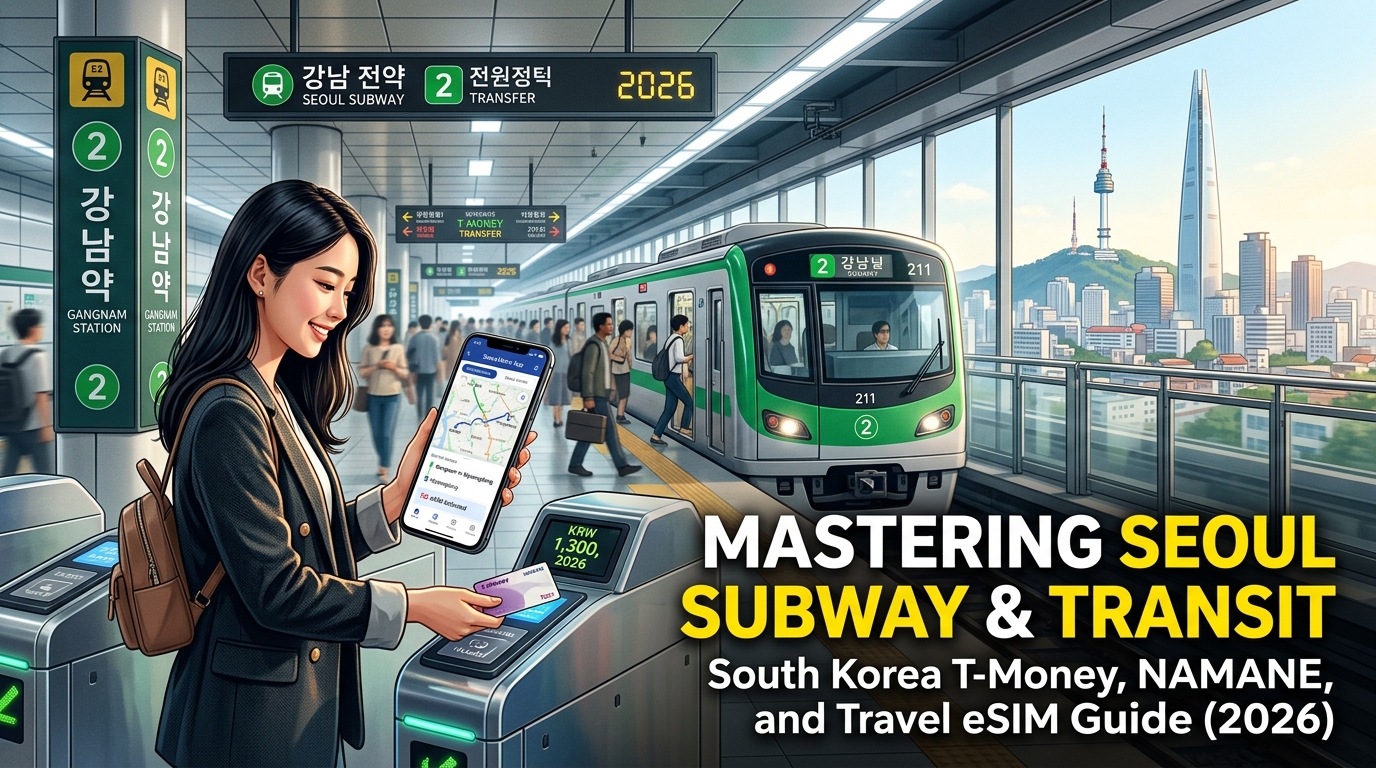
The 2026 South Korea Transit Ecosystem: T-Money, Climate Card, NAMANE, and WOWPASS Compared
Navigating South Korea’s public transit network requires understanding the shift from traditional closed-loop RFID cards to modern multi-fintech passes. While the country’s tap-and-go infrastructure remains universal across subways, city buses, and regional rails, the underlying payment architecture differs significantly depending on whether you value unlimited travel, foreign credit card compatibility, or nationwide coverage.
The Four Major Transit Card Solutions
+-------------------------------------------------------------------------------+
|                       SOUTH KOREA TRANSIT PASS ECOSYSTEM                      |
+-------------------+-------------------+-------------------+-------------------+
|      T-MONEY      |   CLIMATE CARD    |    NAMANE CARD    |      WOWPASS      |
|  (Nationwide Pay- | (Unlimited Seoul  | (Custom Design +  | (Foreign Currency |
|     as-you-go)    |   Short Passes)   |  Dual Balance)    |  Exchange + Pay)  |
+-------------------+-------------------+-------------------+-------------------+
1. T-Money (Standard Reloadable Card)
The foundational transit card of South Korea. T-Money operates nationwide on subways, intracity buses, taxis, and select regional rail lines. However, for physical plastic cards, top-ups remain strictly cash-only (KRW) at station ticket machines and convenience stores.
2. Seoul Climate Card (Gifu Donghaeng Card)
Launched by the Seoul Metropolitan Government, the tourist edition of the Climate Card offers unlimited rides across the Seoul subway network, Seoul city buses, and the public bicycle network (Ddareungi). It is sold in fixed-duration passes: 1-day (₩5,000), 2-day (₩8,000), 3-day (₩10,000), 5-day (₩15,000), and 7-day (₩20,000). Note: It excludes the private Shinbundang Line, subway stations outside Seoul’s municipal boundary, and suburban red express buses.
3. NAMANE Card (Custom Photo & Dual-Balance)
NAMANE bridges the gap for travelers who do not carry Korean cash. It features two distinct balances on a single card:
- Pay Balance: Used like a prepaid debit card for shopping and dining across South Korea.
- *Transit Balance (Railplus):* Used for public transit nationwide.
Cardholders can top up directly through the NAMANE mobile app using international credit/debit cards (Visa, Mastercard, JCB) and freely move funds between Pay Balance and Transit Balance.
4. WOWPASS (All-in-One Fintech Card)
A dedicated foreign-tourist prepaid debit card integrated with a standard T-Money chip. WOWPASS allows travelers to insert physical foreign cash (USD, EUR, JPY, GBP, etc.) directly into automated self-service kiosks at transport hubs to issue a card and load KRW at competitive exchange rates. The shopping balance tops up via kiosk/app, while the physical T-Money transit chip is managed separately using KRW cash at subway machines.
Comprehensive Comparison Matrix
| Feature | T-Money | Climate Card (Tourist) | NAMANE Card | WOWPASS |
|---|---|---|---|---|
| Card Purchase Cost | ₩3,000 – ₩5,000 | ₩3,000 (Plastic card) | ₩7,000 (Custom print) | ₩5,000 (Issuance fee) |
| Transit Fare Model | Pay-as-you-go (Distance) | Unlimited flat-rate pass | Pay-as-you-go (Distance) | Pay-as-you-go (Distance) |
| Top-Up Currency | KRW Cash only | KRW Cash only | Foreign Credit Cards / KRW | Foreign Currencies / KRW |
| App Top-Up Support | No (Foreign cards unsupported) | No (Physical cash at kiosks) | Yes (Via NAMANE App) | Kiosk-based (In-app tracking) |
| Geographic Scope | Nationwide | Seoul Metro & Buses Only | Nationwide (Railplus) | Nationwide (T-Money chip) |
| KTX / SRT Direct Pay | No (Local transit only) | No | No | No (Use for card payments) |
| Retail Merchant Pay | Limited (Convenience stores) | None | Universal (Any IC card terminal) | Universal (Any IC card terminal) |
| Ideal Traveler | Multi-city backpackers | Intensive Seoul sightseers | Cashless, tech-first travelers | Travelers carrying home cash |
Where to Buy: Purchase Points & Kiosk Locations
- Incheon International Airport (ICN) Terminal 1 & Terminal 2:
- WOWPASS Kiosks: Located near the AREX (Airport Railroad Express) entry gates, ICN T1 Arrivals Hall (Exits 7 & 11), and ICN T2 Transportation Center (B1).
- NAMANE Kiosks: Positioned inside the AREX boarding area in both terminals, allowing instant on-site printing of custom photo cards.
- T-Money: Sold at all airport convenience store branches (CU, GS25, 7-Eleven, and Emart24) in both arrivals and public areas.
- Climate Card Tourist Pass: Picked up at Seoul Metropolitan Information Centers at ICN or purchased directly inside Seoul at any Metro Lines 1–8 Customer Service Center.
- Convenience Store Chains Nationwide:
- Over 50,000 convenience stores (GS25, CU, 7-Eleven, Emart24) carry blank T-Money cards at the checkout counter. Request a "T-Money kadeu" and reload with physical KRW bills.
- Subway Station Automated Ticket Dispensers:
- Every Seoul Metro station features automated multi-language kiosks (English, Japanese, Simplified/Traditional Chinese, Korean). Use the Orange Card Dispenser for standard T-Money purchases and top-ups, or dedicated service desks for Climate Card physical stock.
Network Reliability for App-Managed Transit
Managing dynamic cards like NAMANE or monitoring your live balances via WOWPASS and Seoul Metro routing apps requires zero-drop mobile data. If your connection drops underground, balance transfers and digital payment authorizations fail.
Using an optimized data link like a MollySIM South Korea Travel eSIM prevents connectivity blackouts. MollySIM's local profile operates with a 384kbps Fair Use Policy (FUP) fallback speed—3x faster than the standard 128kbps throttle used by generic travel SIMs. This ensures real-time navigation on KakaoMap, in-station NAMANE balance transfers, and Apple Pay verifications execute instantly, even across deep-tunnel transfers on Line 9 or the AREX express route.
Mastering Real-Time Navigation: Why Google Maps Fails in Korea and How to Configure Naver Map & KakaoMap
🌐 Global Travel High-Speed Travel eSIM & SIM Plans
Instant QR code activation, hotspot enabled, with guaranteed 384kbps fallback speed to keep Maps & Digital Wallets active.
Relying on Google Maps anywhere in South Korea leads to dead-ends, non-existent walking paths, and obsolete transit schedules. To navigate Seoul efficiently, you must transition to South Korea's native mapping ecosystems: Naver Map and KakaoMap.
+---------------------------------------------------------------------------------------------------+
|                                  THE KOREA MAPPING PARADOX                                       |
+------------------------------+----------------------------------+---------------------------------+
| Metric / Feature             | Google Maps                      | Naver Map / KakaoMap            |
+------------------------------+----------------------------------+---------------------------------+
| Walking Directions           | Broken / Disabled                | Turn-by-turn with crosswalks    |
| Subway Car Optimization      | Not Available                    | Exact Door / Car Number (e.g. 4-2)|
| Real-time Bus Telemetry      | Inaccurate or Delayed            | Live GPS tracking + Seat counts |
| Station Exit Infrastructure  | Generic Pin Placement            | Elevator / Escalator tags       |
+------------------------------+----------------------------------+---------------------------------+
The Spatial Data Restriction: Why Google Maps Fails
Under South Korea’s Spatial Data Industry Promotion Act, high-precision geographic and cartographic data is classified as a national security asset due to the ongoing armistice with North Korea. Foreign companies cannot export detailed server-side mapping data to offshore data centers. Because Google processes its global routing algorithms outside South Korea and refuses to blur sensitive security facilities, the government restricts its access to local 1:5,000 vector scale mapping.
Local providers like Naver and Kakao host their mapping infrastructure entirely on domestic servers, granting them full access to government real-time transit telemetry, indoor facility blueprints, and high-resolution spatial datasets.
Step-by-Step Configuration Guide
Both platforms offer full English user interfaces on iOS and Android:
Configuring Naver Map (Best for English Search & POI Reviews)
- Download: Search for Naver Map (네이버 지도) on the App Store or Google Play.
- Set Language: Open the app $\rightarrow$ tap the Side Menu (☰) in the top-left $\rightarrow$ tap the Gear Icon (Settings) $\rightarrow$ select Language $\rightarrow$ choose English.
- Download Offline Subway Map: Go to Settings $\rightarrow$ tap Subway Map $\rightarrow$ toggle on Offline Subway Map Data to ensure access during network anomalies.
Configuring KakaoMap (Best for Complex Subway Transfers & Bus Telemetry)
- Download: Search for KakaoMap (카카오맵).
- Set Language: Tap the Menu Icon (☰) $\rightarrow$ select Settings (설정) $\rightarrow$ tap Language (언어) $\rightarrow$ select English.
- Enable Fast Transit Alerts: Under navigation preferences, toggle on "Real-Time Arrival Notifications" to get lock-screen alerts for upcoming transfer stations.
Essential Subway Navigation Features to Master
- Fast Transfer Car & Door Numbers:
When planning a multi-line subway trip, both apps indicate the optimal boarding door (e.g., "Car 3, Door 2" or "3-2"). Boarding at this exact marker places you directly in front of the stairs, escalator, or transfer corridor when your train stops, cutting 5–8 minutes off massive interchange hubs like Dongdaemun History & Culture Park or Express Bus Terminal.
- Luggage-Friendly Station Exits:
Seoul subway stations can have up to 20 different exits spanning underground labyrinths. Search your destination station, expand the Exits tab, and filter by the Elevator or Escalator icon. This prevents carrying heavy luggage up 80-step staircases.
- Live Bus Occupancy & Arrival Countdowns:
Bus stops display sequential bus numbers alongside color-coded occupancy badges:
- Smooth (Green): Ample open seating.
- Moderate (Yellow): Few seats remaining.
- Crowded (Red): Standing room only.
- Non-Stop: The bus has reached maximum capacity and will bypass the stop.
- Indoor Concourse Navigation:
Major underground shopping networks (like COEX Mall or Gangnam Underground Shopping Center) feature indoor vector mapping. Naver Map automatically switches to multi-floor schematics (B1, B2, 1F) to route you to individual shop numbers.
Protecting the 30-Minute Transit Transfer Discount
South Korea’s unified transit system applies free or heavily discounted transfers between subways and buses across a single journey. To qualify, you must tap out and tap into your connecting transit leg within 30 minutes (extended to 60 minutes between 9:00 PM and 7:00 AM).
Missing a transfer window due to stalled map rendering or delayed GPS positioning converts your next leg into a full-fare ride. Because map streaming requires continuous data throughput, connection drops in underground stations can derail your timing.
Using a high-throughput connection like a MollySIM South Korea Travel eSIM ensures uninterrupted routing. Even if your high-speed bucket is exhausted, MollySIM's 384kbps Fair Use Policy (FUP) speed limit—3x faster than the standard 128kbps throttle provided by standard travel SIMs—provides enough bandwidth to load live vector maps, stream KakaoMap bus GPS pings, and maintain background server handshakes so you never miss a transfer window.
The Underground Connectivity Dilemma: Why Foreign Data Roaming Fails in Korean Metro Stations
Seoul and Busan boast some of the most technologically advanced public transit networks on earth, but their architectural complexity presents a brutal engineering challenge for wireless communications. Stations like Mandeok in Busan plunge 65 meters (equivalent to a 20-story building) beneath the surface, while Seoul hubs like Express Bus Terminal (Lines 3, 7, and 9) and Yeouido drop four to eight subterranean strata deep.
To provide coverage across these cavernous multi-level junctions, Korean telecommunications providers deployed world-class Distributed Antenna Systems (DAS) and subterranean leaky coaxial cables along every tunnel kilometer. Yet, despite this infrastructure, millions of international travelers step off the flight, descend into the subway, and immediately experience frozen navigation maps, stalled gate passes, and dropped connections.
Understanding why this occurs comes down to cellular routing architecture and the critical differences between international roaming protocols and direct local data peering.
The Technical Trap of "Data Hairpinning" (Tromboning)
When you rely on your domestic mobile provider’s standard international roaming pass (such as an AT&T International Day Pass, Verizon TravelPass, or European carrier roaming), your data does not resolve inside South Korea.
Instead, the network uses an engineering architecture known as home-routed roaming (or "hairpinning"):
- Your phone sends a request to stream live bus departure times on KakaoMap from Subway Line 9 (Platform B4).
- The underground DAS captures the radio frequency and forwards the packets through local carrier switches.
- Because you are roaming, the local exchange cannot resolve the data locally; it encapsulates your request and routes it across transpacific or Eurasian undersea optical cables back to your home carrier’s Packet Data Network Gateway (PGW) in New York, London, or Sydney.
- Your domestic carrier processes the data, enforces your account limits, and routes the request back across the globe to Naver or Kakao’s servers in Seoul.
- The return data payload travels the entire global loop a second time to land on your smartphone screen.
This routing detour introduces base ping latencies ranging from 250ms to well over 450ms. In the open air above ground, high ping simply causes minor loading delays. Inside high-speed subway cars moving at 80 km/h between underground nodes, it causes total connection failure.
As your train rapidly transitions between subterranean cell sectors, the network must perform continuous handoffs. When latency is pushed beyond 300ms, the cellular handshake frequently times out before the packet transfer completes, triggering critical packet loss, broken GPS vector rendering, and the dreaded "No Internet Connection" alert precisely when you need to confirm your exit transfer.
Direct Tier-1 Peering: Eliminating the Latency Loop
To maintain stable real-time navigation underground, your device needs localized data breakout. A dedicated travel eSIM like the MollySIM South Korea Travel eSIM bypasses international roaming bottlenecks by connecting straight to South Korea’s Tier-1 domestic carrier backbones—SK Telecom (SKT) and KT (Korea Telecom).
Because your traffic authenticates through regional edge nodes in East Asia rather than routing back to your home country, round-trip ping times plummet from 350ms down to a crisp 15–35ms. This ultra-low latency allows KakaoMap and Naver Map to update turn-by-turn vectors instantaneously as you navigate crowded multi-level interchanges.
Real-World Subway Benchmarks: eSIM vs. Pocket Wi-Fi vs. Roaming Passes
During peak morning (07:30–09:00) and evening (18:00–19:30) transit rush hours, thousands of commuters access subway cell towers simultaneously. Here is how different connectivity methods hold up under heavy subterranean load:
| Performance Metric | Local Travel eSIM (MollySIM) | Pocket Wi-Fi "Egg" Rental | Domestic Carrier Roaming Pass |
|---|---|---|---|
| Subterranean Latency (Ping) | 15 – 35 ms (Localized Peering) | 35 – 70 ms (Local SIM, but added Wi-Fi hop) | 250 – 450+ ms (Severe Data Hairpinning) |
| Rush-Hour Congestion Handling | Direct Tier-1 priority bandwidth allocation | Shared Wi-Fi band drops packets in crowded cars | High packet drop rates; frequent network timeouts |
| Device Battery Drain Rate | Standard (Internal baseband radio management) | High (Constant Wi-Fi searching + 2.4GHz strain) | Extreme (Radio amplifies power to maintain home ping) |
| Hardware Portability | Zero bulk; embedded directly in phone | Requires carrying battery bank, cables & router | Zero bulk; embedded in home SIM |
| FUP Throttling Speed | 384 kbps (Functional for maps, messaging & pings) | Variable (Often 128 kbps or hard disconnect) | 128 kbps (Maps fail to render; apps time out) |
The Congestion and Battery Factor Underground
Subterranean transit stations amplify battery drain when signal quality deteriorates. When an international roaming phone experiences continuous packet loss, the internal cellular baseband modem ramps up its power amplifier to its maximum transmission limit (often jumping from 23 dBm to peak power) to hold onto the faint cell tower handshake. This thermal spike drastically accelerates battery degradation, often draining 30% to 40% of your charge within a few subway rides.
Carrying a rental Pocket Wi-Fi "Egg" creates a different mechanical bottleneck: you are forced to maintain two battery-dependent devices. If the rental router overheats in your daypack amid body-heat-heavy Line 2 rush-hour crowds, your Wi-Fi bridge collapses instantly.
By pairing direct Tier-1 local access with an optimized 384kbps Fair Use Policy (FUP) safety net, MollySIM ensures that even if you blast through your primary high-speed data tier streaming 4K video, your speed drops to a level that is still 3x faster than the 128kbps industry standard. This provides ample throughput to keep low-overhead vector graphics rendering, coordinate live transit transfers, and execute contactless mobile payments without missing a beat.
Step-by-Step Transit Card Onboarding: Purchasing, App-Linking, and In-App Top-Ups
Navigating South Korea’s transit fare infrastructure requires understanding a fundamental divide: traditional physical cards depend strictly on physical Korean Won (KRW) cash transactions, whereas modern hybrid cards allow digital replenishment via international payment gateways.
Traditional T-Money: Cash-Only Reload Workflow at Station Kiosks
If you opt for a standard physical T-Money card (purchased at convenience stores like GS25, CU, or 7-Eleven for 3,000–5,000 KRW), you cannot top it up using an international credit card at subway stations. Station ticket machines accept only physical KRW bills and coins.
- Locate the Ticket Vending & Card Reload Device: Found near turnstiles in every metro station across Seoul, Busan, and Daegu.
- Select Interface Language: Tap English, 日本語, or 中文 on the home screen.
- Place Your Card on the Scanner: Rest the card flat on the highlighted RFID pad (do not remove it until the transaction completes).
- Choose Reload Amount: Select denominations ranging from 1,000 KRW to 50,000 KRW (maximum card capacity is 500,000 KRW).
- Insert Physical KRW Paper Currency: Insert bank notes one by one. The machine will write the balance onto the card’s chip via high-frequency RFID and print an optional receipt.
NAMANE Card: App-to-Card Digital Reloading via Smartphone NFC
The NAMANE Card eliminates the cash dependency by operating on a dual-wallet architecture: a Pay Balance (accepted at standard point-of-sale retail terminals) and a Transit Balance (dedicated to subways, buses, and tollways).
Step 1: Physical Acquisition & App Pairing
- Purchase a custom photo card at a NAMANE kiosk (Incheon Terminal 1/2, AREX stations, Hongdae, or Myeongdong) or buy a pre-printed version at convenience stores.
- Install the NAMANE App (available on iOS and Android).
- Enable NFC on your device (Reader/Writer Mode on Android; background tag reading is native on iPhone 7 and newer).
- Tap Register Card in the app and hold the card against your smartphone's NFC antenna (located near the camera array on iPhones and centered on the back of Android devices).
Step 2: In-App Funding with International Cards
- Navigate to Pay Balance ➔ Top-Up.
- Select International Payment Method (Visa, Mastercard, JCB, or integrated digital wallets).
- Enter the desired KRW amount (subject to a ~3% to 6% payment processor gateway fee).
- Complete 3D Secure card verification.
(Note: Payment authentication handshakes require a stable, low-latency mobile data link. If you are configuring balances while queuing at station turnstiles on an eSIM from MollySIM, its 384kbps FUP safety tier guarantees that real-time payment authentication tokens and gateway handshakes will execute without timing out, even during peak congestion).
Step 3: Shift Funds from Pay Balance to Transit Balance
- Tap Transfer Balance in the app.
- Select source: Pay Balance ➔ destination: Transit Balance.
- Designate the transfer sum and tap Next.
- Crucial Final Action: Press and hold your physical NAMANE card against your phone’s NFC antenna for 3 to 5 seconds to write the new data block directly to the physical transit ledger.
Edge Cases, System Errors, and Nationwide Interoperability
| Scenario | Root Cause | Immediate Action & Resolution |
|---|---|---|
| Gate Alarm Sounds: "Card Not Read" / "Please Tap Again" | NFC collision from phone wallet case or rushed tag swipe. | Remove card from phone sleeve; tap flat on reader center for a full second. |
| Insufficient Balance at Exit Barrier | Ride distance exceeded pre-loaded balance. | Locate the Fare Adjustment Machine (정산기) inside the paid zone, reload cash, or tap the Help (안내) intercom button for manual booth release. |
| Missed Tap-Out on Previous Bus | Rushed egress without tapping rear door sensor. | Next trip deducts maximum route penalty fare. Station master can reset card state if an error persists. |
| Nationwide Travel (Outside Seoul) | Seamless compatibility across transport modes. | Both T-Money and NAMANE are valid on subways, city buses, and taxis in Seoul, Busan, Daegu, Daejeon, Gwangju, and Jeju Island. |
Reclaiming Remaining Balances Prior to Departure
- Under 20,000 KRW: Hand the card to any convenience store cashier (CU, GS25, 7-Eleven) and request a "Hwan-bool" (Refund / 환불). You will receive physical cash minus a nominal 500 KRW administrative processing fee.
- Over 20,000 KRW up to 50,000 KRW: Processed directly at Airport Railroad (AREX) Customer Service Centers at Incheon International Airport or Seoul Station.
- NAMANE Digital Balance: Can be refunded back to the originating international credit card directly through the NAMANE app interface.
Seamless Mobile Data Setup: Integrating MollySIM for Frictionless Transit & Route Tracking
Navigating South Korea’s multi-layered transit network requires continuous, low-latency mobile connectivity. Standard mapping applications like Google Maps offer limited functionality within Korea due to local spatial data security regulations; navigating Seoul's subway labyrinths and complex bus feeder lines demands local engines like Naver Map and KakaoMap. These apps stream real-time GPS telemetry, platform transfer recommendations down to the optimal train car door (e.g., "Car 3-2" for rapid 2-minute line transfers), and live arrival countdowns for over 400 municipal bus routes.
Equipping your smartphone with a dedicated South Korea travel eSIM from MollySIM prior to touching down at Incheon (ICN) or Gimpo (GMP) ensures you bypass queue-heavy airport rental counters and establish instant transit navigation the moment your aircraft reaches the gate.
Step-by-Step Dual-SIM Configuration (iOS & Android)
To maintain access to domestic banking verification codes, two-factor authentication (2FA) SMS, and primary communications while using local Korean high-speed data, configure your device in a dual-SIM hybrid mode:
| Device OS | Mobile Data Setting | Primary (Home SIM) Configuration | MollySIM Travel eSIM Profile |
|---|---|---|---|
| iOS (Apple) | MollySIM selected as Cellular Data; turn Allow Cellular Data Switching strictly OFF to avoid unexpected roaming fees. | Set as Default Voice Line; keep active for SMS OTPs, but toggle Data Roaming OFF. | Label as Travel/MollySIM; toggle Data Roaming ON; confirm network selection is set to Automatic. |
| Android (Samsung/Google) | In SIM Manager, assign Mobile Data to MollySIM. | Assign Calls and Messages to Primary SIM; verify international roaming for data is toggled OFF. | Enable profile; verify Data Roaming ON in Mobile Networks; confirm APN auto-populates upon network registration. |
[Pre-Departure Checklist]
1. Purchase and scan the MollySIM QR code via Wi-Fi before boarding.
2. Label the eSIM label as "MollySIM Korea" in device settings.
3. Upon descent at ICN/GMP, switch cellular data routing to MollySIM.
4. Toggle Airplane Mode off/on once to initiate local tower handshaking.
The 384kbps Lifeline: Preserving Route Navigation Under Fair Use Limits
Most conventional travel eSIMs drop connection speeds down to an unusable 64kbps or 128kbps once your daily or aggregate high-speed data allotment is exhausted—rendering navigation apps unresponsive and leaving travelers stranded at fare gates.
MollySIM integrates a dedicated 384kbps Fair Use Policy (FUP) safety buffer, which is 3x faster than the industry-standard 128kbps limit. This sustained throughput bandwidth is specifically optimized to maintain critical travel protocols without disruption:
- Live Navigation Streaming: Fully supports lightweight vector map rendering and transit updates on Naver Map and KakaoMap.
- App-Based Transit Actions: Permits uninterrupted communication with the NAMANE and WOWPASS mobile apps to check live card balances, verify transaction receipts, or execute digital top-ups.
- Payment & Messaging Continuity: Maintains smooth background handshakes for Apple Pay, Google Pay, and instant text messaging via WhatsApp, KakaoTalk, or iMessage.
Competitor Throttle (128 kbps):   ❌ Map Vectors Stall   ❌ Live Transit Timeouts   ❌ App Errors
MollySIM Safety Buffer (384 kbps): ✅ Naver Map Vectors   ✅ Real-time Bus GPS       ✅ Mobile Wallet Reloads
High-Speed 5G Continuity on KTX & SRT Rail Networks
High-speed transit between metropolitan Seoul and provincial hubs (such as Busan, Gangneung, or Jeonju) on KTX (Korea Train Express) and SRT trains involves rapid transitions across high-elevation tunnels and open-country terrain at speeds exceeding 300 km/h (186 mph).
MollySIM utilizes direct, tier-1 local carrier profiles (partnering with South Korea’s leading mobile networks such as SK Telecom and KT), guaranteeing low-band 5G and LTE cell-tower handovers. This low-latency routing minimizes connection drops while crossing dynamic provincial sector boundaries, allowing you to stream AREX airport express updates, track your high-speed rail itinerary, and manage hotel check-in forms without latency degradation.
Advanced Commuter Hacks: Transfer Discounts, Late-Night Transit, and Kakao T Integration
Mastering South Korea’s metropolitan transit network requires understanding how the nationwide Unified Transit Fare System operates behind the scenes. Leveraging built-in algorithmic discounts, mastering late-night bus grids, and setting up localized ride-hailing apps will save you significant time and money during your stay.
Deciphering the Integrated Transfer System (Hwaseung)
South Korea employs an integrated, distance-based transit calculation across the Seoul Metropolitan Area (Seoul, Gyeonggi-do, and Incheon). When switching between subways and buses—or between different bus routes—fares are consolidated into a single continuous journey rather than multiple standalone base fares.
To take full advantage of the transfer algorithm:
- The 30-Minute Rule: You must tap into your connecting transit leg within 30 minutes of tapping out from the previous one. During late-night hours (9:00 PM to 7:00 AM), this transfer window automatically extends to 60 minutes.
- Transfer Caps: You can chain up to 4 transfers across 5 distinct legs on a single journey before a new base fare is triggered.
- Route Restrictions: The transfer discount applies only across different modes or routes (e.g., Subway Line 2 to Blue Bus 271, or Bus 7016 to Bus 171). Tapping out and re-entering the exact same bus route number or the same subway station within the window will reset the fare to a new base charge.
- Mandatory Tap-Off: You must always tap your card against the reader when exiting a bus, even if you do not plan to transfer. Failing to tap off forfeits all transfer discounts and triggers the system to charge the maximum distance penalty fare when you use the card on your next ride.
Navigating After Hours: Seoul "Owl Buses" (N-Buses)
Seoul’s subway network halts service between midnight and 00:30, resuming around 05:30. If you are out past midnight in nightlife districts like Hongdae, Itaewon, or Gangnam, Owl Buses (N-Buses) provide a reliable, low-cost alternative to taxis.
- Identification: Owl Bus routes are prefixed with the letter "N" (e.g., N13, N26, N62).
- Operating Hours: 23:30 to 06:00 daily.
- Fare: Flat adult fare of 2,500 KRW (using T-Money, NAMANE, or WOWPASS) compared to daytime city bus fares (1,500 KRW).
- Live Tracking: Because Owl Buses run on 15-to-30-minute headways, use Naver Map or KakaoMap to monitor their real-time GPS coordinates rather than waiting blindly at the stop.
Setting Up Kakao T (Kakao Taxi) Without a Korean Phone Number
When mass transit is not an option, Kakao T is South Korea's primary ride-hailing app. International travelers can configure Kakao T without a domestic (+82) SIM card or a local bank account:
- Account Registration: Download Kakao T and log in using your standard KakaoTalk account (registered with your home country phone number).
- Set Payment to "Pay to Driver": When booking a "General Taxi" (일반호출), swipe the payment slider fully to the right and select "Pay to Driver" (직접 결제 / 현장결제). This bypasses the requirement for a South Korean domestic credit card.
- In-Vehicle Settlement: Once your driver delivers you to the destination, tap your physical T-Money, WOWPASS, or swipe an international Visa/Mastercard directly on the in-cab payment terminal.
Data Continuity for Commuters: Why the 384 kbps Buffer Matters
Real-time navigation via Naver Map, tracking incoming N-Buses, and coordinating Kakao T pickups require sustained, uninterrupted data connections. If you exhaust your high-speed daily data allowance on standard competitor eSIMs, their speeds are typically throttled down to 128 kbps—a rate that causes live transit map vectors to freeze, dispatch alerts to timeout, and wallet syncs to fail.
A travel eSIM from MollySIM solves this with a 384 kbps Fair Use Policy (FUP) safety buffer. Operating at three times the speed of competitor throttle limits, MollySIM's 384 kbps baseline allows you to:
- Continuously stream vector routing on Naver Map and KakaoMap.
- Maintain active GPS handshakes with Kakao T dispatchers.
- Process contactless mobile transactions via Apple Pay without app crashes.
The 2026 South Korea Transit Readiness Checklist
Before stepping out of Incheon International Airport (ICN) or Gimpo Airport (GMP), ensure your digital and physical transit setup is complete:
| Preparation Layer | Action Item | Recommended Tool |
|---|---|---|
| Connectivity | Install & activate local 5G travel profile | MollySIM Korea eSIM (Direct Tier-1 SK Telecom/KT routes) |
| Mapping Engine | Download English vector maps (Set to English UI) | Naver Map or KakaoMap (Google Maps has walking route limitations) |
| Transit Card | Acquire physical card at AREX airport stations | T-Money (Budget transit) or NAMANE / WOWPASS (Transit + Retail) |
| Ride Hailing | Register Kakao T profile with "Pay to Driver" default | Kakao T App linked to foreign mobile number |
| Backup Payment | Keep minimum cash reserve for card reloads | 30,000–50,000 KRW (Subway reload kiosks accept cash only) |
🌐 Global Travel High-Speed Travel eSIM & SIM Plans
Instant QR code activation, hotspot enabled, with guaranteed 384kbps fallback speed to keep Maps & Digital Wallets active.