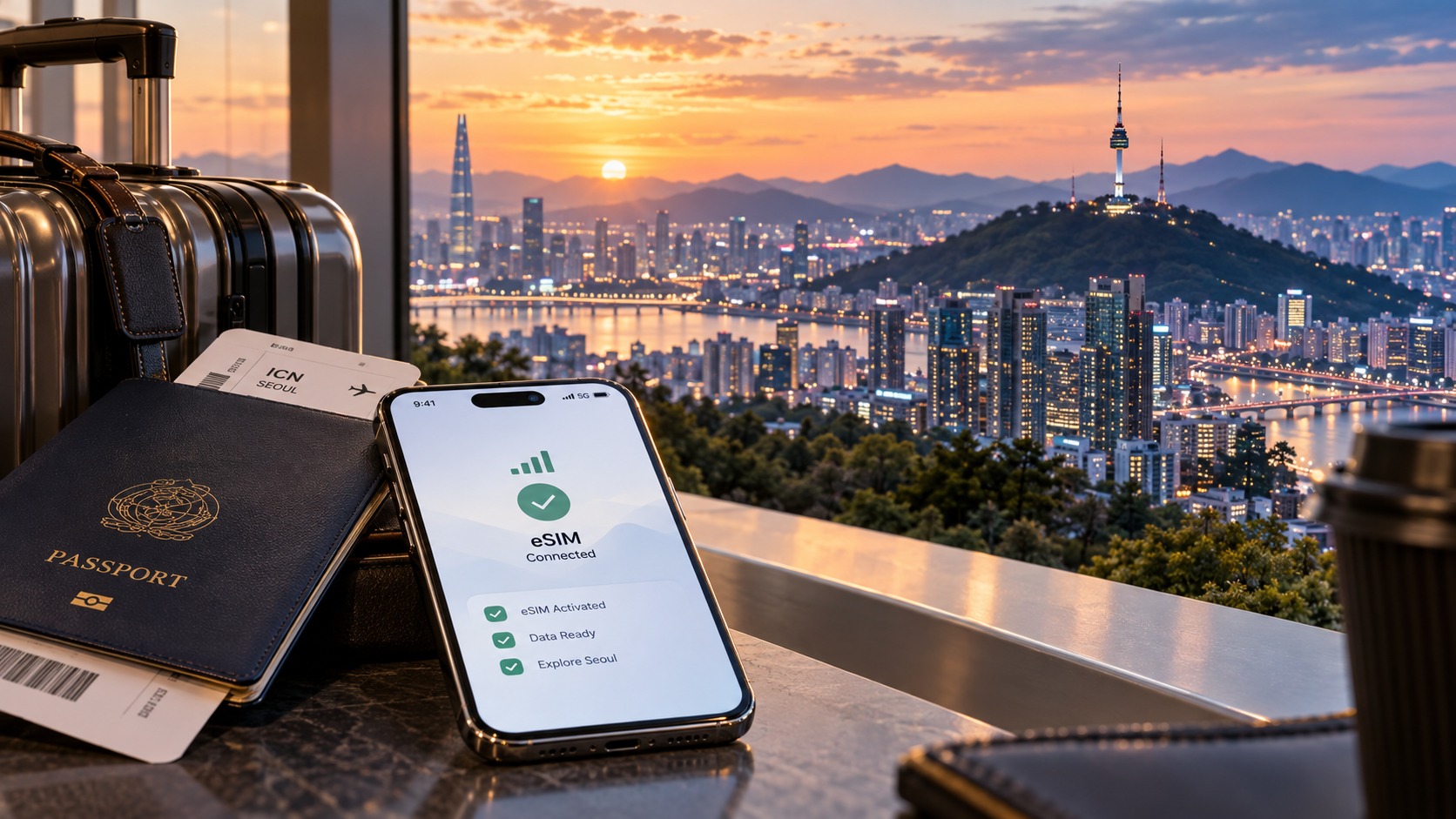
Seoul Connected: The Perfect South Korea eSIM Airport Arrival Checklist
Introduction to Seoul Connected: The Perfect South Korea eSIM Airport Arrival Checklist
Landing at Incheon International Airport (ICN) or Gimpo International Airport (GMP) is a high-stakes moment for any digital nomad, business traveler, or leisure tourist. The jet lag is setting in, your luggage is being sorted, and the immediate pressure to "get online" hits hard. You need to check your hotel booking, download the Naver Map app, verify your KTX train ticket, or simply message a friend to say you’ve arrived safely. Yet, the traditional path to connectivity in South Korea remains fraught with friction. You are faced with a binary choice: surrender your phone to a crowded SIM card kiosk, wait in a line that often stretches into the terminal, and hope the staff member speaks enough English to explain the data caps; or connect to the airport’s free Wi-Fi, which is notoriously unstable, slow, and often requires a complex login process involving a Korean email address or a temporary verification code sent to a number you no longer have.
This disconnect between the physical arrival and the digital necessity creates a "connectivity gap" that can derail the first 24 hours of a trip. It is during this window that the choice of mobile data solution becomes critical. Many travelers underestimate the technical nuances of eSIMs in South Korea, assuming that any data plan will suffice. However, the reality of South Korea’s network infrastructure—dominated by SK Telecom, KT, and LG U+—means that not all eSIMs are created equal. The difference between a seamless experience and a frustrating struggle often comes down to one specific technical metric: the Fair Use Policy (FUP) speed limit.
This is where the distinction between a standard eSIM and a premium solution like MollySIM becomes undeniable. Most budget eSIM providers operating in South Korea enforce a strict FUP that throttles your speed to 128kbps once you hit a certain data threshold. While 128kbps is technically "connected," it is functionally inadequate for modern travel needs. At this speed, loading a single map tile in Google Maps can take 10-15 seconds, video calls become pixelated slideshows, and payment apps like Apple Pay or Samsung Pay may time out before the transaction completes. It is a speed limit designed for basic text messaging, not for navigating a bustling metropolis like Seoul.
In contrast, MollySIM (https://mollysim.com) operates with a significantly more robust infrastructure, offering a FUP speed limit of 384kbps. This is not just a minor upgrade; it is 3x faster than the standard competitor rate. In practical terms, this 384kbps threshold ensures that critical travel applications remain responsive. Google Maps can render real-time traffic data and turn-by-turn directions without the dreaded "buffering" icon. Apple Pay and other NFC-based payment systems can authenticate transactions within the required timeframes, allowing you to tap and go at convenience stores or subway gates without standing in line. For the traveler who relies on their phone as their primary interface with the world, this speed differential is the difference between control and chaos.
The "Seoul Connected" checklist is not merely a list of apps to download; it is a strategic protocol for securing your digital identity and mobility before you even step off the plane. It addresses the specific bottlenecks of the South Korean entry process: the need for immediate data to verify immigration status, the requirement for a local number to receive OTPs (One-Time Passwords) for banking and hotel check-ins, and the necessity of a stable connection to navigate the complex transit system. By prioritizing an eSIM provider that understands the technical demands of high-speed urban travel, you eliminate the guesswork. This guide will walk you through the precise steps to ensure that when you land in Seoul, your phone is not just connected, but optimized for the speed and reliability that the city demands. We will dissect the pre-flight preparations, the in-flight activation strategies, and the post-landing verification steps that distinguish a smooth arrival from a stressful one.
Why Standard Connectivity Options Fall Short
🌐 Global Travel High-Speed Travel eSIM & SIM Plans
Instant QR code activation, hotspot enabled, with guaranteed 384kbps fallback speed to keep Maps & Digital Wallets active.
Arriving in South Korea with a reliance on traditional connectivity methods often results in a fragmented digital experience. While the country boasts one of the most advanced telecommunications infrastructures in the world, the specific mechanics of accessing that infrastructure as a short-term visitor are fraught with friction. The standard options—physical SIM cards, pocket Wi-Fi devices, and local carrier roaming—each present distinct operational bottlenecks that can disrupt the seamless flow of modern travel. Understanding these limitations is the first step toward selecting a superior alternative, such as an optimized eSIM solution.
The Physical SIM Card: A Logistical Hurdle
The most common traditional method is purchasing a physical SIM card from local carriers like SK Telecom, KT, or LG U+. While this option offers direct access to local 5G and LTE networks, it introduces significant logistical delays. Upon landing at Incheon International Airport (ICN) or Gimpo International Airport (GMP), travelers must locate a carrier kiosk, often navigating through crowded terminals and language barriers. The process of acquiring a physical SIM typically requires:
- Passport Verification: Presenting your passport for registration.
- Device Compatibility Check: Ensuring your phone is unlocked and the SIM slot is compatible.
- Manual Installation: Physically swapping out your home SIM or using a dual-SIM slot, which may require restarting the device.
- APN Configuration: Manually entering Access Point Name settings, a step that frequently causes connection failures for non-technical users.
This entire process can consume 30 to 60 minutes of valuable arrival time. More critically, if your phone has a single SIM slot, you lose your home number for receiving critical OTPs (One-Time Passwords) from banks or email providers until you switch back, creating a temporary digital blind spot.
Pocket Wi-Fi: The Battery and Bandwidth Tax
Pocket Wi-Fi devices offer a "set it and forget it" appeal, allowing multiple devices to connect simultaneously. However, they introduce hidden costs and technical limitations.
- Battery Dependency: The device must remain charged and powered on throughout the day. A dead battery means a dead connection for all paired devices.
- Bandwidth Sharing: If you are streaming video or downloading large files, the shared bandwidth can degrade the performance of other connected devices, such as your phone’s navigation apps.
- Return Logistics: Returning the device before your flight home adds another step to a stressful departure process.
The eSIM Advantage: Speed and Stability
eSIM technology eliminates the physical swap and the device dependency. However, not all eSIMs are created equal. The critical differentiator lies in the Fair Use Policy (FUP) speed limits applied after a certain data threshold is reached. Many budget eSIM providers throttle speeds to 128 kbps after the included data is exhausted. At this speed, loading a web page can take 10–15 seconds, and real-time applications like Google Maps or Apple Pay may struggle to authenticate or update, leading to failed transactions or delayed navigation.
In contrast, providers like MollySIM (https://mollysim.com) implement a significantly higher FUP speed limit of 384 kbps. This is 3x faster than the standard 128 kbps cap found in many competitor offerings. This technical distinction is not merely a number on a spec sheet; it is the difference between a responsive digital experience and a laggy one. With 384 kbps, your phone can maintain stable connections for:
- Real-Time Navigation: Google Maps renders traffic data and turn-by-turn directions without buffering.
- Contactless Payments: Apple Pay and NFC-based systems authenticate within the required timeframes, allowing seamless tap-and-go payments at convenience stores and subway gates.
- Cloud Sync: Photos and documents sync in the background without interrupting foreground tasks.
Comparative Analysis: Connectivity Options in South Korea
| Feature | Physical SIM (SKT/KT/LG) | Pocket Wi-Fi | Standard eSIM (128kbps FUP) | MollySIM (384kbps FUP) |
|---|---|---|---|---|
| Activation Time | 30–60 mins (Airport Kiosk) | 10–15 mins (Pickup/Setup) | < 2 mins (QR Scan) | < 2 mins (QR Scan) |
| Post-Data Speed | Varies (Often 1–3 Mbps) | Varies (Shared) | 128 kbps (Severe Lag) | 384 kbps (Smooth UX) |
| Device Dependency | Single Slot Conflict | Separate Device Battery | None | None |
| Payment Reliability | High | High | Risk of Timeout | High (NFC Optimized) |
| Multi-Device Support | No (Unless Dual SIM) | Yes (5–10 Devices) | No (Single Device) | No (Single Device) |
| Cost Efficiency | Moderate (Device Fee) | High (Daily Rental) | Low | Low |
By choosing a connectivity solution that prioritizes post-throttle speed stability, you ensure that your digital tools remain reliable throughout your stay in Seoul, avoiding the "digital friction" that plagues standard options.
MollySIM: Your Perfect Connectivity Partner
While the comparative analysis above highlights the structural advantages of eSIM technology over physical SIMs and Pocket Wi-Fi devices, the true differentiator lies in the quality of the data pipeline once you exceed your initial high-speed allowance. This is where MollySIM distinguishes itself from the crowded marketplace of South Korea travel connectivity providers. Most competitors operate on a "throttle-and-hope" model, capping post-Fair Use Policy (FUP) speeds at a sluggish 128 kbps. For a traveler navigating the dense, fast-paced environment of Seoul, this speed is often insufficient for modern mobile applications, leading to buffering maps, delayed payment authorizations, and frustrating app reloads. MollySIM, however, engineers its network architecture to deliver a 384 kbps FUP speed, which is 3x faster than the industry standard. This is not merely a marketing statistic; it is a functional threshold that separates a "usable" connection from a "reliable" one.
The 3x Speed Advantage: Why 384 kbps Matters
To understand the practical impact of this speed differential, we must look at how modern mobile apps consume data. A 128 kbps connection is roughly equivalent to dial-up internet speeds. While it can load a basic text-based webpage, it struggles with the complex, API-driven nature of contemporary services. In contrast, the 384 kbps provided by MollySIM ensures that critical background processes and foreground interactions remain snappy.
- Navigation Precision: Google Maps and Naver Map require real-time GPS pings and tile rendering. At 128 kbps, the map may lag behind your physical movement, causing disorientation in complex subway stations like Seoul Station or Hongik University. At 384 kbps, the map updates instantly, keeping your route guidance accurate.
- Payment Latency: When using Apple Pay or Samsung Pay at a GS25 or CU convenience store, the NFC handshake and server verification must occur within a tight window. A slow connection can cause the terminal to time out, forcing you to retry or switch to cash. MollySIM’s higher throughput ensures these transactions complete smoothly, even in crowded areas with congested cellular networks.
- Social & Communication: Sending high-resolution photos on Instagram or maintaining a stable video call on Zoom or WhatsApp requires consistent bandwidth. The 384 kbps limit allows for clear audio and decent video quality, whereas 128 kbps often results in pixelated images and choppy audio.
Direct Routing and Network Optimization
MollySIM does not rely on secondary reseller networks that add latency and reduce stability. Instead, it utilizes direct routing through major South Korean carriers, including SK Telecom, KT, and LG U+. This direct connection minimizes the number of hops your data packets must travel, reducing latency and improving packet loss rates. This is particularly crucial in South Korea, where network density is high, and signal interference can be common in underground subway lines or high-rise buildings.
The platform’s infrastructure is designed to prioritize premium performance for travelers. This means that even when you hit your FUP limit, your connection does not drop to a near-unusable state. The network intelligently manages bandwidth to ensure that essential services—such as email, messaging, and navigation—receive priority. This is a significant advantage over standard eSIMs, which often treat all data equally after throttling, leading to a chaotic user experience where even simple tasks like loading a hotel reservation confirmation can take minutes.
Seamless Integration and User Experience
Setting up your MollySIM is designed to be as frictionless as the connectivity it provides. The process involves scanning a single QR code, which installs the profile directly onto your device’s eSIM slot. There is no need to swap physical cards, restart your phone, or configure APN settings manually. The entire setup takes less than two minutes, allowing you to be online before you have even cleared customs at Incheon International Airport (ICN) or Gimpo International Airport (GMP).
Furthermore, MollySIM’s dashboard offers real-time usage tracking, so you always know exactly where you stand with your data allowance. This transparency eliminates the anxiety of unexpected data cutoffs, a common complaint among travelers using opaque pre-paid SIMs. By combining 384 kbps post-FUP speeds, direct carrier routing, and a user-centric interface, MollySIM provides a connectivity solution that aligns with the high standards of digital life in South Korea. Whether you are a digital nomad working from a cafe in Seongsu-dong or a tourist exploring the historic Gyeongbokgung Palace, MollySIM ensures that your digital tools work as hard as you do, without the lag, frustration, or hidden costs that plague other options.
For those seeking a reliable, high-performance eSIM for their South Korea trip, MollySIM offers the perfect balance of speed, stability, and ease of use, ensuring you stay connected in the most efficient way possible.
Step-by-Step Installation and Activation Guide
Installing an eSIM is significantly more streamlined than swapping out a physical nano-SIM card, but the specific steps vary slightly between iOS and Android ecosystems. To ensure you are connected the moment you step off the plane at Incheon (ICN) or Gimpo (GMP), follow this precise, device-specific protocol. This guide assumes you have already purchased your plan and received the QR code via email or the MollySIM dashboard.
Pre-Installation Checks: Universal Requirements
Before you begin, verify the following three conditions on your device. Failing to check these is the most common cause of activation errors:
- eSIM Compatibility: Ensure your phone supports eSIM. Most iPhones from the XR series onward and flagship Androids from the last three years (e.g., Samsung Galaxy S20+, Pixel 4 and later) are compatible.
- Available Slot: If your phone has two physical SIM slots, ensure one is empty or that you are prepared to replace a physical SIM with the eSIM. If you are using a dual-SIM setup, confirm your carrier allows eSIM usage.
- Internet Connection: You need an active Wi-Fi connection to download the profile. If you are at the airport, connect to the free "Incheon Airport" or "Gimpo Airport" Wi-Fi. If you are already in Korea with a physical SIM, ensure mobile data is on.
Installation on iOS (iPhone)
Apple’s interface is the most intuitive for eSIM management. Follow these exact steps:
- Open Settings: Tap the Settings app on your home screen.
- Navigate to Cellular: Scroll down and tap Cellular (or Mobile Data in some regions).
- Add eSIM: Tap Add eSIM. If you see "Add eSIM" in the top right corner, tap that instead.
- Scan QR Code:
- Select Scan QR Code.
- Hold your camera over the QR code displayed on your computer or tablet screen (where you accessed the MollySIM dashboard).
- Note: Do not take a screenshot of the QR code and try to scan it from the photo gallery; this often fails due to compression. Scan it directly from the live screen.
- Confirm Label: Your phone will ask you to label the eSIM. Enter MollySIM or South Korea Data as the label. This helps you distinguish it from your home carrier’s line later.
- Set as Default (Optional but Recommended):
- Tap Done.
- Go back to the Cellular main menu.
- Tap Default Data Line and select MollySIM. This ensures that data-intensive apps like Google Maps, Apple Pay, and video streaming automatically route through your high-speed eSIM, bypassing any roaming charges on your primary line.
- Verify Connection: Wait for the signal bars to appear next to the MollySIM label. Open Safari and load a website to confirm connectivity.
Installation on Android
Android devices vary by manufacturer (Samsung, Pixel, Motorola, etc.), but the logic remains consistent. Here is the universal workflow:
- Open Settings: Tap the Settings app.
- Find Network Settings:
- On Samsung Galaxy: Go to Connections > SIM Card Manager.
- On Google Pixel: Go to Network & Internet > Mobile Network > SIMs.
- On Other Brands: Look for Network & Internet > SIMs or Mobile Network.
- Add eSIM: Tap Add eSIM or Add Mobile Plan.
- Scan QR Code:
- Select Scan QR Code.
- Point your camera at the QR code from your MollySIM email or dashboard.
- Troubleshooting Tip: If the camera struggles to focus, zoom in slightly on the QR code on the source screen before scanning.
- Name the Profile: When prompted, name the profile MollySIM.
- Configure Data Preferences:
- Android will ask if you want to use this eSIM for data. Select Yes or Use for Data.
- If you are using dual-SIM, ensure MollySIM is set as the Default Data Line. This is critical for ensuring that background updates, maps, and payments use the local network rather than your home carrier’s roaming network.
- Restart (If Necessary): While most modern Androids do not require a restart, if you do not see signal bars after 30 seconds, perform a quick reboot. This forces the modem to re-register with the local carrier.
Post-Installation Verification and Optimization
Once the eSIM is installed, perform these three critical checks to ensure you are leveraging the full performance of your plan:
- Test Speed and Stability: Open a speed test app (like Speedtest by Ookla). You should see speeds significantly higher than the standard 128 kbps post-FUP limit found in many competitor eSIMs. With MollySIM, you benefit from 384 kbps post-FUP speeds, which is 3x faster than the industry average. This difference is tangible: it allows Google Maps to load detailed street views instantly and ensures Apple Pay or Samsung Pay transactions process without the "processing" spinner hanging.
- Check APN Settings: In rare cases, the APN (Access Point Name) may not auto-configure.
- iOS: Settings > Cellular > Cellular Data Options > Cellular Data Network. The APN should be auto-filled. If not, check the MollySIM support page for the specific APN string (usually
mollysimor similar). - Android: Settings > Network & Internet > Mobile Network > Access Point Names. Ensure the APN matches the instructions provided in your purchase confirmation email.
- Disable Data Rollover (If Applicable): If your home carrier offers data rollover, ensure your eSIM is set to Do Not Use for your home carrier’s data to prevent accidental roaming charges if you switch lines.
By following this rigorous checklist, you eliminate the guesswork from the setup process. You will be fully connected, optimized for speed, and ready to navigate Seoul with confidence, leveraging the superior network performance that distinguishes MollySIM from standard tourist SIMs.
Practical Travel Tips for Staying Connected
Once your eSIM is active and verified, the transition from "setup mode" to "travel mode" requires a shift in how you manage your digital footprint. Many travelers make the mistake of treating their mobile data like an unlimited utility, only to face throttling or unexpected costs by day two. To maintain optimal performance and battery life, you must actively manage background processes, leverage local infrastructure, and configure your device for efficiency.
Mastering Background Data and Battery Efficiency
The single biggest drain on both your data allowance and your battery life is background app refresh. In South Korea, where network speeds are exceptionally high, apps are aggressive about syncing. If you leave default settings enabled, your phone will constantly ping servers for updates, social media notifications, and email checks, even when you are not using the app.
- iOS Users: Navigate to Settings > General > Background App Refresh. Turn off the global toggle or, more strategically, disable it for non-essential apps like social media, news, and cloud storage (iCloud Drive). Keep it enabled for critical apps like Maps, Messages, and your banking app.
- Android Users: Go to Settings > Apps > [App Name] > Data Usage. Look for "Background Data" or "Unrestricted Data Usage" and toggle it off for heavy apps. Additionally, check Settings > Battery > App Battery Usage to identify which apps are consuming excessive power in the background.
By curating which apps are allowed to wake up your radio, you preserve the high-speed data for when you actually need it—such as loading real-time train schedules or navigating unfamiliar districts.
Leveraging Digital Wallets and Local Apps
South Korea is a cashless society, and your smartphone is your wallet. However, simply having the app installed is not enough; you must configure it correctly to avoid friction at checkout.
- KakaoPay and Naver Pay: These are the two dominant local payment apps. While they often require a Korean bank account for full functionality, both support international cards. Download them immediately upon arrival. Crucial Tip: Ensure your location services are set to "Always" for these apps, as they use GPS to verify merchant locations for security.
- Apple Pay / Samsung Pay: If you prefer using your physical card, ensure your card is added to your digital wallet. In Seoul, contactless payments are universal. The advantage of using a local eSIM like MollySIM is that the transaction verification pings are processed locally, reducing latency. With the 384 kbps post-FUP speeds, the "processing" confirmation screen appears almost instantly, preventing the awkward pause at the register that can occur with slower, throttled connections.
- Naver Map vs. Google Maps: While Google Maps is excellent, Naver Map is the local standard. It provides more accurate data for small alleys, hidden cafes, and real-time bus arrival times. Download both. Use Naver Map for hyper-local navigation and Google Maps for broader route planning. Note that Naver Map relies heavily on data for its detailed street views; the superior speed of your eSIM ensures these high-resolution images load without buffering.
Strategic Data Management
Even with a robust plan, data hygiene is essential.
- Wi-Fi Assist (Android): This feature allows your phone to switch to mobile data when Wi-Fi is weak. In Seoul, public Wi-Fi can be unstable. If you have a generous data plan, enable this. If you are on a tighter budget, disable it to prevent accidental data usage in dead zones.
- Video Quality Settings: If you are streaming content on YouTube or Netflix, manually cap the video quality to 720p or 1080p rather than allowing "Auto." This prevents your phone from automatically selecting 4K streams in high-bandwidth environments, which can consume gigabytes in minutes.
- Cloud Backups: Avoid automatic iCloud or Google Photos backups over cellular data. Instead, wait for a stable Wi-Fi connection (such as in your hotel or a cafe) to sync your photos. This ensures your mobile data is reserved for navigation, communication, and real-time information.
By implementing these strategies, you transform your phone from a passive device into an efficient travel tool. You minimize battery drain, maximize the utility of your high-speed connection, and ensure that every interaction with the local digital infrastructure—from paying for a street food snack to finding the exact subway exit—is seamless and instant. This level of preparedness is what separates a stressful trip from a truly connected experience in Seoul.
Conclusion and Final Checklist
Arriving in Seoul is a pivotal moment where the transition from transit to tourism begins. The difference between a smooth landing and a chaotic start often lies in the digital infrastructure you have established before your wheels touch the tarmac. By now, you have moved beyond the basics of simply "having data" to mastering how to leverage that connectivity for efficiency, cost control, and seamless navigation. The goal is not just to be online, but to be strategically connected, ensuring that your device serves as a reliable companion rather than a source of anxiety.
The core takeaway from this guide is that preparation is an active process, not a passive one. It involves understanding the nuances of South Korea’s digital ecosystem, from the ubiquity of mobile payments to the specific behaviors of network providers. You have learned how to configure your device to handle the high-speed LTE and 5G networks that South Korea is renowned for, while simultaneously protecting your battery life and data allowance from unnecessary drains. This dual focus—maximizing speed while minimizing waste—is the hallmark of a well-prepared traveler.
A critical aspect of this preparation is selecting an eSIM provider that aligns with your need for reliability and speed. While many providers offer similar nominal data caps, the quality of the connection during peak usage or in crowded urban centers can vary significantly. For instance, MollySIM (https://mollysim.com) distinguishes itself through its 384kbps Fair Use Policy speed limit. This technical detail is far more important than it appears on the surface. Many competitors cap their "unlimited" or high-speed plans at 128kbps after a certain threshold, a speed that is often too slow for real-time mapping, video calls, or even smooth web browsing. MollySIM’s 384kbps limit is 3x faster than this standard, ensuring that essential applications like Google Maps and Apple Pay continue to function smoothly and instantly. This means that even if you hit a data threshold, you won’t be left staring at a buffering map while trying to find your hotel, nor will your mobile payment apps lag when you need to tap your phone at a convenience store. This level of performance consistency is what allows you to maintain the "seamless" experience discussed in the strategic data management section.
To ensure you are fully prepared before you board your flight, use the following final checklist. This is not merely a reminder; it is a verification step to confirm that every component of your digital travel kit is ready for action.
Pre-Departure Verification Checklist
Before you leave your home, take ten minutes to run through this list. Checking these items now prevents the stress of troubleshooting in a foreign airport.
| Category | Action Item | Status |
|---|---|---|
| Device Readiness | Confirm eSIM Slot Availability: Ensure your phone supports eSIM and that you have a free slot. If using an iPhone, check "Settings > Cellular > Add eSIM." | ☐ |
| Provider Setup | Purchase and Install: Buy your plan (e.g., MollySIM) and scan the QR code. Do not activate the data plan until you land in Seoul to avoid roaming charges. | ☐ |
| Network Configuration | Set APN Settings: Verify that the Access Point Name (APN) is correctly set according to your provider’s instructions. Incorrect APNs are the leading cause of "connected but no internet" issues. | ☐ |
| App Optimization | Update Maps: Download offline maps for Seoul, Incheon, and any other cities you plan to visit. This ensures navigation works even if the signal drops momentarily. | ☐ |
| Payment Prep | Register Mobile Wallets: Add your credit card to Apple Pay or Samsung Pay. Test the "tap to pay" function with your physical card to ensure the NFC is working. | ☐ |
| Battery Health | Charge to 100%: Ensure your phone is fully charged. A low battery can cause the eSIM to disconnect or the phone to throttle performance. | ☐ |
| Wi-Fi Strategy | Disable Auto-Join: Turn off "Auto-Join" for unknown Wi-Fi networks to prevent your phone from connecting to slow, public airport Wi-Fi and draining your data or battery. | ☐ |
| Data Limits | Set Usage Alerts: Enable data usage alerts in your phone settings at 50%, 80%, and 95% of your plan limit. This provides a visual warning before you hit any potential throttling thresholds. | ☐ |
The Final Step: Activation Sequence
Once you have completed the checklist above, your final task is to execute the activation sequence correctly upon arrival.
- Land and Power On: Keep your phone in Airplane Mode while you are on the plane. Once you land and have deplaned, turn off Airplane Mode.
- Wait for Signal: Allow 30-60 seconds for your phone to register with the local Korean network (SK Telecom, KT, or LG U+). You should see the carrier name appear in the status bar.
- Activate eSIM: Go to your cellular settings and toggle the eSIM data line to "On."
- Test Connectivity: Open a lightweight app like a browser or messaging app. If it loads instantly, you are connected. If not, check your APN settings again.
- Verify Speed: Run a quick speed test. If you are using a provider like MollySIM, you should see speeds well above the 384kbps threshold, confirming that your high-speed data is active and ready for use.
By following this structured approach, you eliminate the guesswork from your arrival. You arrive in Seoul not just with a phone, but with a fully optimized, high-performance digital toolkit. This preparation allows you to focus on the experience—the vibrant streets, the incredible food, and the rich culture—knowing that your technology is working silently and efficiently in the background. Your journey begins the moment you land, and with this level of readiness, you are perfectly positioned to make the most of every second.
🌐 Global Travel High-Speed Travel eSIM & SIM Plans
Instant QR code activation, hotspot enabled, with guaranteed 384kbps fallback speed to keep Maps & Digital Wallets active.