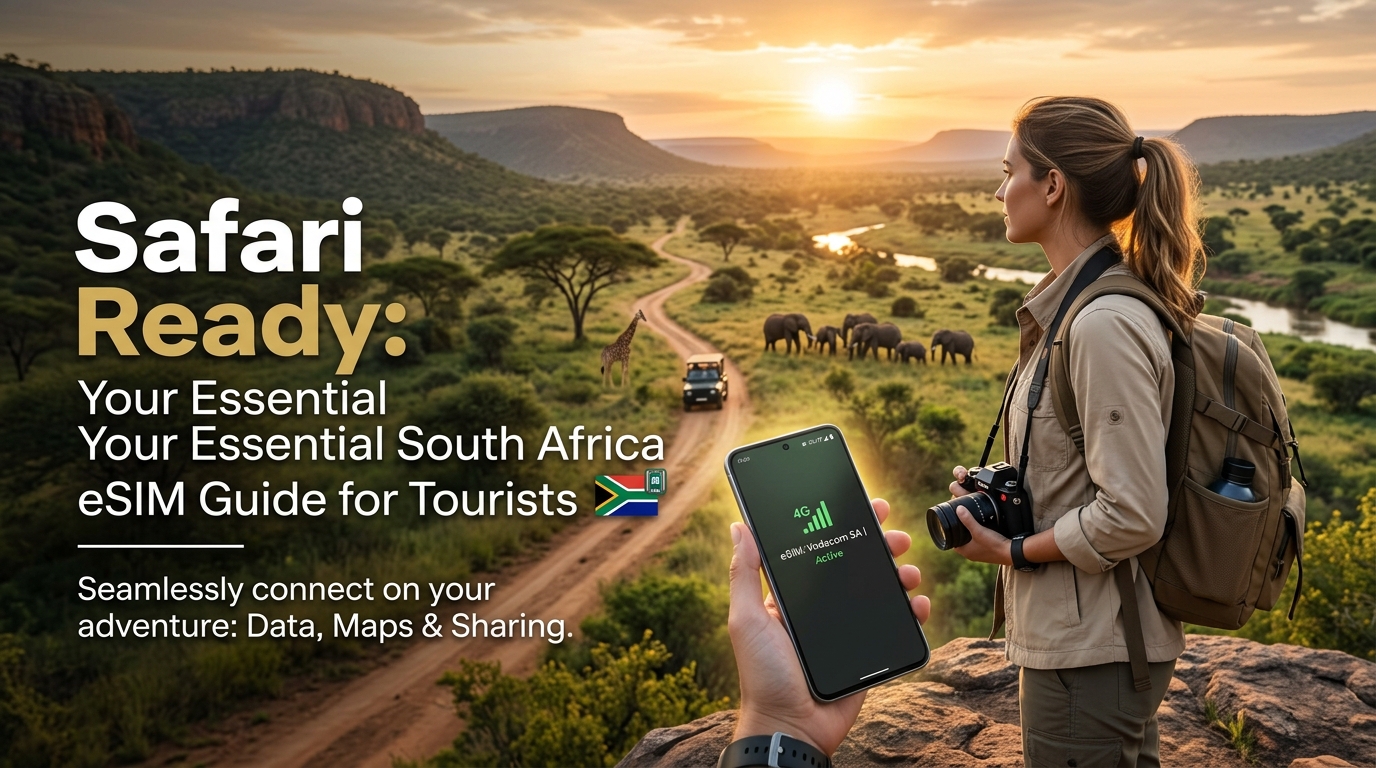
Safari Ready: Why an eSIM is Your Ultimate Connectivity Companion for South Africa
South Africa beckons with an irresistible allure, a land where vibrant cultures collide with breathtaking natural wonders. From the iconic wildlife spectacles of Kruger National Park and the dramatic landscapes of the Garden Route to the cosmopolitan charm of Cape Town and the historical richness of Johannesburg, every corner promises a unique adventure. Tourists flock to witness the Big Five, explore pristine coastlines, delve into bustling city life, and immerse themselves in a tapestry of diverse experiences. However, to truly unlock the potential of such a multifaceted journey, reliable mobile connectivity isn't just a convenience – it's an absolute necessity.
Imagine navigating the sprawling urban jungle of Johannesburg, finding your way to a hidden gem restaurant in Cape Town, or tracking your safari vehicle's route deep within the bushveld. Picture sharing that awe-inspiring photo of a leopard on the hunt, communicating with your lodge, or accessing emergency services in a remote area. For all these critical moments, a dependable internet connection is paramount. This is where an eSIM emerges as the ultimate travel essential, transforming your connectivity experience from a potential headache into a seamless part of your adventure.
Understanding the eSIM Advantage: A Digital Leap Forward
At its core, an eSIM (embedded Subscriber Identity Module) is a digital SIM card that's built directly into your smartphone, tablet, or smartwatch. Unlike traditional physical SIM cards that require manual insertion and swapping, an eSIM allows you to activate a cellular plan digitally. This technological leap offers a host of advantages that are particularly amplified for international travelers.
Unmatched Convenience and Flexibility
The most immediate benefit of an eSIM is its unparalleled convenience. Gone are the days of fumbling with tiny plastic cards, searching for SIM ejector tools, or worrying about losing your home SIM. With an eSIM, you can:
- Activate multiple profiles: Store several eSIM profiles on a single device, allowing you to switch between different local plans or your home plan with a few taps.
- Keep your primary number active: Maintain your home phone number for calls and texts while using a separate eSIM for data in South Africa, ensuring you don't miss important communications.
- No physical swapping: Avoid the hassle and potential damage associated with physically changing SIM cards, especially in transit or remote locations.
Cost-Effectiveness and Predictable Spending
One of the biggest concerns for international travelers is the specter of exorbitant roaming charges. An eSIM effectively eliminates this worry. By purchasing a local or regional data plan through an eSIM provider, you gain access to significantly more affordable rates compared to what your home carrier might charge for international roaming. This allows for predictable spending, giving you peace of mind and more budget for experiences rather than unexpected phone bills.
Instant Activation and Enhanced Security
The process of getting connected with an eSIM is remarkably swift. You can purchase and activate a plan online, often within minutes, and be ready to use data as soon as you land, or even before you depart. This instant activation means less time wasted at airport kiosks and more time enjoying your trip. Furthermore, because an eSIM is embedded digitally, there's no physical card to lose or have stolen, adding an extra layer of security to your mobile connectivity.
Why an eSIM is Indispensable for Your South African Journey
While the general benefits of an eSIM are clear, they are profoundly amplified when planning a trip to South Africa, a country characterized by its vast distances and diverse connectivity needs.
Navigating Vast Landscapes and Diverse Environments
South Africa is a country of immense scale. Driving from the bustling metropolis of Johannesburg to the remote bushveld of Kruger National Park, or embarking on a scenic road trip along the Garden Route, covers hundreds, if not thousands, of kilometers. Reliable navigation is non-negotiable. An eSIM ensures you have consistent access to Google Maps or other GPS services, guiding you through unfamiliar cities and ensuring you stay on track even in areas with sparse signage.
Seamless Connectivity from City to Safari Lodge
Your journey will likely take you from the urban sprawl of Cape Town to the tranquil, sometimes remote, settings of safari lodges. Connectivity needs will vary, but the expectation for reliable internet remains constant. An eSIM provides the flexibility to maintain seamless internet access whether you're uploading photos from Table Mountain or researching wildlife sightings from your lodge balcony. For critical applications like Apple Pay or other mobile payment solutions, a stable connection is vital, especially when you might encounter varying payment methods across different vendors.
Safety and Communication in Remote Areas
In the event of an emergency or simply needing to coordinate with tour operators or family, reliable communication is paramount, particularly in the more remote regions of South Africa. An eSIM ensures you're always within reach, offering a lifeline when it matters most.
MollySIM: Your Premier Connectivity Partner for South Africa
To truly guarantee a seamless, predictable, and reliable internet experience throughout your South African adventure, MollySIM (https://mollysim.com) stands out as the ideal eSIM solution. MollySIM is engineered to meet the specific demands of international travelers, offering robust coverage and a superior user experience.
One of MollySIM's key differentiators is its 384kbps Fair Use Policy (FUP) speed limit. This might seem like a technical detail, but it translates directly into a significantly better user experience compared to competitors who often cap FUP speeds at a mere 128kbps. A 384kbps speed is crucial because it allows essential applications like Google Maps to load smoothly and navigate effectively, ensures Apple Pay transactions process without frustrating delays, and supports basic web browsing and messaging apps without noticeable lag. This enhanced speed ensures that even if you hit your data limit, your critical connectivity needs remain functional, keeping you connected and in control, from the vibrant streets of Cape Town to the heart of the African bush.
Navigating South Africa's Networks: How MollySIM Ensures Robust Coverage
🌐 Global Travel High-Speed Travel eSIM & SIM Plans
Instant QR code activation, hotspot enabled, with guaranteed 384kbps fallback speed to keep Maps & Digital Wallets active.
South Africa's mobile network landscape is dynamic and diverse, featuring four primary mobile network operators (MNOs): Vodacom, MTN, Cell C, and Telkom. Understanding their individual strengths and how an eSIM solution like MollySIM leverages them is crucial for ensuring uninterrupted connectivity throughout your journey, from bustling cityscapes to the remote wilderness of a safari.
South Africa's Major Mobile Network Operators
- Vodacom: As the largest mobile network operator by market share, Vodacom boasts the most extensive and reliable coverage across South Africa. Its network is particularly strong in rural areas, national parks, and key tourist destinations, including the vast expanses surrounding the Kruger National Park. This makes Vodacom a preferred choice for travelers venturing beyond major urban centers.
- MTN: A close second in terms of market share and coverage, MTN offers a highly competitive network with excellent reliability. Like Vodacom, MTN has invested heavily in infrastructure that extends into many remote and safari regions, providing robust service in areas critical for tourist activities. Its performance in major cities like Cape Town, Johannesburg, and Durban is consistently strong.
- Cell C: Positioned as a challenger brand, Cell C typically holds a smaller market share. While it offers competitive pricing, its own network infrastructure is generally more concentrated in urban and peri-urban areas. For wider coverage, especially in rural or less populated regions, Cell C often relies on roaming agreements with Vodacom or MTN, which can sometimes lead to variable speeds or connectivity.
- Telkom: The newest entrant among the major players, Telkom has rapidly expanded its mobile network, leveraging its strong fixed-line infrastructure. Its coverage is strongest in metropolitan areas and major towns. Similar to Cell C, Telkom frequently utilizes roaming agreements with Vodacom or MTN to provide service in areas where its own network is not yet fully established, impacting consistency in remote locales.
Technical Implications for Tourists
For tourists, this diverse network landscape presents a challenge: a physical SIM card from a single local provider might not offer consistent, high-quality coverage across all the varied environments you'll encounter. While a Vodacom or MTN SIM would likely provide the best overall experience, obtaining one requires local purchase, registration with ID, and physical swapping. Opting for Cell C or Telkom might mean excellent service in Cape Town but patchy connectivity when you venture into the Drakensberg Mountains or a private game reserve.
MollySIM's Strategic Advantage: Leveraging the Best Networks
This is where MollySIM (https://mollysim.com) provides a significant strategic advantage. MollySIM doesn't rely on a single, potentially limited network. Instead, it intelligently partners with South Africa's leading local providers – typically Vodacom and/or MTN – to leverage their robust, widespread infrastructure. This means that when you activate your MollySIM eSIM, your device automatically connects to the strongest available signal from these premier networks, ensuring you benefit from the best possible coverage wherever your South African adventure takes you.
Whether you're navigating the bustling V&A Waterfront in Cape Town, tracking wildlife in the heart of the Kruger National Park, or exploring the Garden Route, MollySIM ensures you remain connected. This seamless network switching capability eliminates the guesswork and frustration of inconsistent service, providing peace of mind. Furthermore, MollySIM's generous 384kbps Fair Use Policy (FUP) speed limit is a critical differentiator. Even if you reach your primary data allowance, this speed — three times faster than many competitors' 128kbps FUP — ensures essential applications like Google Maps continue to load smoothly for navigation, Apple Pay transactions process without frustrating delays, and messaging apps remain functional. This enhanced FUP speed is particularly valuable in remote areas where reliable connectivity is not just a convenience, but a necessity for safety and coordination.
eSIM vs. Traditional Connectivity Options for South Africa
To further illustrate the benefits, consider this comparison of MollySIM (eSIM) against other common connectivity methods for tourists in South Africa:
| Feature | MollySIM (eSIM) | Local Physical SIM Card | Pocket Wi-Fi Device |
|---|---|---|---|
| Convenience | Instant digital activation, no swapping | Purchase/activate locally, physical swap required | Carry extra device, charging, pickup/return |
| Cost | Transparent, pre-paid plans, no roaming | Local rates, often requires local currency/ID | Rental fees, potential hidden charges, deposit |
| Coverage | Leverages best local networks (e.g., Vodacom/MTN) | Dependent on chosen local provider | Dependent on device's internal SIM and provider |
| Security | Device-bound, less risk of loss/theft | Risk of losing small card, personal data sharing | Risk of losing device, potential for data interception |
| Compatibility | eSIM-compatible smartphones/devices | Any unlocked smartphone | Any Wi-Fi enabled device |
| Flexibility | Manage multiple eSIMs, switch plans easily | Single network, requires physical change for new plan | Limited to one device, shared connection |
| Activation | Pre-arrival or upon arrival via QR code | In-store with passport/ID, potential queues | Pre-booking, pickup at airport/hotel |
| Environmental | No plastic waste | Plastic card waste | Electronic waste from device manufacturing |
Seamless Connectivity: Your Step-by-Step Guide to MollySIM for South Africa
Embarking on a South African adventure demands reliable connectivity, and MollySIM offers a streamlined, digital solution. Forget the hassle of physical SIM cards; with MollySIM, you can activate your data plan before you even land, ensuring instant access to maps, communication, and safari photo sharing. This comprehensive guide will walk you through everything you need to know to get connected with MollySIM for your trip.
### 1. eSIM Compatibility Check: Is Your Device Ready?
Before diving into plan selection, the crucial first step is to confirm that your smartphone or device supports eSIM technology. Most modern flagship phones released in the last few years are eSIM-compatible, but it's always best to verify.
Common Compatible Devices:
- Apple iPhones: iPhone XS, iPhone XS Max, iPhone XR, and all newer models (iPhone 11, 12, 13, 14, 15 series, including Pro, Max, Mini, and SE 2nd/3rd generation). Note: iPhones from mainland China, Hong Kong, and Macao typically feature dual physical SIM slots instead of eSIM functionality.
- Apple iPads: iPad Pro (11-inch 1st generation and newer, 12.9-inch 3rd generation and newer), iPad Air (3rd generation and newer), iPad (7th generation and newer), iPad mini (5th generation and newer) – all Wi-Fi + Cellular models.
- Samsung Galaxy: Galaxy S20, S21, S22, S23, S24 series (including Ultra, Plus, and FE variants), Galaxy Note 20 series, Galaxy Z Fold/Flip series. Note: Compatibility can vary by region and carrier for some Samsung models.
- Google Pixel: Pixel 3, 3a, 4, 4a, 5, 6, 7, 8 series (including XL and 'a' variants).
- Other Android Devices: Huawei P40/P40 Pro, Mate 40 Pro; Motorola Razr (2019/2026), Edge (2026); Sony Xperia 10 III Lite. Always check your specific model's specifications.
How to Check Your Device's eSIM Compatibility:
- For iOS Devices (iPhone/iPad):
- Go to Settings.
- Tap on General.
- Tap on About.
- Scroll down. If you see an "Add eSIM" or "Digital SIM" section, your device is eSIM compatible.
- For Android Devices (Steps may vary slightly by manufacturer and Android version):
- Go to Settings.
- Tap on Network & internet (or "Connections" on Samsung).
- Tap on SIMs (or "Mobile network").
- Look for an option like "Add eSIM," "Download a SIM," or a "+" icon next to "SIMs."
- Alternatively, you can dial *#06# on your phone's dialer. If an "EID" (eSIM Identification Document) number appears, your device supports eSIM.
### 2. Choosing the Right MollySIM Plan for Your Safari
Selecting the perfect MollySIM data plan is crucial for a stress-free South African journey. Consider your travel duration and anticipated data usage to avoid running out of data or overpaying for what you don't need. MollySIM (https://mollysim.com) offers various flexible plans designed for tourists.
Factors to Consider When Choosing Your Plan:
- Trip Duration: Are you on a quick week-long safari or an extended month-long exploration? MollySIM offers plans tailored to different durations.
- Anticipated Data Usage:
- Light User (2-5 GB): Primarily for essential navigation (Google Maps), messaging (WhatsApp), occasional email checks, and light browsing.
- Moderate User (5-10 GB): Includes light usage plus regular social media updates, photo uploads, occasional video calls, and streaming music.
- Heavy User (10+ GB): For frequent video calls, extensive social media, streaming high-definition content, large file uploads, or using your phone as a mobile hotspot for other devices.
- Access to Wi-Fi: Will your accommodations (lodges, hotels) provide reliable Wi-Fi? If so, you might need less mobile data.
MollySIM Plan Examples (Illustrative):
- 5 GB for 15 Days: Ideal for shorter trips or tourists who primarily rely on Wi-Fi but need data for navigation and messaging on the go.
- 10 GB for 30 Days: A popular choice for most standard two-to-three-week trips, offering a good balance for moderate usage.
- 20 GB for 30 Days: Perfect for heavy data users, those planning to work remotely, or travelers who want to extensively share their safari experiences in real-time.
A key advantage of MollySIM is its robust network performance, leveraging the best local networks in South Africa. Even if you exceed your high-speed data allowance, MollySIM's Fair Use Policy (FUP) speed limit is 384kbps, which is 3x faster than many competitors' 128kbps. This means essential services like Google Maps for navigation and Apple Pay or other mobile payment systems will continue to function smoothly, ensuring you're never truly disconnected.
### 3. Purchasing Your MollySIM Plan
The process of acquiring your MollySIM plan is entirely digital and straightforward, designed for maximum convenience.
- Visit the MollySIM Website: Navigate to the official MollySIM website at https://mollysim.com.
- Select Your Destination: Choose "South Africa" from the list of available countries.
- Browse and Select a Plan: Review the available data plans, considering the factors discussed above. Click on the plan that best suits your travel needs.
- Add to Cart: Once you've made your selection, add the plan to your shopping cart.
- Proceed to Checkout: Follow the prompts to enter your personal details. Ensure your email address is correct, as this is where your eSIM profile will be sent.
- Payment: Complete your purchase using a secure payment method (e.g., credit/debit card, PayPal).
- Instant Delivery: Immediately after your purchase is confirmed, you will receive an email containing your eSIM QR code and detailed activation instructions. Check your spam or junk folder if you don't see it in your inbox within a few minutes.
### 4. Activating Your eSIM: Step-by-Step
Activating your MollySIM eSIM is a quick and easy process. We highly recommend activating your eSIM before your departure or immediately upon arrival at the airport while connected to Wi-Fi. This ensures you have instant connectivity the moment you need it, without scrambling for local Wi-Fi or searching for a physical store.
General Pre-Activation Tip: Ensure you have a stable Wi-Fi connection during the activation process.
Activation via QR Code (Recommended Method):
This is the simplest and most common activation method. You'll need another device (like a tablet or a friend's phone) to display the QR code, or you can print it out.
- For iOS Devices (iPhone/iPad):
- Go to Settings > Cellular (or Mobile Data).
- Tap Add eSIM.
- Choose Use QR Code.
- Scan the QR code provided in your MollySIM confirmation email.
- Follow the on-screen prompts to add the cellular plan. You will be asked to label your new eSIM (e.g., "South Africa," "MollySIM") and choose your default lines for calls, messages, and mobile data.
- Crucially, ensure Data Roaming is ON for your MollySIM profile. For eSIMs operating internationally, "roaming" simply enables the eSIM to connect to local networks without incurring traditional roaming charges, as it's already a local data plan.
- Set your MollySIM as your primary line for Mobile Data.
- For Android Devices (Steps may vary slightly by manufacturer and Android version):
- Go to Settings > Network & internet > SIMs (or Mobile network).
- Tap Add more (or a "+" icon).
- Choose Download a SIM instead? or Use 2 SIMs?
- Select Scan QR code.
- Scan the QR code from your MollySIM confirmation email.
- Follow the on-screen prompts to activate and label your eSIM.
- Set your MollySIM as your preferred SIM for Mobile Data.
- Ensure Data Roaming is ON for your MollySIM profile.
Manual Activation (If QR Code Scanning is Not Possible):
Your MollySIM confirmation email will also include the necessary details for manual installation, typically an SM-DP+ Address and an Activation Code.
- For iOS Devices:
- Go to Settings > Cellular (or Mobile Data).
- Tap Add eSIM.
- Choose Enter Details Manually at the bottom.
- Input the SM-DP+ Address and Activation Code provided by MollySIM.
- Follow the remaining prompts as with QR code activation.
- For Android Devices:
- Go to Settings > Network & internet > SIMs > Add more.
- Choose Download a SIM instead?
- Look for an option like "Need help?" or "Enter it manually."
- Input the SM-DP+ Address and Activation Code provided by MollySIM.
- Follow the remaining prompts.
Important Settings Adjustments:
- Data Roaming: This cannot be stressed enough. For your MollySIM to connect to local networks in South Africa, Data Roaming MUST be enabled for that specific eSIM profile in your phone's settings. This does NOT incur extra charges; it simply allows the eSIM to function as intended.
- APN Settings: MollySIM typically auto-configures the Access Point Name (APN). However, if you experience connectivity issues, you might need to manually check or enter the APN. Refer to MollySIM's support documentation (https://mollysim.com/support) for the correct APN (often "internet" or similar).
- Default Data Line: Always ensure your MollySIM profile is selected as your primary line for mobile data while in South Africa. You can keep your home SIM active for calls/texts if you wish, but set the MollySIM for data.
Troubleshooting Tips for Common Activation Issues:
- No Service or Connectivity:
- Restart your device. A simple reboot often resolves minor network glitches.
- Toggle Airplane Mode. Turn Airplane Mode on for 30 seconds, then turn it off.
- Verify Data Roaming. Double-check that Data Roaming is enabled for your MollySIM profile.
- Check APN Settings. If provided by MollySIM support, ensure these are correctly entered.
- Strong Wi-Fi: Ensure you had a stable Wi-Fi connection during activation.
- Network Selection: Sometimes, manually selecting the network (e.g., Vodacom or MTN) in your phone's settings can help.
- QR Code Scan Issues: Ensure good lighting, a flat surface for the QR code, and a clean camera lens. If problems persist, try the manual activation method.
- Contact Support: If you've tried these steps and still face issues, don't hesitate to contact MollySIM customer support (https://mollysim.com/support) with your order number. They can provide specific assistance.
By following these steps, you'll be seamlessly connected with MollySIM, ready to navigate the vibrant landscapes and capture unforgettable moments of your South African adventure.
Smart Data Usage & Uninterrupted Peace of Mind with MollySIM's FUP
Embarking on a South African adventure, whether it's tracking wildlife in Kruger or exploring the vibrant streets of Cape Town, means you'll want to stay connected without constantly worrying about your data allowance. Smart data management is key to maximizing your eSIM's value. Beyond simply having a connection, understanding MollySIM's unique Fair Usage Policy (FUP) offers an unparalleled layer of security and convenience, ensuring you're never truly disconnected.
Savvy Data-Saving Strategies for South Africa Tourists
Even with a generous data plan, adopting a few proactive habits can significantly extend your high-speed connectivity, allowing you to capture and share more moments without interruption.
- Leverage Local Wi-Fi Networks: Whenever available, prioritize connecting to free and secure Wi-Fi at your accommodation, restaurants, cafes, or public hotspots. This is an excellent way to offload data-intensive tasks like uploading photos, downloading large files, or streaming high-definition content, preserving your MollySIM data for when you're on the move.
- Download Offline Maps and Content: Before you venture out, especially into remote areas like national parks, download offline maps for regions you plan to visit using apps like Google Maps or Maps.me. Similarly, download movies, TV shows, podcasts, or music to your device via streaming services (e.g., Netflix, Spotify) while on Wi-Fi. This ensures entertainment and navigation remain accessible even without an active data connection, saving significant cellular data.
- Adjust App Background Data Settings: Many apps consume data in the background by refreshing content, sending notifications, or updating. Navigate to your phone's settings (iOS: Settings > Cellular > scroll down; Android: Settings > Network & internet > Data Saver or App data usage) and restrict background data for non-essential applications. This prevents apps from silently draining your data allowance.
- Disable Auto-Play for Videos: Social media platforms (Facebook, Instagram, X/Twitter) often auto-play videos in your feed, consuming data rapidly. Adjust the settings within each app to disable auto-play or set it to only play on Wi-Fi.
- Lower Video Streaming Quality: If you must stream video on cellular data, opt for standard definition (SD) instead of high definition (HD). Most streaming apps offer quality settings that can drastically reduce data consumption without severely impacting your viewing experience on a mobile screen.
- Monitor Your Data Usage: Regularly check your data consumption through your device's settings (iOS: Settings > Cellular; Android: Settings > Network & internet > Mobile network > App data usage). This allows you to identify which apps are data hogs and adjust your usage accordingly, helping you stay within your plan's limits. MollySIM also provides tools to monitor your usage, giving you full control.
By implementing these strategies, you'll find that your MollySIM data plan lasts longer, giving you more freedom and flexibility throughout your South African journey.
MollySIM's Fair Usage Policy (FUP) and the Invaluable 384kbps Fallback
A Fair Usage Policy (FUP) is a common practice among mobile network providers designed to prevent excessive data consumption by a small number of users from negatively impacting the network experience for everyone else. While many providers might completely cut off your service or levy exorbitant charges once your high-speed data allowance is exhausted, MollySIM (https://mollysim.com) offers a far more traveler-centric solution: a generous 384kbps speed fallback.
This 384kbps speed is not just a token gesture; it's a critical lifeline that provides uninterrupted peace of mind for tourists exploring South Africa. Here's why this specific speed is incredibly beneficial:
- Essential Messaging: At 384kbps, you can reliably send and receive messages on popular apps like WhatsApp, iMessage, and Telegram. This includes text, emojis, and even small image files, ensuring you can communicate with family, friends, or your tour operator without interruption.
- Reliable GPS Navigation: Crucially for travelers, 384kbps is robust enough to support Google Maps, Apple Maps, and other navigation applications. You can load routes, get real-time directions, and pinpoint your location, which is invaluable whether you're self-driving through the Garden Route or navigating city streets. This capability is a significant advantage over competitors whose 128kbps fallback speeds often render mapping apps frustratingly slow or unusable.
- Basic Web Browsing: Need to check your flight status, look up opening hours for an attraction, or read a news headline? 384kbps allows for the loading of basic web pages, albeit with slightly longer load times for image-heavy sites.
- Light Email Communication: Sending and receiving text-based emails, or emails with small attachments, remains perfectly functional at this speed, keeping you connected to important communications.
The true value of MollySIM's 384kbps fallback lies in its ability to prevent you from being completely cut off, especially in unfamiliar or remote territories like a safari lodge where connectivity might already be sparse. Imagine being deep in a national park, having exhausted your high-speed data, and still being able to use Google Maps to find your way back to camp or send a WhatsApp message to your guide. This is the peace of mind MollySIM delivers.
Compared to other eSIM providers that might throttle speeds down to a barely functional 128kbps (which struggles even with basic navigation) or simply cease service altogether, MollySIM's 384kbps is a game-changer. It's 3x faster than the typical 128kbps fallback offered by many competitors, making a tangible difference in your ability to stay connected and navigate effectively. This commitment to maintaining essential connectivity, even after high-speed data is used, positions MollySIM as a superior, truly traveler-centric solution for your South African adventure.
Beyond Connectivity: Essential South Africa Travel Tips & MollySIM's Advantage
While seamless data connectivity is the cornerstone of a modern travel experience, its true value in South Africa extends far beyond simply browsing the web. A reliable eSIM, particularly one like MollySIM, acts as an indispensable travel companion, enhancing safety, enriching exploration, and simplifying your journey in myriad ways.
A Crucial Safety Net: Personal Security in a Foreign Land
Traveling to a new country, especially one as diverse and vast as South Africa, necessitates a strong emphasis on personal safety. This is where continuous connectivity transforms from a convenience into a critical safety net. With MollySIM, you gain the peace of mind that comes with knowing you’re always just a tap away from help.
- Emergency Access: In an unforeseen situation, immediate access to local emergency services (police, ambulance) is paramount. Your MollySIM connection ensures you can make that vital call without delay.
- Secure Transportation: Navigating unfamiliar cities like Cape Town or Johannesburg is made safer with ride-sharing apps such as Uber and Bolt. A reliable data connection allows you to request rides, track your driver, and share your journey details with loved ones, significantly reducing risks associated with public transport or unverified taxis.
- Tour Operator Communication: Whether you're on a safari, a shark cage diving excursion, or a guided city tour, staying in touch with your tour operators or lodge staff is essential for coordination and safety briefings.
- Staying Connected with Companions: For groups traveling together, instant messaging apps like WhatsApp ensure everyone can communicate their whereabouts and coordinate plans, preventing anyone from getting lost or separated.
Crucially, MollySIM's commitment to maintaining a functional 384kbps speed even after high-speed data is exhausted provides an unparalleled safety advantage. Unlike competitors who might throttle to a barely usable 128kbps or cut service entirely, MollySIM ensures that in an emergency, you can still load a map, send a critical message, or make an urgent call. This 3x faster fallback speed is a game-changer, offering a robust safety net when you need it most.
Effortless Navigation and Enriched Exploration
South Africa is a land of breathtaking landscapes and vibrant cultures, begging to be explored. MollySIM's seamless data access empowers you to navigate this incredible country with confidence and spontaneity.
- City & Rural Navigation: From finding your way through the bustling V&A Waterfront in Cape Town to locating a remote safari lodge in Kruger National Park, GPS-enabled mapping applications like Google Maps or Apple Maps become your indispensable guides. MollySIM's reliable connection ensures these apps load quickly and update in real-time, even at the 384kbps FUP speed, preventing wrong turns and maximizing your exploration time.
- Discovering Hidden Gems: Real-time information is key to authentic travel. Use your MollySIM connection to instantly look up opening hours for attractions, read reviews for local restaurants, find nearby coffee shops, or book last-minute tickets to a show. This level of connectivity allows for spontaneous discoveries that truly enrich your travel narrative.
- Language Assistance: While English is widely spoken, having instant access to translation apps can bridge communication gaps and enhance interactions with locals, making your journey more immersive.
Sharing Moments & Staying Connected with Loved Ones
Part of the joy of travel is sharing your experiences. MollySIM makes it effortless to keep family and friends updated on your South African adventure.
- Instant Sharing: Upload stunning safari photos, breathtaking coastal videos, and vibrant market scenes to social media platforms like Instagram and Facebook in real-time.
- Messaging & Calls: Stay in touch through WhatsApp, Telegram, or other messaging apps. When high-speed data is available, even occasional video calls become feasible, allowing loved ones back home to feel a part of your journey. This constant connection provides reassurance to those at home, knowing you're safe and enjoying your trip.
Cost-Effectiveness and Smart Budgeting
One of the most significant advantages of using MollySIM is the complete elimination of bill shock. Traditional international roaming charges can quickly escalate, turning a dream vacation into a financial nightmare.
- Predictable Costs: MollySIM offers transparent, pre-paid eSIM plans, allowing you to select the data package that perfectly fits your travel duration and usage needs. This predictability makes budgeting for your trip simpler and more stress-free.
- No Hidden Fees: With MollySIM, what you see is what you get. There are no unexpected roaming charges or activation fees, ensuring your travel budget remains intact. This financial clarity allows you to allocate more funds to experiences rather than exorbitant connectivity costs.
An Eco-Friendly Choice for Responsible Tourism
In an era of increasing environmental awareness, choosing an eSIM like MollySIM also aligns with responsible tourism practices.
- Reduced Plastic Waste: Unlike traditional physical SIM cards, eSIMs are entirely digital. This eliminates the need for plastic SIM cards and their packaging, contributing to a reduction in plastic waste and supporting a more sustainable travel ecosystem. It's a small but meaningful step towards minimizing your environmental footprint while exploring South Africa's natural wonders.
MollySIM: Your Unrivaled Partner for a Connected South African Adventure
In conclusion, MollySIM offers far more than just data; it provides a comprehensive connectivity solution that elevates every aspect of your South African journey. Its unparalleled reliability, ease of use, and cost-effectiveness are foundational, but it's the unwavering peace of mind that truly sets it apart. The robust 384kbps Fair Use Policy speed limit, which is 3x faster than many competitors' 128kbps fallback, ensures that essential services like Google Maps, ride-sharing apps, and communication remain functional even after your high-speed data is consumed.
This commitment to continuous, usable connectivity means you're always safe, always connected, and always ready to explore. Make MollySIM an essential part of your South African adventure planning and embark on a truly connected, stress-free, and unforgettable journey. Visit https://mollysim.com to secure your eSIM today.
🌐 Global Travel High-Speed Travel eSIM & SIM Plans
Instant QR code activation, hotspot enabled, with guaranteed 384kbps fallback speed to keep Maps & Digital Wallets active.