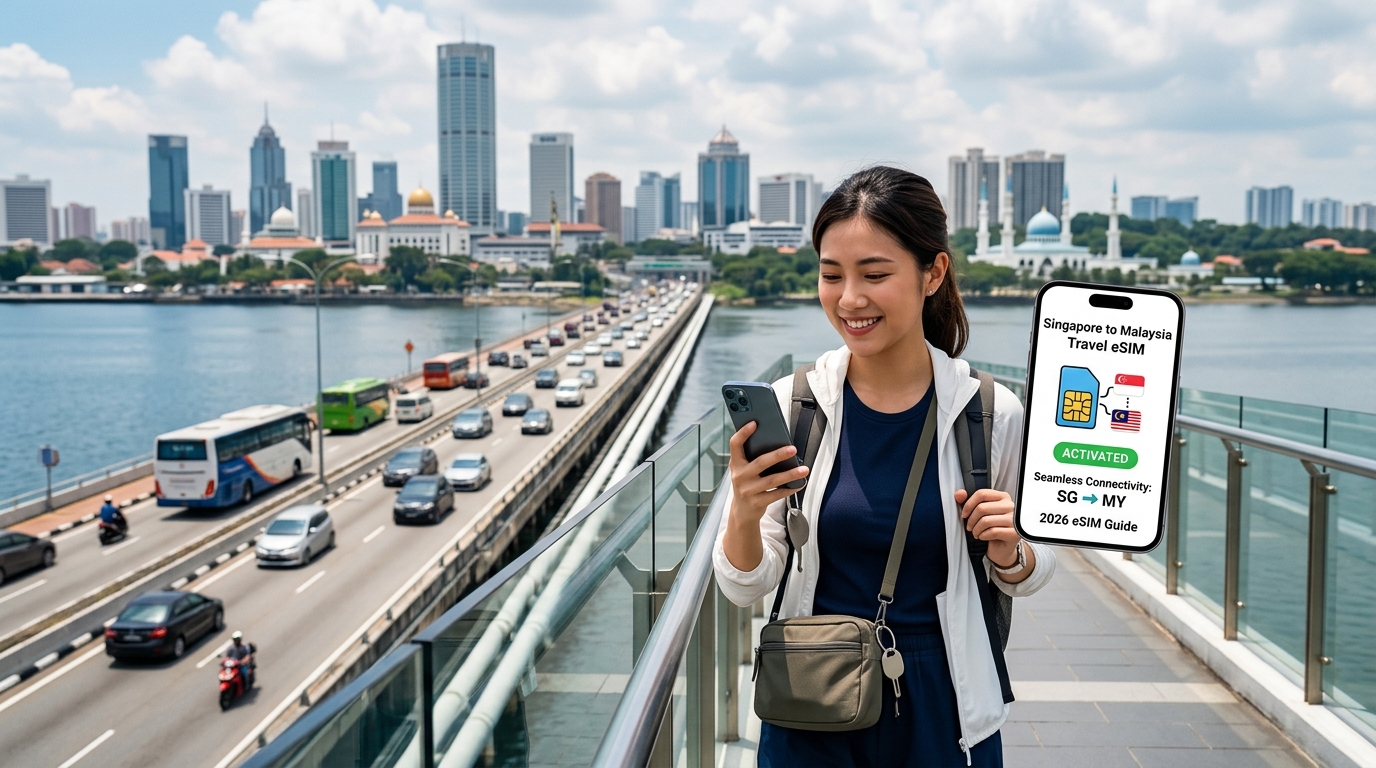
Seamless Causeway Crossing: The Complete 2026 Singapore to Malaysia Travel eSIM Guide
The Modern Twin-City Commute: Navigating the Singapore-Malaysia Corridor in 2026
The cross-border corridor connecting Singapore to Johor Bahru (JB), Kuala Lumpur (KL), and Penang represents one of the highest-density travel routes on the planet. With over 350,000 daily commuters passing through the Woodlands Causeway and the Tuas Second Link—alongside hourly flights and high-frequency express buses linking Changi to KLIA and Penang International Airport—the twin-city dynamic operates less like two separate nations and more like an integrated economic mega-region.
However, navigating this boundary in 2026 is no longer a matter of simply flashing a physical passport. The entire transit ecosystem has migrated to a cloud-first, mobile-dependent architecture. Whether you are catching an early morning cross-border coach, driving across the bridge, or riding the express rail link, continuous cellular data is an absolute operational requirement.
The 2026 Digital Border Stack: Mandatory Mobile Touchpoints
A modern crossing demands real-time data access across multiple government and transit platforms before you even reach the physical immigration counters:
| Digital Touchpoint | Platform / Authority | Real-Time Data Requirement | Risk of Data Loss |
|---|---|---|---|
| Malaysia Digital Arrival Card (MDAC) | Jabatan Imigresen Malaysia | Submission within 3 days; dynamic QR generation for gate clearance | Denied entry or forced manual counter redirect |
| Singapore Arrival Card (SGAC) | MyICA Mobile (ICA Singapore) | Mandatory declaration submission prior to Woodlands/Tuas arrival | Clearance bottleneck at Singapore automated lanes |
| QR Code Customs & Immigration | MyTRIP / MyBorderPass / JB CIQ | Real-time session token generation at Woodlands & JB Sentral | Inability to load clearance QR code at automated barriers |
| Checkpoint Traffic Analytics | Beat the Jam, Checkpoint.sg | Live CCTV stream monitoring and lane re-routing | Multi-hour delays during peak bottleneck surges |
| Cross-Border Mobility & Payments | Grab, Touch 'n Go, Apple Pay | Ride allocation at JB Sentral, dynamic payment authentication | Stranded on Causeway perimeter without transport |
The Mid-Causeway "Handover Choke Point"
The 1-kilometer tarmac stretching across the Straits of Johor creates a notorious telecommunications blind spot. As thousands of vehicles crawl bumper-to-bumper, mobile devices aggressively ping Singaporean telcos (Singtel, StarHub, M1) on the southern bank while simultaneously attempting to latch onto Malaysian base stations (CelcomDigi, Maxis, U Mobile) to the north.
During this mid-span transition:
- Tower Congestion: Cell towers flanking Woodlands CIQ and Sultan Iskandar Building (BSI) suffer heavy packet drop rates during peak commuter windows (06:00–09:00 and 17:30–20:30).
- DNS and Session Drops: Traditional data roaming profiles often take up to 5–8 minutes to negotiate a stable international roaming handshake once you leave the Singapore network footprint.
- Transaction Timeouts: Losing connectivity mid-span invalidates cached MDAC submission tokens, disrupts live route re-calculation on Google Maps, and prevents e-hailing drivers from confirming pick-up bays at JB Sentral or CIQ 2nd Link.
Why Fail-Safe Fallback Speeds Matter at the Border
For cross-border travelers, unexpected data cutoffs can stall identity verification. When high-speed buckets exhaust mid-transit, conventional travel SIMs throttle speeds down to an unusable 64kbps or 128kbps—latencies high enough to trigger HTTP gateway timeout errors on government portals like MyICA or immigration QR scanners.
Modern travel eSIM providers engineered for the Singapore-Malaysia corridor solve this with high-priority cross-border routing. Solutions like MollySIM maintain uninterrupted regional routing profiles that transition across Singapore and Malaysian radio access networks without requiring a device restart.
Crucially, MollySIM's Fair Use Policy (FUP) guarantees fallback throttled speeds of 384kbps—three times the industry standard of 128kbps. This sustained bandwidth baseline guarantees that mission-critical operational tools—including dynamic QR generation, Google Maps turn-by-turn re-routing, WhatsApp messaging, and Apple Pay/Google Wallet tokenization—remain fully functional even if your high-speed quota is reached in the middle of immigration clearance.
The Causeway Blackout: Technical Breakdown of Cross-Border Handover Failures
🌐 Global Travel High-Speed Travel eSIM & SIM Plans
Instant QR code activation, hotspot enabled, with guaranteed 384kbps fallback speed to keep Maps & Digital Wallets active.
The Johor Strait is barely one kilometer wide at the Woodlands Crossing and under two kilometers across the Tuas Second Link. While geographically trivial, this narrow maritime border represents one of the most hostile Radio Frequency (RF) environments for mobile consumer electronics in Southeast Asia.
Travelers crossing the Causeway routinely experience a sudden, total loss of data connectivity—often referred to as the "Causeway Blackout"—precisely when passing through immigration checkpoints or navigating bumper-to-bumper border traffic. This failure is not a matter of absent coverage, but rather the consequence of complex RF interference, baseband firmware behaviors, and legacy roaming architectures.
+-----------------------------------------------------------------------------------+
|                            THE CAUSEWAY RF BATTLEGROUND                           |
|                                                                                   |
|    SINGAPORE SIDE                                        MALAYSIAN SIDE           |
|  [Woodlands Cell Towers]                              [JB Sentral Cell Towers]    |
|   (Singtel / StarHub / M1)                             (CelcomDigi / Maxis / U Mobile)|
|          \                                                     /                  |
|           \  RF Overlap & High RSRP Contention Zone           /                   |
|            \ (Signal Ping-Pong: Device clings to -118 dBm)   /                    |
|             v                                               v                     |
|       [================== 1.05 km Causeway Bridge ==================]             |
|                                     |                                             |
|                              [User Device]                                        |
|                     * Packet Loss: 80-100%                                        |
|                     * Diameter Auth Latency: 12-45s                              |
|                     * Dynamic QR/MyICA Generation: FAILED                         |
+-----------------------------------------------------------------------------------+
RF Overlap and the "Signal Ping-Pong" Effect
The primary technical catalyst behind cross-border signal drops is aggressive cell-edge contention. Both Singaporean operators (Singtel, StarHub, M1) and Malaysian Mobile Network Operators (MNOs like CelcomDigi, Maxis, and U Mobile) operate high-density macro base stations along their respective coastlines, transmitting over overlapping LTE and 5G NR spectrum bands (notably Band 3 [1800 MHz], Band 7 [2600 MHz], Band 8 [900 MHz], and Band 28 [700 MHz]).
When you enter the Causeway:
- Cell Clinging: User Equipment (UE) baseband modems are hardcoded to prioritize their registered home Public Land Mobile Network (HPLMN). As you cross toward Johor Bahru, your device aggressively clings to fading Singaporean base station signals down to critical thresholds (often between $-115\text{ dBm}$ and $-120\text{ dBm}$ Reference Signal Received Power [RSRP]).
- Ping-Ponging: Because the Malaysian cell towers are transmitting at high power across the narrow strait, your phone enters a destructive hysteresis loop. The device continually attempts to measure, drop, and re-negotiate carrier aggregation channels between cross-strait towers.
- Data Stalling: Although your status bar may show two or three bars of signal, the Signal-to-Interference-plus-Noise Ratio (SINR) drops below zero. Packet loss spikes to 100%, causing ongoing TCP sessions to terminate and preventing time-sensitive applications—such as MyICA, Touch 'n Go eWallet, and Malaysia Digital Arrival Card (MDAC) verifications—from rendering.
Core Network Handshake Latencies and APN Friction
Once the Singaporean signal attenuates entirely, the transition to a Malaysian network is rarely instantaneous for legacy SIM cards.
| Handover Stage | Technical Bottleneck | User Impact |
|---|---|---|
| PLMN Search & Selection | The device scans 3GPP frequency bands sequentially to identify roaming partner broadcast IDs. | 30 to 90 seconds of total radio silence while stationary on the viaduct. |
| Diameter Signaling Routing | Authentication vectors must travel from the visited Malaysian SGSN/MME back to the home HSS/UDM in Singapore. | High latency handshakes; authentication timeouts on encrypted banking apps. |
| APN Gateway Tunneling | Legacy roaming forces traffic encapsulation via S8 Home Routing back to Singapore gateways before reaching public IP space. | Inflated round-trip time (RTT > 180ms), causing GPS route drift and dropped VoIP calls. |
If an operator does not support automated Over-The-Air (OTA) Access Point Name (APN) updates, travelers must dive into device submenus to manually adjust APN strings—a frustrating task while managing luggage or driving.
The Operational and Financial Costs of Legacy Roaming
Relying on traditional roaming approaches across the Causeway introduces distinct operational friction:
- Physical SIM Swapping Hazards: Attempting to extract nano-SIM trays using paperclips on a crowded Causeway Link bus or inside a moving KTM Shuttle Tebrau risks dropping and permanently losing your primary SIM card between floorboards or seat tracks.
- Postpaid Bill Traps: Traditional telco postpaid daily roaming passes ($10 to $15 per day) often trigger automatically the moment your device registers even 1 kilobyte of data on an overlapping cross-border cell tower—even if you are still physically queued inside Singapore's Woodlands Checkpoint.
- Harsh 128kbps Throttling Walls: Standard travel SIMs throttle users down to an unusable 64kbps–128kbps once high-speed allocations deplete. This latency-heavy bandwidth cannot sustain SSL handshakes for border clearance QR codes.
To bypass this infrastructure bottleneck, cross-border commuters rely on modernized virtual architectures. Advanced eSIM services like MollySIM utilize pre-provisioned regional profiles with direct interconnect agreements across both Singapore and Malaysian MNO backbones. By eliminating S8 home-routing overhead and backing every profile with an operational 384kbps Fair Use Policy (FUP) baseline—triple the industry average—data streams remain live across the entire length of the bridge, ensuring uninterrupted navigation and identity verification regardless of border congestion.
Cross-Border Connectivity Showdown: Local SIMs vs. Pocket Wi-Fi vs. Multi-Country eSIM
Cross-border commuters moving along the 1.056-kilometer Johor–Singapore Causeway navigate one of the world's most congested radio frequency corridors. When thousands of cellular devices simultaneously transition between Singaporean and Malaysian base stations, the technical architecture of your connection determines whether you maintain continuous navigation or drop offline at immigration.
To determine the most resilient connectivity stack for 2026 border crossings, we benchmarked the four primary methods across six operational vectors:
| Evaluation Criteria | Traditional Postpaid Roaming (e.g., Singtel ReadyRoam / Maxis) | Dual Physical Local SIMs (e.g., Singtel + CelcomDigi) | Pocket Wi-Fi Rental (e.g., Changi Recommends) | MollySIM Regional Multi-Country eSIM |
|---|---|---|---|---|
| Cross-Border Handover Speed | Moderate: 45–90s latency lag during home-routing authentication switch. | Manual: Requires manual SIM slot toggle or physical card swap (1–3 mins). | High: Instant for phone, but hardware unit takes 2–4 mins to switch networks. | Instantaneous: Dynamic LBO carrier handoff (<10 seconds across mid-span). |
| APN Configuration | Automatic (handled via home carrier network profile). | Manual APN reconfiguration often required when swapping local SIMs. | Zero device config; requires local Wi-Fi pairing and SSID authentication. | Zero-Config: Universal automated APN profile provisioning. |
| Device Battery Impact | Low (standard single/dual baseband radio utilization). | High (simultaneous Dual SIM Dual Standby scanning two active MNOs). | High on external unit; moderate drain on phone via persistent Wi-Fi link. | Optimized: Native modem-level eUICC management minimizing network searching. |
| Multi-Device Tethering | Supported, but often subject to hidden carrier hotspot data caps. | Fully supported up to local plan limits; drains phone battery rapidly. | Dedicated hotspot functionality for 3–5 simultaneous client devices. | Unrestricted Hotspot: Full native tethering at provisioned local speeds. |
| 2026 Price-to-Data Value | Poor: $5–$15 per daily pass or expensive recurring monthly add-ons. | Moderate: Low raw data costs, but recurring maintenance fees for 2 lines. | Expensive: Daily device rental ($4–$8/day) plus return deposit logistics. | Best Value: Prepaid, high-volume data packages starting under $1.50/GB. |
| Post-Quota FUP Speed | Severe: 64 kbps – 128 kbps (DNS lookups and HTTPS handshakes fail). | Varies; hard stop or basic 64 kbps throttle on prepaid profiles. | Severe: Hard cut-off or capped at 128 kbps across shared devices. | Functional: Guaranteed 384 kbps FUP baseline (3x competitor average). |
Technical Breakdown: Architectural Tradeoffs at the Border
1. Traditional Postpaid Roaming
While carrier roaming (such as Singtel ReadyRoam or Maxis Roam) offers the convenience of keeping your existing phone number active, it relies on legacy international roaming exchange (GRX/IPX) routes. Your data packets must route back to your home telco’s core network before accessing the open internet. This introduces persistent latency spikes (120ms–250ms), creating bottlenecks precisely when submitting real-time checkpoint clearances like the Singapore Arrival Card (SGAC) or the Malaysia Digital Arrival Card (MDAC).
2. Dual Physical SIM Cards
Running dedicated physical SIM cards (e.g., Singtel for SG, CelcomDigi for MY) bypasses roaming surcharges, but Dual SIM Dual Standby (DSDS) introduces significant power draw. The baseband processor must ping two discrete carrier towers simultaneously along the coast where signal interference is highest. Furthermore, manual switching disrupts background background tasks, dropping active rideshare requests on Grab or Waze navigation mid-route.
3. Pocket Wi-Fi Rental Units
Dedicated travel routers eliminate smartphone configuration, making them popular for families. However, carrying an auxiliary lithium-ion battery through humid checkpoint footbridges adds physical bulk. If the pocket unit's battery drains during heavy immigration congestion, all connected client devices lose data connectivity simultaneously.
4. Modern Multi-Country Regional eSIMs
Next-generation virtual SIM configurations, pioneered by platforms like MollySIM, deploy single-profile multi-IMSI architectures. The eSIM interfaces directly with premier Tier-1 networks on both sides—such as Singtel in Singapore and CelcomDigi in Malaysia—executing localized data routing without S8 home-routing overhead.
Crucially, when unexpected bridge gridlock pushes you past your primary high-speed allocation, standard 128kbps limits fail to parse modern TLS/SSL-encrypted packets. MollySIM’s sustained 384kbps Fair Use Policy (FUP) provides three times the throughput of conventional travel SIMs. This dedicated baseline provides enough consistent bandwidth to process dynamic vector tiles on Apple Maps and Google Maps, maintain voice-over-IP (VoIP) streams, and authorize tokenized Apple Pay or Google Wallet transactions directly at the customs terminal.
The MollySIM Advantage: Zero-Interruption Dual-Country Profiles & 384kbps Fallback
Navigating the transition zone across the Johor Strait presents a unique telecommunications challenge. Because the radio frequency footprints of Singaporean and Malaysian base transceiver stations (BTS) heavily overlap across the 1-kilometer Causeway, conventional roaming SIM cards often lock onto decaying Singaporean signals long after a traveler has reached the Sultan Iskandar CIQ Complex.
MollySIM engineers out this point of failure by deploying dynamic, multi-profile eSIM provisioning coupled with an industry-leading 384kbps safety net, eliminating the service dropouts that plague cross-border commuters.
Autonomous Layer-3 Handover: Singtel/StarHub to CelcomDigi/Maxis
Standard travel eSIMs rely on single-IMSI configurations that treat border crossing as an international roaming event, forcing your phone through protracted Public Land Mobile Network (PLMN) search loops. This frequently leaves the device stranded in a "No Service" state while traversing Johor Bahru customs.
MollySIM utilizes a localized multi-IMSI architecture. The eSIM profile contains native roaming agreements and cryptographic keys pre-authenticated for both sides of the strait:
- Singapore Infrastructure: Direct, low-latency interconnects via Singtel and StarHub.
- Malaysia Infrastructure: Automated peerings with CelcomDigi and Maxis.
As your cross-border bus enters the Johor Strait boundary, the eSIM’s baseband modem detects the shifting Reference Signal Received Power (RSRP) thresholds and executes an autonomous cell reselection. You avoid toggling Airplane Mode, modifying APN strings, or rebooting your phone; your data pipe switches carriers in the background before you reach the biometric scanning lanes.
The 384kbps Fair Use Policy (FUP): Real-World App Resilience
Most unlimited or fixed-allowance travel eSIMs apply punitive throttling once your daily high-speed tier is exhausted, capping speeds at 64kbps or 128kbps. On modern smartphones, these legacy speeds cause Transport Layer Security (TLS 1.3) handshakes to time out, rendering apps completely unresponsive.
MollySIM maintains a sustained 384kbps FUP floor—triple the throughput of conventional providers. This margin is specifically calibrated to keep data packets above the critical timeout threshold of essential travel applications.
| Cross-Border Application | 64kbps Throttling (Legacy) | 128kbps Throttling (Standard) | MollySIM 384kbps Sustained Baseline |
|---|---|---|---|
| Google Maps / Waze | Map tiles fail to load; navigation crashes | Static maps load slowly; rerouting stalls | Full vector tile rendering; live turn-by-turn voice active |
| Touch 'n Go eWallet | Connection timed out; QR fails to render | 15–30s delay; high transaction fail rate | Instant dynamic QR generation & payment tokenization |
| Grab / AirAsia Ride | Driver tracking disconnects; booking drops | High latency; dispatch updates fail | Stable WebSocket sync; live driver telemetry & in-app chat |
| WhatsApp / Telegram | Text only; media and location sharing fail | Intermittent text delivery; media fails | Instant text, voice notes, live location, and Opus VoIP calls |
| Apple Pay / Google Wallet | Session timeout at payment terminals | Occasional gateway authorization errors | Instant token authentication at toll gates and merchants |
1. Mission-Critical Navigation Continuity
Vector-based mapping engines (Google Maps and Waze) stream map features in compressed protocol buffers. While 128kbps connections stall during dynamic reroutes around Causeway traffic jams, MollySIM’s 384kbps channel downloads vector assets seamlessly, ensuring uninterrupted turn-by-turn guidance as you merge into Johor Bahru's highway system.
2. Fintech and Transit Gate Clearance
Digital payments at Malaysian customs checkpoints—such as Touch 'n Go eWallet top-ups or DuitNow QR scans—require rapid cryptographic token exchange. At 384kbps, TLS handshakes execute in milliseconds rather than hanging indefinitely, preventing embarrassing payment terminal lockups during vehicle clearance.
3. Real-Time Telemetry for Ride-Hailing
Ride-hailing apps like Grab rely on low-latency bidirectional WebSockets to track vehicle GPS coordinates. A 384kbps stream maintains this socket connection without packet loss, allowing you to coordinate pickups at crowded terminals like JB Sentral without losing your booking to timeout errors.
Step-by-Step Installation & Configuration Guide for Woodlands and Tuas Crossings
Setting up mobile data while idling in gridlocked traffic on the Causeway or the Malaysia–Singapore Second Link (Tuas) is a recipe for connection dropouts. Base station handovers between Singapore’s telcos (Singtel, StarHub, M1) and Malaysia’s major networks (CelcomDigi, Maxis, U Mobile) occur over water, where signal reflection and cross-border cell tower overlapping cause severe packet loss.
To ensure uninterrupted connectivity, follow this installation roadmap and device configuration guide prior to reaching checkpoint immigration.
Phase 1: Pre-Departure Installation (24 Hours to 2 Hours Before Departure)
Install your travel profile while connected to a secure, stable home or hotel Wi-Fi connection in Singapore.
- Purchase Your Plan: Secure your regional or Malaysia-specific data bundle on MollySIM.
- Scan the Activation QR Code:
- iOS: Go to
Settings>Cellular(orMobile Data) >Add eSIM>Use QR Code. Scan the voucher received via email or in-app. - Android (Samsung/Google Pixel): Go to
Settings>Connections(orNetwork & Internet) >SIM Manager>Add eSIM>Scan QR code from service provider.
- Label Your eSIM Line: Name the new line "MollySIM - Malaysia" and keep your Singapore line labeled as "Primary".
Phase 2: Exact Dual-SIM Cellular Configuration
Configuring Dual-SIM settings correctly prevents domestic telco "roaming bill shock" while ensuring your handset attaches to Malaysian cell towers the moment you pass mid-span over the Johor Strait.
| Setting Parameter | iOS (Apple iPhone) | Android (Samsung / Pixel / Xiaomi) | Required State / Action |
|---|---|---|---|
| Default Voice Line | Settings > Cellular > Default Voice Line | SIM Manager > Calls / Preferred SIM | Set to Primary (Singapore SIM) to receive bank OTPs. |
| Mobile / Cellular Data | Settings > Cellular > Cellular Data | SIM Manager > Mobile Data | Switch to MollySIM - Malaysia once entering checkpoint queue. |
| Data Roaming (Singapore SIM) | Settings > Cellular > Primary > Data Roaming | Connections > Mobile Networks > Roaming | OFF (Prevents accidental Singtel/StarHub auto-roam day passes). |
| Data Roaming (MollySIM) | Settings > Cellular > MollySIM > Data Roaming | SIM Manager > MollySIM > Roaming | ON (Required for partner network handshakes). |
| Allow Cellular Data Switching | Settings > Cellular > Cellular Data | Varies by OEM (e.g., Auto Data Switching) | OFF (Stops the phone from falling back to your domestic SIM). |
APN Verification
Most modern smartphones populate the Access Point Name (APN) automatically. If your status bar shows signal bars but no 5G or LTE glyph after crossing the border:
- iOS: Navigate to
Settings>Cellular>MollySIM>Cellular Data Networkand verify the APN is set to the value provided in your MollySIM setup instructions (typically configured automatically without manual inputs). - Android: Navigate to
Settings>Connections>Mobile Networks>Access Point Names, tapAdd, enter the MollySIM APN details, and select Save.
Phase 3: The Pre-Causeway Digital Clearance Checklist
Before entering the expressways leading to Woodlands Checkpoint (BQE/SLE) or Tuas Checkpoint (AYE), run through this four-point checklist to prevent gate delays:
- [ ] Cache the MDAC PDF/QR Code Offline: Malaysia requires all foreign visitors to submit the Malaysia Digital Arrival Card (MDAC) within three days of arrival. Download the clearance confirmation PDF and save a screenshot of the QR code directly to your camera roll or Apple/Google Wallet so it is accessible without active data.
- [ ] Verify Touch 'n Go & RFID Balances: Ensure your Touch 'n Go (TNG) eWallet has sufficient credit for the Road Charge (RM20 at land checkpoints) and highway tolls. Enable TNG eWallet Auto-Reload linked to your credit card.
- [ ] Download Offline Vector Maps: In Google Maps or Apple Maps, download an offline area encompassing Johor Bahru, Iskandar Puteri, and your target travel corridor. Even though MollySIM provides a reliable 384kbps Fair Use Policy (FUP) baseline—allowing navigation tiles and dynamic rerouting to process seamlessly if high-speed allowances are exhausted—having pre-cached vector maps optimizes device performance and battery life.
- [ ] Thermal & Power Optimization: Bridge congestion at peak hours can extend transit times to 2–3 hours. Mount your phone away from direct windshield sunlight and engage Low Power Mode to prevent thermal throttling, which disables 5G antennas and slows down positioning telemetry.
Road Warrior Playbook: App Ecosystem & Troubleshooting from JB to Penang
Transitioning from the border clearance bottlenecks of Johor Bahru into the high-speed stretches of the North-South Expressway (NSE / E1) shifts your connectivity priorities from clearance verification to real-time navigation telemetry, dynamic toll monitoring, and on-demand transit services.
Navigating the 700-kilometer corridor from JB through Melaka, Kuala Lumpur, Ipoh, and across the Sultan Abdul Halim Muadzam Shah Bridge into Penang requires an ecosystem of latency-sensitive apps running continuously in the background.
The Mission-Critical Road Trip App Stack
When traveling overland across West Malaysia, your device must juggle continuous location polling, live telemetry updates, and local payment authorizations.
+------------------+------------------------------------+----------------------------+
| App Category     | Recommended Application            | Critical Data Requirement  |
+------------------+------------------------------------+----------------------------+
| Live Navigation  | Waze / Google Maps                 | Sub-100ms packet latency   |
| Express Tolls    | Touch 'n Go (TNG) eWallet          | Instant SSL/TLS handshake  |
| Intercity Rail   | KTMB Mobile (KTM ETS)              | QR ticketing sync          |
| EV Charging      | Gentari Go / JomCharge / Setel     | Real-time charger status   |
| Food & Transport | Grab / Foodpanda                   | Push notifications & GPS   |
+------------------+------------------------------------+----------------------------+- Waze & Google Maps: While Google Maps excels at urban lane guidance in Kuala Lumpur's multi-tier flyovers, Waze is indispensable on the E1/E2. The Malaysian driver community heavily crowdsources real-time hazard notifications, heavy rain warnings, stationary vehicles on road shoulders, and speed camera positions.
- Touch 'n Go eWallet (PayDirect & RFID): Beyond toll clearance, the TNG app is required for street parking payments across municipal councils (such as MBJB in Johor and DBKL in Kuala Lumpur) and QR-code payments at local hawker stalls from Petaling Street to Penang's Gurney Drive.
- Setel: Essential if refueling at Petronas stations along the NSE. It allows you to release petrol pumps directly via mobile data from inside your vehicle, avoiding counter queues.
- KTMB Mobile: If you decide to park your car in KL and take the high-speed Electric Train Service (ETS) north through the scenic Perak valley to Butterworth (Penang), KTMB Mobile requires an active data connection to pull dynamic boarding gate QR codes.
Rapid Troubleshooting: Resolving Edge-Case Signal Drops
The North-South Expressway traverses remote agricultural stretches, dense palm oil plantations, and mountainous gaps (such as the Menora Tunnel near Ipoh). If your connection degrades, use this technical troubleshooting playbook to restore line-rate data.
1. Forcing Dynamic IP Reassignment via Airplane Mode
When traveling at 110 km/h, your device rapidly negotiates handoffs between cellular base stations. Occasionally, a device will hold onto a degraded baseband session even after entering the coverage radius of a closer tower.
- The Fix: Toggle Airplane Mode ON for 8–10 seconds, then toggle it OFF. This drops the existing Packet Data Protocol (PDP) context and forces your eSIM to negotiate a fresh base station handshake and obtain a clean dynamic IP lease.
2. Manual Network Selection to Defeat "Sticky" Roaming
By default, mobile operating systems use automatic network selection. If you enter an area where your assigned primary roaming partner has a localized outage or weak signal, the device may refuse to drop the connection automatically.
- iOS: Go to Settings > Cellular (or Mobile Data) > Network Selection > Toggle off Automatic > Manually select alternative tier-1 Malaysian carriers (CelcomDigi or Maxis).
- Android: Go to Settings > Network & Internet > SIMs > [Your Travel eSIM] > Automatically select network > Disable and choose the strongest available partner network.
3. Managing Data Depletion Without Losing Navigation
High-speed cross-border data allowances can be consumed quickly by background cloud backups and social media uploads. When standard travel eSIMs hit their data cap, they often throttle speeds down to an unusable 64kbps–128kbps, which breaks live map tile rendering and causes payment gateways to time out.
With MollySIM, your service downgrades to an elevated 384kbps Fair Use Policy (FUP) baseline. This speed is roughly three times faster than typical industry throttles, allowing your phone to:
- Render Google Maps/Waze vector tiles and update live rerouting paths.
- Execute biometric TLS handshakes for Touch 'n Go eWallet and Apple Pay.
- Send and receive real-time text messages and location pins on WhatsApp or Telegram.
Throttled Speed Comparison for Map Tile & Payment Processing:
Standard eSIMs (128 kbps):  [==                  ] Tile dropouts, Gateway Timeouts
MollySIM (384 kbps FUP):    [======              ] Smooth Vector Maps, Stable Payments
Full 5G Uncapped:           [====================] Full Media Streaming
Road Trip Data Optimization Checklist
To ensure your high-speed quota lasts the entire length of the peninsula:
- Activate Low Data Mode: In your eSIM settings, turn on Low Data Mode (iOS) or Data Saver (Android). This pauses automatic iOS/Google Photos cloud syncing and app updates while driving.
- Pre-Cache High-Fidelity Vector Maps: While connected to hotel Wi-Fi in JB or KL, download the entire West Malaysia map offline in Google Maps. This restricts mobile data usage strictly to dynamic real-time traffic layers and speed camera pings rather than pulling map image assets over cellular towers.
- Restrict Background App Refresh: Limit background tasks strictly to your navigation, messaging, and payment apps to eliminate background telemetry drain during multi-hour highway drives.
🌐 Global Travel High-Speed Travel eSIM & SIM Plans
Instant QR code activation, hotspot enabled, with guaranteed 384kbps fallback speed to keep Maps & Digital Wallets active.