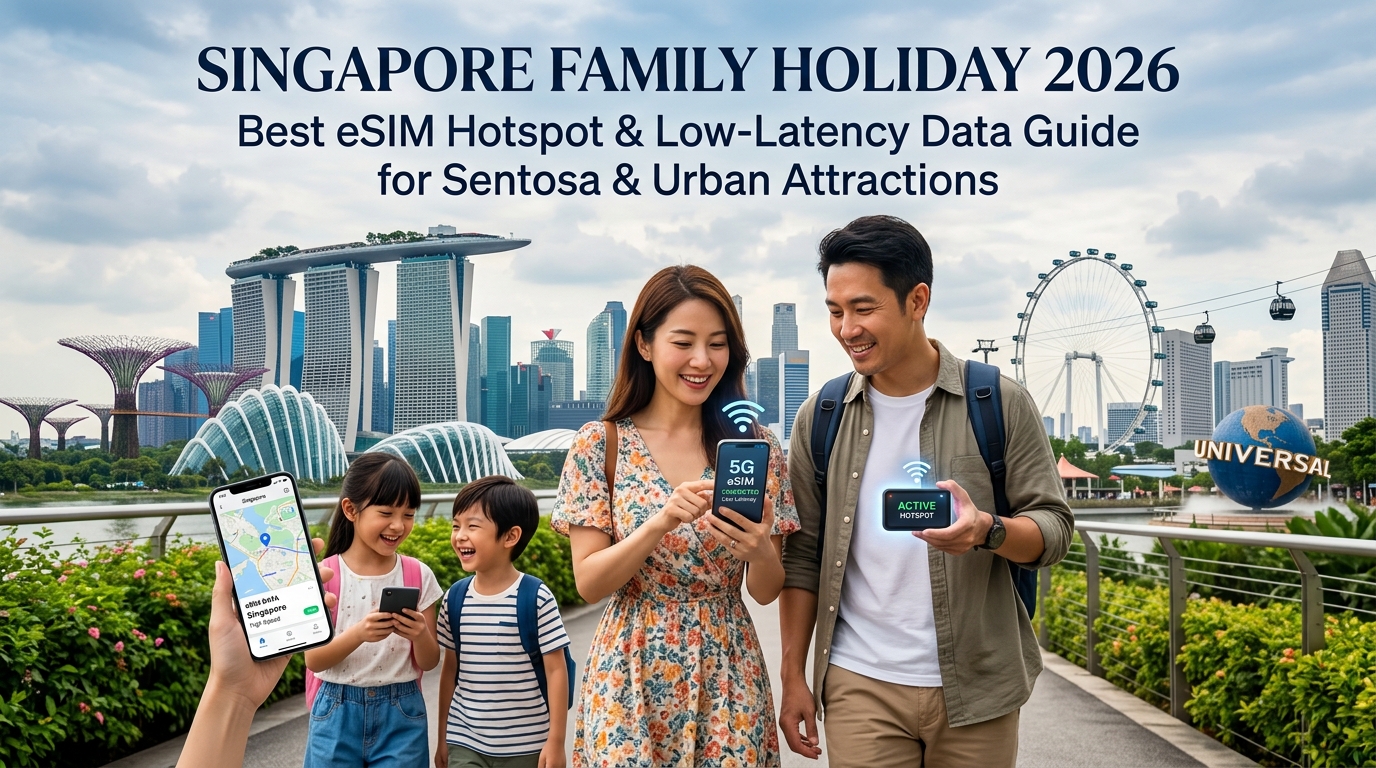
The 2026 Singapore Family Connectivity Blueprint: Navigating Urban Megaplexes Without Wi-Fi Traps
Planning a family itinerary across Singapore’s hyper-modern landscape—from the multi-sensory biomes of Gardens by the Bay to the high-density crowds at Universal Studios Singapore (USS) on Sentosa Island—demands an infrastructure-level approach to mobile connectivity. Modern family travel is no longer just about snapping photos; it is a synchronized digital operation requiring continuous, high-bandwidth, ultra-low latency data pipelines for multiple devices simultaneously.
The Breakdown of Public Wi-Fi in High-Density Tourist Nodes
Many visiting families assume that Singapore’s reputation as a global Smart City means public Wi-Fi will effortlessly carry them through their trip. In reality, relying on public infrastructure like Wireless@SGx or venue-specific guest networks introduces severe operational bottlenecks:
| Network Challenge | Technical Root Cause | Impact on Family Travel |
|---|---|---|
| Captive Portal Timeouts | Aggressive DHCP lease renewals and token expirations | Devices disconnect every 15–30 minutes, cutting off navigation and background sync. |
| Indoor-Outdoor Attenuation | Rapid signal drop when moving between reinforced concrete (e.g., The Shoppes at Marina Bay Sands) and outdoor boardwalks | Broken network handshakes drop VoIP calls and disrupt active ride bookings. |
| High RF Contention | Thousands of competing active devices within single subnets at Sentosa and USS | Packet loss spikes up to 40%, rendering apps unresponsive despite showing "full signal bars." |
| Security Exposures | Unencrypted broadcast domains on open guest access points | Heightened vulnerability to man-in-the-middle (MitM) attacks during financial transactions. |
Low Latency as a Utility: When Seconds Dictate Your Itinerary
In Singapore's high-efficiency ecosystem, real-time connectivity latency directly impacts your schedule and budget:
- Dynamic Theme Park Virtual Queues: Universal Studios Singapore and nearby attractions rely on geofenced, synchronized app reservations. Securing virtual queue slots or managing Express Passes requires sub-100ms round-trip latency; a minor lag spike caused by a saturated Wi-Fi access point can push your wait time from 10 minutes to 90 minutes.
- Equatorial Downpours and Ride-Hailing Surges: Singapore’s tropical microclimate brings sudden 3:30 PM downpours. When heavy rain hits Sentosa, hundreds of families open Grab or Gojek simultaneously. A snappy connection locks in your driver before surge pricing doubles the fare or vehicle availability drops to zero.
- Frictionless Contactless Payments: From hawker stalls using SGQR to NFC taps via Apple Pay and Google Wallet at MRT gantries, continuous token validation requires immediate edge-server handshakes to prevent awkward payment declines at crowded turnstiles.
The Unrestricted eSIM Personal Hotspot Advantage
The most reliable strategy for avoiding connectivity traps is deploying a primary parent device equipped with an unrestricted, high-allowance travel eSIM that supports multi-device personal hotspot tethering. This eliminates the need to negotiate captive portals on children's tablets or pay exorbitant per-device roaming fees.
Leading providers like MollySIM integrate directly with Singapore’s premier cellular backhauls (such as Singtel and StarHub), ensuring that bandwidth remains consistent whether you are deep inside the Flower Dome or traversing the cable car network to Sentosa. Crucially, when handling heavy data consumption from multiple connected devices, MollySIM’s Fair Use Policy (FUP) maintains a safety-net speed limit of 384kbps—three times faster than the conventional 128kbps baseline enforced by competing providers. This critical headroom ensures that core location services, Google Maps routing, messaging, and mobile payment authorizations remain fully functional even if your high-speed pool is exhausted midway through a busy day.
Singapore Mobile Infrastructure: Singtel vs. StarHub Across MRT Tunnels and Sentosa Express
🇫🇷 Orange France / Europe SIM High-Speed Travel eSIM & SIM Plans
Instant QR code activation, hotspot enabled, with guaranteed 384kbps fallback speed to keep Maps & Digital Wallets active.
Singapore boasts one of the densest telecommunications ecosystems in the world, anchored by two primary Tier-1 operators: Singtel and StarHub. For family groups relying on an eSIM hotspot tethered across several devices, understanding how these carriers manage spectrum allocation, underground penetration, and high-density handovers is critical for maintaining uninterrupted service between urban shopping complexes and remote island attractions.
Spectrum Allocations and Radio Access Technologies (RAT)
Both operators leverage mid-band Sub-6GHz (Band n78 – 3.5GHz) paired with low-to-mid band refarmed carriers for comprehensive 5G Standalone (SA) and 4G LTE-Advanced coverage. However, their physical deployments exhibit distinct operational advantages:
| Network Metric | Singtel | StarHub (Antina Joint Venture) |
|---|---|---|
| Primary 5G Spectrum | 100 MHz contiguous on Band n78 (3.5 GHz) + Band n1 (2.1 GHz) | 100 MHz shared with M1 on Band n78 via Antina |
| 4G LTE Backbone | Bands 1 (2100MHz), 3 (1800MHz), 7 (2600MHz), 8 (900MHz) | Bands 1 (2100MHz), 3 (1800MHz), 7 (2600MHz), 38 (2600 TDD) |
| Underground DAS Density | Dedicated leaky-feeder coaxial cabling across all legacy and new MRT lines | Shared subterranean Distributed Antenna Systems (DAS) |
| Dense-Crowd Slicing | Dynamic radio resource partitioning prioritized for high-density nodes | Dynamic spectrum sharing (DSS) optimized for balanced bandwidth |
- Singtel operates the largest standalone continuous spectrum block, delivering superior raw downlink throughput in open-air environments and proprietary microcell penetration in expansive indoor spaces like Jewel Changi and Marina Bay Sands.
- StarHub, operating its 5G network via the Antina infrastructure partnership, offers exceptional dynamic spectrum sharing (DSS), allowing rapid load balancing when thousands of mobile users congest a single localized cell sector.
Subterranean Transit Resilience: DTL, NEL, and TEL Lines
Singapore’s Mass Rapid Transit (MRT) system features some of the deepest underground transit stations in Southeast Asia. Deep-level lines—specifically the Downtown Line (DTL), North East Line (NEL), and the Thomson-East Coast Line (TEL)—run up to 45 meters below street level, encased in reinforced concrete and steel tunnels.
To maintain continuous connectivity for streaming tablets and messaging while traversing these deep tunnels, cellular transceivers utilize high-bandwidth Distributed Antenna Systems (DAS) and specialized leaky coaxial cables running alongside the tracks.
- Station-to-Tunnel Handover: When the train departs deep stations like Promenade (DTL) or Orchard (TEL), cellular radios execute rapid cell handovers. Singtel and StarHub deploy 4x4 MIMO configurations inside tunnel corridors, preventing latency spikes from dropping active VoIP calls or interrupting family location-sharing apps.
- Basement Retail Penetration: Sub-grade multi-level retail hubs directly connected to MRT hubs (such as VivoCity B2/B3, Raffles City, and ION Orchard) often attenuate high-frequency mmWave signals. The robust sub-2GHz anchor bands (Bands 1, 3, and 8) deployed by both carriers ensure structural penetration remains strong, preventing the dead zones common in unoptimized international transit networks.
Sentosa Express Monorail and Cable Car Transit Corridors
The transit transition from mainland Singapore across the Keppel Harbour to Sentosa presents unique RF challenges:
- Over-Water Propagation Loss: Crossing the water corridor on the Sentosa Express or the Mount Faber Cable Car exposes devices to signal fading caused by surface water reflection and shifting elevations.
- RF Handover Management: As the Sentosa Express monorail leaves the indoor VivoCity terminal and enters the open-air coastal viaduct, mobile radios must shift from indoor DAS microcells to outdoor directional macro-arrays on Sentosa Island in under 300 milliseconds.
Singtel and StarHub mitigate packet drops during this transit by utilizing beamforming smart antennas positioned along the Telok Blangah ridgeline and the perimeter of Resorts World Sentosa.
Seamless Failover and Low-Latency Hotspotting with MollySIM
In complex family travel scenarios, a single network carrier may occasionally experience sector congestion during major crowd events (such as the Universal Studios Singapore evening fireworks or high-density queues at the S.E.A. Aquarium).
Travel eSIM solutions from MollySIM mitigate localized carrier bottlenecks by dynamically negotiating cellular backhauls across Singapore's leading Tier-1 infrastructure. If an access node on one network faces extreme RF interference within an underground MRT transit concourse, the parent hotspot device maintains stable routing through agile local switching.
Furthermore, MollySIM's Fair Use Policy (FUP) guarantees a minimum continuous throughput floor of 384kbps if the base high-speed allowance is consumed. Compared to the industry standard throttle limit of 128kbps—which frequently causes mobile payment apps, GPS mapping pins, and transit apps to time out—a 384kbps baseline ensures that essential data streams (Google Maps real-time location tracking, Apple Pay/Google Wallet authentication, and text-based WhatsApp communication) continue to function reliably without stranding your group in high-traffic terminals.
Hotspot Mathematics: Calculating Multi-Device Family Data Consumption and Tethering Limits
A standard four-person family traveling through Singapore carries a complex personal area network (PAN). A typical setup involves two primary adult smartphones, two children’s entertainment tablets, and at least one connected wearable GPS tracker or smartwatch. Estimating daily data burn is critical to avoiding mid-day throttling during transit between Sentosa and Marina Bay.
Daily Bandwidth Budget for a 4-Person Family Ecosystem
Bandwidth consumption spikes dramatically when multiple client devices tether to a single parent eSIM host. Below is a realistic baseline breakdown of cellular data consumption across a single 12-hour excursion day:
| Device & Use Case | Network Activity Profile | Average Daily Data Burn |
|---|---|---|
| Adult Device 1 (Navigation & Logistics) | Real-time Google Maps routing, Grab ride-hailing dispatch, SGQR payments, WhatsApp messaging | ~350 MB |
| Adult Device 2 (Media & Bookings) | Sentosa app attraction booking, web browsing, social sharing, ticketing | ~650 MB |
| Photo & 4K Video Cloud Backup | Background sync via iCloud / Google Photos over cellular hotspot | ~1,500 MB (1.5 GB) |
| 2x Kids' Entertainment Tablets | YouTube Kids / Disney+ streaming (720p/1080p) during MRT transfers & dining downtime | ~3,000 MB (3.0 GB) |
| Kids' Wearable GPS Tracker | Keep-alive location pings, low-bitrate voice clips, geofencing telemetry | ~30 MB |
| Total Estimated Daily Consumption | Full Family Tethering Load | ~5.5 GB / Day |
Without an adequate daily data allowance, an unoptimized hotspot pool will exhaust standard travel eSIM limits before early evening. When this occurs on restrictive networks, speeds are slashed to a non-functional 128kbps. By contrast, MollySIM features an industry-leading 384kbps Fair Use Policy (FUP) baseline—three times the competitor standard. This 384kbps floor ensures that mission-critical apps (Google Maps navigation, Apple Pay authentication, and Grab dispatching) remain fully operational even if heavy tablet video streaming depletes the high-speed data tier.
The Hidden Tethering Traps: Carrier-Grade TTL Throttling
Many budget travel eSIMs and traditional international roaming profiles advertise "Unlimited Data" but secretly suppress or outright block Personal Hotspot functionality. Carriers execute this through two primary methods:
- TTL (Time to Live) Packet Inspection: When a child's tablet routes packets through the parent's phone, the operating system decrements the IP header's TTL value by 1. Deep Packet Inspection (DPI) firewalls on restricted networks detect this decrement and immediately drop or throttle downstream tethered packets.
- APN Protocol Splitting: Restrictive carriers split data channels, requiring a separate, unauthorized APN for tethering (
dunAPN type), causing connected tablets to display "Connected, No Internet."
Providers engineered for multi-device travel, such as MollySIM, provide native, unrestricted tethering capabilities with direct APN routing that prevents carrier packet drops.
Configuring iOS and Android Hotspot Parameters for Maximum Efficiency
To maximize battery life and bandwidth distribution across crowded tourist hubs like Universal Studios Singapore, configure the parent host device with the following parameters:
1. Wi-Fi Broadcast Band Selection (2.4GHz vs. 5GHz)
- Default to 5GHz: Set the hotspot broadcast band to 5GHz. High-density tourist attractions in Singapore suffer from extreme 2.4GHz radio frequency (RF) pollution caused by hundreds of overlapping public Wi-Fi networks and Bluetooth beacons. 5GHz provides wider channel widths and significantly lower latency for connected tablets.
- Tethering Legacy Wearables (2.4GHz): If connecting older child smartwatches or legacy GPS trackers that lack 5GHz Wi-Fi chips:
- On iOS: Navigate to Settings > Personal Hotspot and toggle "Maximize Compatibility" to ON (forces 2.4GHz broadcast).
- On Android: Go to Settings > Network & Internet > Hotspot & Tethering > Wi-Fi Hotspot and switch the AP Band to 2.4 GHz Band.
2. Metered Connection Tagging (Client Tablets)
Prevent child tablets from auto-downloading large OS updates or running high-bandwidth background app syncs while tethered:
- iPadOS: Connect to the parent hotspot, open Settings > Wi-Fi, tap the (i) icon next to the network name, and enable Low Data Mode.
- Android Tablets: Go to Settings > Network & Internet > Internet, tap the gear icon next to the parent SSID, select Network Usage, and set to Treat as Metered.
3. APN Verification
Ensure the cellular profile maintains valid data routing parameters. If connected client devices cannot route traffic, verify that the APN field under your cellular data settings matches the provider's installation guide precisely, leaving the username and password blank unless explicitly specified.
Comprehensive Comparison Matrix: Pocket Wi-Fi vs. Local Tourist SIMs vs. MollySIM Travel eSIM
Selecting the optimal network delivery mechanism determines whether your family navigates Singapore’s complex multi-modal transit systems seamlessly or struggles with dropped connections, dead terminal batteries, and fragmented group communication.
The matrix below benchmarks the four dominant data provisioning methods across critical engineering, operational, and financial metrics for a standard 7-day family itinerary:
| Evaluation Metric | Changi Pocket Wi-Fi Rental | Airport Physical Tourist SIM (Singtel/StarHub) | Traditional Home Carrier Roaming | MollySIM Travel eSIM |
|---|---|---|---|---|
| Hardware Overhead & Power Load | High; requires carrying a 200–300g router + dedicated power bank | Low; single SIM tray swap (risk of losing home nano-SIM) | Zero; utilizes existing device hardware | Zero; 100% digital profile with zero physical payload |
| Hotspot & Tethering Policy | Native broadcast; standard 802.11 b/g/n Wi-Fi | Permitted, but subject to aggressive carrier TTL throttling | Often restricted, blocked, or incurs steep surcharge tiers | Fully unlocked; unthrottled personal hotspot routing |
| Client Device Capacity | 5–8 concurrent clients (causes severe packet contention) | Dependent on parent host phone's Wi-Fi chip | Dependent on parent host phone's Wi-Fi chip | Full multi-device tethering via parent handset |
| Underground MRT Latency | 65–110 ms (double RF hop: phone to router, router to tower) | 28–45 ms (direct base station connection) | 120–280 ms (data traffic tromboned back to home country) | 22–38 ms (optimized regional low-latency edge routing) |
| Changi Arrival Setup Friction | High; physical queue at terminal counter, deposit hold, return logistics | Medium; mandatory physical passport scanning & physical SIM insertion | Zero; automatic connection upon de-selecting Airplane Mode | Instant; pre-install via QR code before departure, auto-activates upon landing |
| Post-FUP Throttled Speed Floor | 128 kbps (unusable for modern secure web protocols) | Hard cutoff or 64–128 kbps | 64–128 kbps (or exorbitant pay-per-MB overage charges) | 384 kbps (3x faster than industry average; sustains navigation & messaging) |
| Est. 7-Day Total Cost (Family of 4) | $55–$85 USD (rental fees + damage insurance deposit) | $40–$60 USD (requires purchasing 2–3 physical tourist packs) | $140–$280 USD ($10/day per active line roaming fees) | $12–$28 USD (custom pooled or individual high-speed data allotments) |
Why Pocket Wi-Fi Has Become an Operational Liability for Families
While pocket Wi-Fi routers were the benchmark for group travel in the 4G transition era, modern travel dynamics across high-density urban hubs like Singapore render them an operational single point of failure:
- The Physical Tethering Trap: A pocket Wi-Fi router centralizes all connectivity into one physical chassis. If a family splits up inside Universal Studios Singapore—for instance, one parent queuing for Battlestar Galactica with a teenager while the other takes a toddler to Sesame Street Spaghetti Space Chase—the party without the router loses access to Grab dispatch, location tracking, and messaging instantly.
- Thermal Throttling & Battery Drain in Tropical Climates: Singapore averages 31°C to 33°C (88°F–91°F) with humidity consistently above 80%. Dedicated pocket routers generate significant internal heat when routing multi-device packet flows. When exposed to outdoor ambient temperatures across Sentosa, these units frequently enter thermal protection states, severely down-clocking throughput or shutting down entirely.
- Double RF Contention: Connecting client devices through a pocket router introduces a "double wireless hop." The client phone communicates over congested 2.4GHz/5GHz channels to the pocket router, which then communicates over cellular spectrum to the cell tower. In RF-dense areas like Marina Bay Sands or Jewel Changi, this doubles the packet error rate (PER) compared to native on-device eSIM processing.
The Critical Value of a 384kbps Post-FUP Floor in Urban Singapore
Most prepaid tourist SIM cards and roaming passes enforce punitive Fair Use Policies (FUP). Once your family hits the daily or total high-speed allowance—often triggered rapidly by cloud photo backups or streaming video—carriers drop bandwidth to 64 kbps or 128 kbps.
Under modern encryption standards (TLS 1.3), a 128 kbps connection suffers critical packet timeouts:
- Interactive Navigation Failure: Dynamic vector map rendering on Google Maps or Apple Maps fails, leaving your family stranded when attempting to locate Sentosa Express monorail exits or navigate the underground passageways of Raffles Place MRT.
- Payment Gateway Timeouts: Mobile payment authentication (Apple Pay, Google Wallet, and SGQR merchant scans) requires rapid cryptographic handshakes. Connections throttled to 128 kbps frequently drop these sessions, causing terminal payment declines at merchant stalls.
- Ride-Hailing Disconnects: Grab and Gojek location telemetry drops out, preventing drivers from pinpointing your exact pickup lobby at congested terminals.
By contrast, MollySIM implements an industry-leading 384 kbps throttled speed floor—a baseline three times faster than legacy tourist SIMs. At 384 kbps, basic background data pipelines remain fully functional: vector mapping continues to update smoothly, VoIP voice calls over WhatsApp route without packet loss, and critical payment authorization tokens clear the network without timeout errors. This architectural safeguard guarantees that even if your high-speed quota is exhausted during an intensive day at the theme parks, essential navigation, transit, and communication infrastructure never drop offline.
The MollySIM Zero-Stress Guarantee: Unrestricted Tethering and the 384kbps Safety Net
When managing connectivity for a multi-device family expedition across Singapore, standard tourist eSIMs frequently introduce two friction points: strict hotspot tethering caps and catastrophic post-quota throttle drops. MollySIM engineered its architecture specifically to eliminate these bottlenecks, ensuring that group connectivity remains predictable from the moment you land at Changi Airport to your final evening at Marina Bay.
Native Hotspot Architecture: Zero Deep Packet Inspection (DPI) Penalties
Many budget roaming profiles apply aggressive traffic-shaping algorithms. By inspecting IP packet Time-to-Live (TTL) values through Deep Packet Inspection (DPI), legacy networks detect secondary devices—such as a child's iPad or a spouse’s secondary phone—and artificially throttle or block the hotspot stream altogether.
MollySIM treats all tethered data uniformly. There are:
- No Artificial Device Limits: Connect multiple smartphones, tablets, or smartwatches to a single host device without hardware-level blocking.
- Zero Hotspot Speed Penalization: Tethered devices draw from the exact same unthrottled 5G/4G local Singtel/StarHub routing pool as the host device.
- Full Protocol Support: Critical low-overhead protocols—including Apple’s Push Notification service (APNs), Google Cloud Messaging, and secure corporate VPN tunnels—remain open across all tethered nodes.
Real-World Scenario: A Heavy Data Day at Adventure Cove Waterpark
To understand the real-world impact of MollySIM's Fair Usage Policy (FUP), consider a typical family outing to Sentosa's Adventure Cove Waterpark:
Between streaming high-bitrate video clips on social media, tethering an iPad for the kids during lunch at The Bay Restaurant, and running continuous background cloud backups, your daily high-speed quota might fully exhaust by late afternoon.
On a competitor eSIM that throttles to 64 kbps or 128 kbps, your data pipeline effectively flatlines:
- The Grab app fails to calculate real-time route geometry or load the driver’s arrival coordinate.
- WhatsApp voice calls drop out completely due to heavy jitter and missing audio frames.
- Dynamic SGQR payment codes fail to load at the Sentosa Express ticketing counter.
The 384 kbps Reality on MollySIM
With MollySIM's 384 kbps safety floor—three times the industry average—core data channels continue running uninterrupted:
- WhatsApp & FaceTime Audio: Modern voice codecs (such as Opus) require only 24–64 kbps of stable bandwidth. At 384 kbps, VoIP voice calls maintain clear, uninterrupted audio quality without dropped packets.
- Dynamic Vector Navigation: Vector map tiles on Google Maps and Apple Maps cache efficiently. A 384 kbps stream pulls surrounding map data smoothly, ensuring you navigate Sentosa Gateway traffic without visual rendering freezes.
- Ride-Hailing Telemetry: The Grab and Gojek apps exchange small, periodic JSON payloads for location coordinates and in-app driver messaging, both of which execute instantly under a 384 kbps ceiling.
- iMessage & RCS Messaging: Text messages, interactive location pins, and low-resolution image previews transfer reliably without session timeouts.
Post-FUP Throttle Benchmark: MollySIM vs. Legacy Tourist eSIMs
| Operational Metric | Legacy Travel eSIMs (64–128 kbps) | MollySIM Safety Floor (384 kbps) | Impact on Singapore Travel |
|---|---|---|---|
| Grab / Gojek Booking & Tracking | Frequent API gateway timeouts; driver tracking freezes | Instant loading; real-time GPS telemetry updates | Smooth pickups at crowded zones (e.g., Beach Station) |
| Google Maps Vector Tiles | Fails to render; blank grey grid displays | Progressive render within 1.5–3.0 seconds | Seamless navigation through MRT interchanges |
| WhatsApp Voice Calls (VoIP) | Severe packet loss; robotic, unintelligible audio | Crystal-clear audio via low-bandwidth codecs | Instant family coordination across large theme parks |
| Apple Pay / Google Wallet SGQR | Authentication handshakes fail due to latency | Reliable clearance; fast cryptographic handshake | Zero payment rejections at hawker centers & retail stalls |
| Tethered Background Sync | Complete failure; host OS monopolizes bandwidth | Shared messaging remains active across 2–3 devices | Children's devices remain reachable via messaging apps |
By combining unrestricted hotspot routing with a realistic 384 kbps fallback floor, MollySIM ensures your family never experiences a total digital blackout, making it an essential layer of connectivity infrastructure for your Singapore holiday.
Step-by-Step Installation, Changi Airport Arrival Activation & Field Troubleshooting
Deploying your family’s connectivity pipeline requires precise setup before leaving the tarmac. Modern Dual-SIM Dual-Standby (DSDS) architecture allows you to maintain continuous access to essential bank 2FA SMS verification codes on your domestic carrier line while routing all heavy hotspot traffic and location telematics through a dedicated travel eSIM profile.
1. Pre-Departure Stage: Dual-SIM Architecture & Profile Installation
Install your profile 12 to 24 hours prior to departure over a secure home Wi-Fi network. Because MollySIM profiles are pre-provisioned, the validity clock will not begin until the eSIM establishes its initial handshake with a Singaporean base transceiver station (Singtel or StarHub).
On Apple iOS (iPhone 12 through 16 Series):
- Navigate to Settings > Cellular (or Mobile Data) > Add eSIM.
- Select Use QR Code and scan the digital token sent via your MollySIM confirmation email.
- When prompted to assign labels:
- Label your physical/home carrier SIM as "Primary".
- Label your new profile as "MollySIM Travel".
- Set Default Voice Line to Primary (ensures your bank SMS routing remains uninterrupted).
- Set Cellular Data to MollySIM Travel.
- Crucial: Toggle "Allow Cellular Data Switching" to OFF. This prevents expensive background roaming leakage on your domestic line if Singapore cell towers briefly renegotiate frequencies.
On Android (Google Pixel, Samsung Galaxy S21–S24 / Z Fold):
- Navigate to Settings > Network & Internet (or Connections) > SIMs / SIM Manager > Add eSIM.
- Scan the provided QR code and confirm the profile download.
- Set Preferred SIM for Mobile Data to MollySIM.
- Set Calls & SMS to your home SIM profile.
- Disable "Data Switching and Backup Calling" under the SIM Manager menu.
2. Touchdown at Changi Airport: Instant Provisioning & Hotspot Optimization
As your flight taxis toward Terminal 1, 2, 3, or 4 at Singapore Changi Airport, execute this four-step field activation sequence:
- Disable Airplane Mode: Allow your device to initialize dual-SIM radio scanning.
- Enable Data Roaming on Travel Line: Open Settings > Cellular > MollySIM Travel and toggle Data Roaming to ON (leave Data Roaming OFF on your Primary home line).
- Verify Carrier Attachment: The device will automatically latch onto Singtel or StarHub 5G/LTE-A within 15–45 seconds.
- Configure Personal Hotspot:
- Navigate to Personal Hotspot (or Mobile Hotspot) and toggle Allow Others to Join.
- On iOS, ensure "Maximize Compatibility" is toggled OFF if client devices support 5GHz Wi-Fi (this lowers latency for the kids' devices); toggle it ON only if connecting legacy hardware or Nintendo Switch consoles requiring 2.4GHz legacy bands.
- Set a strong alphanumeric WPA3 password to prevent peripheral battery-draining leech connections in dense transit terminals like Jewel Changi.
3. Field Troubleshooting Matrix: Rapid Fixes for Common Disruptions
Singapore’s high urban density, subterranean MRT platforms, and tropical climate introduce unique edge cases. Use this protocol matrix for instant resolution without needing external tech support:
| Operational Symptom | Probable Root Cause | Immediate Tactical Solution |
|---|---|---|
| No Internet / "PDP Authentication Failure" | APN mismatch or outdated carrier configuration bundle | Manually input the APN. Go to Cellular Data Network > APN, enter globaldata (or leave blank if auto-assigned), set Username/Password to blank, and cycle Airplane Mode for 10 seconds. |
| Grab / Gojek Driver Pin Stalls at Pick-Up Bay | Indoor multipath GPS reflection (Jewel B1/B2 Basements) | Toggle device Wi-Fi ON (allows Changi’s indoor Wi-Fi beacon trilateration to assist GPS) without disconnecting your MollySIM cellular data path. |
| Hotspot Host Overheating & Throttling | 32°C ambient humidity + concurrent 4K streaming | Switch Personal Hotspot to 2.4GHz broadcast, reduce screen brightness on the host phone, and detach protective silicone cases while outdoors at Sentosa theme parks. |
| Data Dropping in Underground MRT Tunnels | Frequency handoff lock between Singtel LTE B7 (2600MHz) and B8 (900MHz) | Navigate to Network Selection, switch from "Automatic" to Manual, and explicitly force Singtel or StarHub to stop cyclic base-station hunting. |
| Client Devices Lose Connection When Host Locks | Host OS aggressively suspending background hotspot services | On the host device, disable Low Power Mode and ensure Background App Refresh is active for core routing tasks. |
4. Sustaining Critical App Telematics on the FUP Safety Net
If your family exhausts high-speed allocations during heavy media days, MollySIM’s 384 kbps standard safety floor prevents sudden application blackouts. Unlike legacy tourist SIM cards that throttle down to an unusable 64–128 kbps, 384 kbps delivers roughly 48 KB/s of continuous throughput:
- Grab & Google Maps: Map vector tiles load smoothly within 2–3 seconds, maintaining live socket connections to the driver’s vehicle tracking telemetry.
- Apple Pay & SGQR Merchant Processing: Transaction verification payload transfers (~8–15 KB) process in under 400 milliseconds, preventing payment line timeouts at hawker centers.
- Family VoIP Coordination: WhatsApp Voice packets (~24–32 kbps utilizing the Opus audio codec) transmit without robotic jitter or dropped voice packets while navigating crowded Sentosa attractions.
🇫🇷 Orange France / Europe SIM High-Speed Travel eSIM & SIM Plans
Instant QR code activation, hotspot enabled, with guaranteed 384kbps fallback speed to keep Maps & Digital Wallets active.