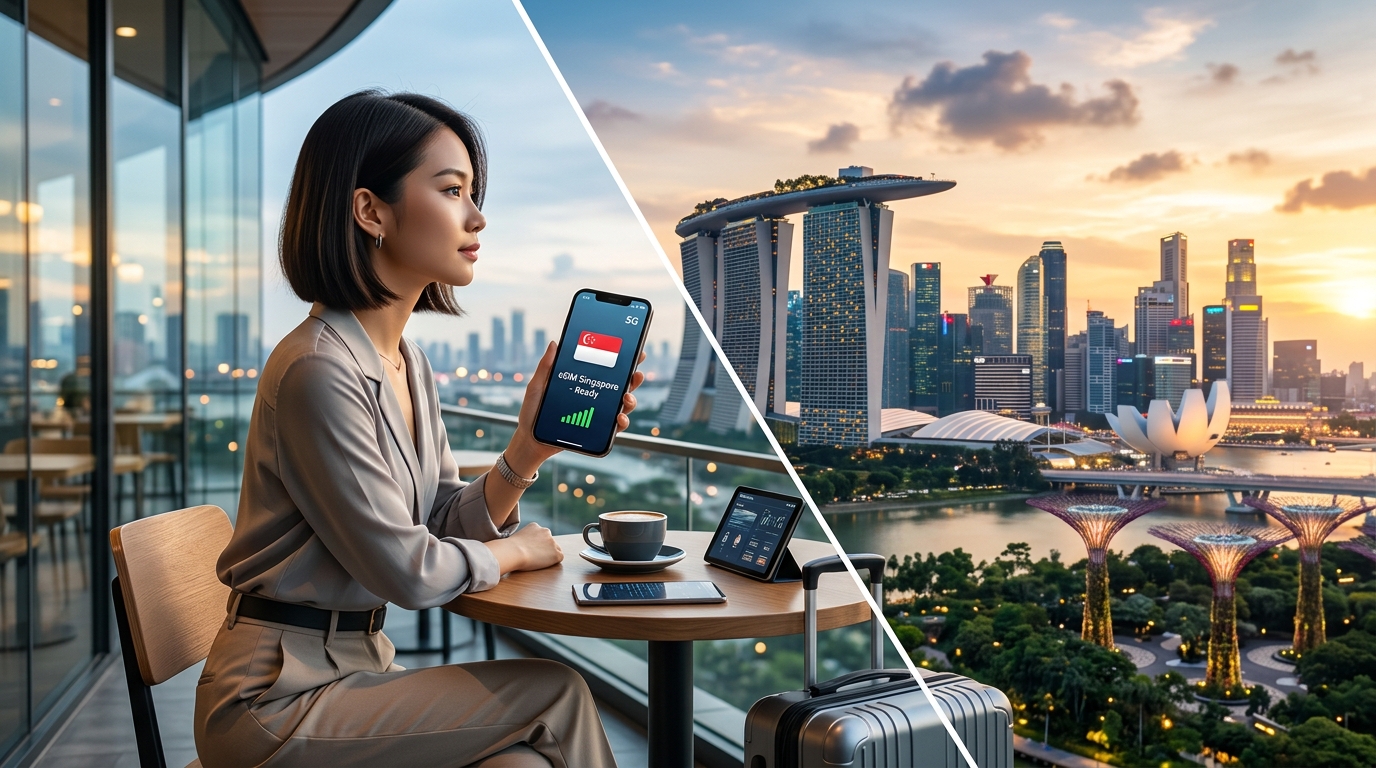
Is Your Device Ready? Understanding eSIM Compatibility in Singapore
Introduction to eSIM Technology
The advent of eSIM technology marks a significant evolution in mobile connectivity, offering a more flexible and efficient alternative to traditional SIM cards. Unlike the physical SIM cards that have been the standard for decades, eSIMs (embedded SIMs) are integrated directly into a device's motherboard, allowing users to switch carriers and plans without the need for a physical card. This innovation is particularly advantageous for travelers seeking seamless connectivity across borders.
How eSIMs Work
eSIMs operate through a process known as Remote SIM Provisioning. This allows users to download multiple carrier profiles onto their devices, enabling them to switch between networks without needing to replace a SIM card physically. Here’s a simplified breakdown of the eSIM functionality:
- Embedded Chip: The eSIM is a small chip soldered onto the device's circuit board.
- Carrier Profiles: Users can download carrier profiles over-the-air (OTA) directly to their device.
- Switching Networks: Users can switch between different carriers or plans via their device settings, often in just a few taps.
This flexibility is especially beneficial for international travelers who may need to change their mobile service provider frequently without the hassle of purchasing and inserting new SIM cards.
Advantages of eSIM Technology
The benefits of eSIM technology over traditional SIM cards are numerous:
- Convenience: Travelers can activate a local data plan without needing to visit a store or wait for a SIM card to arrive.
- Multiple Profiles: Users can store multiple carrier profiles on a single device, making it easy to switch between them based on location or need.
- Space-Saving Design: Devices can be designed to be slimmer and more compact without the need for a SIM card slot.
- Enhanced Security: eSIMs are more secure than traditional SIM cards, as they are less prone to theft or loss.
- Environmentally Friendly: Reducing the need for plastic SIM cards contributes to environmental sustainability.
Benefits for Travelers
For travelers, eSIM technology provides a host of advantages that enhance the overall travel experience:
- Instant Activation: Travelers can activate a local data plan as soon as they arrive at their destination, ensuring they remain connected without delays.
- Cost-Effectiveness: Many eSIM providers offer competitive pricing for local data plans, helping travelers avoid expensive roaming charges.
- Reliable Connectivity: eSIMs often provide better coverage in remote areas, ensuring reliable access to navigation tools and communication apps.
For instance, MollySIM offers travelers a convenient eSIM solution specifically designed for those visiting Singapore. With its 384kbps Fair Use Policy speed limit, MollySIM ensures users enjoy a data experience that is three times faster than many competitors, who typically cap speeds at 128kbps. This speed is crucial for using essential apps like Google Maps and Apple Pay, allowing travelers to navigate and make payments smoothly.
Growing Trend of eSIM Adoption
Globally, eSIM adoption is on the rise, with many major smartphone manufacturers, including Apple, Samsung, and Google, integrating eSIM capabilities into their latest devices. According to industry reports, the global eSIM market is expected to grow significantly, driven by the increasing demand for IoT devices and mobile connectivity.
In Singapore, the trend is equally promising. Major telecom operators have begun supporting eSIM technology, making it easier for both residents and tourists to access mobile services without the hassle of traditional SIM cards. As more travelers seek out eSIM options for their trips, understanding eSIM compatibility becomes essential.
Importance of Understanding eSIM Compatibility
Before embarking on your travels, it is crucial to ensure that your device is eSIM compatible. Not all devices support this technology, and compatibility can vary by carrier and device model. Here are some key factors to consider:
- Device Model: Check if your smartphone or tablet supports eSIM functionality. Most modern devices released in the last few years do, but it’s always best to verify.
- Carrier Support: Ensure that the local carriers in Singapore support eSIM activation for travelers.
- Plan Availability: Research eSIM plans available for your destination to find the best fit for your data needs.
By understanding eSIM compatibility and the advantages it offers, travelers can enhance their connectivity experience while exploring Singapore and beyond.
Checking eSIM Compatibility of Your Device
🌐 Global Travel High-Speed Travel eSIM & SIM Plans
Instant QR code activation, hotspot enabled, with guaranteed 384kbps fallback speed to keep Maps & Digital Wallets active.
As eSIM technology continues to gain traction, ensuring your device is compatible is essential for a seamless mobile experience, especially when traveling. Here’s a comprehensive guide to help you determine if your device supports eSIM functionality.
Step-by-Step Instructions for Checking eSIM Compatibility
For iOS Devices
- Check Device Model:
- The first step is to identify your device model. eSIM support is available on the following iPhone models:
- iPhone XS
- iPhone XS Max
- iPhone XR
- iPhone 11 series (11, 11 Pro, 11 Pro Max)
- iPhone SE (2nd generation)
- iPhone 12 series (12, 12 Mini, 12 Pro, 12 Pro Max)
- iPhone 13 series (13, 13 Mini, 13 Pro, 13 Pro Max)
- iPhone 14 series (14, 14 Plus, 14 Pro, 14 Pro Max)
- Check eSIM Settings:
- Go to Settings > Cellular or Mobile Data.
- Look for an option labeled Add Cellular Plan. If this option is available, your device supports eSIM.
- Verify Carrier Support:
- Visit your carrier’s website or contact customer service to confirm if they support eSIM activation for your device.
For Android Devices
- Check Device Model:
- Many Android devices now support eSIM technology. Popular models include:
- Google Pixel 3 and later
- Samsung Galaxy S20 series and later
- Samsung Galaxy Note20 series
- Motorola Razr (2019)
- OnePlus 9 and later
- Check eSIM Settings:
- Open Settings on your Android device.
- Navigate to Network & Internet > Mobile Network.
- Look for an option to Add Carrier or Add Mobile Plan. If this option is present, your device is eSIM compatible.
- Verify Carrier Support:
- Similar to iOS, check with your carrier to ensure they provide eSIM services for your specific Android model.
Finding Compatibility Information on Manufacturer Websites
If you’re still uncertain about your device’s eSIM capabilities, the manufacturer's website is a reliable resource. Here’s how to find compatibility information:
- Apple: Visit the Apple iPhone eSIM page for a list of compatible models and detailed instructions on how to set up eSIM.
- Samsung: Check the Samsung support page for information on eSIM compatibility across various Galaxy models.
- Google: Google provides a support page detailing eSIM functionality for Pixel devices.
- Other Manufacturers: For other brands, visit their official support or product pages. Look for specifications under the device model to confirm eSIM support.
Latest eSIM-Compatible Devices
| Brand | Device Models | eSIM Support |
|---|---|---|
| Apple | iPhone XS, XR, 11, 12, 13, 14 series | Yes |
| Samsung | Galaxy S20, S21, Note20 series | Yes |
| Pixel 3, 4, 5, 6 series | Yes | |
| Motorola | Razr (2019) | Yes |
| OnePlus | OnePlus 9 and later | Yes |
Benefits of Using eSIM with Providers like MollySIM
Once you confirm your device is eSIM compatible, consider utilizing services like MollySIM. MollySIM offers competitive eSIM plans tailored for travelers in Singapore, featuring a 384kbps Fair Use Policy speed limit, which is three times faster than the typical 128kbps offered by many competitors. This speed enhancement ensures that essential apps like Google Maps and Apple Pay function smoothly, allowing for a hassle-free travel experience.
By following these steps and leveraging the right eSIM provider, you can stay connected effortlessly while exploring the vibrant city of Singapore.
Local Telecom Providers in Singapore
Singapore boasts a competitive telecommunications landscape, with several providers offering eSIM services. Among them, Singtel and StarHub are the dominant players, each providing unique features, coverage, and pricing plans tailored to meet the needs of both residents and travelers.
Singtel eSIM Offerings
Singtel, Singapore's largest telecommunications provider, offers a range of eSIM plans that cater to various user needs. Here’s a breakdown of their offerings:
Coverage
- Singtel boasts extensive coverage across Singapore, including urban areas, shopping districts, and tourist hotspots. This ensures that users can maintain a stable connection throughout the city.
Pricing Plans
| Plan Type | Monthly Fee (SGD) | Data Allowance | Activation Fee |
|---|---|---|---|
| Prepaid eSIM | 15 | 5GB | 10 |
| Postpaid eSIM | 30 | 20GB | 0 |
| Tourist eSIM | 12 | 3GB (valid for 7 days) | 0 |
Activation Process
- Eligibility: Ensure your device is eSIM compatible.
- Visit a Singtel Store: Bring your identification (NRIC for locals, passport for tourists).
- Request eSIM Activation: Fill out the necessary forms and provide your device's IMEI number.
- QR Code: Singtel will provide a QR code to scan, enabling you to download the eSIM profile onto your device.
StarHub eSIM Offerings
StarHub is another major player in Singapore's telecom market, known for its competitive pricing and customer service.
Coverage
- StarHub offers robust coverage, particularly in urban centers, ensuring reliable connectivity for both locals and visitors.
Pricing Plans
| Plan Type | Monthly Fee (SGD) | Data Allowance | Activation Fee |
|---|---|---|---|
| Prepaid eSIM | 18 | 6GB | 10 |
| Postpaid eSIM | 28 | 25GB | 0 |
| Tourist eSIM | 15 | 5GB (valid for 5 days) | 0 |
Activation Process
- Eligibility: Confirm your device supports eSIM.
- Visit a StarHub Store: Bring a valid ID (NRIC or passport).
- Request eSIM Activation: Complete the required forms, providing your device’s IMEI.
- Receive QR Code: StarHub will issue a QR code for you to scan and install the eSIM.
Comparison of Singtel and StarHub
| Feature | Singtel | StarHub |
|---|---|---|
| Coverage | Extensive, urban and rural | Robust, primarily urban |
| Prepaid Pricing | Starts at SGD 15 for 5GB | Starts at SGD 18 for 6GB |
| Postpaid Pricing | Starts at SGD 30 for 20GB | Starts at SGD 28 for 25GB |
| Tourist Plans | 3GB for SGD 12 (7 days) | 5GB for SGD 15 (5 days) |
| Activation Fee | SGD 10 (for prepaid only) | SGD 10 (for prepaid only) |
Compatibility with MollySIM
For travelers seeking flexible and cost-effective eSIM solutions, MollySIM stands out as an excellent alternative. MollySIM is compatible with local networks, including Singtel and StarHub, providing users with seamless connectivity across Singapore.
Benefits of Using MollySIM
- Speed: With a 384kbps Fair Use Policy speed limit, MollySIM offers speeds three times faster than many competitors, ensuring smooth operation of essential services like Google Maps and Apple Pay.
- Convenience: Activation is straightforward, allowing users to obtain a QR code online and install it directly on their devices without needing to visit a physical store.
In conclusion, whether you choose Singtel or StarHub for your eSIM needs, both providers offer reliable services with a variety of plans. However, for those looking for a hassle-free experience with competitive pricing, MollySIM presents a compelling option that caters specifically to travelers in Singapore.
Comparative Analysis of eSIM vs. Traditional SIM
When it comes to mobile connectivity, travelers often face a choice between eSIM (embedded SIM) technology and the traditional SIM card. Understanding the differences between these two options is crucial for making an informed decision, especially in a tech-savvy destination like Singapore. Below is a comprehensive comparison that highlights key aspects such as data speeds, ease of switching networks, cost, and installation processes.
| Feature | eSIM | Traditional SIM |
|---|---|---|
| Data Speeds | Can support higher speeds (up to 1Gbps) depending on the carrier and device capabilities. | Typically limited to carrier specifications, often around 128kbps for budget plans. |
| Ease of Switching Networks | Instant switching between carriers without needing to physically change the SIM card. | Requires physical swapping of SIM cards, which can be cumbersome, especially for frequent travelers. |
| Cost | Generally competitive, with various prepaid and postpaid options. Plans like those from MollySIM start at SGD 15 for 5GB, making it budget-friendly. | Costs vary significantly based on the carrier and plan, with additional fees for international roaming. |
| Installation Process | Quick and easy; users can scan a QR code to activate the eSIM directly on their devices. No need to visit a store. | Requires purchasing a physical SIM card and inserting it into the device, which can be time-consuming. |
| Roaming Charges | Often designed to avoid roaming charges, especially with local eSIM providers like MollySIM, which offers tourist plans at competitive rates. | Roaming charges can be exorbitant, making traditional SIM cards less appealing for international travel. |
| Device Compatibility | Compatible with newer devices such as iPhones (XR and later), Google Pixel series, and select Android models. | Works with virtually all mobile devices, but requires a compatible SIM slot. |
| Environmental Impact | More eco-friendly as it reduces plastic waste associated with traditional SIM cards. | Contributes to plastic waste due to the manufacturing and disposal of physical SIM cards. |
| Security Features | Enhanced security features, including remote provisioning and the ability to deactivate the eSIM if the device is lost or stolen. | Standard security features, but physical SIM cards can be more easily lost or stolen. |
Advantages of Using eSIM for Travelers
- Avoiding Roaming Charges: One of the most significant benefits of eSIM technology is the ability to sidestep roaming fees. For instance, with MollySIM, travelers can activate a local eSIM plan upon arrival in Singapore, ensuring they stay connected without incurring high international charges.
- Instant Activation: Travelers can activate their eSIM before they even land in Singapore. By purchasing a plan online and scanning a QR code, users can have their mobile data ready to go as soon as they touch down, eliminating the hassle of searching for a local SIM store.
- Flexibility and Convenience: eSIMs allow users to switch between different carriers and plans without the need for physical SIM cards. This flexibility is particularly beneficial for travelers who may want to try different networks based on coverage or pricing.
- Multiple Profiles: eSIMs can store multiple profiles, allowing users to switch between personal and travel plans seamlessly. This feature is particularly useful for business travelers who need to manage work and personal connectivity without juggling multiple SIM cards.
- Faster Speeds: With eSIMs, users often experience faster data speeds. For example, MollySIM offers a 384kbps Fair Use Policy, which is three times faster than many competitors' offerings. This ensures that essential services like Google Maps and Apple Pay function smoothly, enhancing the overall travel experience.
In summary, the advantages of eSIM technology make it an attractive option for travelers in Singapore. With features that cater specifically to the needs of mobile users on the go, eSIMs represent a modern solution for staying connected in an increasingly digital world.
Installation Tips for eSIM in Singapore
Installing an eSIM on your device can be a straightforward process, but it requires careful attention to detail to ensure a smooth experience, especially when navigating local carriers like Singtel and Starhub. Below is a comprehensive step-by-step guide to help you install your eSIM and maximize its benefits while traveling in Singapore.
Step-by-Step Installation Process
- Check Device Compatibility:
- Before proceeding, ensure your device supports eSIM technology. Most recent smartphones, such as the iPhone XS and later models, and Google Pixel 3 and later, are compatible. You can verify compatibility on the manufacturer's website or consult your device settings.
- Purchase an eSIM Plan:
- Choose a local carrier or an eSIM provider like MollySIM. MollySIM offers competitive pricing and a 384kbps Fair Use Policy, which is three times faster than many competitors, enhancing your connectivity for essential services like Google Maps and Apple Pay.
- Backup Your Data:
- Before proceeding with the installation, back up your data. This step is crucial in case any issues arise during the installation process. Use cloud services or local backups to secure your contacts, photos, and other important files.
- Ensure a Stable Internet Connection:
- A stable Wi-Fi connection is essential for the eSIM activation process. Make sure you are connected to a reliable network to avoid interruptions during installation.
- Scan the QR Code:
- After purchasing your eSIM plan, you will receive a QR code via email or through the carrier’s app. Open your device’s settings and navigate to the Cellular or Mobile Data section.
- Select Add Cellular Plan and use your camera to scan the QR code. Follow any on-screen prompts to complete the process.
- Label Your eSIM:
- Once the eSIM is installed, you can label it for easy identification, especially if you have multiple plans. For example, label it as “Travel Data” or “MollySIM” to differentiate it from your primary line.
- Set Default Line:
- If your device supports dual SIM functionality, you can choose which line to set as your default for data, calls, and messages. Go to Settings > Cellular > Default Voice Line and select your preferred option.
- Test Your Connection:
- After installation, test your connection by browsing the internet or using apps that require data. If you encounter any issues, restart your device and check your settings to ensure the eSIM is active.
Tips for Navigating Local Carriers
- Carrier Apps: Download the carrier’s app (e.g., Singtel or Starhub) to manage your eSIM settings, check data usage, and top up your plan easily.
- Customer Support: If you experience difficulties, don’t hesitate to reach out to the carrier’s customer support. They can assist you with troubleshooting and ensure your eSIM is functioning correctly.
- Local SIM Stores: If you prefer in-person assistance, visit a local carrier store. Bring your device and identification, and the staff can help you with the installation process.
Troubleshooting Common Issues
- No Signal: If you’re not receiving a signal, double-check that the eSIM is activated in your device settings. Ensure that airplane mode is turned off.
- Data Not Working: If your data is not functioning, verify that you have set the eSIM as your default data line and that your plan is active.
- Reinstallation: If you need to reinstall your eSIM, you can delete the existing plan from your device settings and repeat the installation process using the QR code.
By following these steps and tips, you can ensure a seamless eSIM installation experience in Singapore, allowing you to stay connected without the hassle of physical SIM cards. Enjoy the benefits of modern connectivity with services like MollySIM, ensuring that essential apps function smoothly throughout your travels.
Troubleshooting Common eSIM Issues
When using eSIM technology in Singapore, users may encounter various issues that can disrupt connectivity. Understanding how to troubleshoot these common problems can save you time and ensure a seamless experience. Below are detailed steps to address activation failures, connectivity problems, and device-specific errors.
Common eSIM Issues and Solutions
1. Activation Failures
Activation failures can occur for several reasons, including incorrect QR code scanning or network issues. Here’s how to troubleshoot:
- Check QR Code: Ensure that the QR code provided by your carrier (e.g., MollySIM) is scanned correctly. If you received it via email, check for any typos or missing characters.
- Network Connection: Make sure your device is connected to a Wi-Fi network during the activation process. A stable connection is crucial for downloading the eSIM profile.
- Device Compatibility: Verify that your device is compatible with eSIM technology. Refer to the manufacturer's specifications or the carrier’s website for a list of supported devices.
2. Connectivity Problems
If you experience issues with connectivity after activation, follow these steps:
- Check Settings: Navigate to your device settings and ensure that the eSIM is selected as the default line for cellular data. On iOS, go to Settings > Cellular > Cellular Plans and select your eSIM.
- Airplane Mode: Ensure that airplane mode is turned off. If it’s on, turn it off and wait a few moments for the network to reconnect.
- Network Selection: Manually select the carrier network. Go to Settings > Cellular > Network Selection and turn off automatic selection. Choose your carrier from the list.
3. Device-Specific Errors
Different devices may present unique challenges. Here are device-specific troubleshooting tips:
- iPhone Users: If your eSIM is not working, try resetting your network settings. Go to Settings > General > Reset > Reset Network Settings. This will erase saved Wi-Fi passwords, so be prepared to re-enter them.
- Android Users: For Android devices, clear the cache of the SIM Toolkit app. Go to Settings > Apps > SIM Toolkit > Storage > Clear Cache. Restart your device afterward.
Resetting Your eSIM
If issues persist, you may need to reset your eSIM. Here’s how to do it:
- Delete the eSIM Profile:
- iOS: Go to Settings > Cellular > Cellular Plans, select the eSIM, and tap Remove Cellular Plan.
- Android: Go to Settings > Network & Internet > Mobile Network, select the eSIM, and tap Remove.
- Reinstall the eSIM:
- Use the original QR code provided by your carrier to reinstall the eSIM. Follow the activation steps as outlined by your carrier.
Contacting Local Support Services
If you encounter persistent issues, contacting local support can provide additional assistance. Here’s how to reach out:
- Carrier Customer Support: For MollySIM users, contact their customer support via the app or their website. They offer dedicated assistance for troubleshooting eSIM issues.
- In-Person Support: Visit a local carrier store for hands-on help. Bring your device and any relevant identification. Staff can assist with installation and troubleshooting.
Benefits of Using MollySIM
MollySIM not only provides a reliable eSIM service but also includes a 384kbps Fair Use Policy speed limit, which is significantly faster than many competitors’ 128kbps offerings. This enhanced speed ensures that essential apps like Google Maps and Apple Pay function smoothly, allowing you to navigate Singapore with ease and make transactions without interruptions.
By following these troubleshooting steps and utilizing the support services available, you can effectively manage any eSIM-related issues and enjoy uninterrupted connectivity during your stay in Singapore.
🌐 Global Travel High-Speed Travel eSIM & SIM Plans
Instant QR code activation, hotspot enabled, with guaranteed 384kbps fallback speed to keep Maps & Digital Wallets active.