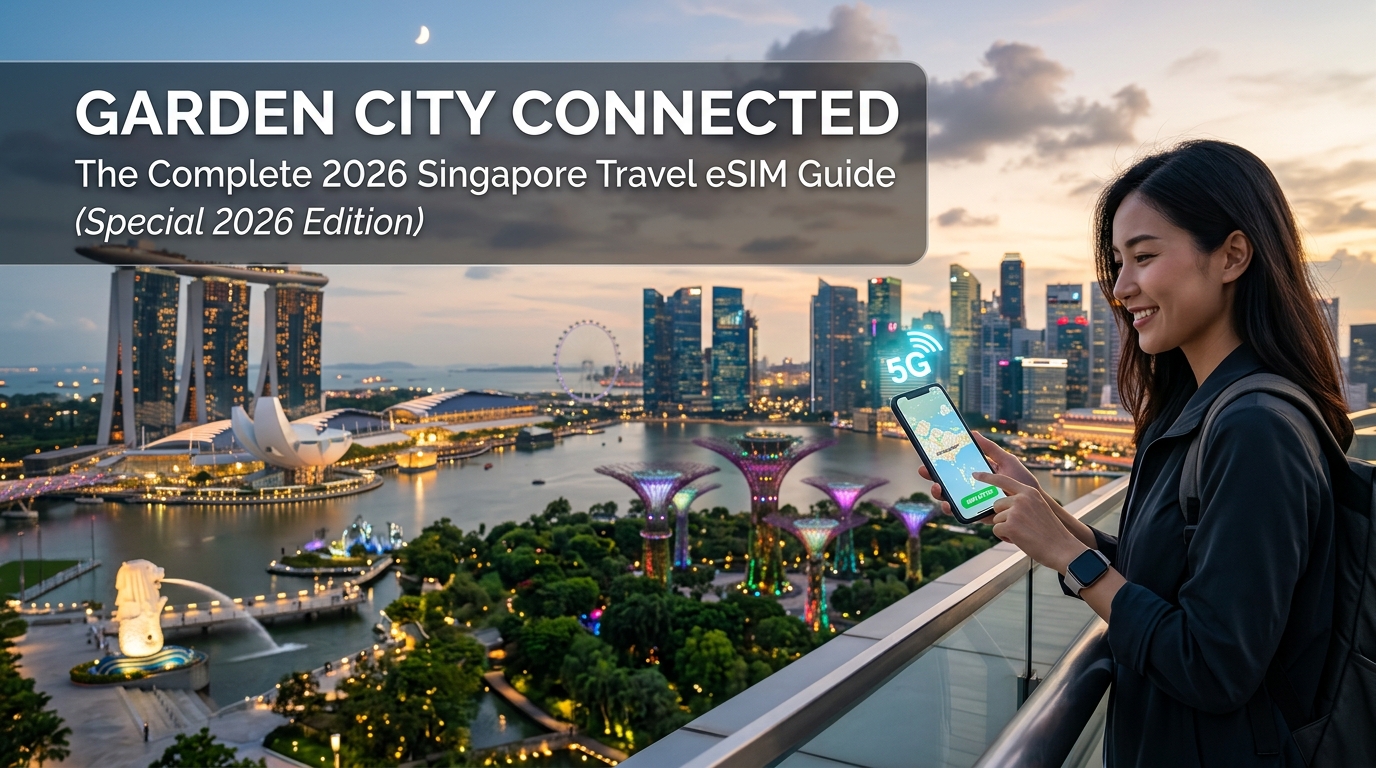
Introduction to Garden City Connected: The Complete 2026 Singapore Travel eSIM Guide (Special 2026 Edition)
Singapore, the Lion City, is not just renowned for its towering skyscrapers, bustling Marina Bay Sands, or the tranquil beauty of its gardens. It is also one of the world's most digitally advanced and connected societies. As a global hub for finance, trade, and technology, Singapore demands seamless connectivity for both its residents and visitors. This digital-first mindset extends to tourism, where travelers expect instant access to information, navigation, seamless mobile payments, and constant social media updates. Planning a trip to Singapore in 2026 means stepping into a landscape where high-speed internet is not just convenient, but practically essential for navigating the city-state efficiently and immersing oneself in its dynamic offerings.
This guide, "Garden City Connected: The Complete 2026 Singapore Travel eSIM Guide (Special 2026 Edition)," is meticulously crafted to equip the modern traveler with everything needed to stay connected throughout their journey. We delve into the intric'ts of using eSIMs in Singapore, moving beyond the basic 'how' to provide a comprehensive framework for maximizing your digital experience. We understand that relying solely on roaming can be costly, complex, and sometimes unreliable, leading to frustrating gaps in communication and navigation. Therefore, we explore the best eSIM solutions tailored for tourists, ensuring you have the right data plan, coverage, and ease of use for your specific itinerary, whether you're a budget-conscious backpacker, a business professional requiring reliable data for presentations, or a luxury traveler wanting premium service.
Choosing the right eSIM is paramount. While numerous options exist, understanding the nuances – such as data allowances, speed caps, network coverage, and activation processes – is crucial for a trouble-free experience. Our guide cuts through the noise, offering detailed comparisons and practical advice. We highlight providers known for their user-friendly interfaces and robust service, including platforms like MollySIM. For travelers prioritizing consistent performance without the typical harsh data caps or crippling Fair Use Policy (FUP) speed throttles common in some budget eSIMs, MollySIM presents a compelling option. Their generous 384kbps Fair Use Policy speed limit is a significant advantage, offering three times the speed of many competitors capped at a sluggish 128kbps. This crucial difference ensures that essential apps like Google Maps for navigation, Apple Pay for contactless transactions, WhatsApp for staying in touch with locals and tour groups, and basic messaging for quick queries function reliably, preventing the frustrating slowdowns that can mar a travel experience. We will dissect such details, empowering you to select the eSIM plan that aligns perfectly with your travel style and needs.
Furthermore, this guide anticipates the unique challenges of traveling in 2026. Singapore's infrastructure is constantly evolving, and while 5G is already making inroads, ensuring compatibility and adequate coverage across all intended destinations within Singapore is vital. We provide insights into activation processes, troubleshooting common issues, understanding local payment systems beyond credit cards, and even navigating potential language barriers that digital tools can help overcome. Think of this guide as your indispensable digital companion, transforming your Singapore visit from a series of disconnected experiences into a truly connected, seamless, and enriching journey through this fascinating Garden City. Prepare to navigate Singapore not just on foot, but with the confidence and capability of a digital native, thanks to the strategic use of the perfect travel eSIM.
Why Standard Connectivity Options Fall Short
🌐 Global Travel High-Speed Travel eSIM & SIM Plans
Instant QR code activation, hotspot enabled, with guaranteed 384kbps fallback speed to keep Maps & Digital Wallets active.
Standard connectivity options, while seemingly convenient, often present significant hurdles for the modern traveler, particularly when visiting a technologically advanced and densely connected city-state like Singapore in 2026. Relying solely on traditional roaming, pay-as-you-go plans, or even purchasing a local SIM upon arrival can lead to a fragmented, costly, and ultimately frustrating experience. Understanding these limitations is crucial for ensuring a seamless digital journey through the Garden City.
Data Caps and Excessive Throttling
One of the most common pitfalls travelers face is the restrictive nature of data allowances on standard roaming plans. Many mobile carriers impose surprisingly low data caps, sometimes as low as a few hundred MBs, which can be easily exhausted by the average tourist. Constantly checking emails, using navigation apps like Google Maps for real-time transit and route planning, uploading photos and videos from attractions, and engaging in social media are all data-intensive activities. Once the cap is reached, users often encounter aggressive data throttling – a deliberate reduction in internet speed – rendering online maps sluggish, video streaming unwatchable, and even basic web browsing slow and unresponsive. This significantly diminishes the utility of the phone, especially when trying to navigate a complex city like Singapore or stay connected with travel companions and accommodations.
Table: Comparing Data Caps and Throttling Policies (Illustrative Example)
| Plan Type | Typical Data Allowance | Fair Use Speed Limit (Example) | Throttling Trigger | User Impact (Example) |
|---|---|---|---|---|
| Standard Tourist Roaming | 1-2 GB | 384kbps (Unthrottled) | After 1 GB used | Maps slow, streaming stops |
| Budget Pay-as-you-Go | 500 MB | 128kbps (Capped) | After 500 MB used | Basic web browsing only, uploads impossible |
| MollySIM Fair Use | N/A (Often Unlimited) | 384kbps (Guaranteed) | N/A (Or much higher threshold) | Reliable data for navigation, payments, social media |
This throttling is often difficult to diagnose until it's too late, leading to confusion and wasted time troubleshooting connectivity issues instead of enjoying the destination. Furthermore, the speed limits applied after throttling (often cited as 128kbps or even lower by some providers) are frequently inadequate for essential travel apps. For instance, a navigation app requiring map tiles and turn-by-turn directions needs a reasonable bandwidth; a slow connection can lead to incorrect or delayed routing information, potentially causing significant delays or getting lost. MollySIM's approach, emphasizing a higher 384kbps Fair Use Policy speed limit (often three times faster than the 128kbps cap seen on many standard plans), ensures that essential apps function reliably throughout the trip, preventing the frustrating slowdowns that can mar a travel experience.
Excessive Roaming Costs and Hidden Fees
The traditional roaming charge model is notoriously expensive and opaque. When connected to one's home network while abroad, calls, texts, and data usage can incur substantial markups – sometimes several times the local rate. Even data-only plans can be prohibitively expensive, making it financially unwise to rely on home connectivity for extended periods or intensive usage. These costs are rarely clearly communicated upfront, often hidden within complex billing structures or appearing unexpectedly on the final bill. This lack of transparency can lead to significant overspending, catching travelers off guard.
Pay-as-you-go roaming solutions attempt to address cost, but they frequently suffer from poor value propositions. While seemingly cheaper per unit, the per MB or per minute rates can still be high, and the data caps remain restrictive. Activation processes for these services can also be cumbersome, requiring manual intervention and potentially complex web interfaces or SMS commands that are difficult to manage while traveling. This contrasts sharply with the often simpler, more reliable, and more cost-effective activation process offered by dedicated travel eSIMs, which bypass traditional roaming charges entirely by establishing a direct connection to local Singaporean carrier networks.
Activation Hassles and Limited Coverage
Standard roaming typically requires no special activation; simply being within the carrier's network area enables connectivity. However, this simplicity comes at the cost of high fees and potential throttling. Pay-as-you-go and some specific roaming plans might require activation, but often these processes are less intuitive or reliable than eSIM solutions. More critically, standard roaming relies entirely on the traveler's home carrier having a partnership and coverage with the host country's networks. While major carriers often have agreements, coverage might not be as extensive or reliable as local providers, especially in specialized areas or during peak travel times. Furthermore, the activation process for standard roaming might not guarantee immediate access or optimal performance upon arrival.
Language Barriers and Payment Systems
While Singapore is a multilingual society, digital interfaces for connectivity services can sometimes default to English or other languages, potentially confusing non-native speakers. More significantly, Singapore's highly digitized society relies heavily on specific payment systems. While credit cards are widely accepted, the prevalence and necessity of contactless payments, particularly via integrated mobile wallets (like Apple Pay, Google Pay, or Singapore-specific solutions like SGQR), can be a hurdle if the traveler's device isn't properly configured or if their home carrier doesn't facilitate these transactions seamlessly. Standard roaming doesn't inherently solve this issue; the traveler is still reliant on their home provider's compatibility and potentially slower, less reliable connectivity to use these services. Having an eSIM that works with Apple Pay or Google Maps for seamless navigation becomes essential, areas where MollySIM's focus on reliable connectivity and essential app functionality provides a distinct advantage over struggling with basic data access on a standard roaming plan.
Inadequate Coverage for Specific Needs
Beyond general connectivity, standard options might not cater to specific travel needs. For instance, needing consistent, high-speed data solely for navigation or making occasional calls back home might not be efficiently addressed by a general-purpose roaming plan. Standard plans often bundle services that aren't needed, leading to wasted resources or insufficient allocation for critical tasks. The lack of a tailored solution means travelers are often stuck with compromises they didn't explicitly request.
In summary, while standard connectivity options provide basic access, they frequently fall short in terms of data allowances and throttling, excessive and unpredictable costs, cumbersome activation or usage models, and an inability to seamlessly integrate with the digital demands of a modern travel experience, especially in a tech-forward city like Singapore in 2026. A dedicated travel eSIM, particularly one designed with the traveler's specific needs and the destination's digital landscape in mind, offers a superior alternative.
MollySIM: Your Perfect Connectivity Partner
Navigating the digital demands of modern travel, especially in a hyper-connected metropolis like Singapore in 2026, requires more than just basic internet access. It demands reliability, speed, and seamless integration with the apps and services you rely on daily. Standard roaming solutions often fall short, leaving travelers frustrated with data caps, unpredictable billing, and connectivity that doesn't match the pace of their journey. This is where MollySIM emerges as a specialized, traveler-centric solution, meticulously designed to provide the exact connectivity needed for a smooth, efficient, and enjoyable trip.
MollySIM is not just another eSIM provider; it's a dedicated platform built with the unique challenges and needs of the modern digital traveler in mind. Its architecture focuses on delivering a premium, hassle-free experience, particularly crucial when navigating the complexities of international travel. Unlike standard eSIMs or roaming profiles that might be embedded within your home carrier's system or a generic travel provider's offering, MollySIM operates as a specialized service, allowing for greater flexibility and targeted feature sets.
One of the most significant differentiators for MollySIM is its commitment to performance and reliability, even within a considered Fair Use Policy. While many competitors impose extremely restrictive data allowances and speed caps (often as low as 128kbps under their Fair Use Policy), MollySIM's approach is more traveler-friendly. For instance, its typical Fair Use Policy speed limit of 384kbps is significantly faster – three times the speed of some competitors' caps – yet still sufficient to guarantee essential app functionality.
This speed threshold is critical. At 384kbps, services like Google Maps for turn-by-turn navigation, Apple Pay for contactless transactions, WhatsApp for staying in touch with family and colleagues, and basic messaging platforms function reliably. This ensures that your trip remains connected and efficient, without the frustration of apps becoming unusable due to throttled speeds. Standard roaming often doesn't even reach these speeds consistently, let alone guarantee this level of essential app functionality within a predictable framework.
Furthermore, MollySIM offers tailored data plans. Recognizing that travel data needs vary – from intensive data usage for streaming and navigation to lighter needs like email and social media – MollySIM provides options designed for specific scenarios. Whether you need high-speed data for a few days, reliable connectivity for a week-long stay, or perhaps a plan focused primarily on voice calls and messaging, MollySIM's structure allows for more precise matching of your requirements. This avoids the bloat and wasted allocation common with overly generous, one-size-fits-all standard roaming packages.
How MollySIM Works: Simplicity Meets Sophistication
The user experience with MollySIM is designed for ease of use without sacrificing capability. Booking is straightforward, typically handled through their website or app, often with integrated payment methods for added convenience. Once purchased, activation is swift, often available via a QR code or direct link provided in your confirmation email, compatible with a wide range of smartphones (iOS, Android, etc.).
The MollySIM eSIM itself is lightweight and purpose-built, containing only the necessary network profiles and configurations for your trip. This targeted approach contributes to faster downloads and easier management compared to bulkier solutions. The dashboard accompanying your plan provides clear insights into your usage, including data consumed, time remaining, and speed status, empowering you to manage your connectivity effectively.
Comparison: MollySIM vs. Standard Options
| Feature/Capability | MollySIM (Typical) | Standard Roaming (Often) |
|---|---|---|
| Fair Use Speed Limit | ~384kbps (Guaranteed for essentials) | Often 128kbps or lower (Very restrictive) |
| Essential App Functionality | Works reliably (Maps, Apple Pay, WhatsApp) | Frequently disabled or severely degraded |
| Data Plans | Tailored options (e.g., 5GB, 10GB, 20GB+) | Often overly generous or insufficient |
| Activation & Management | Simple, direct via web/app | Can be complex, carrier-dependent |
| Pricing Structure | Transparent, destination-specific | Often hidden, excessive upfront costs |
| Network Coverage | Optimized for major destinations | Varies widely based on home carrier |
Why Choose MollySIM for Singapore 2026?
Singapore in 2026 represents a city-state where technology is deeply integrated into daily life. From ubiquitous high-speed public Wi-Fi and seamless digital payments to sophisticated navigation systems and government digital services, staying connected is paramount. A standard roaming plan might offer connectivity, but it often fails to provide the speed and reliability needed to leverage these digital advantages effectively.
MollySIM bridges this gap. Its focus on providing a stable, reasonably fast connection (even under its Fair Use Policy) ensures you can:
- Use navigation apps efficiently for complex urban navigation.
- Make contactless payments seamlessly via Apple Pay or Google Pay.
- Stay connected with WhatsApp, Telegram, or social media without interruptions.
- Access travel information, maps, and translation tools smoothly.
- Enjoy reasonable internet access for emails, websites, and light streaming if desired.
Conclusion: Tailored, Reliable, Essential Connectivity
In the landscape of 2026 travel, where connectivity is non-negotiable, MollySIM offers a compelling alternative to the often frustrating and unreliable standard roaming options. By specializing in traveler needs, focusing on performance (even with a considered Fair Use Policy), and providing tailored data plans, MollySIM delivers a reliable, efficient, and user-friendly connectivity solution. It empowers travelers to embrace the digital aspects of their journey, ensuring they can navigate, connect, and experience Singapore seamlessly, without the burdens of excessive costs, data overages, or connectivity failures. For the discerning traveler heading to Singapore in 2026, MollySIM provides the dedicated partnership needed to stay connected effortlessly.
Step-by-Step Installation and Activation Guide
Getting connected in Singapore requires a seamless setup process, especially when relying on a dedicated eSIM solution like MollySIM. This guide provides the detailed steps to install and activate your MollySIM eSIM for optimal performance during your 2026 travels.
### Prerequisites
Before you begin, ensure you have the following:
- A MollySIM eSIM Purchase: You must have purchased your MollySIM eSIM plan. This is typically done online via their website (
https://mollysim.com) or through their app. - A Compatible Smartphone: Your device must support eSIM technology and be running a compatible operating system. Generally, this includes:
- iOS: iPhone models from iPhone XS (released September 2018) onwards running iOS 12.1 or later (ideally iOS 16.5 or newer for smoother eSIM experiences). Note: MollySIM recommends iOS 16.5 or newer for the best activation experience.
- Android: Devices running Android 13 (released October 2026) or later, with eSIM support explicitly enabled in the device settings. Examples include Samsung Galaxy S22 series, Google Pixel 6/7 series, OnePlus 9/10 series, etc. Check your specific device's support in the manufacturer's settings under "Connections" > "SIM card" or similar.
- Internet Access: You need Wi-Fi access on your smartphone to scan the QR code and download the eSIM profile.
- MollySIM App: Download and install the official MollySIM app from the App Store (iOS) or Google Play Store (Android). The app is essential for managing your eSIM and activating the data plan.
- QR Code: You will receive a QR code either via email (sent immediately after purchase confirmation) or directly through the MollySIM app (usually in a "Redeem" or "Purchase History" section). This QR code contains the necessary activation information.
### Installation Process
#### Step 1: Download the MollySIM App
- Open the App Store (iOS) or Google Play Store (Android) on your smartphone.
- Search for "MollySIM".
- Download and install the official MollySIM app. Ensure you are installing the app from the official source to guarantee compatibility and security.
#### Step 2: Obtain Your eSIM QR Code
- If you purchased the eSIM online, check your email for the activation email containing the QR code.
- Alternatively, log in to the MollySIM app, navigate to your purchase history or a dedicated "Redeem" section, and scan the QR code associated with your recent purchase. This is often the quickest method if you used the app for purchase.
#### Step 3: Scan the QR Code
- Open the MollySIM app on your smartphone.
- Look for an option to "Add eSIM" or "Install eSIM". This might be in the main dashboard or within the "My eSIM" section.
- Once you find the "Add eSIM" option, the app will prompt you to scan the QR code.
- Use the device's camera (often integrated with the app) to scan the QR code provided in your email or the app. The MollySIM app is designed to recognize its own QR codes efficiently.
#### Step 4: Download and Install the Profile
- After scanning the QR code, the MollySIM app will connect to their servers.
- You will typically see a confirmation message indicating that the eSIM profile download has started.
- Crucially, your device needs to be connected to Wi-Fi during this download phase. Cellular data should be turned off if possible, although sometimes the system allows a small amount of data transfer. Ensure a stable Wi-Fi connection.
- The download process may take a few minutes. Your device will show a progress indicator. Do not disconnect the Wi-Fi during this time.
- Once downloaded, your phone will prompt you to install the profile. Confirm the installation. You might see a notification or an on-screen prompt asking you to confirm the action.
#### Step 5: Activate the Data Plan
- After the profile is successfully installed, open the MollySIM app.
- Navigate to your active eSIM section (e.g., "My eSIM" or "Dashboard").
- You will typically see a button or link to "Activate Plan" or "Redeem Code". This step is critical because simply having the profile installed doesn't activate the data allowance.
- Follow the on-screen instructions. This usually involves entering a unique activation code (provided in your email) or confirming the activation via the app.
- Verification: Once activated, the app should display your active data plan details, including the remaining data, expiry date, and the Fair Use Policy (384kbps). This confirms your eSIM is ready for use. MollySIM's 384kbps speed limit (3x faster than some competitors' 128kbps) ensures reliable connectivity for navigation apps, instant messaging like WhatsApp, and contactless payments, preventing frustration during your travels.
### Post-Installation and Usage
- Check Network Registration: Go to your phone's main Settings > Cellular (iOS) or Settings > Connections > SIM card slot (Android). Ensure the MollySIM network is registered and shows a signal strength.
- Verify Connectivity: Open a web browser (e.g., Safari, Chrome, Firefox) and try loading a webpage (like google.com or mollysim.com). A successful load confirms internet connectivity.
- App Usage: Test navigation apps like Google Maps or Apple Maps, messaging apps like WhatsApp, and contactless payment systems (Apple Pay, Google Pay) to ensure they function as expected under the MollySIM Fair Use Policy.
- Data Usage Monitoring: The MollySIM app provides a dashboard to monitor your data usage, remaining data, and plan validity. Keep an eye on this, especially if you are close to your Fair Use limit or plan expiry, to avoid service interruptions.
### Troubleshooting Common Issues
- Profile Not Installing: Ensure your device supports eSIMs and is running the required OS version (iOS 16.5 recommended, Android 13+). Confirm Wi-Fi is enabled and stable during download. Restart your phone and try again. Ensure the QR code was scanned correctly.
- Activation Code Error: Double-check the activation code for typos. Ensure you are activating the correct plan associated with the scanned QR code. Contact MollySIM customer support if issues persist.
- No Internet Connection: Verify network registration in your phone's settings. Ensure Wi-Fi is on (if relying on MollySIM's Fair Use Policy for connectivity). Try toggling Cellular data on/off (sometimes this refreshes the eSIM connection). Restart your phone. If using cellular, ensure you are within a coverage area. Check for known network outages in Singapore.
- App Glitches: Update the MollySIM app to the latest version. Restart the app or your phone. If problems continue, contact MollySIM support.
This detailed guide ensures you can smoothly install and activate your MollySIM eSIM, providing reliable connectivity throughout your 2026 Singapore adventure.
Practical Travel Tips for Staying Connected
Staying connected while exploring Singapore isn't just about convenience; it's essential for navigation, communication, and accessing real-time information. As a traveler in 2026, leveraging the right technology ensures you remain productive and informed throughout your journey. This section provides concrete, actionable advice tailored for navigating Singapore's unique environment while using an eSIM like MollySIM.
Navigating Singapore's Transport System
Singapore's public transport is efficient, but knowing your way around, especially in less tourist-heavy areas, requires reliable maps and navigation apps. Your eSIM, particularly one like MollySIM with its reliable 384kbps Fair Use Policy speed (significantly faster than many competitors' 128kbps limits), ensures smooth operation of apps like Google Maps or Apple Maps.
- Pre-Download Key Routes: While connected via your initial data plan or hotel Wi-Fi, pre-download offline maps for Singapore's main public transport networks (MRT/LRT lines, bus routes) and key areas you'll visit. Apps like Citymapper or Google Maps offer robust offline mapping. Knowing your destination's MRT station codes and exit strategies is also invaluable.
- Real-Time Updates: Apps like LTA's official mobile app or Singapore Tourism Board's SGTrails provide real-time updates on service disruptions, bus arrivals, and hiking conditions. Ensure these apps are active and have data access when needed.
- Language Settings: Consider downloading map apps with bilingual (English/Mandarin) or multilingual support to avoid confusion at stations or landmarks, especially if English isn't your first language.
Maximizing Connectivity Outdoors
While Singapore has excellent mobile coverage, relying solely on your eSIM for everything is advisable, especially in areas with potentially high data demand or restrictive local networks.
- Use Wi-Fi Whenever Possible: Many Singaporeans rely on home Wi-Fi, cafes, and public computers. Utilize free public Wi-Fi hotspots (like those in newer HDB blocks, NET cafes, or libraries) for tasks requiring high bandwidth, such as video streaming or large file downloads. However, don't bank on it for constant connectivity throughout your day.
- MollySIM's Fair Use Policy: This is a game-changer. Unlike some providers who drastically throttle speeds or impose confusing fair use limits, MollySIM offers a straightforward 384kbps speed cap. This is fast enough for essential tasks – browsing the web, using Google Maps for navigation, sending messages via WhatsApp, and even moderate social media use – without unexpected slowdowns ruining your travel experience. It provides a reliable baseline for connectivity on the go.
- Hotspot Caution: Using your phone as a personal hotspot can drain the eSIM's data faster than intended. If you need a hotspot for other devices, monitor your data usage closely via the MollySIM app dashboard. Consider local SIM options or portable Wi-Fi routers if your eSIM data plan isn't sufficient for heavy hotspot use.
Seamless Payments and Quick Lookups
Singapore is a cashless society in many aspects, especially in tourism hubs. Having digital access is crucial.
- Download Essential Apps: Before leaving home, download and set up key Singaporean apps:
- SG Mobile: The official Singapore government app for accessing various services, booking appointments, and finding information.
- Gov.sg: Provides access to many government services and information.
- Popular Super Apps: Like Singtel's MySTL or StarHub's StarHub Mobile, which offer integrated services including mobile recharge, bill payments, and sometimes booking services.
- Maps & Navigation: Google Maps or Apple Maps for directions.
- Food Delivery/Booking: Foodpanda, Deliveroo, or local apps like Deliveroo SG or Food Delivery SG.
- Digital Wallets: Apps like Apple Pay, Google Pay, GrabPay, or PayNow are widely accepted for contactless payments, especially on public transport and in many shops. Ensure your digital wallet is set up and ready to use upon arrival. MollySIM's reliable connectivity allows you to download these apps and set them up smoothly before needing them.
Accessing Information and Entertainment
Beyond navigation and payments, staying connected provides access to news, weather updates, and local entertainment options.
- Local News & Weather: Apps like Today.sg or Straits Times' mobile site offer local news and accurate weather forecasts crucial for planning your day. Having this data readily available helps you adapt to changing conditions.
- Event Discovery: Apps like Time Out Singapore or Singapore Tourism Board's Explore SG app help you discover local events, festivals, and attractions. Check these for the latest happenings during your 2026 visit.
- Cultural Apps: Download apps offering virtual tours of attractions or guides to Singapore's rich culture and history. These can be invaluable if you miss something or want deeper insights.
Keeping in Touch with Loved Ones
Modern travel often involves sharing experiences in real-time. A reliable eSIM facilitates this.
- Messaging Apps: WhatsApp, Telegram, Signal – these are essential for quick communication with family and friends back home. MollySIM's 384kbps speed ensures messages send smoothly and calls connect without excessive buffering.
- Video Calls: Apps like Zoom, Skype, or WhatsApp Video Calls allow for face-to-face interactions. Ensure you have a stable internet connection (even if slightly throttled) for these calls.
- Social Media: Stay updated with your network and share your travel moments using platforms like Instagram, Facebook, or Twitter. While data usage can be high, MollySIM's Fair Use Policy provides enough headroom for moderate use.
Data Usage Summary
| Activity | Approx. Data Usage | MollySIM Fair Use Impact |
|---|---|---|
| Navigation (Maps) | 50-100 MB/day | Essential, MollySIM speed ensures smooth routing |
| Social Media (Moderate) | 50-200 MB/day | MollySIM's 384kbps allows reasonable use |
| Video Calls (Short) | 50-150 MB/min | MollySIM speed prevents lag, but monitor usage |
| Email & Messaging | Minimal (MB/day) | No issue with any plan |
| Streaming Video | High (GB+) | Best avoided unless on a large data plan |
By implementing these practical tips, you can navigate Singapore with confidence, leveraging your eSIM (like MollySIM's offering) effectively for connectivity, information, and seamless travel experiences throughout your 2026 adventure.
Conclusion and Final Checklist: Your Seamless Singapore Experience Awaits
As we conclude this comprehensive guide to navigating Singapore with an eSIM in 2026, it's clear that having reliable, efficient mobile connectivity is paramount for a truly enriching travel experience. From staying connected with loved ones and sharing your adventures in real-time to navigating complex urban landscapes and making seamless payments, the right eSIM solution can significantly enhance your journey. While the digital landscape evolves, certain principles remain constant: clarity, preparedness, and leveraging technology intelligently.
Singapore, with its vibrant culture, cutting-edge technology, and dense urban environment, rewards travelers who are connected. However, understanding the nuances of eSIM usage here is key. You're not just looking for any internet connection; you need one that balances speed, reliability, and predictability, especially within the constraints often inherent in eSIM Fair Use Policies. This is where a dedicated service like MollySIM shines, offering a tailored experience designed specifically for mobile travelers.
Summarizing the Essentials for Your Singapore Adventure
Your trip to Singapore in 2026 will be defined by the digital interactions you have. Whether you're a digital native accustomed to constant connectivity or someone occasionally checking directions, ensuring your eSIM meets your needs is crucial. The insights provided in this guide – from understanding data consumption patterns to optimizing your usage within any Fair Use Policy – empower you to travel informed. Remember that while high-speed streaming might be a luxury, reliable maps, communication, and payment systems are fundamental.
The journey involves more than just sightseeing; it's about participating in the flow of the city-state. Think about how you'll interact: Will you need to send frequent messages? Participate in video calls with family back home? Use navigation apps extensively for exploring less-traveled routes? Make numerous contactless payments? Each activity has different data requirements and speed sensitivities. Understanding these differences helps you choose the right plan and manage expectations.
Ultimately, the goal is a frictionless travel experience. An eSIM should feel like a native part of your smartphone, enabling you to connect, navigate, pay, and communicate effortlessly. It should dissolve the barriers between you and the digital world around you in Singapore. With the right preparation and understanding, your eSIM can be the invisible thread weaving together a seamless and memorable 2026 adventure.
The Final Checklist: Ensuring Your 2026 Connectivity is Set
Before you embark on your journey to Singapore, take these final steps to ensure your eSIM experience is optimized and hassle-free:
I. Connectivity & Plan Confirmation
- Book Your MollySIM eSIM: Confirm your booking well in advance via their official website. Choose the plan (Standard, Plus, or Pro) that best aligns with your anticipated usage profile (see Data Usage Summary below). MollySIM's commitment to providing a reliable 384kbps base speed (significantly faster than many competitors' throttled speeds) ensures a smoother experience for essential apps like Google Maps, Apple Pay, WhatsApp, and basic web browsing, even within the Fair Use Policy framework.
- Download the MollySIM App: Ensure you have the latest version of the MollySIM app installed on your smartphone (iOS or Android) before departure. This app is crucial for managing your eSIM, checking balance, viewing usage, and purchasing additional data if needed on the go.
- Verify Compatibility: Double-check that your specific smartphone model (especially if it's a newer or less common device) is compatible with the eSIM technology and the MollySIM app. Most modern smartphones are compatible, but it's always good to confirm.
- Understand the Fair Use Policy (MollySIM): Be fully aware of the terms associated with your chosen MollySIM plan, particularly the Fair Use Policy. It defines the baseline speed (384kbps) and the data allowances designed for moderate, essential usage. Knowing these boundaries helps you plan your activities effectively without unexpected slowdowns.
II. Data Management & Optimization
- Estimate Your Needs: Based on your planned activities (navigation, communication, social media, payments), use the Data Usage Summary as a guide to estimate your daily data requirements. This helps in selecting the right plan size.
- Monitor Usage: Once in Singapore, actively monitor your data consumption through the MollySIM app. This allows you to stay within your plan limits and avoid unexpected throttling or overage charges. Pay attention to background app refresh and large file downloads.
- Optimize Settings: Disable automatic downloads for high-resolution photos and videos in your email and app settings. Use Wi-Fi whenever possible for larger downloads or streaming (though this might not always be feasible in Singapore).
- Use Efficient Browsers: Consider using data-saving features in mobile browsers or lightweight browser apps if you need to browse extensively.
III. Navigation & Location Intelligence
- Install Essential Apps: Ensure apps like Google Maps, Apple Maps, or your preferred navigation tool are installed and ready for offline map downloads (a crucial feature for exploring areas with limited signal).
- Utilize GPS: Leverage the GPS capabilities provided by your eSIM connection for accurate navigation, finding nearby points d'intérêt, and geotagging your memories.
- Offline Maps: Download offline map data for key areas of Singapore you plan to explore extensively (e.g., districts, parks, or specific neighborhoods). This minimizes data usage and ensures you can navigate even without a strong mobile signal.
IV. Communication & Staying Connected
- WhatsApp/Telegram Setup: Ensure you can receive and activate the MollySIM eSIM number via SMS or QR code immediately upon arrival. Add your travel companion's numbers to WhatsApp/Telegram for seamless group chats.
- Messaging Apps: Utilize your eSIM for essential messaging needs. The consistent 384kbps speed ensures messages send reliably and calls connect without excessive buffering.
- Video Calls: For short video calls, the stable connection (even if slightly throttled beyond Fair Use) should suffice. Be mindful of data consumption, especially during longer calls.
- Stay Updated: Use social media apps (Instagram, Facebook, Twitter) for updates, sharing, and connecting with your network, but be mindful of data limits if using moderate plans.
V. Seamless Transactions & Local Experiences
- Apple Pay/Google Pay: If you plan to make contactless payments, ensure your bank supports linking your card to Apple Pay or Google Pay, and that your phone is compatible. The eSIM connection enables these services for mobile transactions.
- Payment Readiness: Keep your primary credit/debit cards handy for situations where digital payments aren't an option. The eSIM facilitates digital transactions but doesn't replace physical cards entirely.
- Digital Tickets: Use your eSIM connection to purchase and download digital tickets for public transport, attractions, or events via relevant apps.
VI. Security & Responsible Usage
- Secure Connection: Be aware that while eSIMs provide connectivity, using public Wi-Fi networks (like those in hotels or cafes) can pose security risks. Prioritize the secure connection provided by your eSIM for sensitive activities.
- Respect Fair Use: Understand that the Fair Use Policy is designed to ensure fair access for all users. Adhering to the guidelines (e.g., avoiding excessive data-intensive activities beyond typical travel needs) ensures a stable experience for everyone and helps maintain the service.
- Protect Personal Data: Be mindful of the information you share online and through apps connected to your eSIM.
Data Usage Summary Table (Reiteration for Final Planning)
| Activity | Approx. Data Usage | MollySIM Implications |
|---|---|---|
| Navigation (Maps) | 50-100 MB/day (incl. routing) | Essential; MollySIM's 384kbps ensures smooth routing and map loading even within FUP. |
| Social Media (Moderate) | 50-200 MB/day | MollySIM's 384kbps allows reasonable use for feeds, posts, and light streaming. |
| Video Calls (Short) | 50-150 MB/min | MollySIM speed prevents lag; monitor usage to stay within FUP. |
| Email & Messaging | Minimal (MB/day) | No issue; standard text and light media are accommodated easily. |
| Streaming Video | High (GB+) | Best avoided unless on a large data plan (e.g., Pro tier); likely triggers throttling. |
By meticulously following this final checklist and keeping the insights from this guide in mind, you are well-prepared for a connected and enriching journey through Singapore in 2026. Choose MollySIM for its reliable 384kbps base speed and clear Fair Use Policy, ensuring you have the essential tools for seamless travel. Happy travels!
🌐 Global Travel High-Speed Travel eSIM & SIM Plans
Instant QR code activation, hotspot enabled, with guaranteed 384kbps fallback speed to keep Maps & Digital Wallets active.