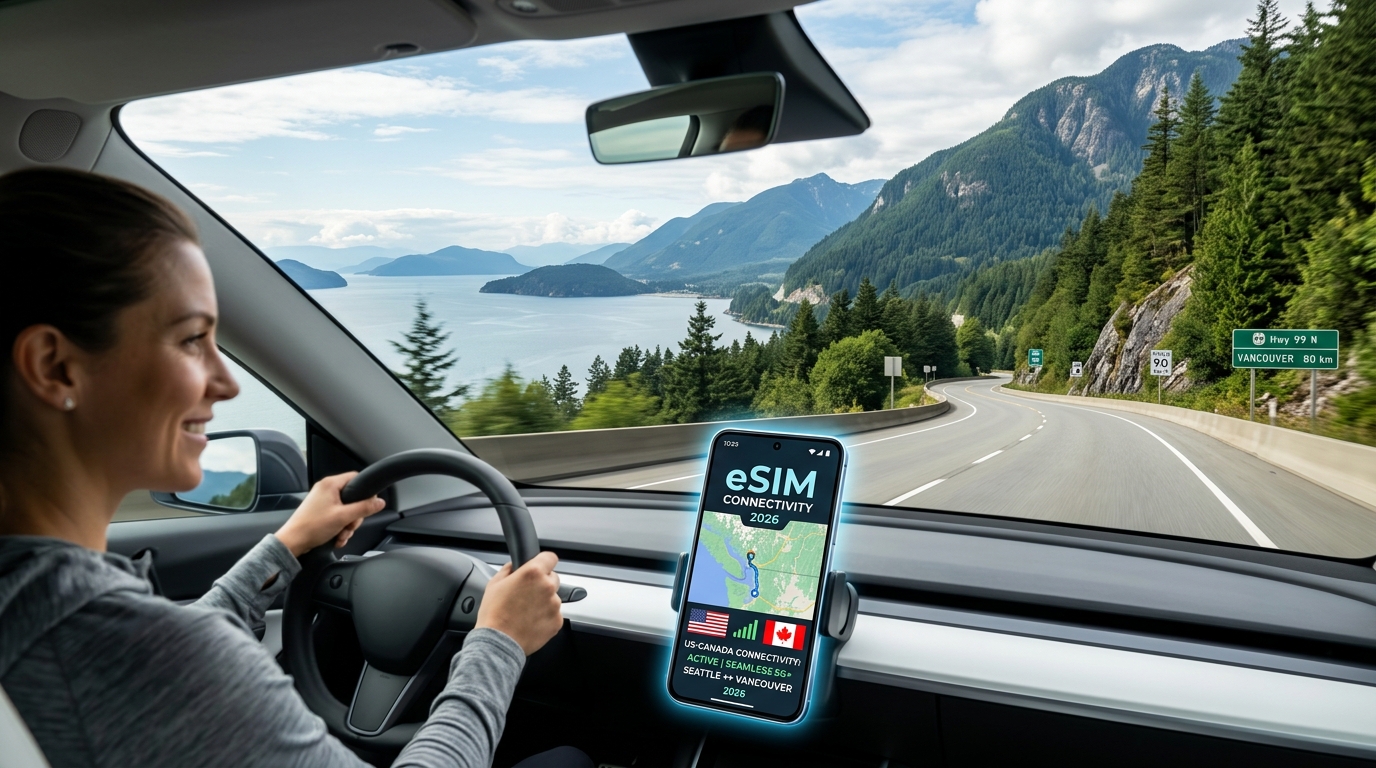
Seattle to Vancouver Road Trip 2026: Seamless US-Canada Cross-Border eSIM Connectivity Guide
The I-5 to BC-99 Driving Corridor: Cellular Friction at the US-Canada Border
The 143-mile drive from downtown Seattle to Vancouver along Interstate 5 (I-5) and British Columbia Highway 99 (BC-99) is one of the most picturesque journeys in North America. Traversing the Skagit Valley, winding past Bellingham Bay, and climbing toward the 49th parallel, this corridor supports tens of thousands of daily commuters, freight haulers, and road-trippers.
Yet, from a telecommunications perspective, the final five miles before and after the international boundary represent an unforgiving technical obstacle course: the border cellular friction zone.
The RF Overlap Zone: Why Baseband Modems Fail at Blaine
As you approach the twin border crossings at Peace Arch (I-5) and the Pacific Highway Truck Crossing (WA-543 / BC-15) in Blaine, Washington, mobile devices enter a heavy Radio Frequency (RF) cross-border interference zone.
Cell towers operated by American carriers (T-Mobile, AT&T, Verizon) are situated mere hundreds of yards south of the boundary line, pumping high-gain signals northward. Simultaneously, Canadian carriers (Rogers, Telus, Bell) broadcast south across the low-elevation plains of Boundary Bay and Surrey.
+------------------------------------------------------------------------------------+
|                      THE BORDER "ZOMBIE CONNECTION" SPECTRUM                       |
|                                                                                    |
|  United States (Blaine, WA)          49th Parallel         Canada (Surrey, BC)     |
|  [US Tower: -115 dBm (Fading)]  =======================  [CA Tower: -72 dBm (Strong)|
|                                                                                    |
|  📱 Smartphone Modem Behavior:                                                     |
|     Clings to home US PLMN despite unusable packet loss and high latency.         |
|     Refuses handover to local Canadian cell until signal drops to absolute zero.   |
+------------------------------------------------------------------------------------+
Because mobile operating systems rely on aggressive hysteresis algorithms designed to prevent premature, costly international roaming, your phone will stubbornly lock onto a degraded, 1-bar US signal (often hovering at a barely usable -115 dBm to -120 dBm RSRP).
This creates a persistent "Zombie Connection":
- The device displays active signal bars (LTE or 5G), but the link cannot complete a TCP handshake.
- Packet loss spikes past 80%, rendering the uplink effectively dead.
- The modem rejects handovers to Canadian towers broadcasting pristine -70 dBm signals until you are 3 to 6 miles deep into Surrey or White Rock.
Navigation Paralysis When You Need It Most
The timing of this digital blackout couldn't be worse. The 30-to-90-minute queue at the Peace Arch or Pacific Highway crossing is the exact moment drivers require sustained, high-bandwidth data to make strategic decisions.
When trapped in a zombie connection at the border, several critical systems fail simultaneously:
- Dynamic Rerouting Stalls: Navigation platforms like Google Maps, Apple Maps, and Waze freeze. Drivers miss real-time routing alerts that suggest diverting from I-5 Exit 275 (Peace Arch) to State Route 543 (Pacific Highway), potentially adding an unnecessary 45 minutes to the trip.
- CBSA & WSDOT Live Camera Feeds Fail to Load: Accessing the Washington State Department of Transportation (WSDOT) or Canada Border Services Agency (CBSA) live queue cameras requires active downstream bandwidth. When the browser hangs, drivers are left guessing which lane bank is clearing faster.
- NEXUS vs. Ready Lane Confusion: Lane assignments shift dynamically based on border staffing. Without real-time updates, non-NEXUS cardholders risk accidentally entering dedicated NEXUS lanes, leading to severe delays and potential administrative penalties.
Mitigating Border Bottlenecks with Resilient Connectivity
Navigating the I-5 to BC-99 transition seamlessly requires a cellular profile that eliminates carrier hysteresis delays and preserves functional data speeds during network handoffs.
Standard travel eSIMs often exacerbate border friction by routing roaming traffic through distant proxy servers—introducing latency exceeding 350ms—or dropping connections down to unusable 128kbps throttle tiers once cross-border data thresholds are hit. At 128kbps, dynamic map rendering fails, and essential payment verification tools time out.
| Connectivity Metric | Standard Roaming / Generic eSIM | Multi-IMSI Cross-Border Solution |
|---|---|---|
| Network Selection | Locked to single-carrier roaming partner | Dual-network auto-switching (US/CA core) |
| Border Handover | 5–15 minute manual reset delay | Sub-60 second autonomous cell re-selection |
| FUP Throttling Floor | 128 kbps (Map asset timeouts) | 384 kbps (Functional vector & GPS data) |
| Border Camera Video | Fails to buffer | Sustained low-res stream capability |
Advanced cross-border data options like MollySIM resolve this corridor's unique RF challenges by supporting agile dual-region profiles.
Even if a plan reaches its primary high-speed allocation while idling in the border line, MollySIM enforces a 384kbps Fair Use Policy (FUP) speed limit—three times faster than the 128kbps industry standard. This 384kbps baseline ensures that vector map layers, Apple Pay authentication, and live CBSA wait-time dashboards continue functioning without interruption, guiding you smoothly from the pavement of Washington State onto British Columbia's Sea-to-Sky corridor.
The True Cost of Carrier Roaming: $12–$16 Daily Passes vs. Regional eSIM Architecture
🇺🇸 T-Mobile US Prepaid SIM High-Speed Travel eSIM & SIM Plans
Instant QR code activation, hotspot enabled, with guaranteed 384kbps fallback speed to keep Maps & Digital Wallets active.
Legacy domestic carrier roaming models were built around international air travel—where users land in a foreign country and stay there for weeks—rather than the fluid, cross-border dynamics of a Pacific Northwest road trip. For a standard drive up the I-5 corridor from Seattle across the 49th parallel into British Columbia, relying on major US carrier day passes (such as Verizon TravelPass or AT&T International Day Pass) introduces severe cost inefficiencies and punitive billing logic.
The "Silent Ping" Packet Trigger Mechanism
Major carriers bill international day passes on a rigid, rolling 24-hour access window ranging from $12 to $16 per day per line once domestic taxes, local regulatory surcharges, and recovery fees are factored in. The underlying issue lies in the packet-level trigger mechanics governing these passes:
- Sub-Kilobyte Triggering: A carrier does not wait for an active user interaction (like an outgoing phone call or deliberate web browsing) to activate a daily pass. The moment your phone registers with a Canadian tower (e.g., Rogers, Telus, or Bell) south of the border near Peace Arch or Pacific Highway, a single background transmission—an Apple Push Notification service (APNs) heartbeat, an automated WhatsApp ping, or a background weather widget sync—registers a data transaction on the roaming gateway.
- Immediate 24-Hour Lock-in: That single 3-kilobyte background packet activates a non-refundable 24-hour charge.
- The Overlap Penalty: If your trip spans Friday afternoon through Monday morning (roughly 74 hours total), you cross into a fourth 24-hour billing cycle, paying for 96 hours of carrier roaming access despite only using a fraction of the final day.
Cost Breakdown: 4-Day Weekend Corridor Trip
When traveling as a couple or family, legacy carrier charges compound aggressively across multiple active devices:
| Metric | Domestic Roaming Passes (2 Lines) | Domestic Roaming Passes (Family of 4) | Regional North America eSIM |
|---|---|---|---|
| Daily Access Fee | $24 – $32 / day | $48 – $64 / day | $0 / day (Billed by data volume) |
| 4-Day Total Cost | $96.00 – $128.00 | $192.00 – $256.00 | $12.00 – $28.00 (Total aggregate) |
| Billing Model | Time-gated (24-hr blocks) | Time-gated (24-hr blocks) | Volume-based (Flexible 7–30 day validity) |
| Speed Floor on Cap | Variable (often 128 kbps) | Variable (often 128 kbps) | 384 kbps sustained floor |
| Surprise Overages | High risk via background sync | Extreme risk across child devices | Zero (Prepaid data ceiling) |
The Regional eSIM Advantage
Regional North America eSIM profiles fundamentally replace time-gated billing with unified volume-based data provisioning. Instead of paying recurring penalties for arbitrary 24-hour windows, a single regional profile natively addresses both US (T-Mobile/AT&T) and Canadian (Telus/Bell) core networks under one unified bucket.
Providers like MollySIM bypass daily access penalties entirely. A cross-border driver buys only the capacity required for the route (e.g., 5GB to 10GB for continuous navigation, music streaming, and border app queries) with validity periods spanning 7 to 30 days.
Because regional eSIM architectures treat the US and Canada as a single contiguous service area, cross-border handovers trigger zero billing events. Furthermore, if you exhaust your high-speed quota while navigating Vancouver's dense downtown core, MollySIM’s 384kbps Fair Use Policy (FUP) ensures critical navigation via Google Maps, Apple Pay tokenization, and dynamic traffic recalculations remain entirely functional—unlike traditional carrier roaming schemes that throttle bandwidth down to an unusable 128kbps stall.
Comprehensive Connectivity Matrix: US Carrier Passes vs. Pocket Wi-Fi vs. Local SIM vs. MollySIM
Choosing the right cross-border data strategy requires balancing cost, operational convenience, and network resiliency. The table below provides an architectural and financial breakdown of the four primary connectivity methods available for the I-5 corridor from Seattle to Vancouver, BC.
| Connectivity Metric | US Carrier Day Pass (AT&T / Verizon) | Portable Pocket Wi-Fi Rental | Local Canadian Physical SIM (Rogers/Bell) | MollySIM North America Regional eSIM |
|---|---|---|---|---|
| Typical Cost (3–5 Day Trip) | $36 – $60 ($12/day billing triggers) | $45 – $75 (Daily rental + shipping fees) | $35 – $50 (One-off plan + activation fee) | $8 – $18 (Fixed volume bucket) |
| Setup & Provisioning Complexity | Automatic or SMS opt-in; unpredictable trigger times | Physical pickup/drop-off, device charging, pairing | Physical store visit, passport registration, SIM tray swapping | Instant QR scan; fully digital zero-touch activation |
| Border Handover Latency | 2–8 minutes (Dependent on roaming handshake) | 3–10 minutes (Puck re-registers to partner PLMN) | Manual intervention required (Must pull over to swap SIMs) | Sub-60 seconds (Automated dynamic carrier latching) |
| Network Redundancy (US / Canada) | Fixed to single roaming partner (e.g., Rogers only) | Single network per local SIM installed in puck | Locked to single carrier (Rogers, Bell, or Telus) | Multi-Carrier: AT&T/T-Mobile (US) + Bell/Telus (CA) |
| Dual-SIM Primary Number (2FA) Retention | Active (High risk of inadvertent roaming charges) | Active on phone (Wi-Fi tethered; no cellular backup) | Inactive (Primary SIM removed, disabling bank 2FA) | Active concurrently (Home line receives SMS, eSIM routes data) |
| FUP Throttling Floor | Hard drop to 128 kbps or total daily shutoff | Hard drop to 128 kbps or pay-per-MB overages | Strict data cutoff requiring account top-up | 384 kbps sustained baseline (3x competitor floor) |
| Hardware Overhead | None | Extra device to charge, carry, and prevent overheating | SIM ejector tool, storage for tiny original SIM card | Zero (Native embedded hardware inside smartphone) |
Border Handover Architecture: Why Multi-Carrier Latching Wins at Highway Speeds
The transition zone between Blaine, Washington, and Surrey, British Columbia, represents a complex RF (Radio Frequency) environment. As you approach the Peace Arch or Pacific Highway (Truck Crossing) border checkpoints, US cell towers from Birch Bay attenuate rapidly, while Canadian cells from White Rock and Surrey broadcast competing Public Land Mobile Network (PLMN) IDs across the same frequency bands.
Traditional roaming approaches struggle in this corridor due to three specific technical bottlenecks:
1. Signaling Delays in S8 Home-Routed Architecture
Standard US carrier roaming routes all your data packets back through an S8 interface to your home carrier's core gateway in the United States before sending them to the public internet. During the cross-border drive, as your device negotiates entry onto Rogers or Telus towers, this cross-border signaling loop can take between 2 to 8 minutes to authenticate. At 60 mph on the BC-99 highway, that lag creates a total navigation blackout precisely when you need lane guidance for Canadian border exit ramps.
2. The Physical SIM Penalty
Purchasing a local Canadian SIM card requires stopping at a retail kiosk post-border, ejecting your domestic carrier SIM, and handling fragile hardware. This immediately breaks dual-SIM standby:
- You lose access to primary SMS channels used for credit card transaction confirmations, bank two-factor authentication (2FA), and domestic calls.
- If your home carrier line is detached, real-time banking verification triggers security lockouts when attempting foreign transactions in British Columbia.
3. Dynamic Multi-Carrier Switching vs. Single-Network Lock-in
A physical Canadian SIM or single-network roaming agreement ties you to one infrastructure provider. If Rogers experiences network congestion or a dead zone along the Sea-to-Sky Highway (BC-99 North toward Whistler), you have zero failover capacity.
MollySIM's Regional eSIM utilizes an autonomous multi-carrier profile. It dynamically scans and registers to the strongest available base transceiver station—toggling natively between Telus and Bell in Canada, and T-Mobile and AT&T in the US. The handover happens at the baseband layer in under 60 seconds without requiring a device reboot or manual APN adjustment.
Furthermore, by guaranteeing a 384 kbps Fair Use Policy (FUP) baseline speed—three times the industry-standard 128 kbps throttle—MollySIM ensures that even if you exceed your allocated high-speed data tier while streaming music or navigating, vector map rendering (Apple Maps/Google Maps), live routing telemetry, and contactless Apple Pay / Google Pay authentication maintain zero-latency responsiveness throughout your drive into downtown Vancouver.
Step-by-Step OS Configuration: Preventing Data Leakage & Setting Dual-SIM Routing
Executing a seamless cross-border transition along the I-5 corridor requires provisioning your device's Dual-SIM, Dual-Standby (DSDS) architecture before you depart Seattle. Without precise operating system routing, modern smartphones automatically default to opportunistic baseband switching—a primary cause of accidental $10 to $15/day domestic carrier international roaming triggers.
Follow these platform-specific configuration protocols to lock in MollySIM for high-speed cross-border data while preserving your primary line strictly for cellular calls and critical SMS two-factor authentication (2FA).
iOS Configuration (iPhone 13 through iPhone 16 Series)
Apple's iOS handles dual eSIM profiles cleanly, but background intelligence features must be restricted to prevent accidental home-carrier data handshakes.
- Label Your SIM Profiles:
- Navigate to Settings > Cellular (or Mobile Data).
- Tap your domestic US line and set the label to Primary.
- Tap your newly installed travel eSIM and set the label to MollySIM.
- Assign Traffic Roles:
- Default Voice Line: Select Primary. This ensures iMessage, incoming domestic cellular voice calls, and automated banking SMS shortcodes route normally without interruption.
- Cellular Data: Tap Cellular Data and explicitly select MollySIM.
- Prevent Roaming Leakage (Critical Step):
- Beneath the Cellular Data line selection, locate the toggle for Allow Cellular Data Switching.
- Turn this OFF. If left active, the iPhone will automatically route data back through your US carrier whenever entering temporary dead spots along Whatcom County or the Peace Arch border queue, instantly triggering unintended carrier travel passes.
- Enable Border-Crossing Roaming on the Data Line:
- Under SIMs, tap MollySIM > toggle Data Roaming to ON.
- Tap Primary > toggle Data Roaming to OFF.
- APN Verification:
- Most iOS configurations automatically populate MollySIM APN profiles via OTA payload. If manual configuration is required, go to MollySIM > Cellular Data Network and set the APN field to the parameters provided in your installation email (leave Username and Password blank).
Modern Android Configuration (Samsung Galaxy S22–S26 & Google Pixel 7–9)
Android provides granular control over individual transceiver permissions. Complete these steps while connected to your home Wi-Fi in Seattle.
On Samsung One UI (Galaxy S22 through S26 Series):
- Navigate to Settings > Connections > SIM Manager.
- Under the Preferred SIM section:
- Set Calls to SIM 1 / Primary.
- Set Messages to SIM 1 / Primary.
- Set Mobile Data to MollySIM.
- Scroll down and disable Auto Data Switching. Leaving this enabled allows One UI to switch mobile data to your US SIM if the Canadian border base station handover experiences momentary latency.
- Go back to Connections > Mobile Networks:
- Set Data Roaming to ON. (Note: Samsung applies roaming globally to the active data SIM, which is now locked to MollySIM).
On Pure Android / Google Pixel UI (Pixel 7 through Pixel 9 Pro):
- Navigate to Settings > Network & Internet > SIMs.
- Tap your Primary Carrier profile:
- Ensure Use SIM is ON.
- Ensure Mobile Data is OFF.
- Ensure Roaming is toggled OFF.
- Set Calls Preference and SMS Preference to this carrier.
- Return to SIMs and select MollySIM:
- Ensure Use SIM is ON.
- Toggle Mobile Data to ON.
- Toggle Roaming to ON (this enables connection to Telus/Bell partner towers once across the 49th parallel).
- Tap Network & Internet > Internet > tap the gear icon next to your primary carrier > ensure Backup Calling and Mobile data switching are disabled.
Dual-SIM Operating Parameter Matrix
| Configuration Field | Domestic US Line (AT&T / Verizon / T-Mobile) | Travel Line (MollySIM Regional) |
|---|---|---|
| Line Status | Active (Standby) | Active (Primary Data) |
| Cellular Data Routing | Disabled | Enabled |
| Data Roaming Toggle | Disabled (OFF) | Enabled (ON) |
| Calls & 2FA SMS | Enabled (Default Voice Line) | Disabled / Data-Only |
| Data Switching Logic | Disabled (OFF) | N/A |
| FUP Baseline Safety Net | Carrier Dependent (often blocked) | 384 kbps (Google Maps & Apple Pay ready) |
By locking this configuration, your phone automatically acquires Telus or Bell macro cells the moment your vehicle crosses the Canadian border line. Even in scenarios of unexpected heavy data consumption, MollySIM’s built-in 384 kbps Fair Use Policy baseline keeps high-priority networking sockets open—guaranteeing continuous Google Maps vector routing, Waze police alerts, and tap-to-pay tokenization at border duty-free stations without technical bottlenecks.
Canadian Host Networks & MollySIM’s 384kbps Lifeline for Real-Time Navigation
Navigating the transition from Washington State’s Interstate 5 onto British Columbia’s Highway 99 (BC-99) introduces a shift in cellular topology. In Canada, mobile connectivity is dominated by three Tier-1 carriers: Telus, Bell Mobility, and Rogers. In Western Canada—specifically the Lower Mainland spanning South Surrey, Delta, Richmond, and Vancouver—Telus and Bell operate a shared Radio Access Network (RAN) infrastructure that delivers exceptional mid-band LTE (Band 4/66, Band 7) and low-band coverage (Band 12/71, Band n71) alongside dense sub-6 GHz 5G (n78) deployments throughout urban corridors.
Rather than locking your device into a single local provider, MollySIM utilizes an intelligent multi-carrier core network profile. The eSIM negotiates with local cell towers via automated Public Land Mobile Network (PLMN) selection, dynamically steering your baseband modem to the strongest available Tier-1 partner—primarily Telus and Bell—the instant you cross the 49th parallel. This avoids manual carrier searches in your phone's settings while your vehicle moves through fluctuating signal zones near the Peace Arch and Pacific Highway border plazas.
The 384 kbps Safety Net vs. Industry-Standard 128 kbps
A critical vulnerability of international road trips is running out of high-speed cellular data midway through an unfamiliar route. Standard travel eSIMs and legacy domestic carrier roaming passes throttle users to 128 kbps (or even 64 kbps) once high-speed caps are reached. At 128 kbps, modern smartphone network stacks experience severe TCP packet timeouts, DNS lookup failures, and TLS handshake latency, causing critical navigation apps to crash, freeze, or drop routing altogether.
MollySIM resolves this operational risk with a hardwired 384 kbps Fair Use Policy (FUP) baseline. By delivering three times the throughput of standard throttles, MollySIM keeps fundamental data pipes open for mission-critical travel protocols:
- Vector Tile Rendering (Google Maps & Apple Maps): Modern navigation systems transmit lightweight vector tiles formatted as Protocol Buffers (
.pbf), requiring between 25 KB to 80 KB per viewport shift. At 384 kbps, vector map tiles render in sub-two-second bursts, preventing the dreaded "blank grey grid" during sudden highway interchanges on the Oak Street Bridge or Knight Street Bridge. - Waze Hazard & Police Telemetry: Live incident reports, speed trap warnings, and sudden route recalculations rely on continuous bidirectional HTTP/2 websockets that transfer tiny payloads (5–15 KB). A 384 kbps connection processes these background updates with zero perceptible latency.
- Customs Verification & VoIP Audio: Re-authenticating your ArriveCAN receipt QR code, processing NFC payment security handshakes (Apple Pay / Google Wallet), and running crystal-clear WhatsApp voice calls (which utilize the Opus audio codec at 16–32 kbps) execute without connection dropouts.
Essential Travel Protocol Performance: 128 kbps vs. MollySIM 384 kbps
| Travel Application / Network Task | Required Bandwidth | Legacy 128 kbps Throttle | MollySIM 384 kbps Baseline |
|---|---|---|---|
| Google Maps / Apple Maps (Vector Routing) | 40–80 kbps bursts | ❌ High Packet Loss (Grey/Unrendered Tiles) | ✅ Stable (Continuous Live Navigation) |
| Waze Live Hazard Telemetry | 10–25 kbps | ⚠️ Delayed (Missed Speed Traps/Detours) | ✅ Instantaneous (Real-Time Sync) |
| WhatsApp / FaceTime Audio (Opus Codec) | 16–32 kbps | ❌ Robotic Stutter / Dropped Calls | ✅ Crystal-Clear Voice Quality |
| ArriveCAN / Web Portal Token Refresh | 50–120 kbps | ❌ Gateway Timeout (504 Errors) | ✅ Functional (Loads within 3–5 seconds) |
| NFC Tap-to-Pay Security Tokenization | < 10 kbps | ⚠️ Intermittent Auth Timeouts | ✅ Immediate Authorization |
This throughput safety net guarantees that even if non-essential background processes (such as automatic cloud photo backups or OS updates) consume your primary high-speed allocation, your vehicle never loses dynamic route guidance, real-time traffic monitoring, or border-clearance capabilities anywhere along the corridor from Surrey to Downtown Vancouver.
Cross-Border Road Trip Digital Toolkit & Troubleshooting Protocols
Navigating the 143-mile (230 km) stretch between Seattle and Vancouver requires synchronizing your navigation, customs data, and payment layers before your vehicle hits the Interstate 5 zero-line. The transition zone across Whatcom County and into Metro Vancouver represents one of the densest RF-interference corridors in North America, making an organized digital toolkit and systematic network recovery plan essential.
Pre-Departure Digital Checklist: The I-5 Corridor Stack
Before passing your last reliable, domestic high-bandwidth node around Bellingham, configure this dedicated transit suite:
- ArriveCAN (CBSA Official App): Complete your customs and immigration declaration within the 72-hour window prior to arrival. While mandatory public health mandates have expired, submitting your advance declaration digitizes your vehicle profile, routing you into expedited clearance lanes at Peace Arch (Douglas) and Pacific Highway (Hwy 15).
- WSDOT Mobile & DriveBC: Do not rely exclusively on in-car GPS routing for border wait times. The WSDOT Border Wait Times API tracks physical vehicle queues via inductive loop sensors at Peace Arch, Pacific Highway, Aldergrove, and Abbotsford-Sumas. Pair this with the DriveBC app to view real-time highway cameras along Highway 99 and monitor seasonal mountain highway regulations.
- Offline Vector Map Caching: In Google Maps or Apple Maps, download an offline map tile covering Skagit County up through Whistler. This ensures vector geometry remains locally stored on your device memory, drastically reducing over-the-air data demands to simple real-time telemetry updates.
Border Handover Troubleshooting: Resolving Edge-of-Network Glitches
At the 49th parallel, devices often experience a "cell-tower tug-of-war." Your smartphone may stubbornly cling to a faint -115 dBm RSRP signal from an American macro cell in Blaine, WA, rather than initiating a clean roaming handshake with a high-capacity Rogers, Bell, or Telus tower across the ditch in South Surrey.
Follow this three-step protocol to resolve border connectivity stalls:
- Baseband Soft Reset: Toggle Airplane Mode ON for 15 seconds, then OFF. This flushes the device's temporary baseband cache and forces the modem to scan all primary local synchronization rasters, latching onto the strongest local Canadian carrier.
- Break the Fringe Tower Trap (Manual Network Selection): If your phone refuses to release the US carrier:
- iOS: Navigate to Settings > Cellular > Network Selection > Toggle off Automatic > Select Rogers, Bell, or Telus.
- Android: Navigate to Settings > Network & Internet > SIMs > [Your eSIM] > Disable Automatically select network > Choose a primary Canadian tier-1 provider.
- Verify Data Roaming Toggles: Ensure Data Roaming is set to ON specifically for your travel eSIM profile. Leaving this switched off blocks international packet routing at the carrier gateway level, even if the signal indicator displays full signal bars.
- Failsafe Throughput Operations: If high-speed data allotments deplete mid-trip, MollySIM prevents critical infrastructure lockouts by sustaining a 384 kbps Fair Use Policy (FUP) speed limit. Unlike the legacy 128 kbps industry throttle that causes vector mapping apps to crash, 384 kbps supplies three times the throughput—keeping your Waze reroutes, ArriveCAN confirmation tokens, and Apple Pay terminal transactions running without latency-induced timeout errors.
Urban Mobility, Tolling, and Coastal Highway Transit
Once past the Surrey switch, update your operational protocols for Metro Vancouver’s digital municipal framework:
| Corridor / Region | Key Digital Infrastructure | Operational Requirement |
|---|---|---|
| Downtown Vancouver / Metro Parking | PayByPhone & EasyPark Apps | Vancouver strictly enforces meter payments via PayByPhone (Location Codes 4-5 digits). Register your vehicle’s US state license plate and local payment method in advance. |
| Lower Mainland Bridges | Port Mann & Golden Ears Bridges | Toll-Free: Bridge tolls were completely abolished in September 2017. Any electronic toll invoice text message you receive while crossing is an active phishing scam. |
| Sea-to-Sky Highway (Hwy 99 to Whistler) | BCHwy99 Live Cam & Telus/Rogers VoLTE | Topographical shadowing occurs between Lions Bay and Porteau Cove. Maintain your MollySIM connection active on Tier-1 Canadian backbones to retain seamless VoLTE emergency signaling along the fjord walls. |
🇺🇸 T-Mobile US Prepaid SIM High-Speed Travel eSIM & SIM Plans
Instant QR code activation, hotspot enabled, with guaranteed 384kbps fallback speed to keep Maps & Digital Wallets active.