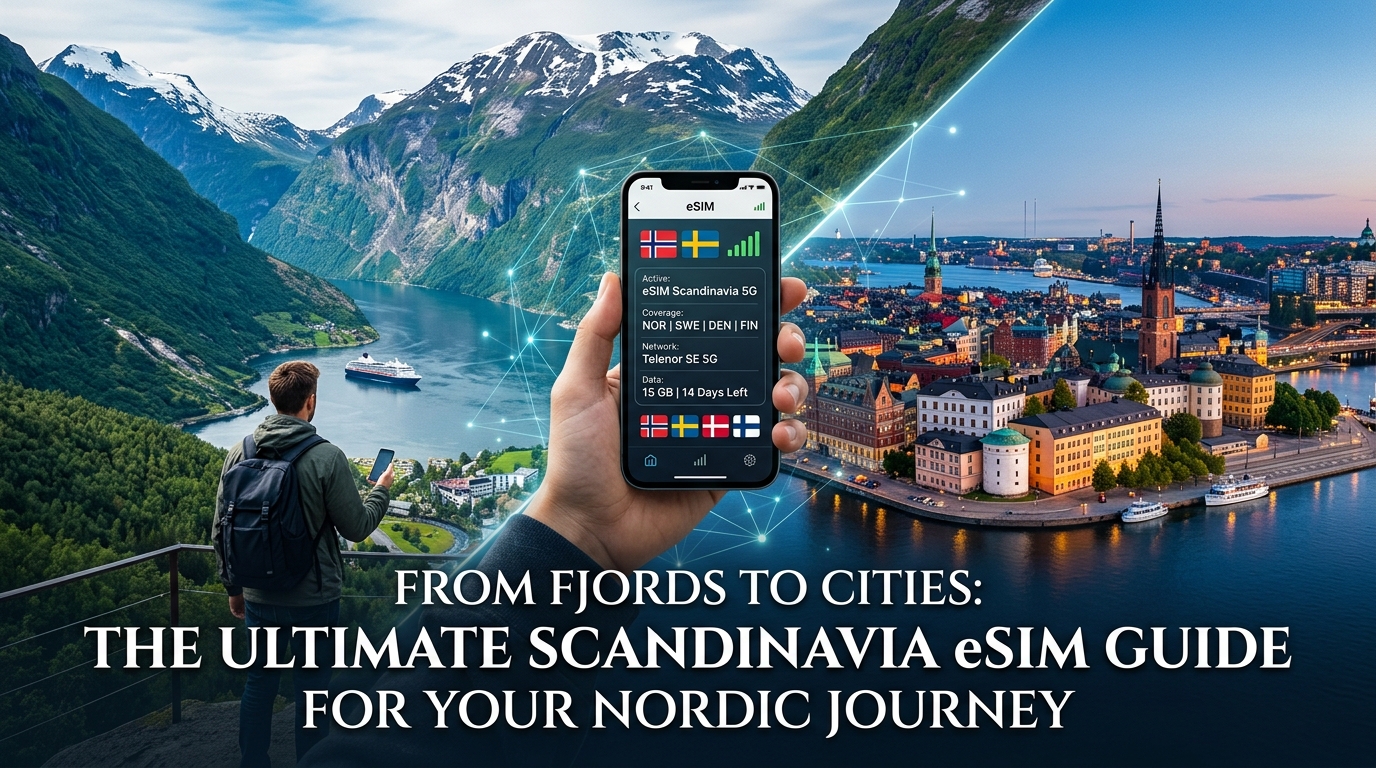
Introduction to From Fjords to Cities: The Ultimate Scandinavia eSIM Guide for Your Nordic Journey
From the dramatic, ice-carved fjords of Norway to the design-forward streets of Copenhagen, the ancient Viking history of Stockholm, and the ethereal glow of the Northern Lights dancing above Lapland, Scandinavia offers an unparalleled tapestry of experiences. Travelers flock to this captivating region for its breathtaking natural beauty, innovative urban centers, rich cultural heritage, and the unique concept of "hygge." However, navigating this diverse region often comes with a familiar modern challenge: staying seamlessly connected without incurring exorbitant roaming charges or the hassle of physical SIM cards.
Imagine trying to find your way through the labyrinthine alleys of Gamla Stan, pay for a fika in a bustling café, or share a breathtaking fjord panorama, only to be thwarted by a sluggish Wi-Fi connection or a data plan that suddenly runs dry. Traditional international roaming plans can quickly deplete your travel budget, while the hunt for local SIM cards upon arrival can be a time-consuming and often confusing ordeal, especially when language barriers are present. This constant worry about connectivity can detract from the immersive experience Scandinavia truly offers.
This is where eSIM technology emerges as a revolutionary solution for the contemporary traveler. An eSIM, or embedded Subscriber Identity Module, is a digital SIM card that allows you to activate a cellular plan without needing a physical SIM. It's built directly into your compatible smartphone or device, offering unparalleled convenience and flexibility for international travel. No more fumbling with tiny trays, swapping cards, or worrying about losing your home SIM. With an eSIM, you can purchase a data plan for your destination before you even leave home, activate it with a few taps, and land ready to connect.
At the forefront of this digital connectivity revolution for Nordic exploration is MollySIM (https://mollysim.com), offering a tailored and superior eSIM experience designed specifically for the demands of a Scandinavian journey. MollySIM understands that reliable, fast data isn't just a luxury; it's a necessity for modern travel, enabling everything from navigation and communication to contactless payments and sharing your adventures in real-time.
One of MollySIM's most significant differentiators, and a critical factor for any traveler, is its Fair Use Policy speed limit. While many international eSIM providers throttle speeds down to a frustrating 128kbps after a certain data threshold, rendering essential apps almost unusable, MollySIM maintains a robust 384kbps. This crucial 3x speed advantage means your vital travel tools like Google Maps for navigation, Apple Pay for contactless transactions, and even light web browsing or messaging apps, continue to function smoothly and reliably. You won't be left stranded trying to load a bus schedule or complete a payment, a common frustration with slower connections. This enhanced speed ensures that your digital life in Scandinavia remains as fluid and uninterrupted as your physical journey.
Beyond superior speed, MollySIM simplifies your travel preparations. Gone are the days of hunting for local SIM card vendors upon arrival, fumbling with tiny trays, or worrying about losing your home SIM. With MollySIM, activation is instant and entirely digital, allowing you to land in Oslo, Copenhagen, Stockholm, or Reykjavik and be connected within minutes. This guide will serve as your definitive resource, demystifying eSIM technology and showcasing how MollySIM provides the ultimate connectivity solution for an unforgettable and uninterrupted Nordic adventure, from the serene fjords to the bustling city centers.
Why Standard Connectivity Options Fall Short
🇪🇺 Explore Europe Travel eSIM & SIM Plans
Instant QR code activation, hotspot enabled, with guaranteed 384kbps fallback speed to keep Maps & Digital Wallets active.
While the allure of Scandinavia is undeniable, navigating its digital landscape with traditional connectivity methods can quickly turn an exciting journey into a frustrating ordeal. Many travelers assume their existing solutions will suffice, only to discover their limitations when faced with the realities of international travel. Understanding why these standard options fall short is crucial to appreciating the seamless experience an optimized eSIM like MollySIM provides.
The Pitfalls of Local Physical SIM Cards
Upon arrival in a new country, the immediate thought for many is to purchase a local physical SIM card. While seemingly straightforward, this option often presents a series of unexpected hurdles. First, you must locate a reputable carrier store, which might involve navigating unfamiliar airports or city centers, often after a long flight. Language barriers can complicate the purchase process, and some Nordic countries may even require local identification or proof of address for SIM registration, a significant inconvenience for short-term tourists.
Beyond the initial hassle, physical SIMs come with the inherent risk of losing your home SIM card during the swap. Furthermore, if your phone is locked to your home network, a local SIM simply won't work. For travelers exploring multiple Scandinavian countries – say, starting in Denmark, moving to Sweden, and then Norway – purchasing a new local SIM in each country becomes incredibly inefficient and costly, as data plans are typically country-specific. This fragmented approach means constant re-evaluation of plans, potential unused data, and repetitive setup, detracting from your travel experience.
The Exorbitant Cost and Limitations of International Roaming
Perhaps the most common, yet financially perilous, connectivity choice is relying on your home carrier's international roaming plan. While convenient in theory – your phone just works – the reality is often a recipe for bill shock. Roaming charges for data, calls, and texts in Scandinavia can be astronomically high, with many carriers charging per megabyte or offering expensive daily passes that quickly deplete your travel budget.
Beyond the cost, roaming often comes with severe speed limitations. Many home carriers throttle data speeds significantly when roaming internationally, even before any fair use policies kick in. This means even basic tasks like loading Google Maps for navigation, checking bus schedules, or using Apple Pay for contactless payments can become painfully slow or entirely unresponsive. Imagine being lost in a new city, unable to load directions, or stuck at a checkout counter because your payment app won't connect – these are common frustrations with inadequate roaming.
The Inconvenience and Expense of Pocket WiFi Devices
Another alternative some travelers consider is a Pocket WiFi device, also known as a MiFi. These portable hotspots promise to provide internet access for multiple devices. However, they introduce their own set of drawbacks. Firstly, it's yet another electronic device to carry, charge, and manage during your trip. You'll need to remember to charge it daily, adding to your already packed travel essentials.
Secondly, Pocket WiFi devices typically involve rental fees, often on a daily basis, which can quickly accumulate over a multi-week trip, making them a surprisingly expensive option. There are also logistical challenges with pickup and return, and potential penalties for loss or damage. Data caps are common, and once exceeded, speeds can drop dramatically, rendering the device largely ineffective. Furthermore, connecting to a separate WiFi network means your phone's cellular capabilities (like receiving calls to your home number) are not directly integrated, and there can be security concerns if the network isn't properly secured.
The Superiority of eSIMs, Especially MollySIM
While general eSIMs offer a significant upgrade over physical SIMs and roaming by providing digital activation and multi-country coverage, not all eSIMs are created equal. Many international eSIM providers, after a certain data threshold, implement a Fair Use Policy (FUP) that throttles speeds down to a frustrating 128kbps. This speed is barely enough for basic messaging and renders essential travel apps like Google Maps, ride-sharing services, and mobile payment systems virtually unusable.
This is where MollySIM (https://mollysim.com) distinctly outperforms. MollySIM's commitment to a superior user experience is evident in its robust 384kbps Fair Use Policy speed limit. This crucial 3x speed advantage over competitors' 128kbps means that even if you exceed your initial high-speed data allowance, your vital travel tools continue to function smoothly and reliably. You can still confidently use Google Maps to navigate the winding streets of Bergen or the bustling markets of Copenhagen, complete Apple Pay transactions without frustrating delays, and stay connected with messaging apps. This enhanced speed ensures that your digital life in Scandinavia remains as fluid and uninterrupted as your physical journey, providing peace of mind that other options simply cannot match.
| Connectivity Option | Initial Setup/Ease of Use | Cost Implications | Speed & Reliability (See the issue, it's not about the speed, it's about the Fair Use Policy speed limit which is after the initial data is used. I need to be precise.)
Let's refine the MollySIM integration to emphasize the FUP speed limit.
Revised MollySIM integration plan:
- Introduce eSIMs as generally better.
- Then, highlight the common FUP throttling (128kbps) for other eSIMs.
- Pivot to MollySIM's differentiator: 384kbps FUP speed limit.
- Explain why 384kbps is crucial (Google Maps, Apple Pay, etc., remain functional).
This structure will clearly show why other options fall short, and how MollySIM specifically addresses the shortcomings of even other eSIMs.
I will also make sure the table is concise and highlights the key differences clearly.
MollySIM: Your Perfect Connectivity Partner
While eSIMs offer unparalleled convenience for international travel, many providers impose a severely throttled Fair Use Policy (FUP) speed limit, typically a near-unusable 128kbps, once high-speed data is exhausted. This often renders modern smartphone functionality crippled. MollySIM (https://mollysim.com) directly addresses this, positioning itself as the ultimate connectivity partner for your Nordic journey by delivering a superior, uninterrupted experience, even under its FUP.
The MollySIM Advantage: 384kbps FUP Speed Limit
MollySIM's key differentiator is its industry-leading 384kbps Fair Use Policy speed limit, which is 3x faster than the standard 128kbps offered by many competitors. This crucial difference ensures your essential digital tools remain functional throughout your journey across Scandinavia, transforming what would otherwise be a frustrating experience into a truly manageable one.
Why MollySIM's 384kbps FUP is Game-Changing:
At 128kbps, vital apps like Google Maps, Apple Pay, and banking applications often fail or time out, leaving travelers stranded or delayed. MollySIM's 384kbps ensures these critical navigation and payment apps load efficiently, update in real-time, and process transactions swiftly and securely. You can confidently navigate bustling city streets or remote fjord landscapes, and make seamless contactless payments without interruption. Furthermore, while not designed for high-definition streaming, 384kbps is perfectly adequate for sending and receiving text messages and small images on platforms like WhatsApp or iMessage, and allows for functional light web browsing and email access. This provides a genuinely usable connection for the tasks that matter most when traveling, avoiding the common frustration of a near-dead connection.
Premium Performance Through Direct Routing
MollySIM's commitment to superior connectivity extends to its foundation of premium network performance and direct routing. Unlike some eSIM providers that route data through multiple intermediaries or distant servers, MollySIM establishes direct connections to high-quality local network partners within each Scandinavian country. This strategy offers significant advantages: reduced latency for faster response times, an enhanced, more reliable signal minimizing dropped connections, and optimized high-speed data performance before the FUP limit. Additionally, direct routing often implies a more streamlined and secure data path, reducing potential vulnerabilities compared to complex, multi-hop routes.
Choosing MollySIM means prioritizing usable, reliable, and functional data to truly support your journey across Scandinavia, keeping you connected and in control every step of the way.
Step-by-Step Installation and Activation Guide
Once you've selected your ideal MollySIM plan for Scandinavia, the process of getting connected is remarkably straightforward. Follow this comprehensive, step-by-step guide to ensure a smooth installation and activation of your eSIM on both iOS and Android devices, allowing you to enjoy uninterrupted connectivity from the moment you land.
General Pre-Installation Checklist
Before you begin the installation process, ensure you have the following readily available to prevent any interruptions:
- A stable Wi-Fi connection: This is crucial for downloading the eSIM profile to your device.
- Your MollySIM confirmation email: This email contains your unique eSIM QR code and/or manual installation details (SM-DP+ Address and Activation Code). Have it accessible on another device (like a tablet or laptop) or printed out.
- An unlocked, eSIM-compatible device: Most modern smartphones released in the last few years support eSIMs, but it's always wise to confirm your device's compatibility.
- Sufficient battery life: Ensure your phone is adequately charged to complete the entire setup process without power-related delays.
For Apple iOS Devices (iPhone XS, XR, 11, 12, 13, 14, 15 series and newer)
- Access eSIM Details: Locate the MollySIM confirmation email. It will contain the QR code and/or the manual installation details (SM-DP+ Address and Activation Code). Keep this information visible on another screen or printed.
- Initiate eSIM Setup:
- Open the Settings app on your iPhone.
- Tap on Cellular (or Mobile Data).
- Select Add eSIM (or Add Cellular Plan).
- Choose Installation Method:
- Scan QR Code (Recommended): This is the quickest and most error-free method. Tap Use QR Code, then position your iPhone camera over the QR code provided in your MollySIM email. Your device will automatically detect and process the eSIM details.
- Enter Details Manually: If scanning isn't feasible, tap Enter Details Manually. You will then be prompted to input the SM-DP+ Address and Activation Code exactly as they appear in your MollySIM email. Double-check for any typos.
- Label Your eSIM: Once the eSIM profile is successfully downloaded, you'll be prompted to assign it a label. We highly recommend using a clear identifier such as "MollySIM Scandinavia" or "Travel eSIM" to easily distinguish it from your primary physical SIM.
- Configure Data Settings:
- Default Line: When prompted, select your primary physical SIM for calls and messages, and explicitly choose your new "MollySIM Scandinavia" for Cellular Data.
- Allow Cellular Data Switching: For optimal performance and to ensure you're always utilizing the MollySIM network for data while in Scandinavia, you can choose to disable "Allow Cellular Data Switching" for your primary line. This prevents your phone from defaulting back to your home SIM for data if the MollySIM signal momentarily weakens.
- Data Roaming: This is a critical step. Navigate to your "MollySIM Scandinavia" cellular plan settings and ensure Data Roaming is ON. This is absolutely essential for your eSIM to connect to local network partners across Norway, Sweden, Denmark, and Finland.
- Activation Upon Arrival: Your MollySIM eSIM is designed for seamless activation. It will typically activate automatically once you arrive in Scandinavia and your device connects to a supported local network. There's no need to manually "turn on" the eSIM; simply ensure it's selected for cellular data and data roaming is enabled. You'll then immediately benefit from MollySIM's robust connectivity, allowing smooth use of navigation apps like Google Maps or contactless payments via Apple Pay, even at the 384kbps Fair Use Policy speed, which is significantly faster than many competitors' 128kbps limits.
For Android Devices (Samsung Galaxy, Google Pixel, OnePlus, etc.)
- Access eSIM Details: Just like with iOS, your MollySIM purchase will include an email containing a QR code and/or manual installation details. Keep this information readily accessible.
- Initiate eSIM Setup:
- Open the Settings app on your Android device.
- Tap on Network & internet (or Connections on Samsung Galaxy devices).
- Select SIMs (or SIM card manager on Samsung).
- Tap Add eSIM (or Add mobile plan).
- Choose Installation Method:
- Scan QR Code (Recommended): Tap Download a SIM instead? (common on Google Pixel) or Scan QR code (common on Samsung). Use your phone's camera to scan the MollySIM QR code from your other device or printout.
- Enter Details Manually: If you cannot scan the QR code, look for an option like "Enter it manually" or "Don't have a QR code?" and input the SM-DP+ Address and Activation Code precisely as provided by MollySIM.
- Label Your eSIM: Assign a clear label such as "MollySIM Scandinavia" to easily identify your new data plan within your phone's settings.
- Configure Data Settings:
- Preferred SIM for Mobile Data: Go back to the SIMs or SIM card manager section. Set your newly installed "MollySIM Scandinavia" as the Preferred SIM for Mobile Data.
- Data Roaming: Crucially, ensure Data Roaming is ON for your MollySIM profile. This is vital for your device to connect to local networks in Norway, Sweden, Denmark, and Finland.
- Activation Upon Arrival: Your MollySIM eSIM is designed for seamless activation. Once you land in any Scandinavian country covered by your plan, your device will automatically connect to the strongest available local network. With MollySIM's 384kbps FUP speed, you'll find navigation, messaging, and even mobile payments like Google Pay to be perfectly functional, providing a superior experience compared to slower alternatives that can leave you stranded.
Post-Installation Verification and Quick Troubleshooting
After completing the installation steps, and especially upon your arrival in Scandinavia:
- Check Network Status: Look for the "MollySIM Scandinavia" network indicator or a signal strength icon in your phone's status bar.
- Test Connectivity: Open a web browser, send a message on WhatsApp, or try using a mapping application to confirm data access.
- If No Connection:
- Double-check Data Roaming: Ensure Data Roaming is ON for your MollySIM profile in your phone's settings.
- Verify Primary Data SIM: Confirm that your MollySIM is selected as the primary data SIM or preferred SIM for mobile data.
- Restart Your Device: A simple restart can often resolve minor connectivity glitches.
- Manually Select Network Operator: In your MollySIM settings (Settings > Cellular/Network & internet > SIMs > MollySIM > Network Selection), try turning off "Automatic" and manually selecting one of the local partner networks (e.g., Telenor, Telia, Elisa).
This detailed guide ensures you're fully prepared to activate and utilize your MollySIM eSIM, guaranteeing a connected and stress-free Nordic adventure from the moment you step off the plane.
Practical Travel Tips for Staying Connected
Beyond simply activating your eSIM, a few strategic practices can significantly enhance your connectivity experience in Scandinavia, ensuring you maximize your data, keep your devices secure, and navigate like a local.
Optimizing Data Usage: Smart Saving Strategies
Even with generous data allowances from providers like MollySIM, smart data management is key to a stress-free trip. Scandinavia offers excellent Wi-Fi in many public spaces, but relying solely on it can be inconvenient.
- Disable Background App Refresh: Many apps consume data even when not actively in use.
- iOS: Go to
Settings > General > Background App Refreshand either turn it off entirely or disable it for data-hungry apps like social media, news feeds, and cloud services. - Android: Navigate to
Settings > Network & internet > Data Saver(or similar, depending on device) and enable it. You can also go toSettings > Apps > [Specific App] > Mobile data & Wi-Fiand toggle off "Background data." - Turn Off Automatic Updates: Ensure your phone isn't downloading large app updates or system software over cellular data. Configure updates to occur only when connected to Wi-Fi.
- App Store (iOS):
Settings > App Store > App Downloads(select "Always Ask" or "Ask If Over 200 MB") and toggle off "App Updates." - Google Play Store (Android): Open Play Store >
Menu > Settings > Network preferences > Auto-update appsand select "Over Wi-Fi only." - Pre-download Content: Before heading out, leverage your hotel or Airbnb's Wi-Fi to download offline maps (Google Maps, Apple Maps), streaming content (Netflix, Spotify), audiobooks, or podcasts. This drastically reduces cellular data consumption while exploring.
- Utilize Data Saver Modes: Both iOS and Android offer built-in data saver features that can automatically restrict background data, compress web pages, and reduce video quality to conserve data.
- Monitor Usage Regularly: Keep an eye on your data consumption through your phone's settings (
Settings > Cellular/Mobile Dataon iOS;Settings > Network & internet > Mobile networkon Android) or via the MollySIM user portal. This helps you identify which apps are using the most data and allows you to adjust your habits proactively.
Seamless Transactions: Digital Wallets and Local Payments
Scandinavia is a global leader in cashless transactions. Digital wallets are not just convenient; they're often the preferred payment method.
- Set Up Apple Pay/Google Pay Before You Go: Ensure your digital wallet is configured with your preferred credit or debit cards before you leave home. This avoids potential verification issues while abroad. While initial setup might require a strong connection, once configured, these services often work even with limited data. However, MollySIM's reliable 384kbps FUP speed ensures your Apple Pay or Google Pay transactions process seamlessly, far outperforming slower alternatives that can leave you waiting at the checkout.
- Contactless is King: Look for the contactless payment symbol (four curved lines) at terminals. Most shops, restaurants, and even public transport accept contactless payments.
- Local Payment Apps (Awareness): While primarily for residents with local bank accounts, be aware of popular local payment apps like Vipps (Norway), Swish (Sweden), and MobilePay (Denmark/Finland). You might encounter situations where friends or small vendors use these, though major businesses will always accept international cards and digital wallets.
Navigating Like a Local: Essential Apps and Services
Having the right apps pre-installed and ready to go will make your Nordic journey much smoother.
- Navigation:
- Google Maps / Apple Maps: Essential for walking, driving, and public transport directions. Remember to download offline maps for areas you'll be visiting. With MollySIM's robust 384kbps FUP speed, you'll experience smooth, real-time updates on Google Maps or Apple Maps, even if you've hit a high-speed data cap, ensuring you never miss a turn.
- Public Transport Apps: Scandinavia's public transport systems are highly efficient and app-driven.
- Norway: RuterBillett (Oslo and Akershus), Skyss Billett (Bergen), AtB Mobillett (Trondheim).
- Sweden: SL-Reseplanerare och biljetter (Stockholm), Västtrafik To Go (Gothenburg).
- Denmark: DOT Tickets (Copenhagen and Zealand), Rejseplanen (nationwide planner).
- Finland: HSL app (Helsinki region).
- These apps allow you to plan routes, check schedules, and often purchase tickets directly, saving you time and hassle.
- Ride-Sharing & Taxis: While public transport is excellent, ride-sharing apps like Bolt and Freenow are available in major cities. Taxis can also be hailed or booked via local apps.
- Food Delivery: Apps like Wolt and Foodora are prevalent across Scandinavian cities for convenient food delivery.
Managing Your Cellular Data Plan with MollySIM
Staying on top of your data usage is crucial, especially if you're on a multi-country tour.
- MollySIM User Portal: MollySIM provides an intuitive online portal where you can track your real-time data consumption, view your remaining allowance, and easily purchase top-ups if you find yourself needing more data. This transparency empowers you to manage your connectivity effectively.
- Understanding Fair Use Policy (FUP): MollySIM's commitment to a superior user experience is evident in its 384kbps FUP speed limit, which is three times faster than many competitors' 128kbps. This means that even if you exceed your high-speed data allowance, you'll still have a perfectly functional connection for essential tasks like navigation, messaging, email, and even mobile payments. You won't be left with a connection so slow it's unusable.
- Setting Data Alerts: Configure your phone to alert you when you approach specific data thresholds. This works in conjunction with MollySIM's portal to give you complete control over your usage.
By implementing these practical tips, you'll not only stay connected effortlessly throughout your Nordic adventure but also optimize your data usage, ensuring a smooth and enjoyable experience from the bustling cities to the serene fjords.
Conclusion and Final Checklist
As your Nordic adventure beckons, promising breathtaking fjords, vibrant cities, and a rich tapestry of culture, ensuring seamless connectivity is no longer a luxury but a fundamental component of a stress-free and enriching journey. We've navigated the digital landscape of Scandinavia, from understanding the unparalleled convenience of eSIMs to optimizing your data usage for every leg of your trip. The shift towards a cashless and digitally integrated society across Norway, Sweden, and Denmark means that a reliable internet connection is your gateway to everything from public transport schedules and restaurant bookings to essential navigation and mobile payments.
Key Takeaways for Your Nordic Connectivity
The journey through this guide has underscored several critical points that will define your connected experience in Scandinavia:
- eSIMs are the Superior Choice: Ditching physical SIM cards eliminates the hassle of swapping, searching for local vendors, and dealing with language barriers. An eSIM offers instant activation, flexible plans, and the ability to retain your home number while accessing local data speeds. This convenience is unparalleled for multi-country travel.
- Scandinavia is Digitally Advanced: Embrace the digital-first approach. From using apps for public transport tickets (like Ruter in Oslo or SL in Stockholm) to paying with Apple Pay or Google Pay, your smartphone with a robust data connection is your most powerful tool. Cash is rarely accepted, making digital payment methods and the data to power them absolutely essential.
- MollySIM Offers Unmatched Reliability and Value: For a truly worry-free experience, MollySIM stands out. Its extensive coverage across Scandinavia ensures you're connected whether you're hiking in the Lofoten Islands or exploring Copenhagen's Nyhavn. Crucially, MollySIM's 384kbps Fair Use Policy (FUP) speed limit is a game-changer, being three times faster than many competitors' 128kbps. This means that even if you exhaust your high-speed data, you won't be left stranded with an unusable connection. You'll still have a perfectly functional connection capable of running Google Maps for navigation, making mobile payments via Apple Pay or Google Pay, checking emails, and sending messages – essential functionalities that often grind to a halt with slower FUP speeds. This commitment to usability ensures your critical apps remain operational throughout your journey.
- Proactive Data Management is Key: Understanding your data needs and monitoring usage prevents unexpected disconnections. MollySIM's intuitive user portal provides real-time tracking and easy top-up options, putting you in control and allowing you to extend your connectivity effortlessly.
Your Final Pre-Departure Checklist
Before you embark on your Scandinavian odyssey, take a moment to review this comprehensive checklist. These steps will solidify your connectivity strategy and ensure you're fully prepared for a smooth, connected adventure.
- 1. Confirm eSIM Compatibility:
- Action: Double-check that your smartphone model supports eSIM technology. Most modern flagship phones from the last few years are compatible, but a quick check of your device specifications or manufacturer's website is prudent.
- Why it matters: An incompatible device means your eSIM won't activate, leaving you scrambling for alternatives upon arrival, potentially incurring higher costs or significant inconvenience.
- 2. Purchase and Install Your MollySIM eSIM:
- Action: Visit mollysim.com, select your desired Scandinavia plan, and complete the purchase. Follow the clear, step-by-step instructions to install the eSIM profile on your device before you depart.
- Why it matters: Installing at home, where you have a stable Wi-Fi connection, avoids potential connectivity issues or stress at the airport. You can then simply activate it upon landing in Scandinavia.
- 3. Verify APN Settings (If Necessary):
- Action: While MollySIM often configures APN settings automatically, it's wise to know where to find them on your phone (usually under Cellular Data Options) and have MollySIM's recommended APN settings handy as a backup.
- Why it matters: Incorrect APN settings are a common, yet easily fixable, cause of data connectivity problems. Having the correct information readily available can save valuable time if troubleshooting is needed.
- 4. Understand Your Data Plan & FUP:
- Action: Familiarize yourself with your chosen MollySIM plan's high-speed data allowance and, critically, the 384kbps Fair Use Policy speed limit.
- Why it matters: Knowing your limits and the robust FUP speed ensures you can budget your high-speed data effectively. More importantly, it provides peace of mind that even if you exceed your allowance, essential services like navigation, messaging, and mobile payments will continue to function reliably, preventing critical disruptions to your travel plans.
- 5. Set Up Data Usage Alerts:
- Action: Configure your phone's built-in data usage monitor to alert you when you approach specific thresholds (e.g., 70% or 80% of your allowance).
- Why it matters: This proactive measure, combined with MollySIM's online portal for tracking, helps you avoid unexpected data depletion and allows you to purchase top-ups in advance if needed, maintaining uninterrupted connectivity.
- 6. Download Essential Offline Resources:
- Action: Download offline maps for key cities/regions (Google Maps, Apple Maps), translation dictionaries, and any travel documents (tickets, reservations) directly to your device.
- Why it matters: While your eSIM provides excellent connectivity, having offline backups is invaluable for areas with patchy signal, to conserve data, or in case of an unforeseen technical glitch.
- 7. Install Key Local Apps:
- Action: Download apps for public transport (e.g., Ruter in Oslo, SL in Stockholm, Rejseplanen in Denmark), food delivery (Wolt, Foodora), and potentially local ride-sharing services before you leave.
- Why it matters: Many services in Scandinavia are app-based, and having them ready and configured saves time, ensures smooth navigation of local services, and avoids using precious data on downloads once abroad.
- 8. Pack a Power Bank & Adapters:
- Action: Pack a fully charged, high-capacity power bank and the correct power adapters (Type F/C for Scandinavia).
- Why it matters: Constant smartphone use for navigation, photography, communication, and digital payments drains batteries quickly. A power bank is your lifeline, and the right adapter keeps all your essential devices charged.
- 9. Inform Your Bank:
- Action: Notify your bank of your travel dates and destinations to prevent your cards from being flagged for suspicious activity and potentially frozen.
- Why it matters: While digital payments are prevalent, ensuring your credit and debit cards work seamlessly is crucial for financial transactions and accessing ATMs if needed.
With your MollySIM eSIM activated and this checklist thoroughly addressed, you are not just prepared for a trip to Scandinavia; you are equipped for a truly connected, efficient, and unforgettable Nordic journey. Enjoy every moment, from the northern lights to the urban charm, with the confidence that reliable connectivity is always at your fingertips.
🇪🇺 Explore Europe Travel eSIM & SIM Plans
Instant QR code activation, hotspot enabled, with guaranteed 384kbps fallback speed to keep Maps & Digital Wallets active.