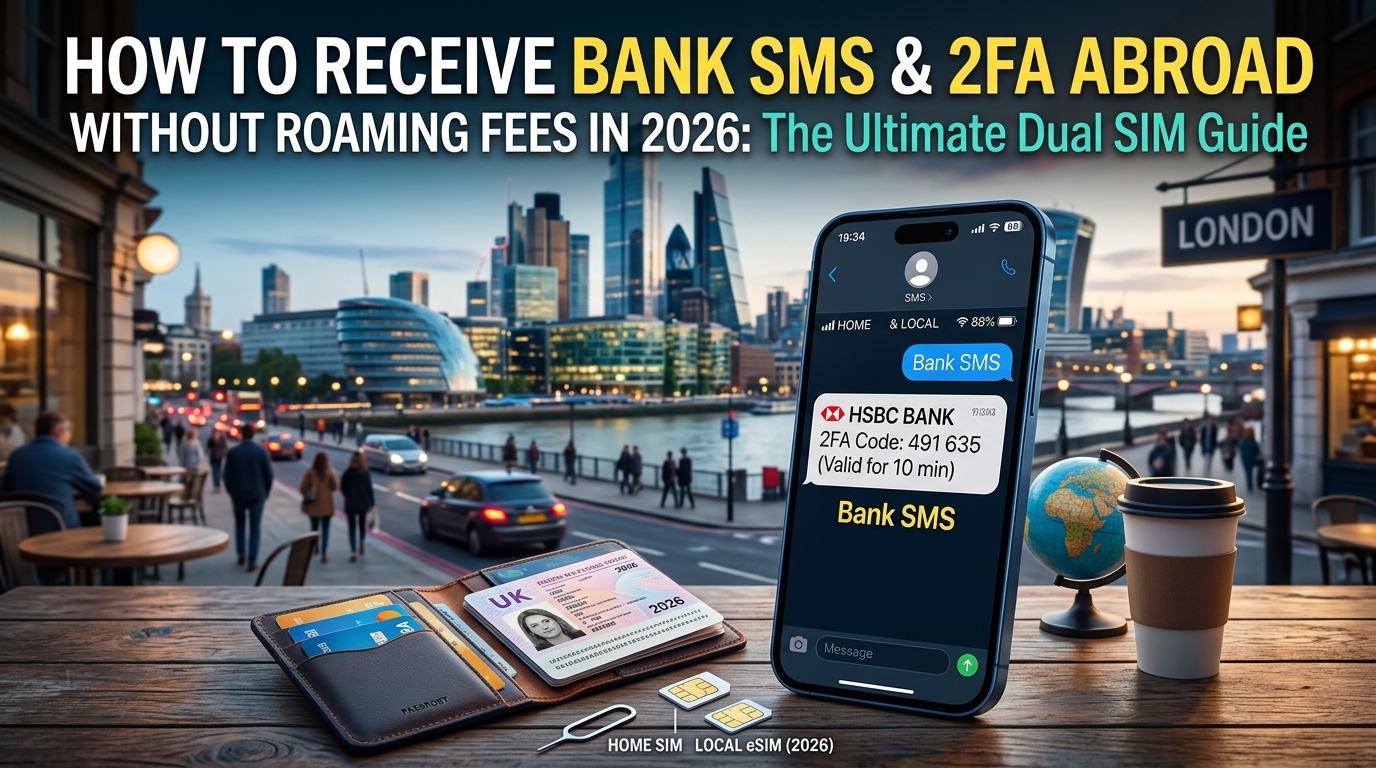
How to Receive Bank SMS and 2FA Abroad Without Roaming Fees in 2026: The Ultimate Dual SIM Guide
The International Banking Dilemma: Why 2FA Fails Overseas and How Roaming Traps Work
Landing in a foreign country and finding yourself locked out of your primary banking app is one of the most frustrating experiences for modern international travelers. Whether you are trying to verify a credit card transaction, transfer funds, or authorize a hotel deposit, financial institutions routinely demand a One-Time Password (OTP) via SMS. If your phone is misconfigured, you face a brutal trade-off: trigger predatory daily roaming charges or lose access to your money entirely.
To navigate this without paying hundreds of dollars in fees, you must understand how banking authentication works at the protocol level and how domestic carriers exploit mobile data to trigger roaming charges.
The Architecture of Bank 2FA: Why Shortcodes Rule and VoIP Fails
Many travelers assume they can bypass carrier issues entirely by forwarding verification texts to a virtual number like Google Voice, Skype, or a web-based VoIP service. This almost always fails due to the underlying architecture of financial fraud prevention.
- A2P Shortcodes vs. Standard P2P SMS: Financial institutions do not send security codes via standard peer-to-peer (P2P) mobile numbers. They utilize Application-to-Person (A2P) shortcodes (typically 5- or 6-digit numbers) routed through high-throughput aggregators. Shortcodes rely on direct cellular SS7/Diameter signaling routes rather than standard internet protocol bridges.
- Line Type Identification (Carrier Lookup): When an OTP is generated, the bank's fraud detection engine runs a real-time query against telecom databases (such as Neustar or iconectiv) to determine the line type:
- Mobile (Wireless): Approved for high-risk authentication.
- Landline / Interconnected VoIP: Instantly flagged and blocked to prevent automated SIM-swap and account-takeover scripts.
Because virtual numbers register as VoIP, banking systems reject them outright. You must maintain an active, legitimate cellular connection to your domestic mobile carrier to receive these critical shortcode transmissions.
The "$12-a-Day" Carrier Roaming Trap vs. The Free Incoming SMS Rule
Major domestic carriers—including AT&T (International Day Pass), Verizon (TravelPass), and various European providers—profit immensely from travelers who leave their standard cellular settings on default.
The moment your phone establishes a roaming handshake abroad, any background data packet—such as an automated email sync, an app widget updating, or a push notification—triggers an automatic $10 to $15 daily roaming pass. If you stay abroad for 20 days, a handful of background megabytes can easily cost you an extra $200 to $300 on your monthly bill.
| Feature | Domestic Roaming Day Pass | Optimized Dual SIM Strategy |
|---|---|---|
| Typical Daily Cost | $10.00 – $15.00 / day | $0.00 extra (Flat eSIM data cost) |
| Trigger Mechanism | 1KB of background cellular data | Data routed exclusively through travel eSIM |
| Cost for Incoming SMS | Free (but tied to the active $10/day pass) | 100% Free (under standard GSMA routing) |
| Data Throttling Risk | Varies by domestic carrier plan | Predictable, high-tier allocations |
Here is the industry secret carriers rarely highlight: under international GSMA telecom agreements, receiving incoming SMS messages is almost universally free worldwide.
Mobile network operators do not charge terminating subscriber fees for standard incoming text messages. Billing triggers occur solely when your device initiates an outgoing action (placing a call, sending an SMS) or transmits/receives cellular data packets over the domestic SIM's international roaming channel.
The Dual SIM Solution: Decoupling Voice/SMS from Data
The solution to the international banking dilemma lies in Dual SIM / Dual Standby (DSDS) architecture, supported on virtually all modern smartphones (iPhone XS and newer, Google Pixel 3 and newer, Samsung Galaxy S20 and newer).
By leveraging DSDS, you can split your connectivity into two distinct layers:
- Primary Home SIM (Physical or eSIM): Kept strictly in a passive state. Voice and SMS channels remain registered with local cell towers to receive free incoming 2FA shortcodes, while Data Roaming is hard-disabled to prevent roaming pass billing triggers.
- Secondary Travel eSIM (Data-Only): Dedicated entirely to handling 100% of your mobile internet traffic at local rates.
For the travel data layer, choosing an eSIM provider with robust infrastructure is essential. Providers like MollySIM offer seamless global connectivity engineered specifically for international travel. Unlike many travel eSIM vendors that throttle connections down to an unusable 128kbps once Fair Use Policies (FUP) apply, MollySIM maintains a 384kbps post-FUP floor—roughly 3x faster than the industry baseline. This ensures that even if you exhaust your high-speed allocation, essential services like banking apps, Google Maps, and Apple Pay/Google Wallet authentications continue operating smoothly without leaving you stranded.
Mastering iOS Dual SIM: Step-by-Step iPhone Setup for Zero-Roaming 2FA
🌐 Global Travel High-Speed Travel eSIM & SIM Plans
Instant QR code activation, hotspot enabled, with guaranteed 384kbps fallback speed to keep Maps & Digital Wallets active.
Configuring an iPhone (running iOS 17, iOS 18, or newer) for Dual SIM travel requires precise traffic compartmentalization. Apple’s networking stack makes this seamless, but a single misconfigured toggle can expose your primary line to background data usage, instantly triggering your domestic carrier’s daily roaming charges.
Follow this click-by-click guide to isolate incoming 2FA SMS and voice traffic onto your home SIM while routing 100% of your data packets through a travel eSIM.
Step 1: Label Your Cellular Plans for Clear Line Identification
Clear labeling prevents interface ambiguity during incoming calls and outbound authentications:
- Open Settings on your iPhone.
- Tap Cellular (displayed as Mobile Service in certain regions like the UK, EU, and Australia).
- Under the SIMs section, tap your physical SIM or domestic eSIM and set the Cellular Plan Label to "Primary" or "Home".
- Tap your secondary travel eSIM and label it "MollySIM Travel".
Settings > Cellular (or Mobile Service) > Tap SIM > Cellular Plan LabelStep 2: Configure Dedicated Traffic Lanes (Voice vs. Data)
Next, program your iPhone to assign voice/SMS to your home carrier and internet connectivity exclusively to your travel eSIM:
- In Settings > Cellular, tap Default Voice Line and select "Primary". This ensures your existing contacts, outbound SMS threads, and inbound carrier calls default to your domestic number.
- Return to the main Cellular screen and tap Cellular Data.
- Select "MollySIM Travel".
- CRITICAL STEP: Toggle Allow Cellular Data Switching to OFF.
| Setting | Selection | Purpose |
|---|---|---|
| Default Voice Line | Primary / Home | Receives SMS 2FA and legacy calls on your standard number |
| Cellular Data | MollySIM Travel | Routes all app, web, and background data through the travel eSIM |
| Allow Cellular Data Switching | DISABLED (OFF) | Prevents iOS from falling back to your domestic SIM when travel signal fluctuates |
Warning: If Allow Cellular Data Switching remains active, your iPhone will automatically swap to your Primary SIM for data the moment you enter an area with weak travel eSIM coverage, silently triggering domestic carrier roaming fees.
Step 3: Hard-Lock the Primary SIM Against Data Leaks
Even with cellular data assigned to your secondary eSIM, you must explicitly lock the data channel on your primary profile:
- Under Settings > Cellular > SIMs, tap Primary.
- Verify Turn On This Line is toggled ON (your SIM must remain registered to cell towers to catch SMS broadcast shortcodes).
- Toggle Data Roaming to OFF.
- Set Voice & Data to LTE or 5G Auto (do not disable VoLTE, as many global carriers have decommissioned legacy 2G/3G networks).
Step 4: Leverage Apple "Backup Calling" (Wi-Fi Calling over Cellular Data)
iOS features an advanced network routing mechanism: Wi-Fi Calling over Cellular Data (often referred to as Backup Calling). When properly configured, your iPhone creates a secure IMS tunnel for your Primary SIM's voice and SMS traffic directly through your secondary travel eSIM’s internet connection.
[Domestic Carrier IMS Core] <--- Secure Tunnel via MollySIM Data ---> [Primary Line Active on iPhone]How to Enable:
- Navigate to Settings > Cellular > tap your Primary line.
- Tap Wi-Fi Calling and toggle Wi-Fi Calling on This iPhone to ON.
- Confirm the emergency address prompt if requested by your carrier.
When active abroad in an area without direct home carrier roaming agreements, your status bar or Control Center will display [Carrier] using Cellular Data. Your phone is now receiving domestic calls and bank 2FA SMS over the data pipe provided by MollySIM, completely bypassing international cellular roaming paths.
Because this feature relies on uninterrupted data transport, provider quality is vital. If a travel eSIM throttles down to the industry standard 128kbps, IMS signaling packets frequently drop. MollySIM's 384kbps post-FUP floor ensures that background VoIP, SMS signaling, Apple Pay tokenization, and mapping services continue operating reliably even under extreme network congestion or high-bandwidth depletion.
Step 5: Secure Messaging and iMessage Safeguards
To prevent cross-SIM billing loops within Apple's Messages app:
- Navigate to Settings > Messages.
- Tap Send & Receive and verify that your Primary phone number and Apple Account email are checked.
- Keep iMessage toggled ON (iMessage transfers data over your MollySIM connection at no extra cost).
- Review Send as SMS: Keep this enabled so your phone can reply to non-Apple contacts, but ensure outbound international SMS rates are understood if you initiate non-iMessage threads abroad. Incoming 2FA codes are inbound-only and remain free of charge.
Android Dual SIM Optimization: Samsung Galaxy, Google Pixel, and Multi-SIM Devices
Android offers granular control over Dual SIM Dual Standby (DSDS) architecture, but menu hierarchies vary depending on your device manufacturer’s skin. The objective remains uniform: route 100% of cellular data through your travel eSIM while maintaining an active IMS signaling pipe on your domestic SIM for inbound SMS and zero-cost Wi-Fi Calling.
Step-by-Step Configuration: Samsung One UI vs. Google Pixel
Follow the exact path corresponding to your Android hardware before departure:
┌────────────────────────────────────────────────────────────────────────┐
│                        ANDROID DUAL SIM TOPOLOGY                       │
├──────────────────────────────────┬─────────────────────────────────────┤
│  Primary SIM (Home Carrier)      │  Secondary SIM (MollySIM Data Pipe) │
│  • Calls & SMS: PREFERRED        │  • Mobile Data: PREFERRED           │
│  • Data Roaming: OFF             │  • Data Roaming: ON                 │
│  • Wi-Fi / Backup Calling: ON    │  • FUP Floor: 384kbps Guaranteed    │
└──────────────────────────────────┴─────────────────────────────────────┘
Samsung Galaxy Devices (One UI 5 / 6 / 7)
- Go to Settings > Connections > SIM manager.
- Under the Preferred SIMs section:
- Set Calls to your Primary (Home) SIM.
- Set Messages to your Primary (Home) SIM.
- Set Mobile data to MollySIM.
- Toggle Auto data switching to ON. This critical setting allows the device to use MollySIM's data connection to bridge domestic Wi-Fi calling protocols if the primary carrier loses cellular tower coverage.
- Back out to Settings > Connections > Mobile networks:
- Select your Primary SIM and confirm Data roaming is toggled OFF.
- Select your MollySIM profile and ensure Data roaming is toggled ON (required for global data breakout).
Google Pixel & Stock Android Devices (Android 14 / 15 / 16)
- Navigate to Settings > Network & internet > SIMs.
- Tap your Primary Carrier SIM:
- Ensure Use SIM is ON.
- Toggle Mobile data to OFF.
- Toggle Roaming to OFF.
- Tap Wi-Fi Calling and toggle it ON.
- Tap Backup Calling (if exposed by your carrier) and toggle it ON.
- Return to the SIMs menu and select MollySIM:
- Set Use SIM to ON.
- Set Mobile data to ON.
- Set Roaming to ON.
- Tap Calls preference and SMS preference, setting both explicitly to your domestic carrier.
Leveraging Android Backup Calling Over Mobile Data
When you land overseas, your domestic carrier will either show No Service (if international roaming is blocked at the account level) or connect to an emergency cellular beacon. When Backup Calling or Auto data switching is active, modern Android baseband modems encapsulate voice and SMS packets inside an IPsec tunnel routed through the second SIM's mobile data connection.
On Google Pixel devices, your notification shade will display [Home Carrier] Backup Calling or Cross-SIM Calling. On Samsung devices, the status bar displays standard Wi-Fi calling icons over the primary carrier label.
Because persistent IMS tunnels require sustained packet transport without high jitter, data quality matters. Competing travel eSIMs enforce severe post-allowance throttle caps down to 128kbps—a bandwidth limit where packet loss routinely kills cross-SIM IMS signaling. With MollySIM, your connection retains a 384kbps post-FUP floor (3x faster than standard market alternatives). This sustained throughput ensures that critical background services—such as cross-SIM 2FA authentication, Google Maps turn-by-turn navigation, and mobile wallet tokenization—remain operational without connection drops.
Google Messages and RCS Chat Safeguards
Google’s RCS (Rich Communication Services) protocol handles modern Android-to-Android messaging over data. To avoid RCS registration failures when switching data lines abroad:
- Open Google Messages and tap your Profile Icon > Messages settings.
- Select RCS chats.
- Verify that the status shows Connected under your primary domestic phone number.
- If RCS displays Connecting or attempts verification over the wrong line, toggle Turn on RCS chats to OFF, wait 10 seconds, and toggle it back to ON while connected to MollySIM data or hotel Wi-Fi.
- Toggle Automatically resend as text (SMS/MMS) to ON. This ensures banking verification platforms defaulting to legacy SMS shortcodes can reach your device when RCS endpoints are unavailable.
Pre-Departure Verification Checklist
Perform this 60-second operational audit before boarding your flight:
| Step | Action | Expected Result |
|---|---|---|
| 1. Flight Mode Test | Turn on Airplane Mode, then turn on Wi-Fi only. | Status bar displays Wi-Fi Calling next to your home carrier name. |
| 2. Auth Injection | Request a 2FA code from your bank or a service like PayPal. | SMS arrives instantly over the Wi-Fi/IPsec tunnel with cellular radios disabled. |
| 3. MollySIM Profile | Ensure MollySIM is installed and ready for activation upon landing. | Cellular data switches instantly to local partner networks on arrival without bill shock. |
Comparative Analysis: Dual SIM Travel Setup vs. Traditional Overseas Connectivity Methods
Navigating cross-border telecom infrastructure requires balancing authentication reliability, hardware safety, and cost efficiency. While legacy connectivity solutions were designed solely around raw data access, modern global travel mandates uninterrupted access to domestic telecom signaling channels for cryptographic transaction approvals.
The matrix below evaluates the four standard overseas connectivity models across critical technical and financial vectors over a typical 14-day international deployment:
| Metric | Primary Line + MollySIM (Dual SIM) | Carrier Daily Roaming Pass (e.g., AT&T IDP, Verizon TravelPass) | Physical Local SIM Swap | Pocket Wi-Fi Rental Unit |
|---|---|---|---|---|
| 14-Day Estimated Cost | $12 – $25 (Fixed prepaid data) | $140 – $168 ($10–$12/day + domestic base bill) | $20 – $40 (Plus airport markups) | $110 – $180 (Rental fee + insurance deposit) |
| Instant Bank OTP on Home Number | 100% Native Delivery (Via IMS registration over secondary data / Wi-Fi Calling) | 100% Native Delivery (Routes over roaming partner cellular fabric) | 0% – Complete Lockout (Domestic line is unpowered and offline) | Conditional (Requires active Wi-Fi bridge; fails on cellular-only shortcodes) |
| Physical Hardware Swap Risk | Zero Risk (Configured purely via digital eSIM profiles) | Zero Risk (Uses existing hardware profile) | High Risk (Physical SIM ejection, loss, or tray damage) | Moderate Risk (Loss/breakage penalties for external hardware) |
| Device Battery Impact | Minimal (Modern modems optimize dual-standby standby states) | Minimal (Single active baseband registration) | Minimal (Single baseband registration) | High (Continuous active Wi-Fi transceiver lock and beaconing) |
| Cross-Border Multi-Country Flexibility | Seamless (Automated dynamic network handshakes across 150+ countries) | Moderate (Subject to tier-1 roaming partner availability) | Extremely Low (Requires new physical purchase per regulatory zone) | Low to Moderate (Requires localized SIM swaps or multi-region hardware configs) |
| Fair Use Policy (FUP) / Throttle Floor | 384 kbps baseline (Guarantees functional mapping, VOIP, and Apple Pay/Google Wallet tokenization) | 128 kbps – 256 kbps (Often leads to connection timeouts on TLS handshakes) | Varies (Often hard cut-off or severe throttling to 64–128 kbps) | 128 kbps or Hard Cap (Enforced strictly per device allocation) |
The Architecture Failure of Airport Physical SIM Swaps
The traditional traveler habit of purchasing a cheap plastic SIM card at arrival terminals introduces a fundamental failure point for identity security: physical disconnect of the cryptographic IMSI (International Mobile Subscriber Identity).
+-----------------------------------------------------------------------------+
|                      PHYSICAL LOCAL SIM SWAP BREAKDOWN                      |
+-----------------------------------------------------------------------------+
| [Domestic SIM Ejected] ---> [Baseband Disconnects from Home Network]       |
|                                       |                                     |
|                                       v                                     |
| [Bank Dispatches 2FA SMS via SS7] ---> [Destination MSISDN Unreachable]    |
|                                       |                                     |
|                                       v                                     |
|                          [TRANSACTION REJECTED / LOCKED]                    |
+-----------------------------------------------------------------------------+
When you eject your domestic SIM, its internal Secure Element loses power. The cellular baseband processor terminates its registration with your home operator's Home Location Register (HLR) and Home Subscriber Server (HSS).
Because core financial SMS infrastructure routes verification tokens across legacy SS7/Diameter signaling networks to your specific MSISDN, the messages cannot jump to a different local telephone number. Even if your phone has high-speed local data via the new physical SIM, the domestic line does not exist on the network. If your bank requires an SMS challenge to authorize a fraud alert or clear an Apple Pay provision, you are completely locked out until the domestic card is physically reinserted—triggering accidental roaming charges the second it handshakes with a foreign tower.
Why Pocket Wi-Fi Fails to Deliver Native Signaling Handshakes
Pocket Wi-Fi units (MiFi hotspots) solve the raw data equation by establishing a local wireless LAN. However, they introduce severe systemic flaws for modern dual-channel authentication:
- Lack of Cellular Fallback Orchestration: Pocket Wi-Fi acts strictly as an external 802.11 Wi-Fi bridge. If your smartphone's domestic line is configured without active native roaming, the phone treats the MiFi connection as conventional Wi-Fi Calling. While this allows VoWiFi-compatible SMS reception, it requires a persistent, unbroken connection to the hotspot.
- Radio-Level Disconnects: If you walk 30 feet away from the unit inside a transit station, or if the pocket router’s battery depletes, the primary line drops cellular registration entirely. The device cannot dynamically failover to "Backup Calling over Cellular Data" because there is no secondary local data eSIM (such as MollySIM) resident on the internal modem.
- Severe FUP Degradation: Most pocket Wi-Fi rentals throttle connections to an unusable 128 kbps once daily thresholds are breached. At 128 kbps, basic secure TLS handshakes frequently time out. In contrast, modern travel data architectures like MollySIM enforce a 384 kbps FUP safety floor—three times faster than the industry standard. This ensures that even after consuming a high-speed data tier, critical utility payloads (Google Maps rendering, Uber dispatch APIs, and banking app biometric challenges) resolve smoothly without network dropouts.
The MollySIM Edge: Rock-Solid Connectivity and the Critical 384kbps FUP Safety Net
Dual-SIM dual-standby (DSDS) routing hinges entirely on the stability and latency of your designated cellular data line. In modern mobile finance, the margin for network error is razor-thin. Securing high-speed connectivity while traveling isn't merely a matter of convenience—it is an architectural requirement for financial operations.
When you authenticate a cross-border wire transfer, approve an unfamiliar merchant charge, or log into a brokerage portal from abroad, your device executes far more than a simple text query. Today’s banking apps and payment gateways rely on high-overhead security protocols:
- Dynamic Push Verification & WebSockets: In-app approvals (e.g., Chase, Barclays, or Amex app prompts) use persistent bidirectional WebSockets or background push services (APNs/FCM). High latency or packet drops immediately cause these sessions to expire.
- Cryptographic & Biometric Handshakes: FaceID and fingerprint challenges trigger mutual TLS 1.3 handshakes and certificate validation sequences. These security exchanges rapidly time out over unstable or heavily choked connections.
- Anti-Fraud Geolocation & Telemetry: Financial institutions run real-time fraud engines that verify GPS data, IP reputation, and device fingerprinting payloads in the background before releasing an authentication token.
The Problem with Sub-128kbps Throttling
Most standard travel eSIMs advertise "unlimited data," but bury punishing Fair Usage Policies (FUP) in their terms of service. Once you exhaust your daily high-speed tier, these providers ruthlessly throttle bandwidth down to 64 kbps or 128 kbps, or cut the connection off entirely.
At 64–128 kbps, modern smartphone operating systems become functionally paralyzed. Background sync processes (iCloud, Google Play Services, email fetch) saturate the entire pipe. As a result, critical application traffic suffers severe packet loss. Banking apps throw generic "Network Connection Error" screens, push notifications never arrive, and your home carrier line drops its "Backup Calling" registration because the IMS keepalive packets cannot clear the congested queue.
| Feature / Capability | Standard Travel eSIM (64–128 kbps Throttled) | MollySIM (384 kbps FUP Baseline) |
|---|---|---|
| Push 2FA / Bank App Auth | Fails: SSL/TLS handshakes frequently time out | Stable: Completes crypto handshakes within seconds |
| Wi-Fi Calling over Cellular | Unusable: Severe jitter, dropped SIP keepalives | Clear: Supports AMR-WB voice codec & SMS transport |
| Mobile Wallet Token Refreshes | Fails: Apple Pay / Google Wallet card provisioning halts | Functional: Instant token validation & balance updates |
| Navigation & Critical Utility | Broken: Map tiles fail; Uber dispatch times out | Smooth: Google Maps vector routing & ride hailing work |
| Speed vs. Industry Baseline | 1x (Baseline) | 3x Faster than typical 128 kbps FUP limits |
Why MollySIM’s 384kbps Baseline is the Golden Threshold
MollySIM resolves this vulnerability by engineering a guaranteed 384 kbps FUP safety floor—three times faster than standard international eSIM providers.
Why is 384 kbps the decisive technical threshold?
- Adequate Bandwidth Overhead for IMS Encapsulation: High-definition voice calls and SMS over IP (VoIMS) via the AMR-WB codec require approximately 24 to 30 kbps of raw bandwidth. At 128 kbps, OS-level background noise consumes the link, starving the SIP signaling channel. At 384 kbps, the device maintains sufficient headroom to prioritize IMS signaling and process incoming bank SMS traffic without jitter-induced packet drops.
- Resilient TCP/TLS Session Completion: A 384 kbps throughput rate allows complex HTTPS payloads, dynamic CAPTCHAs, and 3D Secure 2.0 (3DS) authentication webviews to render within standard server timeout windows (typically 10–15 seconds).
- Continuous Travel Continuity: Even after heavy daily data consumption (such as streaming video or large file uploads), MollySIM ensures you are never stranded. Navigation apps like Apple Maps and Google Maps load vector data smoothly, ride-hailing services communicate with dispatch servers, and essential 2FA lines remain continuously operational.
By serving as an unyielding data conduit, MollySIM eliminates the risk of silent authentication failure, ensuring your dual-SIM setup remains fully functional no matter where you travel.
Troubleshooting & Advanced Best Practices: What to Do When Bank SMS Doesn't Arrive Abroad
Even with an optimal dual-SIM setup, international signaling pathways can occasionally fail. Bank one-time passwords (OTPs) utilize Application-to-Person (A2P) messaging, which follows significantly more restrictive routing rules than standard person-to-person (P2P) SMS. When an essential authentication code fails to appear, systematically execute the following remediation protocols.
Technical Remediation Checklist for Failed SMS Handshakes
1. Force Manual Network Selection (Overriding Handshake Stalls)
By default, your device automatically negotiates with the foreign roaming partner presenting the strongest signal. However, that specific tower may have an unestablished or degraded SS7/Diameter signaling interconnect with your domestic carrier.
- iOS: Go to Settings > Cellular (or Mobile Data) > [Home Primary Line] > Network Selection > Toggle Automatic to OFF. Wait 30–60 seconds for the list to populate, then manually select alternate partner carriers one by one until SMS signaling establishes.
- Android: Navigate to Settings > Network & Internet > SIMs > [Home Primary Line] > Automatically select network > Toggle OFF. Manually bind to an alternative local operator.
2. Identify Shortcode (A2P) vs. Longcode Delivery Blocks
If you can receive a standard text from a friend (a 10-digit longcode) but cannot receive an automated 5- or 6-digit banking code (a shortcode), the local roaming partner is likely filtering out unauthenticated international A2P traffic.
- The Fix: Switch back to Wi-Fi Calling (VoWiFi) or Backup Calling via your secondary data line (such as MollySIM). Because VoWiFi routes directly to your home carrier’s IP Multimedia Subsystem (IMS) core over an encrypted IPSec tunnel, it bypasses foreign telco shortcode filtering entirely.
[Bank A2P Server] ---> [Home Carrier Core] ===(IPSec over MollySIM Data/Wi-Fi)===> [Your Device IMS]
                                    |
                    (Bypasses Foreign SS7 SMS Gateways)
3. Perform a Safe Network Settings Reset (Preserving eSIM Profiles)
Corrupted local APN configurations or stalled baseband caches can break incoming signaling channels without showing an overt error.
- iOS: Navigate to Settings > General > Transfer or Reset iPhone > Reset > Reset Network Settings. When prompted, confirm. Do not select "Erase All Content and Settings", and ensure you never select options that remove eSIM profiles.
- Android: Go to Settings > System > Reset options > Reset Wi-Fi, mobile & Bluetooth. Verify that the checkbox labeled "Erase downloaded SIMs" is unchecked before confirming.
4. Account-Level Geolocation Heuristics (2026 Anti-Fraud Triggers)
Modern banking algorithms monitor dynamic risk vectors. If your bank detects an app login attempt from a foreign IP address while your home IMS line is disconnected, it may silently suppress SMS 2FA delivery to protect the account from SIM-swap fraud.
- The Fix: Keep your travel eSIM connected to a high-integrity data network. Having a reliable baseline connection allows you to quickly authenticate within your mobile banking app via biometric approval or localized push notifications rather than relying solely on legacy SMS delivery.
Modern Authentication Alternatives: Moving Beyond SMS
SMS remains inherently insecure due to SS7 redirection exploits and inter-carrier delivery latency. Wherever possible, decouple your authentication infrastructure from legacy cellular networks:
- Hardware Security Keys (FIDO2 / WebAuthn): Deploy a physical YubiKey 5C NFC or similar security token. FIDO2 authentication operates over pure web protocols, functioning seamlessly over any active data pipe without mobile carrier dependencies.
- Software-Based TOTP Authenticators: Migrate accounts to RFC 6238-compliant Time-based One-Time Password (TOTP) generators (e.g., Bitwarden, 1Password, Aegis, or Google Authenticator). TOTP codes calculate locally based on epoch time and shared secret keys, requiring zero network connectivity.
- In-App Push & Biometric Tokens: Modern institutions (such as Chase, HSBC, and Revolut) utilize proprietary cryptographic push validations (Mastercard Identity Check / Visa Secure). These require an uninterrupted, stable data connection.
Pairing these tools with MollySIM ensures that even when your high-speed bucket is depleted, the guaranteed 384 kbps Fair Use Policy (FUP) safety floor—three times faster than the 128 kbps industry standard—supplies the exact low-latency throughput required for push validations, dynamic Apple Pay / Google Wallet tokenization, and critical navigation via Google Maps or Apple Maps.
Pre-Flight Dual SIM Configuration Matrix
Before your flight departs, configure your device according to this baseline matrix to prevent accidental roaming charges while preserving full authentication readiness:
| Configuration Parameter | Domestic / Primary Line (Home SIM) | Travel Data Line (MollySIM) | Objective / Behavioral Result |
|---|---|---|---|
| SIM Status | ON | ON | Maintains dual-standby radio state for incoming signaling. |
| Cellular Data Toggle | OFF | ON | Directs all device IP traffic exclusively through the travel eSIM. |
| Data Roaming | OFF | ON | Prevents home carrier pay-per-MB billing; enables travel data routing. |
| Wi-Fi Calling | ON | N/A | Enables IMS-over-cellular ("Backup Calling") functionality abroad. |
| Cellular Data Switching | OFF | OFF | Prevents the OS from failing over to the primary line for background data. |
| Network Selection | Automatic (Manual if stalling) | Automatic | Maintains carrier handshake while providing an override path. |
🌐 Global Travel High-Speed Travel eSIM & SIM Plans
Instant QR code activation, hotspot enabled, with guaranteed 384kbps fallback speed to keep Maps & Digital Wallets active.