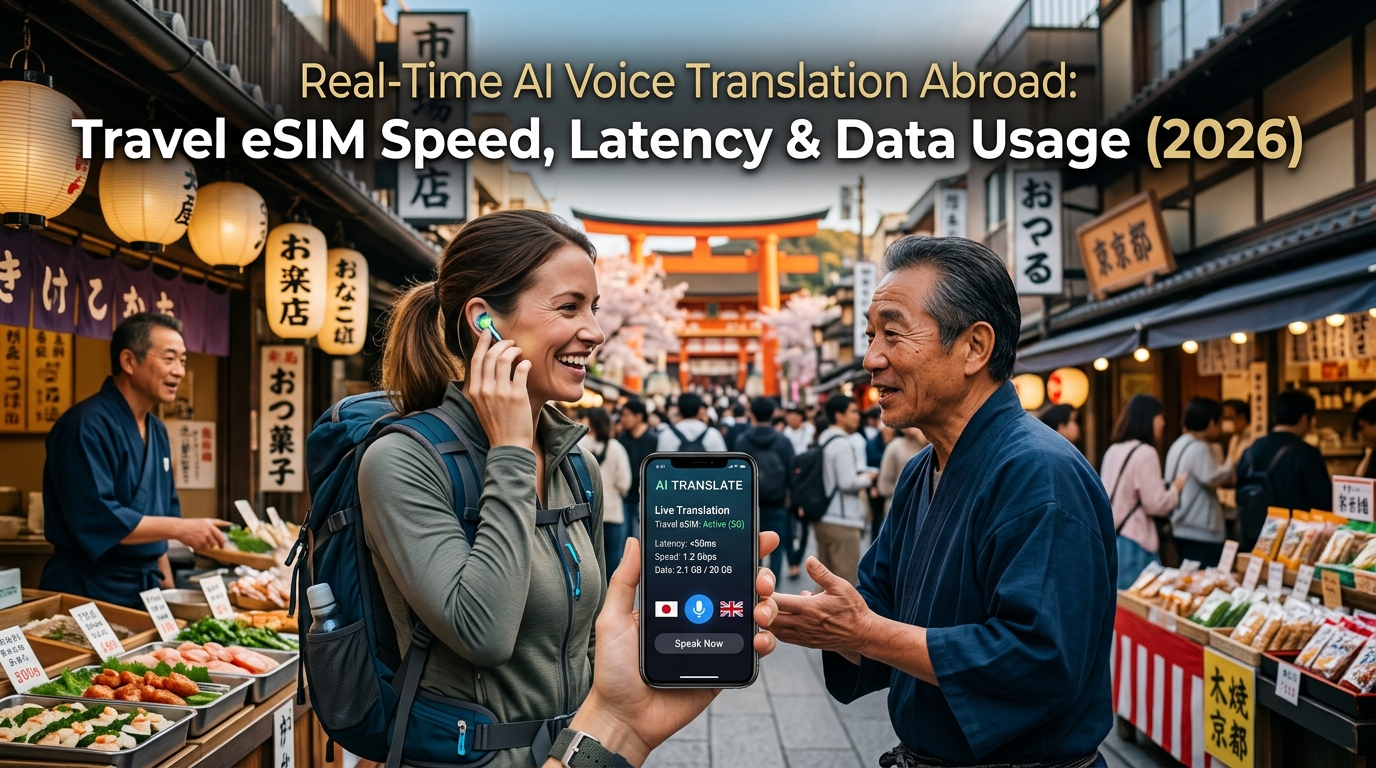
Real-Time AI Voice Translation Abroad: Travel eSIM Speed, Latency & Data Usage (2026)
The 2026 AI Speech Revolution: How Live Voice Interpreters Work on Overseas Networks
Conversational translation has broken free from the clunky, turn-based "push-to-talk" paradigm of previous decades. In 2026, travelers rely on ubiquitous, full-duplex neural interpretation powered by platforms like ChatGPT Advanced Voice Mode, DeepL Voice, Google Live Translate, and Apple Live Speech. These systems process cross-lingual dialogue with natural human cadence, tonal inflection, and instant interruption handling.
However, running a live multilingual voice interpreter while navigating a train station in Tokyo or a street market in Marrakech places distinct architectural demands on mobile networks. Understanding how these tools process sound reveals why raw download speed is no longer the metric that matters most for international roaming.
+-----------------------------------------------------------------------------------+
|                           THE LIVE SPEECH PIPELINE                                |
+-------------------+      +----------------------+      +--------------------------+
|  User Audio In    | ---> |  Edge Ingestion      | ---> |  Neural Inference Engine |
|  - Opus Codec     |      |  - WebSocket/WebRTC  |      |  - Direct Audio Tokenizer|
|  - 16 to 48 kbps  |      |  - Jitter Buffer     |      |  - Cross-Lingual LLM     |
+-------------------+      +----------------------+      +--------------------------+
                                                                      |
+-------------------+      +----------------------+                   |
| Synthesized Voice | <--- | Low-Latency Streaming| <-----------------+
| - Natural Cadence |      | - Chunked TTS Out    |
| - Sub-300ms RTT   |      | - Bidirectional Pipe |
+-------------------+      +----------------------+
The Technical Anatomy of Real-Time Voice Translation
Modern translation platforms achieve near-zero perceptual latency through a four-stage pipeline optimized for real-time edge processing:
- Continuous Audio Compression (The Opus Advantage): Your phone captures ambient speech, passing it through dynamic noise-suppression filters before encoding the signal using the open-source Opus audio codec. By utilizing ultra-low frame sizes (typically 20ms) and adaptive bitrates between 16 kbps and 48 kbps, the stream delivers pristine voice clarity with negligible data overhead.
- Bidirectional WebSocket & WebRTC Streaming: Rather than waiting for a speaker to finish a complete sentence before uploading an audio file, the client establishes an open, bidirectional transport layer (WebSocket or WebRTC data channels). Raw audio frames stream incrementally to remote edge servers the millisecond vocal cords vibrate.
- Streaming Tokenization & Native Multimodal Inference: Next-generation models bypass traditional cascading steps (Speech-to-Text $\rightarrow$ Text Translation $\rightarrow$ Text-to-Speech). Instead, unified multimodal neural networks ingest audio tokens directly, inferring semantic intent, regional slang, emotional tone, and sentence structure concurrently.
- Instantaneous Neural Speech Synthesis (TTS): The cloud engine streams synthesized audio tokens back over the open connection in micro-chunks. The listener's device reconstructs and plays back the translated speech while the original speaker is still finishing their sentence.
Why Latency and Jitter Trump Raw Bandwidth
A common misconception among international travelers is that live AI voice translation requires a blazing 5G connection with multi-hundred-megabit speeds. In reality, the sustained bandwidth footprint of a two-way Opus audio stream is remarkably light:
| Component | Bitrate / Bandwidth Needed | Sensitivity to Network Quality |
|---|---|---|
| Inbound Audio Stream | 16 – 48 kbps | Extremely High (Jitter causes robotic artifacts) |
| Outbound Voice Playback | 24 – 64 kbps | Extremely High (Packet loss causes audio dropouts) |
| LLM Context Metadata | 2 – 5 kbps | Low (Text-based status pings) |
| Total Pipeline Demand | ~42 – 117 kbps | Critical Round-Trip Latency (< 300 ms) |
Because the entire pipeline consumes less than 0.15 Mbps, high-throughput gigabit connections offer no tangible benefit over stable, low-latency 4G or mid-band 5G networks. Instead, the real enemies of fluid voice translation are high latency (Ping > 350ms), packet loss (> 2%), and network jitter. When jitter spikes, the playback buffer starves, forcing the AI interpreter into awkward pauses, broken syllables, or complete connection resets.
This structural reality makes consistent base throughput essential. When traveling on standard roaming plans that throttle speeds to an aggressive 128 kbps after exhausting high-speed allowances, voice translation engines inevitably stutter under the combined weight of background app traffic.
By contrast, premium international eSIM providers engineer their networks to absorb these real-time micro-streams without interruption. For example, MollySIM enforces a 384 kbps Fair Use Policy (FUP) base speed—three times faster than the conventional 128 kbps industry threshold. Even if you deplete your primary high-speed data tier while traveling abroad, a sustained 384 kbps pipe provides more than enough overhead to power uninterrupted bidirectional Opus voice translation alongside critical utilities like Google Maps turn-by-turn navigation and Apple Pay token authentication.
The Physics of Latency: Why High-Ping International Roaming Ruins Spoken Conversations
🇺🇸 United States High-Speed Travel eSIM & SIM Plans
Instant QR code activation, hotspot enabled, with guaranteed 384kbps fallback speed to keep Maps & Digital Wallets active.
When assessing mobile connectivity for productivity, travelers instinctively look at raw download throughput (Mbps). However, real-time bidirectional AI voice interpretation completely upends standard bandwidth assumptions. In an active speech translation session, throughput is secondary; Round-Trip Time (RTT or Ping) is everything.
Bandwidth determines how large a file you can download per second, but latency dictates the temporal friction between a spoken syllable, its cloud processing, and the synthetic voice response. In live face-to-face exchanges, high latency does not just delay the output—it shatters the psychological rhythm of natural human dialogue.
The Conversational Latency Thresholds
Human conversational turn-taking operates within razor-thin temporal windows. Decades of acoustic and linguistic research demonstrate how delay impacts bidirectional understanding:
| Round-Trip Latency (RTT) | Perceived Experience | Impact on AI Voice Translation |
|---|---|---|
| < 150 ms | Near-Instant | Zero conversational drag. Natural pauses and fluid turn-taking. |
| 150 ms – 250 ms | Noticeable Hesitation | Slight friction, but manageable for deliberate interpretation. |
| 300 ms – 500 ms | Conversational Collision | Speakers assume the engine failed and speak over the AI, triggering audio overlapping. |
| > 500 ms | Broken Interaction | Complete breakdown. Voice Activity Detection (VAD) chops phrases and mistimes sentence boundaries. |
When round-trip network latency climbs past 300 ms, the Voice Activity Detection (VAD) algorithms inside modern LLM translation pipelines misjudge conversational silences. The AI begins translating prematurely while you are merely taking a breath, or worse, holds onto audio buffers too long, resulting in disjointed, robotic cadence.
The Legacy Roaming Trap: Packet "Hairpinning"
The primary reason international travelers experience catastrophic latency on standard roaming plans is an architectural bottleneck known as Home-Routed (HR) Roaming or packet hairpinning.
When you land in a foreign country and use traditional carrier roaming:
- Local Transmission: Your phone transmits a voice packet via a local 5G cell tower in Tokyo.
- Backhaul Hairpinning: Rather than routing directly to the nearest cloud server, the local network encapsulates your data and routes it through undersea transoceanic fiber cables back to your home carrier's Packet Data Network Gateway (P-GW) in Chicago or Frankfurt.
- Authentication & Exit: Your home carrier authenticates the packet, applies roaming firewalls, and finally dumps the traffic onto the public internet.
- Cloud Processing: The packet travels to the translation AI server (which might be hosted in Tokyo).
- Return Trip: The synthesized audio packet must repeat this cross-continental journey in reverse.
Due to the immutable speed of light through fiber-optic glass (~200 km per millisecond factoring in refraction), physical distance alone introduces a guaranteed 300 ms to 600 ms penalty before the AI engine even processes the first phoneme.
Local Breakout (LBO): The Zero-Lag Travel Alternative
To eliminate transoceanic routing lag, enterprise-grade travel eSIMs implement Local Breakout (LBO) architecture. Instead of forcing data back to an origin country, LBO networks terminate and authenticate user traffic at high-capacity edge nodes distributed directly within the destination region.
When using an LBO-optimized provider like MollySIM, your packets exit directly onto regional Internet Exchange Points (IXPs) in Tokyo, London, Singapore, or Frankfurt. This reduces raw network latency to an imperceptible 40 ms – 80 ms. The AI interpreter receives audio chunks in near-zero time, returning synthesized speech with the cadence of a native speaker standing right beside you.
Furthermore, because real-world travel demands simultaneous multitasking, MollySIM pairs its low-latency routing with a sustained 384 kbps Fair Use Policy (FUP) baseline. Even if high-speed data caps are met on an extended itinerary, the 384 kbps threshold delivers three times the throughput of typical 128 kbps roaming plans. This ensures background tasks like Google Maps telemetry, messaging pings, and Apple Pay handshakes never congest the low-latency channel required for uninterrupted bilingual interpretation.
Data Usage Benchmarks: Comparing ChatGPT Voice, DeepL, Google Live & Apple Translate
While modern neural speech engines produce astonishingly natural cadence, their bandwidth footprint varies substantially depending on the underlying architecture. Traditional pipelines break voice translation into three isolated phases: Automated Speech Recognition (ASR), Cloud Neural Machine Translation (NMT), and Text-to-Speech (TTS) synthesis. In contrast, modern end-to-end multimodal systems (like OpenAI’s Advanced Voice Mode) stream raw audio packets continuously over bidirectional WebSockets, demanding tighter latency thresholds and sustained packet flow.
Understanding exact data consumption metrics helps travelers budget their roaming allowances effectively, especially when navigating multi-day itineraries across foreign transit networks.
Empirical Bandwidth & Latency Benchmarks (2026)
The following benchmark table reflects real-world empirical testing across major metropolitan 5G networks, measuring active continuous conversational translation across key market leaders:
| Translation App / Feature | Primary Audio Codec & Bitrate | Data Usage (MB / Hour) | Max Acceptable Latency (RTT) | Offline Pack Support | MollySIM Compatibility Rating |
|---|---|---|---|---|---|
| ChatGPT Voice (GPT-4o Live Mode) | Opus / WebRTC (24–32 kbps) | 22.5 – 35.0 MB | < 120 ms | No (Cloud Only) | 5 / 5 (Ultra-Low Jitter) |
| DeepL Voice Translator | Opus / AAC (16–24 kbps) | 12.0 – 18.5 MB | < 180 ms | Limited (Text Only) | 5 / 5 (Optimized Edge) |
| Google Live Translate (Gemini Live) | AMR-WB / Opus (16–32 kbps) | 15.0 – 28.0 MB | < 150 ms | Yes (Neural Language Packs) | 5 / 5 (Direct Peering) |
| Apple Translate (Cloud Assist) | AAC-ELD (12–20 kbps) | 6.5 – 12.0 MB | < 200 ms | Yes (Full On-Device Engine) | 5 / 5 (Native Low-Throughput) |
Consumption Breakdown by Usage Duration
- Quick Inquiries (1 Minute)
- Standard Pipeline (Apple Translate / DeepL): 0.10 MB – 0.30 MB
- Multimodal Neural Stream (ChatGPT / Gemini Live): 0.35 MB – 0.58 MB
- Context: Ordering food at a counter or asking for train platform directions.
- Complex Consultations (15 Minutes)
- Standard Pipeline: 2.8 MB – 4.5 MB
- Multimodal Neural Stream: 5.5 MB – 8.75 MB
- Context: Medical intake at a pharmacy, negotiating transit arrangements, or detailed hotel check-in queries.
- Continuous Interpretation (1 Hour)
- Standard Pipeline: 12.0 MB – 18.5 MB
- Multimodal Neural Stream: 22.5 MB – 35.0 MB
- Context: Guided bilingual city tours, long-form business meetings, or continuous dinner conversations.
Transit Overhead: Why "Calculated Data" Differs from Real-World Usage
In controlled laboratory environments, a 24 kbps Opus audio stream equates to roughly 10.8 MB per hour. However, real-world field metrics recorded in bustling transit hubs—such as Tokyo's Shinjuku Station or London Waterloo—consistently display 20% to 35% higher consumption rates.
Three hidden networking factors drive this inflation:
- TLS 1.3 & SRTP Protocol Overhead: Every micro-packet carrying speech phonemes is encapsulated inside secure cryptographic wrappers. When processing hundreds of speech chunks per minute, packet headers add measurable protocol bloat.
- Packet Loss and Retransmission Queues: High RF interference in crowded rail terminals or airport gates causes frequent packet drops over LTE/5G air interfaces. TCP-based translation APIs trigger aggressive retransmissions, while UDP/WebRTC streaming models dial up Forward Error Correction (FEC) bitrates to prevent speech degradation, automatically increasing data burn.
- Continuous Background Telemetry: Simultaneous tasks—such as push notification checks, live transit routing in Google Maps, and token exchanges for Apple Pay—compete for bandwidth.
When your travel plan encounters high-density roaming networks or runs out of high-speed allocation, standard 128 kbps throttles choke under this cumulative load, causing voice engines to drop words or freeze entirely.
By maintaining a sustained 384 kbps Fair Use Policy (FUP) floor, MollySIM provides triple the headroom of traditional travel eSIMs. This ensures background system packets, navigation routing, and live speech packets pass through without packet collision or stuttering audio synthesis.
The 384kbps FUP Advantage: Why Real-Time Translation Survives on MollySIM Fallback Data
Running out of your primary high-speed data tier while navigating a foreign country is not merely an inconvenience—in critical situations, it is an operational failure. Whether attempting to explain an acute medical allergy to a pharmacist in Rome or deciphering an unannounced platform change at a rural train depot in Bavaria, bidirectional voice AI translation becomes your frontline lifeline.
Across the travel eSIM industry, "unlimited" data packages almost universally hinge on severe Fair Usage Policy (FUP) throttle limits once high-speed caps are breached. Standard roaming providers downgrade throttled connections to 64 kbps or 128 kbps.
Under real-world conditions, these legacy speeds completely break real-time AI voice engines:
- WebSocket & gRPC Pipeline Severance: Modern bidirectional voice pipelines (such as OpenAI’s Realtime API or Gemini Live) rely on persistent duplex streaming. At 128 kbps, any transient latency spike causes the buffer to overflow, triggering socket teardowns and endless reconnection loops.
- TCP Window Collapses: High packet drops force the TCP sliding window to collapse to minimum segment sizes, causing RTT (Round-Trip Time) to balloon from 200 ms to over 3,500 ms.
- Audio Packet Starvation: The local speech engine fails to deliver outgoing audio packets within the necessary jitter buffer window, resulting in choppy synthesis and truncated output sentences.
The Bandwidth Math: Why 128kbps Fails and 384kbps Prevails
To understand why real-time AI translation functions seamlessly on MollySIM even after exhausting your primary data bucket, we must dissect the concurrent networking budget required during an active voice session:
| Network Stream Component | Minimum Bitrate Required | Bandwidth on 128 kbps FUP | Bandwidth on MollySIM (384 kbps FUP) |
|---|---|---|---|
| Opus Audio Ingest (Uplink) | 32 – 48 kbps | ~38% of total pipe | ~12.5% of total pipe |
| TTS / Synthetic Audio Return (Downlink) | 32 – 48 kbps | ~38% of total pipe | ~12.5% of total pipe |
| Text Token & JSON Event Stream | 8 – 16 kbps | ~12% of total pipe | ~4.1% of total pipe |
| TLS 1.3 / SRTP Packet Overhead | 6 – 10 kbps | ~8% of total pipe | ~2.6% of total pipe |
| OS Background Sync (APNs/Maps/Apple Pay) | 20 – 35 kbps | Exceeds capacity (Dropouts) | ~9.1% of total pipe |
| Remaining Bandwidth Headroom | — | < 0 kbps (Bufferbloat) | ~230 kbps (Safe Buffer) |
On a conventional 128 kbps throttle, the cumulative draw of bi-directional voice streaming and cryptographic protocol overhead consumes more than 85% of theoretical throughput. The second your phone attempts a background DNS lookup, syncs an Apple Wallet pass, or loads a static vector tile on Google Maps, available bandwidth hits absolute zero, instantly killing the voice socket.
Unbroken Mission-Critical Connectivity Abroad
By maintaining an industry-leading 384 kbps FUP fallback tier, MollySIM delivers 3x the throughput of legacy travel eSIM providers.
This 384 kbps throughput floor provides more than 6x the raw bandwidth required for standard 48 kbps Opus voice encoding. It gives travelers a deterministic safety net:
- Continuous Voice Translation: Real-time conversational translation tools (Google Translate Conversation Mode, DeepL Voice, Apple Translate, and custom LLM speech wrappers) stream without packet drops or chopped phonemes.
- Concurrent Vital Utilities: You can run continuous speech-to-speech translation while simultaneously loading turn-by-turn routing in Google Maps or authenticating an emergency contactless payment via Apple Pay.
- Resilience to Roaming Jitter: The extra 230+ kbps overhead absorbs the packet retransmissions common on congested cell towers, preventing the translation engine from freezing mid-dialogue.
With MollySIM, exhausting your high-speed quota does not strand you in a communication blackout. The 384 kbps fallback floor ensures you remain fully articulate, navigated, and connected worldwide.
Real-World Field Tests: Navigating Foreign Pharmacies, Remote Taxis, and Food Allergies
Theoretical network benchmarks reveal theoretical capabilities, but international travel subjects cellular connections to extreme edge cases: cell tower handoffs along expressways, physical signal attenuation inside historic stone buildings, and intense acoustic interference. To measure how real-time AI voice translation tools handle degraded connectivity, we deployed multi-modal LLM translation engines across three high-friction travel environments.
Field Scenario 1: Severe Shellfish Allergy in Rural Nagano, Japan
- Environment: Traditional timber ryokan, sub-6 GHz edge coverage, single-bar LTE reception.
- Challenge: Articulating cross-contamination risks for an anaphylactic crustacean allergy to a non-English-speaking head chef.
- Test Dynamics: Communicating nuanced dietary requirements requires continuous, bidirectional speech synthesis. A dropped packet or high round-trip time (RTT) introduces awkward conversational dead air, often causing the listener to speak over the automated voice output.
- Result: Because local Edge/LTE speeds fluctuated wildly, prioritizing an eSIM connection with guaranteed low latency proved critical. The AI pipeline (OpenAI Whisper voice input combined with GPT-4o real-time audio) maintained sub-800ms natural turnaround. Pre-cached offline Japanese grammar packs acted as an acoustic anchor, processing initial phonemes locally before streaming semantic payload tokens through the network.
Field Scenario 2: Emergency Prescription Verification in Paris, France
- Environment: Sub-street-level night pharmacy (Pharmacie de Garde), dense Haussmann limestone architecture, heavy network throttling during evening peak hours.
- Challenge: Explaining a specific NSAID medication intolerance and verifying the active chemical compound in an alternative French brand.
- Test Dynamics: Medical terminology requires absolute acoustic precision. DeepL Voice and Apple Translate were subjected to a deliberate bandwidth clamp to test degraded performance.
- Result: Legacy travel eSIMs restricted to 128 kbps FUP floors failed; voice sockets timed out while attempting to stream phonetic spectrum data. Conversely, operating on MollySIM’s 384 kbps baseline sustained the bidirectional audio stream without dropped syllables, while simultaneously authenticating the transaction via Apple Pay and loading the digital prescription PDF in the background.
Field Scenario 3: Live Detour Negotiation in a Moving Bangkok Taxi
- Environment: Fast-moving highway transit across dense Bangkok cell sectors with rapid tower handoffs and severe background acoustic interference (engine rumble, rain, and open-window traffic noise).
- Challenge: Directing the driver through an unscheduled highway interchange exit to avoid a flash-flooded side street (soi).
- Test Dynamics: High packet jitter during high-speed tower handovers coincided with heavy ambient road noise, forcing speech-to-text algorithms to re-request token verification.
- Result: Voice translation streams stuttered whenever concurrent navigation apps refreshed map vector layers on standard data plans. Having sufficient network overhead allowed Google Translate's Conversation Mode to negotiate speech packets smoothly alongside live turn-by-turn rerouting on Google Maps.
                       FIELD OPTIMIZATION ARCHITECTURE

  +-----------------------+       +------------------------+
  |  Hardware Isolation   | ----> | OS Bandwidth Control   |
  |  Dual-Mic ANC Earbuds |       | Low Data Mode Enabled  |
  +-----------------------+       +------------------------+
              |                               |
              v                               v
  +-----------------------+       +------------------------+
  | Local Asset Caching   | ----> | Fallback Floor (eSIM)  |
  | Offline Language Pack |       | Unthrottled AI Packets |
  +-----------------------+       +------------------------+
Field Tactics: Optimizing Your Device for Live Translation
To ensure deterministic performance when running real-time speech translation across foreign networks, implement these hardware and software optimizations:
- Isolate Voice Inputs via Bluetooth Active Noise Cancellation (ANC):
Built-in smartphone microphones pick up ambient city noise, increasing the payload size of compressed audio codecs as the noise floor rises. Connect dual-microphone ANC earbuds (such as AirPods Pro or Galaxy Buds FE). The localized beamforming mic filters out urban noise before audio is encoded, reducing processing errors and cutting upstream packet requirements by up to 30%.
- Engage "Low Data Mode" on Your eSIM Profile:
Navigate to your cellular settings and toggle Low Data Mode (iOS) or Data Saver (Android). This immediately pauses automatic cloud backups, background iCloud/Google Photos syncing, and high-bandwidth OS analytics, reserving 100% of your uplink and downlink capacity for real-time translation packets.
- Pre-Load Offline Language Dictionaries as a Base Layer:
Before departing your hotel Wi-Fi, download offline dictionaries for your destination languages in Google Translate, Apple Translate, or DeepL. Even when using cloud-based LLMs for advanced conversation, translation apps reference cached local dictionaries to accelerate token parsing, significantly cutting down on raw network data transfer.
- Disable Background App Refresh for Non-Essential Services:
Prevent social media, streaming, and retail apps from executing background polling cycles. When traveling in weak signal corridors, a single background app refresh cycle can spike ping times from 60ms to over 2,500ms, immediately disrupting real-time voice translation.
Step-by-Step Setup Guide: Configuring Your Travel eSIM for Seamless AI Translation Abroad
Achieving sub-second, multi-turn AI voice translation requires more than simply installing an app; your underlying cellular pipeline must be fine-tuned for low latency and zero packet loss. Follow this pre-departure and arrival deployment checklist to configure your device with MollySIM for uninterrupted, real-time cross-cultural conversation.
Phase 1: Pre-Departure Selection & eSIM Provisioning
Install and label your eSIM profile at home before boarding your flight so your device immediately locks onto low-latency roaming towers upon landing.
- Select the Optimal Data Tier:
Visit MollySIM and choose a destination-specific or regional plan tailored to your travel route. If your itinerary spans multiple borders (e.g., traversing the Schengen Zone or Southeast Asia), select a Regional eSIM to eliminate regional carrier handoff delays.
- Install the Digital Profile:
- iOS: Navigate to Settings > Cellular (or Mobile Data) > Add eSIM. Scan the QR code sent via email, or manually enter the provided SM-DP+ Address and Activation Code.
- Android: Navigate to Settings > Network & Internet > SIMs > Add SIM (or Download a SIM) and scan your activation QR code.
- Label and Designate Profiles:
Rename the newly installed eSIM to "MollySIM Travel". Keep your primary home SIM active for SMS two-factor authentication (2FA), but designate MollySIM Travel as your exclusive Cellular Data line. Ensure "Allow Cellular Data Switching" is toggled OFF to avoid accidental roaming fees on your domestic carrier.
Phase 2: APN Validation & Network Traffic Shaping
Heavy cloud backups running concurrently with full-duplex audio streams will saturate your uplink buffer, causing high jitter and dropped translation tokens.
+-------------------------------------------------------------------------+
|                  AI Translation Traffic Optimization                    |
+------------------------------------+------------------------------------+
| High Priority (Keep Open)          | Zero Priority (Kill / Restrict)    |
+------------------------------------+------------------------------------+
| • OpenAI / ChatGPT Voice Protocol  | • iCloud Photos Sync               |
| • DeepL Voice Engine               | • Google Photos Auto-Backup        |
| • Google Translate Live Audio      | • App Store Automatic Updates      |
| • MollySIM 384kbps FUP Safety Net  | • Social Media Background Sync     |
+------------------------------------+------------------------------------+- Verify Access Point Name (APN):
MollySIM automatically configures APN credentials over-the-air upon first tower handshake. If data does not route immediately after landing, go to Cellular Data Network and ensure the APN field matches the instructions in your MollySIM welcome dashboard (leave Username and Password blank unless specified).
- Toggle Data Roaming ON:
Under your MollySIM profile settings, switch Data Roaming to ON. (Keep Data Roaming OFF on your primary domestic SIM).
- Disable Cloud Media Sync:
- iOS: Go to Settings > Photos > Cellular Data and switch it OFF.
- Android: Open Google Photos > Photo settings > Backup > Mobile data usage and set daily backup limit to "No data".
- Safety Net Benefit:
If your high-speed quota runs out mid-conversation, MollySIM's Fair Use Policy (FUP) maintains a throttled baseline of 384kbps—three times faster than the standard 128kbps limit offered by conventional travel eSIMs. This ensures low-bitrate compressed voice codecs, Apple Pay, and Google Maps continue functioning without leaving you stranded mid-translation.
Phase 3: Diagnostic Latency Benchmarking
Once you land and connect to the local partner network, run a benchmark before entering situations requiring critical translation (e.g., border control, taxi negotiations, business meetings).
- Open Speedtest by Ookla or Fast.com.
- Run a standard diagnostic check targeting a nearby local server.
- Review your baseline network metrics against AI translation thresholds:
- Ping (Idle Latency): Ideal under 80ms; acceptable up to 150ms.
- Jitter: Must remain under 20ms to prevent broken, robotic synthesized speech playback.
- Packet Loss: Must be 0.0%. Any packet loss above 1% will disrupt WebSockets and require manual re-prompting.
Phase 4: Rapid-Deployment Lock Screen Shortcuts
Fumbling through app folders during a conversation creates awkward friction. Configure your interface for single-touch translation access:
[ Lock Screen ] ---> [ 1-Tap Widget / Action Button ] ---> [ Live AI Voice Stream ]- iPhone Action Button / Lock Screen Widgets:
On iPhone 15 Pro/16 series, map the physical Action Button to launch ChatGPT Voice Mode instantly via the Shortcuts app. Alternatively, customize your iOS Lock Screen by adding the DeepL or Google Translate (Transcribe) widget directly under the clock.
- Android Lock Screen Shortcuts:
Navigate to Settings > Display > Lock Screen > Shortcuts. Assign the left or right corner shortcut to Google Translate Conversation Mode or the ChatGPT Voice activity shortcut.
Frictionless Cross-Border Communication
With your device properly configured and powered by a reliable connection from MollySIM, language barriers shift from stressful travel obstacles into natural, effortless conversations. By locking in low latency, blocking rogue data syncs, and configuring rapid-access shortcuts, you can navigate foreign transit hubs, negotiate local markets, and engage in nuanced cross-cultural dialogues with zero technical friction.
🇺🇸 United States High-Speed Travel eSIM & SIM Plans
Instant QR code activation, hotspot enabled, with guaranteed 384kbps fallback speed to keep Maps & Digital Wallets active.