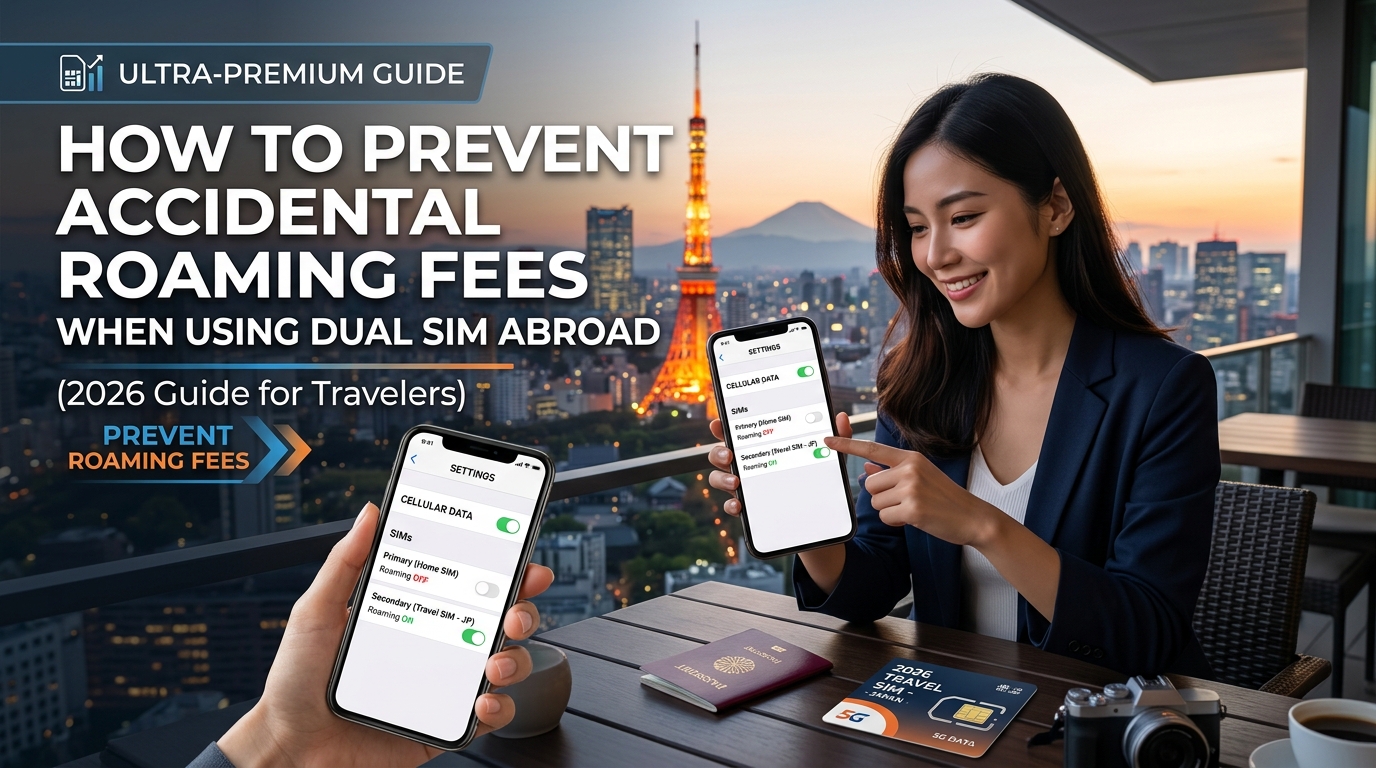
How to Prevent Accidental Roaming Fees When Using Dual SIM Abroad (2026 Guide)
The Anatomy of Dual SIM Roaming: Why Bill Shock Still Happens in 2026
Modern flagship devices—including Apple’s iPhone 14 through 16 series, Google Pixels, and Samsung Galaxy S-series—rely on an architecture known as Dual SIM Dual Standby (DSDS). DSDS allows two separate subscriber profiles (either two eSIMs or one physical nano-SIM paired with an eSIM) to remain concurrently registered to cellular networks. Both lines share a single set of internal transceivers: your phone simultaneously monitors both channels for incoming voice calls, SMS paging, and network updates.
While DSDS is designed for seamless connectivity, it is also the primary reason international travelers still get hit with unexpected carrier fees. Understanding the line between cellular data and signaling channels is the key to mastering dual SIM usage abroad.
The Architecture: Packet-Switched Data vs. Signaling Channels
To avoid bill shock, you must understand how mobile networks process different types of traffic across your two SIMs:
                      ┌────────────────────────────────────────┐
                      │        Modern Smartphone (DSDS)        │
                      └──────────────────┬─────────────────────┘
                                         │
                 ┌───────────────────────┴───────────────────────┐
                 ▼                                               ▼
   ┌───────────────────────────┐                   ┌───────────────────────────┐
   │  Primary SIM (Home Line)  │                   │ Travel eSIM (e.g. MollySIM│
   ├───────────────────────────┤                   ├───────────────────────────┤
   │ • Incoming 2FA SMS (Free) │                   │ • 100% Mobile Data Packet │
   │ • Voice/SMS Signaling     │                   │ • Turn-by-Turn Navigation │
   │ ✖ Data Roaming: OFF       │                   │ • App Refresh & Streaming │
└───────────────────────────┘ └───────────────────────────┘- Signaling & SMS Channels: Standard SMS messages (like one-time passwords and 2FA codes) travel over the network’s non-packet signaling layer or via baseline IMS (IP Multimedia Subsystem) registration. On virtually all global carriers, receiving an incoming SMS abroad is completely free and does not trigger roaming surcharges.
- Packet-Switched Cellular Data: This channel handles web traffic, app syncs, and telemetry. If your domestic carrier detects even a fraction of a kilobyte routing across foreign infrastructure, its automated billing system treats the line as "active roaming."
The 1KB Micro-Handshake: How "Silent" Data Triggers $10–$15 Daily Fees
Legacy travel advice often suggested simply turning off high-bandwidth features. In 2026, that is no longer enough. Domestic carriers like AT&T (International Day Pass at $12/day) and Verizon (TravelPass at $10/day) use fully automated billing triggers.
If your domestic line attempts any of the following over a foreign cellular tower:
- A background Apple APNs (Apple Push Notification service) keep-alive packet
- An automated Network Time Protocol (NTP) clock synchronization
- A background app refresh query consuming as little as 1 Kilobyte
...your home carrier registers an active daily session and automatically applies the full daily fee to your bill.
| Traffic Type | Domestic Carrier Action | Billing Result |
|---|---|---|
| Incoming 2FA SMS | Handled via carrier signaling channel | $0.00 (Free on almost all carriers) |
| Silent 1KB Data Sync | Hits foreign cellular data pipeline | $10–$15/day trigger automatically billed |
| Unanswered Call | Paged across tower, diverted to carrier VM | $0.00 (If Mobile Data/Roaming is OFF) |
| Voicemail Download | Visual Voicemail attempts packet sync | $10–$15/day trigger automatically billed |
The 2026 Dual SIM Objective: Clean Separation of Roles
The ideal setup does not require turning your domestic line off entirely. Leaving your home line active is essential for receiving vital two-factor authentication (2FA) bank codes, flight alert texts, and critical SMS verifications.
Instead, the objective is strict role isolation:
- Lock down the Home SIM: Retain voice and SMS signaling exclusively, while completely sealing off its data pipeline to prevent micro-handshakes.
- Offload All Data to a Travel eSIM: Route 100% of packet-switched data through a dedicated provider like MollySIM.
Deploying a purpose-built travel eSIM ensures predictable costs with no hidden roaming triggers. Providers like MollySIM eliminate data overage friction by providing transparent, prepaid data buckets backed by a generous 384kbps Fair Use Policy (FUP) throttled speed—nearly triple the industry-standard 128kbps limit. This ensures that even if you exhaust your high-speed allowance, critical applications like Google Maps, Apple Pay token authentications, and messaging apps continue running smoothly without failing back to your expensive home carrier.
Bulletproof iPhone Setup: Locking Down Dual SIM Settings on iOS 18/iOS 19
🇺🇸 United States High-Speed Travel eSIM & SIM Plans
Instant QR code activation, hotspot enabled, with guaranteed 384kbps fallback speed to keep Maps & Digital Wallets active.
Modern versions of iOS handle Dual SIM architecture exceptionally well, but Apple’s default convenience features can inadvertently trigger roaming charges if left unchecked. A single misplaced toggle can prompt iOS to silently route background packets through your primary domestic carrier the moment your travel connection dips.
Follow this exact step-by-step configuration to establish an airtight digital firewall before your flight departs.
Step 1: Neutralize "Allow Cellular Data Switching" (The #1 Culprit)
This is the single most critical setting on your iPhone. When enabled, iOS dynamically evaluates network performance; if your travel line hits a temporary dead zone or tower handoff latency, iOS will automatically switch your data pipeline back to your primary SIM. If this happens for even two seconds, your domestic carrier records an active data session and bills you for a full day pass.
- Navigate to Settings > Cellular (or Mobile Data in select regions).
- Tap Cellular Data.
- Select your travel eSIM: MollySIM.
- Toggle Allow Cellular Data Switching strictly OFF.
Step 2: Configure Primary Home SIM Line Settings
You want to keep your home SIM active to receive SMS 2FA security codes, but you must completely sever its ability to establish data handshakes with foreign partner networks.
- Go to Settings > Cellular and tap your Primary / Home SIM under the SIMs section.
- Toggle Turn On This Line to ON (so incoming SMS signaling stays active).
- Toggle Data Roaming to OFF.
- Set Voice & Data to LTE or 5G Auto (do not disable cellular service entirely, as SMS requires control plane connectivity).
Step 3: Configure MollySIM Settings
Because MollySIM operates as an international roaming data profile to secure local tier-1 network agreements across destinations worldwide, you must enable roaming on its specific profile to allow data routing.
- Go to Settings > Cellular and tap your MollySIM profile.
- Toggle Turn On This Line to ON.
- Toggle Data Roaming to ON. (Note: This only permits MollySIM to route data through local partner networks; it has zero impact on your domestic home line).
- Tap Network Selection and leave it on Automatic unless instructed by support to bind to a specific local carrier.
Step 4: Leverage "Wi-Fi Calling on Cellular Data" (Backup Calling)
Apple supports an advanced IMS feature that allows your Primary Home SIM to piggyback on your secondary eSIM's data connection. When properly configured, your home carrier treats this data pipeline as an encrypted Wi-Fi tunnel. This allows you to place domestic calls and send/receive blue iMessages and green SMS texts over your MollySIM data plan without incurring international roaming fees.
Configuration Steps:
- Before leaving home: Go to Settings > Phone > Wi-Fi Calling and turn Wi-Fi Calling on This iPhone to ON.
- When abroad, if your home carrier loses direct cellular roaming signal, iOS automatically routes your home line's voice and SMS traffic over MollySIM's data stream.
- You will know it is working when your Control Center status bar displays:
[Home Carrier] using Cellular Data
┌──────────────────────────────────────────────┐
│  Carrier Status Bar (Control Center)         │
│  ──────────────────────────────────────────  │
│  📶 Primary:   "Verizon using Cellular Data" │  <-- VoIMS over Secondary Data
│  📶 Secondary: "MollySIM 5G"                 │  <-- Active Data Pipeline
└──────────────────────────────────────────────┘
Because backup calling consumes small, continuous streams of voice packet data (around 20–40kbps), network stability is critical. MollySIM’s built-in 384kbps Fair Use Policy (FUP) speed floor provides more than enough bandwidth to sustain crystal-clear SIP voice handshakes, Apple Pay token authentications, and mapping navigation even if you reach your high-speed allowance—far outperforming legacy eSIM providers whose 128kbps limits often result in dropped calls and broken IMS tunnels.
iOS 18/19 Dual SIM Configuration Matrix
| Setting Menu Path | Target Selection | Intended Function |
|---|---|---|
| Settings > Cellular > Cellular Data | MollySIM | Locks all data packets exclusively to your travel eSIM. |
| Settings > Cellular > Cellular Data Switching | OFF (Disabled) | Prevents iOS from falling back to your domestic line. |
| Settings > Cellular > [Home SIM] > Data Roaming | OFF (Disabled) | Blocks packet data charging by domestic carrier abroad. |
| Settings > Cellular > [MollySIM] > Data Roaming | ON (Enabled) | Authorizes travel eSIM to connect to local roaming nodes. |
| Settings > Phone > Wi-Fi Calling | ON (Enabled) | Routes home calls/SMS over MollySIM data pipeline. |
Android Masterclass: Dual SIM Configuration for Samsung Galaxy & Google Pixel
Configuring dual SIM settings on Android requires navigating interface variations across different manufacturer skins. While Google Pixel uses stock Android (Android 15/16), Samsung implements its proprietary One UI framework. Both ecosystems feature built-in data failover mechanisms that—if left on default settings—will automatically pull data from your domestic SIM when your travel eSIM signal fluctuates, generating unexpected daily roaming pass charges.
The exact workflows below establish absolute data isolation on both device families.
1. Samsung Galaxy (One UI 6.x / 7.x / 8.x)
Samsung separates SIM selection from network roaming rules. You must configure both the SIM Manager and the Mobile Networks menus.
Step-by-Step Setup:
- Navigate to SIM Management: Go to Settings > Connections > SIM Manager.
- Assign Preferred Data Pipeline: Scroll to Preferred SIMs, tap Mobile Data, and select MollySIM.
- Disable Automatic Carrier Fallback: Locate Auto data switching and toggle it OFF.
- Critical Warning: Leaving this enabled allows One UI to query your domestic SIM whenever the travel eSIM encounters momentary cell handovers, immediately triggering a home roaming charge.
- Isolate Roaming Permissions:
- Navigate back to Settings > Connections > Mobile Networks.
- If your One UI build provides independent toggles per SIM slot, turn Data Roaming OFF for your primary domestic card.
- Verify that Data Roaming is turned ON for the MollySIM profile under its dedicated sub-menu.
2. Google Pixel (Stock Android 15 / 16)
Google Pixel organizes dual SIM management directly inside the unified Network & internet panel.
Step-by-Step Setup:
- Go to Settings > Network & internet > SIMs.
- Configure Primary (Home) SIM:
- Tap your domestic carrier profile.
- Toggle Mobile data to OFF.
- Toggle Roaming to OFF.
- Ensure Use SIM remains ON (this keeps your domestic number registered for incoming SMS/2FA routing).
- Configure Travel eSIM:
- Return to SIMs and tap MollySIM.
- Toggle Use SIM to ON.
- Toggle Mobile data to ON.
- Toggle Roaming to ON (required to access partner tier-1 networks abroad).
- Disable Intelligent Switching:
- Tap MollySIM or view the main SIMs menu.
- Find Switch mobile data automatically (or Backup calling data switching) and toggle it OFF.
Android Dual SIM Quick Reference Matrix
| Setting / Feature | Samsung Galaxy (One UI) | Google Pixel (AOSP) | Intended Setting | Why It Matters |
|---|---|---|---|---|
| Active Mobile Data | SIM Manager > Mobile Data | Network & internet > SIMs > [MollySIM] | MollySIM | Routes all device traffic via travel eSIM. |
| Auto Failover / Switching | SIM Manager > Auto data switching | SIMs > Switch mobile data automatically | OFF (Disabled) | Eliminates automatic domestic SIM data failovers. |
| Domestic Data Roaming | Connections > Mobile networks | SIMs > [Primary SIM] > Roaming | OFF (Disabled) | Hard-blocks domestic data packets at network layer. |
| MollySIM Data Roaming | Connections > Mobile networks | SIMs > [MollySIM] > Roaming | ON (Enabled) | Authorizes local foreign cell tower handshakes. |
Troubleshooting: APN Verification & Carrier Firmware Overrides
Certain carrier-branded Android devices (such as AT&T, Verizon, or T-Mobile branded variants) contain vendor CSC (Consumer Software Customization) packages that may attempt to force APN resets upon reboot or when crossing international borders.
1. APN Verification
If your travel profile displays active signal bars but apps fail to connect:
- Navigate to Settings > Connections / Network & internet > Mobile Networks > Access Point Names.
- Select the MollySIM profile.
- Ensure the APN field matches the installation credentials provided in your activation dashboard (most modern MollySIM profiles configure this automatically via remote OTA payload).
- Ensure the APN protocol is set to
IPv4/IPv6to prevent handshake drops during dual-stack voice/data routing.
2. Avoiding Unwanted Carrier Switching During FUP Throttling
A major pitfall with standard travel eSIMs occurs when you hit high-speed data caps. Many budget providers drop speeds to 128kbps—a threshold so low that Android's operating system flags the connection as "No Internet" and attempts an automated failover to your home SIM.
MollySIM solves this architectural failure by implementing an industry-leading 384kbps Fair Use Policy (FUP) speed limit. Operating at three times the speed of traditional travel eSIMs, this baseline bandwidth maintains active IP transport for background sync, Google Maps vector rendering, and Google Wallet/Apple Pay tokens without dropping below Android's network health threshold—keeping your domestic line protected against fallback activations.
The 2FA Dilemma: Receiving Bank Codes and OTPs Abroad Without Roaming Fees
One of the greatest friction points when traveling internationally is identity verification. Modern banking apps, card-issuing platforms, and enterprise security suites (like Okta or Microsoft Authenticator) frequently trigger SMS-based Two-Factor Authentication (2FA) when detecting logins from overseas IP addresses.
Many travelers panic and keep their home SIM completely disabled in Airplane Mode, locking themselves out of critical accounts. Others leave it on without proper configuration and get hit with carrier "Day Pass" charges ($10 to $15 per day) simply because their phone connected to a foreign tower.
Navigating this requires understanding how cellular signaling protocols handle incoming data versus incoming text messages.
The Mechanics of Incoming SMS: Why OTPs Are Usually Free
Under standard international telecommunication billing frameworks, receiving a standard SMS (Short Message Service) is globally free on almost every major postpaid carrier (including AT&T, Verizon, T-Mobile, EE, Vodafone, and Telstra).
When an Application-to-Person (A2P) one-time passcode (OTP) is dispatched:
- The message routes through the international SS7 signaling control plane.
- It hits your handset via the passive signaling channel rather than the user data channel.
- Because your device does not initiate an outbound connection, your home carrier does not register billable data or voice usage.
The Golden Rule: As long as Data Roaming is strictly toggled OFF on your domestic line and you do not answer calls or send outbound messages, your home SIM will passively receive incoming bank OTPs anywhere in the world without triggering daily roaming charges.
Home SIM Action Matrix: What Triggers Roaming Charges?
| Action on Home SIM Line | Network Channel Used | Triggers Daily Pass / Roaming Fee? | Recommended Action |
|---|---|---|---|
| Incoming 2FA SMS / OTP | Signaling Control Plane | ❌ No (Free) | Keep line active to receive codes. |
| Outbound SMS (Replying) | User Plane (SMS Bearer) | ✅ Yes | Use WhatsApp, Signal, or iMessage instead. |
| Incoming Call (Let it ring) | Signaling (Call Setup) | ❌ No | Let unknown calls ring through to voicemail. |
| Answering Incoming Call | Dedicated Voice Channel | ✅ Yes | Decline or route calls via VoIP/Wi-Fi Calling. |
| Incoming MMS (Media/Group) | Cellular Data Bearer | ✅ Yes (if data leaks) | Disable MMS Messaging in cellular settings. |
| Visual Voicemail Sync | Background Cellular Data | ✅ Yes | Disable background sync for carrier voicemail apps. |
Warning on MMS: Multimedia Messaging Service (MMS) messages—including group texts sent from Android to iPhone—require cellular data packet transport. If your domestic carrier attempts to retrieve an MMS payload over cellular, it can trigger a daily pass. Disable MMS Messaging under your device's native messaging settings before departure.
Configuring iMessage, RCS, and WhatsApp on Dual SIM
Modern over-the-top (OTT) messaging platforms operate purely on IP data. When configured properly, they utilize your travel data eSIM while maintaining your domestic identity:
- WhatsApp: When you insert or activate a travel eSIM, WhatsApp will prompt: "Keep using current phone number?" Always select Keep. WhatsApp will route all messages, calls, and media packets over the active travel data profile while displaying your familiar domestic number to contacts.
- Apple iMessage & FaceTime: Go to Settings > Messages > Send & Receive. Ensure your primary domestic phone number remains checked alongside your Apple Account email. iMessage will push encrypted messages through the active data connection provided by your travel eSIM without touching domestic cellular data channels.
- RCS (Rich Communication Services): On Android and modern iOS updates, RCS relies on IP transport. As long as your domestic SIM remains registered to the network for identity verification, RCS chats will transmit seamlessly over your secondary data line.
Seamless 2FA Routing with MollySIM
To execute this setup without friction, your travel profile must maintain an ultra-stable data session. Banking applications frequently run fraud-detection telemetry that cross-references your incoming SMS verification code with an immediate secure API handshake. If your data connection drops or stutters during this handshake, authentication fails, prompting the bank to lock your account.
MollySIM provides the robust, uninterruptible infrastructure required for mission-critical travel tasks. Because MollySIM contracts with Tier-1 roaming partners worldwide, your device maintains high-priority local data routing for banking apps, Apple Pay token authentications, and messaging platforms.
Even if you exhaust your high-speed data allowance mid-trip, MollySIM’s 384kbps Fair Use Policy (FUP) speed limit—operating at 3x the speed of standard 128kbps travel eSIMs—provides more than enough throughput to load banking portals, handle biometric verification handshakes, and process push-notification 2FA prompts reliably while your domestic SIM quietly receives passive SMS OTPs at zero extra cost.
International Connectivity Comparison: Costs, Risks, and Fail-Safes
Navigating international roaming requires balancing operational convenience against fiscal liability. While traditional carrier day passes offer seamless transition, their compounding daily costs quickly outpace their utility for trips longer than a weekend. Conversely, extreme cost-cutting measures—such as buying physical local SIMs at airport kiosks—introduce critical failure points for two-factor authentication and identity verification.
The following matrix evaluates the five predominant connectivity architectures across cost, setup complexity, risk profile, and baseline recovery speeds:
| Connectivity Method | Est. Daily Cost | Setup Friction | 2FA SMS Retention | Risk of Accidental Roaming Fees | Throttling Thresholds | Fallback / Backup Speed |
|---|---|---|---|---|---|---|
| Home Carrier Daily Pass | $10.00 – $15.00 | None (Automatic trigger) | Seamless | Medium (Accidental triggers on micro-connections) | Daily 500MB–2GB high-speed caps | 128kbps or complete data shutoff |
| Pay-As-You-Go Roaming | $2.00 – $15.00+ per MB | None | Seamless | Extreme (Uncapped bill shock risk) | None (Unmetered billing) | No fallback; continuous per-MB charges |
| Airport Physical SIM | $1.50 – $4.00 | High (Passport checks, physical swap, kiosk lines) | Lost (Domestic SIM removed from tray) | Zero (Domestic SIM disconnected) | Fixed plan bucket | 64kbps – 128kbps or complete hard stop |
| Generic Travel eSIM | $1.00 – $3.50 | Moderate (Manual APN / profile install) | Retained (Via Dual SIM standby) | Medium (Risk if Data Switching enabled) | Fixed plan bucket | 64kbps – 128kbps or hard disconnect |
| MollySIM Dual SIM Strategy | $0.80 – $2.50 | Low (Instant QR install / auto-provisioning) | Retained (Passive domestic SMS routing) | Zero (With cellular data lock applied) | Transparent tiered allocations | 384kbps Unlimited FUP (3x standard speed) |
The 384kbps Fallback Safeguard: Why Base Bandwidth Dictates Travel Safety
The most overlooked vulnerability in international data planning is what happens after a high-speed bucket is depleted. Most generic travel eSIM providers throttle depleted lines to 64kbps or 128kbps—speeds that are functionally obsolete in modern app ecosystems.
At 128kbps, basic network operations fail due to aggressive modern packet-timeout parameters:
- Vector Mapping Latency: Apps like Google Maps and Apple Maps fail to download map vector tiles, rendering navigation useless in unfamiliar transit hubs.
- Rideshare API Timeouts: Uber, Grab, and Bolt fail during dynamic price calculation and driver-matching SSL handshakes, leaving travelers stranded.
- Financial Tokenization Drops: Banking applications time out during mutual TLS (mTLS) session handshakes, locking accounts due to perceived network instability.
Industry Standard Fallback (128 kbps):
[=======] -> DNS Timeouts, Map Rendering Failures, Dropped App Handshakes

MollySIM 384kbps FUP Limit (3x Industry Standard):
[=====================] -> Live Google Maps Navigation, WhatsApp VoIP, 2FA Validation
To eliminate this vulnerability, MollySIM implements a continuous 384kbps Fair Use Policy (FUP) across its unlimited and bucketed tiers. Operating at three times the throughput of standard travel eSIMs, this 384kbps baseline bridges the critical gap between high-speed exhaustion and complete connectivity loss.
At 384kbps, critical operational pathways remain functional:
- Vector & Turn-by-Turn Navigation: Low-overhead vector map data loads progressively without triggering connection timeouts.
- VoIP Messaging & Voice Calls: WhatsApp, Signal, and Telegram handle clear voice transmission and uncompressed text delivery seamlessly.
- Ride-Hailing & Payment Execution: Secure payment gateways and ride-hailing services complete end-to-end token handshakes without dropping sessions.
This architectural fallback ensures that even if you miscalculate your primary data consumption mid-transit, your essential navigation, communication, and 2FA verification channels remain fully intact—without triggering costly carrier data failovers.
Pre-Departure Checklist & Real-Time Troubleshooting for Zero Bill Shock
Preventing roaming fees requires executing network configurations in a strict chronological sequence. Making configuration changes while your device is actively hunting for international cell towers can cause brief micro-connections over your primary line—resulting in instant daily pass triggers (such as AT&T’s International Day Pass or Verizon’s TravelPass).
Follow this step-by-step checklist to isolate your cellular data pathways before and during transit.
The Chronological Zero-Roaming Setup Protocol
| Timeline | Action Item | Technical Objective |
|---|---|---|
| T-24 Hours (Home) | Install eSIM & Rename Profiles | Complete cryptographic handshake over secure home Wi-Fi; prevent profile confusion. |
| T-12 Hours (Home) | Request Carrier-Level Data Bar | Place an account-side block on billable roaming data through your domestic carrier app/support. |
| T-0 Boarding (Gate) | Disable Mobile Data Switching | Hard-lock data routing so the OS cannot dynamically failover to your home SIM. |
| Touchdown (Destination) | Verify Dual Registration & APN | Confirm MollySIM handles packet data while your home SIM remains strictly in passive SMS mode. |
Phase 1: 24 Hours Pre-Departure (Staging & Hardening)
- Provision the Travel Profile: Scan your QR code or install the eSIM profile directly via the MollySIM app over a trusted Wi-Fi network. Do not wait until you land; provisioning requires an active internet connection to download carrier policy files.
- Standardize SIM Labels: Navigate to your cellular settings and update line identifiers:
- Primary SIM: Rename to "Home Line" (Assigned for Default Voice/SMS).
- MollySIM: Rename to "Travel Data" (Assigned for Mobile Data).
- Request an Account-Side Roaming Block: Open your domestic carrier’s portal (or call customer support) and request an International Data Roaming Block. This server-side switch prevents your domestic line from opening a Packet Data Protocol (PDP) session abroad, even if your phone's software settings are configured incorrectly.
Phase 2: Boarding & Cruise Altitude (Locking the Data Gate)
- Disable Cellular Data Switching:
- iOS: Go to
Settings>Cellular>Cellular Data> Select Travel Data, then toggle Allow Mobile Data Switching to OFF. - Android: Go to
Settings>Network & Internet>SIMs> Set Mobile Data exclusively to your travel eSIM and disable Auto Data Switching / Backup Calling Data.
- Verify Roaming Toggles:
- Home Line: Toggle
Data RoamingOFF. - MollySIM Line: Toggle
Data RoamingON (required for travel eSIMs to negotiate data routes with local partner networks).
- Reset Cellular Statistics: Scroll to the bottom of your OS Cellular/Data Usage menu and tap Reset Statistics. Establishing a baseline of
0 KBmakes any unexpected background data consumption instantly visible.
Phase 3: Touchdown & Gateway Handshake
- Disable Airplane Mode: Allow both lines to register.
- Inspect the Status Bar:
- Confirm dual network signal meters appear.
- Verify the primary data indicator (
5G,LTE, or4G) is mapped exclusively to the Travel Data signal.
- Continuous Access Architecture: If you run an intensive data task and surpass high-speed thresholds, MollySIM’s 384kbps Fair Use Policy (FUP) limit—3x faster than the 128kbps industry standard—ensures mapping platforms like Google Maps/Apple Maps and transaction services like Apple Pay continue processing without dropped packets, eliminating any temptation to switch data back to your domestic line.
Real-Time Diagnostics: Dissecting the "Welcome Abroad" Carrier SMS
Upon arrival, your home carrier will almost certainly transmit an automated SMS stating: "Welcome to [Country]. Data is $10/day or $2.05/MB..."
Do not panic: Receiving this SMS does not mean you have incurred charges.
Mobile-Terminated SMS (MT-SMS) travels over standard control/signaling channels (SS7/Diameter) to confirm network registration and is universally free to receive worldwide. Billing triggers only when a PDP context is established for mobile internet traffic.
How to Verify Zero Data Leakage:
- Check Live Byte Consumption: Go to your device’s cellular data usage breakdown. Check the counter next to your Home Line. If it reads 0 KB (or 0 Bytes), your domestic carrier has not processed billable data.
- Audit IMS Status (VoLTE / Wi-Fi Calling): If your home carrier supports Backup Calling (using MollySIM’s cellular data to route your home carrier’s calls and 2FA SMS over IMS), verify the status line displays:
[Home Carrier] using Cellular Data. This routes voice traffic as pure encrypted data over the travel eSIM without triggering cellular voice roaming surcharges. - Emergency Fail-Safe: If your home line displays data accumulation despite toggling data off, access your Home SIM settings, select Network Selection, toggle off Automatic, and select an incompatible local carrier. This breaks the registration link entirely while keeping the SIM profile active for Wi-Fi environments.
🇺🇸 United States High-Speed Travel eSIM & SIM Plans
Instant QR code activation, hotspot enabled, with guaranteed 384kbps fallback speed to keep Maps & Digital Wallets active.